文章目录
- [Vue3 动态加载静态资源](#Vue3 动态加载静态资源)
Vue3 动态加载静态资源
效果图
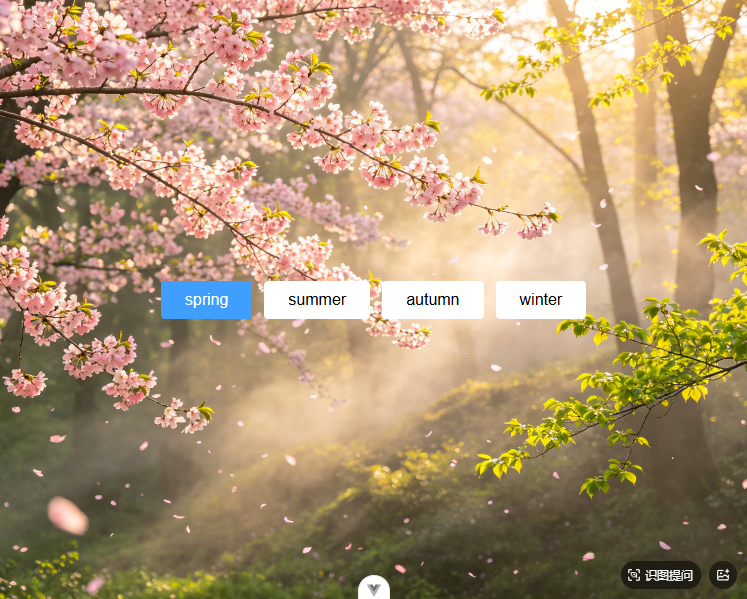
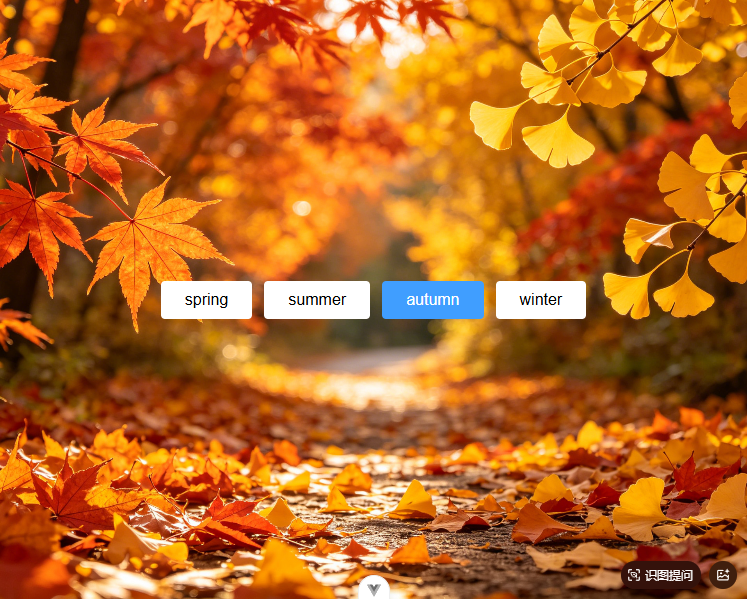
代码实现
方式一: new URL()+computed
vue
<script setup>
import {computed, ref} from "vue";

const seasons = ref(["spring", "summer", "autumn", "winter"]);
const currentSeason = ref("spring");

const imageUrl = computed(() => {
  return new URL(`../assets/images/${currentSeason.value}.png`, import.meta.url).href;
});

function handleClick(season) {
  currentSeason.value = season;
}
</script>

<template>
  <div class="container" :style="{'background-image':`url(${imageUrl})`}">
    <div class="season-tabs">
      <button v-for="season in seasons" :key="season"
              class="season-btn"
              :class="{'season-btn-active': currentSeason === season}"
              @click="handleClick(season)"
      >
        {{ season }}
      </button>
    </div>
  </div>
</template>

<style scoped>
.container {
  width: 100vw;
  height: 100vh;
  background-size: cover;
  background-position: center;
  display: flex;
  justify-content: center;
  align-items: center;
}

.season-tabs {
  display: flex;
  gap: 12px;
}

.season-btn {
  padding: 10px 24px;
  border: none;
  border-radius: 4px;
  background-color: #fff;
  font-size: 16px;
  cursor: pointer;
}

.season-btn-active {
  background-color: #409eff;
  color: #fff;
}
</style>
方式二: watch+ref
vue
<script setup>
import {computed, ref, watch} from "vue";

const seasons = ref(["spring", "summer", "autumn", "winter"]);
const currentSeason = ref("spring");

const imageUrl = ref("");
watch(currentSeason, (newSeason) => {
  import(`../assets/images/${newSeason}.png`).then(m => {
    imageUrl.value = m.default;
  }).catch(e => console.error(e));
}, {immediate: true});

function handleClick(season) {
  currentSeason.value = season;
}
</script>

<template>
  <div class="container" :style="{'background-image':`url(${imageUrl})`}">
    <div class="season-tabs">
      <button v-for="season in seasons" :key="season"
              class="season-btn"
              :class="{'season-btn-active': currentSeason === season}"
              @click="handleClick(season)"
      >
        {{ season }}
      </button>
    </div>
  </div>
</template>

<style scoped>
.container {
  width: 100vw;
  height: 100vh;
  background-size: cover;
  background-position: center;
  display: flex;
  justify-content: center;
  align-items: center;
}

.season-tabs {
  display: flex;
  gap: 12px;
}

.season-btn {
  padding: 10px 24px;
  border: none;
  border-radius: 4px;
  background-color: #fff;
  font-size: 16px;
  cursor: pointer;
}

.season-btn-active {
  background-color: #409eff;
  color: #fff;
}
</style>
方式三:对象管理
vue
<script setup>
import {computed, ref, watch} from "vue";

import spring from "@/assets/images/spring.png";
import summer from "@/assets/images/summer.png";
import autumn from "@/assets/images/autumn.png";
import winter from "@/assets/images/winter.png";
const seasons = ref(["spring", "summer", "autumn", "winter"]);
const currentSeason = ref("spring");

const seasonImages = {
  spring,
  summer,
  autumn,
  winter
};

const imageUrl = computed(() => seasonImages[currentSeason.value]);

function handleClick(season) {
  currentSeason.value = season;
}
</script>

<template>
  <div class="container" :style="{'background-image':`url(${imageUrl})`}">
    <div class="season-tabs">
      <button v-for="season in seasons" :key="season"
              class="season-btn"
              :class="{'season-btn-active': currentSeason === season}"
              @click="handleClick(season)"
      >
        {{ season }}
      </button>
    </div>
  </div>
</template>

<style scoped>
.container {
  width: 100vw;
  height: 100vh;
  background-size: cover;
  background-position: center;
  display: flex;
  justify-content: center;
  align-items: center;
}

.season-tabs {
  display: flex;
  gap: 12px;
}

.season-btn {
  padding: 10px 24px;
  border: none;
  border-radius: 4px;
  background-color: #fff;
  font-size: 16px;
  cursor: pointer;
}

.season-btn-active {
  background-color: #409eff;
  color: #fff;
}
</style>