PowerShell 脚本(推荐,保持原样优化)
保存为 search_jar.ps1:
powershell
php
param(
    [Parameter(Mandatory=$true)]
    [string]$SearchString
)

Get-ChildItem -Filter *.jar | ForEach-Object {
    $jar = $_.FullName
    Write-Host "正在扫描: $jar" -ForegroundColor Cyan

    tar -tf $jar 2>$null | Where-Object { $_ -like "*.class" } | ForEach-Object {
        $classPath = $_
        $content = tar -xf $jar --to-stdout $classPath 2>$null
        if ($content -match $SearchString) {
            Write-Host "→ 找到匹配: $jar -> $classPath" -ForegroundColor Green
        }
    }
}
使用方法:
1. 打开 PowerShell,进入 lib 目录
powershell
bash
cd D:\你的项目\src\main\resources\lib2. 执行搜索(传入关键词)
powershell
.\search_jar.ps1 interceptorsb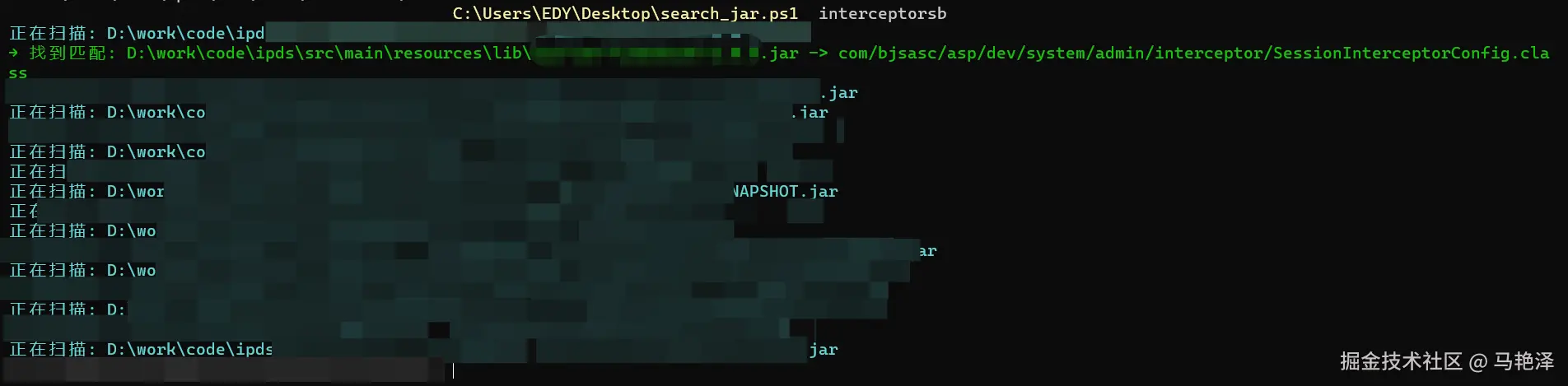
报错
无法加载文件 C:\Users\EDY\Desktop\search_jar.ps1,因为在此系统上禁止运行脚本
一、报错原因
Win11 默认禁止运行未签名的 PowerShell 脚本,所以提示:无法加载文件 xxx.ps1,因为在此系统上禁止运行脚本。
二、1 分钟解决(复制执行即可)
步骤 1:以管理员身份打开 PowerShell
方法:Win + X → **Windows PowerShell (管理员)**或 搜索 PowerShell → 右键 以管理员身份运行
步骤 2:执行这条命令(复制粘贴)
powershell
javascript
Set-ExecutionPolicy RemoteSigned -Force步骤 3:提示都选 Y / 同意
执行完就永久解除禁止了。