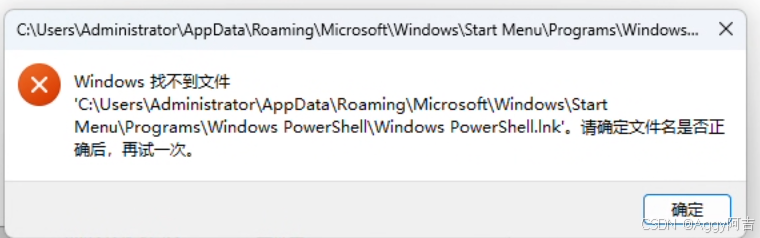
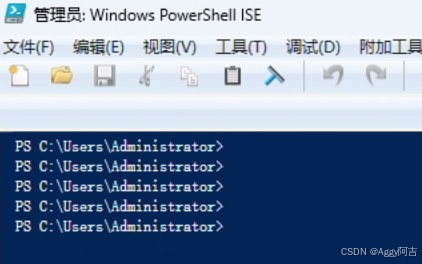
# 第一步:临时解除脚本限制(仅对当前窗口有效)
Set-ExecutionPolicy -ExecutionPolicy Bypass -Scope Process -Force

# 第二步:重新安装 Chocolatey
[System.Net.ServicePointManager]::SecurityProtocol = [System.Net.ServicePointManager]::SecurityProtocol -bor 3072; iex ((New-Object System.Net.WebClient).DownloadString('https://community.chocolatey.org/install.ps1'))

PS C:\Users\Administrator> [System.Net.ServicePointManager]::SecurityProtocol = [System.Net.ServicePointManager]::SecurityProtocol -bor 3072; iex ((New-Object System.Net.WebClient).DownloadString('https://community.chocolatey.org/install.ps1'))
Forcing web requests to allow TLS v1.2 (Required for requests to Chocolatey.org)
Getting latest version of the Chocolatey package for download.
Not using proxy.
Getting Chocolatey from https://community.chocolatey.org/api/v2/package/chocolatey/2.7.1.
Downloading https://community.chocolatey.org/api/v2/package/chocolatey/2.7.1 to C:\Users\ADMINI~1\AppData\Local\Temp\chocolatey\chocoInstall\chocolatey.zip
Not using proxy.
Extracting C:\Users\ADMINI~1\AppData\Local\Temp\chocolatey\chocoInstall\chocolatey.zip to C:\Users\ADMINI~1\AppData\Local\Temp\chocolatey\chocoInstall
Installing Chocolatey on the local machine
Creating ChocolateyInstall as an environment variable (targeting 'Machine')
  Setting ChocolateyInstall to 'C:\ProgramData\chocolatey'
WARNING: It's very likely you will need to close and reopen your shell
  before you can use choco.
Restricting write permissions to Administrators
We are setting up the Chocolatey package repository.
The packages themselves go to 'C:\ProgramData\chocolatey\lib'
  (i.e. C:\ProgramData\chocolatey\lib\yourPackageName).
A shim file for the command line goes to 'C:\ProgramData\chocolatey\bin'
  and points to an executable in 'C:\ProgramData\chocolatey\lib\yourPackageName'.

Creating Chocolatey CLI folders if they do not already exist.

chocolatey.nupkg file not installed in lib.
 Attempting to locate it from bootstrapper.
PATH environment variable does not have C:\ProgramData\chocolatey\bin in it. Adding...
Not setting tab completion: Profile variable ($profile) resulted in an empty string.
Chocolatey CLI (choco.exe) is now ready.
You can call choco from anywhere, command line or PowerShell by typing choco.
Run choco /? for a list of functions.
You may need to shut down and restart PowerShell and/or consoles
 first prior to using choco.
Ensuring Chocolatey commands are on the path
Ensuring chocolatey.nupkg is in the lib folder

PS C:\Users\Administrator> iwr -useb https://openclaw.ai/install.ps1 | iex

  OpenClaw Installer

[OK] Windows detected
[OK] Node.js v24.15.0 found
[*] Git not found; bootstrapping user-local portable Git...
  Downloading v2.54.0.windows.1...
[OK] User-local Git ready: git version 2.54.0.windows.1
[*] Installing OpenClaw (openclaw@latest)...
[OK] OpenClaw installed

OpenClaw installed successfully (OpenClaw 2026.5.7 (eeef486))!

Cozy. I've already read your calendar. We need to talk.

Starting setup...

PS C:\Users\Administrator> openclaw crestodian --message "status"
Crestodian online. Little claws, typed tools.

Config: missing (configless rescue mode)
Path: C:\Users\Administrator\.openclaw\openclaw.json
Default agent: main
Default model: not configured
Agents:
  - main | default
Codex: not found
Claude Code: not found
API keys: OpenAI not found, Anthropic not found
Planner: deterministic only until a model is configured
Docs: C:\Users\Administrator\AppData\Roaming\npm\node_modules\openclaw\docs
Source: https://github.com/openclaw/openclaw
Gateway: not reachable (ws://127.0.0.1:18789, local loopback)
Gateway note: fetch failed
Next: run "setup" to create a starter config

[crestodian] queued: status.check
[crestodian] running: status.check
OpenClaw status

Overview
+----------------------+-----------------------------------------------------------------------------------------------+
| Item                 | Value                                                                                         |
+----------------------+-----------------------------------------------------------------------------------------------+
| OS                   | windows 10.0.26200 (x64) 路 node 24.15.0                                                       |
| Dashboard            | http://127.0.0.1:18789/                                                                       |
| Tailscale exposure   | off                                                                                           |
| Channel              | stable (default)                                                                              |
| Update               | pkg                                                                                           |
| Gateway              | local 路 ws://127.0.0.1:18789 (local loopback) 路 unreachable                                   |
| Gateway service      | Scheduled Task not installed                                                                  |
| Node service         | Scheduled Task not installed                                                                  |
| Agents               | 0 路 no bootstrap files 路 sessions 0                                                           |
| Memory               | enabled (plugin memory-core) 路 not checked                                                    |
| Plugin compatibility | none                                                                                          |
| Probes               | skipped (use --deep)                                                                          |
| Events               | none                                                                                          |
| Tasks                | none                                                                                          |
| Heartbeat            | disabled                                                                                      |
| Sessions             | 0 active 路 default unknown 路 unknown                                                          |
+----------------------+-----------------------------------------------------------------------------------------------+

Security audit
Skipped in fast status. Full report: openclaw security audit
Deep probe: openclaw status --deep

Channels
+----------+---------+--------+----------------------------------------------------------------------------------------+
| Channel  | Enabled | State  | Detail                                                                                 |
+----------+---------+--------+----------------------------------------------------------------------------------------+
+----------+---------+--------+----------------------------------------------------------------------------------------+

Sessions
+------------------------------------------------------+------+---------+--------------+--------------+----------------+
| Key                                                  | Kind | Age     | Model        | Runtime      | Tokens         |
+------------------------------------------------------+------+---------+--------------+--------------+----------------+
| no sessions yet                                      |      |         |              |              |                |
+------------------------------------------------------+------+---------+--------------+--------------+----------------+

FAQ: https://docs.openclaw.ai/faq
Troubleshooting: https://docs.openclaw.ai/troubleshooting
Next steps:
  Need to share?      openclaw status --all
  Need to debug live? openclaw logs --follow
  Fix reachability first: openclaw gateway probe
[crestodian] done: status.check
以下是 OpenClaw 的常用命令速查表,按使用频率和功能分类,方便你快速查阅。
🚀 核心启动与配置
| 命令 | 作用 | 示例 |
|---|---|---|
openclaw |
启动交互式对话 | openclaw |
openclaw setup |
创建基础目录结构 | openclaw setup |
openclaw setup --wizard |
完整交互式向导(推荐新手) | openclaw setup --wizard |
openclaw configure |
配置模型、渠道、网关等 | openclaw configure |
openclaw configure --interactive |
交互式配置菜单 | openclaw configure --interactive |
openclaw doctor |
自动健康检查并尝试修复 | openclaw doctor |
openclaw doctor --fix |
自动修复常见问题 | openclaw doctor --fix |
📊 状态查看
| 命令 | 作用 | 示例 |
|---|---|---|
openclaw status |
基础状态(配置、网关、会话) | openclaw status |
openclaw status --all |
完整状态报告(含安全审计) | openclaw status --all |
openclaw status --deep |
深度探测(更慢但更详细) | openclaw status --deep |
openclaw logs |
查看最近日志 | openclaw logs |
openclaw logs --follow |
实时跟踪日志(类似 tail -f) |
openclaw logs --follow |
openclaw logs --lines 100 |
查看最近100行日志 | openclaw logs --lines 100 |
🌐 网关管理(Gateway)
网关是 OpenClaw 的核心通信组件,必须正常运行。
| 命令 | 作用 | 示例 |
|---|---|---|
openclaw gateway status |
查看网关运行状态 | openclaw gateway status |
openclaw gateway probe |
测试网关连通性 | openclaw gateway probe |
openclaw gateway restart |
重启网关服务 | openclaw gateway restart |
openclaw gateway start |
手动启动网关 | openclaw gateway start |
openclaw gateway stop |
停止网关 | openclaw gateway stop |
💬 与 Crestodian(核心代理)交互
crestodian 是 OpenClaw 的底层执行引擎。
| 命令 | 作用 | 示例 |
|---|---|---|
openclaw crestodian --message "xxx" |
执行单条指令(非交互) | openclaw crestodian --message "帮我写个Hello World" |
openclaw crestodian --message "status" |
查看 Crestodian 状态 | openclaw crestodian --message "status" |
🔌 渠道管理(Channels)
支持 Discord、Telegram、Slack 等消息渠道。
| 命令 | 作用 | 示例 |
|---|---|---|
openclaw channels status |
查看渠道连接状态 | openclaw channels status |
openclaw channels status --probe |
测试渠道连通性 | openclaw channels status --probe |
openclaw channels list |
列出已配置的渠道 | openclaw channels list |
openclaw channels add |
添加新渠道(交互式) | openclaw channels add |
📦 插件管理
| 命令 | 作用 | 示例 |
|---|---|---|
openclaw plugins list |
列出已安装插件 | openclaw plugins list |
openclaw plugins install <包名> |
安装插件 | openclaw plugins install @openclaw/weather |
openclaw plugins remove <包名> |
卸载插件 | openclaw plugins remove @openclaw/weather |
📁 配置与文件管理
| 命令 | 作用 | 路径/示例 |
|---|---|---|
openclaw config get <key> |
查看配置项 | openclaw config get gateway.mode |
openclaw config set <key> <value> |
修改配置项 | openclaw config set gateway.mode local |
| 配置文件位置 | 手动编辑配置 | C:\Users\你的用户名\.openclaw\openclaw.json |
| 工作空间目录 | 存储文件和数据 | C:\Users\你的用户名\.openclaw\workspace |
| 会话记录目录 | 存储对话历史 | C:\Users\你的用户名\.openclaw\agents\main\sessions |
🧪 调试与故障排除
| 命令 | 作用 | 示例 |
|---|---|---|
openclaw --version |
查看版本信息 | openclaw --version |
openclaw --help |
查看所有命令帮助 | openclaw --help |
openclaw <子命令> --help |
查看子命令帮助 | openclaw gateway --help |
🎯 你现在该执行什么?
根据之前的安装进度,你已经完成了 openclaw setup,下一步应该:
powershell
# 1. 运行完整配置向导(推荐)
openclaw setup --wizard

# 或者 2. 直接运行交互式配置
openclaw configure --interactive
配置过程中需要提供:
- AI 模型密钥(OpenAI 或 Anthropic)
- 通信渠道(可选,可以先跳过)
配置完成后,运行以下命令验证一切正常:
powershell
openclaw status          # 应该不再显示 "missing"
openclaw gateway probe   # 应该显示 "Reachable: yes"
openclaw doctor          # 应该显示 "no blocking errors"
💡 提示:如果某个命令执行出错,可以把错误信息直接贴给我,我帮你分析具体原因。