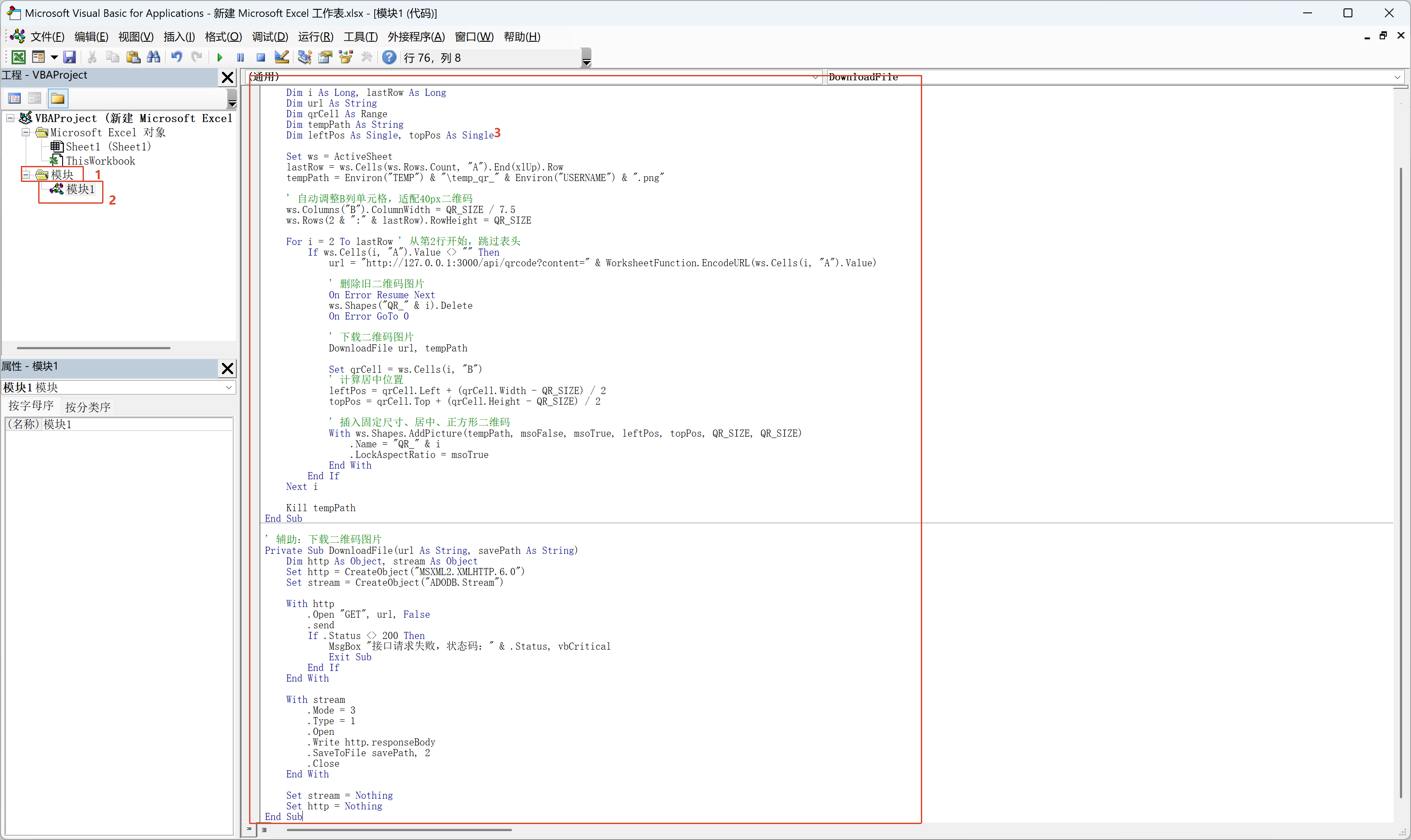
第一步:模块里放这个宏代码
按 Alt+F11 → 插入模块 → 粘贴:
Option Explicit

' 二维码固定尺寸(像素)
Const QR_SIZE As Integer = 40

Sub 生成二维码()
    Dim ws As Worksheet
    Dim i As Long, lastRow As Long
    Dim url As String
    Dim qrCell As Range
    Dim tempPath As String
    Dim leftPos As Single, topPos As Single

    Set ws = ActiveSheet
    lastRow = ws.Cells(ws.Rows.Count, "A").End(xlUp).Row
    tempPath = Environ("TEMP") & "\temp_qr_" & Environ("USERNAME") & ".png"
    ws.Columns("B").ColumnWidth = 10    ' 固定足够宽度,不挤压
    ws.Rows(1 & ":" & lastRow).RowHeight = 60 ' 足够高度,居中不贴边

    ' 清除B列所有旧二维码(防止重叠)
    DeleteAllQrShapes ws

    For i = 1 To lastRow
        If Trim(ws.Cells(i, "A").Value) <> "" Then
            url = "http://127.0.0.1:3000/api/qrcode?content=" & WorksheetFunction.EncodeURL(ws.Cells(i, "A").Value)

            ' 下载二维码
            DownloadFile url, tempPath

            Set qrCell = ws.Cells(i, "B")
            leftPos = qrCell.Left + (qrCell.Width - QR_SIZE) / 2
            topPos = qrCell.Top + (qrCell.Height - QR_SIZE) / 2

            ' 插入二维码(固定尺寸、正正方形、不拉伸)
            With ws.Shapes.AddPicture( _
                Filename:=tempPath, _
                LinkToFile:=msoFalse, _
                SaveWithDocument:=msoTrue, _
                Left:=leftPos, _
                Top:=topPos, _
                Width:=QR_SIZE, _
                Height:=QR_SIZE)

                .Name = "QR_" & i
                .LockAspectRatio = msoTrue ' 强制正方形
            End With
        End If
    Next i

    If Dir(tempPath) <> "" Then Kill tempPath
End Sub

' 辅助:删除B列所有旧二维码
Private Sub DeleteAllQrShapes(ws As Worksheet)
    On Error Resume Next
    Dim shp As Shape
    For Each shp In ws.Shapes
        If shp.Name Like "QR_*" Then shp.Delete
    Next
    On Error GoTo 0
End Sub

' 辅助:下载图片
Private Sub DownloadFile(url As String, savePath As String)
    Dim http As Object, stream As Object
    Set http = CreateObject("MSXML2.XMLHTTP.6.0")
    Set stream = CreateObject("ADODB.Stream")

    With http
        .Open "GET", url, False
        .send
        If .Status <> 200 Then
            MsgBox "? 接口请求失败,状态码:" & .Status, vbCritical
            Exit Sub
        End If
    End With

    With stream
        .Mode = 3
        .Type = 1
        .Open
        .Write http.responseBody
        .SaveToFile savePath, 2
        .Close
    End With

    Set stream = Nothing
    Set http = Nothing
End Sub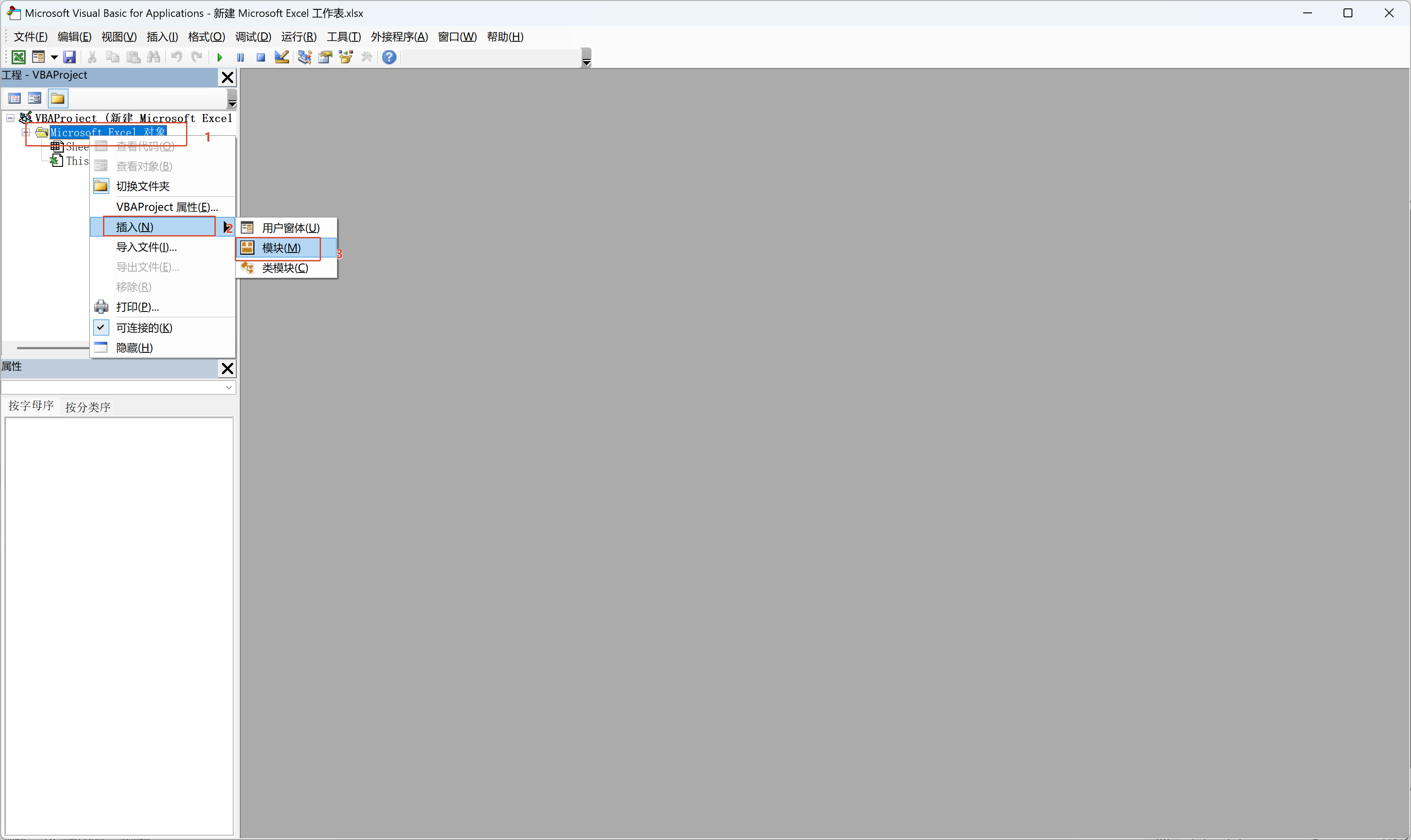
第二步:工作表代码实现「自动生成」
在VBA编辑器里,双击左侧你的工作表(比如Sheet1),粘贴下面这段代码:
Private Sub Worksheet_Change(ByVal Target As Range)
    ' 当A列内容变化时,自动重新生成二维码
    If Not Intersect(Target, Me.Columns("A")) Is Nothing Then
        Application.ScreenUpdating = False
        Call 生成二维码
        Application.ScreenUpdating = True
    End If
End Sub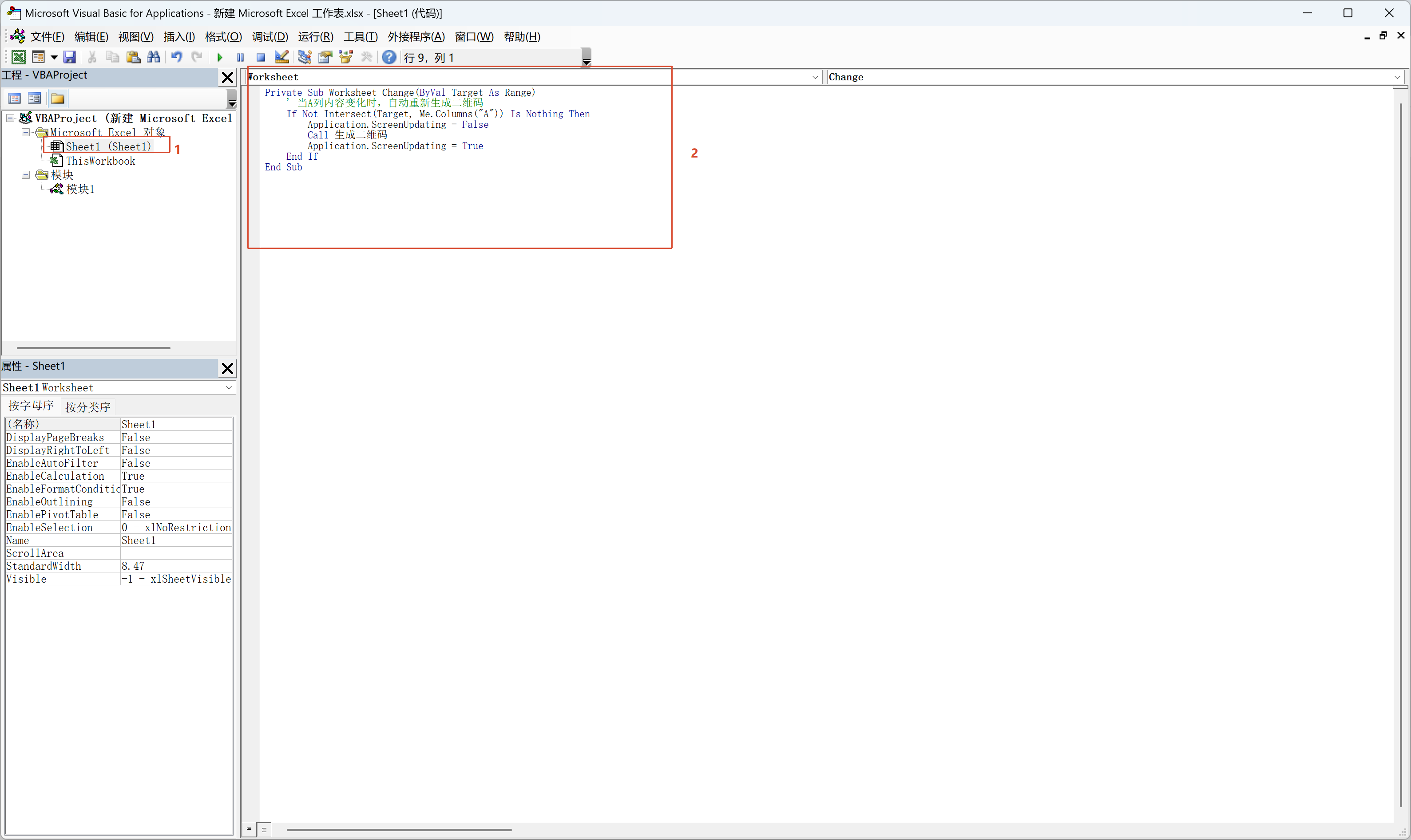
第三步:启动艺术二维码API服务

第四步:启动艺术二维码API服务
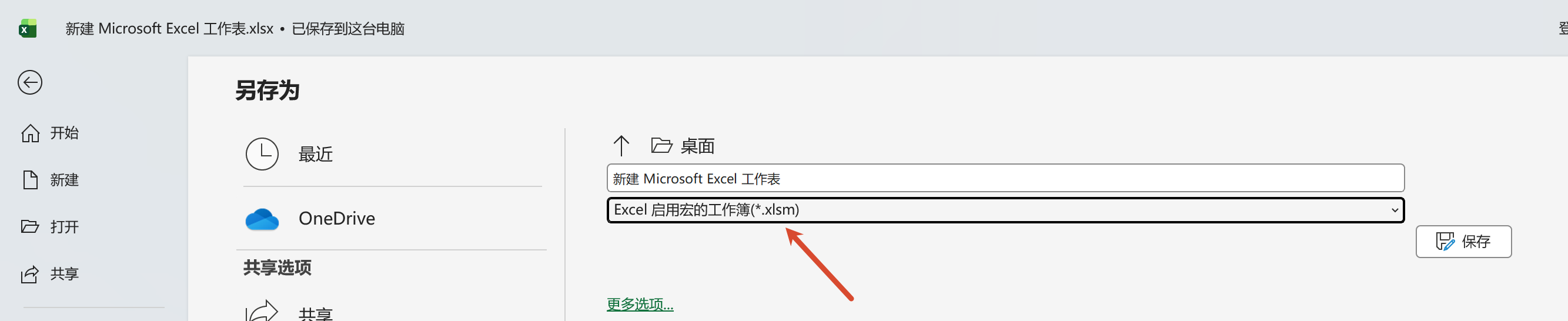
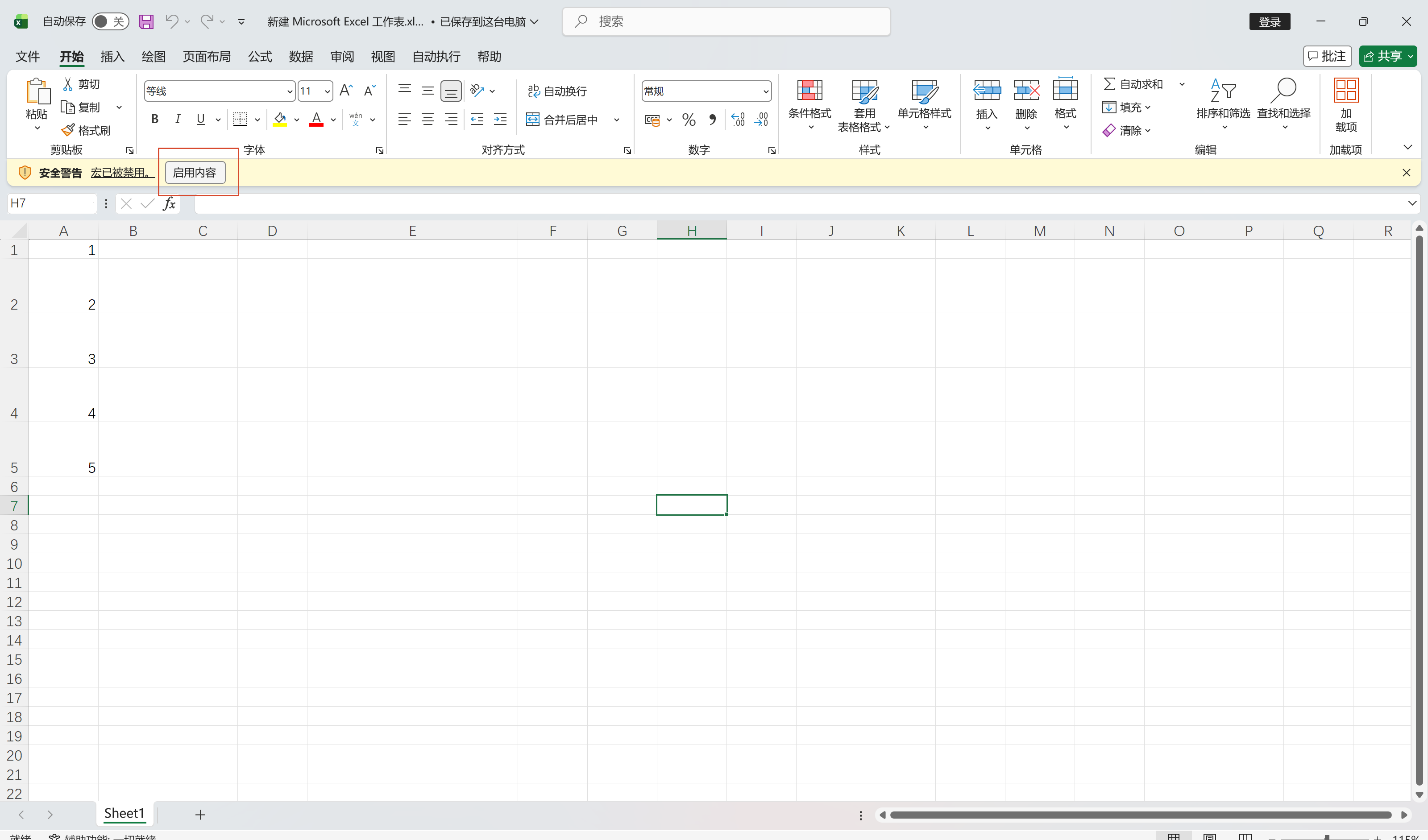
- 保存文件为「启用宏的工作簿(.xlsm)」格式。
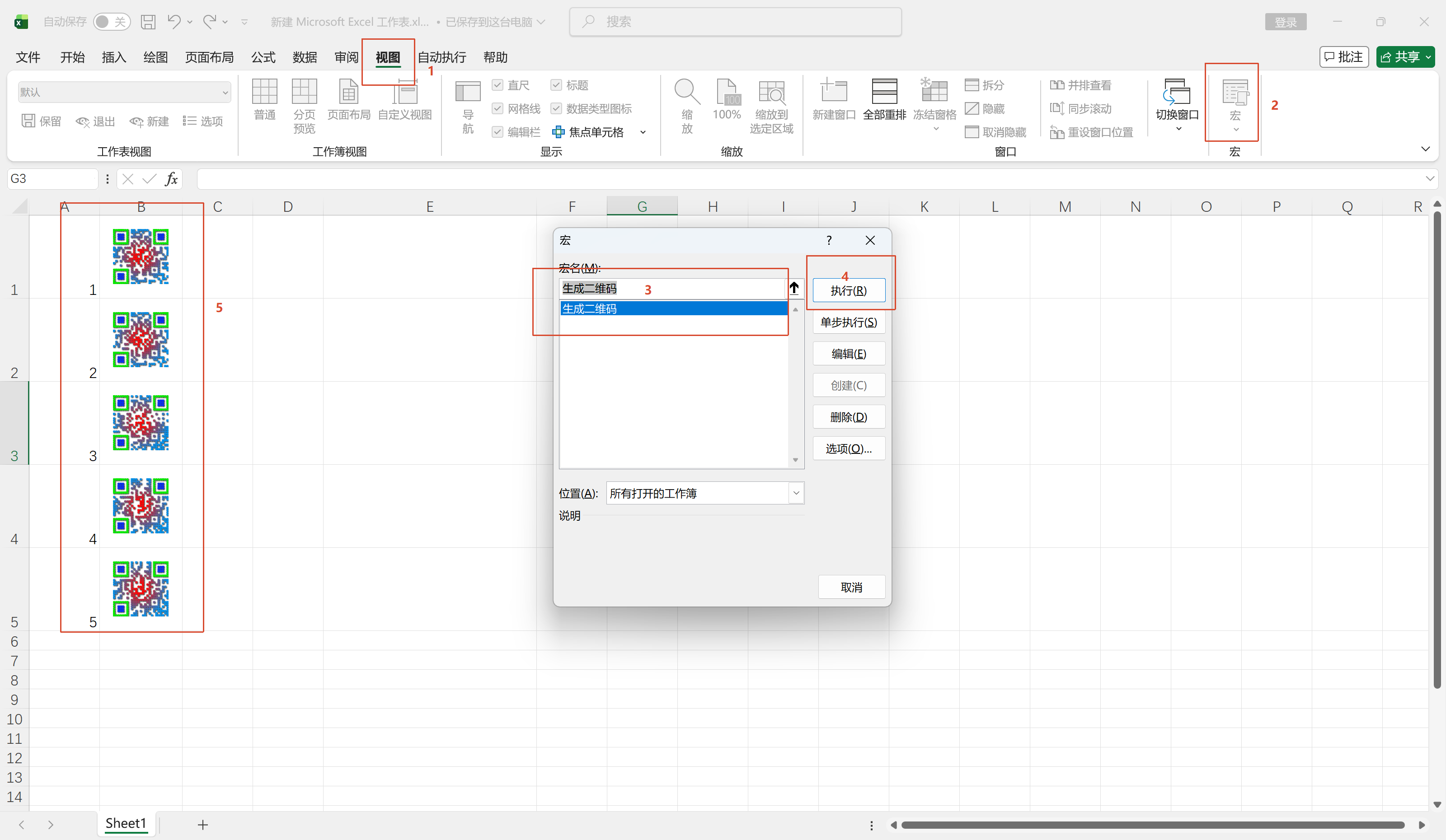
- 运行一次宏,让B列自动调整单元格大小。
- 之后只要你修改A列的内容,B列的二维码就会自动刷新。