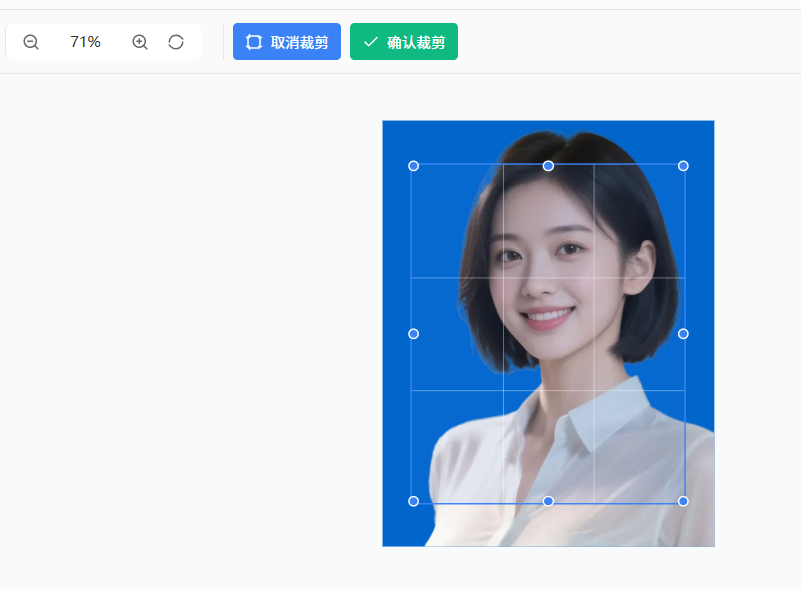
先看效果,支持各种不同场景证件照,照片可以任意上传,系统会自动裁剪证件照的上半身部分,智能裁剪,可以可自定义裁剪:https://office.zjdiante.com/imageTool/imageIdPhoto
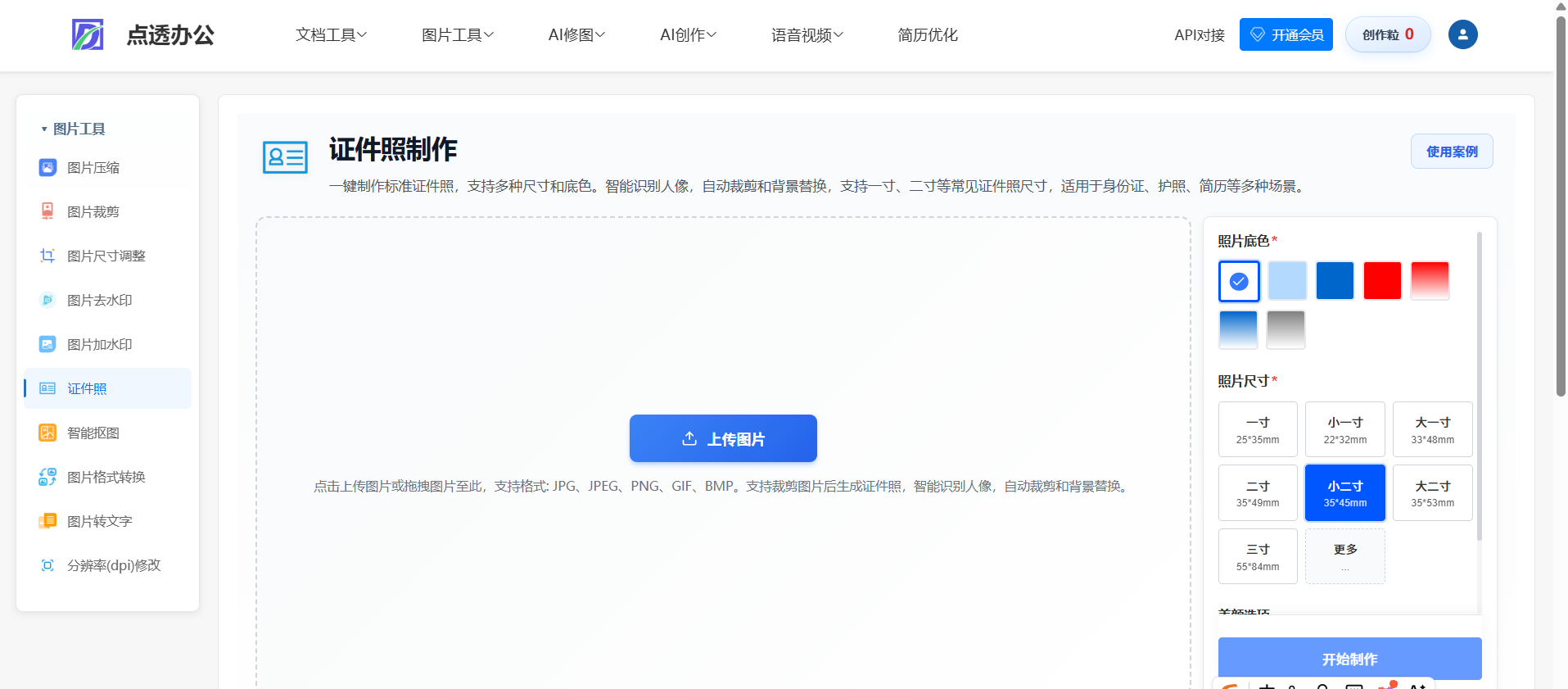
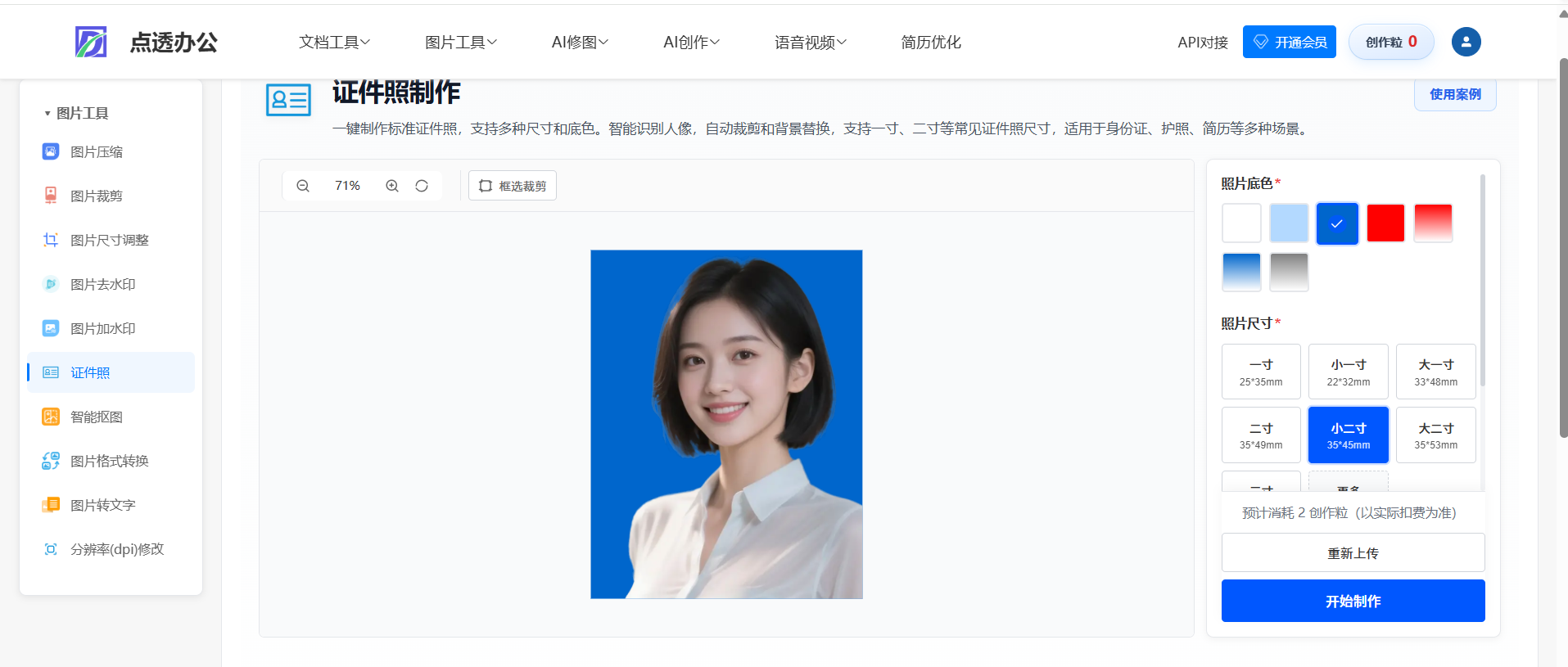
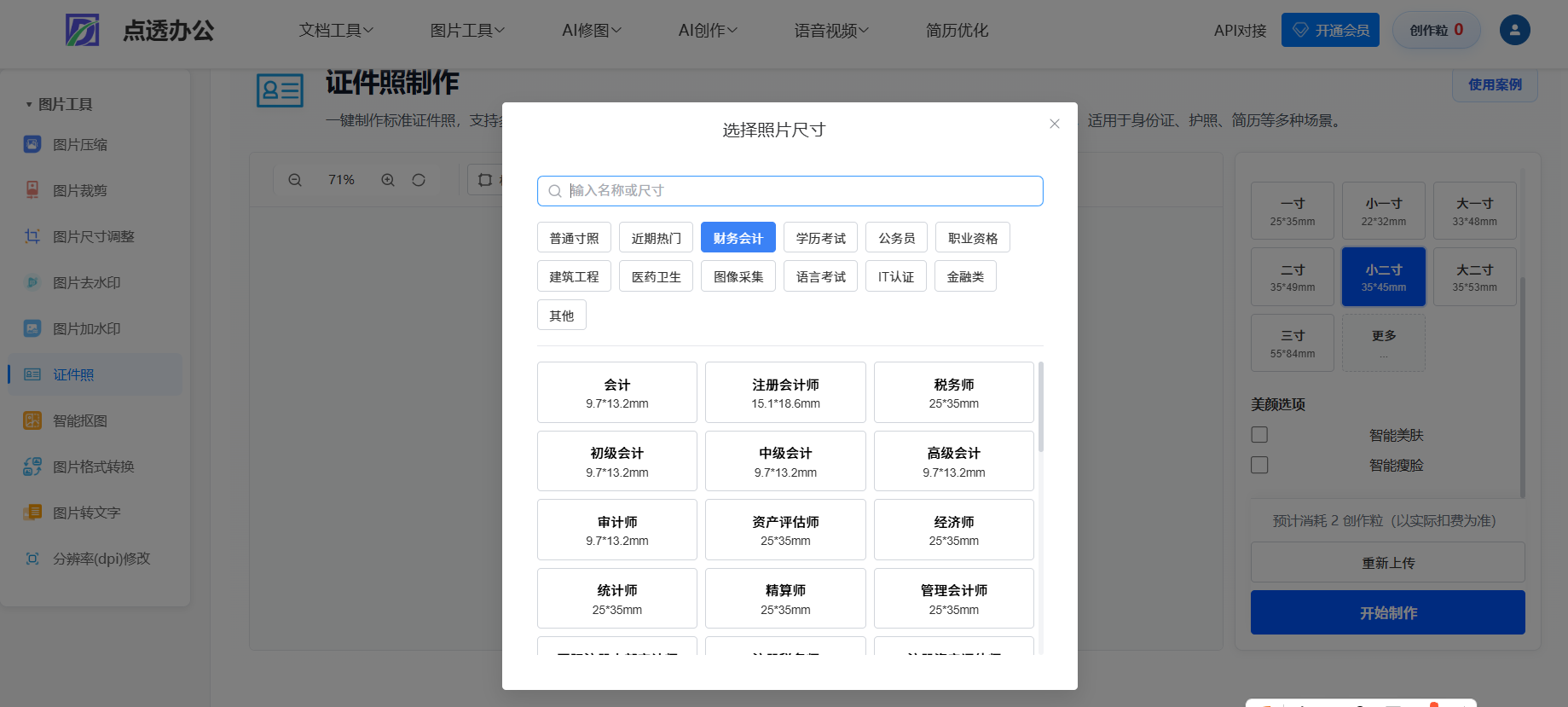
思路:目前我对接的是阿里云平台的抠图
1.上传图片后调用阿里云抠图接口(DetectFace),如果使用阿里云OSS,必须选择上海地区的bucket,否则无法处理图片
java
 /**
     * 人脸检测与五官定位
     *
     * @param imageUrl 图片OSS URL
     * @return 检测结果,包含人脸信息
     */
    public FaceDetectResult detectFace(String imageUrl) throws Exception {
        log.info("开始人脸检测,图片URL: {}", imageUrl);

        // 使用HTTP直接调用API
        String apiUrl = "https://facebody.cn-shanghai.aliyuncs.com/";
        String apiPath = "/";

        // 构建请求参数
        String timestamp = java.time.ZonedDateTime.now(java.time.ZoneId.of("UTC"))
                .format(java.time.format.DateTimeFormatter.ofPattern("yyyy-MM-dd'T'HH:mm:ss'Z'"));

        java.util.Map<String, String> params = new java.util.HashMap<>();
        params.put("Action", "DetectFace");
        params.put("ImageURL", imageUrl);
        params.put("Landmark", "true");  // 返回人脸的特征点定位
        params.put("Quality", "true");   // 返回人脸质量
        params.put("Pose", "true");      // 返回人脸姿态
        params.put("MaxFaceNumber", "10"); // 最多检测10张人脸
        params.put("Format", "JSON");
        params.put("Version", "2019-12-30");
        params.put("AccessKeyId", accessKeyId);
        params.put("SignatureMethod", "HMAC-SHA1");
        params.put("Timestamp", timestamp);
        params.put("SignatureVersion", "1.0");
        params.put("SignatureNonce", String.valueOf(System.currentTimeMillis()));

        // 生成签名
        String signature = imagePubUtils.generateSignature(params, "POST", apiPath, accessKeySecret);
        params.put("Signature", signature);

        // 发送HTTP请求
        String responseJson = imagePubUtils.sendHttpRequest(apiUrl, params);

        log.debug("人脸检测API响应: {}", responseJson);

        // 解析响应
        com.alibaba.fastjson2.JSONObject responseObj = com.alibaba.fastjson2.JSON.parseObject(responseJson);

        // 检查错误
        if (responseObj.containsKey("Code") && !"Success".equals(responseObj.getString("Code"))) {
            String errorMsg = responseObj.getString("Message");
            String errorCode = responseObj.getString("Code");
            throw new RuntimeException("人脸检测API调用失败: Code=" + errorCode + ", Message=" + errorMsg);
        }

        // 解析结果
        com.alibaba.fastjson2.JSONObject data = responseObj.getJSONObject("Data");
        if (data == null) {
            throw new RuntimeException("API响应数据为空");
        }

        FaceDetectResult result = new FaceDetectResult();
        result.setFaceCount(data.getInteger("FaceCount"));

        // 解析人脸矩形坐标(格式:[x, y, width, height])
        List<Integer> faceRectangles = data.getList("FaceRectangles", Integer.class);
        if (faceRectangles != null && faceRectangles.size() >= 4) {
            result.setFaceX(faceRectangles.get(0));
            result.setFaceY(faceRectangles.get(1));
            result.setFaceWidth(faceRectangles.get(2));
            result.setFaceHeight(faceRectangles.get(3));
        }

        // 解析人脸置信度
        List<Double> faceProbabilityList = data.getList("FaceProbabilityList", Double.class);
        if (faceProbabilityList != null && !faceProbabilityList.isEmpty()) {
            result.setFaceProbability(faceProbabilityList.get(0));
        }

        log.info("人脸检测成功,检测到{}张人脸,置信度: {}", result.getFaceCount(), result.getFaceProbability());
        return result;
    }
2.抠图后把图片返回图片给前端,前端用画布处理,如果你觉得自动裁剪的不合适,你可以自己裁剪
3.裁剪后选择右侧的颜色和对应的尺寸,渲染在画布上的图片,点击制作后,把相关参数传给后端
,后端使用图片处理的流裁剪渲染一下就行了,简单看一下入参:
java
 /**
     * 支持纯色背景、渐变背景和自定义颜色
     * 支持美肤、瘦脸、美妆等可选功能
     *
     * @param file 原始图片文件(必填),支持格式:JPG、PNG、GIF、BMP、WEBP
     * @param width 目标宽度(必填),单位:像素,例如:413(小二寸宽度)
     * @param height 目标高度(必填),单位:像素,例如:531(小二寸高度)
     * @param sizeName 尺寸名称(必填),例如:一寸、小二寸、二寸等,用于生成文件名
     * @param colorType 颜色类型(必填),可选值:
     *                  <ul>
     *                    <li>solid - 纯色背景,需要提供 backgroundColor 参数</li>
     *                    <li>gradient - 渐变背景,需要提供 backgroundColorFrom 和 backgroundColorTo 参数</li>
     *                    <li>custom - 自定义颜色,需要提供 backgroundColor 参数</li>
     *                  </ul>
     * @param backgroundColor 背景颜色(条件必填),十六进制颜色值,例如:#FFFFFF(白色)、#FF0000(红色)
     *                       当 colorType 为 solid 或 custom 时必填
     * @param backgroundColorFrom 渐变起始颜色(条件必填),十六进制颜色值,例如:#FF0000(红色)
     *                           当 colorType 为 gradient 时必填
     * @param backgroundColorTo 渐变结束颜色(条件必填),十六进制颜色值,例如:#FFFFFF(白色)
     *                         当 colorType 为 gradient 时必填
     * @param enableBeautify 是否启用美肤(可选),默认false
     * @param enableSlim 是否启用瘦脸(可选),默认false
     * @param menuId 菜单 ID(可选);传入时写入 {@code off_tool_use_record_histroy} 并将成片异步上传 OSS
     * @return ResponseEntity<InputStreamResource> 返回处理后的证件照图片(JPG格式图片流)
     *         响应头包含 Content-Type: image/jpeg 和 Content-Disposition: attachment; filename=xxx.jpg
     * @throws Exception 处理异常时返回 HTTP 500 错误
     */
    @PostMapping("/generateIdPhoto")
    public ResponseEntity<InputStreamResource> generateIdPhoto(
            @RequestParam("file") MultipartFile file,
            @RequestParam("width") int width,
            @RequestParam("height") int height,
            @RequestParam("sizeName") String sizeName,
            @RequestParam("colorType") String colorType,
            @RequestParam(value = "backgroundColor", required = false) String backgroundColor,
            @RequestParam(value = "backgroundColorFrom", required = false) String backgroundColorFrom,
            @RequestParam(value = "backgroundColorTo", required = false) String backgroundColorTo,
            @RequestParam(value = "enableBeautify", required = false, defaultValue = "false") Boolean enableBeautify,
            @RequestParam(value = "enableSlim", required = false, defaultValue = "false") Boolean enableSlim,
@RequestParam(value = "menuId", required = false) Long menuId) {想做类似的功能可以联系我,打开项目加我联系方式就行了:https://office.zjdiante.com/