废话不说,先看效果
开发出来的效果是这样的,链接:智能抠图-商品抠图-人像抠图
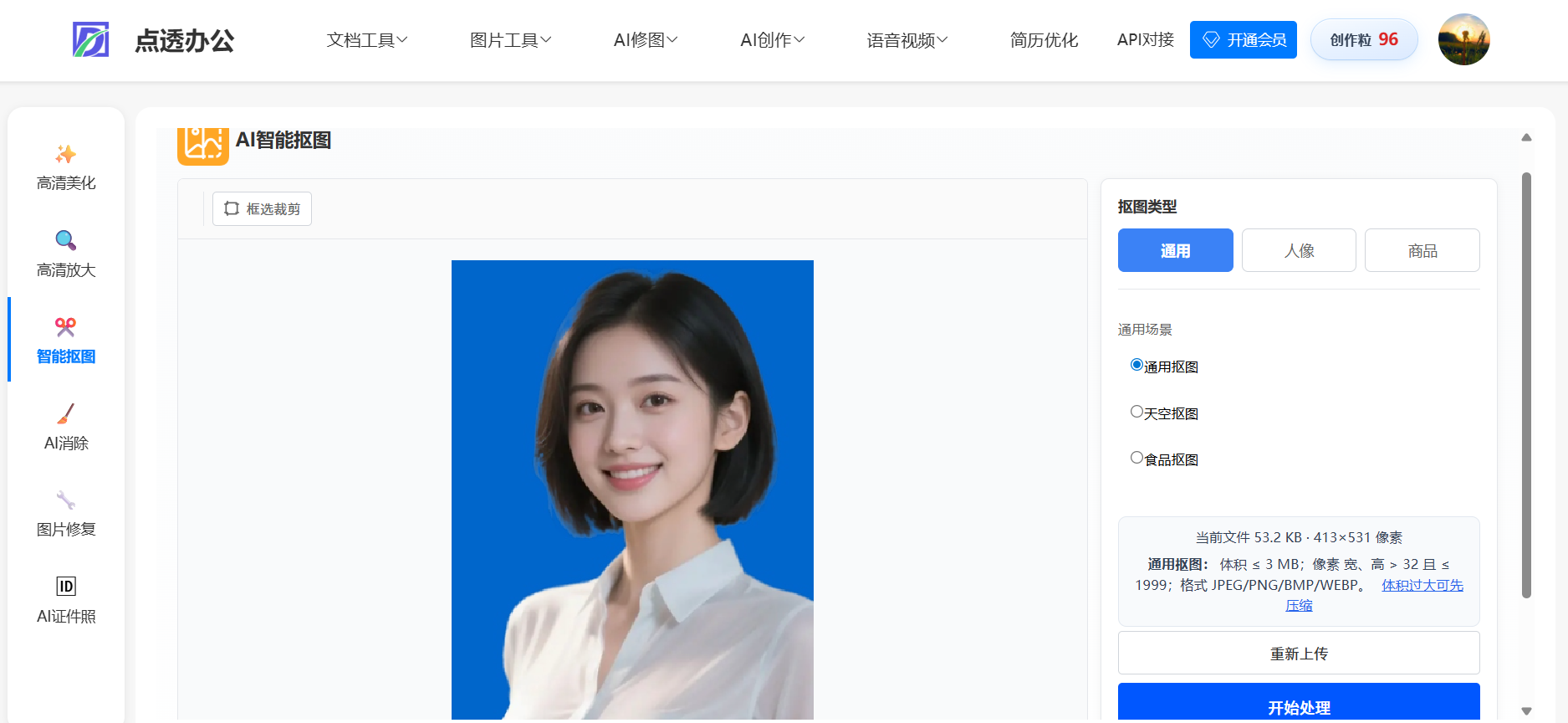
实现原理:前端画布,处理图片,如果想要简单一点的可以不用画布,我这个功能因为想做好一点,支持自动裁剪,功能有通用抠图,商品抠图,人像抠图等功能;
接口文档对接:
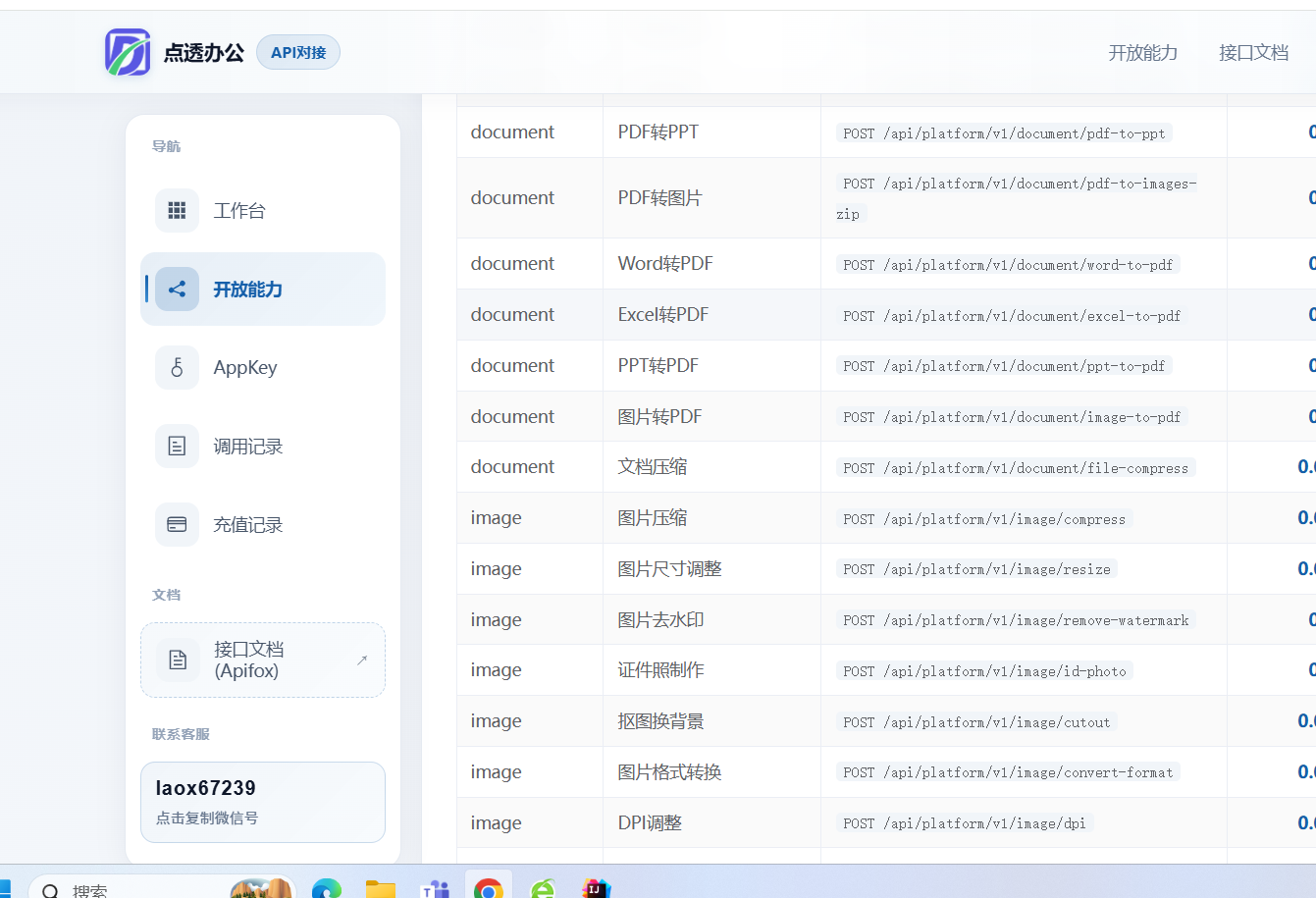
下面就粘贴部分代码,需要需要完整代码的可以联系我
java
package com.ruoyi.basicTool.imageAi.utils;

import com.ruoyi.common.exception.ServiceException;
import com.ruoyi.system.util.AlyunOssConfig;
import lombok.extern.slf4j.Slf4j;
import org.springframework.beans.factory.annotation.Autowired;
import org.springframework.beans.factory.annotation.Value;
import org.springframework.stereotype.Service;

import java.util.HashMap;
import java.util.Map;

/**
 * 支持多种分割类型:通用、人像、商品等
 *
 * @author dongbo
 */
@Slf4j
@Service
public class ImageSegmentationUtils {

    @Autowired
    private AlyunOssConfig alyunOssConfig;

    @Autowired
    private ImagePubUtils imagePubUtils;

    @Value("${aly.image.bucketName}")
    private String bucketName;

    @Value("${aly.image.endpoint}")
    private String endpoint;

    @Value("${aly.image.accessKeyId}")
    private String accessKeyId;

    @Value("${aly.image.accessKeySecret}")
    private String accessKeySecret;


    private String viaiRegion = "imageseg.cn-shanghai.aliyuncs.com";

    /**
     * 图像分割处理
     *
     * @param imageBytes 原始图片字节数组
     * @param contentType 图片Content-Type
     * @param action Action参数(如:SegmentCommonImage、SegmentBody、SegmentHead等)
     * @return 处理后的图片字节数组
     */
    public byte[] segmentImage(byte[] imageBytes, String contentType, String action) {
        imagePubUtils.validateConfig(accessKeyId, accessKeySecret, bucketName, endpoint);

        String tempOssUrl = null;
        try {
            log.info("开始处理图像分割,图片大小: {} bytes, 类型: {}, Action: {}",
                    imageBytes.length, contentType, action);

            if (contentType == null || contentType.isEmpty()) {
                throw new ServiceException("图片 Content-Type 为空");
            }
            AliyunImagesegRequestValidator.validate(action, imageBytes, contentType);

            // 上传图片到OSS(上海地域)
            tempOssUrl = imagePubUtils.uploadToOss(imageBytes, contentType, endpoint, bucketName, "segmentation/");
            log.info("图片已上传到OSS: {}", tempOssUrl);

            // 调用对应的分割API
            byte[] resultBytes = callSegmentationAPI(tempOssUrl, action);

            if (resultBytes == null || resultBytes.length == 0) {
                throw new RuntimeException("智能抠图处理失败,返回结果为空");
            }

            log.info("图像分割处理成功,返回图片大小: {} bytes", resultBytes.length);
            return resultBytes;

        } catch (ServiceException e) {
            throw e;
        } catch (Exception e) {
            log.error("图像分割处理失败: {}", e.getMessage(), e);
            throw new RuntimeException("智能抠图处理失败: " + e.getMessage(), e);
        } finally {
            // 清理临时OSS文件
            if (tempOssUrl != null) {
                try {
                    imagePubUtils.deleteFromOss(tempOssUrl, endpoint, bucketName);
                } catch (Exception e) {
                    log.warn("清理临时OSS文件失败: {}", e.getMessage());
                }
            }
        }
    }

    /**
     * 调用对应的分割API
     *
     * @param imageUrl 图片OSS URL
     * @param action Action参数
     * @return 处理后的图片字节数组
     */
    private byte[] callSegmentationAPI(String imageUrl, String action) throws Exception {
        log.info("调用图像分割API,图片URL: {}, Action: {}", imageUrl, action);

        try {
            // 构建请求参数
            Map<String, Object> params = new HashMap<>();
            params.put("ImageURL", imageUrl);

            // 调用HTTP API
            String response = AliyunVisionHttpUtils.callApi(
                    viaiRegion, accessKeyId, accessKeySecret, action, params);

            // 从响应中提取图片URL
            String resultImageURL = AliyunVisionHttpUtils.extractImageUrl(response);

            if (resultImageURL == null || resultImageURL.isEmpty()) {
                throw new RuntimeException("未能获取到抠图结果,响应: " + response);
            }

            log.info("图像分割API调用成功,结果URL: {}", resultImageURL);
            return imagePubUtils.downloadImageFromUrl(resultImageURL);

        } catch (ServiceException e) {
            throw e;
        } catch (Exception e) {
            log.error("图像分割API调用失败: {}", e.getMessage(), e);
            throw new RuntimeException("智能抠图请求失败: " + e.getMessage(), e);
        }
    }


    /**
     * 生成输出文件名
     */
    public String getOutputFileName(String originalFilename) {
        return imagePubUtils.getOutputFileName(originalFilename, "_segmented");
    }

    /**
     * 获取MediaType
     */
    public org.springframework.http.MediaType getMediaType(String contentType) {
        return imagePubUtils.getMediaType(contentType);
    }
}
上面就是代码了,想要完整代码的可以联系我