如果不需要上传页面路径可以看看这篇https://blog.csdn.net/2301_78184382/article/details/156606416?spm=1011.2415.3001.5331
项目用的uniapp 框架是vue3目前项目中有个需求是需要统计用户访问地址和停留时间,话不多说上代码
插件地址
https://ext.dcloud.net.cn/plugin?id=12026
友盟https://workbench.umeng.com/去创建app应用
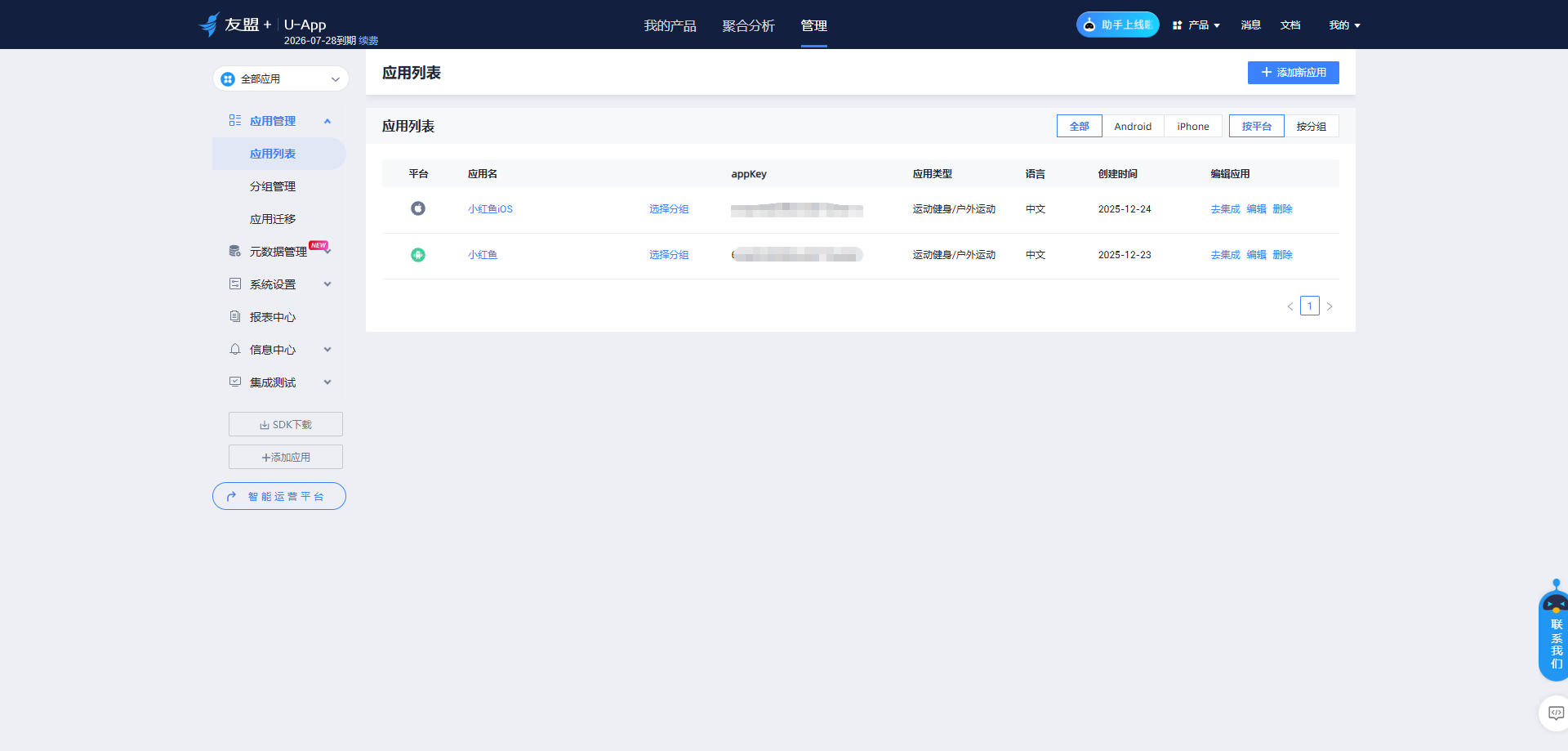
appkey查看位置,管理下面的应用管理的应用列表
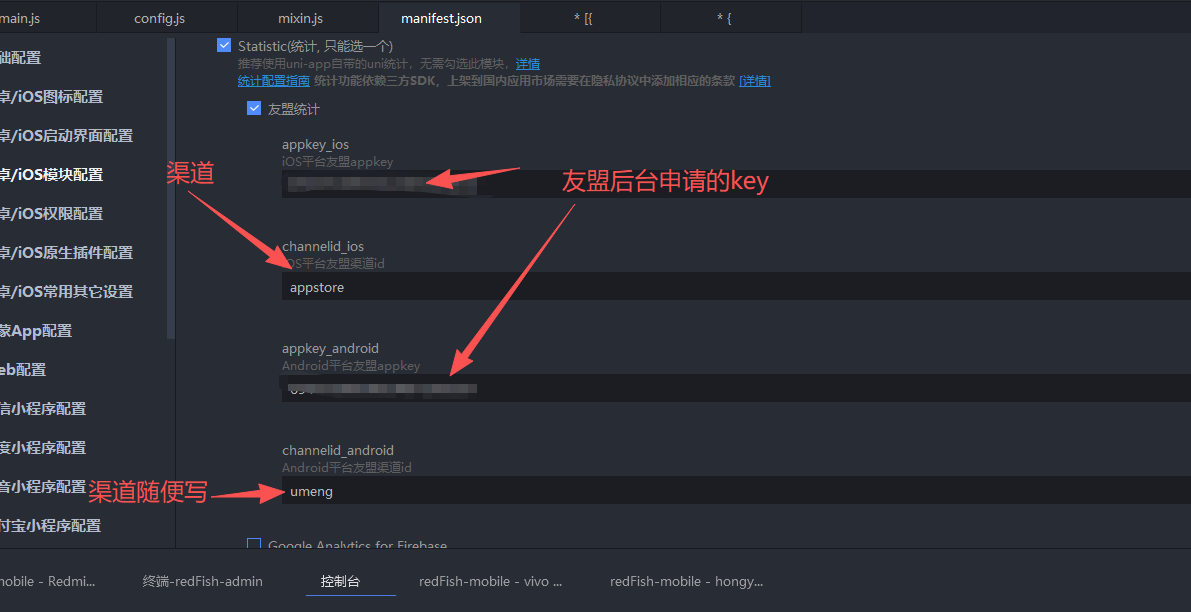
在manifest.json中模块配置勾选统计
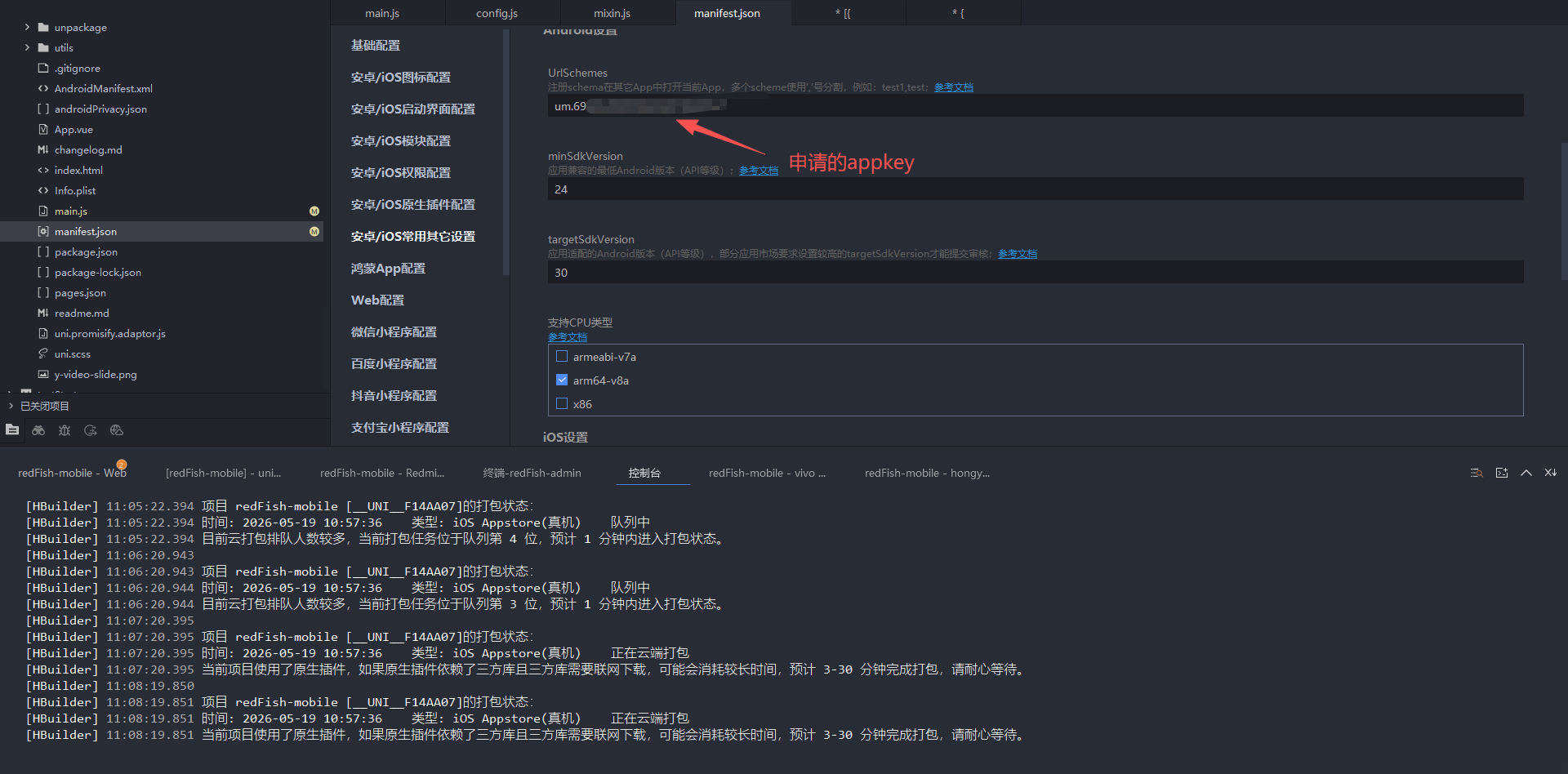
在manifest.json常用其他设置urlSchemes 这一步是为了调试的时候去看实时数据
新增mixin.js页面
javascript
// main.js
import {
	createSSRApp
} from 'vue';
// #ifdef APP-PLUS
const UMStatistic = uni.requireNativePlugin('UM-Statistic');
// #endif
// 定义全局 mixin 对象
export const globalMixin = {
	// 生命周期(UniApp 页面生命周期)
	onLoad() {
		// #ifdef APP-PLUS
		//初始化,勾选友盟统计模块配置文件里面配置了appkey和channel时调用此接口初始化
		UMStatistic.UMinit();
		// #endif
		//appkey和channel初始化,未配置时用此接口初始化
		//UMStatistic.initWithAppkey(appkey, channel);
	},
	onShow() {
		var enable = false;//true:自动采集页面 false:手动采集页面
		console.log('页面显示')
		let pageValue = this.$getPath();
		// #ifdef APP-PLUS
		UMStatistic.setAutoPageEnabled(enable);
		UMStatistic.onPageStart(pageValue);
		// #endif
		console.log('页面显示', pageValue)
	},
	onHide() {
		let pageValue = this.$getPath();
		// #ifdef APP-PLUS
		UMStatistic.onPageEnd(pageValue);
		// #endif
	},
	// 自定义数据
	data() {
		return {
			globalTitle: '全局标题'
		}
	},
	// 全局方法
	methods: {
		// 显示提示
		$toast(title, duration = 2000) {
			uni.showToast({
				title,
				duration,
				icon: 'none'
			})
		},

		// 跳转页面
		$navigate(url) {
			uni.navigateTo({
				url
			})
		},

		// 获取当前页面路径
		$getPath() {
			const pages = getCurrentPages()
			return pages[pages.length - 1]?.route || ''
		}
	}
}

// export function createApp() {
//   const app = createSSRApp(App)

//   // 注册全局 mixin
//   app.mixin(globalMixin)

//   return { app }
// }
在main.js中去引入
javascript
import {globalMixin} from '@/common/mixin.js'
export function createApp() {
	const app = createSSRApp(App)
	app.mixin(globalMixin)
	return {
		app,
		Vuex
	}
}
设置完了就需要打自定义基座,删除旧基座去重新运行
安卓文档集成测试
https://developer.umeng.com/docs/119267/detail/118639
ios文档集成测试
https://developer.umeng.com/docs/119267/detail/119520
登录友盟跳转查看实时日志