解决方案在pages页面中使用禁止页面向上顶起,设置fixed的bottom等于0即可
"app-plus": {
	 "softinputMode": "adjustResize",
}
但由于我首页页面设置禁止顶起 页面显示会错乱原因是在键盘弹起时会导致 iOS 的 viewport 收缩,进而触发页面重新计算滚动位置。
所以我ios用的textarea的@keyboardheightchange
<view @touchstart.stop="" @touchmove.stop="" @touchend.stop=""
					:style="{ bottom:'0px',zIndex:shareShow?'10 !important':'' }" class="inputbox">
					<view :style="{ background: offsetBottom==0 ? '#fff' : '#f5f6f9' }" class="innerboxinput">
						<view class="textareabox">
							<textarea :style="{ background: '#f5f6f9' }" :showConfirmBar="false" @tap.stop="onFocus"
								:autoHeight="true" :adjustPosition="false" :maxlength="500" :focus="autoFocus"
								:hold-keyboard="true" @keyboardheightchange="onKeyBoardHeightChange" @blur="onBlur"
								@focus="onFocus" :height="inputHeight" v-model="commentText"
								:placeholder="placeholderText"></textarea>
						</view>
						<view v-show="offsetBottom != 0" class="send-btn" @tap.stop="sendComment"
							:class="{ 'send-active': commentText?.trim().length > 0 }">
							发送
						</view>
						<view v-if="offsetBottom == 0" class="bottom-bar">
							<view class="action-btn" @tap="toggleLike">
								<image v-if="isLiked" src="./imgs/liked.png"
									style="width: 24px; height: 24px;margin-right: 5px;" mode=""></image>
								<image v-else src="./imgs/like.png" style="width: 24px; height: 24px;margin-right: 5px;"
									mode="">
								</image>
								<text class="action-count">{{ details?.praiseNumber || 0 }}</text>
							</view>
							<view style="margin-left: 10px;" class="action-btn" @tap="toggleCollect">
								<image v-if="isCollected" src="./imgs/collected.png"
									style="width: 24px; height: 24px;margin-right: 5px;" mode="">
								</image>
								<image v-else src="./imgs/collect.png"
									style="width: 24px; height: 24px;margin-right: 5px;" mode="">
								</image>
								<text class="action-count">{{ details?.hiddenNumber || 0 }}</text>
							</view>
							<view style="margin-left: 10px;" class="action-btn" @tap="">
								<image src="/static/imgs/rf-appcomment.png"
									style="width: 24px; height: 24px;margin-right: 5px;" mode="">
								</image>
								<text class="action-count">{{ details?.commentNumber || 0 }}</text>
							</view>
						</view>
					</view>
				</view>

const onKeyBoardHeightChange = (e) => {
		offsetBottom.value = e.detail.height > 0 ? e.detail.height : 0;
	};
使用@keyboardheightchange又会导致部分手机 输入框距离键盘过远
就用手动去改变softinputMode的值 ios等于adjustPan安卓等于adjustResize
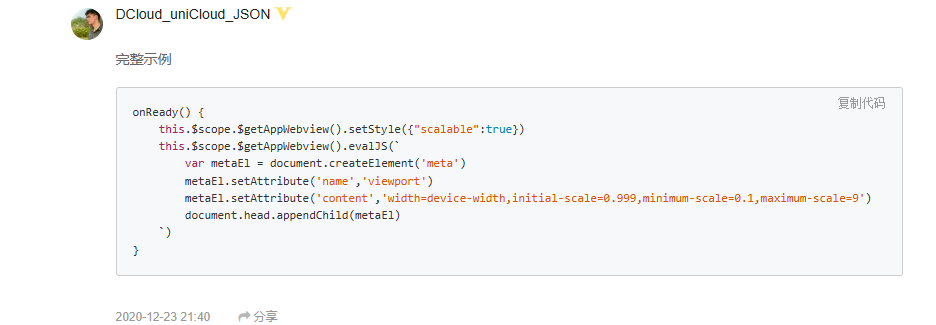
这个是vue3的方法
javascript
import {
		getCurrentInstance,
	} from 'vue'
const {
		proxy
	} = getCurrentInstance()
const sys = uni.getSystemInfoSync();


const appWebview = proxy.$scope.$getAppWebview()
		console.log("appWebview",appWebview)
appWebview.setStyle({ softinputMode: sys.platform=='ios'?'adjustPan':"adjustResize" });vue2参考https://ask.dcloud.net.cn/question/113955