一、整体架构
Claude Code(本地 / IDEA 插件)→ 阿里云百炼兼容接口 → 通义千问(Qwen)
两种接入方式:
1)百炼按量 / 资源包:通用 sk- 开头 key
2)Coding Plan(推荐):专属 key、速度更快、编程优化
二、准备:获取阿里云 Key(必做)
2.1 百炼通用 Key(免费额度 + 按量)
- 登录:https://bailian.console.aliyun.com/
- 进入「API-KEY 管理」→「创建 API-KEY」
- 复制:sk-xxxxxxxxxxxxxxxxxxxxxxxx(保存)
2.2 Coding Plan(编程优化,推荐)
- 访问:https://www.aliyun.com/benefit/scene/codingplan
- 订阅套餐,拿到专属 sk-sp-xxxx 开头 Key
- 对应 Base URL 不同(下面配置会区分)
三、本地安装与配置(Windows)
3.1 环境
- Node.js ≥ 18(LTS)、Git 2.54.0(已装)
- PowerShell 管理员执行:
3.2 核心配置
settings.json(最稳,IDEA 也读)
路径:C:\Users\你的用户名\.claude\settings.json(没有就建)
javascript
{
  "env": {
    "ANTHROPIC_BASE_URL": "https://dashscope.aliyuncs.com/apps/anthropic",
    "ANTHROPIC_AUTH_TOKEN": "sk-你的百炼Key",
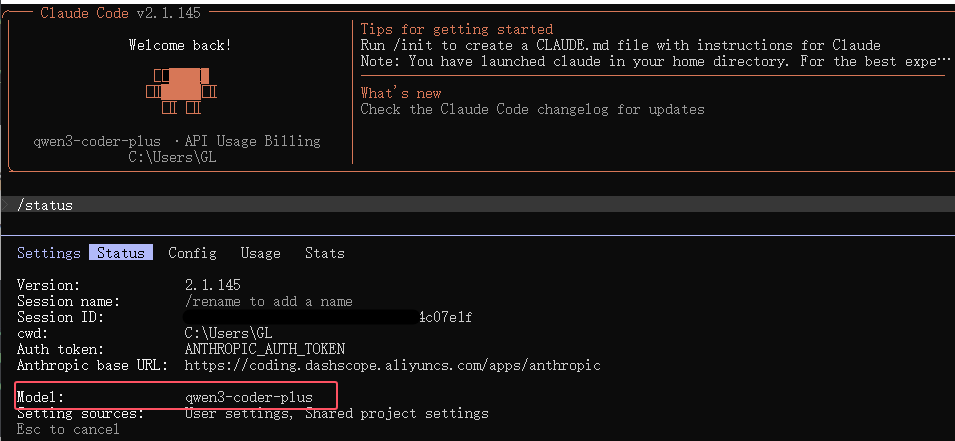
    "ANTHROPIC_MODEL": "qwen3-coder-plus",
    "API_TIMEOUT_MS": "30000",
    "CLAUDE_CODE_DISABLE_NONESSENTIAL_TRAFFIC": "1"
  },
  "alwaysThinkingEnabled": true
}
模型选择建议(阿里云支持)
- qwen3-coder-plus:代码最强(默认推荐)
- qwen3.5-plus:综合能力强
- qwen3-max:复杂推理、需求分析
- qwen-flash:速度快、成本低
3.3 跳过新手引导(避免弹窗)
C:\Users\你的用户名\.claude.json
javascript
{
  "installMethod": "npm",
  "autoUpdates": false,
  "hasCompletedOnboarding": true
}
3.4 验证本地是否成功
四、IDEA 集成阿里云 Claude(实战重点)
4.1 装插件
IDEA → File → Settings → Plugins → Marketplace → 搜索 Claude Code(Anthropic 官方)→ Install → 重启 IDEA
4.2 启动与连接
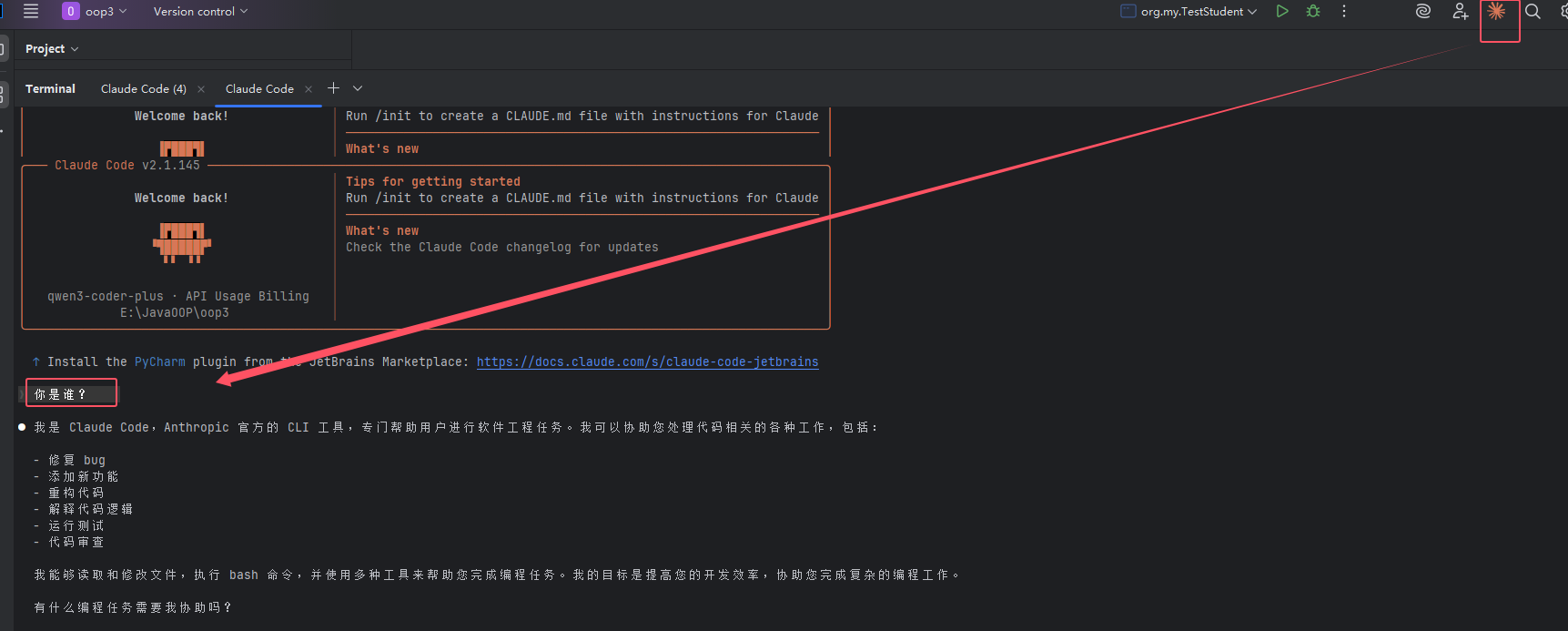
右侧边栏点紫色 Claude 图标
4.3 实测功能(直接用)
- 选中代码 → 提问:
/explain 解释这段代码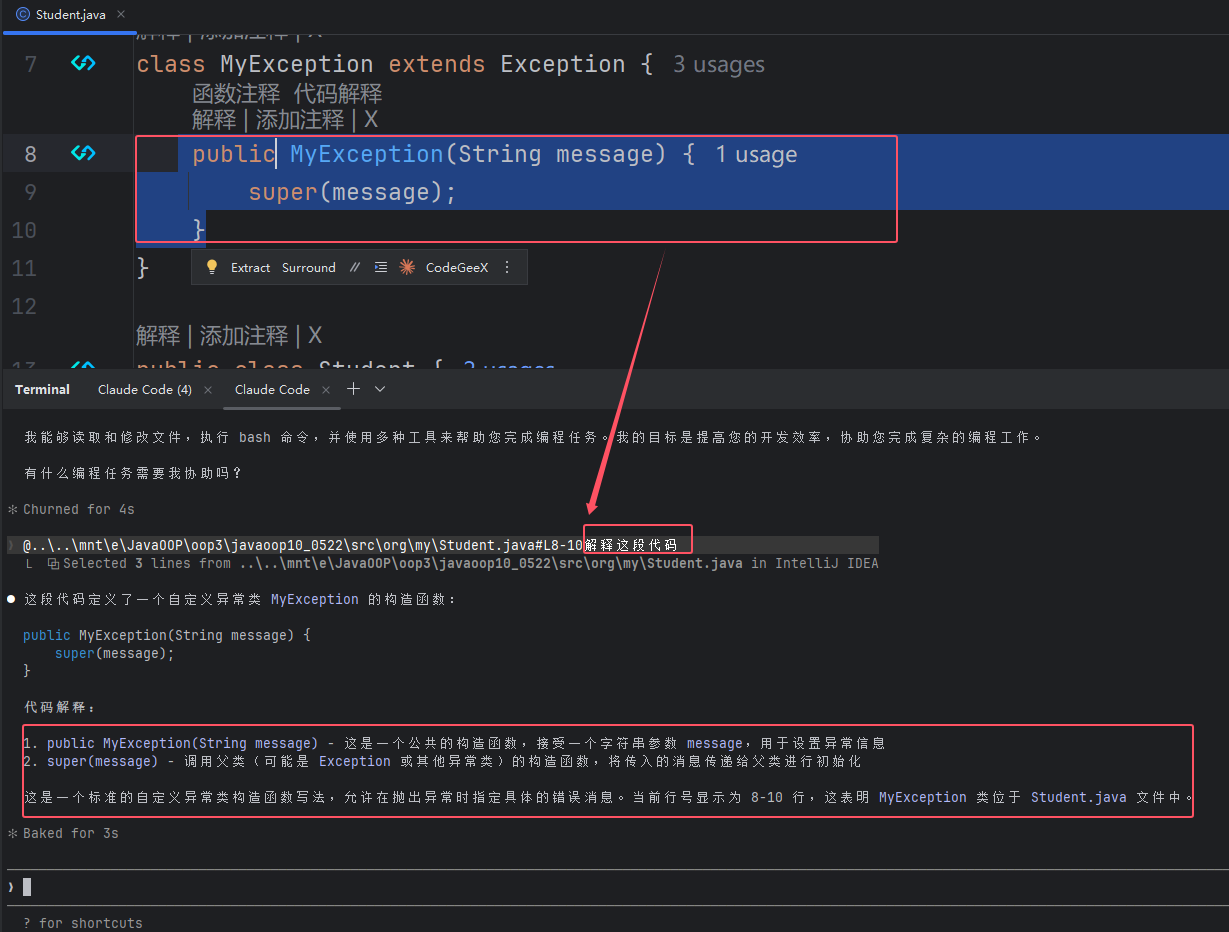
- 重构:
/refactor 优化这个方法,加注释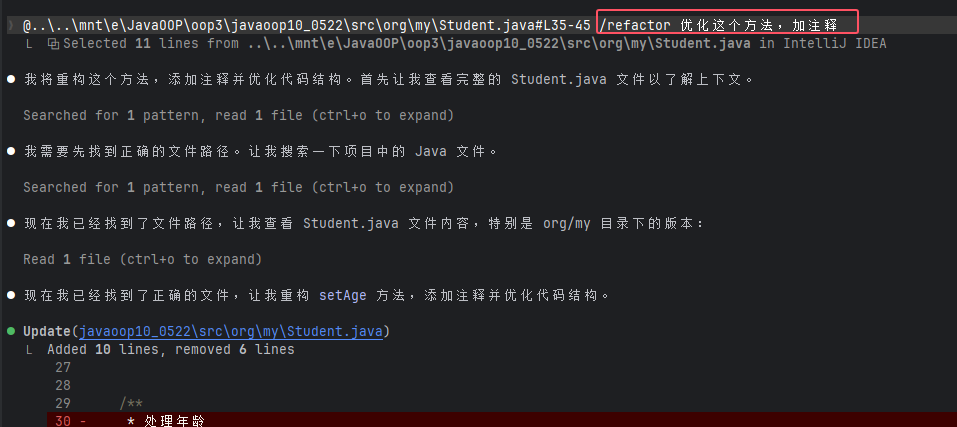
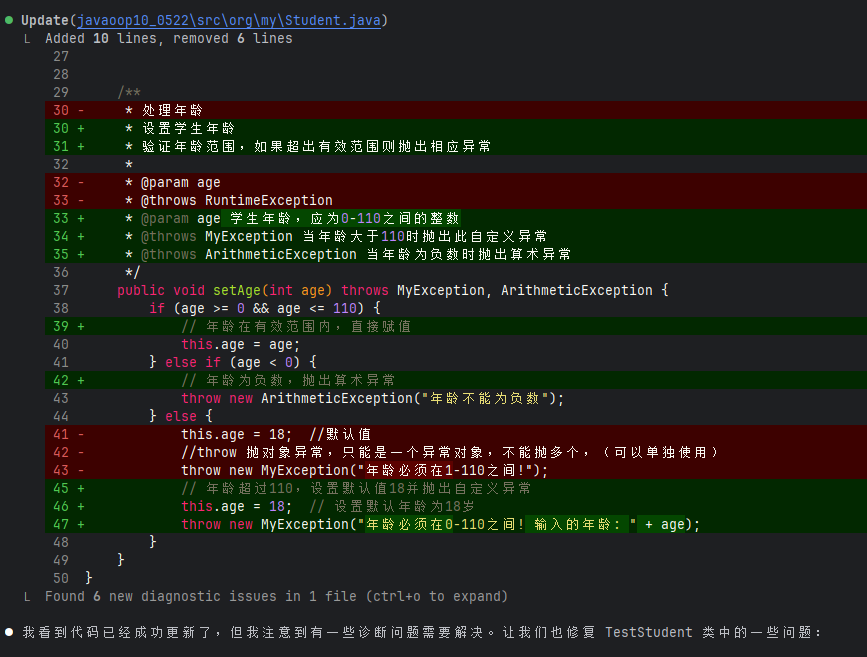
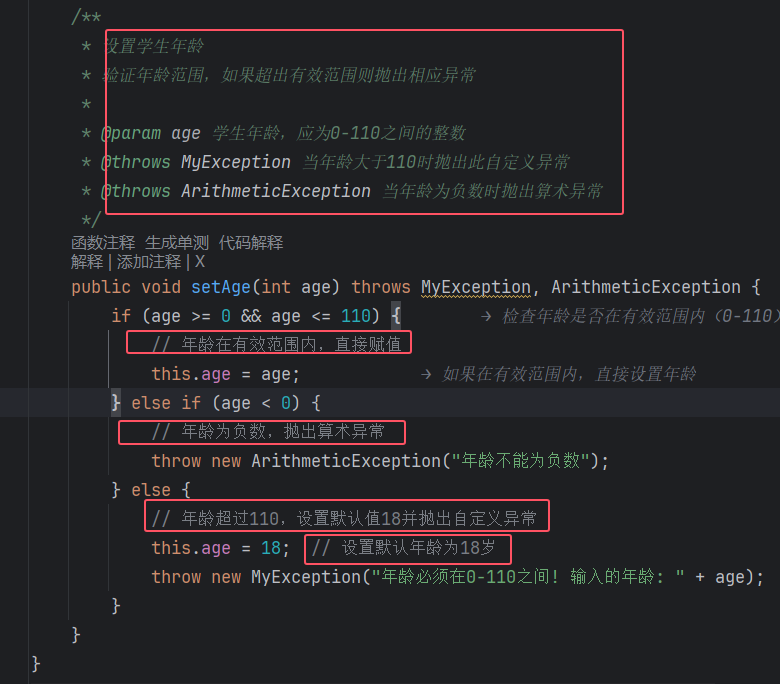
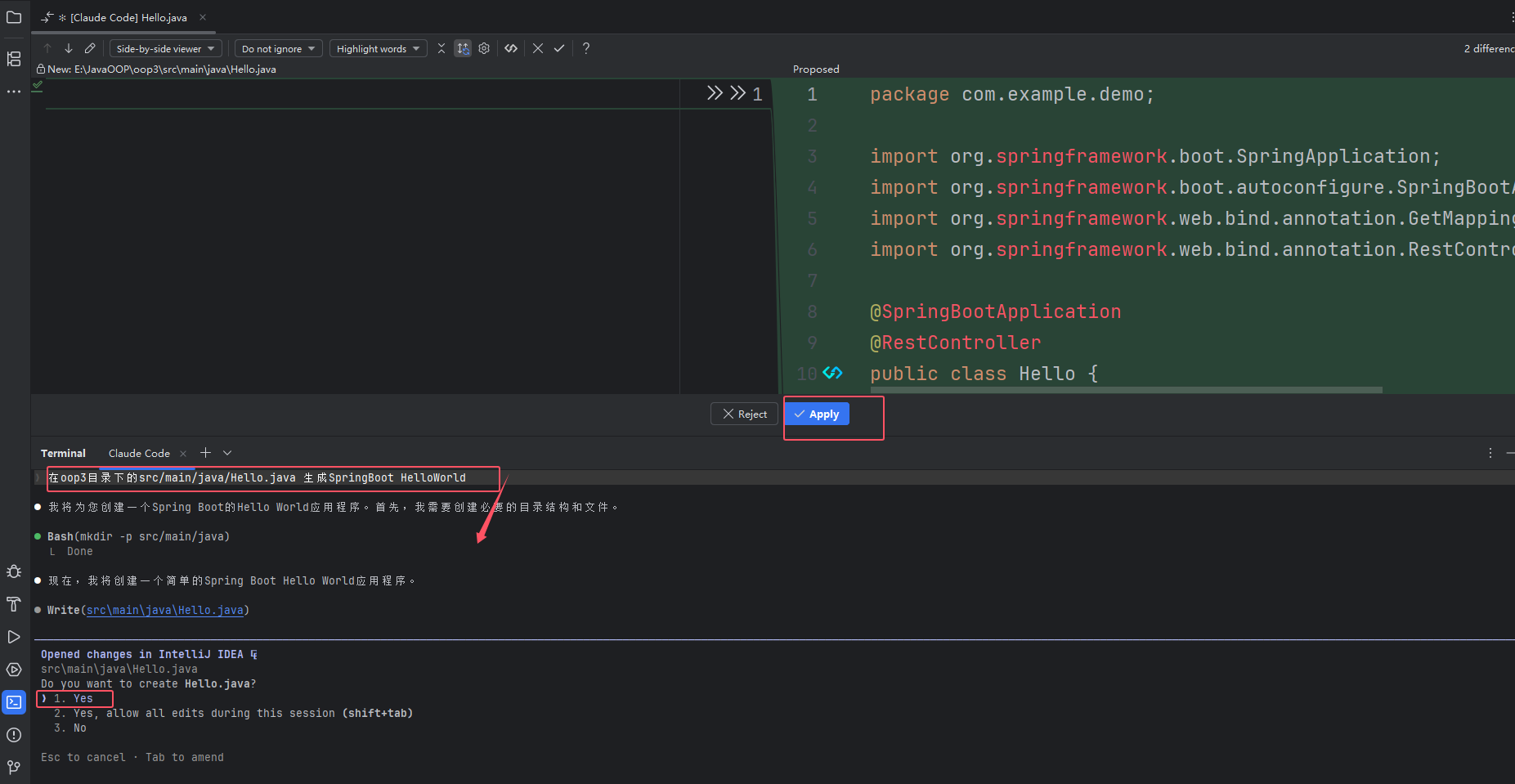
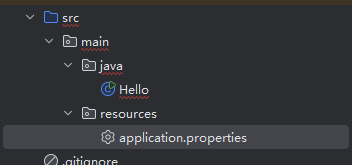
- 生成文件:在
oop3目录下的src/main/java/Hello.java 生成SpringBoot HelloWorld
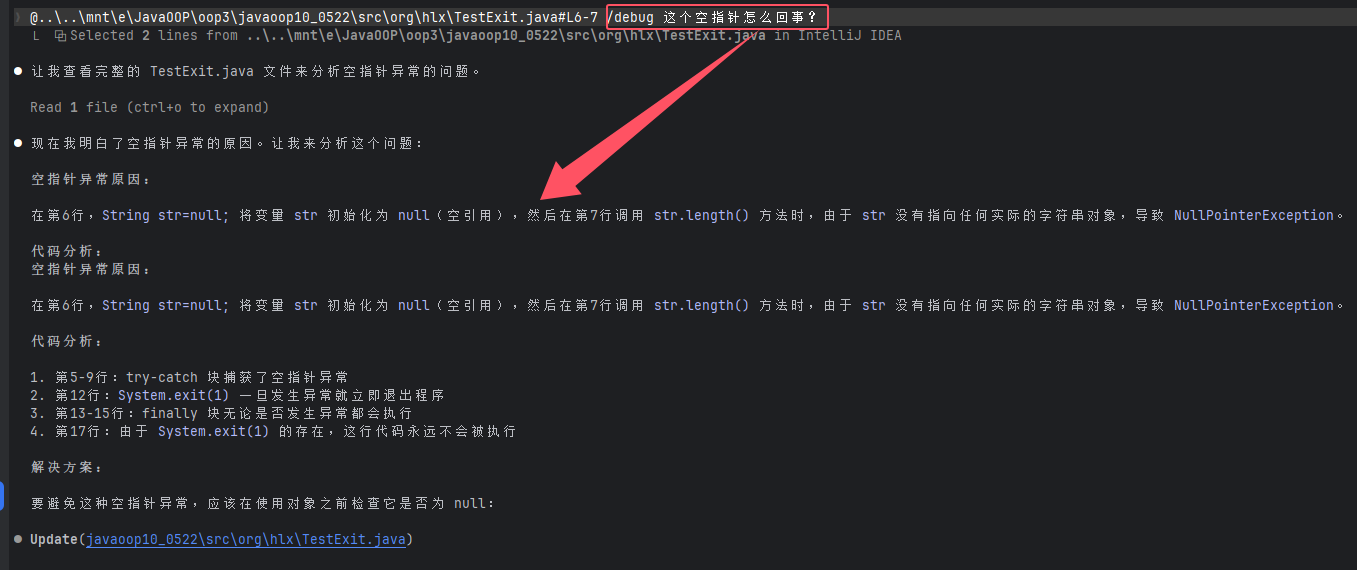
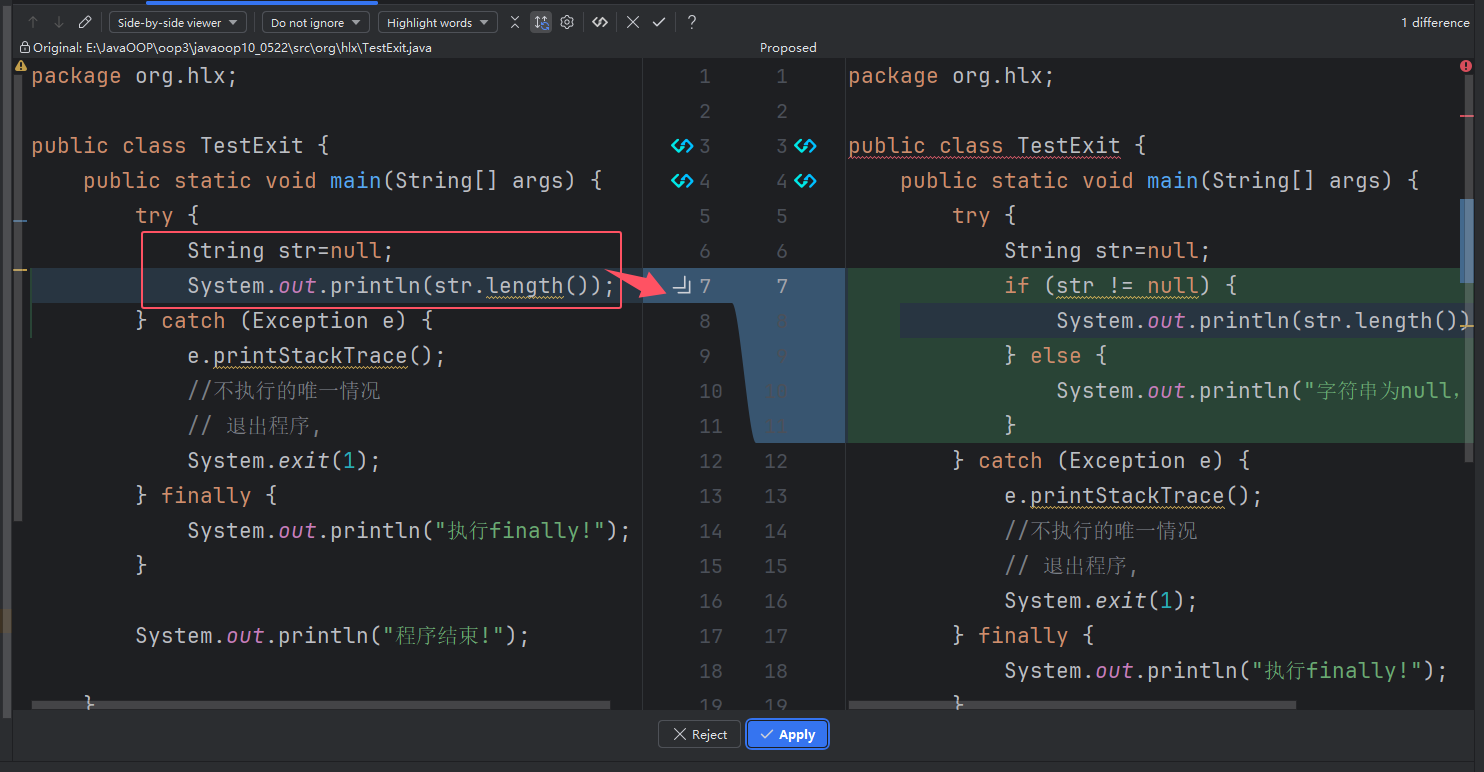
- 调试:
/debug 这个空指针怎么来的