1.环境:

windows10

VMware® Workstation 15 Pro

ubuntu-24.04.4-desktop-amd64.iso

2.基础安装

#切换root账户
sudo -i

#安装curl
apt install curl

#一键换源 我用的是阿里源
bash <(curl -sSL https://linuxmirrors.cn/main.sh)
顺便更新一下软件包 ,耗时比较长,稍等一下。

#也可以私下用命令更新
sudo apt update
sudo apt upgrade -y
sudo apt full-upgrade -y

#开启ssh服务
apt install openssh-server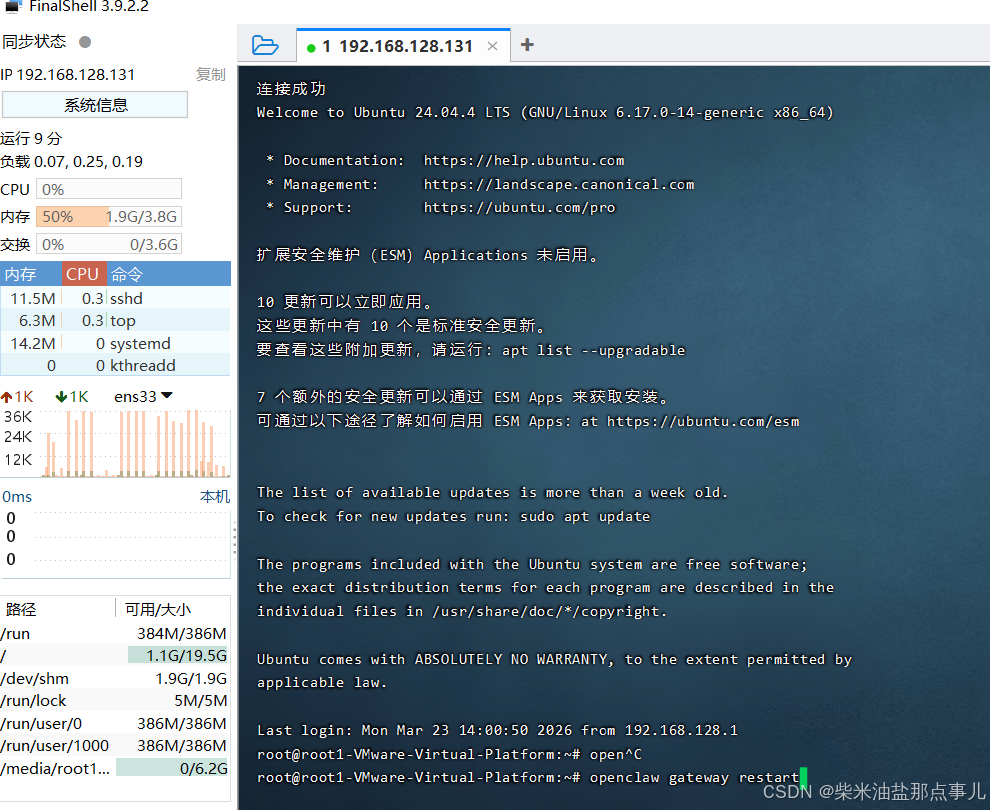
#安装opencode 有点慢需要时间,稍等一下。参考网址:https://opencode.ai/
curl -fsSL https://opencode.ai/install | bash


source /root/.bashrc
#启动opencode命令

opencode

#安装openclaw
curl -fsSL https://openclaw.ai/install.sh | bash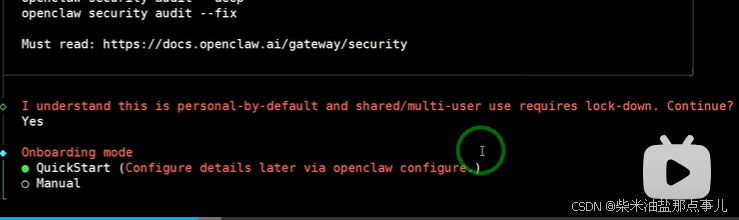
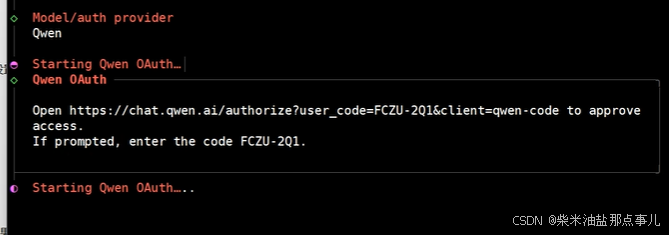
复制上面的地址,到浏览器,认证即可
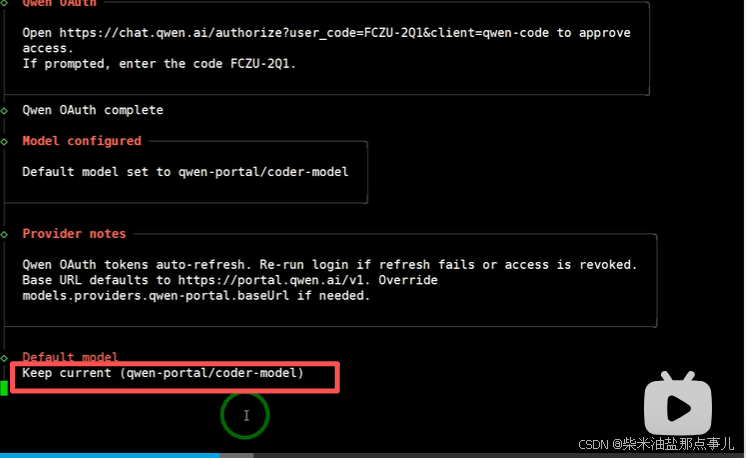
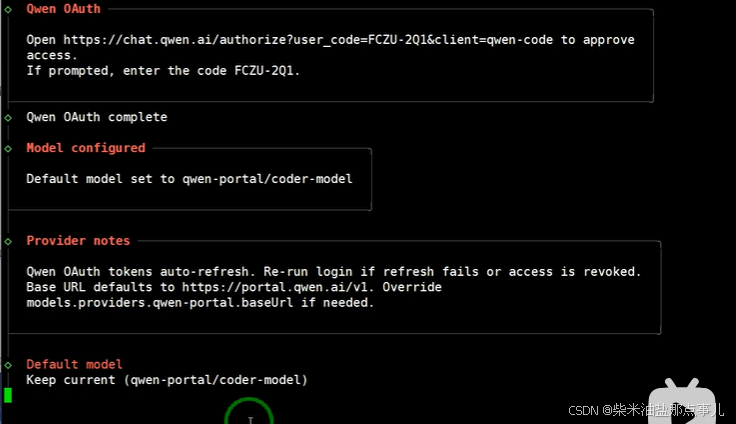
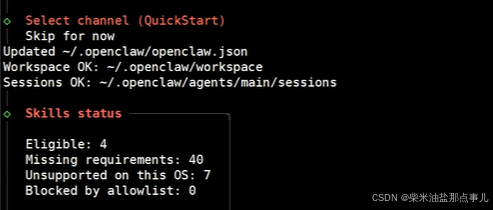
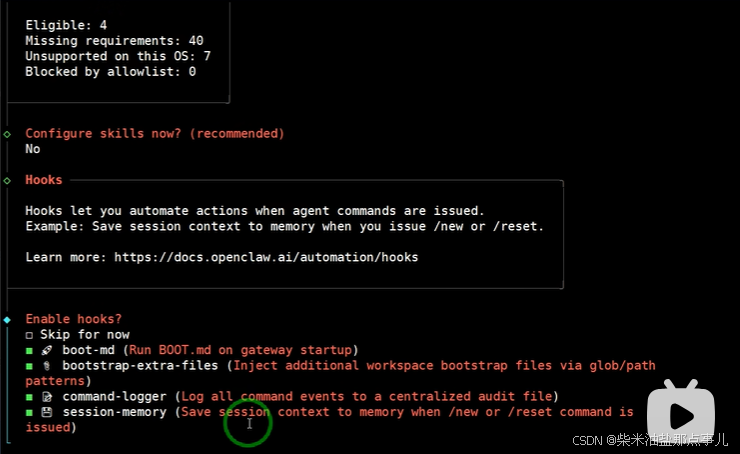
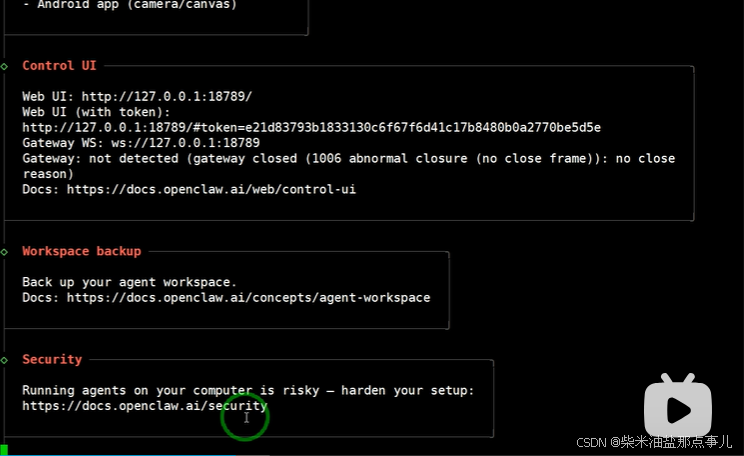
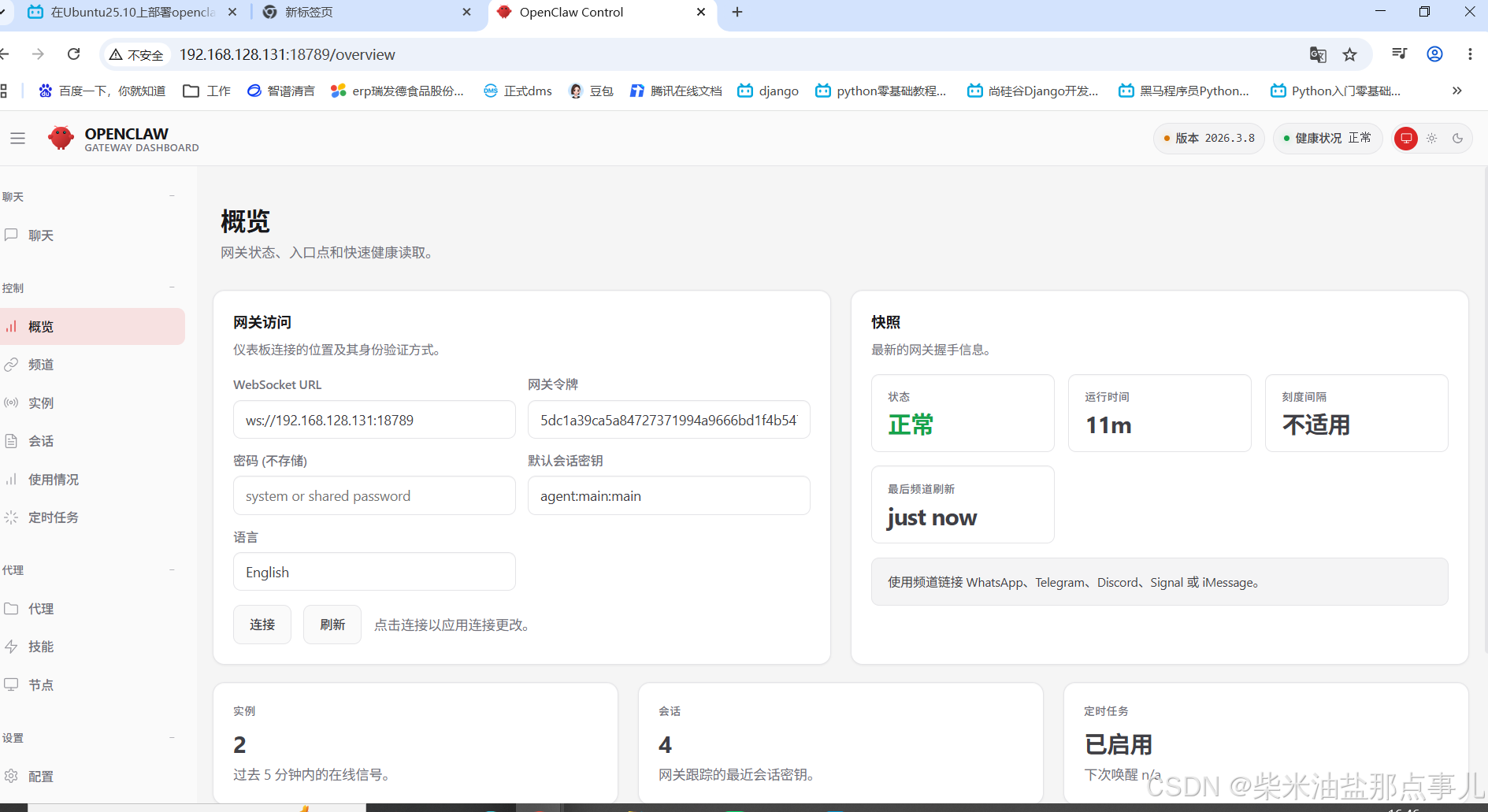
这里我的token是5dc1a39ca5a84727371994a9666bd1f4b547a4c5e211912a
记得把controlui.allowinsecureAuth: true,确保bind配置为:lan
windows主机访问:http://192.168.128.131:18789/overview
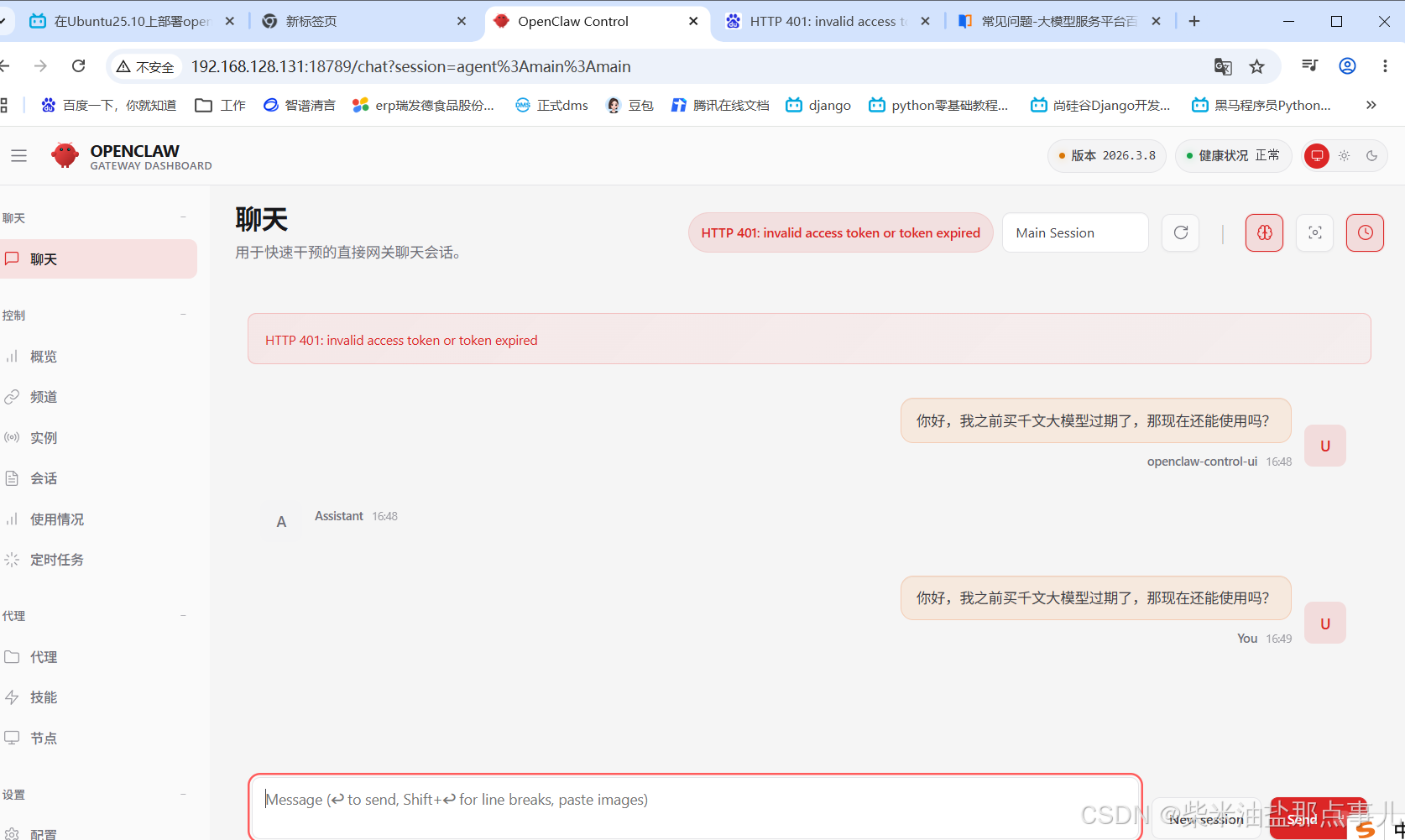
因为我只在千文续费了两个月,后续没有再续费。
这里的我的openclaw.json文件:
{
  "meta": {
    "lastTouchedVersion": "2026.3.8",
    "lastTouchedAt": "2026-03-23T05:20:52.248Z"
  },
  "wizard": {
    "lastRunAt": "2026-03-23T05:20:52.214Z",
    "lastRunVersion": "2026.3.8",
    "lastRunCommand": "configure",
    "lastRunMode": "local"
  },
  "auth": {
    "profiles": {
      "qwen-portal:default": {
        "provider": "qwen-portal",
        "mode": "oauth"
      }
    }
  },
  "models": {
    "providers": {
      "bailian": {
        "baseUrl": "https://coding.dashscope.aliyuncs.com/v1",
        "apiKey": "sk-sp-12be7685169448aea09f77e17b705db6",
        "api": "openai-completions",
        "models": [
          {
            "id": "qwen3.5-plus",
            "name": "qwen3.5-plus",
            "reasoning": false,
            "input": [
              "text",
              "image"
            ],
            "cost": {
              "input": 0,
              "output": 0,
              "cacheRead": 0,
              "cacheWrite": 0
            },
            "contextWindow": 1000000,
            "maxTokens": 65536
          },
          {
            "id": "qwen3-max-2026-01-23",
            "name": "qwen3-max-2026-01-23",
            "reasoning": false,
            "input": [
              "text"
            ],
            "cost": {
              "input": 0,
              "output": 0,
              "cacheRead": 0,
              "cacheWrite": 0
            },
            "contextWindow": 262144,
            "maxTokens": 65536
          },
          {
            "id": "qwen3-coder-next",
            "name": "qwen3-coder-next",
            "reasoning": false,
            "input": [
              "text"
            ],
            "cost": {
              "input": 0,
              "output": 0,
              "cacheRead": 0,
              "cacheWrite": 0
            },
            "contextWindow": 262144,
            "maxTokens": 65536
          },
          {
            "id": "qwen3-coder-plus",
            "name": "qwen3-coder-plus",
            "reasoning": false,
            "input": [
              "text"
            ],
            "cost": {
              "input": 0,
              "output": 0,
              "cacheRead": 0,
              "cacheWrite": 0
            },
            "contextWindow": 1000000,
            "maxTokens": 65536
          },
          {
            "id": "MiniMax-M2.5",
            "name": "MiniMax-M2.5",
            "reasoning": false,
            "input": [
              "text"
            ],
            "cost": {
              "input": 0,
              "output": 0,
              "cacheRead": 0,
              "cacheWrite": 0
            },
            "contextWindow": 196608,
            "maxTokens": 32768
          },
          {
            "id": "glm-5",
            "name": "glm-5",
            "reasoning": false,
            "input": [
              "text"
            ],
            "cost": {
              "input": 0,
              "output": 0,
              "cacheRead": 0,
              "cacheWrite": 0
            },
            "contextWindow": 202752,
            "maxTokens": 16384
          },
          {
            "id": "glm-4.7",
            "name": "glm-4.7",
            "reasoning": false,
            "input": [
              "text"
            ],
            "cost": {
              "input": 0,
              "output": 0,
              "cacheRead": 0,
              "cacheWrite": 0
            },
            "contextWindow": 202752,
            "maxTokens": 16384
          },
          {
            "id": "kimi-k2.5",
            "name": "kimi-k2.5",
            "reasoning": false,
            "input": [
              "text",
              "image"
            ],
            "cost": {
              "input": 0,
              "output": 0,
              "cacheRead": 0,
              "cacheWrite": 0
            },
            "contextWindow": 262144,
            "maxTokens": 32768
          }
        ]
      },
      "qwen-portal": {
        "baseUrl": "https://portal.qwen.ai/v1",
        "apiKey": "qwen-oauth",
        "api": "openai-completions",
        "models": [
          {
            "id": "coder-model",
            "name": "Qwen Coder",
            "reasoning": false,
            "input": [
              "text"
            ],
            "cost": {
              "input": 0,
              "output": 0,
              "cacheRead": 0,
              "cacheWrite": 0
            },
            "contextWindow": 128000,
            "maxTokens": 8192
          },
          {
            "id": "vision-model",
            "name": "Qwen Vision",
            "reasoning": false,
            "input": [
              "text",
              "image"
            ],
            "cost": {
              "input": 0,
              "output": 0,
              "cacheRead": 0,
              "cacheWrite": 0
            },
            "contextWindow": 128000,
            "maxTokens": 8192
          }
        ]
      }
    }
  },
  "agents": {
    "defaults": {
      "model": {
        "primary": "bailian/qwen3.5-plus"
      },
      "models": {
        "bailian/qwen3.5-plus": {},
        "bailian/qwen3-max-2026-01-23": {},
        "bailian/qwen3-coder-next": {},
        "bailian/qwen3-coder-plus": {},
        "bailian/MiniMax-M2.5": {},
        "bailian/glm-5": {},
        "bailian/glm-4.7": {},
        "bailian/kimi-k2.5": {},
        "qwen-portal/coder-model": {
          "alias": "qwen"
        },
        "qwen-portal/vision-model": {}
      },
      "workspace": "/root/.openclaw/workspace",
      "compaction": {
        "mode": "safeguard"
      },
      "maxConcurrent": 4,
      "subagents": {
        "maxConcurrent": 8
      }
    }
  },
  "tools": {
    "profile": "coding"
  },
  "messages": {
    "ackReactionScope": "group-mentions"
  },
  "commands": {
    "native": "auto",
    "nativeSkills": "auto",
    "restart": true,
    "ownerDisplay": "raw"
  },
  "session": {
    "dmScope": "per-channel-peer"
  },
  "hooks": {
    "internal": {
      "enabled": true,
      "entries": {
        "boot-md": {
          "enabled": true
        },
        "bootstrap-extra-files": {
          "enabled": true
        },
        "command-logger": {
          "enabled": true
        },
        "session-memory": {
          "enabled": true
        }
      }
    }
  },
  "channels": {
    "wecom": {
      "enabled": true,
      "botId": "aibZLUHP0qn9O1JztDE9vsYoe3zp0prtJk7",
      "secret": "AfwzRjbE4pwM67aWlChKsobKCGJQCr8To8wzDIqBuDq",
      "allowFrom": [],
      "dmPolicy": "pairing"
    }
  },
  "gateway": {
    "port": 18789,
    "mode": "local",
    "bind": "lan",
    "controlUi": {
      "allowedOrigins": [
        "*"
      ],
      "allowInsecureAuth": true,
      "dangerouslyDisableDeviceAuth": true
    },
    "auth": {
      "mode": "token",
      "token": "5dc1a39ca5a84727371994a9666bd1f4b547a4c5e211912a"
    },
    "tailscale": {
      "mode": "off",
      "resetOnExit": false
    },
    "nodes": {
      "denyCommands": [
        "camera.snap",
        "camera.clip",
        "screen.record",
        "contacts.add",
        "calendar.add",
        "reminders.add",
        "sms.send"
      ]
    }
  },
  "plugins": {
    "entries": {
      "qwen-portal-auth": {
        "enabled": true
      },
      "wecom-openclaw-plugin": {
        "enabled": true
      }
    },
    "installs": {
      "wecom-openclaw-plugin": {
        "source": "npm",
        "spec": "@wecom/wecom-openclaw-plugin",
        "installPath": "/root/.openclaw/extensions/wecom-openclaw-plugin",
        "version": "1.0.8",
        "resolvedName": "@wecom/wecom-openclaw-plugin",
        "resolvedVersion": "1.0.8",
        "resolvedSpec": "@wecom/wecom-openclaw-plugin@1.0.8",
        "integrity": "sha512-0PvERa10wrP9KrhC19YjFX1M2WxybqdjVfM3mN9XbFGDm0BOEnhWCbyXtpVMIKqLD+f2hoj0NrTpf8RCXneKMQ==",
        "shasum": "6ab3466f91b793bfdf587c2a0516e2b51e87ae16",
        "resolvedAt": "2026-03-11T11:15:56.489Z",
        "installedAt": "2026-03-11T11:16:05.312Z"
      }
    }
  }
}
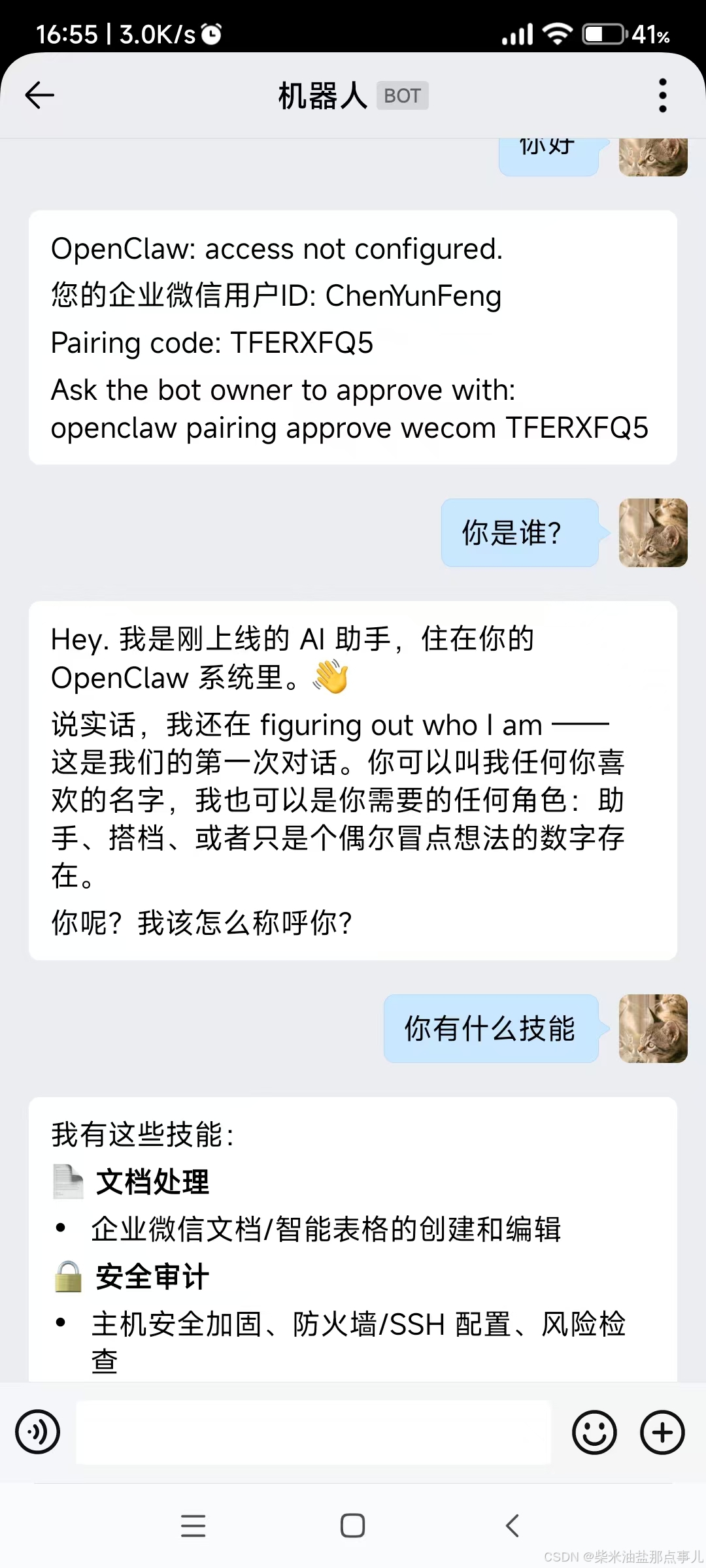
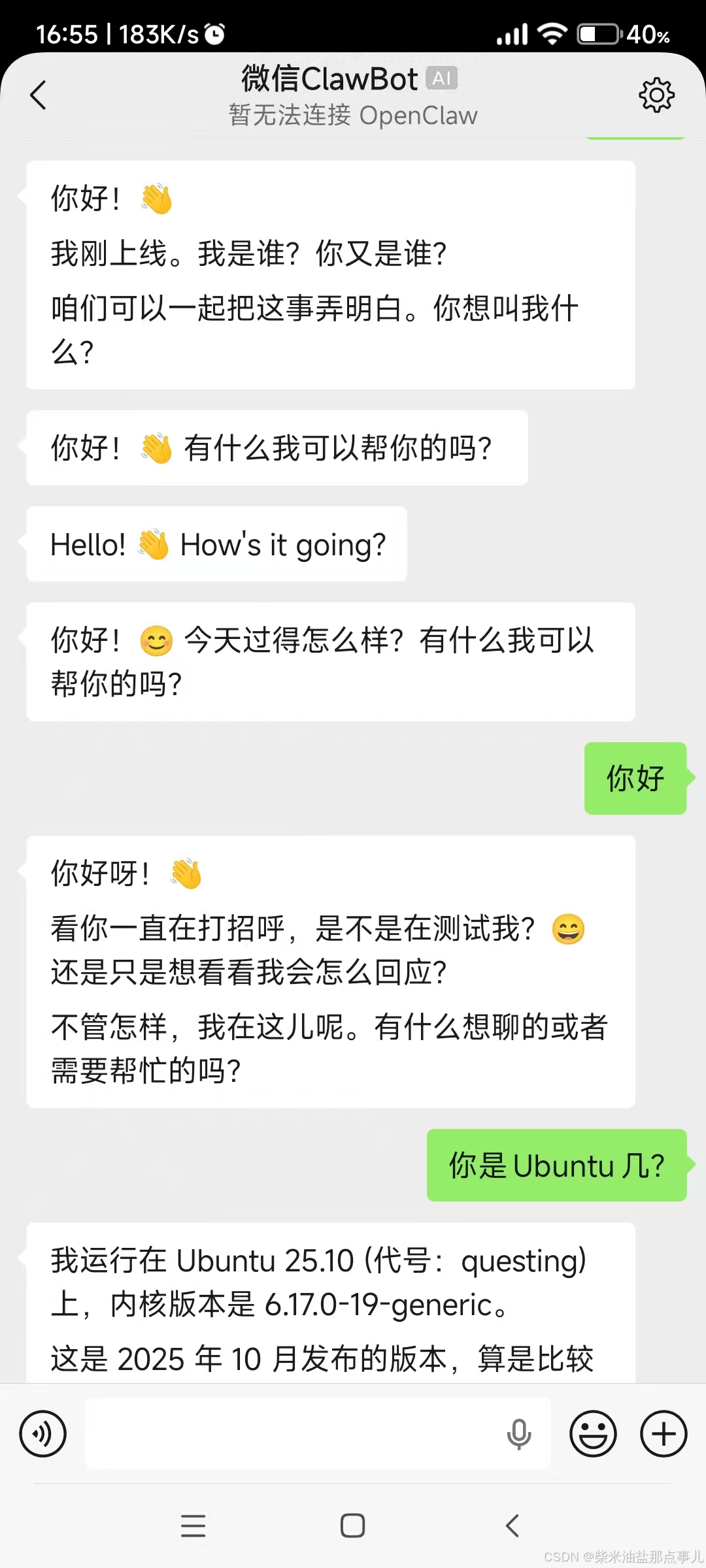
因为我当时又配置了企业微信、个人微信,所以里面的配置多一些。
重启网关:openclaw gateway restart
查看token
openclaw dashboard --no-open
参考
openclaw官网
https://www.doubao.com/chat/38416323372275458
openclaw pairing approve wecom TFERXFQ5
阿里云百炼金
https://help.aliyun.com/zh/model-studio/openclaw-coding-plan#715ce9c173h28
openclaw如何接入千问3.5plus大模型
https://www.bilibili.com/video/BV15ZNMz5EDa/?spm_id_from=333.337.search-card.all.click&vd_source=27c5dfc293cbe6206f25e8fb200a61e7
在Ubuntu25.10上部署openclaw
https://www.bilibili.com/video/BV1w2A8z5EuU?buvid=XUA1AEEA97612D30815027572C2A98AE47F0C&from_spmid=main.my-history.0.0&is_story_h5=false&mid=LqGauNaTmZnrn0AIkoJJyA%3D%3D&plat_id=116&share_from=ugc&share_medium=android&share_plat=android&share_session_id=10f5b23f-4db4-4c80-9496-bb43f0b01a7a&share_source=WEIXIN&share_tag=s_i&spmid=united.player-video-detail.0.0×tamp=1773186999&unique_k=Dv6RIKN&up_id=1248629099
2026 最强智能运维工具:OpenClaw 最新版 + 企业微信实战
https://www.bilibili.com/video/BV1NjPZzaE77/?buvid=XUA1AEEA97612D30815027572C2A98AE47F0C&from_spmid=search.search-result.0.0&is_story_h5=false&mid=LqGauNaTmZnrn0AIkoJJyA%3D%3D&plat_id=122&share_from=ugc&share_medium=android&share_plat=android&share_session_id=872757ac-862d-4874-ae58-fe96b2a6ad41&share_source=WEIXIN&share_tag=s_i&spmid=united.player-video-detail.0.0×tamp=1773161344&unique_k=JPR9BCL&up_id=353593254&vd_source=27c5dfc293cbe6206f25e8fb200a61e7