ComboBox绑定Enum枚举,最常想到的方法就是在viewmodel中定义一个数组属性,然后在xaml中直接用ComboBox的ItemsSource来绑定,这种方法需要在viewmodel中额外定义一个属性来供xaml绑定。
现在介绍一个直接在xaml上绑定的枚举,不需要在viewmodel中去额外定义属性。
实现效果如下:
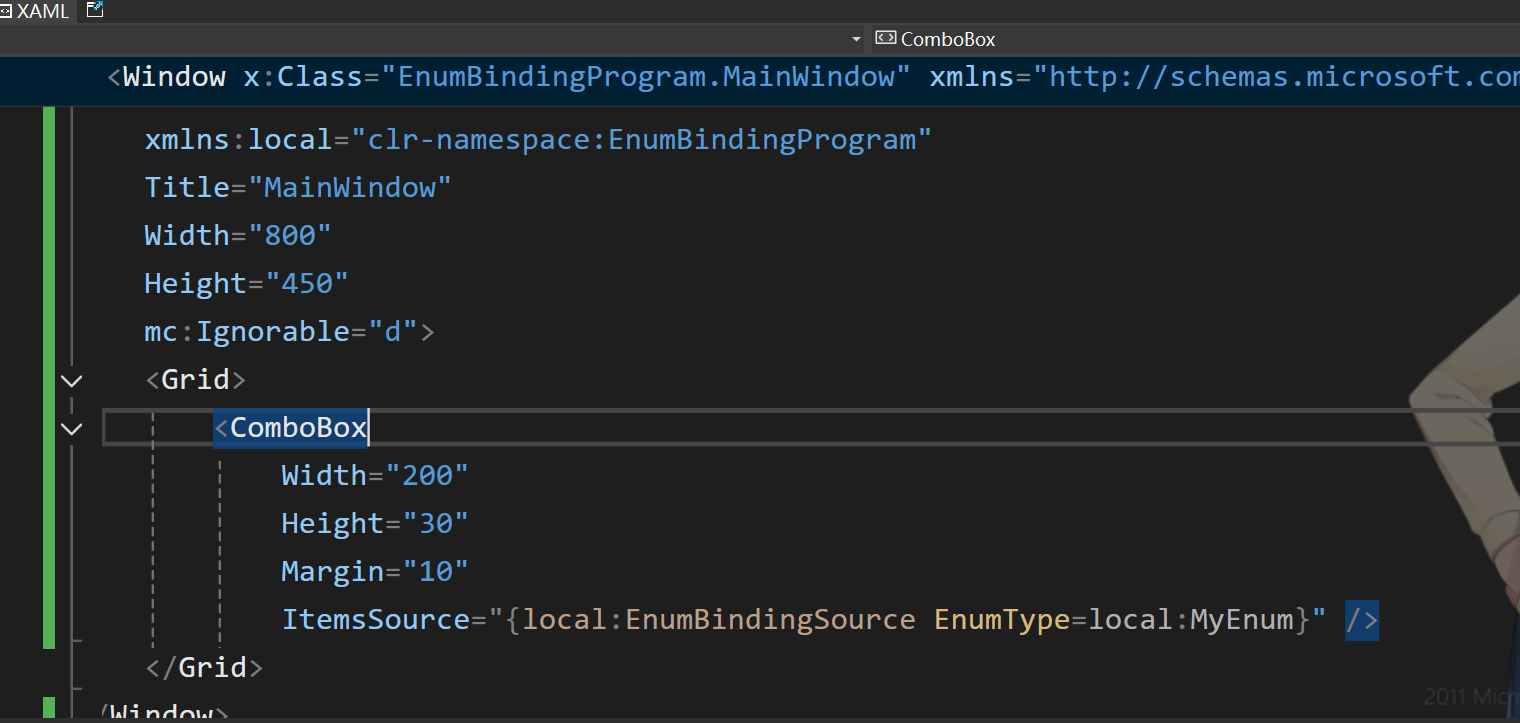
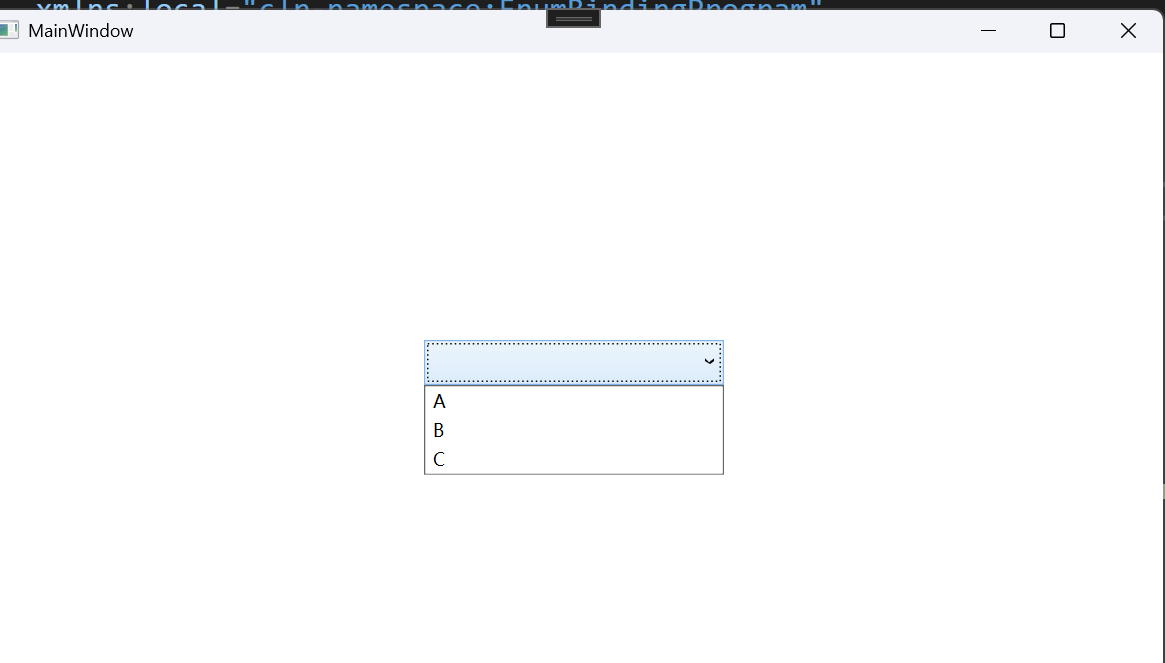
代码实现如下:
cs
   public class EnumBindingSourceExtension : MarkupExtension
   {
       private Type? _enumType;

       public Type? EnumType
       {
           get => _enumType;
           set
           {
               if (value != _enumType)
               {
                   if (value != null)
                   {
                       Type enumType = Nullable.GetUnderlyingType(value) ?? value;
                       if (!enumType.IsEnum)
                       {
                           throw new Exception("类型必须是枚举");
                       }
                   }
                   _enumType = value;
               }
           }
       }

       public EnumBindingSourceExtension(Type enumType)
       {
           EnumType = enumType;
       }

       public EnumBindingSourceExtension()
       {
       }

       public override object ProvideValue(IServiceProvider serviceProvider)
       {
           if (_enumType == null)
           {
               throw new Exception("必须设置枚举类型");
           }
           var actualEnumType = Nullable.GetUnderlyingType(_enumType) ?? _enumType;
           var enumValues = Enum.GetValues(actualEnumType);
           if (actualEnumType == _enumType)
           {
               return enumValues;
           }
           var nullableEnumValues = Array.CreateInstance(actualEnumType, enumValues.Length + 1);
           enumValues.CopyTo(nullableEnumValues, 1);
           return nullableEnumValues;
       }
   }