一.Stream流式输出
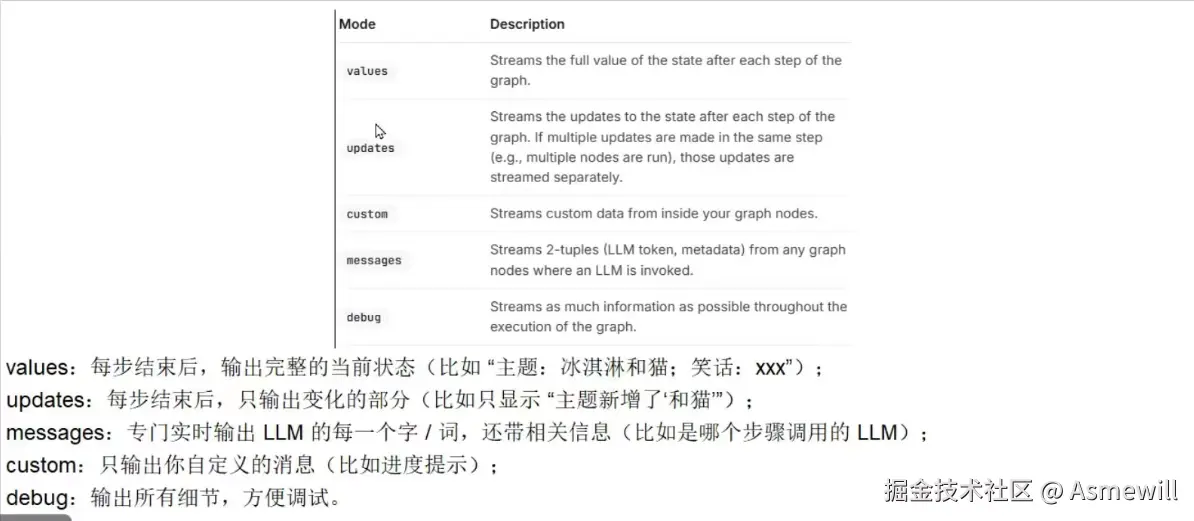
1.updates 和values流式输出
python
"""
StreamGraphState.py

流图状态
使用流模式,并在图执行时流式传输其状态。updatesvalues
updates在图的每一步后,将更新流向状态。
values在图的每一步后,流出状态的---->全部值。
"""

from typing import TypedDict
from langgraph.graph import StateGraph, START, END


class AtguiguState(TypedDict):
  topic: str
  joke: str


def refine_topic(state: AtguiguState):
    return {"topic": state["topic"] + " and cats"}


def generate_joke(state: AtguiguState):
    return {"joke": f"This is a joke about {state['topic']}"}

def main():
    graph = (
      StateGraph(AtguiguState)
      # .add_node(refine_topic)
      # .add_node(generate_joke)
      .add_node(node="refine_topic", action=refine_topic)
      .add_node(node="generate_joke", action=generate_joke)

      .add_edge(START, "refine_topic")
      .add_edge("refine_topic", "generate_joke")
      .add_edge("generate_joke", END)

      .compile()
    )

    # updates在图的每一步后,将更新流向状态。
    for chunk in graph.stream({"topic": "ice cream"},stream_mode="updates"):
        print(chunk)

    print()

    # values在图的每一步后,流出状态的全部值。
    for chunk in graph.stream({"topic": "ice cream"},stream_mode="values"):
        print(chunk)

if __name__ == "__main__":
    main()
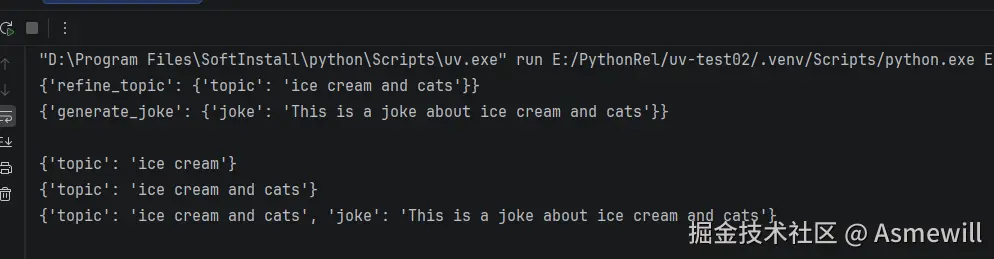
# updates在图的每一步后,将更新流向状态。
# {'refine_topic': {'topic': 'ice cream and cats'}}
# {'generate_joke': {'joke': 'This is a joke about ice cream and cats'}}
# values在图的每一步后,流出状态的全部值。
# {'topic': 'ice cream'}
# {'topic': 'ice cream and cats'}
# {'topic': 'ice cream and cats', 'joke': 'This is a joke about ice cream and cats'}
执行结果:
2.updates 和values,"values", "updates",debug 混合输出
python
'''
StreamMultipleModes.py
LangGraph 多模式流式传输演示
'''

from typing import TypedDict
from langgraph.graph import StateGraph, START, END


# 定义状态类型
class AtguiguState(TypedDict):
    question: str
    answer: str
    confidence: float # 置信度分数
    steps: list


def think(state: AtguiguState) -> AtguiguState:
    """思考节点"""
    question = state["question"]
    # 模拟思考过程
    steps = [f"分析问题: {question}", "检索相关知识", "形成初步答案"]
    return {"steps": steps}


def respond(state: AtguiguState) -> AtguiguState:
    """回应节点"""
    question = state["question"]
    # 根据问题生成答案
    if "天气" in question:
        answer = "今天天气晴朗"
        confidence = 0.9
    elif "时间" in question:
        answer = "现在是上午10点"
        confidence = 0.8
    else:
        answer = "这是一个很好的问题"
        confidence = 0.7

    return {
        "answer": answer,
        "confidence": confidence
    }


def reflect(state: AtguiguState) -> AtguiguState:
    """反思节点"""
    answer = state["answer"]
    confidence = state["confidence"]
    steps = state.get("steps", [])

    steps.append(f"验证答案: {answer}")
    steps.append(f"置信度评估: {confidence}")

    if confidence > 0.8:
        conclusion = "高置信度答案"
    elif confidence > 0.5:
        conclusion = "中等置信度答案"
    else:
        conclusion = "低置信度答案"

    steps.append(f"结论: {conclusion}")

    return {"steps": steps}


def main():
    # 构建图
    builder = StateGraph(AtguiguState)
    builder.add_node("think", think)
    builder.add_node("respond", respond)
    builder.add_node("reflect", reflect)

    builder.add_edge(START, "think")
    builder.add_edge("think", "respond")
    builder.add_edge("respond", "reflect")
    builder.add_edge("reflect", END)

    graph = builder.compile()

    print("=== LangGraph 多模式流式传输演示 ===\n")

    # 准备输入
    input_state = {
        "question": "今天天气怎么样?",
        "answer": "",
        "confidence": 0.0,
        "steps": []
    }

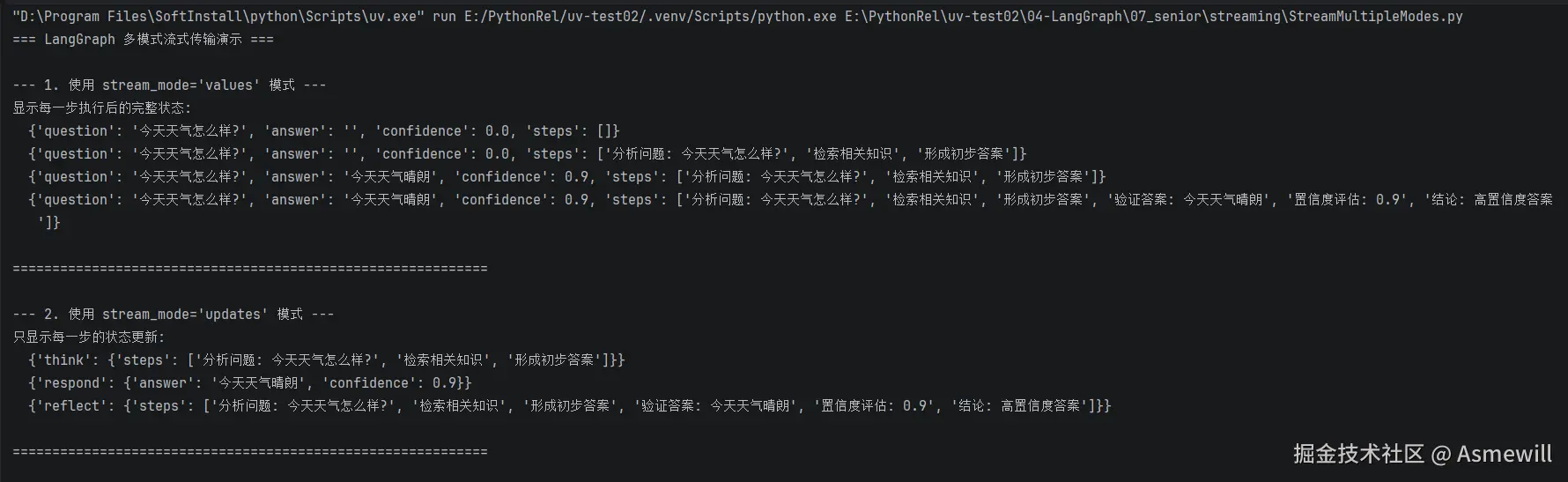
    print("--- 1. 使用 stream_mode='values' 模式 ---")
    print("显示每一步执行后的完整状态:")
    for chunk in graph.stream(input_state, stream_mode="values"):
        print(f"  {chunk}")

    print("\n" + "=" * 60 + "\n")

    print("--- 2. 使用 stream_mode='updates' 模式 ---")
    print("只显示每一步的状态更新:")
    for chunk in graph.stream(input_state, stream_mode="updates"):
        print(f"  {chunk}")

    print("\n" + "=" * 60 + "\n")
    #
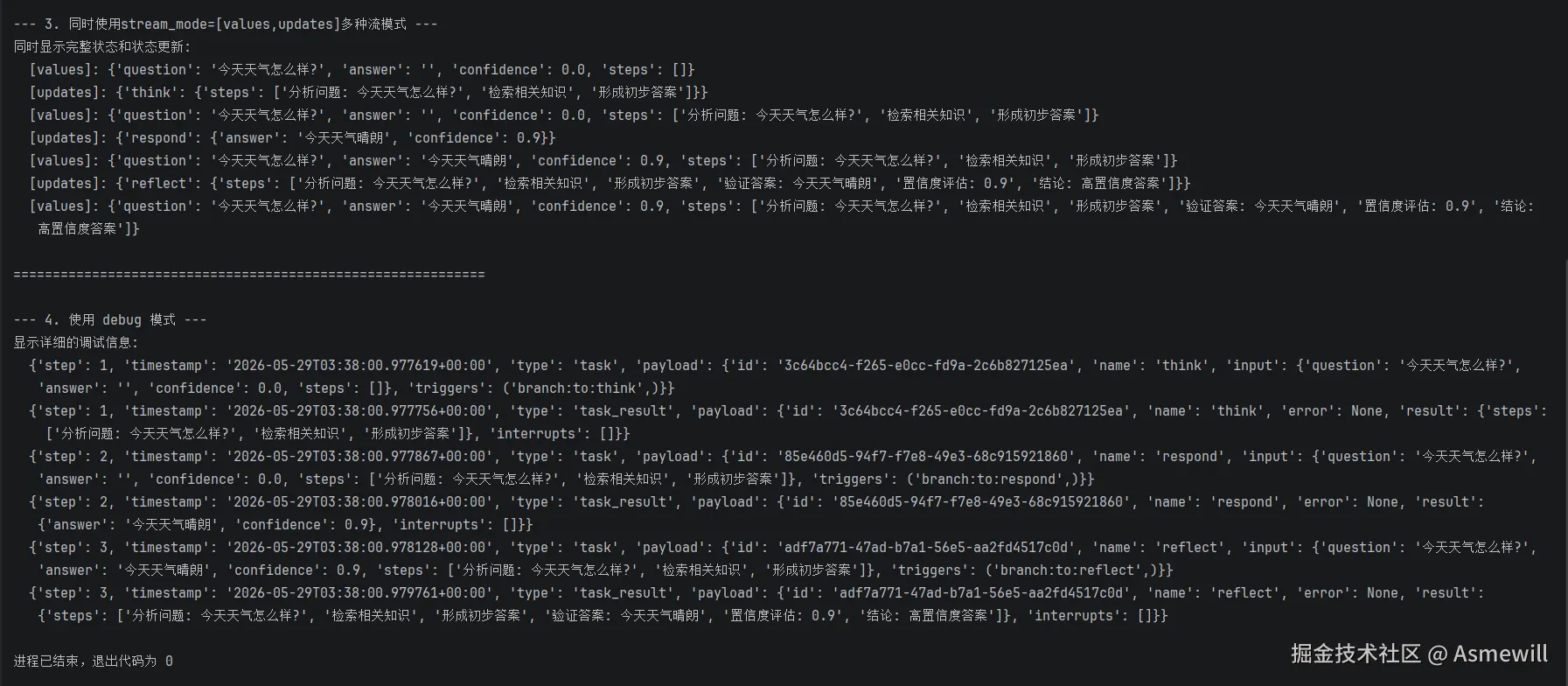
    print("--- 3. 同时使用stream_mode=[values,updates]多种流模式 ---")
    print("同时显示完整状态和状态更新:")
    for mode, chunk in graph.stream(input_state, stream_mode=["values", "updates"]):
        print(f"  [{mode}]: {chunk}")

    print("\n" + "=" * 60 + "\n")

    print("--- 4. 使用 debug 模式 ---")
    print("显示详细的调试信息:")
    try:
        for chunk in graph.stream(input_state, stream_mode="debug"):
            print(f"  {chunk}")
    except Exception as e:
        print(f"  Debug模式可能需要特殊配置: {e}")


if __name__ == "__main__":
    main()
执行结果:
3.messages模式的流式输出是一个元组(message_chunk, metadata)
python
'''
StreamLLMTokens.py
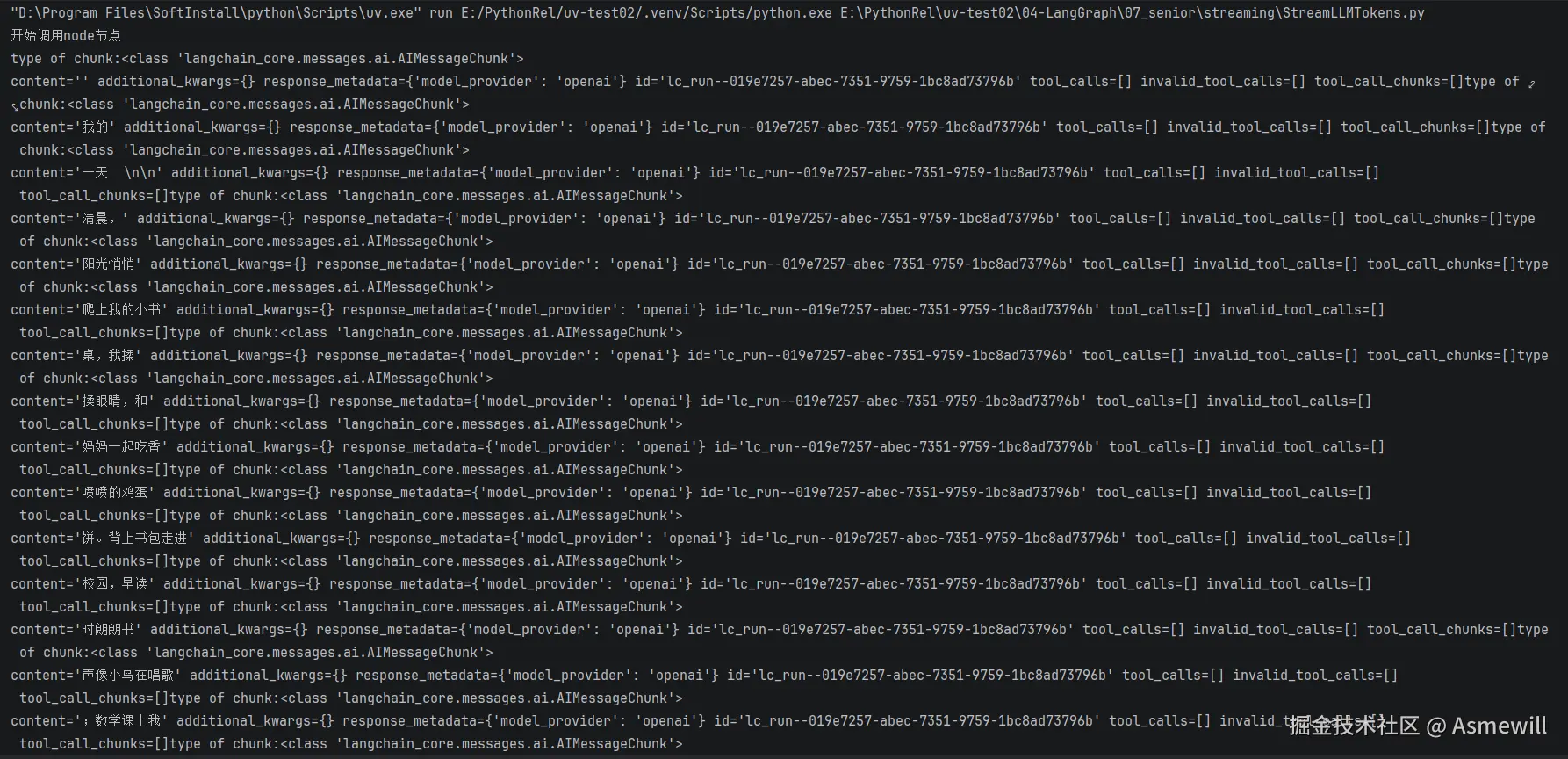
使用messages流模式,从图中的任何部分(包括节点、工具、子图或任务)逐token流式传输大型语言模型(LLM)的输出。
messages模式的流式输出是一个元组(message_chunk, metadata),其中:
message_chunk:来自大语言模型(LLM)的令牌或消息片段。
metadata:一个包含图节点和大语言模型调用详情的字典元数据。
'''
from typing import TypedDict
from dotenv import load_dotenv
from langgraph.graph import StateGraph,START
from langchain.chat_models import init_chat_model
import os
load_dotenv()
class State(TypedDict):
query:str
answer:str
def node(state:State):
print("开始调用node节点")
model = init_chat_model(model="qwen-plus",
model_provider="openai",
api_key=os.getenv("DASHSCOPE_API_KEY"),
base_url = os.getenv("DASHSCOPE_BASE_URL"))
llm_result = model.invoke( [("user",state["query"])] )
print("llm invoke结束",end="\n\n")
return {"answer":llm_result}
def main():
graph = (
StateGraph(state_schema=State)
#.add_node(node)
.add_node(node="node",action=node)
.add_edge(START,"node")
.compile()
)
inputs = {"query":"帮我生成一个200字的小学生作文,主题为我的一天"}
# stream_mode="messages"从任何调用了大语言模型的图节点流式传输二元组(大语言模型token,元数据)。
'''messages模式的流式输出是一个元组(message_chunk, metadata),其中:
message_chunk:来自大语言模型(LLM)的令牌或消息片段。
metadata:一个包含图节点和大语言模型调用详情的字典元数据。'''
for chunk,meta_data in graph.stream(inputs,stream_mode="messages"):
print(f"type of chunk:{type(chunk)}")#上课时候打开注释
#print(chunk.content,end="")
print(chunk,end="")
if __name__ == '__main__':
main()执行结果:
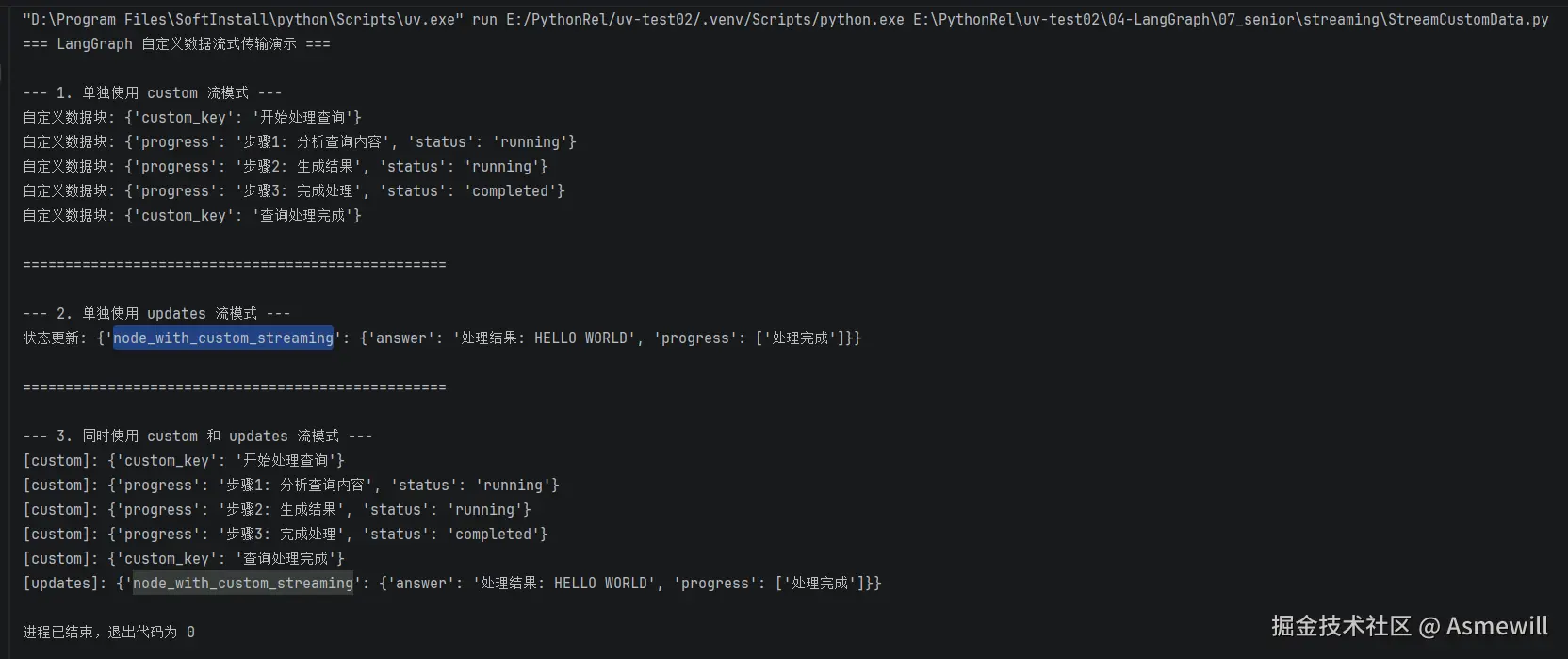
4.custom自定义流式输出,可以组合多种模式(例如"updates", "custom")
python
'''
StreamCustomData.py
要从LangGraph节点或工具内部发送自定义用户定义数据,请遵循以下步骤:
使用get_stream_writer访问流写入器并发送自定义数据。
调用.stream()或.astream()时,设置stream_mode="custom"以在流中获取自定义数据。
你可以组合多种模式(例如["updates", "custom"]),但至少有一种模式必须是"custom"。
LangGraph 自定义数据流式传输演示
展示如何从节点内部发送自定义用户定义数据
'''
from typing import TypedDict
from langgraph.config import get_stream_writer
from langgraph.graph import StateGraph, START, END
class State(TypedDict):
query: str
answer: str
progress: list
def node_with_custom_streaming(state: State) -> State:
"""带自定义流式传输的节点"""
# 获取流写入器以发送自定义数据,使用get_stream_writer访问流写入器并发送自定义数据。
writer = get_stream_writer()
# 发送自定义数据(例如,进度更新)
writer({"custom_key": "开始处理查询"})
writer({"progress": "步骤1: 分析查询内容", "status": "running"})
query = state["query"]
writer({"progress": "步骤2: 生成结果", "status": "running"})
writer({"progress": "步骤3: 完成处理", "status": "completed"})
writer({"custom_key": "查询处理完成"})
# 模拟处理过程
result = f"处理结果: {query.upper()}"
return {
"answer": result,
"progress": state.get("progress", []) + ["处理完成"]
}
def main():
print("=== LangGraph 自定义数据流式传输演示 ===\n")
# 构建图
graph = (
StateGraph(State)
.add_node("node_with_custom_streaming", node_with_custom_streaming)
.add_edge(START, "node_with_custom_streaming")
.add_edge("node_with_custom_streaming", END)
.compile()
)
inputs = {"query": "hello world", "answer": "", "progress": []}
print("--- 1. 单独使用 custom 流模式 ---")
try:
# 设置 stream_mode="custom" 以在流中接收自定义数据
for chunk in graph.stream(inputs, stream_mode="custom"):
print(f"自定义数据块: {chunk}")
except Exception as e:
print(f"错误: {e}")
print("说明: 在Graph API中,自定义流数据需要在节点中通过特定方式发送")
print("\n" + "=" * 50 + "\n")
print("--- 2. 单独使用 updates 流模式 ---")
for chunk in graph.stream(inputs, stream_mode="updates"):
print(f"状态更新: {chunk}")
print("\n" + "=" * 50 + "\n")
#
print("--- 3. 同时使用 custom 和 updates 流模式 ---")
try:
for mode, chunk in graph.stream(inputs, stream_mode=["custom", "updates"]):
print(f"[{mode}]: {chunk}")
except Exception as e:
print(f"错误: {e}")
print("说明: 在Graph API中,需要特殊配置才能使用自定义流模式")
if __name__ == "__main__":
main()执行结果: