PlantUML显示JSON数据
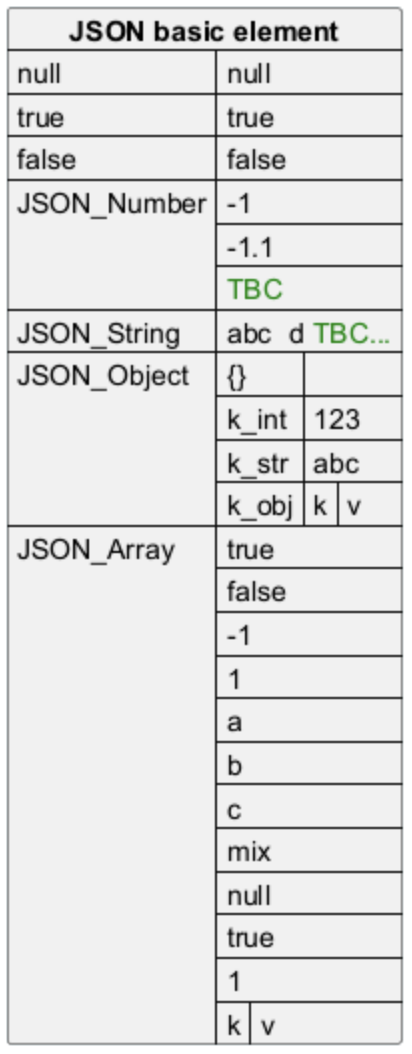
1、复杂示例
@startjson
{
    "firstName": "John",
    "lastName": "Smith",
    "isAlive": true,
    "age": 27,
    "address": {
        "streetAddress": "21 2nd Street",
        "city": "New York",
        "state": "NY",
        "postalCode": "10021-3100"
    },
    "phoneNumbers": [
        {
            "type": "home",
            "number": "212 555-1234"
        },
        {
            "type": "office",
            "number": "646 555-4567"
        }
    ],
    "children": [],
    "spouse": null
}
@endjson
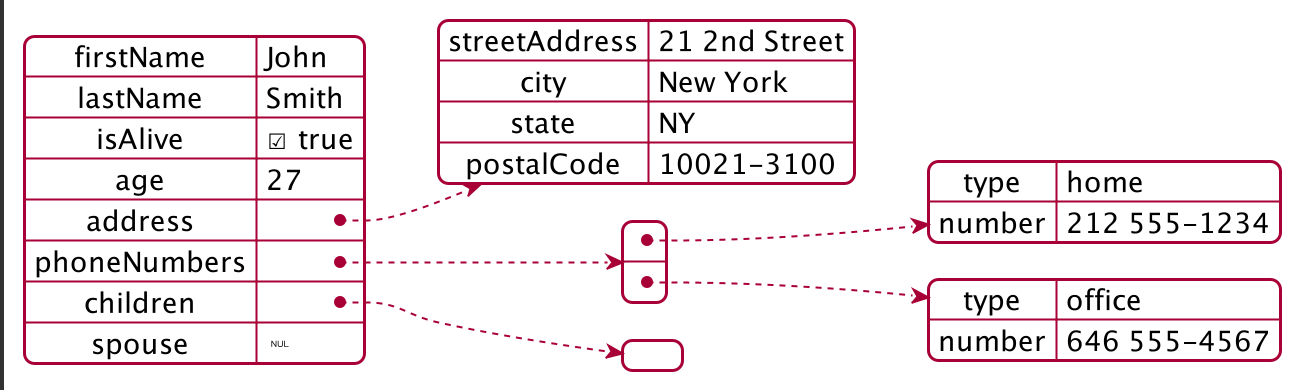
2、高亮部分
@startjson
#highlight "lastName"
#highlight "address" / "city"
#highlight "phoneNumbers" / "0" / "number"
{
    "firstName": "John",
    "lastName": "Smith",
    "isAlive": true,
    "age": 28,
    "address": {
        "streetAddress": "21 2nd Street",
        "city": "New York",
        "state": "NY",
        "postalCode": "10021-3100"
    },
    "phoneNumbers": [
        {
            "type": "home",
            "number": "212 555-1234"
        },
        {
            "type": "office",
            "number": "646 555-4567"
        }
    ],
    "children": [],
    "spouse": null
}
@endjson
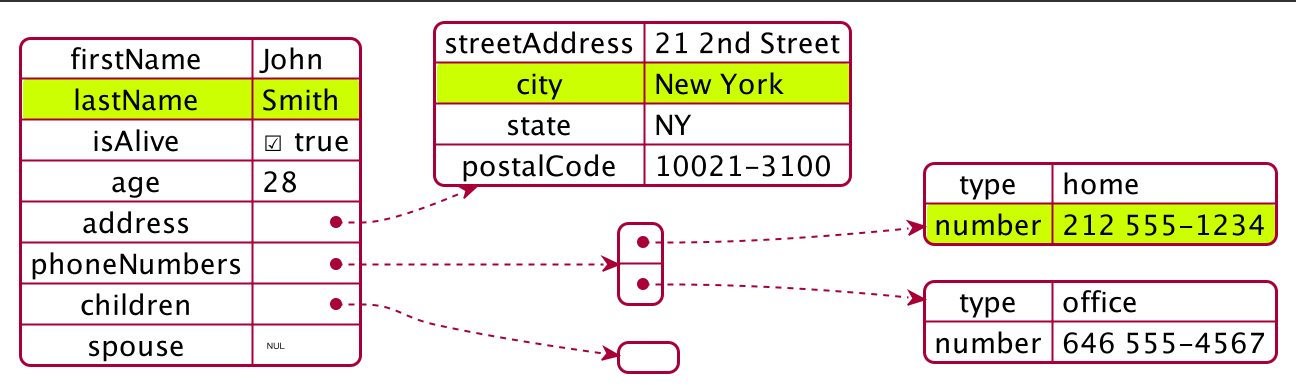
3、采用不同样式进行高亮显示
@startjson
<style>
    .h1 {
        BackGroundColor green
        FontColor white
        FontStyle italic
    }
    .h2 {
        BackGroundColor red
        FontColor white
        FontStyle bold
    }
</style>
#highlight "lastName"
#highlight "address" / "city" <<h1>>
#highlight "phoneNumbers" / "0" / "number" <<h2>>
{
    "firstName": "John",
    "lastName": "Smith",
    "isAlive": true,
    "age": 28,
    "address": {
        "streetAddress": "21 2nd Street",
        "city": "New York",
        "state": "NY",
        "postalCode": "10021-3100"
    },
    "phoneNumbers": [
        {
            "type": "home",
            "number": "212 555-1234"
        },
        {
            "type": "office",
            "number": "646 555-4567"
        }
    ],
    "children": [],
    "spouse": null
}
@endjson
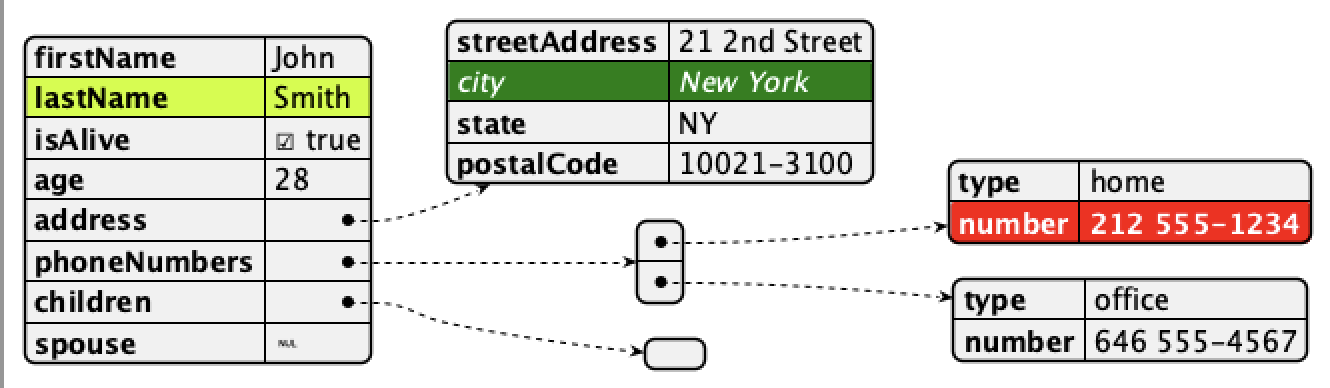
4、JSON基本元素
4.1、所有JSON基本元素的合成
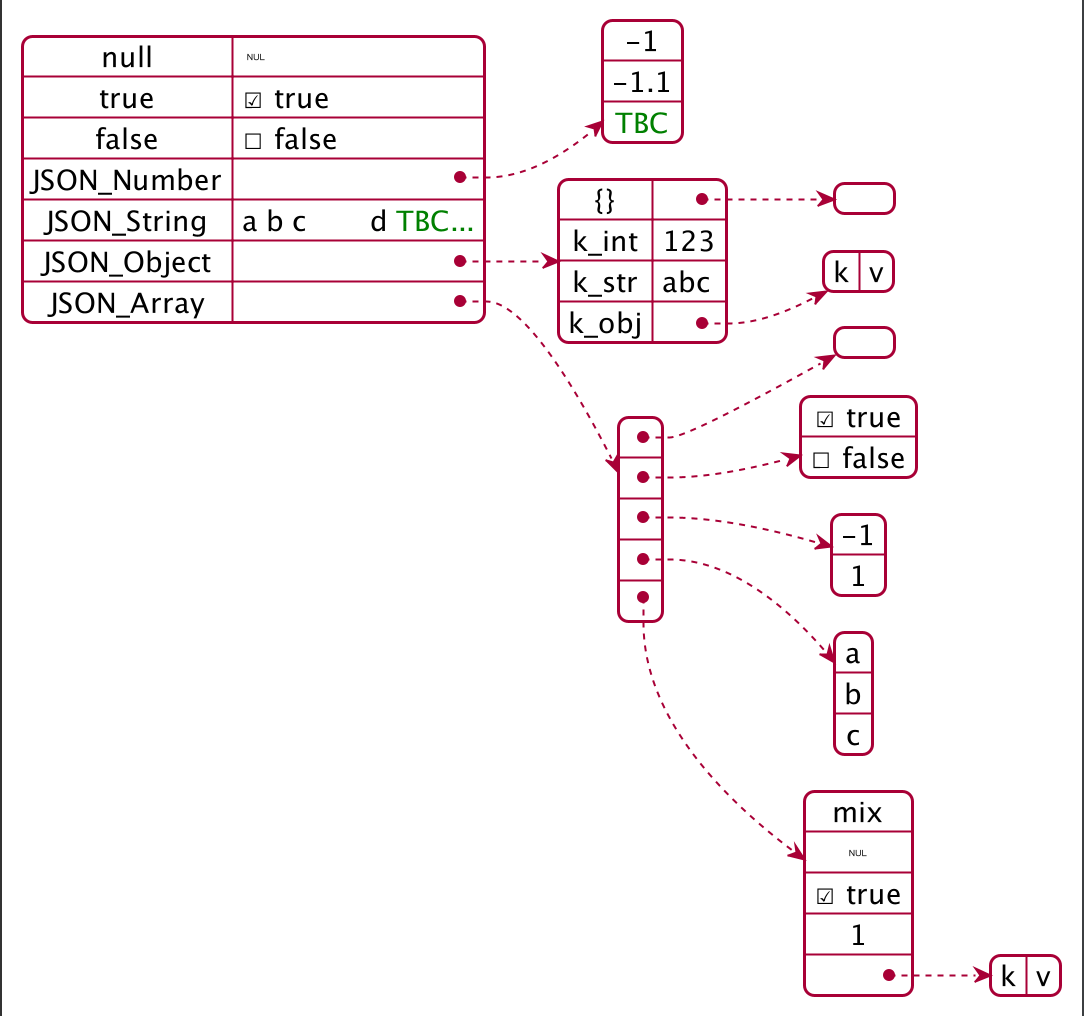
@startjson
{
    "null": null,
    "true": true,
    "false": false,
    "JSON_Number": [
        -1,
        -1.1,
        "<color:green>TBC"
    ],
    "JSON_String": "a\nb\rc\td <color:green>TBC...",
    "JSON_Object": {
        "{}": {},
        "k_int": 123,
        "k_str": "abc",
        "k_obj": {
            "k": "v"
        }
    },
    "JSON_Array" : [
        [],
        [true, false],
        [-1, 1],
        ["a", "b", "c"],
        ["mix", null, true, 1, {"k": "v"}]
    ]
}
@endjson
5、JSON数组或表
5.1、数组
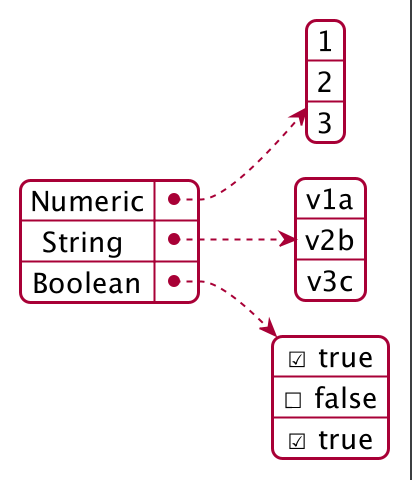
@startjson
{
    "Numeric": [1, 2, 3],
    "String ": ["v1a", "v2b", "v3c"],
    "Boolean": [true, false, true]
}
@endjson
5.3、数字数组
@startjson
[1, 2, 3]
@endjson

5.4、字符串数组
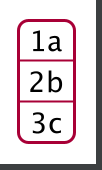
@startjson
["1a", "2b", "3c"]
@endjson
6、JSON数字
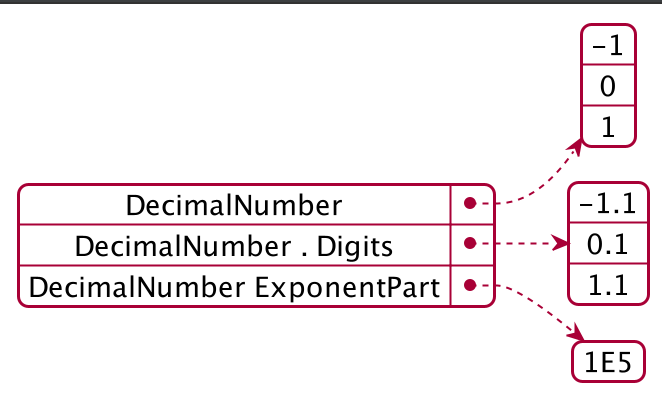
@startjson
{
    "DecimalNumber": [-1, 0, 1],
    "DecimalNumber . Digits": [-1.1, 0.1, 1.1],
    "DecimalNumber ExponentPart": [1E5]
}
@endjson
7、JSON字符串
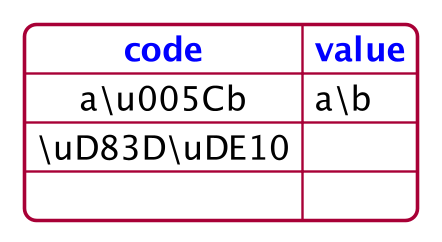
7.1、JSON Unicode
@startjson
{
    "<color:blue><b>code": "<color:blue><b>value",
    "a\\u005Cb": "a\u005Cb",
    "\\uD83D\\uDE10": "\uD83D\uDE10",
    "": ""
}
@endjson
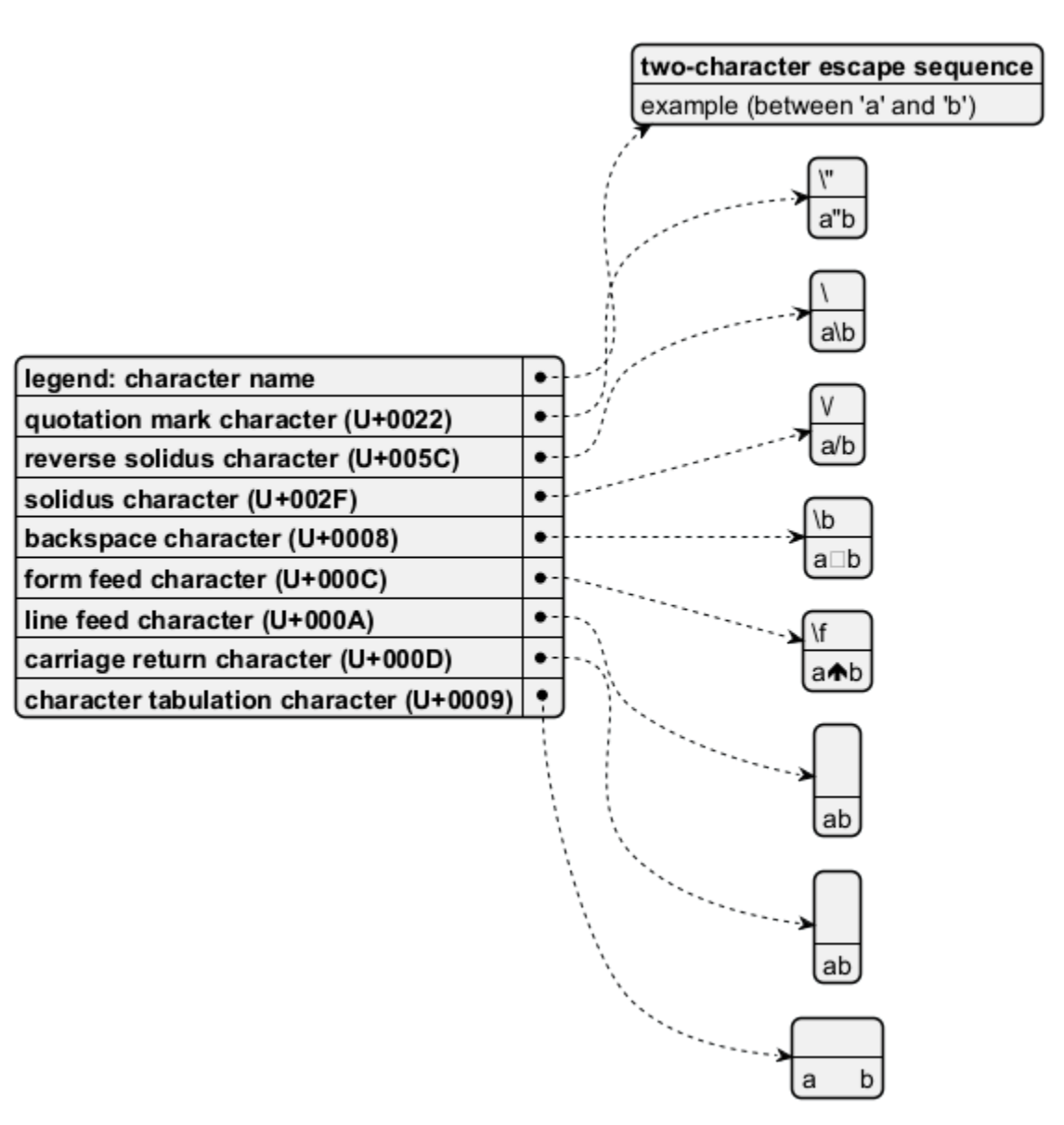
7.2、JSON双字符转义序列
@startjson
{
"**legend**: character name": ["**two-character escape sequence**", "example (between"quotation mark character (U+0022)": ["\\\"", "a\"b"],
"reverse solidus character (U+005C)": ["\\\\", "a\\b"],
"solidus character (U+002F)": ["\\\/", "a\/b"],
"backspace character (U+0008)": ["\\b", "a\bb"],
"form feed character (U+000C)": ["\\f", "a\fb"],
"line feed character (U+000A)": ["\\n", "a\nb"],
"carriage return character (U+000D)": ["\\r", "a\rb"],
"character tabulation character (U+0009)": ["\\t", "a\tb"]
}
@endjson
@startjson
[
"\\\\",
"\\n",
"\\r",
"\\t"
]
@endjson

8、Minimal JSON examples
@startjson
"Hello world!"
@endjson

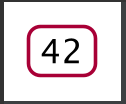
@startjson
42
@endjson
@startjson
true
@endjson

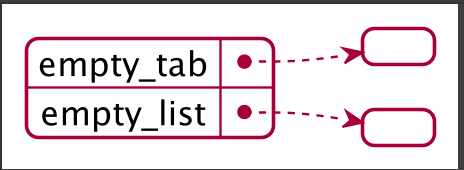
9、空表或列表
@startjson
{
"empty_tab": [],
"empty_list": {}
}
@endjson
10、使用样式
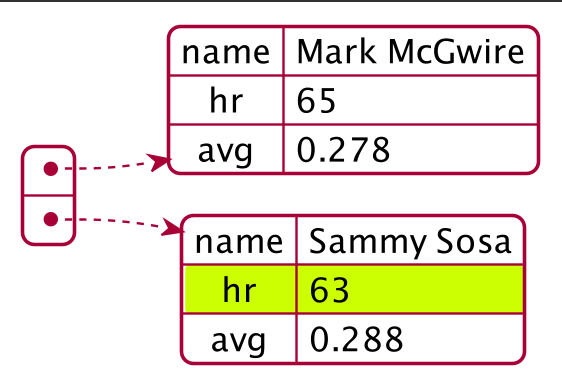
10.1、无样式(默认)
@startjson
#highlight "1" / "hr"
[
    {
        "name": "Mark McGwire",
        "hr": 65,
        "avg": 0.278
    },
    {
        "name": "Sammy Sosa",
        "hr": 63,
        "avg": 0.288
    }
]
@endjson
10.2、使用样式
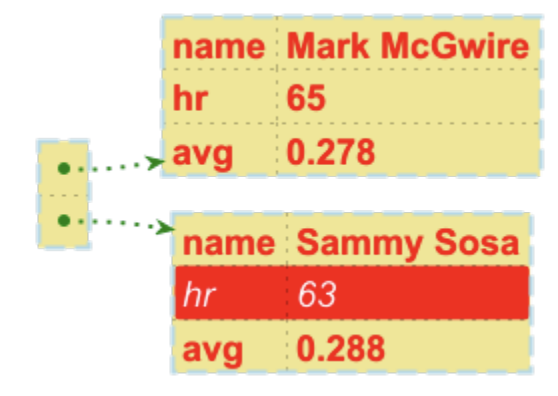
@startjson
<style>
jsonDiagram {
node {
BackGroundColor Khaki
LineColor lightblue
FontName Helvetica
FontColor red
FontSize 18
FontStyle bold
RoundCorner 0
LineThickness 2
LineStyle 10-5
separator {
LineThickness 0.5
LineColor black
LineStyle 1-5
}
}
arrow {
BackGroundColor lightblue
LineColor green
LineThickness 2
LineStyle 2-5
}
highlight {
BackGroundColor red
FontColor white
FontStyle italic
}
}
</style>
#highlight "1" / "hr"
[
{
"name": "Mark McGwire",
"hr": 65,
"avg": 0.278
},
{
"name": "Sammy Sosa",
"hr": 63,
"avg": 0.288
}
]
@endjson
11、在类图或对象图上显示JSON数据
11.1、简单示例
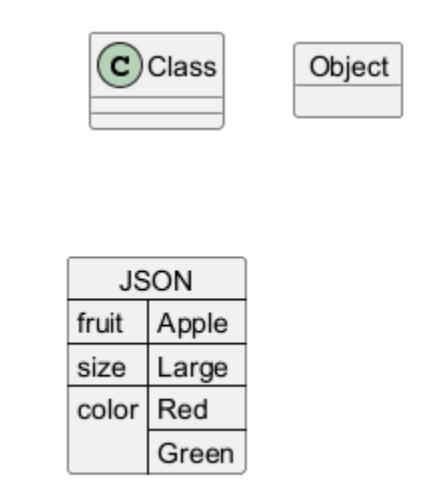
@startuml
class Class
object Object
json JSON {
	"fruit":"Apple",
	"size":"Large",
	"color": ["Red", "Green"]
}
@enduml
11.2、复杂示例
@startuml
json "<b>JSON basic element" as J {
"null": null,
"true": true,
"false": false,
"JSON_Number": [-1, -1.1, "<color:green>TBC"],
"JSON_String": "a\nb\rc\td <color:green>TBC...",
"JSON_Object": {
"{}": {},
"k_int": 123,
"k_str": "abc",
"k_obj": {"k": "v"}
},
"JSON_Array" : [
[],
[true, false],
[-1, 1],
["a", "b", "c"],
["mix", null, true, 1, {"k": "v"}]
]
}
@enduml