第31篇|位置信息写入照片记录:为什么拍照时要带上地点
第 31 篇把相机和地图连起来。双镜记忆相机不是只存一张图片,而是把照片放回当时的地点、附近记忆和时间线里。拍照按钮触发时,项目会生成 CaptureLocationSnapshot:如果当前定位可用且不过期,就用实时位置;如果定位不可用,就回退到地图当前选中的记忆点。这个快照随后写入相册记录。
本文是 21 天「智能相机开发实战」训练营中的一篇实操记录。所有代码片段都来自当前项目,配图围绕运行页面和源码关键路径展开,读完以后可以直接回到工程里按函数名定位。
本篇目标
- 理解拍照瞬间为什么需要地点快照,而不是拍完后再查询当前位置。
- 读懂实时定位和地图选中点之间的回退关系。
- 知道经纬度、地点名和记忆标题如何进入
GalleryMoment。 - 把地图页、相机页、相册页的同一条记录串起来。
代码位置
entry/src/main/ets/pages/Index.etsentry/src/main/ets/services/GalleryRecordService.ets
一、地点让照片从"文件"变成"记忆"
从运行效果看,地图页显示当前位置、附近地点和记忆卡片;相机页拍照时则需要把这个空间信息带进记录。否则相册里只能看到文件列表,无法回答"这张照片在哪里拍的""附近还有哪些相关记忆""能不能按地点分组"。
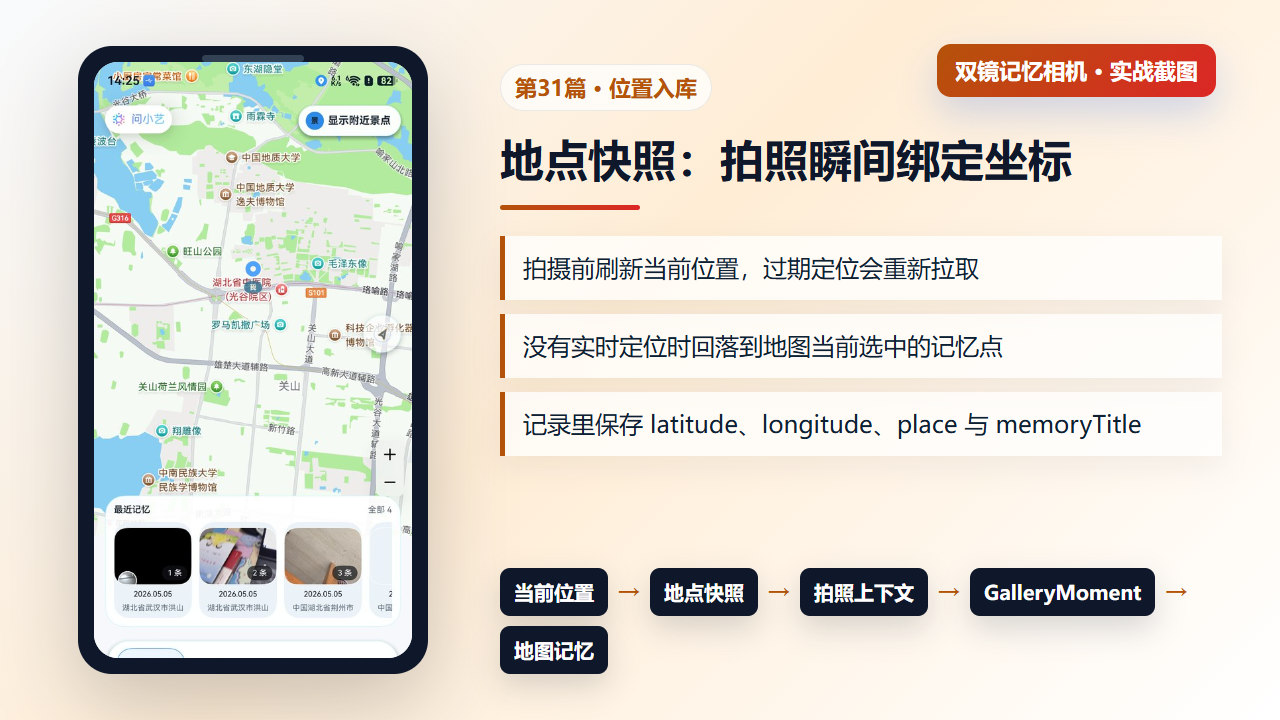
图1 地图与拍照上下文:当前位置、地点快照和相册记录的关系
二、buildCaptureLocationSnapshot:拍照前锁定地点
buildCaptureLocationSnapshot 会检查当前定位是否存在,以及定位时间是否超过 120 秒。过期时先刷新当前位置;刷新后如果仍有实时定位,就使用实时坐标和地点标签。否则,它回退到地图当前选中的记忆点。这种写法让拍照动作在定位不稳定时仍能完成,同时不会把空坐标写入记录。
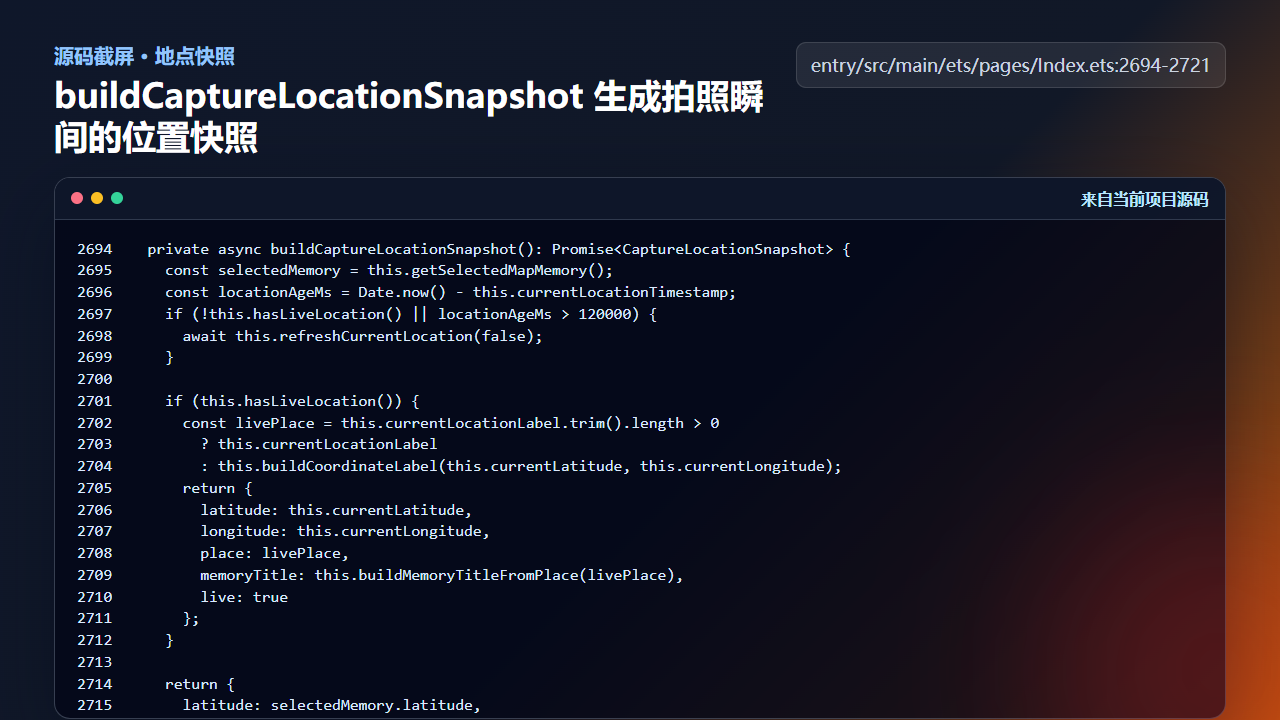
图2 buildCaptureLocationSnapshot 生成拍照瞬间的位置快照
ts
  private async buildCaptureLocationSnapshot(): Promise<CaptureLocationSnapshot> {
    const selectedMemory = this.getSelectedMapMemory();
    const locationAgeMs = Date.now() - this.currentLocationTimestamp;
    if (!this.hasLiveLocation() || locationAgeMs > 120000) {
      await this.refreshCurrentLocation(false);
    }

    if (this.hasLiveLocation()) {
      const livePlace = this.currentLocationLabel.trim().length > 0
        ? this.currentLocationLabel
        : this.buildCoordinateLabel(this.currentLatitude, this.currentLongitude);
      return {
        latitude: this.currentLatitude,
        longitude: this.currentLongitude,
        place: livePlace,
        memoryTitle: this.buildMemoryTitleFromPlace(livePlace),
        live: true
      };
    }

    return {
      latitude: selectedMemory.latitude,
      longitude: selectedMemory.longitude,
      place: selectedMemory.place,
      memoryTitle: selectedMemory.title,
      live: false
    };
  }
这里的"快照"很关键。拍照是一个异步流程,如果等到 photoAvailable 后再取当前位置,用户可能已经移动,定位也可能刚好刷新成另一个地点。
三、实时定位同步:页面状态要足够新
实时定位进入页面后,并不是只更新一个坐标。项目会更新当前经纬度、地点标签、时间戳、地图相机中心和地图标记,再刷新附近地点与小艺建议。相机侧读取的地点快照,依赖这些状态已经被维护好。
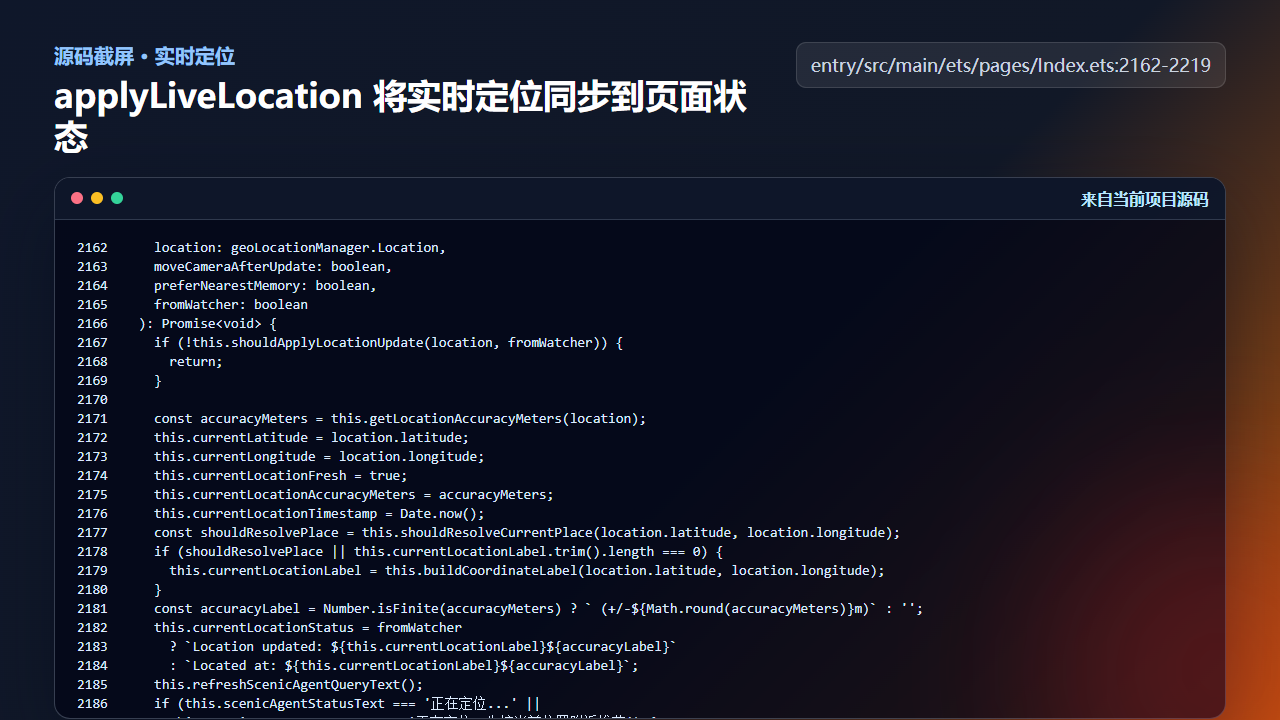
图3 applyLiveLocation 将实时定位同步到页面和地图状态
ts
    location: geoLocationManager.Location,
    moveCameraAfterUpdate: boolean,
    preferNearestMemory: boolean,
    fromWatcher: boolean
  ): Promise<void> {
    if (!this.shouldApplyLocationUpdate(location, fromWatcher)) {
      return;
    }

    const accuracyMeters = this.getLocationAccuracyMeters(location);
    this.currentLatitude = location.latitude;
    this.currentLongitude = location.longitude;
    this.currentLocationFresh = true;
    this.currentLocationAccuracyMeters = accuracyMeters;
    this.currentLocationTimestamp = Date.now();
    const shouldResolvePlace = this.shouldResolveCurrentPlace(location.latitude, location.longitude);
    if (shouldResolvePlace || this.currentLocationLabel.trim().length === 0) {
      this.currentLocationLabel = this.buildCoordinateLabel(location.latitude, location.longitude);
    }
    const accuracyLabel = Number.isFinite(accuracyMeters) ? ` (+/-${Math.round(accuracyMeters)}m)` : '';
    this.currentLocationStatus = fromWatcher
      ? `Location updated: ${this.currentLocationLabel}${accuracyLabel}`
      : `Located at: ${this.currentLocationLabel}${accuracyLabel}`;
    this.refreshScenicAgentQueryText();
    if (this.scenicAgentStatusText === '正在定位...' ||
      this.scenicAgentStatusText === '正在定位,先按当前位置附近推荐') {
      this.scenicAgentStatusText = '';
    }
    console.info(
      `[LocationTrace] apply ${fromWatcher ? 'watcher' : 'single'} lat=${location.latitude.toFixed(6)} ` +
      `lng=${location.longitude.toFixed(6)} accuracy=${Number.isFinite(accuracyMeters) ? accuracyMeters.toFixed(1) : 'NA'}`
    );
    this.syncSelectedMapMemory(preferNearestMemory);
    if (this.mapController && this.activeTab === 'map') {
      await this.syncMapMarkers();
    } else {
      this.updateAwarenessRecommendation(false);
    }
    if (moveCameraAfterUpdate) {
      this.focusMapAtCoordinate(location.latitude, location.longitude, true);
    }
    if (shouldResolvePlace) {
      const resolvedLabel = await this.resolvePlaceFromCoordinates(location.latitude, location.longitude);
      if (resolvedLabel.length > 0) {
        this.currentLocationLabel = resolvedLabel;
        this.currentLocationStatus = fromWatcher
          ? `Location updated: ${this.currentLocationLabel}${accuracyLabel}`
          : `Located at: ${this.currentLocationLabel}${accuracyLabel}`;
        this.refreshScenicAgentQueryText();
      }
      this.lastResolvedLatitude = location.latitude;
      this.lastResolvedLongitude = location.longitude;
      this.lastResolvedTimestamp = this.currentLocationTimestamp;
    }
  }

  private startLocationAwareness(): void {
    if (this.locationWatcherActive || this.activeTab !== 'map' || !this.locationPermissionReady) {
位置状态的维护属于跨功能基础设施。地图页、相机页、相册详情和智能体推荐都使用它,因此不能只为某一个按钮临时保存。
四、记录入库:坐标和地点跟图片一起保存
单拍入库时,GalleryRecordService.createRecord 接收 latitude、longitude、place 和 memoryTitle。这样相册记录天然具备地图属性,后续 syncMapMarkers 可以把它还原成地图上的一个记忆点。
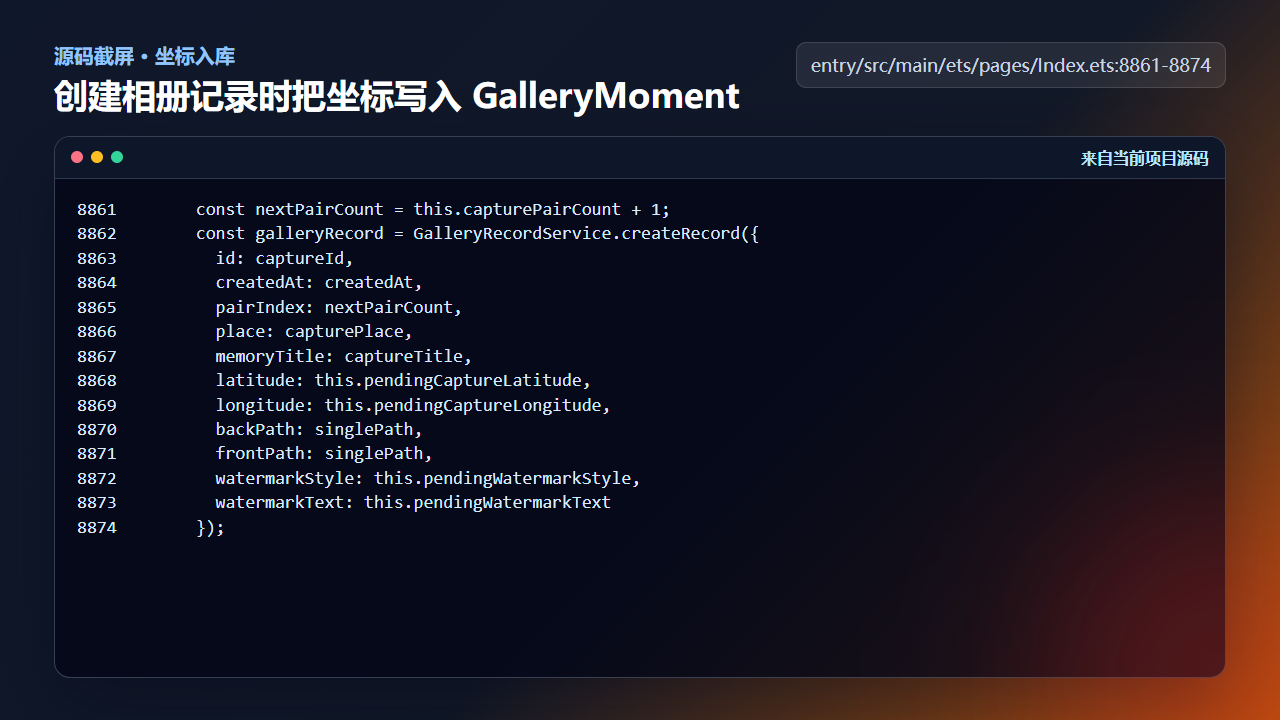
图4 创建相册记录时写入经纬度、地点和记忆标题
ts
      const nextPairCount = this.capturePairCount + 1;
      const galleryRecord = GalleryRecordService.createRecord({
        id: captureId,
        createdAt: createdAt,
        pairIndex: nextPairCount,
        place: capturePlace,
        memoryTitle: captureTitle,
        latitude: this.pendingCaptureLatitude,
        longitude: this.pendingCaptureLongitude,
        backPath: singlePath,
        frontPath: singlePath,
        watermarkStyle: this.pendingWatermarkStyle,
        watermarkText: this.pendingWatermarkText
      });
这也是为什么第 29 篇的单拍入口要先取地点快照:文件路径和地点信息必须属于同一次拍摄,不能一个来自按钮点击时,一个来自回调完成后。
五、拍照入口如何把地点暂存到后续回调
地点快照不是只给页面提示用的,它会在真正触发拍照前写入一组 pendingCapture* 状态。这样做的价值是把"拍照意图"和"照片回调"绑定到同一组上下文:后摄、前摄、合成图、相册记录都读这组状态,而不是在各自回调里重新推断地点。对于双拍尤其重要,因为两路 PhotoOutput 的回调顺序并不固定,任何一路先回来都不能单独决定最终记录的位置。
ts
    const locationSnapshot = await this.buildCaptureLocationSnapshot();
    const timestamp = `${Date.now()}`;
    this.captureBusy = true;
    this.pendingCaptureMode = 'dual';
    this.pendingSingleCaptureRole = 'back';
    this.backCaptureDelivered = false;
    this.frontCaptureDelivered = false;
    this.pendingCaptureId = timestamp;
    this.pendingBackCapturePath = this.buildCaptureFilePath('back', timestamp);
    this.pendingFrontCapturePath = this.buildCaptureFilePath('front', timestamp);
    this.pendingCaptureLatitude = locationSnapshot.latitude;
    this.pendingCaptureLongitude = locationSnapshot.longitude;
    this.pendingCapturePlace = locationSnapshot.place;
    this.pendingCaptureTitle = locationSnapshot.memoryTitle;
    this.armPendingWatermark(parseInt(timestamp, 10), locationSnapshot.place, 'dual');
    this.cameraStatusText = '';
this.lastCaptureSummary = this.buildCaptureSummary(locationSnapshot);这段代码有三个验收点。第一,timestamp 既参与文件路径,也参与 pendingCaptureId,后续记录可以追溯到同一次拍摄。第二,pendingCaptureLatitude、pendingCaptureLongitude、pendingCapturePlace、pendingCaptureTitle 在拍照前一次性写入,后面不再被定位刷新打断。第三,水印和页面摘要也使用同一份 locationSnapshot,用户看到的"拍摄于某地"和相册里保存的地点是一致的。
ts
  private buildCaptureSummary(locationSnapshot: CaptureLocationSnapshot): string {
    const effectText = this.getCameraEffectSummary();
    if (locationSnapshot.live) {
      return `拍摄于 ${this.getCompactPlaceLabel(locationSnapshot.place)} · ${effectText}`;
    }
    return effectText;
  }
如果 locationSnapshot.live 为 true,摘要会明确显示拍摄地点;如果只是回退到地图选中记忆点,摘要保留相机效果信息,避免把兜底地点包装成实时定位。这个细节能减少误导:记录仍然有可用坐标,但 UI 不夸大定位来源。
六、服务层再做一次坐标规范化
页面层负责选择地点来源,服务层负责把记录变成稳定数据。GalleryRecordService.createRecord 并不直接信任传入数字,而是通过 normalizeCoordinate 收口;同时把本地路径转换为 file:// Uri,保证相册页、地图页和分享链路读取的是同一种记录结构。
ts
    const record: GalleryMoment = {
      id: options.id,
      createdAt: options.createdAt,
      updatedAt: options.createdAt,
      createdLabel: GalleryRecordService.formatTimestamp(options.createdAt),
      pairIndex: options.pairIndex,
      place: options.place,
      memoryTitle: options.memoryTitle,
      latitude: GalleryRecordService.normalizeCoordinate(options.latitude),
      longitude: GalleryRecordService.normalizeCoordinate(options.longitude),
      backPath: options.backPath,
      frontPath: options.frontPath,
      backUri: GalleryRecordService.toFileUri(options.backPath),
      frontUri: GalleryRecordService.toFileUri(options.frontPath),
      aiStatus: 'pending',
      visibility: 'public',
到这里,地点信息完成了三次交接:拍照入口锁定快照,拍照回调使用 pendingCapture* 状态创建记录,服务层规范化坐标并生成可展示 Uri。文章里反复强调"同一次拍摄"就是为了避免这条链路断开。一旦断开,用户在地图上看到的点、相册详情里的地点、水印里的地点就可能互相不一致。
工程检查清单
- 拍照前生成地点快照,避免异步回调导致地点错位。
- 定位过期时先刷新,刷新失败时回退到地图选中记忆点。
- 相册记录必须保存经纬度、地点名和记忆标题。
- 地图标记从记录反推,而不是相机页单独维护一份点位。
- 隐私或权限失败时仍要有可解释的地点兜底。
今日练习
- 把
buildCaptureLocationSnapshot的两个返回分支画成流程图。 - 真机关闭定位权限后拍照,观察记录地点是否回退到地图选中点。
- 在相册详情里找到地点展示位置,追踪它来自
GalleryMoment的哪个字段。
下一篇会继续沿着同一条工程链路往下拆:先看用户能看到的效果,再回到源码确认状态、文件和服务边界是否闭合。