介绍
CodeGraph 是一个本地优先的代码智能系统,它将你的代码库转化为可查询的知识图谱------包含符号、关系、调用路径和文件结构------然后通过模型上下文协议(MCP)将其暴露给 AI 编程 Agent。当 Agent 面临结构化问题时,无需再生成开销昂贵的 Explore 子 Agent 去执行 grep 和读取大量文件,CodeGraph 允许它以亚毫秒级的读取速度查询预索引的 SQLite 图谱。结果便是:Agent 会话成本降低约 25%,工具调用减少约 62%,且答案通常无需读取任何文件------这一切均在你的本机 100% 本地运行,无需 API 密钥或外部服务。
项目地址
https://github.com/colbymchenry/codegraph/tree/b026e64b413bb4dca1bc7326d7de0837afe0a899
安装
我采用的node方式进行安装的 要求的是node版本20+
bash
npm i -g @colbymchenry/codegraph
自动检测安装
bash
codegraph install --yes 也可以选择其他安装模式(选择其一安装就行)
bash
codegraph install                                    #交互式安装
codegraph install --yes                              # 自动检测,接受默认值
codegraph install --target=cursor,claude --yes       # 显式指定目标
codegraph install --target=auto --location=local     # 检测到的 Agent,项目本地配置
codegraph install --print-config codex               # 打印 MCP 代码片段,不写入文件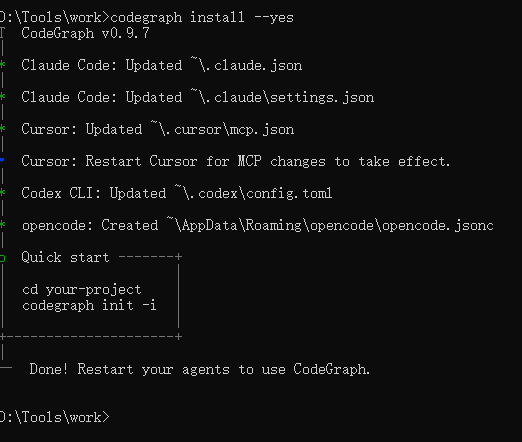
在项目根目录下执行用于构建初始知识图谱
bash
codegraph init -i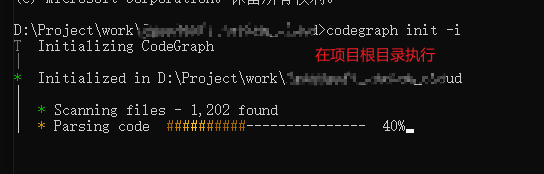
查看状态
bash
codegraph status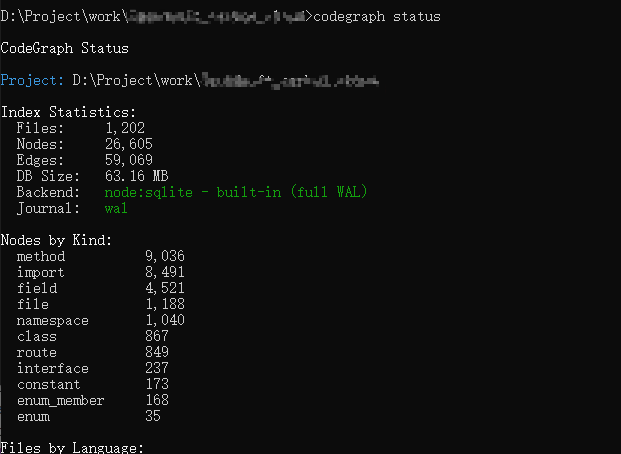 卸载
卸载
bash
codegraph uninstall          # 从所有已配置的 Agent 中移除 MCP 配置
codegraph uninit             # 从当前项目中移除 .codegraph/
集成到idea中的claude code插件
查看node位置
bash
npm config get prefix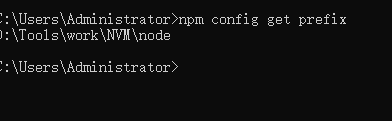
找到目录下的 codegraph.cmd
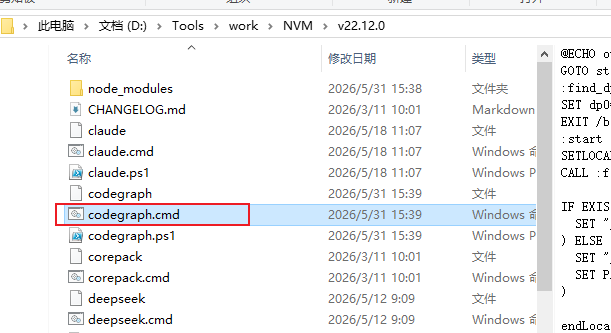
我这里的claude code插件用的是CC GUI
重启下我们的idea编辑器
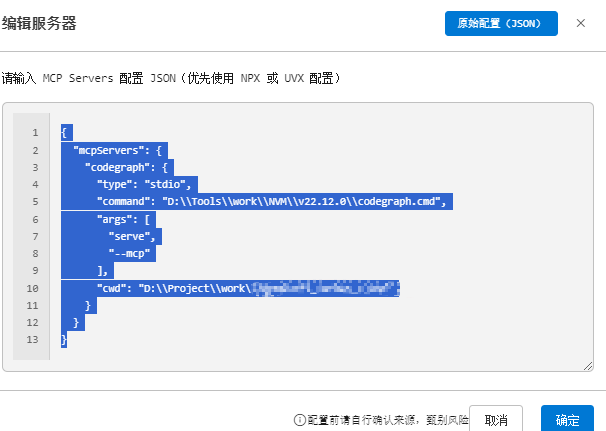
然后修改claude code 的mcp,路径替换一下
bash
{
  "mcpServers": {
    "codegraph": {
      "type": "stdio",
      "command": "D:\\Tools\\work\\NVM\\v22.12.0\\codegraph.cmd",
      "args": [
        "serve",
        "--mcp"
      ]
    }
  }
}
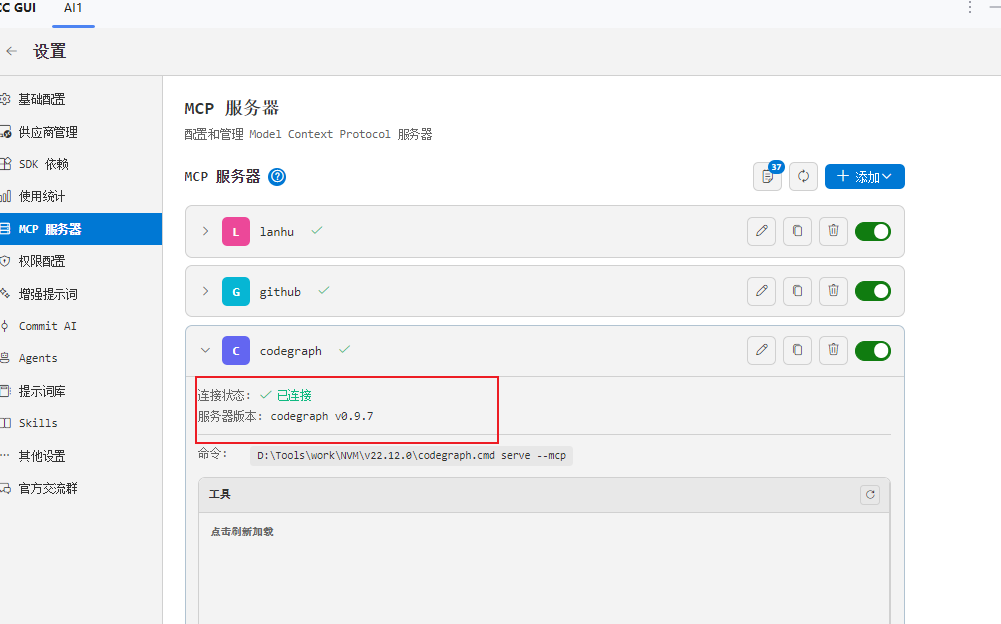
测试
bash
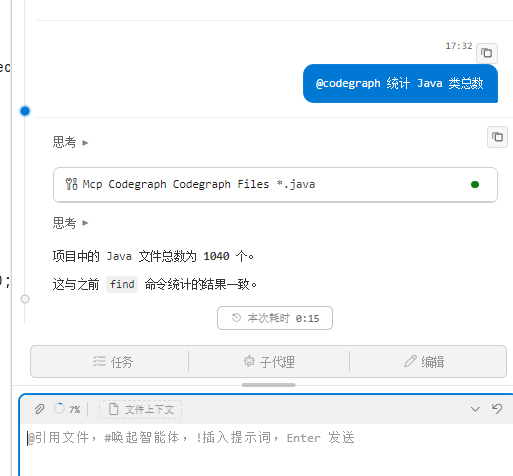
@codegraph 统计 Java 类总数