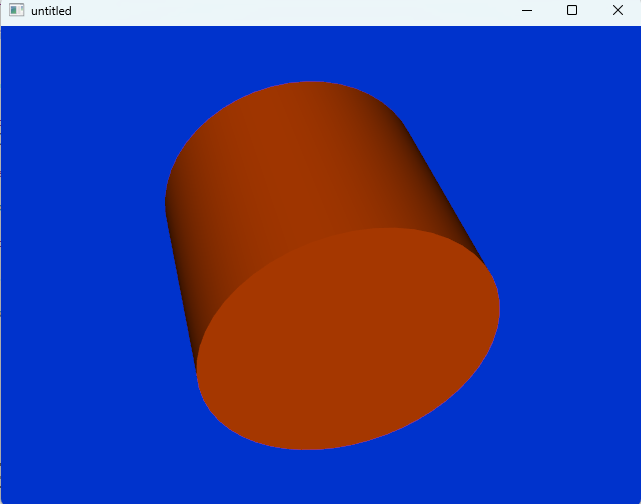
效果图
一、VTK环境变量设置
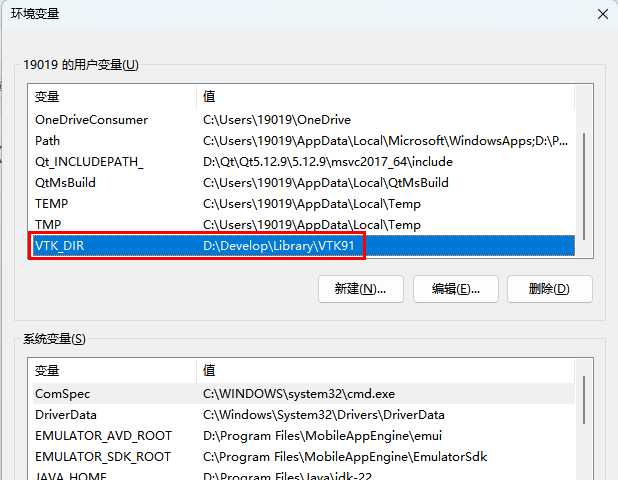
添加VTK用户变量,添加完之后重启电脑让环境变量生效
变量:VTK_DIR
值:VTK所在目录
作用为了让cmake能够找到VTK
二、QT Creator 5.12.9新建cmake项目
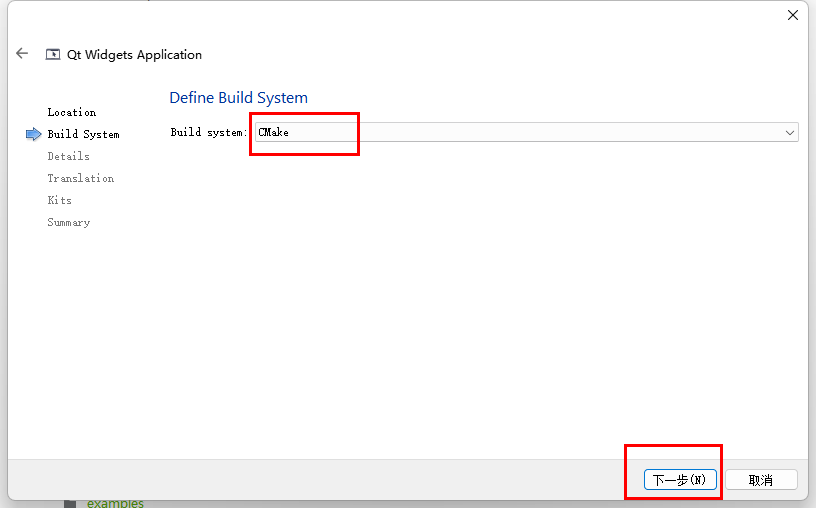
QT新建项目,选择Qt Widget Application,默认Buid System是qmake
这里我们改为CMake
三、修改CMakeLists.txt文件引入VTK库
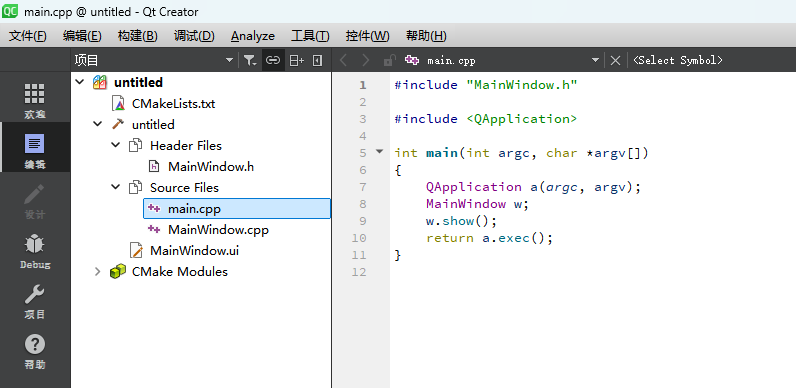
按红框添加,作用是查找VTK,和链接VTK库
链接VTK库的时候,会自动引入VTK头文件
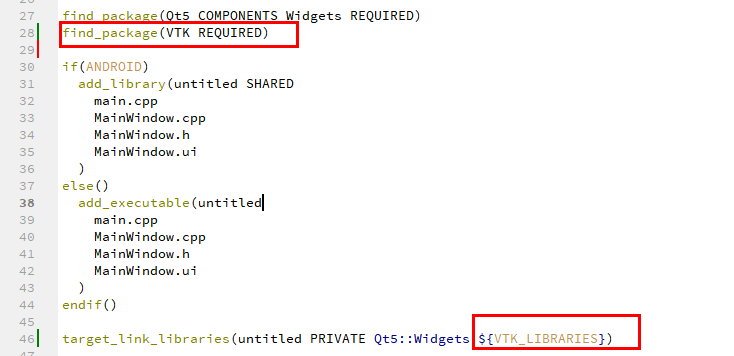
cpp
cmake_minimum_required(VERSION 3.5)

project(untitled LANGUAGES CXX)

set(CMAKE_INCLUDE_CURRENT_DIR ON)

set(CMAKE_AUTOUIC ON)
set(CMAKE_AUTOMOC ON)
set(CMAKE_AUTORCC ON)

set(CMAKE_CXX_STANDARD 11)
set(CMAKE_CXX_STANDARD_REQUIRED ON)

# QtCreator supports the following variables for Android, which are identical to qmake Android variables.
# Check http://doc.qt.io/qt-5/deployment-android.html for more information.
# They need to be set before the find_package(Qt5 ...) call.

#if(ANDROID)
#    set(ANDROID_PACKAGE_SOURCE_DIR "${CMAKE_CURRENT_SOURCE_DIR}/android")
#    if (ANDROID_ABI STREQUAL "armeabi-v7a")
#        set(ANDROID_EXTRA_LIBS
#            ${CMAKE_CURRENT_SOURCE_DIR}/path/to/libcrypto.so
#            ${CMAKE_CURRENT_SOURCE_DIR}/path/to/libssl.so)
#    endif()
#endif()

find_package(Qt5 COMPONENTS Widgets REQUIRED)
find_package(VTK REQUIRED)

if(ANDROID)
  add_library(untitled SHARED
    main.cpp
    MainWindow.cpp
    MainWindow.h
    MainWindow.ui
  )
else()
  add_executable(untitled
    main.cpp
    MainWindow.cpp
    MainWindow.h
    MainWindow.ui
  )
endif()

target_link_libraries(untitled PRIVATE Qt5::Widgets ${VTK_LIBRARIES})
四、写一个最简单的圆柱体VTKDemo
main.cpp
cpp
#include "MainWindow.h"

#include <QApplication>
#include <QVTKOpenGLNativeWidget.h>
#include <vtkSmartPointer.h>
#include <vtkCylinderSource.h>
#include <vtkActor.h>
#include <vtkPolyDataMapper.h>
#include <vtkRenderer.h>
#include <vtkRenderWindow.h>
#include <vtkProperty.h>

int main(int argc, char *argv[])
{
    QApplication a(argc, argv);
//    MainWindow w;
//    w.show();

    auto wd = new QVTKOpenGLNativeWidget();

    auto cylinder = vtkSmartPointer<vtkCylinderSource>::New();
    cylinder->SetRadius(3);
    cylinder->SetHeight(5);
    cylinder->SetResolution(50); // 分辨率

    auto mapper = vtkSmartPointer<vtkPolyDataMapper>::New();
    mapper->SetInputConnection(cylinder->GetOutputPort());

    auto actor = vtkSmartPointer<vtkActor>::New();
    actor->SetMapper(mapper);
    actor->GetProperty()->SetColor(0.9, 0.3, 0); // 红色

    auto render = vtkSmartPointer<vtkRenderer>::New();
    render->AddActor(actor);
    render->SetBackground(0, 0.2, 0.8); // 蓝色

    wd->renderWindow()->AddRenderer(render);


    wd->show();


    return a.exec();
}