大语言模型
基于大规模神经网网络,通过自监督或半监督的方式,对海量文本进行训练的语言模型
名词解释:
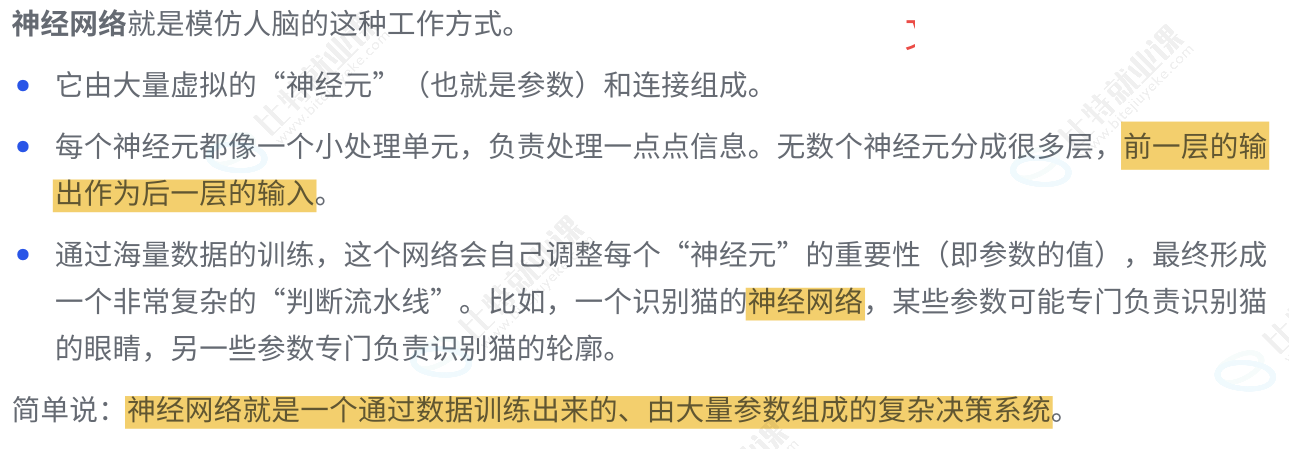
神经网络:
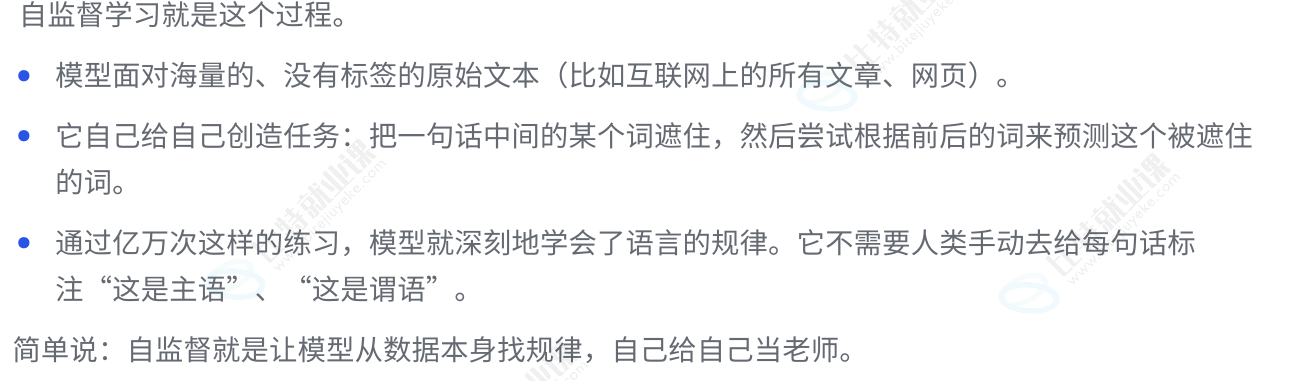
自监督:
半监督:

提示词技巧
核心:换位思考(想象 AI 对你提供的信息一无所知,你需要清晰,具体,无歧义地告诉它你要什么,在什么场景下,以什么方式呈现。善用示例、角色扮演、具体约束、和迭代优化)
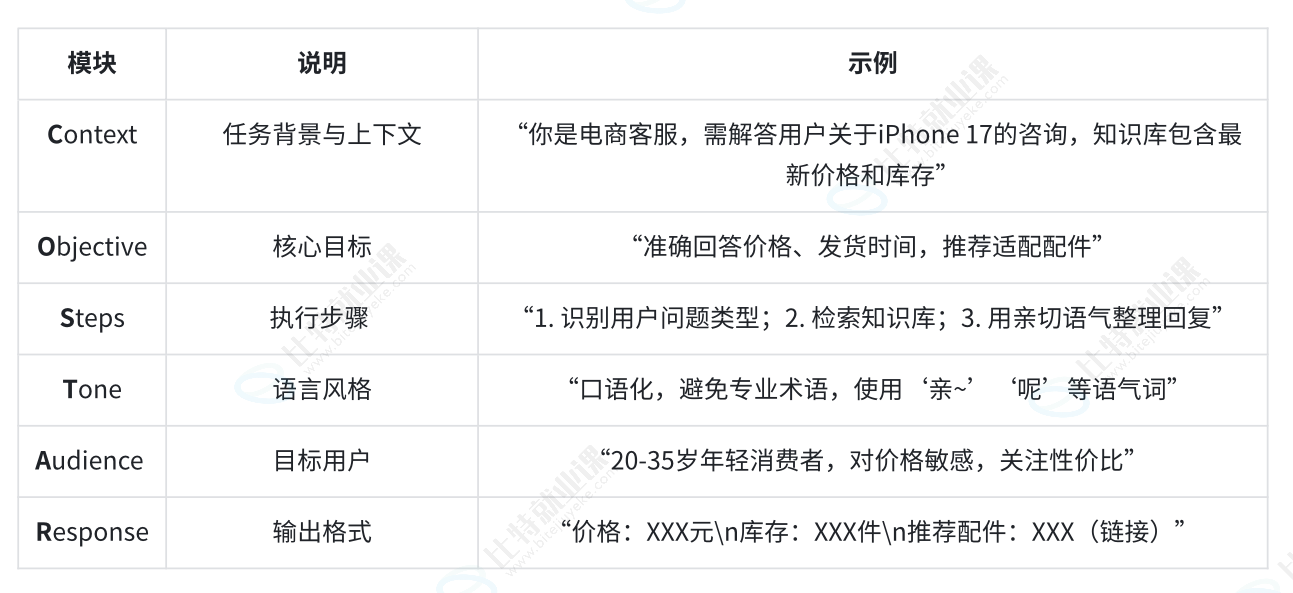
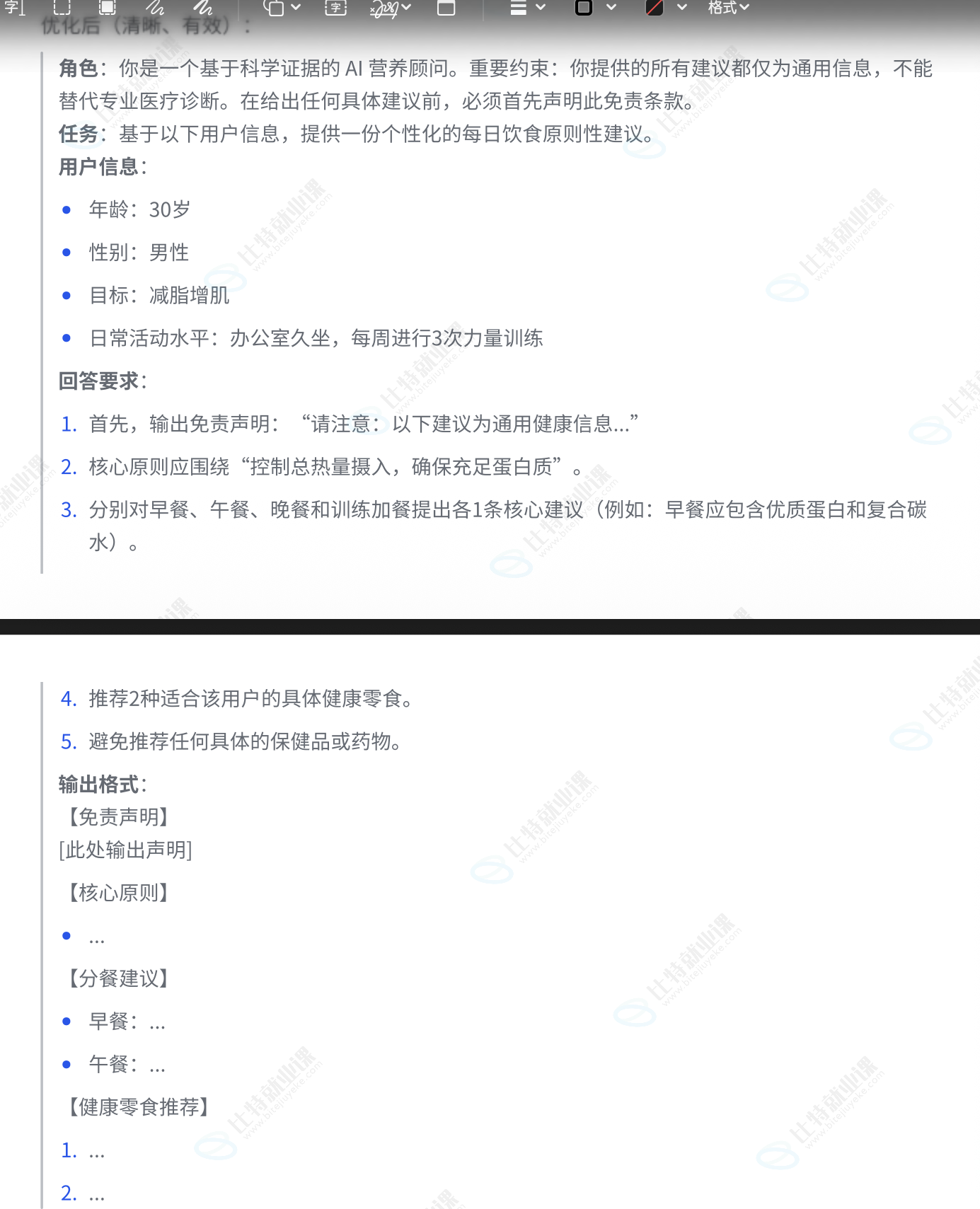
1️⃣ 结构化框架(CO-STAR)
2️⃣少样本提示/多示例提示
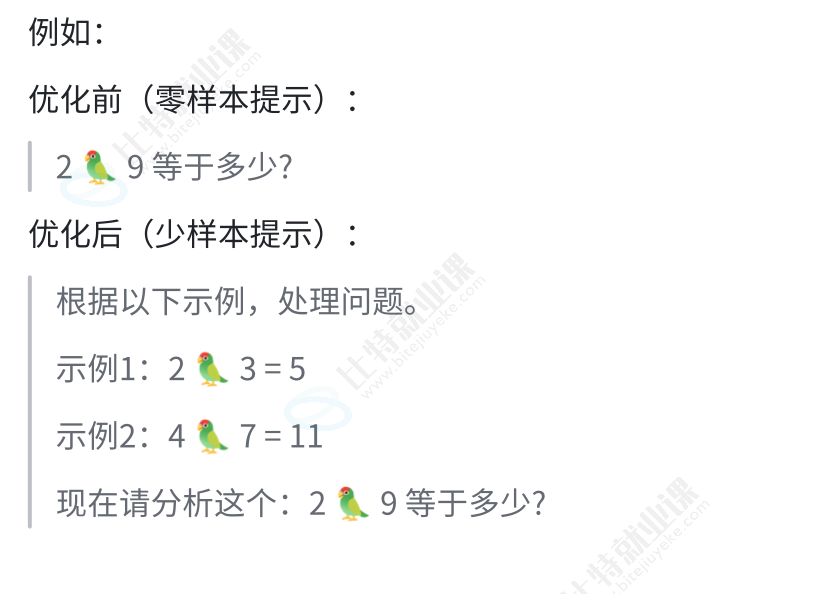
通过给 AI 提供一两个【输入-输出】的例子,让它"照葫芦画瓢"
核心:你不在是给它在下命令,而是在教它你想要的风格,格式,逻辑
适用场景:固定格式,风格独特,逻辑复杂的任务;如风格仿写,数据提取,复杂格式生成
3️⃣思维链提示
提示工程的关键是让 AI 更好的理解复杂语意;当好的提示词能帮助模型解决原本解决不了的难题时,就说明它确实提升了模型的推理水平。并且,提示词设计的越出色,这种提升效果就越显著
常用方式:
Few-show-GoT:少样本思维链
Zero-shot-GoT:零样本思路链
相较于少样本提示,少样本思维链的不同之处是在于:需要在提示样本中不仅给出问题的答案、还需要同时给出问题的推导过程(思维链),从而让模型学到思维链的推导过程,并将其应用到新的问题中;此技巧主要应用于解决复杂推理问题(如数学、逻辑、复杂决策或多步骤规划)
核心:要求 AI "展示其工作过程",而不是直接给出答案;这模仿了人类解决问题时的思考方式
4️⃣自动推理与零样本链模式思考
零样本思维链是少样本思维链的简化版;只需要在提示词末尾加上一句短语"请一步步进行推理并得出结论"强制 AI 在给出答案前先进行内部推理
核心:通过指令"请一步步进行推理并得出结论"强制 AI 在给出答案的前先进行内部推理
适用场景:任何需要逻辑推理的问题
此指令相当于在引导模型的注意力机制;它告诉模型:在生产最终答案之前,请先在你的脑海里模拟出一个缓慢且有序的推理上下文
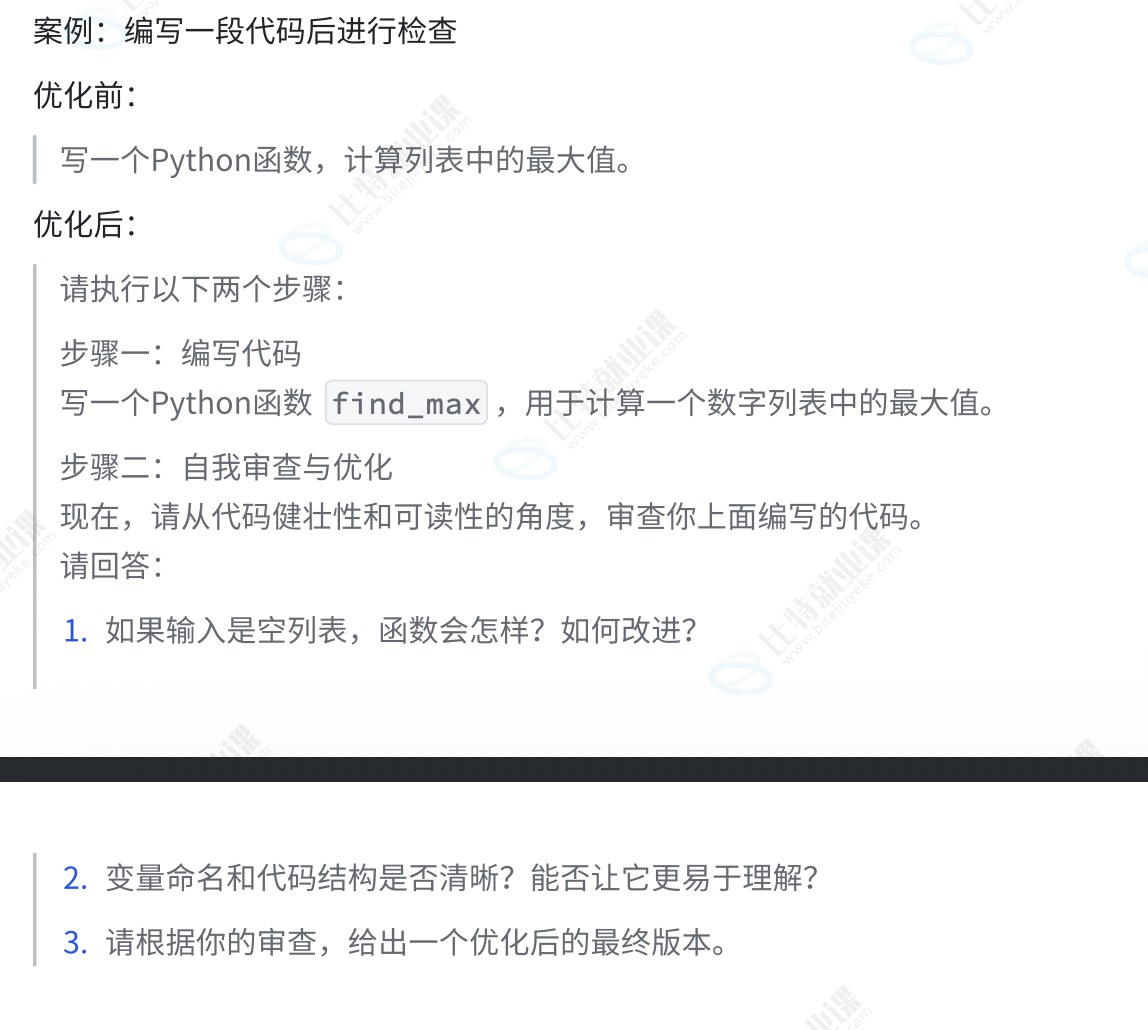
5️⃣自我批判与迭代
需要 AI 在生产答案之后,从特定角度对自己的答案进行审查和优化
核心:将生存和评审两个步骤分离,利用 AI 的批判性思维来提升内容质量
适用场景:代码审查、文案优化、论证强化、安全检查
cursor 官网和 Java 提示词
Cursor Directory - Plugins for Cursor
You are an expert in Java programming, Quarkus framework, Jakarta EE, MicroProfile, GraalVM native builds, Vert.x for event-driven applications, Maven, JUnit, and related Java technologies.
  Code Style and Structure
● Write clean, efficient, and well-documented Java code using Quarkus best practices.
● Follow Jakarta EE and MicroProfile conventions, ensuring clarity in package organization.
● Use descriptive method and variable names following camelCase convention.
● Structure your application with consistent organization (e.g., resources, services, repositories, entities, configuration).
  Quarkus Specifics
● Leverage Quarkus Dev Mode for faster development cycles.
● Use Quarkus annotations (e.g., @ApplicationScoped, @Inject, @ConfigProperty) effectively.
● Implement build-time optimizations using Quarkus extensions and best practices.
● Configure native builds with GraalVM for optimal performance (e.g., use the quarkus-maven-plugin).
  Naming Conventions
● Use PascalCase for class names (e.g., UserResource, OrderService).
● Use camelCase for method and variable names (e.g., findUserById, isOrderValid).
● Use ALL_CAPS for constants (e.g., MAX_RETRY_ATTEMPTS, DEFAULT_PAGE_SIZE).
  Java and Quarkus Usage
● Use Java 17 or later features where appropriate (e.g., records, sealed classes).
● Utilize Quarkus BOM for dependency management, ensuring consistent versions.
● Integrate MicroProfile APIs (e.g., Config, Health, Metrics) for enterprise-grade applications.
● Use Vert.x where event-driven or reactive patterns are needed (e.g., messaging, streams).
  Configuration and Properties
● Store configuration in application.properties or application.yaml.
● Use @ConfigProperty for type-safe configuration injection.
● Rely on Quarkus profiles (e.g., dev, test, prod) for environment-specific configurations.
  Dependency Injection and IoC
● Use CDI annotations (@Inject, @Named, @Singleton, etc.) for clean and testable code.
● Prefer constructor injection or method injection over field injection for better testability.
  Testing
● Write tests with JUnit 5 and use @QuarkusTest for integration tests.
● Use rest-assured for testing REST endpoints in Quarkus (e.g., @QuarkusTestResource).
● Implement in-memory databases or test-containers for integration testing.
  Performance and Scalability
● Optimize for native image creation using the quarkus.native.* properties.
● Use @CacheResult, @CacheInvalidate (MicroProfile or Quarkus caching extensions) for caching.
● Implement reactive patterns with Vert.x or Mutiny for non-blocking I/O.
● Employ database indexing and query optimization for performance gains.
  Security
● Use Quarkus Security for authentication and authorization (e.g., quarkus-oidc, quarkus-smallrye-jwt).
● Integrate MicroProfile JWT for token-based security if applicable.
● Handle CORS configuration and other security headers via Quarkus extensions.
  Logging and Monitoring
● Use the Quarkus logging subsystem (e.g., quarkus-logging-json) with SLF4J or JUL bridging.
● Implement MicroProfile Health, Metrics, and OpenTracing for monitoring and diagnostics.
● Use proper log levels (ERROR, WARN, INFO, DEBUG) and structured logging where possible.
  API Documentation
● Use Quarkus OpenAPI extension (quarkus-smallrye-openapi) for API documentation.
● Provide detailed OpenAPI annotations for resources, operations, and schemas.
  Data Access and ORM
● Use Quarkus Hibernate ORM with Panache for simpler JPA entity and repository patterns.
● Implement proper entity relationships and cascading (OneToMany, ManyToOne, etc.).
● Use schema migration tools such as Flyway or Liquibase if needed.
  Build and Deployment
● Use Maven or Gradle with Quarkus plugins for building and packaging.
● Configure multi-stage Docker builds for optimized container images.
● Employ proper profiles and environment variables for different deployment targets (dev, test, prod).
● Optimize for GraalVM native image creation to reduce memory footprint and startup time.
  Follow best practices for:
● RESTful API design (proper use of HTTP methods and status codes).
● Microservices architecture, leveraging Quarkus for fast startup and minimal memory usage.
● Asynchronous and reactive processing using Vert.x or Mutiny for efficient resource usage.
  Adhere to SOLID principles to ensure high cohesion and low coupling in your Quarkus applications.
总结:
- 使用 CO-STAR 框架设定基本结构和角色
- 在框架的 Steps 或 Response 部分融入思维链指令
- 对于格式复杂的输出,在最后附上少样本示例
- 最后,要求 AI 进行自我审查
LLM(大预言模型) 的 接入方式
1️⃣API 远程调用(DeepSeek)
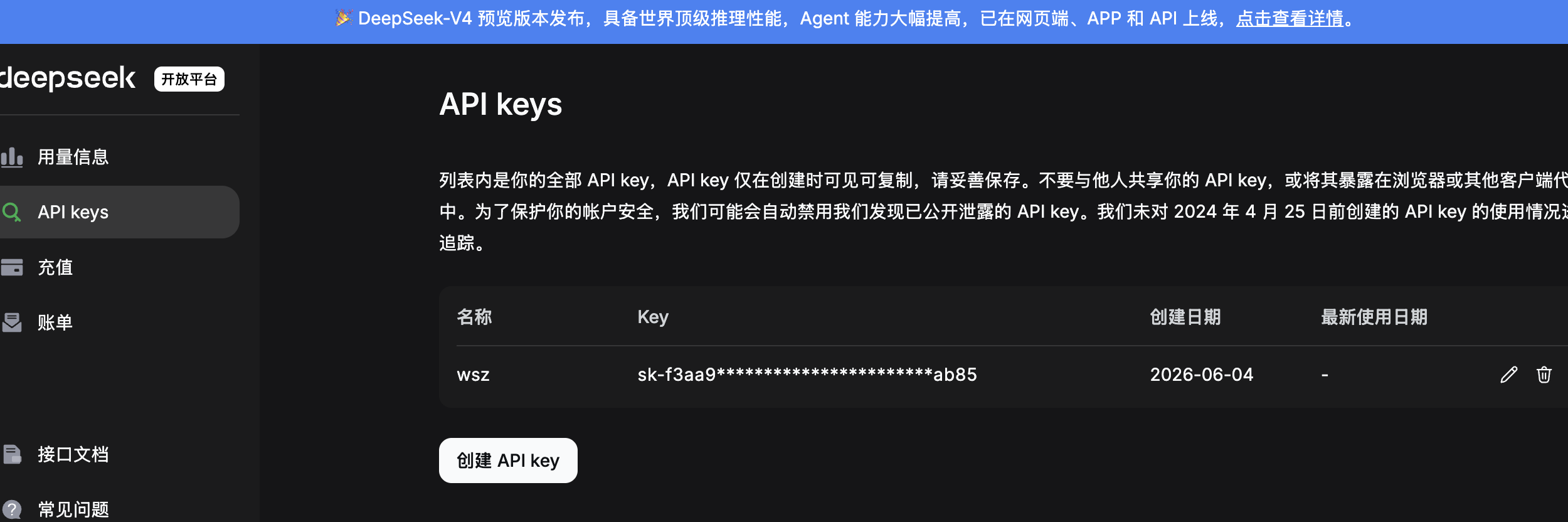
- 注册账号并获取 API key
- 查阅 API 文档:
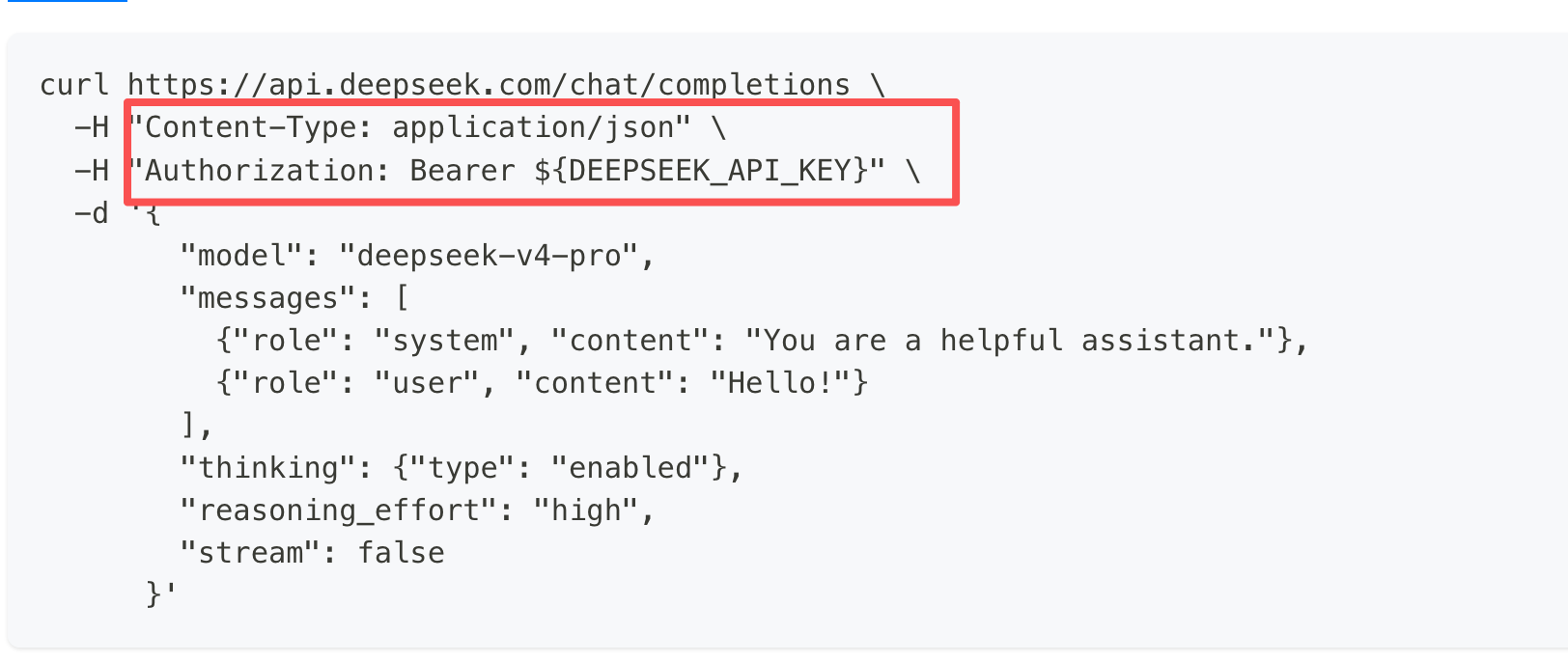
了解请求的端点,参数和返回数据类型
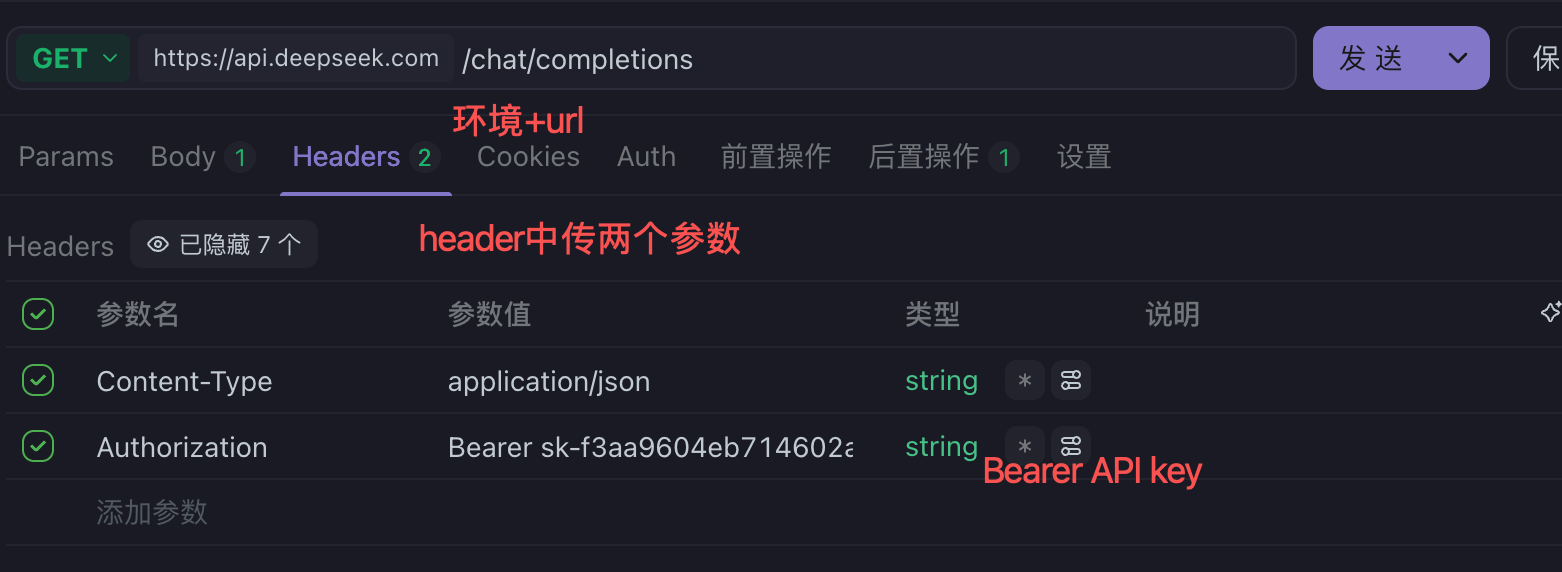
- 构造 http 请求 (header 中传类型和 API key,在 body 中传请求体)
环境可以在 apifox 的右上角配置(默认请求头)
构造 header 中的参数
构造 body 中的参数
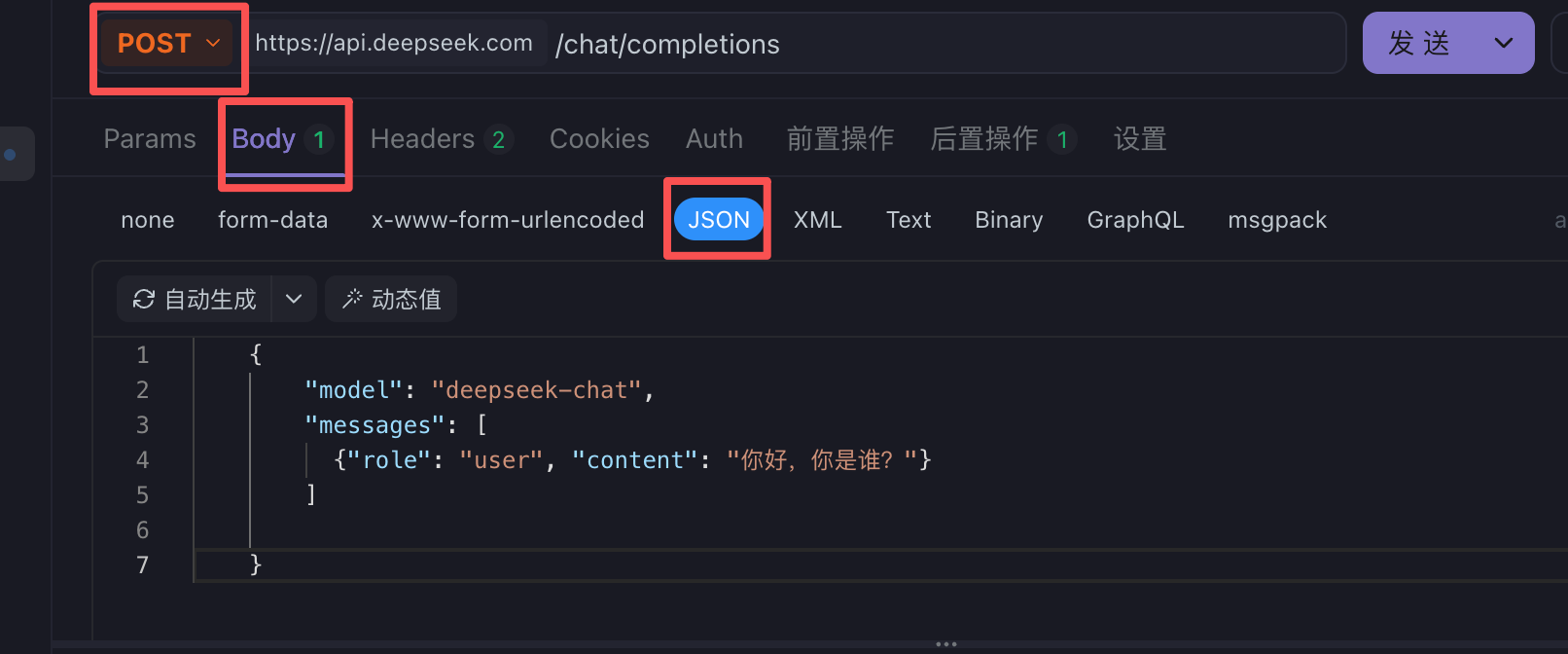
  {
        "model": "deepseek-chat",
        "messages": [
          {"role": "user", "content": "你好,你是谁?"}
        ]

  }
注意使用 post 请求
- 点击发送
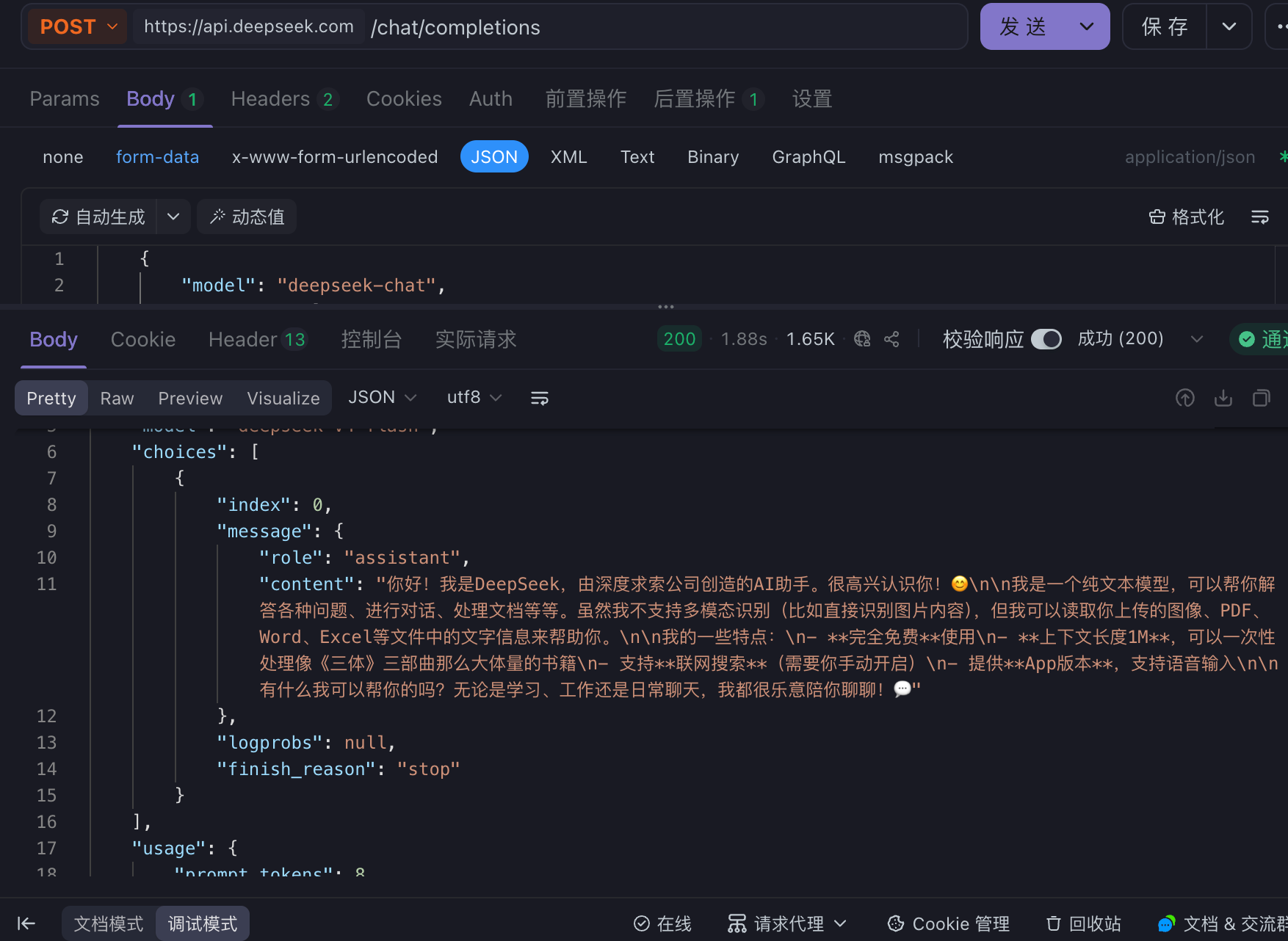
注意:如果使用外国的大模型,需要配置 apifox 网络代理的代理模式为系统代理
2️⃣开源模型本地部署
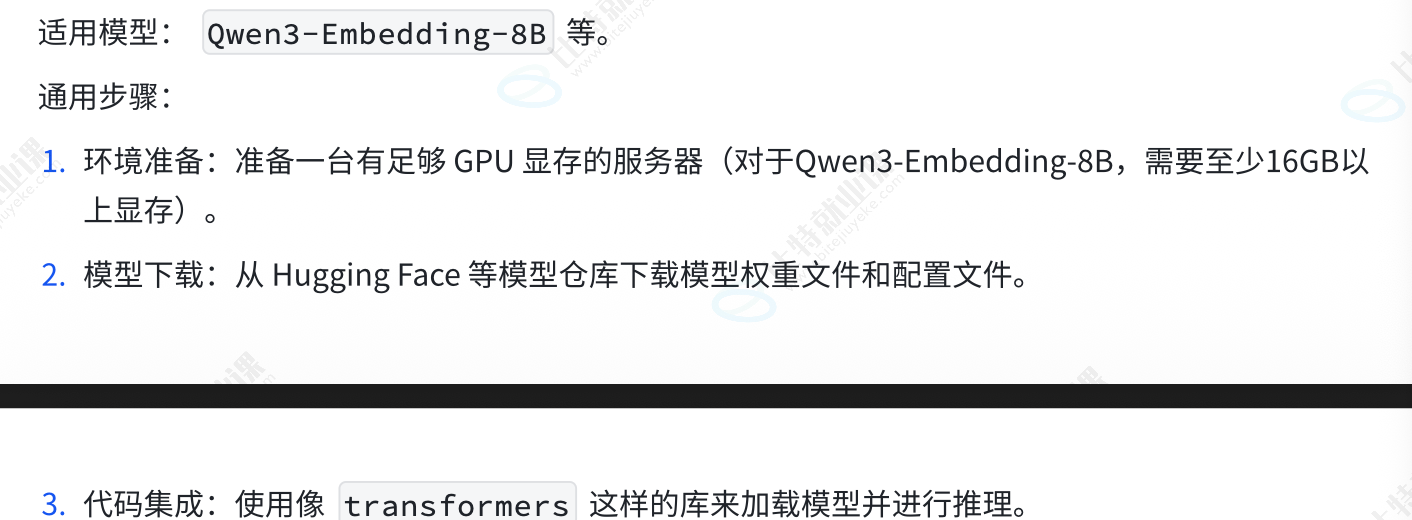
将大模型本地部署,下载模型的文件,使用专门的推理框架在本地服务器或 GPU 上加速并运行模型,通过类似 API 的方式进行交互
此处使用 ollama
- 下载并安装 ollama
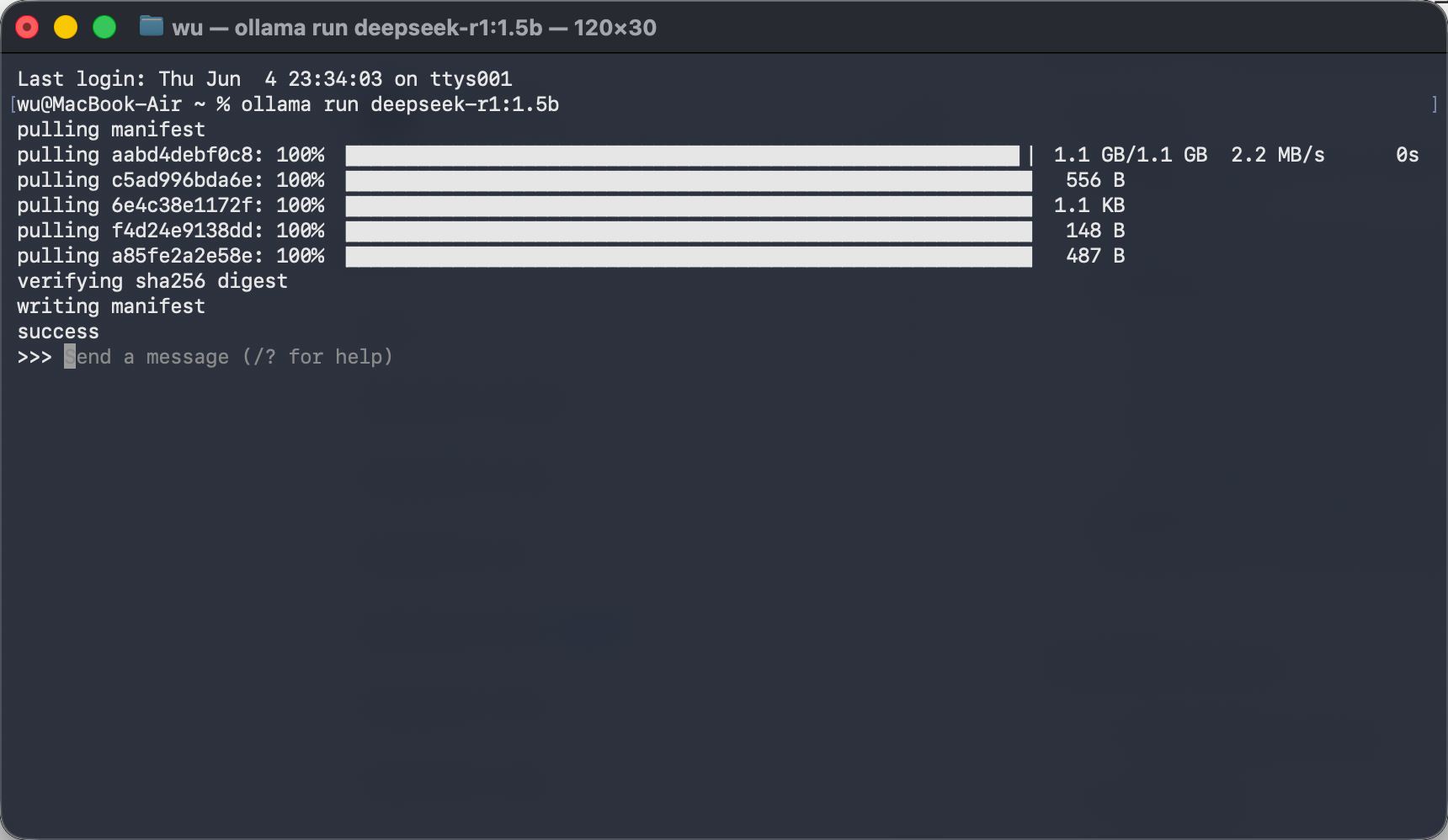
- 拉取模型
查找模型 https://ollama.com/search 此处使用 deepseek-R1 1.5B 为例
在终端输入命令 :ollama run deepseek-r1:5b
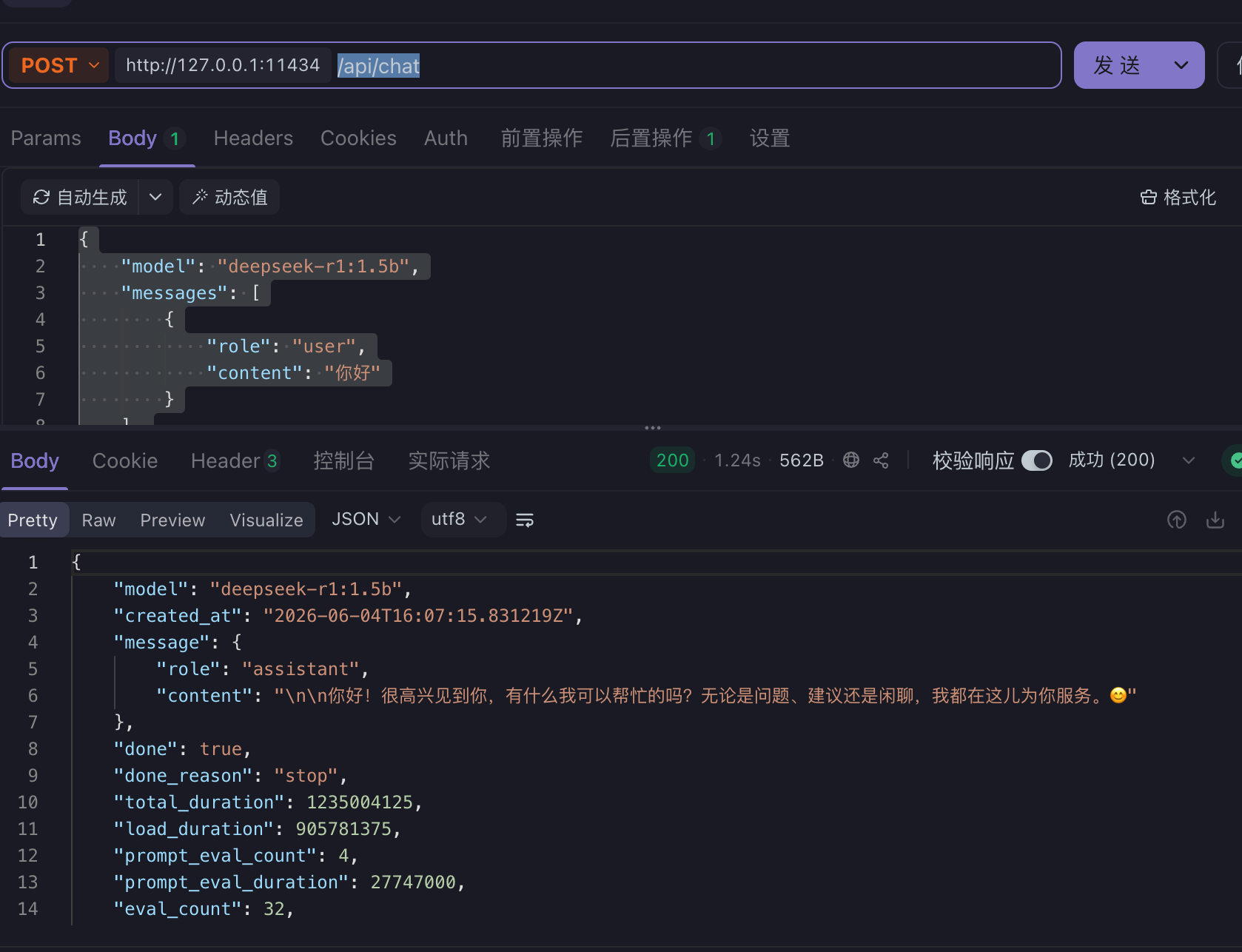
- 使用 apifox 测试:http://127.0.0.1:11434/api/chat
body 为 json 格式字符串,此处不需要传 header ; stream 是是否需要以流的方式回复(一次蹦几个字)
{
    "model": "deepseek-r1:1.5b",
    "messages": [
        {
            "role": "user",
            "content": "你好"
        }
    ],
    "stream": false
}
成功
3️⃣SDK 和官方客户端库
对第一种 API 接入的封装和简化
此处以 openai Python 的 SDK 来调用 deepseek
- 在 python 终端中安装 openai 库
pip install openai
- 接入 deepseek
只需要替换你的 API key 即可,在使用时替换对应的问题
from openai import OpenAI

# 初始化客户端
client = OpenAI(
    api_key="sk-你的API_KEY", # 替换为你的真实Key
    base_url="https://api.deepseek.com" # 关键:指定DeepSeek的接口地址
)

# 发送请求
response = client.chat.completions.create(
    model="deepseek-chat", # 或者 "deepseek-coder"
    messages=[
        {"role": "system", "content": "你是一个乐于助人的编程助手"},
        {"role": "user", "content": "用Python写一个快速排序算法"}
    ],
    stream=False # 设置为True可开启流式输出
)

# 打印结果
print(response.choices[0].message.content)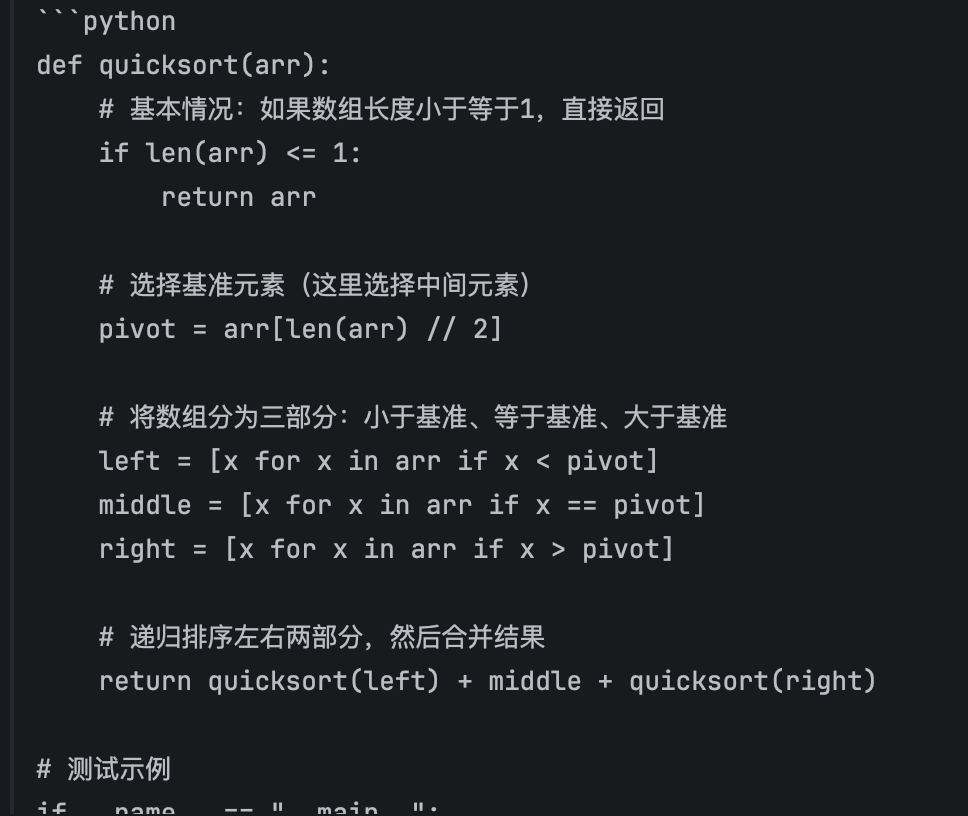
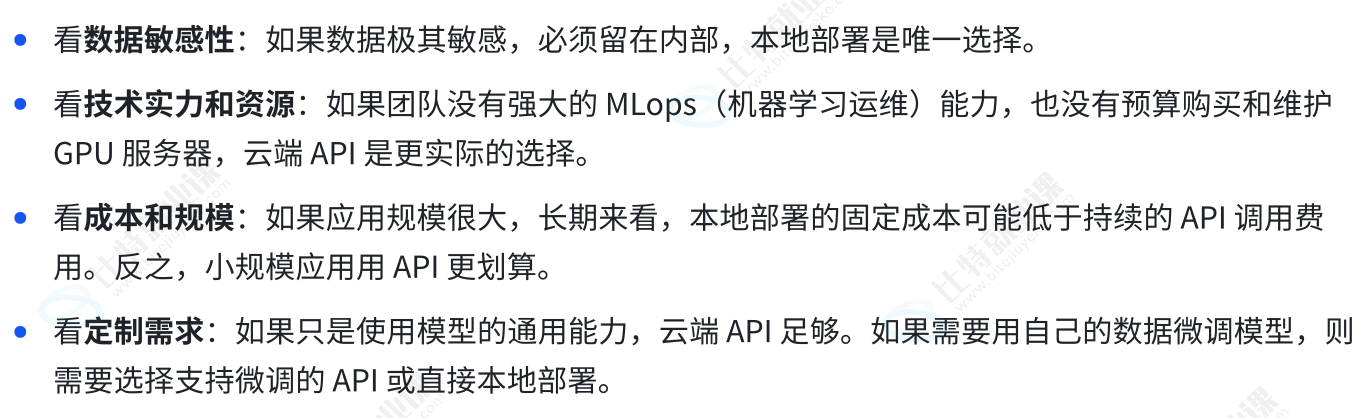
3 种方式如何选择
嵌入模型
大预言模型是生成式模型,它能理解输入生成新的文本,它的内部实际上也是使用嵌入技术来理解输入,但最终目标是"创造"
嵌入式模型是表示型模型,它的目标不是生成文本,而是为输入文本创建一个最佳,富含寓意的素质表示;
目的就是将人类世界的符号转换为计算机能够理解的形式,并且能够保留原始符号的语义和关系
可以将输入的文本表示成向量,也就能用数学方式来比较向量,从而达到度量语意的目的
用数学方式度量语意有两种方式
- 欧式距离,两向量坐标间直线距离越短,相似度越高
- 余弦相似度,关注方向的差异,"方向"代表"含义","长度"代表"文本长度"
主流的嵌入模型
Qwen3-VL-Embedding:阿里巴巴通义千问推出的轻量级多模态开源嵌入系列(提供 2B 和 8B 变体)。它支持文本、图像和视频的联合表示,非常适合消费级显卡进行本地部署和二次开发
BGE-M3 (智源 BAAI)
一款非常受欢迎的开源多语言嵌入模型(5.68亿参数)。它在 100 多种语言间表现出强大的泛化能力,在业界常与 Jina AI 等模型作为竞品交替使用,是构建高质量 RAG(检索增强生成)系统的基石之一
text-embedding-3-large / small( OpenAI**)**
OpenAI 的第三代嵌入模型,也是目前应用最广泛的选项之一。其中 large 版本性能最强,支持高达 3072 维的向量输出;small 版本则是性价比之选。它们均支持通过参数灵活调整向量维度,以在性能和成本之间取得平衡
Gemini Embedding 2 Preview (谷歌)
于 2026 年 3 月发布的全模态通用模型。它原生支持文本、图像、视频、音频和 PDF 五种模态,并支持 100 多种语言,是目前前沿的多模态嵌入模型代表
应用场景
语义搜索
能将索引和文档都转换为向量,通过计算向量见相似度来找到相关内容,即使文档中没有出现确切的词语也能被检索到;而传统搜索是依赖于关键词匹配
检索增强生成(Retrieval-Augmented Generation,RAG)
首先由嵌入模型在知识库中进行检索 ,找到相关内容,而将这些内容和问题整合(增强提示词),打包发给 LLM 最终生成结果
推荐系统
通过计算物品的相似度完成推荐
异常检测
嵌入模型接入
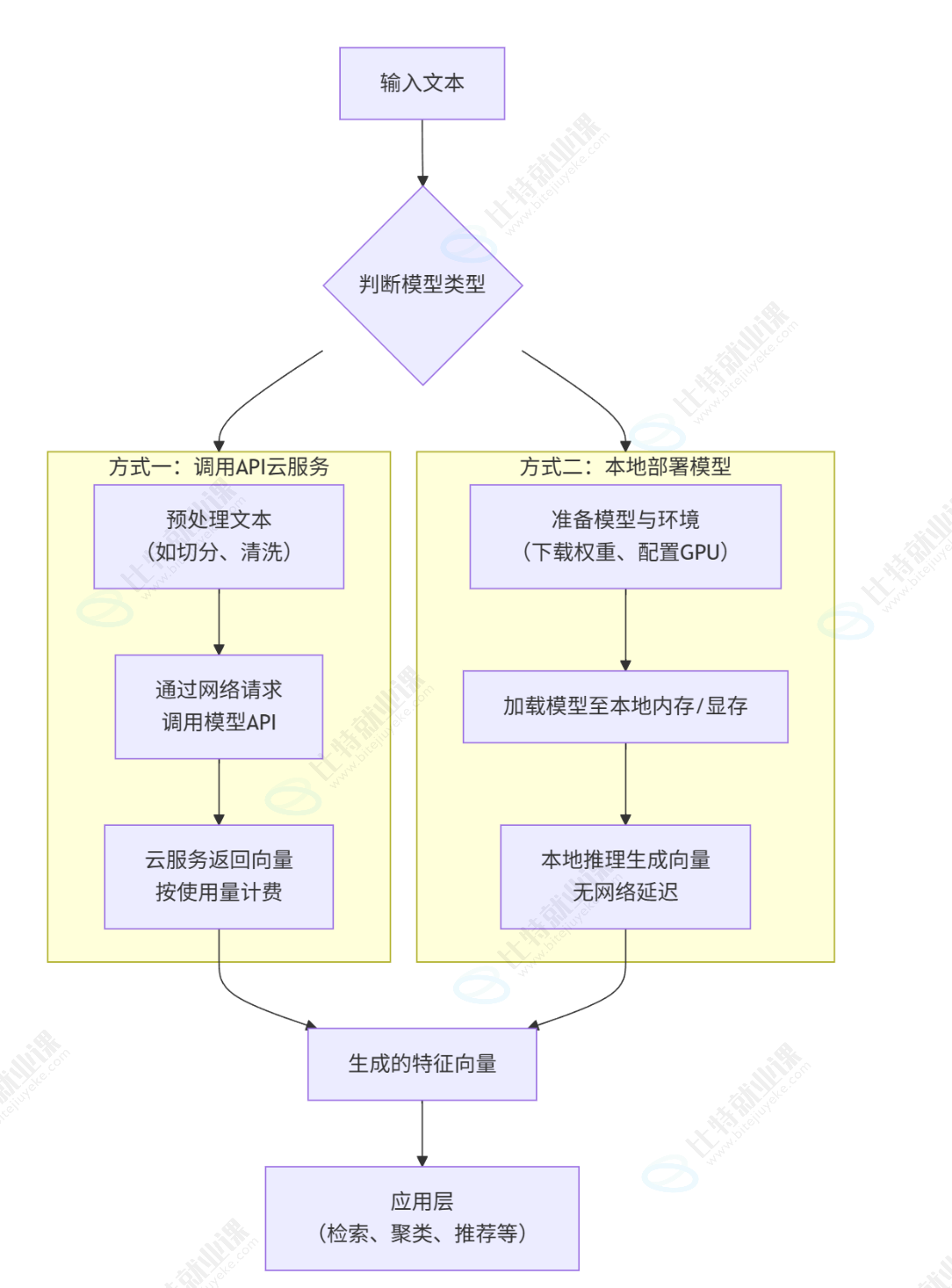
API 接入
1️⃣http 接入千问嵌入模型
url:https://dashscope.aliyuncs.com/api/v1/services/embeddings/text-embedding/text-embedding
必须传 header Authorization 为 Bearer 你的API key ,Content-Type 为 application/json;还需要有 json 类型的 body
{
    "model": "text-embedding-v2",
    "input": {
        "texts": [
            "如何使用API调用通义千问?"
        ]
    },
    "parameters": {
        "text_type": "query"
    }
}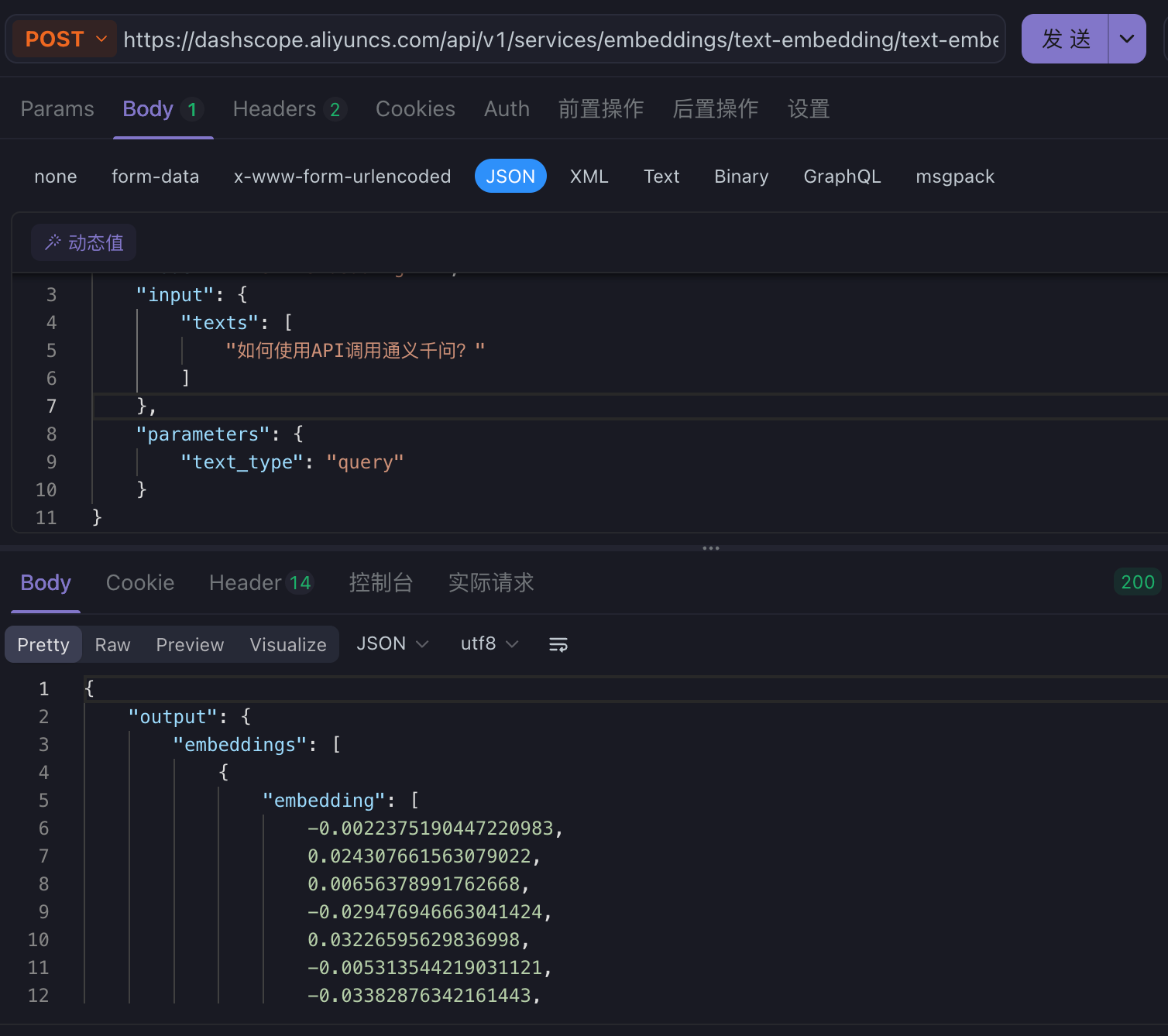
你就会得到一个专门"搜索和提问"优化的文本向量(Embedding)
2️⃣SDK(Software Development Kit ) 接入
在 pycharm 终端中输入命令安装库函数
pip install langchain-community
pip install dashscope
用你的 API key 替换以下代码
from langchain_community.embeddings import DashScopeEmbeddings
embeddings = DashScopeEmbeddings(
    model="text-embedding-v4",
    dashscope_api_key="sk-你的真实API_KEY"
)

text = "This is a test document."

query_result = embeddings.embed_query(text)
print("文本向量长度:", len(query_result), sep='')

doc_results = embeddings.embed_documents(
    [
        "Hi there!",
        "Oh, hello!",
        "What's your name?",
        "My friends call me World",
        "Hello World!"
    ])
print("文本向量数量:", len(doc_results), ",文本向量长度:", len(doc_results[0]), sep='')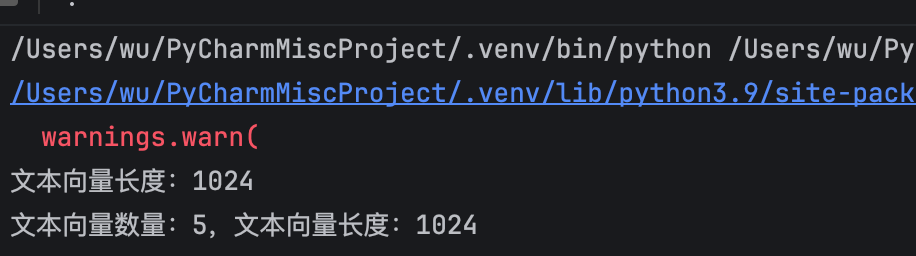
上面的 warn 是 python 环境问题
# 使用 DashScope (阿里云) 原生 Python SDK
import dashscope
from http import HTTPStatus

# 1. 设置 API Key (对应图片中的 client = OpenAI(api_key=...))
dashscope.api_key = "sk-你的真实API_KEY"

# 2. 准备输入文本
text = "This is a test document."

# 3. 调用 API (对应图片中的 response = client.embeddings.create(...))
response = dashscope.TextEmbedding.call(
    model="text-embedding-v4", # 指定模型
    input=text                 # 传入文本
)

# 4. 获取向量并打印 (对应图片中的 response.data[0].embedding)
if response.status_code == HTTPStatus.OK:
    # 注意:原生SDK返回结构略有不同,通常在 output.embeddings[0].embedding
    embedding = response.output["embeddings"][0]["embedding"]

    print(f"文本向量长度:{len(embedding)}")
    # 如果只想看前几个数字验证一下:
    print("向量预览:", embedding[:5], "...")
else:
    print(f"请求失败: {response.code}, 信息: {response.message}")
本地部署