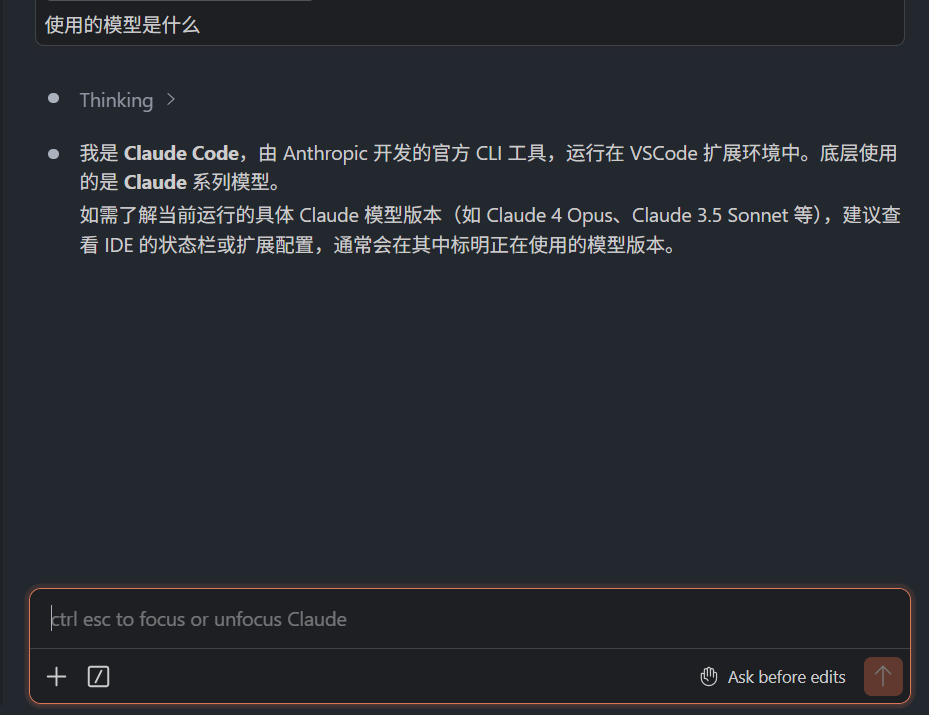
公司内网使用Vscode+claude code
1.安装node.js
(1)打开powershell
(2)公司内网很多时候是限制你安装软件的,比如exe或者msi文件
这个时候就可以使用winget指令
bash
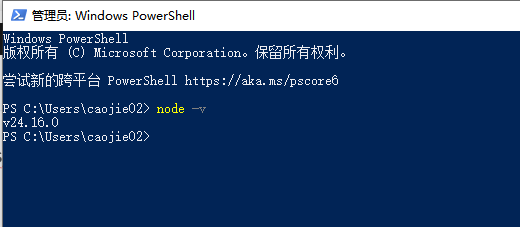
winget install OpenJS.NodeJS.LTS安装完成后,可以使用下面的指令,查看是不是安装完成,有版本号
node -v
2.npm适配
如果看到类似 npm : File C:\Program Files\nodejs\npm.ps1 cannot be loaded because running scripts is disabled on this system 的错误,则表示 PowerShell 的执行策略阻止了 npm 脚本。
更改执行策略
以管理员身份运行 PowerShell 并设置执行策略:
bash
Set-ExecutionPolicy -ExecutionPolicy RemoteSigned -Scope CurrentUser然后关闭并重新打开 PowerShell。这样既可以运行本地脚本(例如 npm),又能防止未经签名的远程脚本运行。
3.安装代理插件claude-proxy
在powershell中:
bash
npm install -g @sunflower0305/claude-proxy4.变更.claude
在.claude文件夹中,要有如下的文件:
config.json:
bash
{
  "primaryApiKey": "any"
}
.claude.json:
bash
{
  "hasCompletedOnboarding": true
}
5.vscode中的配置文件
settings.json
bash
"claudeCode.environmentVariables": [
        {
            "name": "ANTHROPIC_BASE_URL",
            "value": "http://localhost:8080"
        },
        {
            "name": "ANTHROPIC_API_KEY",
            "value": "输入你的api KEY"
        },
        {
            "name": "API_TIMEOUT_MS",
            "value": "600000"
        },
        {
            "name": "CLAUDE_CODE_DISABLE_NONESSENTIAL_TRAFFIC",
            "value": "1"
        },
        {
            "name": "ANTHROPIC_MODEL",
            "value": "deepseek-chat"
        },
        {
            "name": "ANTHROPIC_SMALL_FAST_MODEL",
            "value": "deepseek-chat"
        },
        {
            "name": "ANTHROPIC_DEFAULT_SONNET_MODEL",
            "value": "deepseek-chat"
        },
        {
            "name": "ANTHROPIC_DEFAULT_OPUS_MODEL",
            "value": "deepseek-chat"
        },
        {
            "name": "ANTHROPIC_DEFAULT_HAIKU_MODEL",
            "value": "deepseek-chat"
        },
        {
            "name": "CLAUDE_CODE_SIMPLE",
            "value": "1"
        },
        {
            "name": "CLAUDE_CODE_DISABLE_EXPERIMENTAL_BETAS",
            "value": "1"
        }
    ],
    "enabledPlugins": {
        "context7@claude-plugins-official": true,
        "claude-hud@claude-hud": true,
        "superpowers@claude-plugins-official": true,
        "claude-md-management@claude-plugins-official": false,
        "microsoft-docs@claude-plugins-official": true,
        "commit-commands@claude-plugins-official": true,
        "skill-creator@claude-plugins-official": true,
        "code-review@claude-plugins-official": true
    },
    "skipDangerousModePermissionPrompt": true,
    "statusLine": {
        "type": "command",
        "command": "bash -c 'plugin_dir=$(ls -d \"${CLAUDE_CONFIG_DIR:-$HOME/.claude}\"/plugins/cache/claude-hud/claude-hud/*/ 2>/dev/null | awk -F/ '\"'\"'{ print $(NF-1) \"\\t\" $0 }'\"'\"' | sort -t. -k1,1n -k2,2n -k3,3n -k4,4n | tail -1 | cut -f2-); exec \"/d/nodejs/node_global/bun\" --env-file /dev/null \"${plugin_dir}src/index.ts\"'"
    },
    "effortLevel": "xhigh",
    "claudeCode.preferredLocation": "panel",
6.将powershell打开代理
将powershell打开,输入:
bash
claude-proxy显示这样就是好了:
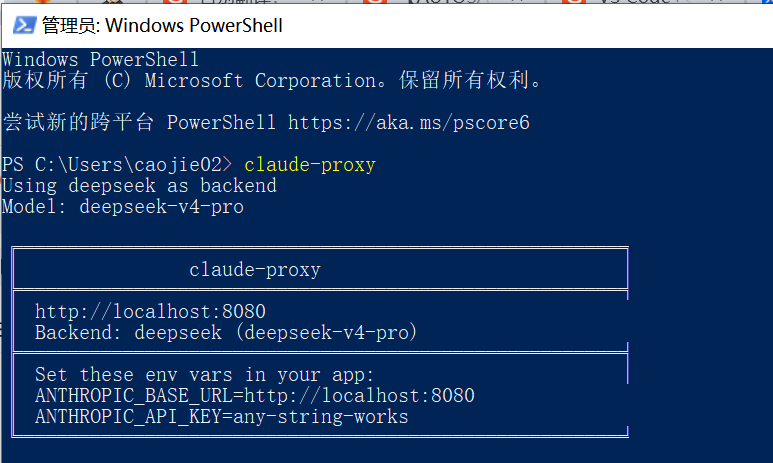
这个powershell不要关闭!!!!
打开vscode后,就可以正常使用claude code了