写在前面
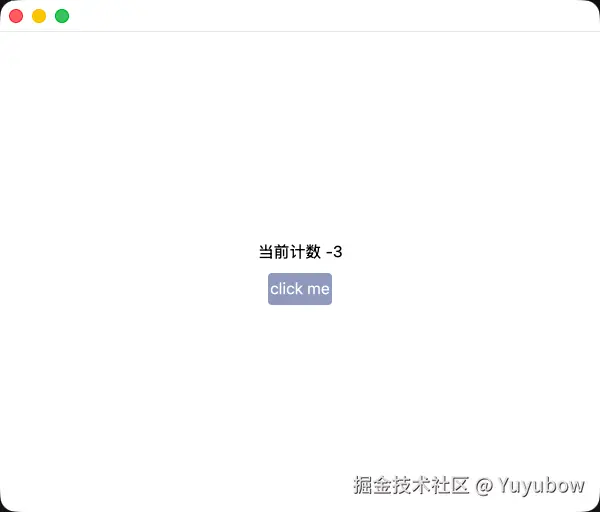
gpui 不同组件之间的通信有多种方式,比较直观的一种是 EventEmitter,本次将基于该机制,结合上一节的 Button,实现一个点击计数器,左键点击+1,右键点击-1,按下滚轮清零
事件发生到处理的流程大致如下
- BaseView 订阅 Button 将要发出的事件,注册一个处理函数
- 点击 Button
- Button 发出事件
- BaseView 响应并处理该事件
结合上述流程,代码如下,先赋予 Button 发出 Event 的能力
components/button.rs
rust
use gpui::{
    AppContext, ClickEvent, Context, CursorStyle, EventEmitter, InteractiveElement, IntoElement,
    MouseButton, ParentElement, Render, SharedString, StatefulInteractiveElement, Styled, Window,
    div, rgb,
};

pub struct Button {
    text: SharedString,
}

// 这里我们通过一个枚举用来代表事件,可以在其中添加额外的信息,不过简单起见就不添加了
pub enum ClickButtonEvent {
    LeftClick,
    RightClick,
    MiddleClick,
}

// 想要让 Button 能够发送事件,其必须实现 EventEmitter trait,并在后者的范型中指定可发出的事件
// 当然可以实现多个 EventEmitter<T> ,以达到发送多种类型事件的目的
impl EventEmitter<ClickButtonEvent> for Button {}

impl Button {
    pub fn new(text: &str) -> Button {
        Button {
            text: SharedString::from(text.to_owned()),
        }
    }
}

impl Render for Button {
    fn render(&mut self, _window: &mut Window, cx: &mut Context<Self>) -> impl IntoElement {
        // 实现了 EventEmitter<T> 的类型,其关联的 Context<T> 可调用 emit 方法发送事件
        // 这里我们先通过 Context<Button> 获取其对应的 Entity 实例,方便后续使用,原因见下面的代码
        // 注:后续会介绍优化的版本,届时将无需如此
        let self_entity = cx.entity();
        div()
            .id(self.text.clone())
            .flex()
            .justify_center()
            .items_center()
            .w_16()
            .h_8()
            .bg(rgb(0x8F98BD))
            .text_color(rgb(0xffffff))
            .rounded_sm()
            .hover(|style| style.cursor(CursorStyle::PointingHand).bg(rgb(0x615F73)))
            .child(self.text.clone())
            .on_click(move |event, _window, cx| match event {
                // 这里我们只关注鼠标点击的操作
                ClickEvent::Mouse(mouse_click_evnet) => {
                    // 承接上文,因为 on_click 回调函数的第三个入参类型为 &mut App,我们没法通过
                    // cx 直接 .emit 发送事件,但是可以通过其 update_* 系列方法,这里是 update_entity
                    // 指定为上文获取到 self_entity,即 Entity<Button>,在其回调中获取到的 cx
                    // 即为 Context<Button>,可以通过它发出 ClickButtonEvent 事件了
                    cx.update_entity(&self_entity, |_button, cx| {
                        match mouse_click_evnet.down.button {
                            MouseButton::Left => cx.emit(ClickButtonEvent::LeftClick),
                            MouseButton::Right => cx.emit(ClickButtonEvent::RightClick),
                            MouseButton::Middle => cx.emit(ClickButtonEvent::MiddleClick),
                            _ => {}
                        }
                    })
                }
                ClickEvent::Keyboard(..) => {}
            })
    }
}
上面代码中先获取 self_entity 的操作是一种常见的处理方式,尤其是在需要相关 Entity 的 Context,但是内部闭包只提供了 &mut App 的场景
接下来在BaseView中订阅该事件
rust
use gpui::{
    AppContext, Context, Entity, IntoElement, ParentElement, Render, Styled, Subscription, Window,
    div, rgb,
};

use crate::components::button::{Button, ClickButtonEvent};

pub struct BaseView {
    button: Entity<Button>,
    count: isize,
    #[allow(dead_code)]
    subscription: Subscription,
}
impl BaseView {
    // 有人会注意到,这里的入参换成了 Context<BaseView> 而不是 &mut App,
    // 有关 Context,Entity,App 等相关内容,会在补充章节中讲解
    pub fn new(cx: &mut Context<Self>) -> BaseView {
        let button = cx.new(|_| Button::new("click me"));
        // 我们使用 Context<BaseView> 订阅 button 发出的事件,并进行处理;需要注意的是,订阅也要
        // 保存起来,否则会失效,这里选择直接保存在 BaseView 中
        let subscription = cx.subscribe(
            &button,
            |base_view, _button, event: &ClickButtonEvent, cx| {
                match event {
                    ClickButtonEvent::LeftClick => {
                        base_view.count = base_view.count.saturating_add(1)
                    }
                    ClickButtonEvent::RightClick => {
                        base_view.count = base_view.count.saturating_sub(1)
                    }
                    ClickButtonEvent::MiddleClick => base_view.count = 0,
                };
                cx.notify(); // 这里的 cx 类型也为 &mut Context<BaseView>,通过 notify,
                             // 我们告知 gpui,当前 Context 对应的 Entity 需要重新绘制
            },
        );
        BaseView {
            button,
            count: 0,
            subscription,
        }
    }
}

impl Render for BaseView {
    fn render(&mut self, _window: &mut Window, _cx: &mut Context<Self>) -> impl IntoElement {
        div()
            .flex()
            .flex_col()
            .gap_2()
            .size_full()
            .items_center()
            .justify_center()
            .bg(rgb(0xffffff))
            .child(format!("当前计数 {}", self.count))
            .child(self.button.clone())
    }
}
出现的问题
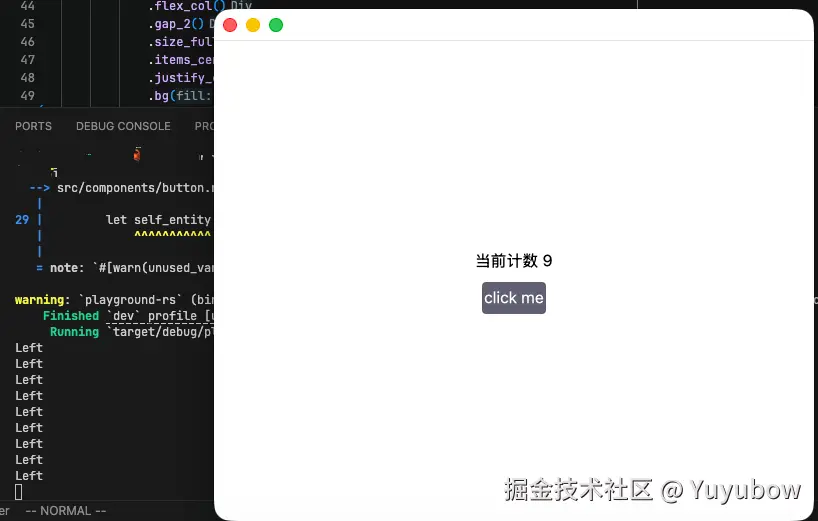
左键点击确实增加了,但是右键和滚轮按下后并没有出现预期的减少与归零
这是因为 gpui 当前的 on_click 只处理了鼠标左键的点击,其他部分如右键,滚轮等均无法捕获处理;对于这个问题,可以使用 on_mouse_down 来解决,如下是修复该问题,与优化后的代码
components/button.rs
rust
use gpui::{
    Context, CursorStyle, EventEmitter, InteractiveElement, IntoElement, MouseButton,
    ParentElement, Render, SharedString, Styled, Window, div, rgb,
};

pub struct Button {
    text: SharedString,
}

pub enum ClickButtonEvent {
    LeftClick,
    RightClick,
    MiddleClick,
}

impl EventEmitter<ClickButtonEvent> for Button {}

impl Button {
    pub fn new(text: &str) -> Button {
        Button {
            text: SharedString::from(text.to_owned()),
        }
    }
}

impl Render for Button {
    fn render(&mut self, _window: &mut Window, cx: &mut Context<Self>) -> impl IntoElement {
        div()
             // .id(self.text.clone()) // on_mouse_down 方法可以直接在 Div 上执行,无需调用 id 转换成 Stateful<Div>
            .flex()
            .justify_center()
            .items_center()
            .w_16()
            .h_8()
            .bg(rgb(0x8F98BD))
            .text_color(rgb(0xffffff))
            .rounded_sm()
            .hover(|style| style.cursor(CursorStyle::PointingHand).bg(rgb(0x615F73)))
            .child(self.text.clone())
            .on_mouse_down( // 直接使用 on_mouse_down
                MouseButton::Left,
                // 这里我们使用一个辅助函数,它所需的闭包的第四个参数即是 Context<Button>,无需我们手动获取 Entity 再传入了
                cx.listener(|_this, _event, _window, cx| {
                    cx.emit(ClickButtonEvent::LeftClick);
                }),
            )
            .on_mouse_down(
                MouseButton::Right,
                cx.listener(|_this, _event, _window, cx| {
                    cx.emit(ClickButtonEvent::RightClick);
                }),
            )
            .on_mouse_down(
                MouseButton::Middle,
                cx.listener(|_this, _event, _window, cx| {
                    cx.emit(ClickButtonEvent::MiddleClick);
                }),
            )
    }
}
运行结果如下