概述
DELL服务器需要安装专用工具检查ESXI系统的磁盘状态,现将安装与使用步骤记录如下:
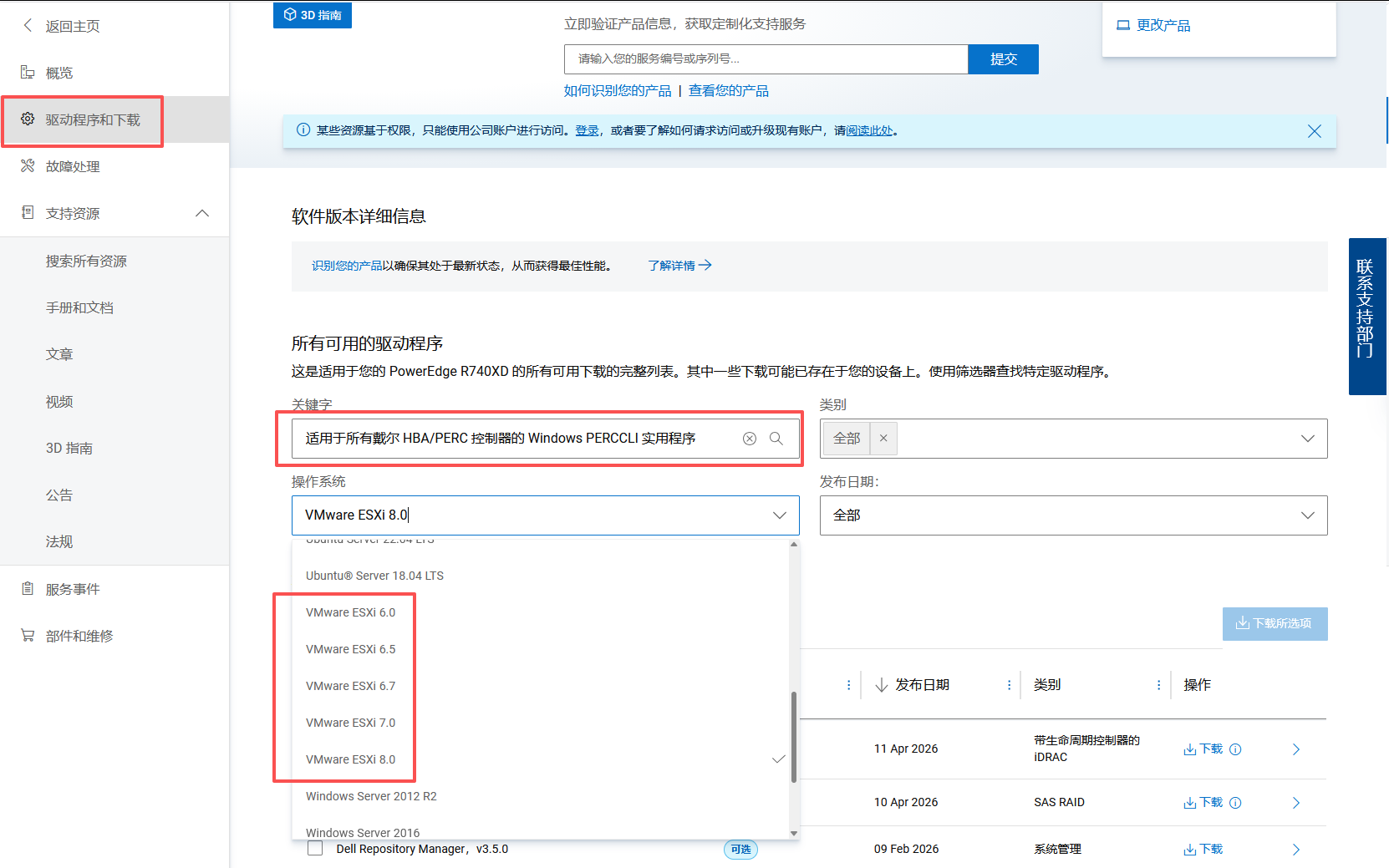
下载
-
ESXI 7-8版本的下载链接
-
ESXI 6-7版本的下载链接
-
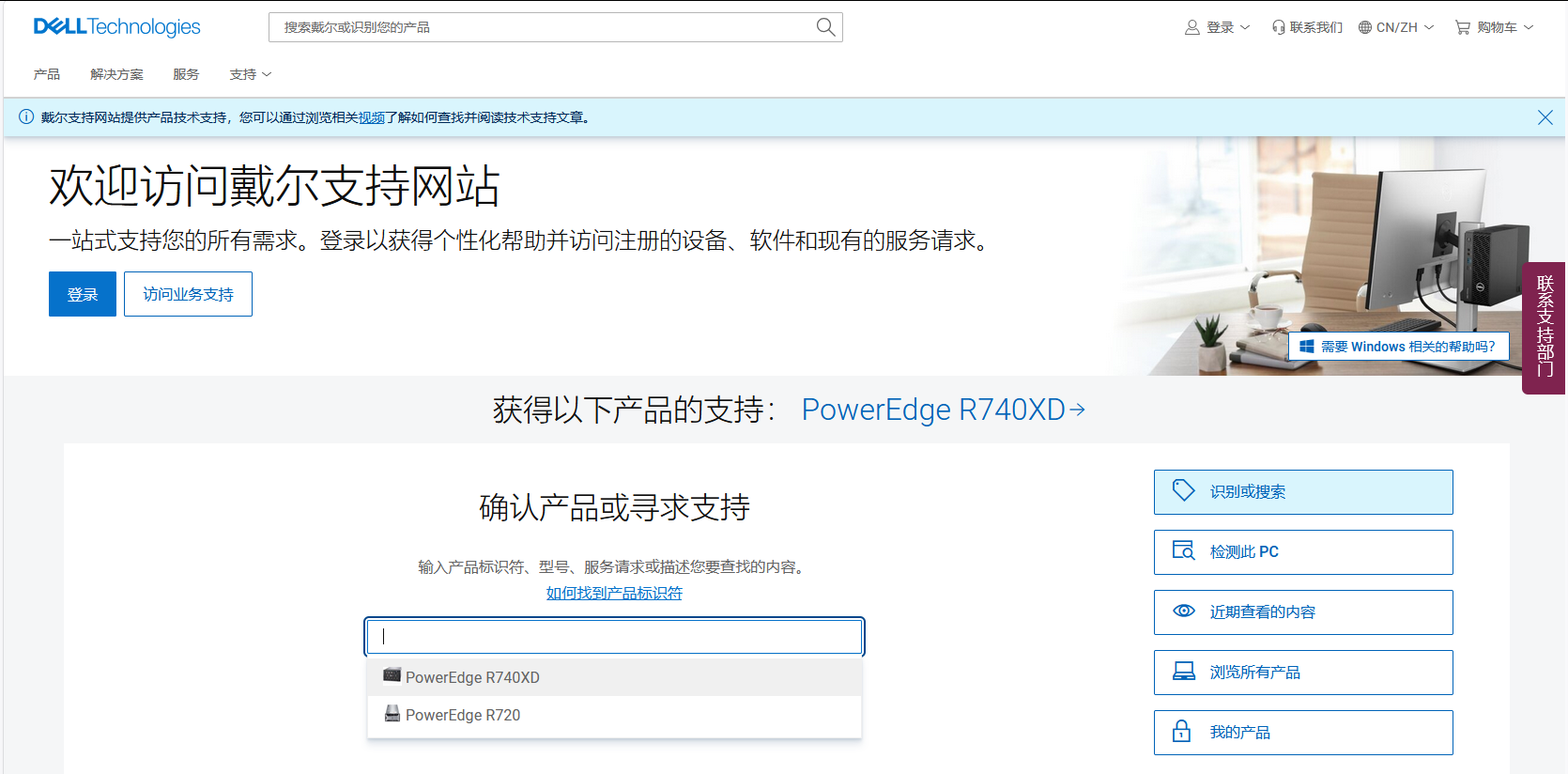
下载页面路径
安装
解压文件
- ESXI 7版本安装包:BCM_bootbank_vmware-perccli64_007.2616.0000.0000-01.vib
- ESXI 8版本安装包:BCM_bootbank_perccli_007.2616.0000.0000-02.vib
- ESXI 6版本安装包:vmware-perccli-007.1910.vib
bash
[root@192-168-005-120 PERCCLI]# tree
.
├── PERCCLI_7.2616.0000_VMWARE
│   ├── doc
│   │   ├── DSDK_perccli_README.txt
│   │   ├── installation_README.txt
│   │   └── licenseinfo.txt
│   ├── ESXI\ 7.X
│   │   ├── index.xml
│   │   ├── metadata.zip
│   │   ├── vendor-index.xml
│   │   ├── vib20
│   │   │   └── vmware-perccli64
│   │   │       └── BCM_bootbank_vmware-perccli64_007.2616.0000.0000-01.vib
│   │   └── VMWare-7.X_perccli64_007.2616.zip
│   └── ESXI\ 8.X
│       ├── index.xml
│       ├── metadata.zip
│       ├── vendor-index.xml
│       ├── vib20
│       │   └── perccli
│       │       └── BCM_bootbank_perccli_007.2616.0000.0000-02.vib
│       └── VMWare-8.X_perccli64_007.2616_.zip
├── PERCCLI_7.2616.0000_VMWARE.tar.gz
├── PERCCLI_MRXX5_7.1910.0_A12_VMware
│   └── PERCCLI_7.1910_VMware
│       ├── ESXI\ 6.7
│       │   └── vmware-perccli-007.1910.vib
│       ├── ESXI\ 7.0
│       │   └── VMWare-perccli64_007.1910.zip
│       ├── licenseinfo.txt
│       └── readme.txt
└──  PERCCLI_MRXX5_7.1910.0_A12_VMware.tar.gz
查看系统版本
bash
esxcli system version get
bash
[root@localhost:~] esxcli system version get
   Product: VMware ESXi
   Version: 7.0.3
   Build: Releasebuild-24784741
   Update: 3
   Patch: 150
上传
- 上传对应版本的文件到ESXI系统中/tmp目录下(可自定义)
bash
[root@localhost:/tmp] ls
BCM_bootbank_vmware-perccli64_007.2616.0000.0000-01.vib
安装
- 安装对应版本的vib包,命令如下
bash
esxcli software vib install -v /tmp/BCM_bootbank_vmware-perccli64_007.2616.0000.0000-01.vib --no-sig-check
bash
[root@localhost:/tmp] esxcli software vib install -v /tmp/BCM_bootbank_vmware-perccli64_007.2616.0000.0000-01.vib --no-sig-check
# ESXI 6.7的安装命令 esxcli software vib install -v /tmp/vmware-perccli-007.1910.vib --no-sig-check
Installation Result
   Message: Operation finished successfully.
   Reboot Required: false
   VIBs Installed: BCM_bootbank_vmware-perccli64_007.2616.0000.0000-01
   VIBs Removed:
VIBs Skipped: - Message: Operation finished successfully. 安装成功
- Reboot Required: false 无需重启
卸载
bash
[root@localhost:/opt] esxcli software vib list | grep -i perc

perccli                        007.2616.0000.0000-02                 BCM     VMwareAccepted    2026-06-09    host
bash
[root@localhost:/opt] esxcli software vib remove -n perccli

Removal Result
   Message: The update completed successfully, but the system needs to be rebooted for the changes to be effective.
   VIBs Installed:
   VIBs Removed: BCM_bootbank_perccli_007.2616.0000.0000-02
   VIBs Skipped:
   Reboot Required: true
   DPU Results:
使用
查看RAID卡信息
bash
/opt/lsi/perccli64/perccli64 show
# /opt/perccli/bin/perccli64 show   -- ESXI 8.0
bash
[root@localhost:/tmp] cd /opt/lsi/perccli64/
# ESXI 6.7的命令路径/opt/lsi/perccli/perccli
[root@localhost:/opt/lsi/perccli64] ./perccli64 show
CLI Version = 007.2616.0000.0000 Dec 06, 2023
Operating system = VMkernel 7.0.3
Status Code = 0
Status = Success
Description = None

Number of Controllers = 1
Host Name = localhost
Operating System  = VMkernel 7.0.3
StoreLib IT Version = 07.2700.0200.0200
StoreLib IR3 Version = 16.14-0

System Overview :
===============

-------------------------------------------------------------------------
Ctl Model         Ports PDs DGs DNOpt VDs VNOpt BBU sPR DS EHS ASOs Hlth
-------------------------------------------------------------------------
  0 PERCH710PMini     8   6   1     0   1     0 Opt On  3  N      0 Opt
-------------------------------------------------------------------------

Ctl=Controller Index|DGs=Drive groups|VDs=Virtual drives|Fld=Failed
PDs=Physical drives|DNOpt=Array NotOptimal|VNOpt=VD NotOptimal|Opt=Optimal
Msng=Missing|Dgd=Degraded|NdAtn=Need Attention|Unkwn=Unknown
sPR=Scheduled Patrol Read|DS=DimmerSwitch|EHS=Emergency Spare Drive
Y=Yes|N=No|ASOs=Advanced Software Options|BBU=Battery backup unit/CV
Hlth=Health|Safe=Safe-mode boot|CertProv-Certificate Provision mode
Chrg=Charging | MsngCbl=Cable Failure| 字段 | 值 | 含义 |
|---|---|---|
| Ctl | 0 | 控制器索引号(第一块卡)。 |
| Model | PERCH710PMini | 你的 RAID 卡型号:Dell PERC H710P Mini 版。 |
| Ports | 8 | 该控制器一共有 8 个物理端口(连接背板或直连硬盘)。 |
| PDs | 6 | 当前已连接的物理硬盘(Physical Drives)数量,与你之前看到的 6 块盘一致。 |
| DGs | 1 | 磁盘组(Drive Groups)数量。你只有一个 RAID 10 阵列,所以是 1。 |
| DNOpt | 0 | Disk Groups Not Optimal:有多少个磁盘组处于"非最优"状态。0 表示所有磁盘组都是最优的(没有降级或故障)。 |
| VDs | 1 | 虚拟磁盘(Virtual Drives)数量。你的 RAID 10 产生了一个逻辑盘(容量 2.727 TB)。 |
| VNOpt | 0 | Virtual Drives Not Optimal:有多少个虚拟磁盘处于非最优状态。0 表示虚拟磁盘工作正常。 |
| BBU | Opt | Battery Backup Unit(电池备份单元)状态:Opt = Optimal(正常)。这解决了之前我担心的"Cache 字段中 B"问题------原来电池状态其实是 Optimal,之前那个 B 可能是其他含义或者瞬时状态。 |
| sPR | On | Scheduled Patrol Read:定期巡检读取是否开启。On 表示开启,RAID 卡会定期扫描硬盘上的数据,提前发现潜在坏道或错误。这是很好的保护机制。 |
| DS | 3 | DimmerSwitch:电源管理功能的状态级别。3 可能是一个预设值(如"性能均衡模式"),具体含义可忽略,不影响正常使用。 |
| EHS | N | Emergency Hot Spare:是否配置了紧急热备盘。N 表示没有专用热备盘。如果一块硬盘故障,RAID 10 仍能保持冗余,但不会自动重建到备用盘上。 |
| ASOs | 0 | Advanced Software Options:高级软件功能数量(例如 FastPath、CacheCade 等)。0 表示没有购买/启用这些可选功能。 |
| Hlth | Opt | Health:控制器的整体健康状态。Opt = Optimal(最优),一切正常。 |
查看RAID组信息
- /c0 c0是第一块RAID卡
- /c0/v0 v0是第一个虚拟磁盘组
- VD 0 v0下的硬盘
bash
/opt/lsi/perccli64/perccli64  /c0/vall show all
# /opt/perccli/bin/perccli64 /c0/vall show all  -- ESXI 8.0
bash
[root@localhost:/opt/lsi/perccli64]  ./perccli64  /c0/vall show all
CLI Version = 007.2616.0000.0000 Dec 06, 2023
Operating system = VMkernel 7.0.3
Controller = 0
Status = Success
Description = None


/c0/v0 :
======

--------------------------------------------------------------
DG/VD TYPE   State Access Consist Cache Cac sCC     Size Name
--------------------------------------------------------------
0/0   RAID10 Optl  RW     Yes     RWBD  -   OFF 2.727 TB os
--------------------------------------------------------------

VD=Virtual Drive| DG=Drive Group|Rec=Recovery
Cac=CacheCade|Rec=Recovery|OfLn=OffLine|Pdgd=Partially Degraded|Dgrd=Degraded
Optl=Optimal|dflt=Default|RO=Read Only|RW=Read Write|HD=Hidden|TRANS=TransportReady
B=Blocked|Consist=Consistent|R=Read Ahead Always|NR=No Read Ahead|WB=WriteBack
FWB=Force WriteBack|WT=WriteThrough|C=Cached IO|D=Direct IO|sCC=Scheduled
Check Consistency


PDs for VD 0 :
============

------------------------------------------------------------------------------
EID:Slt DID State DG       Size Intf Med SED PI SeSz Model            Sp Type
------------------------------------------------------------------------------
32:0      0 Onln   0 931.000 GB SAS  HDD N   N  512B MG03SCA100       U  -
32:1      1 Onln   0 931.000 GB SAS  HDD N   N  512B ST31000424SS     U  -
32:2      2 Onln   0 931.000 GB SAS  HDD N   N  512B ST1000NM0023     U  -
32:3      3 Onln   0 931.000 GB SAS  HDD N   N  512B MG03SCA100       U  -
32:4      4 Onln   0 931.000 GB SAS  HDD N   N  512B ST1000NM0001     U  -
32:5      5 Onln   0 931.000 GB SAS  HDD N   N  512B MG03SCA100       U  -
------------------------------------------------------------------------------

EID=Enclosure Device ID|Slt=Slot No|DID=Device ID|DG=DriveGroup
DHS=Dedicated Hot Spare|UGood=Unconfigured Good|GHS=Global Hotspare
UBad=Unconfigured Bad|Sntze=Sanitize|Onln=Online|Offln=Offline|Intf=Interface
Med=Media Type|SED=Self Encryptive Drive|PI=PI Eligible
SeSz=Sector Size|Sp=Spun|U=Up|D=Down|T=Transition|F=Foreign
UGUnsp=UGood Unsupported|UGShld=UGood shielded|HSPShld=Hotspare shielded
CFShld=Configured shielded|Cpybck=CopyBack|CBShld=Copyback Shielded
UBUnsp=UBad Unsupported|Rbld=Rebuild


VD0 Properties :
==============
Strip Size = 64 KB
Number of Blocks = 5857345536
Span Depth = 3
Number of Drives Per Span = 2
Write Cache(initial setting) = WriteBack
Disk Cache Policy = Disk's Default
Encryption = None
Data Protection = None
Active Operations = None
Exposed to OS = Yes
OS Drive Name = N/A
Creation Date = 15-05-2026
Creation Time = 04:58:46 AM
Emulation type = default
Is LD Ready for OS Requests = Yes
SCSI NAA Id = 644a842013b21d00319964863cf1791b
Unmap Enabled = N/A- 虚拟磁盘(VD,即 RAID 阵列)信息
| 字段 | 值 | 解释 |
|---|---|---|
| DG/VD | 0/0 | 表示第 0 个磁盘组(Drive Group)中的第 0 个虚拟磁盘。 |
| TYPE | RAID10 | 当前阵列使用的是 RAID 10 模式(先镜像再条带,兼顾性能与冗余)。 |
| State | Optl | Optimal(最优),表示阵列状态完全正常,所有硬盘在线且无故障。 |
| Access | RW | 读写权限为 Read-Write(可读写)。 |
| Consist | Yes | 数据一致性检查通过,阵列数据完整。 |
| Cache | RWBD | 当前的缓存策略:Read(读缓存)、WriteBack(回写式写缓存)、Bad BBU(电池备份单元可能异常或未就绪?实际 H710P 通常有电池,但这里显示 B 可能表示电池状态非理想,但不影响数据安全)、Direct IO(直接 IO)。具体解释可忽略,不影响正常使用。 |
| Cac | - | CacheCade(固态硬盘缓存加速)未启用。 |
| sCC | OFF | 计划一致性检查(Scheduled Consistency Check)关闭。 |
| Size | 2.727 TB | 虚拟磁盘的可用容量。 |
| Name | os | 管理员为这个虚拟磁盘起的名字(很可能是用于安装操作系统)。 |
- 组成该虚拟磁盘的物理硬盘(PD)列表
| 字段 | 解释 |
|---|---|
| EID:Slt | 硬盘的物理位置:Enclosure ID(背板编号): Slot Number(槽位号)。例如 32:0 表示背板 32 上的 0 号槽位。 |
| DID | 设备 ID(RAID 卡内部编号)。 |
| State | Onln(Online),表示硬盘在线且正常工作。其他可能状态:Failed(故障)、Rebuilding(重建中)、Unconfigured(bad)(未配置/损坏)等。 |
| DG | 所属磁盘组,全部为 0,表示这些盘都属于同一个磁盘组。 |
| Size | 单盘容量(约 931 GB)。 |
| Intf | 接口类型:SAS(性能优于 SATA)。 |
| Med | 介质类型:HDD(机械硬盘)。 |
| SED | 是否支持自加密(N = 否)。 |
| PI | 是否支持保护信息(N = 否)。 |
| SeSz | 扇区大小:512B(传统 512 字节扇区)。 |
| Model | 硬盘型号。这里混合了东芝(MG03SCA100)和希捷(ST31000424SS、ST1000NM0023、ST1000NM0001)的硬盘,虽然品牌不同但容量和接口一致,RAID 10 可以容忍不同型号混用。 |
| Sp Type | Spun 状态:U 表示 Up(硬盘已旋转并就绪),D 表示 Down。全部正常。 |
查看硬盘错误信息
bash
/opt/lsi/perccli64/perccli64 /c0/eall/sall show all | grep -E "Media Error|Predictive Failure|Firmware state"
# ESXI 8.0
# /opt/perccli/bin/perccli64 /c0/eall/sall show all | grep -E "Media Error|Predictive Failure|Firmware state"
bash
[root@localhost:/opt/lsi/perccli64] ./perccli64 /c0/eall/sall show all | grep -E "Media Error|Predictive Failure|Firmware state"
Media Error Count = 0
Predictive Failure Count = 0
Last Predictive Failure Event Sequence Number = 0
Media Error Count = 0
Predictive Failure Count = 0
Last Predictive Failure Event Sequence Number = 0
Media Error Count = 0
Predictive Failure Count = 0
Last Predictive Failure Event Sequence Number = 0
Media Error Count = 0
Predictive Failure Count = 0
Last Predictive Failure Event Sequence Number = 0
Media Error Count = 0
Predictive Failure Count = 0
Last Predictive Failure Event Sequence Number = 0
Media Error Count = 0
Predictive Failure Count = 0
Last Predictive Failure Event Sequence Number = 0| 部分 | 含义 |
|---|---|
| perccli64 | 你安装的 Dell PERC 控制器管理工具。 |
| /c0/eall/sall | 路径参数: • /c0 → 第一个 RAID 控制器(Controller 0)。 • /eall → 该控制器下的所有背板(Enclosure,即连接硬盘的物理笼子)。 • /sall → 每个背板上的所有槽位(Slot)。 合起来就是"控制器0上的每一个物理硬盘"。 |
| show all | 显示这些硬盘的全部详细信息(包括型号、容量、状态、错误计数、温度等,通常有几十行/每盘)。 |
| | | 管道符,将前一条命令的输出传递给后一条命令处理。 |
| grep -E "Media Error|Predictive Failure|Firmware state" | 使用扩展正则表达式(-E)过滤出同时包含这三个关键词的行: • Media Error -- 介质错误计数(硬盘读写时遇到的物理坏道/校验错误)。 • Predictive Failure -- 预测性故障计数(S.M.A.R.T. 技术判断硬盘即将失效)。 • Firmware state -- 固件状态(如 Online、Failed、Rebuilding)。 |
- Media Error Count 非零 → 硬盘可能已存在坏道,应关注。
- Predictive Failure Count 非零 → S.M.A.R.T. 预测硬盘即将故障,立刻备份数据并准备更换。
- Firmware state 应为 Online,若出现 Failed 或 Unconfigured(bad) 则硬盘已损坏。
排查硬盘错误示例
- 硬盘发现错误
bash
[root@localhost:~] /opt/lsi/perccli64/perccli64 /c0/eall/sall show all | grep -E "Media Error|Predictive Failure|Firmware state"
Media Error Count = 0
Predictive Failure Count = 0
Last Predictive Failure Event Sequence Number = 0
Media Error Count = 0
Predictive Failure Count = 0
Last Predictive Failure Event Sequence Number = 0
Media Error Count = 0
Predictive Failure Count = 0
Last Predictive Failure Event Sequence Number = 0
Media Error Count = 0
Predictive Failure Count = 0
Last Predictive Failure Event Sequence Number = 0
Media Error Count = 375
Predictive Failure Count = 0
Last Predictive Failure Event Sequence Number = 0
Media Error Count = 0
Predictive Failure Count = 0
Last Predictive Failure Event Sequence Number = 0- 快速获取硬盘列表
bash
[root@localhost:~] /opt/lsi/perccli64/perccli64 /c0/eall/sall show
CLI Version = 007.2616.0000.0000 Dec 06, 2023
Operating system = VMkernel 7.0.3
Controller = 0
Status = Success
Description = Show Drive Information Succeeded.


Drive Information :
=================

------------------------------------------------------------------------------
EID:Slt DID State DG       Size Intf Med SED PI SeSz Model            Sp Type
------------------------------------------------------------------------------
32:0      0 Onln   0 278.875 GB SAS  HDD N   N  512B ST3300657SS      U  -
32:1      1 Onln   0 278.875 GB SAS  HDD N   N  512B ST3300657SS      U  -
32:2      2 Onln   0 278.875 GB SAS  HDD N   N  512B ST3300657SS      U  -
32:3      3 Onln   0 278.875 GB SAS  HDD N   N  512B ST3300657SS      U  -
32:4      4 Onln   0 278.875 GB SAS  HDD N   N  512B ST3300657SS      U  -
32:5      5 Onln   0 558.375 GB SAS  HDD N   N  512B ST3600057SS      U  -
------------------------------------------------------------------------------

EID=Enclosure Device ID|Slt=Slot No|DID=Device ID|DG=DriveGroup
DHS=Dedicated Hot Spare|UGood=Unconfigured Good|GHS=Global Hotspare
UBad=Unconfigured Bad|Sntze=Sanitize|Onln=Online|Offln=Offline|Intf=Interface
Med=Media Type|SED=Self Encryptive Drive|PI=PI Eligible
SeSz=Sector Size|Sp=Spun|U=Up|D=Down|T=Transition|F=Foreign
UGUnsp=UGood Unsupported|UGShld=UGood shielded|HSPShld=Hotspare shielded
CFShld=Configured shielded|Cpybck=CopyBack|CBShld=Copyback Shielded
UBUnsp=UBad Unsupported|Rbld=Rebuild- 查看详细信息
bash
[xunku@localhost:~] /opt/lsi/perccli64/perccli64 /c0/eall/sall show all | grep -E "(Drive \/c0\/e[0-9]+\/s[0-9]+|Media Error|Predictive Failure|Firmware state)"
Drive /c0/e32/s0 :
Drive /c0/e32/s0 - Detailed Information :
Drive /c0/e32/s0 State :
Media Error Count = 0
Predictive Failure Count = 0
Drive /c0/e32/s0 Device attributes :
Drive /c0/e32/s0 Policies/Settings :
Last Predictive Failure Event Sequence Number = 0
Drive /c0/e32/s1 :
Drive /c0/e32/s1 - Detailed Information :
Drive /c0/e32/s1 State :
Media Error Count = 0
Predictive Failure Count = 0
Drive /c0/e32/s1 Device attributes :
Drive /c0/e32/s1 Policies/Settings :
Last Predictive Failure Event Sequence Number = 0
Drive /c0/e32/s2 :
Drive /c0/e32/s2 - Detailed Information :
Drive /c0/e32/s2 State :
Media Error Count = 0
Predictive Failure Count = 0
Drive /c0/e32/s2 Device attributes :
Drive /c0/e32/s2 Policies/Settings :
Last Predictive Failure Event Sequence Number = 0
Drive /c0/e32/s3 :
Drive /c0/e32/s3 - Detailed Information :
Drive /c0/e32/s3 State :
Media Error Count = 0
Predictive Failure Count = 0
Drive /c0/e32/s3 Device attributes :
Drive /c0/e32/s3 Policies/Settings :
Last Predictive Failure Event Sequence Number = 0
Drive /c0/e32/s4 :
Drive /c0/e32/s4 - Detailed Information :
Drive /c0/e32/s4 State :
Media Error Count = 375
Predictive Failure Count = 0
Drive /c0/e32/s4 Device attributes :
Drive /c0/e32/s4 Policies/Settings :
Last Predictive Failure Event Sequence Number = 0
Drive /c0/e32/s5 :
Drive /c0/e32/s5 - Detailed Information :
Drive /c0/e32/s5 State :
Media Error Count = 0
Predictive Failure Count = 0
Drive /c0/e32/s5 Device attributes :
Drive /c0/e32/s5 Policies/Settings :
Last Predictive Failure Event Sequence Number = 0- 查看故障硬盘的完整信息
bash
[root@localhost:~] /opt/lsi/perccli64/perccli64 /c0/e32/s4 show all
CLI Version = 007.2616.0000.0000 Dec 06, 2023
Operating system = VMkernel 7.0.3
Controller = 0
Status = Success
Description = Show Drive Information Succeeded.


Drive /c0/e32/s4 :
================

------------------------------------------------------------------------------
EID:Slt DID State DG       Size Intf Med SED PI SeSz Model            Sp Type
------------------------------------------------------------------------------
32:4      4 Onln   0 278.875 GB SAS  HDD N   N  512B ST3300657SS      U  -
------------------------------------------------------------------------------

EID=Enclosure Device ID|Slt=Slot No|DID=Device ID|DG=DriveGroup
DHS=Dedicated Hot Spare|UGood=Unconfigured Good|GHS=Global Hotspare
UBad=Unconfigured Bad|Sntze=Sanitize|Onln=Online|Offln=Offline|Intf=Interface
Med=Media Type|SED=Self Encryptive Drive|PI=PI Eligible
SeSz=Sector Size|Sp=Spun|U=Up|D=Down|T=Transition|F=Foreign
UGUnsp=UGood Unsupported|UGShld=UGood shielded|HSPShld=Hotspare shielded
CFShld=Configured shielded|Cpybck=CopyBack|CBShld=Copyback Shielded
UBUnsp=UBad Unsupported|Rbld=Rebuild


Drive /c0/e32/s4 - Detailed Information :
=======================================

Drive /c0/e32/s4 State :
======================
Shield Counter = 0
Media Error Count = 375
Other Error Count = 0
Drive Temperature =  32C (89.60 F)
Predictive Failure Count = 0
S.M.A.R.T alert flagged by drive = No


Drive /c0/e32/s4 Device attributes :
==================================
SN = 3SJ199D3
Manufacturer Id = SEAGATE
Model Number = ST3300657SS
NAND Vendor = NA
WWN = 5000C50023720120
Firmware Revision = ES62
Firmware Release Number = 07155A78
Raw size = 279.396 GB [0x22ecb25c Sectors]
Coerced size = 278.875 GB [0x22dc0000 Sectors]
Non Coerced size = 278.896 GB [0x22dcb25c Sectors]
Device Speed = 6.0Gb/s
Link Speed = 6.0Gb/s
Write Cache = Disabled
Logical Sector Size = 512B
Physical Sector Size = 512B
Connector Name = 00


Drive /c0/e32/s4 Policies/Settings :
==================================
Drive position = DriveGroup:0, Span:0, Row:4
Enclosure position = 1
Connected Port Number = 4(path0)
Sequence Number = 23
Commissioned Spare = No
Emergency Spare = No
Last Predictive Failure Event Sequence Number = 0
Successful diagnostics completion on = N/A
FDE Type = None
SED Capable = No
SED Enabled = No
Secured = No
Cryptographic Erase Capable = No
Sanitize Support = Not supported
Locked = No
Needs EKM Attention = No
PI Eligible = No
Drive is formatted for PI = No
PI type = No PI
Number of bytes of user data in LBA = 0 KB
Certified = Yes
Wide Port Capable = No
Multipath = No

Port Information :
================

-----------------------------------------
Port Status Linkspeed SAS address
-----------------------------------------
   0 Active 6.0Gb/s   0x5000c50023720121
   1 Active 6.0Gb/s   0x0
-----------------------------------------


Inquiry Data =
00 00 05 12 8b 00 10 02 53 45 41 47 41 54 45 20
53 54 33 33 30 30 36 35 37 53 53 20 20 20 20 20
45 53 36 32 33 53 4a 31 39 39 44 33 00 00 00 00
00 00 00 00 00 00 00 00 00 00 00 00 00 00 00 00
00 00 00 00 00 00 00 00 00 00 00 00 00 00 00 00
00 00 00 00 00 00 00 00 00 00 00 00 00 00 00 00
00 43 6f 70 79 72 69 67 68 74 20 28 63 29 20 32
30 30 39 20 53 65 61 67 61 74 65 20 41 6c 6c 20 - 结论:硬盘 /c0/e32/s4 的 Media Error Count = 375,但 Predictive Failure Count = 0,SMART 告警也未触发
- 操作
- 开启硬盘灯闪烁
bash
/opt/lsi/perccli64/perccli64 /c0/e32/s4 start locate-
更换硬盘
-
关闭硬盘灯闪烁
bash
/opt/lsi/perccli64/perccli64 /c0/e32/s4 stop locate