The term echo multiline to a file in bash refers to transferring or redirecting multiple lines to a file. For script automation and output, template, and text file generation echo of lines is important. Let's see how one can echo multiline to file.
To echo multiline to a file in bash, one of the most used commands is an echo command with a redirection operator. Apart from this command, there are some other methods like printf , here document , and read command.
In this part, I will give an overview of the Three methods to check how to echo multiline to file.
Practice Files to Echo Multiline to File in Bash
Table of Contents
1. Echo Multiline to File Using "echo" Command
The echo command is the command line tool that is mainly used to display the output. It shows the specific variables and text in the standard output. To echo multiple lines to a file, the echo command is widely used because of its simple syntax. Below I have shown some to echo multiline using theechocommand.
Using Multiple "echo" Commands
To print multiple lines to a file, you can use multiple echo commands following the line. Use the following code:
#! /bin/bash
echo Hello > combo.txt
echo World >> combo.txt
echo It is a new line. >> combo.txt
echo "With multiple command the output:"
cat combo.txt
Bash
EXPLANATION
Eachechocommand shows the output of each line. For that reason, it shows multiline output. The output redirection>in the first line is used to print or write the content into the file. You can use the>>to append the new line with the existing one. Thecatcommand displays the output.
Using>in each line will overwrite the text and print only the last line. So use>>to print multiple lines.
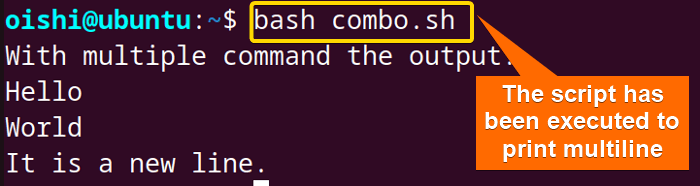
The output has been written to the new file.
Using "echo" Command with Quoting
Quotation is used to define and preserve the meaning of the text that is used in between the quotes. Use double quoting (" ")and single quoting (' ') to display multiple lines at a time.
To echo multiline in a file using quoting, follow the code and execute the script:
#! /bin/bash
echo "Timetable for meal
Breakfast will be at 9:30 AM.
Lunch will be at 2:30 PM.
Dinner will be at 9:30 PM." > mealtime.txt
echo "Printing Multiple Lines using double quotes:"
cat mealtime.txt
Bash
EXPLANATION
The double quotation""preserves the content that is inside the quotation. Using>redirect the output in a file to echo the content. The cat command is used to display the output.
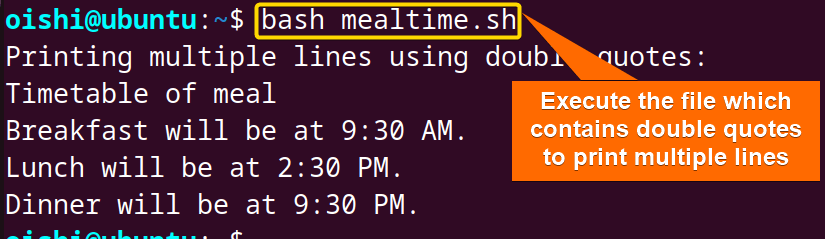
I have used the filename, mealtime.sh, you can use the filename as you prefer.
Echo Multiline with Shell Variable
The$symbol is used to access the value of a variable. With one echo command one can easily print multiple lines using the shell variable. For instance,$colorsrefer to the value of the variable colors.
To echo multiline a file use shell variable. You can copy the following code:
#! /bin/bash
colors="orange
pink
blue
black
magenta
green
yellow
red
sky-blue
purple
indigo"
echo "$colors" > colors.txt
echo "The output has been printed to a file:"
cat colors.txt
Bash
EXPLANATION
$colorsis the value of the variable colors which is printed into the standard output using theechocommand. The"$colors" > colors.txtindicates the content of the colors variable redirected into standard output to the file.
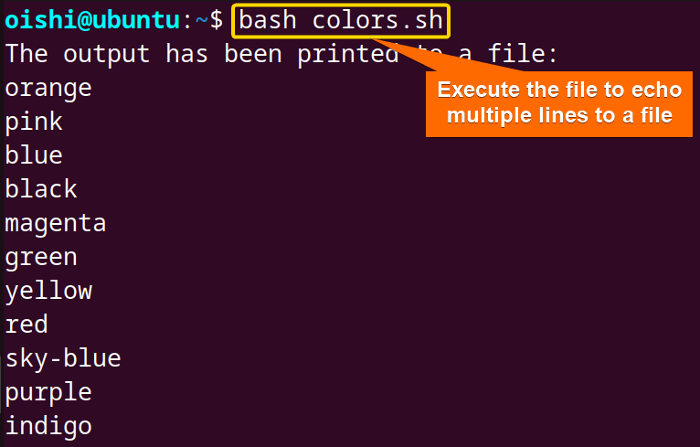
The contents are printed to the file. Here I have used>it because I created a new file. If you want to print the text to an existing file then you can use the>>operator.
Using "echo" Command with Newline Character
The newline character is a special character that implies the end of a line and the beginning of a new line. You can use the\nto create multiline.
To echo multiline to a file, use the newline character\nat the end of every line. Here is how:
#! /bin/bash
echo -e "The name of some countries:\nArgentina\nArmenia\nAustralia\nAustria\nUnited States\nUruguay\nUzbekistan" > countries.txt
echo "Using newline character print multiple lines:"
cat countries.txt
Bash
EXPLANATION
The-eoption with echo is used to interpret the backslash escape in the string. The\nrepresents the newline character which prints the text into the new line. To save the output to a file I have used redirection>which redirects to a file named countries.txt.
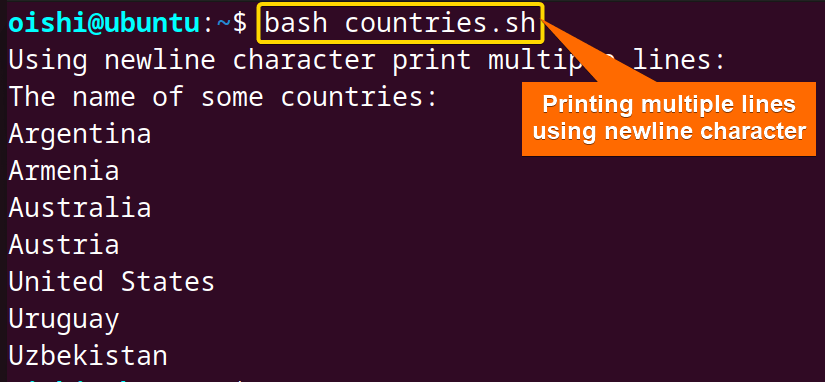
From the output, you can see each newline character creates a new line and by using it you can echo multiple lines.
2. Echo Multiline to a File in Bash Using "printf" Command
The printf is a command line utility that is widely used to format and print text. This command provides more formatted and flexible output than echo. The basic syntax of printf isprintf "format specifier" [argument]. You can also print multiple lines using the printf command.
You can copy the following code:
#!  /bin/bash
printf "Hello everyone. \nMy name is %s.\n" $(whoami) > printfile.txt
printf "Echo multiple lines into a file:\n"
cat printfile.txt
Bash
EXPLANATION
Here%scan be used to treat the input as a string and\nadds a new line character after each line. whoami returns the current user name and$()returns the output. This output is printed in a file with a redirection operator>and a catcommand is used to display the printed file.
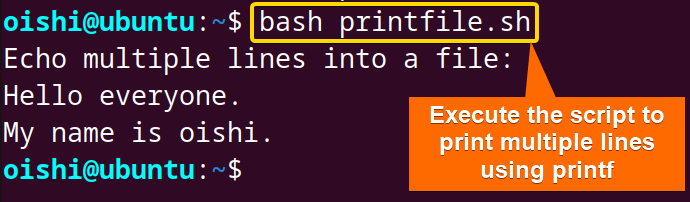
With printf, you can use all the methods to echo multiple lines like the echo command.
3. Using Here Document to Echo Multiline to a File in Bash
Here document is a process to specify a block of text within the script and allow one to print multiple lines. The basic syntax of here doc is:
command << DELIMITER
Line1
Line2
DELIMITER
Here theDELIMITERis case-sensitive which indicates the beginning and the end of a line.
Let's see the process to print multiple lines with the here document.
Using "cat" Command
The cat command is a command line utility and you can use it to concatenate and display the contents of the file. To echo multiline. you can use the cat command with the here doc.
Here is how:
#! /bin/bash
cat <<EOF> catt.txt
Armenia
Australia
Austria
United States
EOF
echo "After writing multiline to the file the output:"
cat catt.txt
Bash
EXPLANATION
The<<EOFis the beginning of the text and with the delimiter EOF at the last, it indicates the end of the text. The value is redirected to a file using the>operator. At the end, the cat command displays the content of the file.
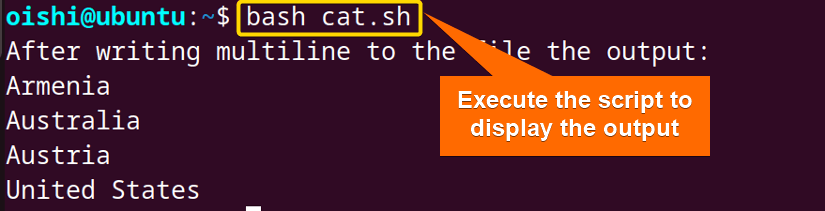
Replace the filenamecat.shwith your preferred name in which you save the code. Multiple lines will be printed on thecatt.txt file.
Using "read" Command
The read command processes the lines of the file and assigns each line to a variable. The loop command exits once the processing is complete. The syntax of the read command isread [option] [variable]. The options of the read command are "-r", "-n", "-t", and "-p". It takes the value provided by the user and stores it in the name variable. With the here doc you can also use the read command to print multiple lines.
To print multiline to a file, use the below code:
#! /bin/bash
read -r -d '' multiple_line <<EOF
The atmosphere is not a perfume.
It has no taste of the distillation.
The smoke of my own breath.
EOF
echo "$multiple_line" > readable.txt
echo " Printing multiple lines with read command:"
cat readable.txt
Bash
EXPLANATION
The-roption disables the backslash escaping. The-d ''indicates the delimiter set at space which means that it reads until the first command is encountered. In the$multiple_linevariable the value between the <<EOF and EOF has been assigned.
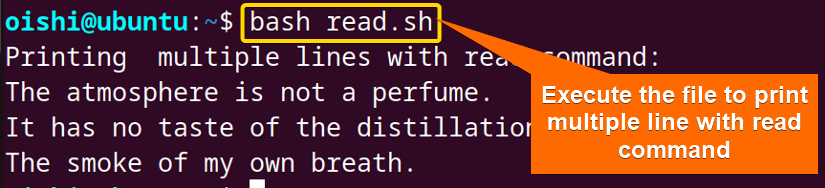
You can change the file name according to your preference here which isread.sh. The output is printed to the readable.txt file which is shown using thecat.
Conclusion
In this article, three methods are shown to echo multiple lines . For simple text, one can easily use the echo command with some options that enable the user to handle the special characters. On the other hand for extensive formatting, one can use the printf command with which you can also print multiple lines. For echoing multiple lines, the use of the here document is the better option.