离线安装包
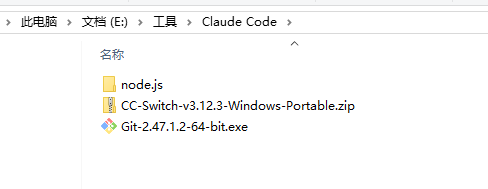
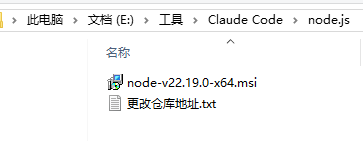
一,环境安装
1.安装Node.js、npm和git,下载地址在最后
2.版本如下
bash
C:\Users\Administrator>node -v
v22.19.0

C:\Users\Administrator>npm -v
10.9.3

C:\Users\Administrator>git -v
git version 2.47.1.windows.2

C:\Users\Administrator>
二,安装 Claude Code
1.打开Windows PowerShell
2.设置仓库地址
bash
npm config set registry http://registry.npmmirror.com3.下载安装
bash
npm install -g @anthropic-ai/claude-code4.验证
bash
PS C:\Users\Administrator> claude -v
2.1.176 (Claude Code)
三,下载cc-switchCC-Switch-v3.12.3,以便配置模型
1.下载地址:下载地址在最后
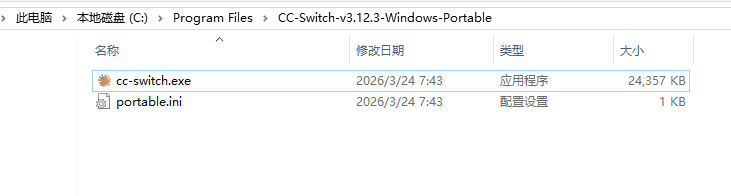
2.双击运行
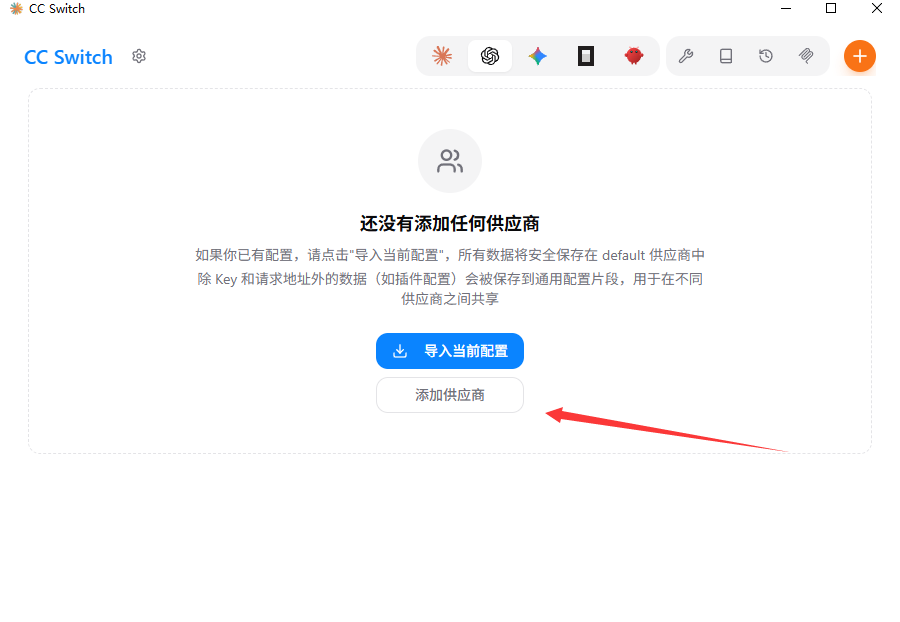
3.点击添加供应商
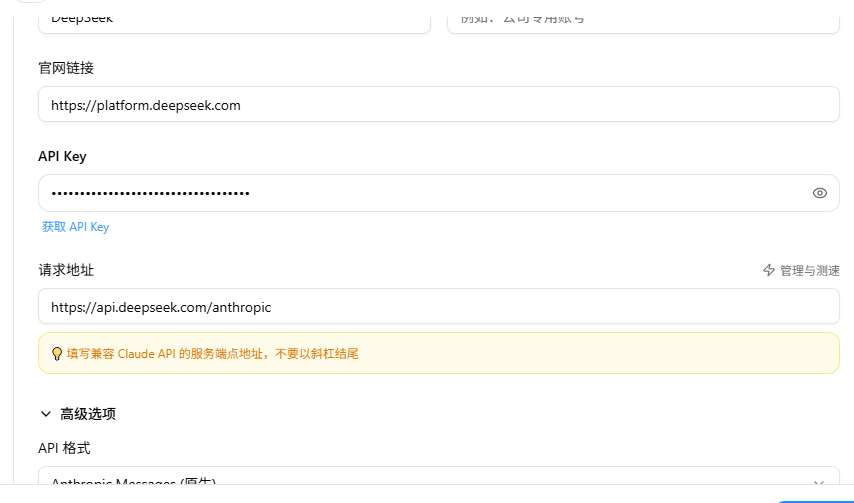
4.选择deepseek,并下滑窗体写入配置
-
请求地址不要改,https://api.deepseek.com/anthropic 。然后填入你的apikey
-
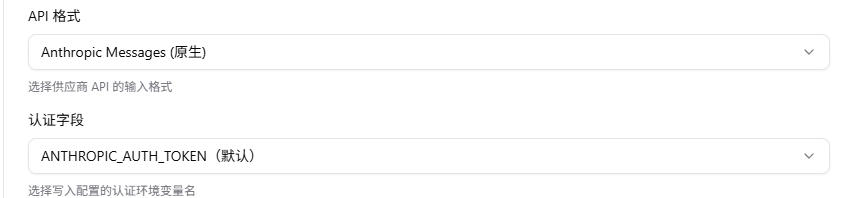
下面两个不要改
-
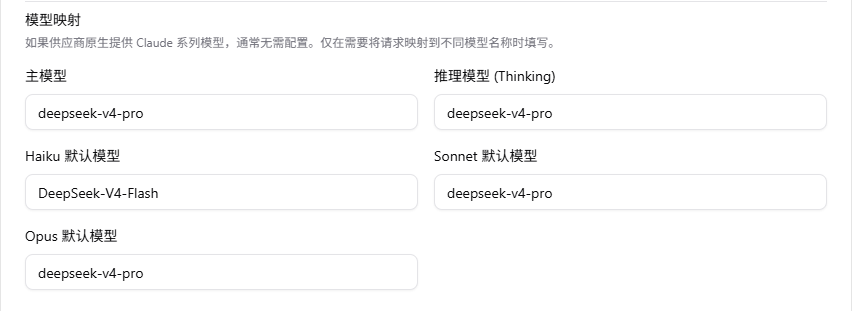
模型填入:
主模型 DeepSeek-V4-Pro
Haiku 默认模型 DeepSeek-V4-Flash
Sonnet 默认模型 DeepSeek-V4-Pro
Opus 默认模型 DeepSeek-V4-Pro
-
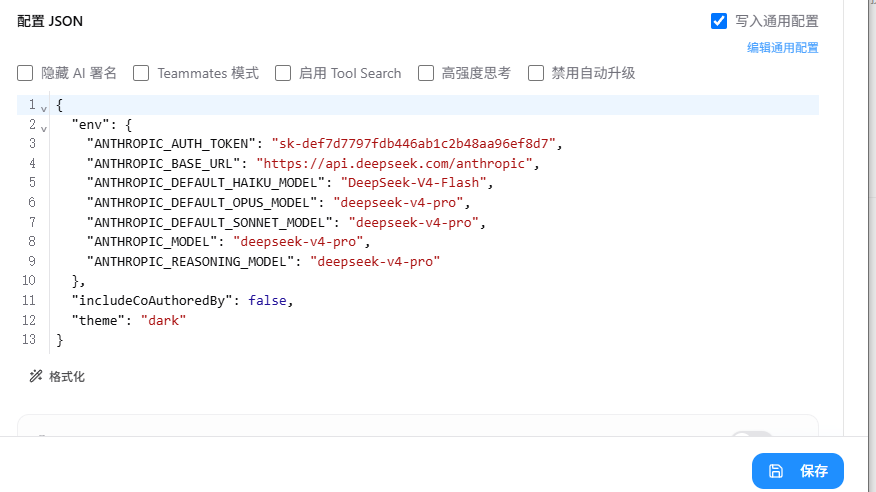
后面保持默认,然后点击保存:
-
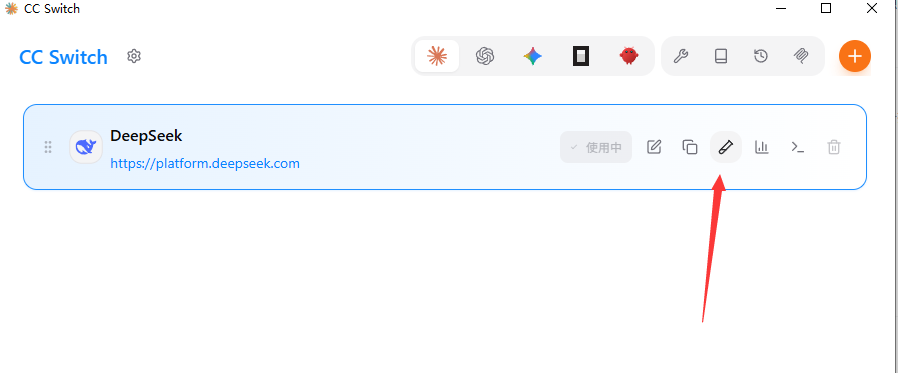
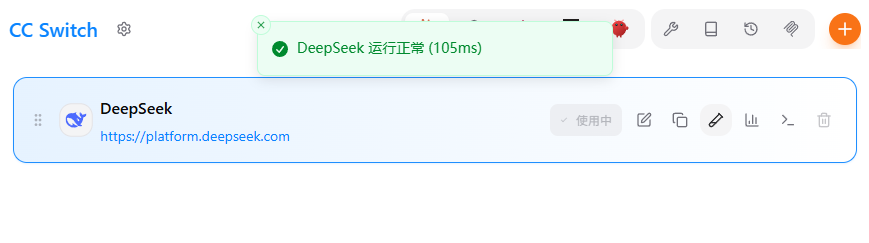
5.测试模型
四,运行claude
1.在PowerShell输入Claude,第一次会出现一个选择,直接Enter
bash
PS C:\Users\Administrator> Claude

────────────────────────────────────────────────────────────────────────────────────────────────────────────────────────
 Accessing workspace:

 C:\Users\Administrator

 Quick safety check: Is this a project you created or one you trust? (Like your own code, a well-known open source
 project, or work from your team). If not, take a moment to review what's in this folder first.

 Claude Code'll be able to read, edit, and execute files here.

 Security guide

 > 1. Yes, I trust this folder
   2. No, exit

 Enter to confirm · Esc to cancel
2.输入你是谁测试:
bash
PS C:\Users\Administrator> Claude
╭─── Claude Code v2.1.176 ─────────────────────────────────────────────────────────────────────────────────────────────╮│                                         │ Tips for getting started                                                   ││              Welcome back!              │ Run /init to create a CLAUDE.md file with instructions for Claude          ││                                         │ Note: You have launched claude in your home directory. For the best exper... ││                 ▐▛███▜▌                 │ ────────────────────────────────────────────────────────────────────────── ││                ▝▜█████▛▘                │ What's new                                                                 ││                  ▘▘ ▝▝                  │ Check the Claude Code changelog for updates                                ││                                         │                                                                            ││   deepseek-v4-pro · API Usage Billing   │                                                                            ││         C:\Users\Administrator          │                                                                            │╰──────────────────────────────────────────────────────────────────────────────────────────────────────────────────────╯
 ‼ 1 setup issue: plugins · /doctor

> 你是谁
  Thought for 2s (ctrl+o to expand)

● 我是 Claude Code,Anthropic 的 CLI 工具。我被设计成一个交互式编程助手,可以帮助你完成软件工程任务------比如阅读/编写代码、  搜索代码库、运行命令、调试问题、管理 Git 仓库等。

  我的工作目录目前是 C:\Users\Administrator,运行在 Windows 10 上,使用 bash shell。

  有什么我可以帮你的吗?

✻ Cogitated for 3s

────────────────────────────────────────────────────────────────────────────────────────────────────────────────────────
>