提示:文章写完后,目录可以自动生成,如何生成可参考右边的帮助文档
文章目录
- [Claude Code](#Claude Code)
-
-
-
- [Claude Code官方文档:https://code.claude.com/docs/zh-CN/overview(https://code.claude.com/docs/zh-CN/overview)](#Claude Code官方文档:https://code.claude.com/docs/zh-CN/overview)
-
- [1.1. Claude Code介绍](#1.1. Claude Code介绍)
- [1.2. Claude Code安装](#1.2. Claude Code安装)
-
- 1) window安装git window安装git)
- 2)window 安装 nodejswindow 安装 nodejs)
- 3) xxxx xxxx)
- 4) window安装ClaudeCode window安装ClaudeCode)
- 5) 配置环境变量 配置环境变量)
- 6) 启动Claude并测试 启动Claude并测试)
- [1.3. JetBrains IDEs集成](#1.3. JetBrains IDEs集成)
-
Claude Code
Claude Code官方文档:https://code.claude.com/docs/zh-CN/overview
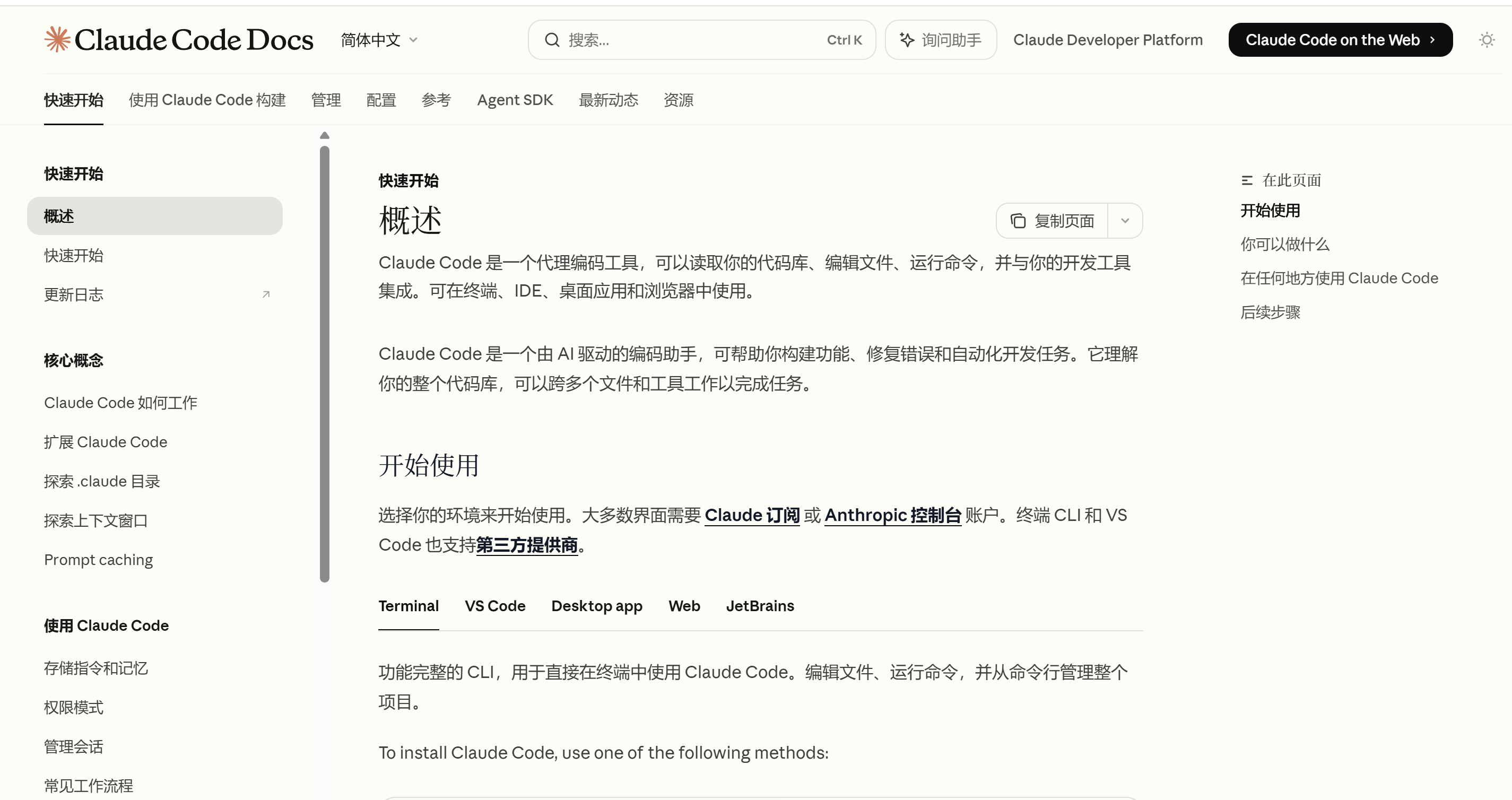
1.1. Claude Code介绍

1.2. Claude Code安装
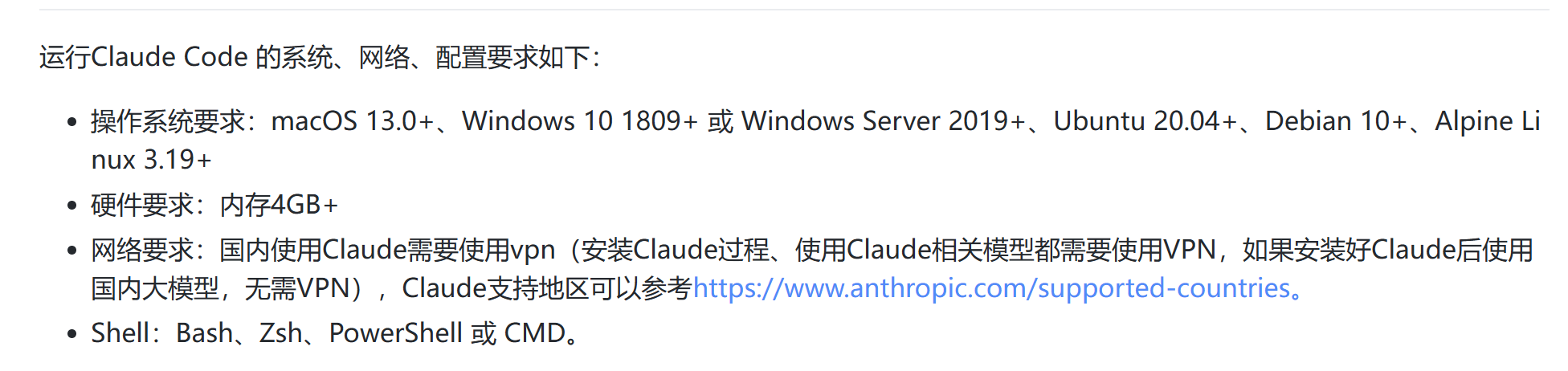
Claude在不同平台中安装命令如下:
#macOS, Linux, WSL
curl -fsSL https://claude.ai/install.sh | bash
#Windows PowerShell:
irm https://claude.ai/install.ps1 | iex
#Windows CMD:
curl -fsSL https://claude.ai/install.cmd -o install.cmd && install.cmd && del install.cmd

1) window安装git
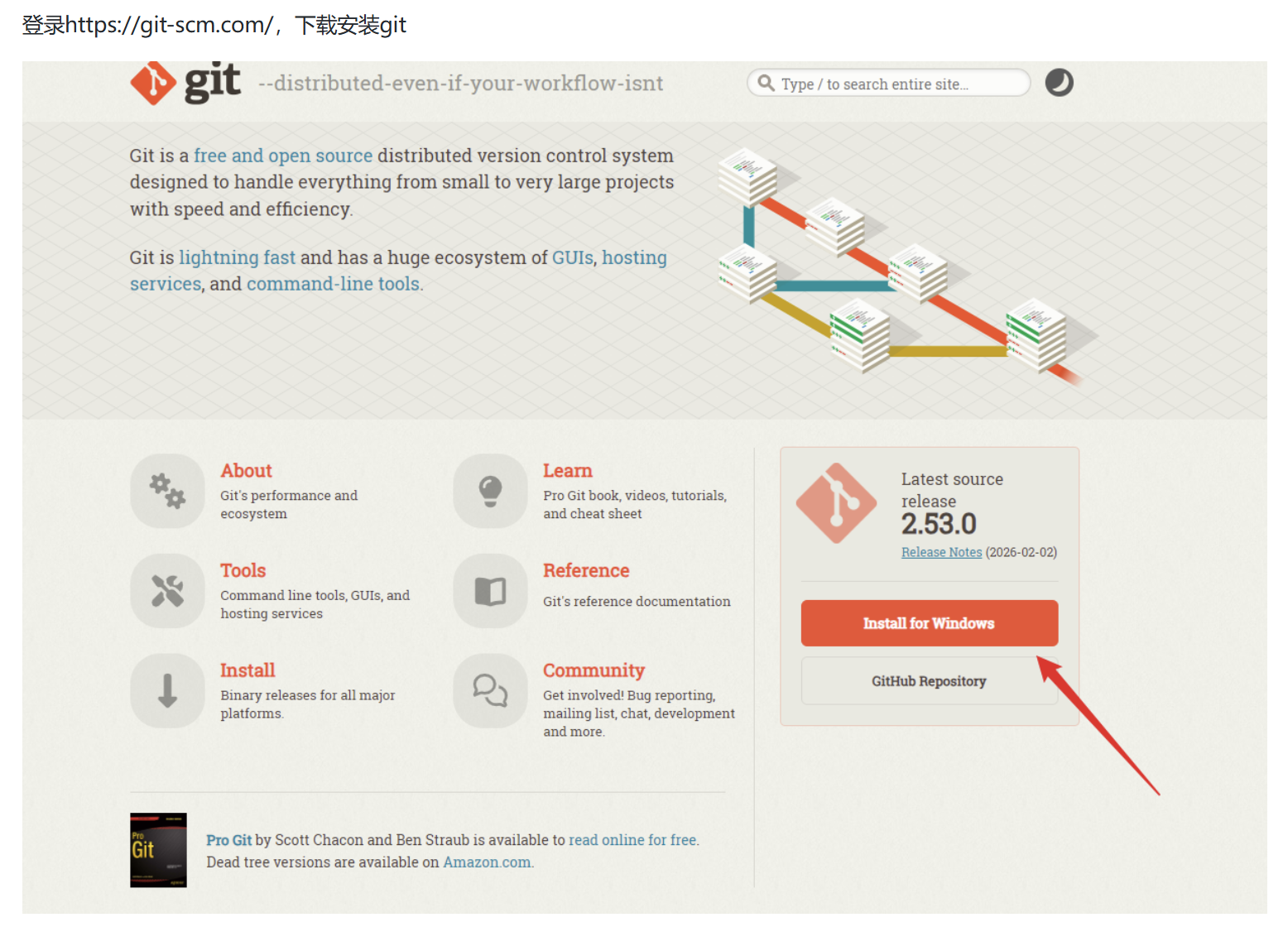
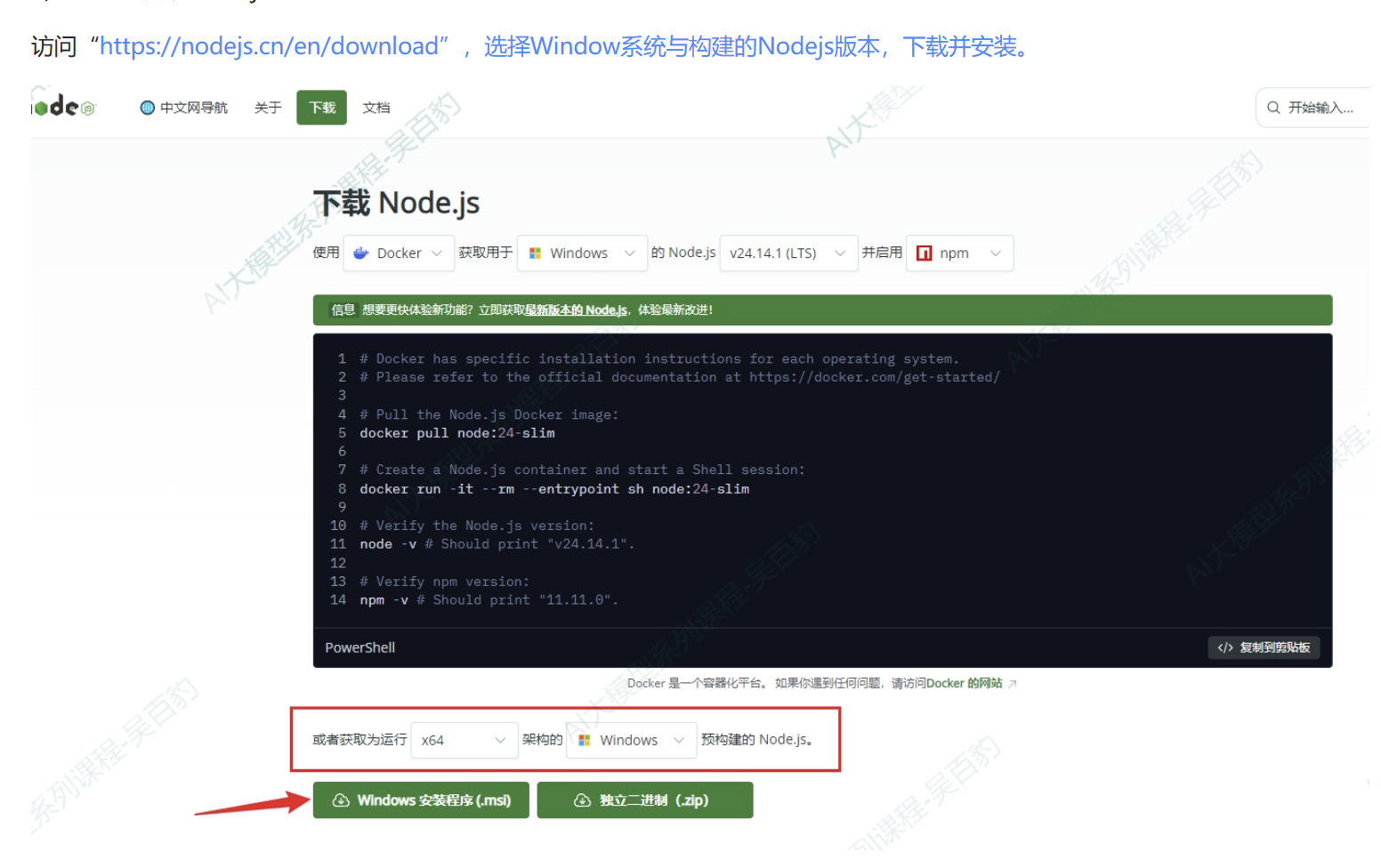
2)window 安装 nodejs
3) xxxx
4) window安装ClaudeCode
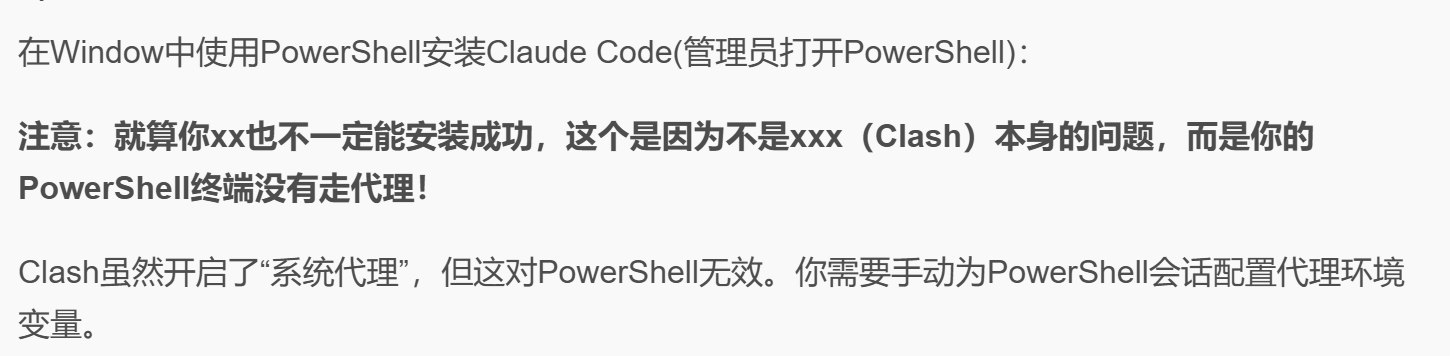
$env:HTTP_PROXY="http://127.0.0.1:<你的代理端口>"
$env:HTTPS_PROXY="http://127.0.0.1:<你的代理端口>"
(powershell 管理员模式)安装ClaudeCode的通用命令
irm https://claude.ai/install.ps1 | iex
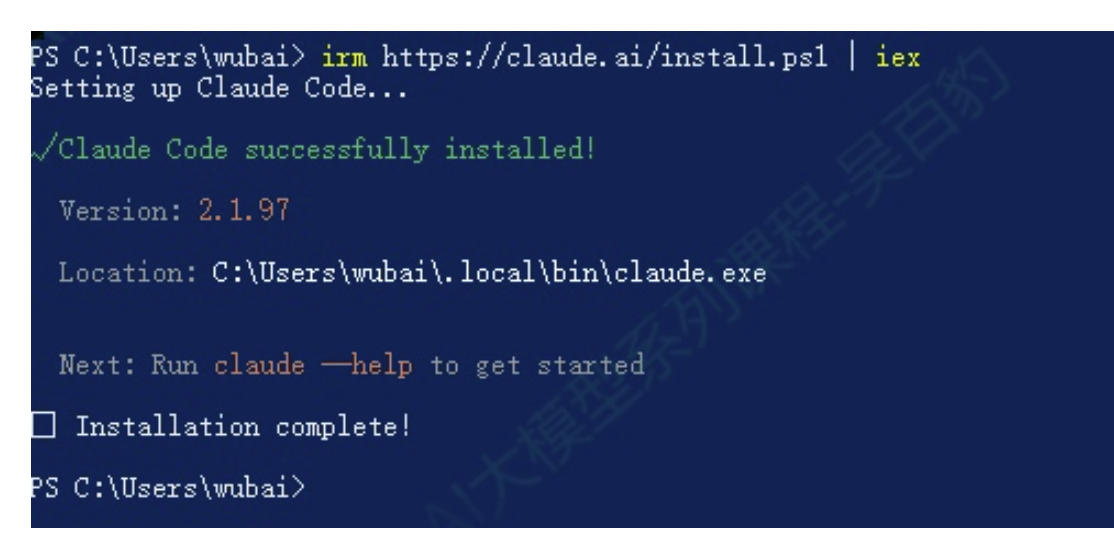
按照过程中有任何故障参考这里:https://code.claude.com/docs/zh-CN/troubleshooting
5) 配置环境变量
- 1.系统变量 path 新建条目
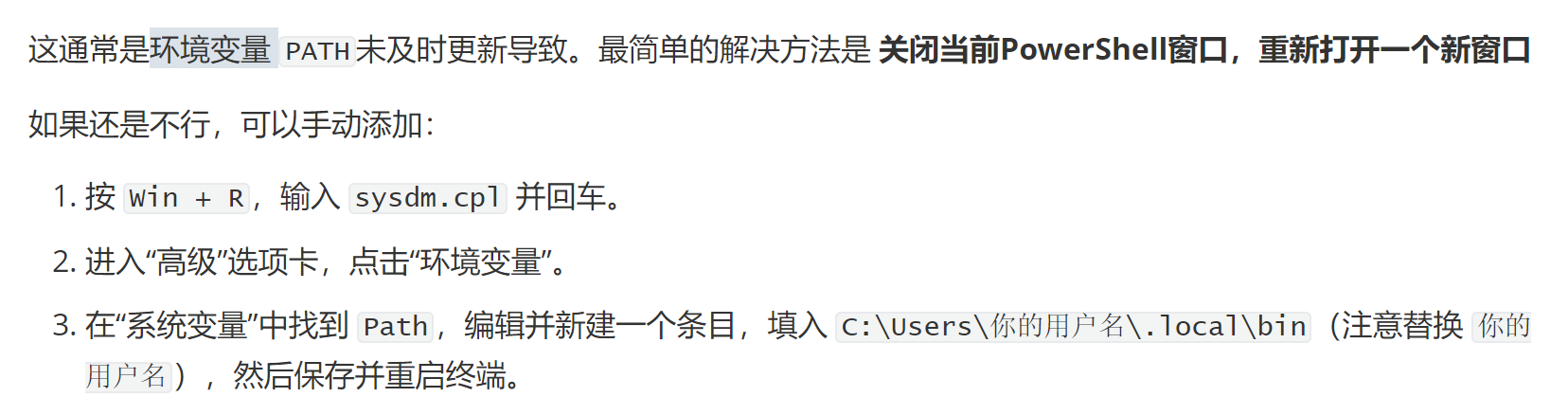
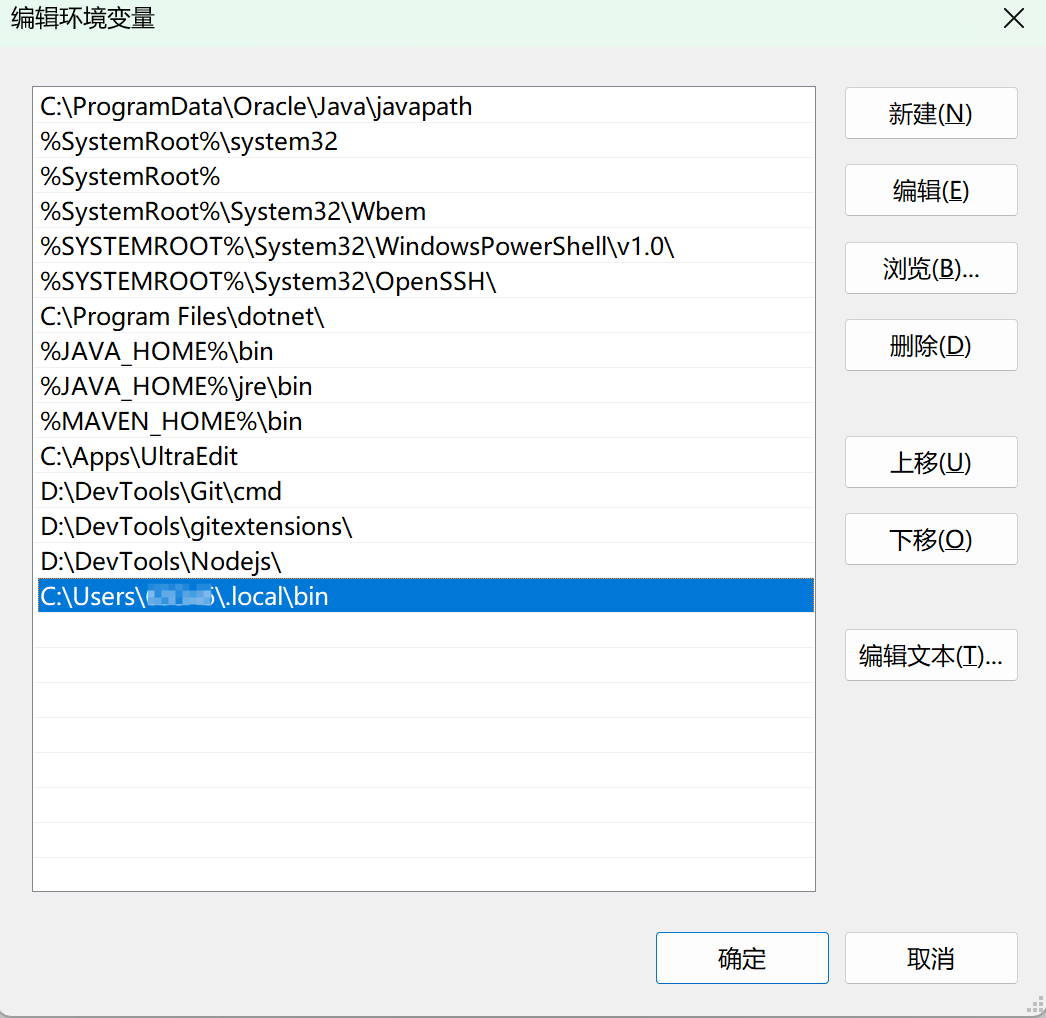
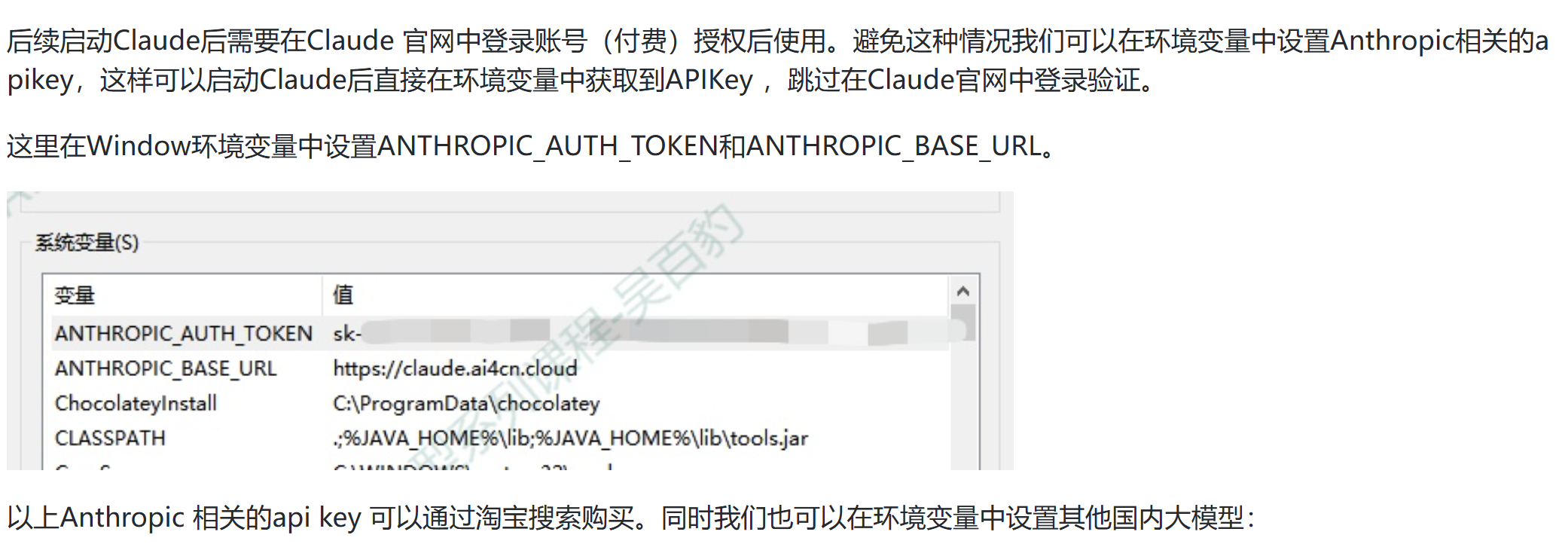
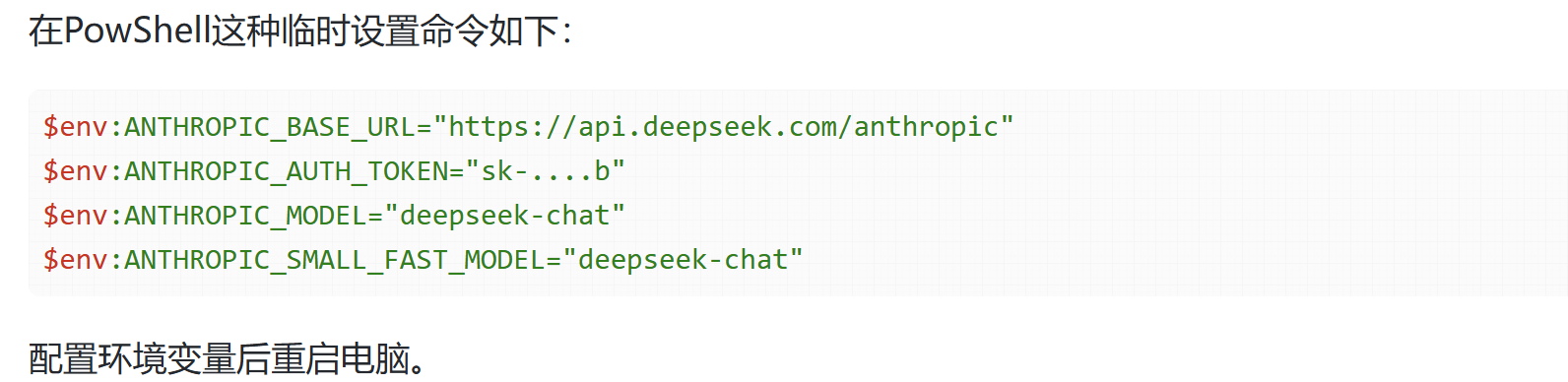
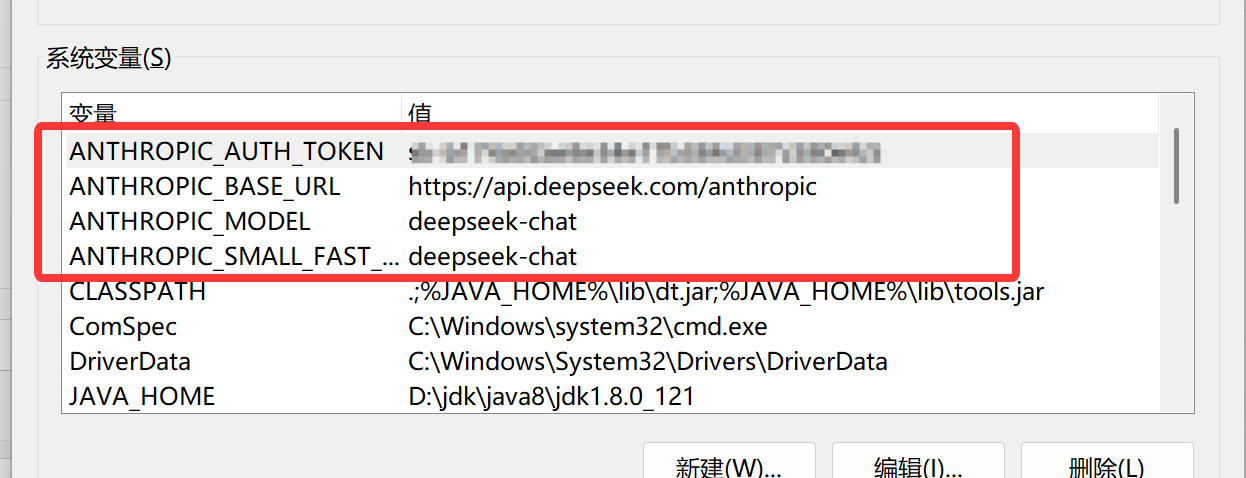
- 2.新增环境变量
#deepseek模型,128K上下文
ANTHROPIC_BASE_URL="https://api.deepseek.com/anthropic"
ANTHROPIC_AUTH_TOKEN="sk-...b"
ANTHROPIC_MODEL="deepseek-chat"
ANTHROPIC_SMALL_FAST_MODEL="deepseek-chat"
#qwen3.5-plus模型,1M上下文(价格贵,慎重)ANTHROPIC_BASE_URL="https://dashscope.aliyuncs.com/api/v2/apps/claude-code-proxy"
ANTHROPIC_AUTH_TOKEN="sk-...e44"
ANTHROPIC_MODEL="qwen3.5-plus"
ANTHROPIC_SMALL_FAST_MODEL="qwen3.5-plus"
注意:qwen3.5-plus模型介绍页面:https://bailian.console.aliyun.com/cn-beijing?tab=model#/model-market/detail/qwen3.5-plus?serviceSite=asia-pacific-china
6) 启动Claude并测试
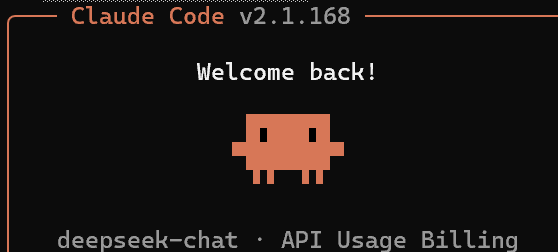
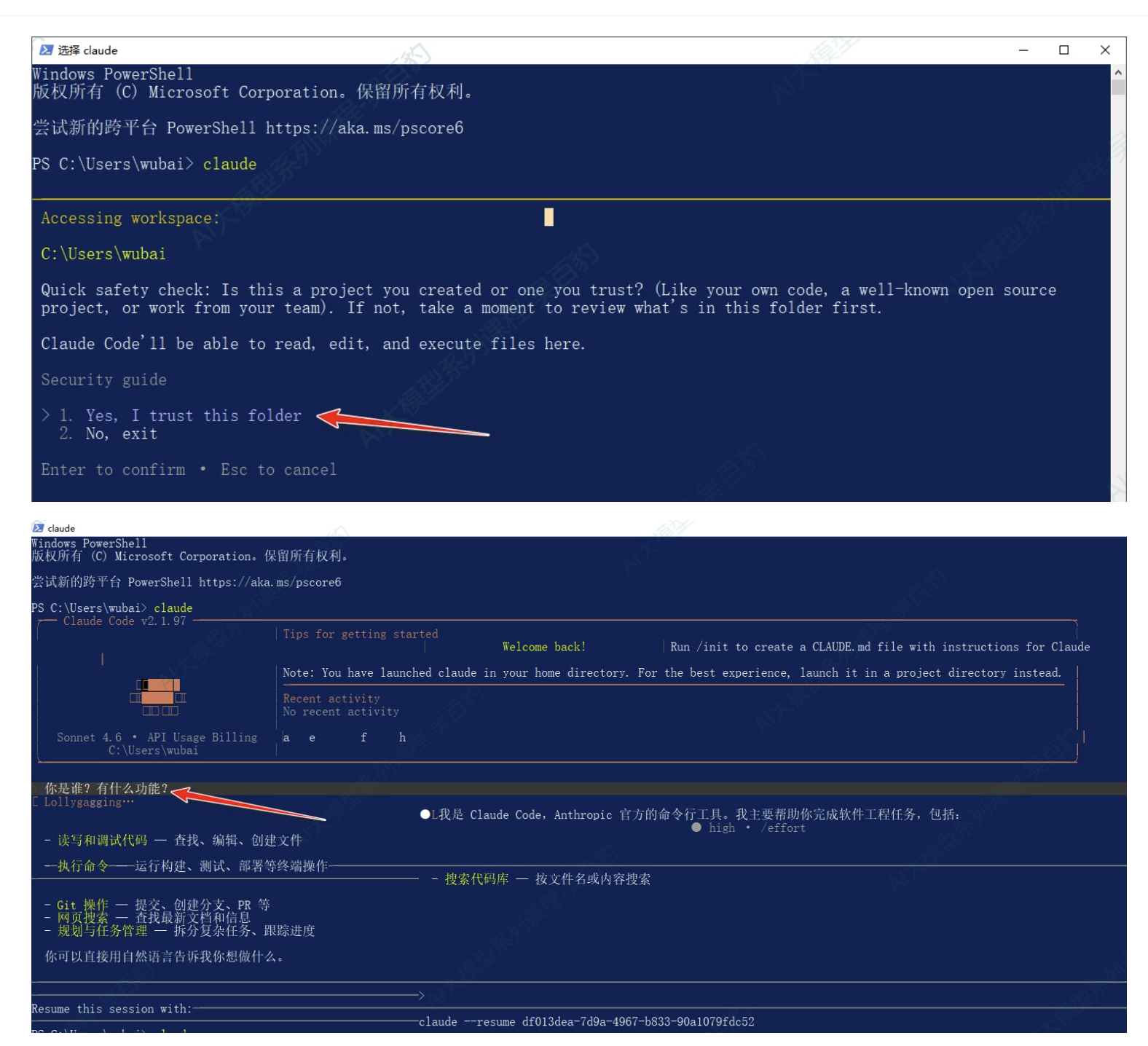
打开PowerShell ,输入Claude进入Claude并可以进行对话。
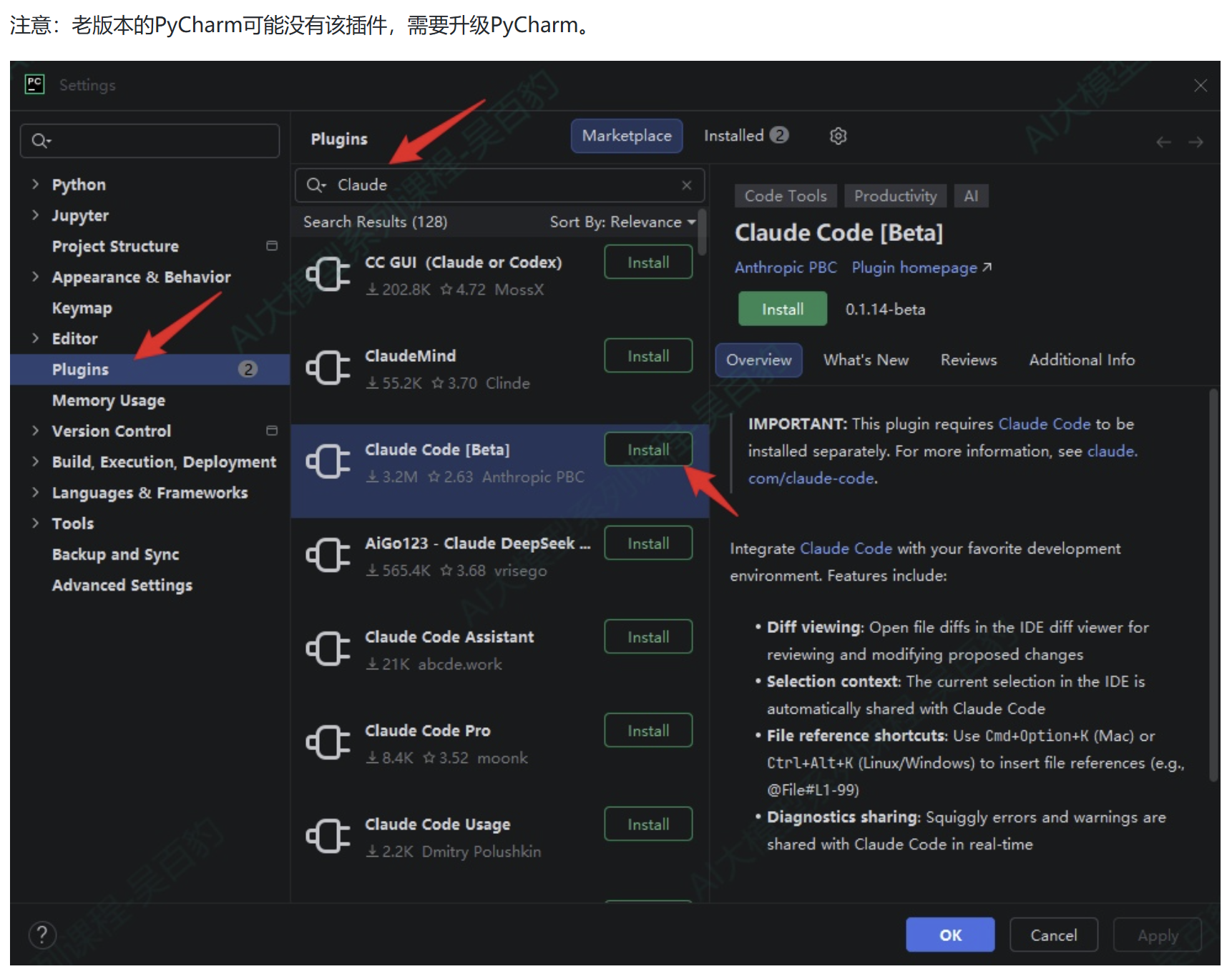
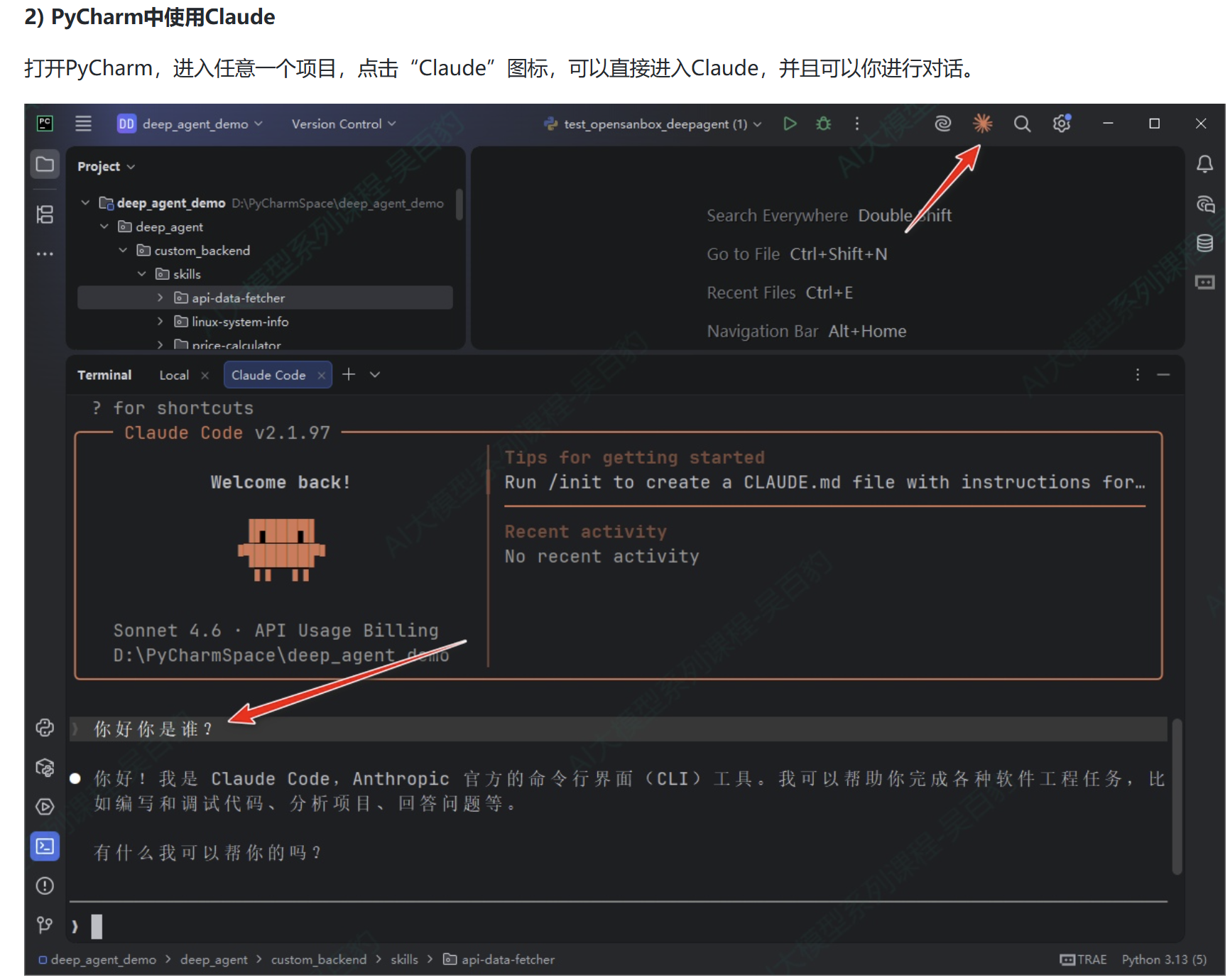
1.3. JetBrains IDEs集成