鸿蒙原生应用开发实战(二):ArkTS组件化构建首页------钓点列表与底部导航
前言
上一篇我们完成了项目的初始化搭建,本篇正式开始编码!我们将构建"钓点日记"App的首页,包含:
- 天气卡片(展示当日天气)
- 附近钓点列表(含评分、距离、鱼种标签)
- 底部导航栏(4个Tab)
- 空状态处理
- 页面路由跳转
通过本篇文章,你将掌握 ArkTS组件化开发 的核心技巧,学会 ForEach列表渲染 、条件渲染 、状态管理 等关键能力。
一、ArkTS 基础回顾
在动手之前,先回顾一下ArkTS的几个核心概念:
1.1 @Component + @Entry
typescript
@Entry        // 标记为页面入口
@Component    // 标记为可复用组件
struct Index {  // 使用struct定义组件
  build() {     // build方法描述UI结构
    Column() {
      Text('Hello World')
    }
  }
}
1.2 @State 状态管理
@State 装饰的变量会触发UI重新渲染:
typescript
@Component
struct Counter {
  @State count: number = 0;

  build() {
    Column() {
      Text('计数: ' + this.count)
      Button('点击+1').onClick(() => { this.count++ })
    }
  }
}
1.3 条件渲染
typescript
if (this.spots.length === 0) {
  // 空状态展示
} else {
  // 列表展示
}
1.4 循环渲染 ForEach
typescript
ForEach(this.spots, (spot: FishingSpot) => {
  // 渲染每个钓点卡片
}, (spot: FishingSpot) => spot.id.toString())
第三个参数是 键值生成函数,用于优化列表更新性能。
二、首页布局设计
2.1 页面结构分析
首页的UI结构分为三层:
┌─────────────────────────────┐
│          标题栏              │  Row + Text
├─────────────────────────────┤
│  ┌───────────────────────┐  │
│  │ 🌤️ 今日天气 晴 18°C  │  │  天气卡片
│  └───────────────────────┘  │
│                             │
│  附近钓点                    │  标题
│                             │
│  ┌───────────────────────┐  │
│  │ 月亮湾水库    12km    │  │
│  │ 城西区月亮湾          │  │  钓点卡片1
│  │ 水深: 3-5m   ★★★★☆  │  │
│  │ [鲫鱼] [鲤鱼] [草鱼]  │  │
│  └───────────────────────┘  │
│  ┌───────────────────────┐  │
│  │ 清溪河下游     8km    │  │
│  │ ...                   │  │  钓点卡片2
│  └───────────────────────┘  │
│                             │
├─────────────────────────────┤
│ 🏠 附近 │ 📝 记录 │ 🎒 装备 │ 👤 我的 │  底部导航
└─────────────────────────────┘
2.2 核心布局代码
使用 Column + Row 组合实现垂直和水平布局:
typescript
build() {
  Column() {
    // 1. 标题栏
    Row() { ... }

    // 2. 可滚动内容区
    Scroll() {
      Column() {
        // 天气卡片
        Row() { ... }

        // 钓点列表
        Text('附近钓点')
        if (...) {
          // 空状态
        } else {
          ForEach(...) { /* 钓点卡片 */ }
        }
      }
    }
    .layoutWeight(1)  // 占据剩余空间

    // 3. 底部导航
    Row() { ... }
    .height(60)
  }
  .width('100%')
  .height('100%')
}关键布局技巧:
layoutWeight(1)让中间区域自适应填充- 底部导航固定
height(60) - 外层
width('100%').height('100%')撑满全屏
三、数据模型定义
在ArkTS中,接口定义使用 interface 关键字。由于项目的严格模式要求,对象字面量必须有显式类型声明:
typescript
interface FishingSpot {
  id: number;
  name: string;
  location: string;
  waterDepth: string;
  fishTypes: string[];
  rating: number;
  distance: string;
}

interface RouteOpt {
  url: string;
  params?: Object;
}
数据通过 @State 管理,初始化时赋值:
typescript
@State spots: FishingSpot[] = [
  {
    id: 1,
    name: '月亮湾水库',
    location: '城西区月亮湾',
    waterDepth: '3-5m',
    fishTypes: ['鲫鱼', '鲤鱼', '草鱼'],
    rating: 4,
    distance: '12km'
  },
  // ... 更多钓点
];

@State weather: string = '晴 18°C 微风';
注意 :数组字面量必须能被推断类型。如果直接写
[{...}, {...}]会触发arkts-no-noninferrable-arr-literals规则,所以需要显式类型注解FishingSpot[]。
四、组件化构建详情
4.1 天气卡片
天气卡片使用水平布局,左侧显示天气图标,右侧显示文字:
typescript
Row() {
  Text('🌤️').fontSize(32)
  Column() {
    Text($r('app.string.weather_today'))
      .fontSize($r('app.float.small_font_size'))
      .fontColor($r('app.color.text_hint'))
    Text(this.weather)
      .fontSize($r('app.float.body_font_size'))
      .fontWeight(FontWeight.Medium)
      .margin({ top: 2 })
  }
  .margin({ left: 12 })
}
.width('100%')
.padding(16)
.backgroundColor($r('app.color.card_bg'))
.borderRadius($r('app.float.card_corner_radius'))知识点:
$r()引用资源,实现主题统一.borderRadius()圆角处理,视觉更柔和.fontWeight(FontWeight.Medium)文字粗细控制
4.2 钓点卡片
钓点卡片展示多种信息:名称、位置、距离、水深、评分和鱼种标签:
typescript
ForEach(this.spots, (spot: FishingSpot) => {
  Column() {
    // 第一行:名称 + 距离徽章
    Row() {
      Column() {
        Text(spot.name).fontSize(18).fontWeight(FontWeight.Medium)
        Text(spot.location).fontSize($r('app.float.small_font_size'))
          .fontColor($r('app.color.text_hint')).margin({ top: 4 })
      }
      Blank()  // 自动撑开
      Text(spot.distance)
        .fontSize($r('app.float.small_font_size'))
        .fontColor($r('app.color.text_secondary'))
        .backgroundColor($r('app.color.background'))
        .padding({ left: 8, right: 8, top: 2, bottom: 2 })
        .borderRadius(10)
    }

    // 第二行:水深 + 评分
    Row() {
      Text('水深: ' + spot.waterDepth)
      Blank()
      Row() {
        ForEach([1,2,3,4,5], (star) => {
          Text(star <= spot.rating ? '★' : '☆')
            .fontSize(16)
            .fontColor($r('app.color.rating_star'))
        })
      }
    }
    .margin({ top: 8 })

    // 第三行:鱼种标签
    Row() {
      ForEach(spot.fishTypes, (fish) => {
        Text(fish)
          .fontSize($r('app.float.badge_font_size'))
          .fontColor($r('app.color.primary'))
          .backgroundColor('#FFE3F2FD')
          .padding({ left: 8, right: 8, top: 2, bottom: 2 })
          .borderRadius(10)
          .margin({ right: 6 })
      })
    }
    .margin({ top: 8 })
  }
  .padding(16)
  .backgroundColor($r('app.color.card_bg'))
  .borderRadius($r('app.float.card_corner_radius'))
  .margin({ top: 8 })
  .onClick(() => {
    // 点击跳转到详情页
  })
}, (spot: FishingSpot) => spot.id.toString())设计亮点:
- Blank() 组件自动填充剩余空间,实现两端对齐
- 距离徽章:使用背景色+圆角,模拟Tag效果
- 星级评分 :三元运算符
★/☆结合条件判断 - 鱼种标签:蓝色文字+浅蓝背景,视觉区分
4.3 空状态处理
当钓点列表为空时,显示友好的空状态:
typescript
if (this.spots.length === 0) {
  Column() {
    Text('🎣').fontSize(60)
    Text($r('app.string.no_spots'))
      .fontSize($r('app.float.body_font_size'))
      .fontColor($r('app.color.text_hint'))
      .margin({ top: 16 })
  }
  .width('100%')
  .height(200)
  .justifyContent(FlexAlign.Center)
  .alignItems(HorizontalAlign.Center)
}
使用 FlexAlign.Center 和 HorizontalAlign.Center 实现水平和垂直居中。
五、底部导航栏实现
底部导航是App中最重要的交互组件之一。我们使用4个 Column 平分宽度:
typescript
Row() {
  // Tab 1: 附近(当前选中)
  Column() {
    Text('🏠').fontSize(22)
    Text('附近').fontSize(11).fontColor($r('app.color.primary'))
  }
  .layoutWeight(1)
  .alignItems(HorizontalAlign.Center)

  // Tab 2: 记录
  Column() {
    Text('📝').fontSize(22)
    Text('记录').fontSize(11).fontColor($r('app.color.text_hint'))
  }
  .layoutWeight(1)
  .alignItems(HorizontalAlign.Center)
  .onClick(() => {
    router.pushUrl({ url: 'pages/CatchRecordPage' })
  })

  // Tab 3: 装备
  Column() { ... }
  .onClick(() => {
    router.pushUrl({ url: 'pages/GearPage' })
  })

  // Tab 4: 我的
  Column() { ... }
  .onClick(() => {
    router.pushUrl({ url: 'pages/ProfilePage' })
  })
}
.width('100%')
.height(60)
.backgroundColor($r('app.color.card_bg'))设计要点:
layoutWeight(1)实现四个Tab均分宽度- 当前Tab的图标/文字使用主题色(primary),其他使用灰色
- 点击事件通过
router.pushUrl跳转到对应页面
思考 :这里使用
router.pushUrl而不是自定义Tab切换,是因为我们设计的是多页面架构。后续可以优化为使用Tabs组件实现更流畅的切换体验。
六、路由跳转与传参
点击钓点卡片时,需要跳转到详情页并传递钓点数据:
typescript
.onClick(() => {
  let p: SpotParams = { spotData: spot };
  let opt: RouteOpt = { url: 'pages/SpotDetailPage', params: p };
  router.pushUrl(opt);
})
对应的接口定义:
typescript
interface SpotParams {
  spotData: FishingSpot;
}

interface RouteOpt {
  url: string;
  params?: Object;
}
在详情页接收参数:
typescript
aboutToAppear(): void {
  const params = router.getParams() as SpotDetailParams;
  if (params && params.spotData) {
    this.spot = params.spotData;
  }
}
aboutToAppear 是组件的生命周期回调,在组件即将显示时触发,比 build() 执行更早,适合做数据初始化。
七、Scroll 滚动容器
当内容超过屏幕高度时,需要使用 Scroll 组件包裹:
typescript
Scroll() {
  Column() {
    // 天气卡片
    // 钓点列表
  }
  .width('90%')  // 两侧留白
}
.width('100%')
.layoutWeight(1) // 填充剩余空间注意:
Scroll只能有一个子组件- 内部用
Column包含所有内容 Scroll默认垂直滚动,无需显式指定方向
八、完整首页代码解读
最终首页 Index.ets 的核心结构如下:
typescript
import router from '@ohos.router';

interface FishingSpot { /* ... */ }
interface RouteOpt { /* ... */ }
interface SpotParams { /* ... */ }

@Entry
@Component
struct Index {
  @State spots: FishingSpot[] = [ /* 数据 */ ];
  @State weather: string = '晴 18°C 微风';

  build() {
    Column() {
      // 标题栏
      Row() { /* ... */ }

      Scroll() {
        Column() {
          // 天气卡片
          // 附近钓点标题
          // 空状态 或 钓点列表
        }
      }
      .layoutWeight(1)

      // 底部导航
      Row() { /* 4个Tab */ }
      .height(60)
    }
    .backgroundColor($r('app.color.background'))
  }
}
九、常见问题与避坑
9.1 严格模式下的对象字面量
鸿蒙的ArkTS严格模式(arkts-no-untyped-obj-literals)要求对象字面量必须有显式类型。解决方式:
typescript
// ❌ 错误
let spot = { name: '月亮湾', rating: 4 };

// ✅ 正确
let spot: FishingSpot = { id: 1, name: '月亮湾', ... };
9.2 ForEach 的 key 生成
ForEach 的第三个参数是键值生成函数,用于高效更新:
typescript
ForEach(arr,
  (item) => { /* 渲染 */ },
  (item) => item.id.toString()  // 唯一键
)
如果数据顺序不变但内容变化,使用索引作为key即可:
typescript
(item, index) => index.toString()9.3 资源引用路径
$r() 的路径格式:
$r('app.string.xxx')--- 应用级别字符串$r('app.color.xxx')--- 颜色资源$r('app.float.xxx')--- 尺寸资源$r('media.xxx')--- 图片资源
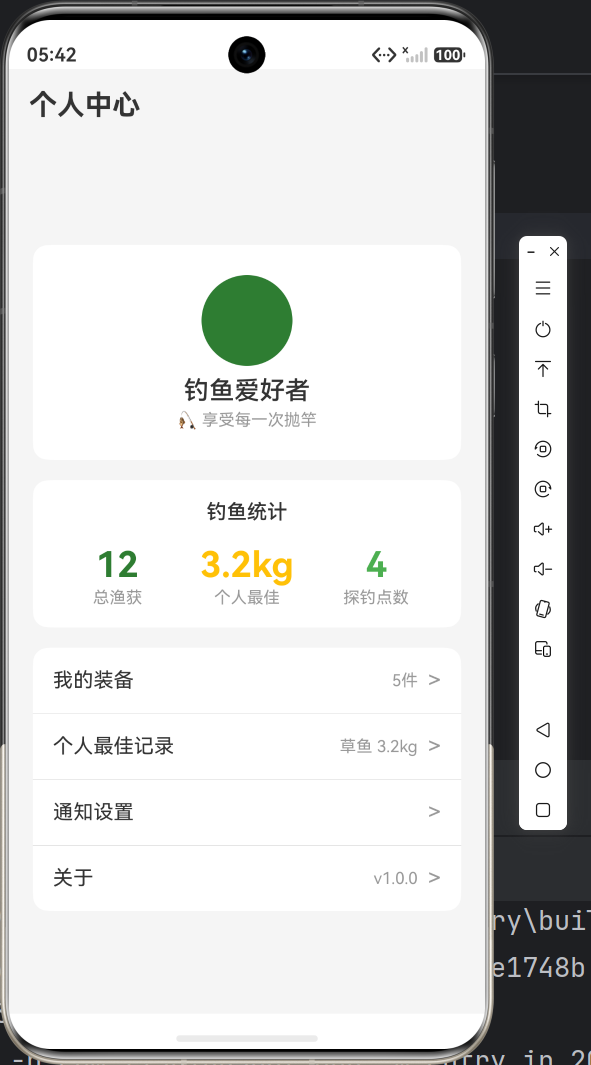
十、效果展示
完成首页开发后,你应该能看到:
- ✅ 顶部标题栏显示"附近钓点"
- ✅ 天气卡片展示今日天气
- ✅ 3个钓点卡片,包含名称、位置、水深、评分和鱼种标签
- ✅ 底部导航四个Tab,点击可跳转
- ✅ 列表可滚动
总结
本篇我们完成了:
- ✅ ArkTS组件化开发的核心概念
- ✅ 首页布局的Column+Row层级设计
- ✅ 天气卡片和钓点卡片的组件构建
- ✅ 星级评分和标签徽章的自定义实现
- ✅ 底部导航栏与路由跳转
- ✅ 空状态和Scroll滚动处理
下一篇我们将继续开发 渔获记录、装备管理和个人中心 三个页面,深入讲解列表渲染、组件复用和状态管理的进阶技巧!
项目源码 :基于 HarmonyOS API 23 + Stage模型 + ArkTS
系列目录:
- 第一篇:项目初始化与环境配置
- 第二篇:首页与钓点列表开发(本篇)
- 第三篇:数据管理与多页面交互
- 第四篇:复杂页面与交互体验
- 第五篇:地图可视化与性能优化