小杨今天带了逆向2.0的课程实战:
自动化工具+传统修复文章链接:
https://xyjsp.blog.csdn.net/article/details/154915852?spm=1001.2014.3001.5502
1.0和2.0课程实战的区别在哪里?1.0从零反编译,需要懂一点java,2.0非技术人员,不懂代码也能完成对代码的反编译。
统计命令:dir /b /s *.java | find /c ".java"
修复率 = 500 ÷ 537 × 100% = 93.1%
剩余报错占比 = 387 ÷ 25,729 × 100% = 1.50%
2.0实战不需要懂代码,可直接执行工具逆向修复报错生成源码。
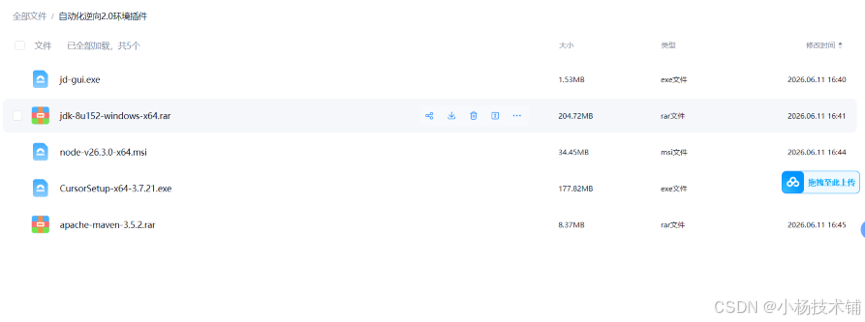
环境工具软件:
通过网盘分享的文件:环境工具
链接: https://pan.baidu.com/s/1rXKJGDJWE7KUbAVngLWSLw 提取码: care
jdk环境和maven环境
Maven环境本地配置脚本
Mvn本地脚本打包命令:解压jar包里面的依赖lib放到本地文件目录然后编写批量处理脚本 可以执行mian方式,这里写的javademo,如果通过工具下载的会自动生成install和pom文件
package com.decompiler.utils;

import lombok.extern.slf4j.Slf4j;

import java.io.File;
import java.io.IOException;
import java.nio.file.Files;
import java.nio.file.Paths;
import java.util.List;
import java.util.regex.Matcher;
import java.util.regex.Pattern;

@Slf4j
public class JarListToMavenUtil {


    public static boolean genderMavenInstall(List<String> jarNameList, String jarDirPath, String installFile, String pomPath){
        // 正则匹配:xxx-1.0.0.jar → artifactId=xxx, version=1.0.0
        Pattern pattern = Pattern.compile("(.+)-([\\d\\.A-Za-z]+)\\.jar");

        StringBuilder installSb = new StringBuilder();
        StringBuilder pomSb = new StringBuilder();

        try {
            for (String line : jarNameList) {
                String jarName = line.trim();
                if (jarName.isEmpty()) continue;

                Matcher m = pattern.matcher(jarName);
                String artifactId;
                String version;

                if (m.matches()) {
                    artifactId = m.group(1);
                    version = m.group(2);
                } else {
                    artifactId = jarName.replace(".jar", "");
                    version = "1.0";
                }

                // 修复:确保路径有分隔符
                String fullJarPath;
                if (jarDirPath.endsWith(File.separator)) {
                    fullJarPath = jarDirPath + jarName;
                } else {
                    fullJarPath = jarDirPath + File.separator + jarName;
                }

                // Maven install 命令
                installSb.append(String.format(
                        "mvn install:install-file -Dfile=%s -DgroupId=com.local.lib -DartifactId=%s -Dversion=%s -Dpackaging=jar -DgeneratePom=true",
                        fullJarPath, artifactId, version
                )).append(System.lineSeparator());

                // POM dependency
                pomSb.append("<dependency>\n")
                        .append("    <groupId>com.local.lib</groupId>\n")
                        .append("    <artifactId>").append(artifactId).append("</artifactId>\n")
                        .append("    <version>").append(version).append("</version>\n")
                        .append("</dependency>\n\n");
            }

            // 写入文件
            Files.write(Paths.get(installFile), installSb.toString().getBytes());
            Files.write(Paths.get(pomPath), pomSb.toString().getBytes());

            System.out.println("生成完成:\n" + installFile + "\n" + pomPath);
            return true;
        } catch (Exception e){
            log.error("genderMavenInstall error:{}",e.getMessage());
            return false;
        }
    }

    public static void main(String[] args) throws IOException {
        // 1. 输入 txt 路径
        String inputFile = "D:\\lib\\jar.txt"; // 修改成你的txt路径
        // 2. jar 文件所在目录(mvn install用)
        String jarDir = "D:\\lib"; // 修改成你的jar目录

        // 3. 输出文件路径
        String installFile = "D:\\lib\\install.txt";
        String pomFile = "D:\\lib\\pom.txt";

        // 正则匹配:xxx-1.0.0.jar → artifactId=xxx, version=1.0.0
        Pattern pattern = Pattern.compile("(.+)-([\\d\\.A-Za-z]+)\\.jar");

        StringBuilder installSb = new StringBuilder();
        StringBuilder pomSb = new StringBuilder();

        for (String line : Files.readAllLines(Paths.get(inputFile))) {
            String jarName = line.trim();
            if (jarName.isEmpty()) continue;

            Matcher m = pattern.matcher(jarName);
            String artifactId;
            String version;

            if (m.matches()) {
                artifactId = m.group(1);
                version = m.group(2);
            } else {
                artifactId = jarName.replace(".jar", "");
                version = "1.0";
            }

            // Maven install 命令
            installSb.append(String.format(
                    "mvn install:install-file -Dfile=%s%s -DgroupId=com.local.lib -DartifactId=%s -Dversion=%s -Dpackaging=jar   -DgeneratePom=true",
                    jarDir, jarName, artifactId, version
            )).append(System.lineSeparator());

            // POM dependency
            pomSb.append("<dependency>\n")
                    .append("    <groupId>com.local.lib</groupId>\n")
                    .append("    <artifactId>").append(artifactId).append("</artifactId>\n")
                    .append("    <version>").append(version).append("</version>\n")
                    .append("</dependency>\n\n");
        }

        // 写入文件
        Files.write(Paths.get(installFile), installSb.toString().getBytes());
        Files.write(Paths.get(pomFile), pomSb.toString().getBytes());

        System.out.println("生成完成:\n" + installFile + "\n" + pomFile);
    }
}
自动化工具逆向:
访问:
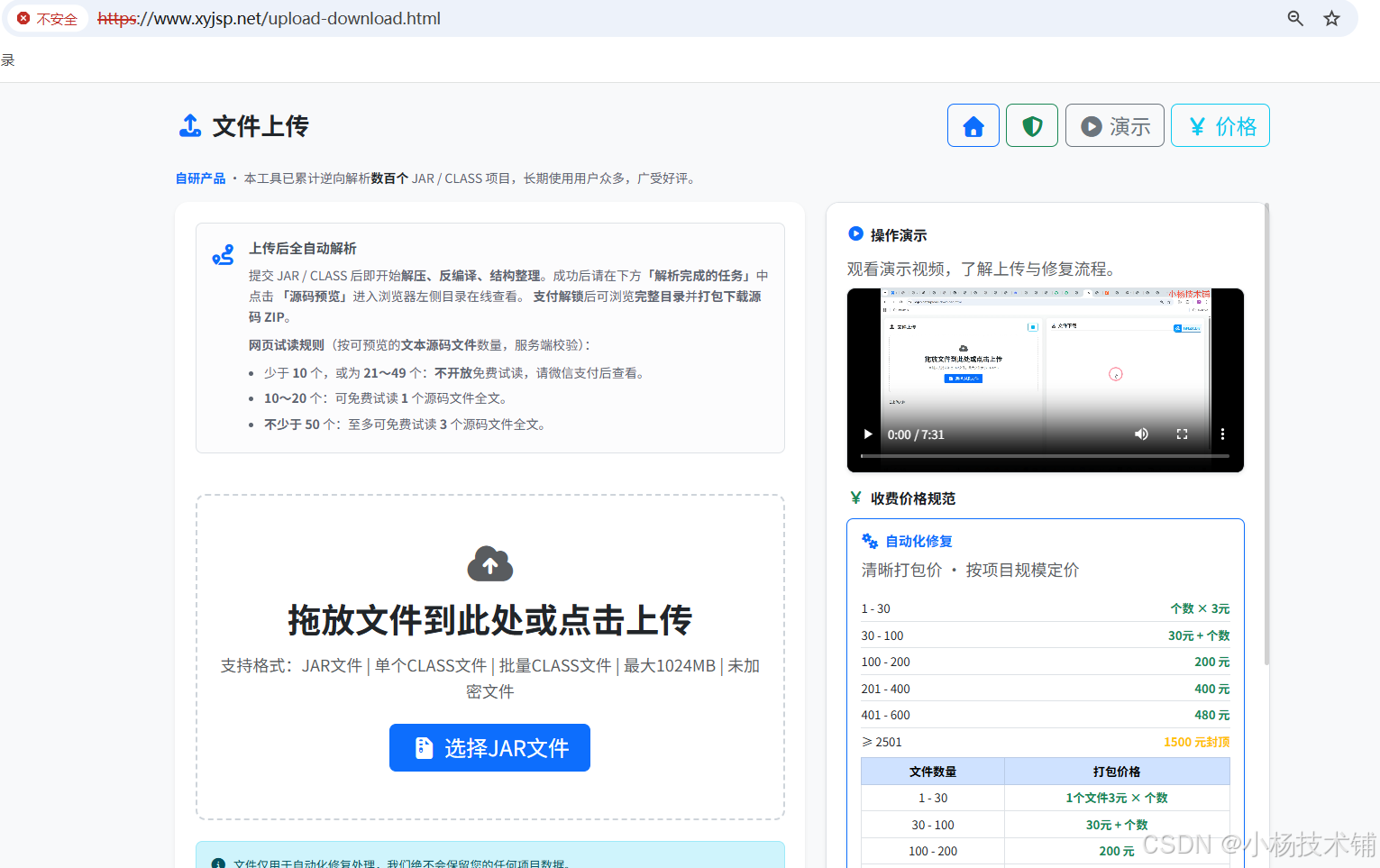
上传完成后自动逆向扫描:
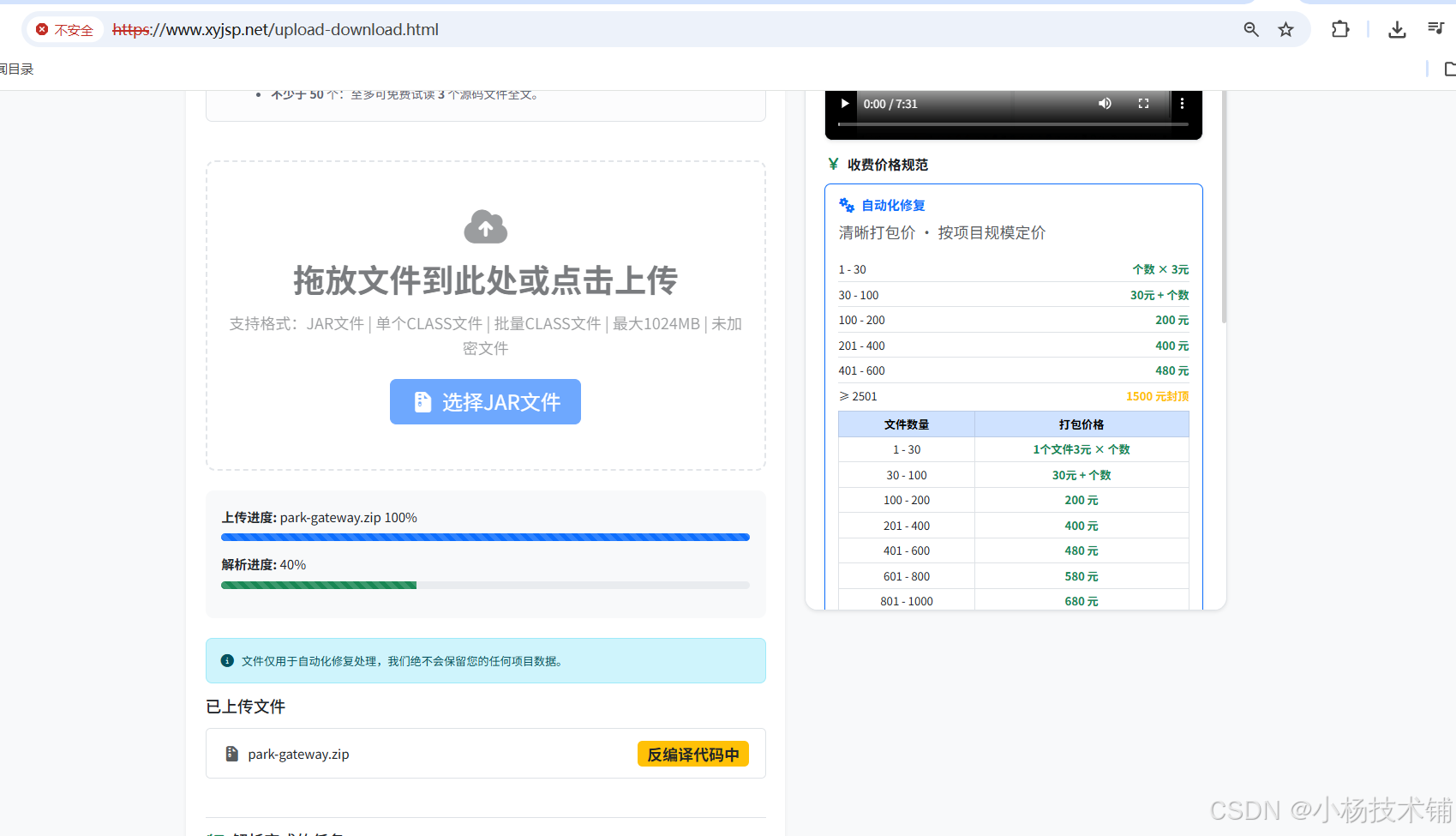
逆向完成到页面显示:
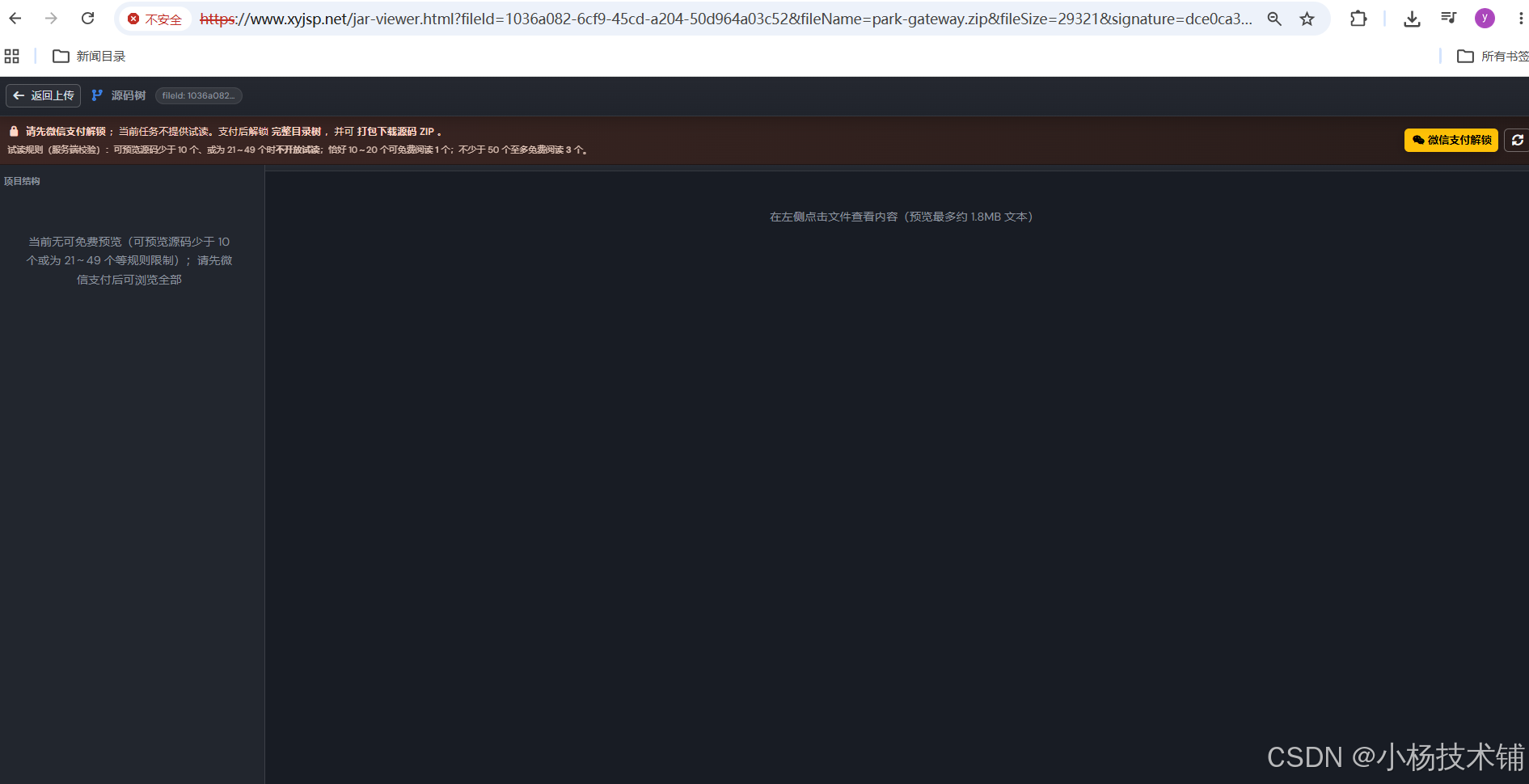
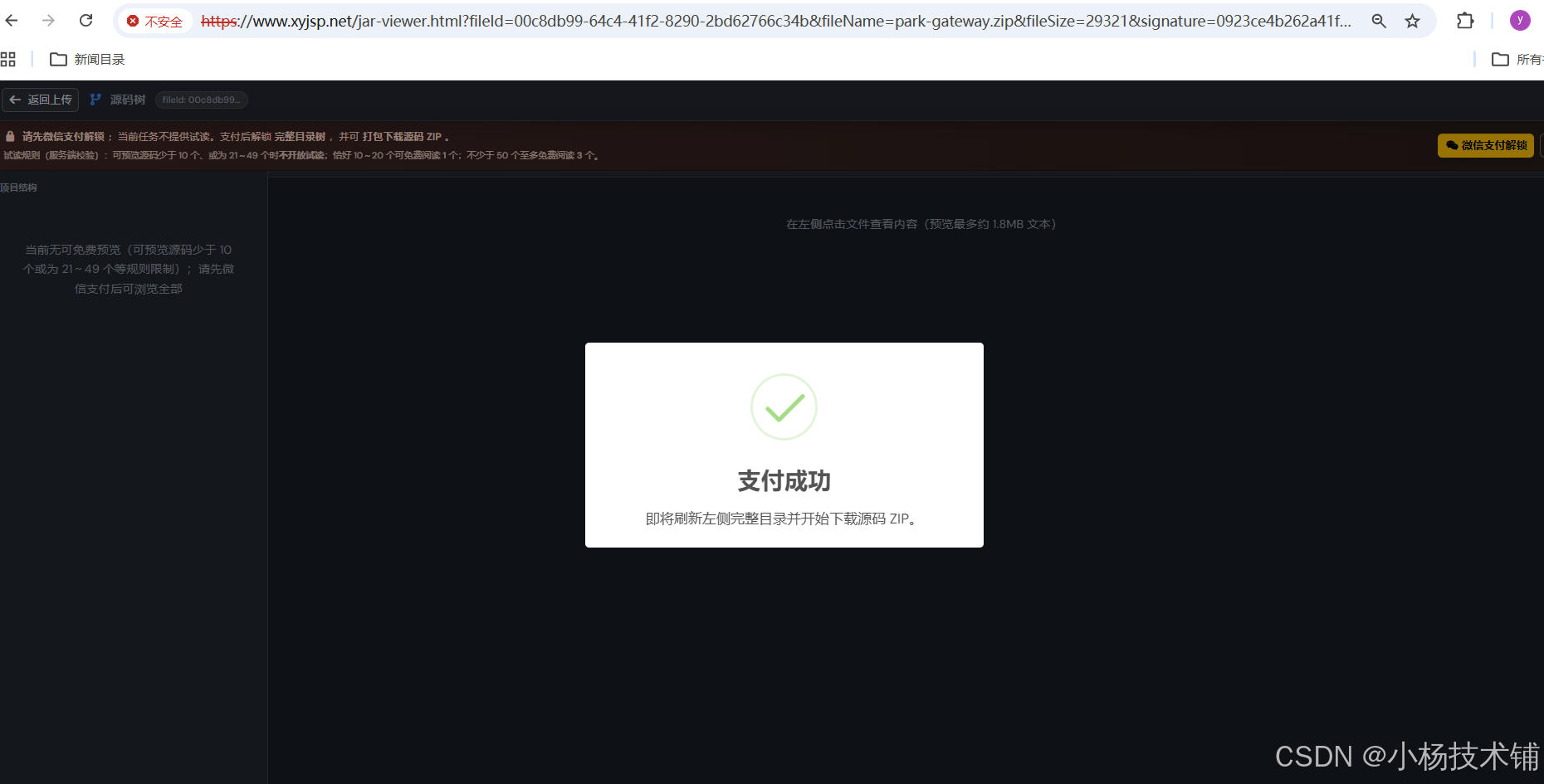
点击支付

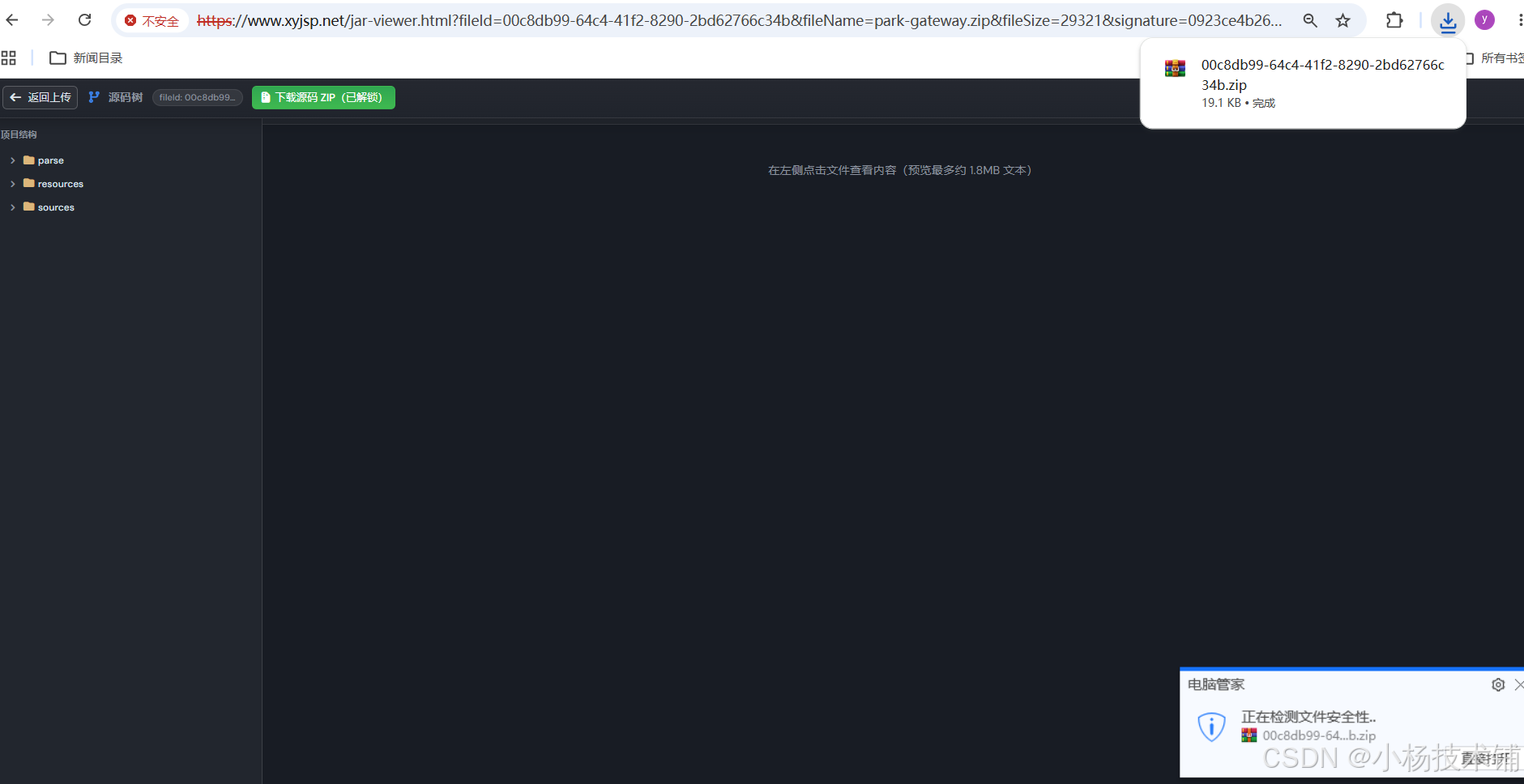
付款完成后自动下载源码:
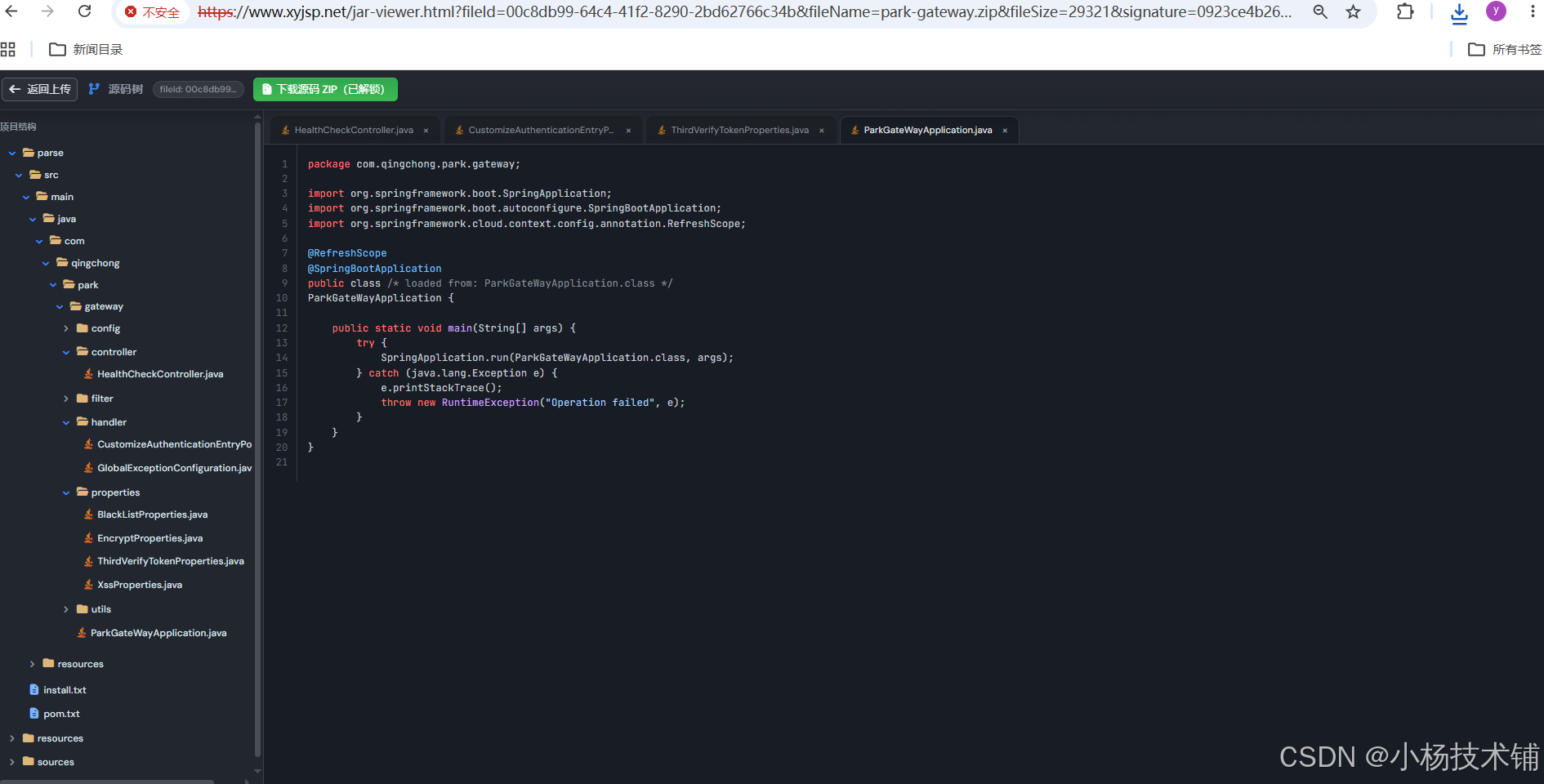
页面自动显示所有源码:
用idea工具导入项目:
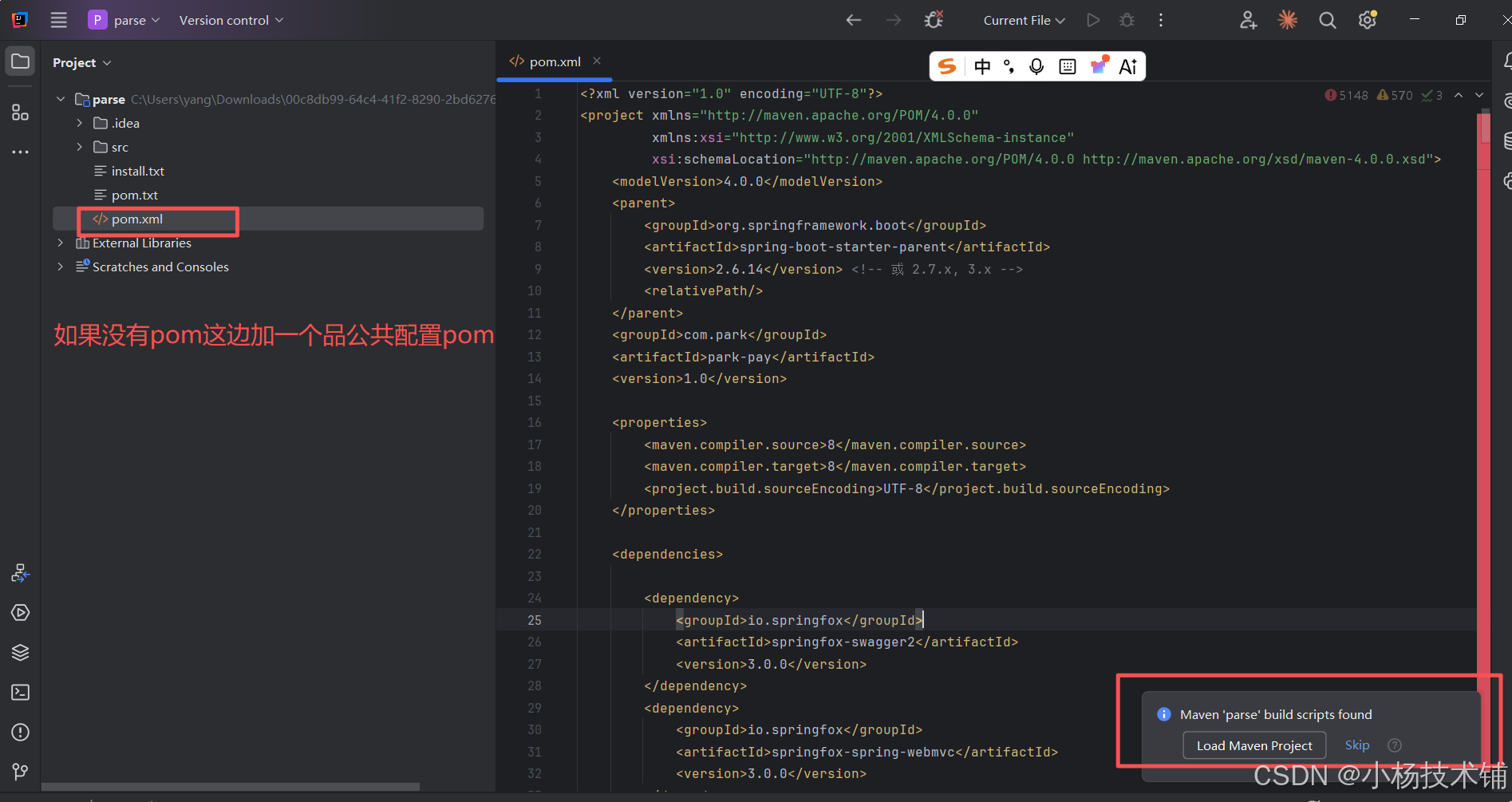
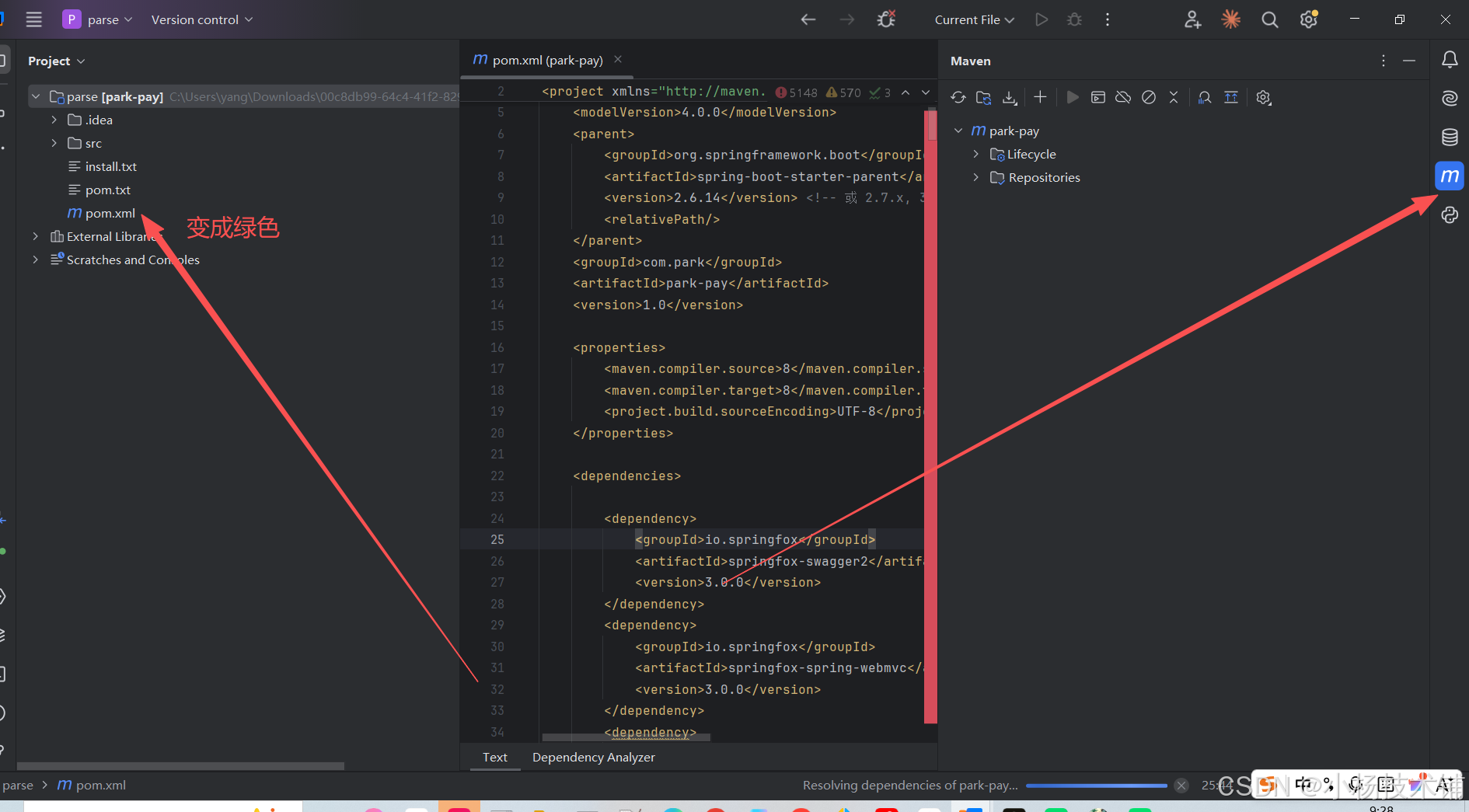
通用pom文件配置文件:
java
<?xml version="1.0" encoding="UTF-8"?>
<project xmlns="http://maven.apache.org/POM/4.0.0"
         xmlns:xsi="http://www.w3.org/2001/XMLSchema-instance"
         xsi:schemaLocation="http://maven.apache.org/POM/4.0.0 http://maven.apache.org/xsd/maven-4.0.0.xsd">
    <modelVersion>4.0.0</modelVersion>
    <parent>
        <groupId>org.springframework.boot</groupId>
        <artifactId>spring-boot-starter-parent</artifactId>
        <version>2.6.14</version> <!-- 或 2.7.x, 3.x -->
        <relativePath/>
    </parent>
    <groupId>com.park</groupId>
    <artifactId>park-pay</artifactId>
    <version>1.0</version>

    <properties>
        <maven.compiler.source>8</maven.compiler.source>
        <maven.compiler.target>8</maven.compiler.target>
        <project.build.sourceEncoding>UTF-8</project.build.sourceEncoding>
    </properties>


<dependencies></dependencies>


    <build>
        <plugins>
            <!-- 编译插件,控制 Java 版本和注解处理器 -->
            <plugin>
                <groupId>org.apache.maven.plugins</groupId>
                <artifactId>maven-compiler-plugin</artifactId>
                <version>3.8.1</version>
                <configuration>
                    <!--                    <source>17</source>-->
                    <!--                    <target>17</target>-->
                    <encoding>UTF-8</encoding>
                    <annotationProcessorPaths>
                        <path>
                            <groupId>org.mapstruct</groupId>
                            <artifactId>mapstruct-processor</artifactId>
                            <version>1.5.5.Final</version>
                        </path>
                        <path>
                            <groupId>org.projectlombok</groupId>
                            <artifactId>lombok</artifactId>
                            <version>1.18.24</version>
                        </path>
                        <path>
                            <groupId>com.baomidou</groupId>
                            <artifactId>mybatis-plus-annotation</artifactId>
                            <version>3.5.3</version>
                        </path>
                    </annotationProcessorPaths>
                    <source>1.8</source>
                    <target>1.8</target>
                </configuration>
            </plugin>

            <!-- Spring Boot 打包插件 -->
            <plugin>
                <groupId>org.springframework.boot</groupId>
                <artifactId>spring-boot-maven-plugin</artifactId>
                <configuration>
                    <excludes>
                        <exclude>
                            <groupId>org.projectlombok</groupId>
                            <artifactId>lombok</artifactId>
                        </exclude>
                    </excludes>
                </configuration>
            </plugin>
        </plugins>
    </build>

</project>
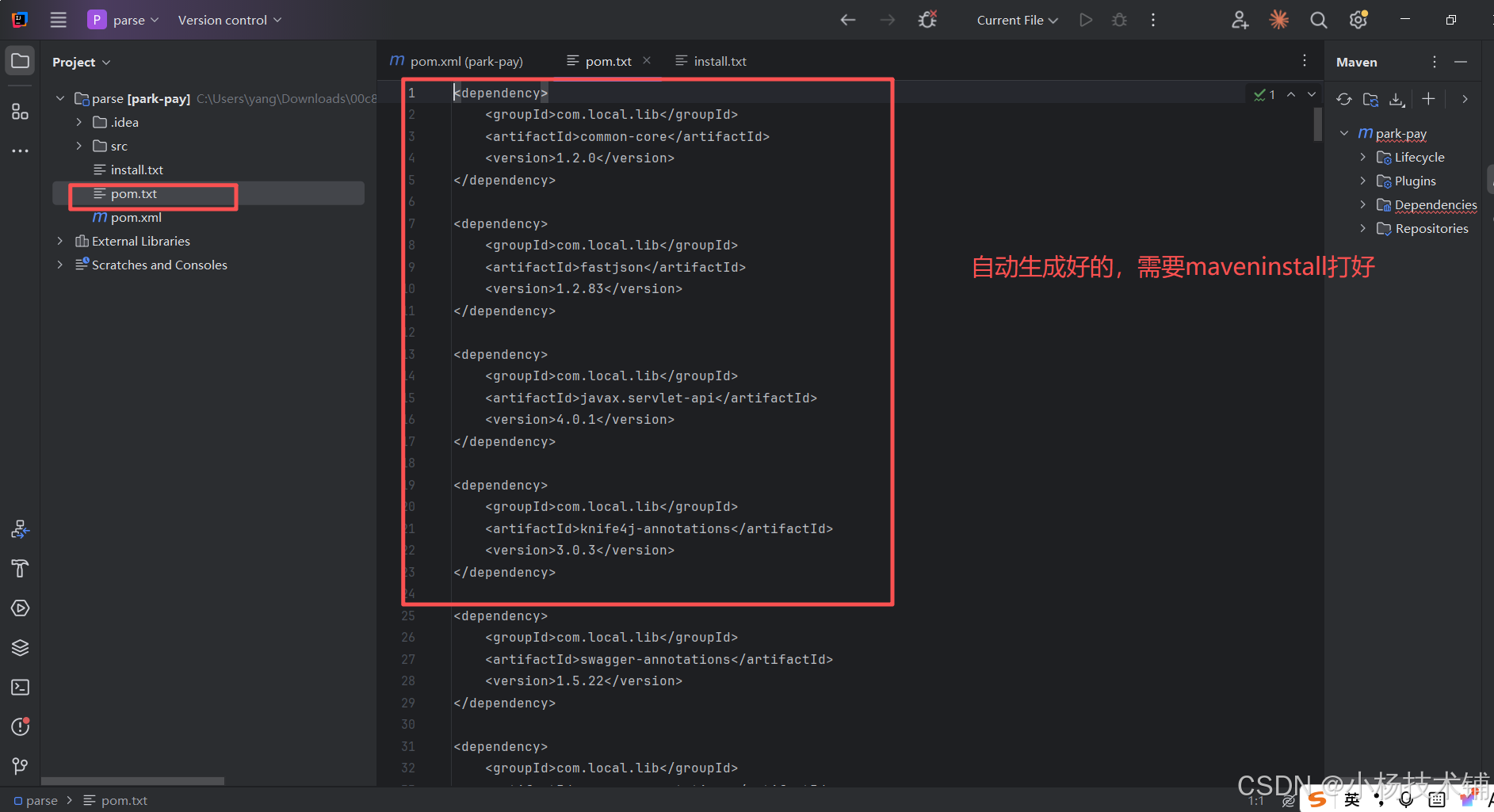
项目补第三方依赖包打包到本地:这步操作很关键
找到源码jar解压一下文件:
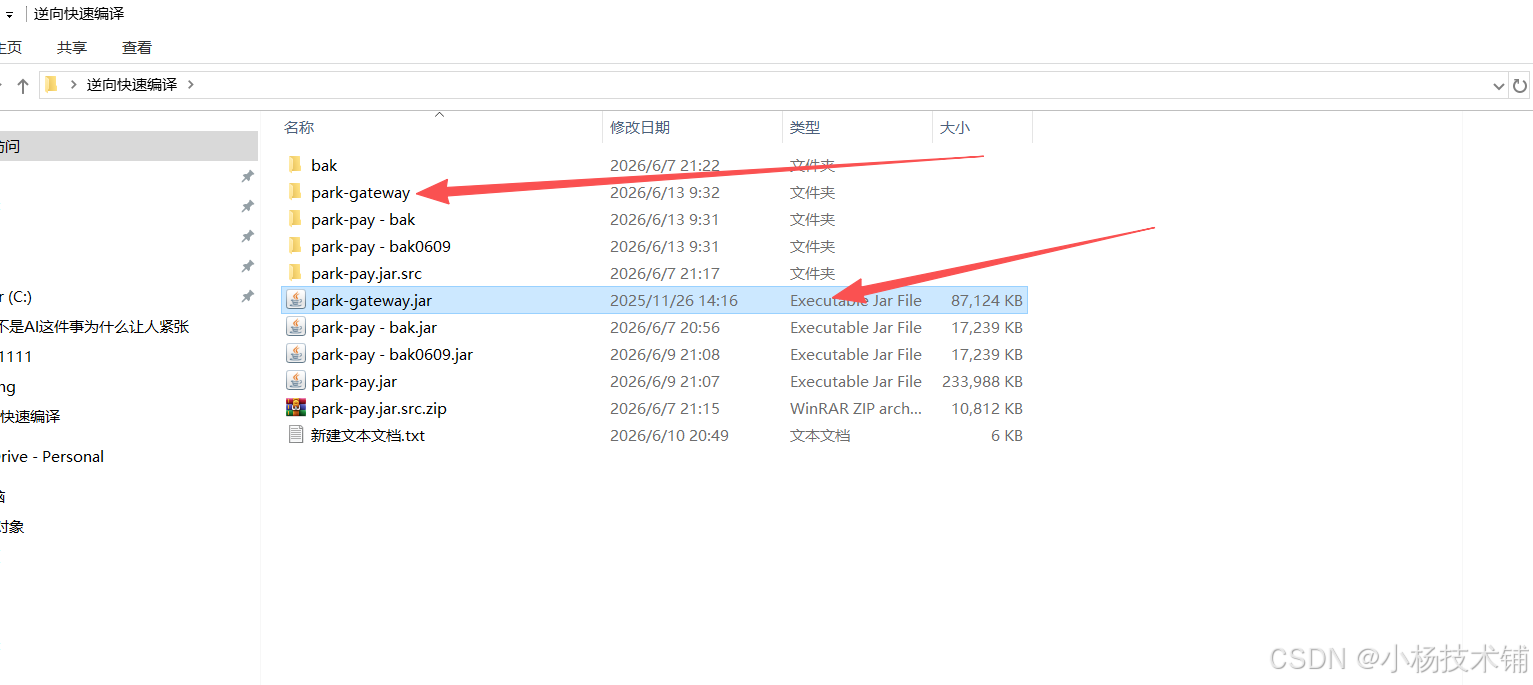
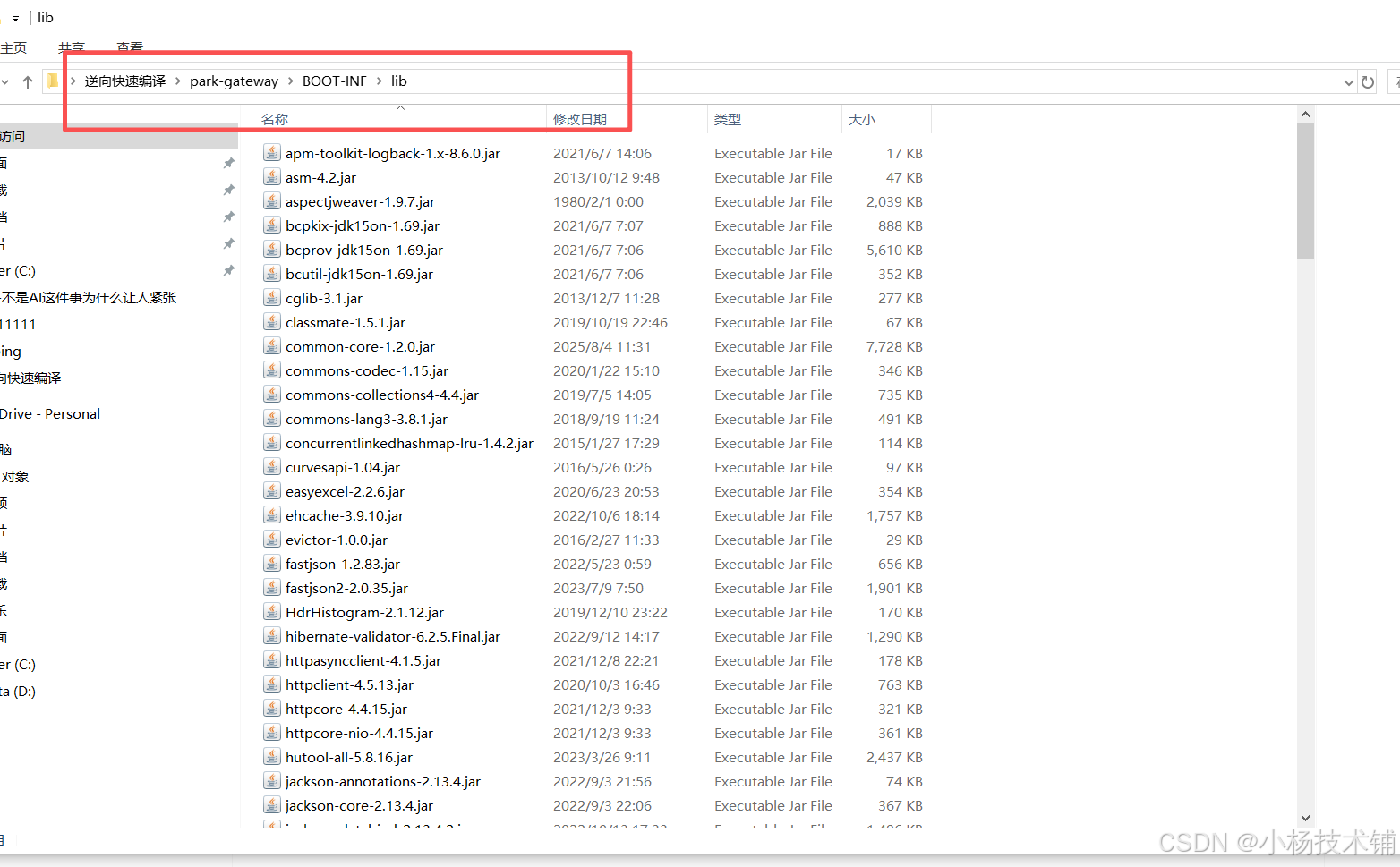
把lib复制到非中文目录:比如d盘的lib:
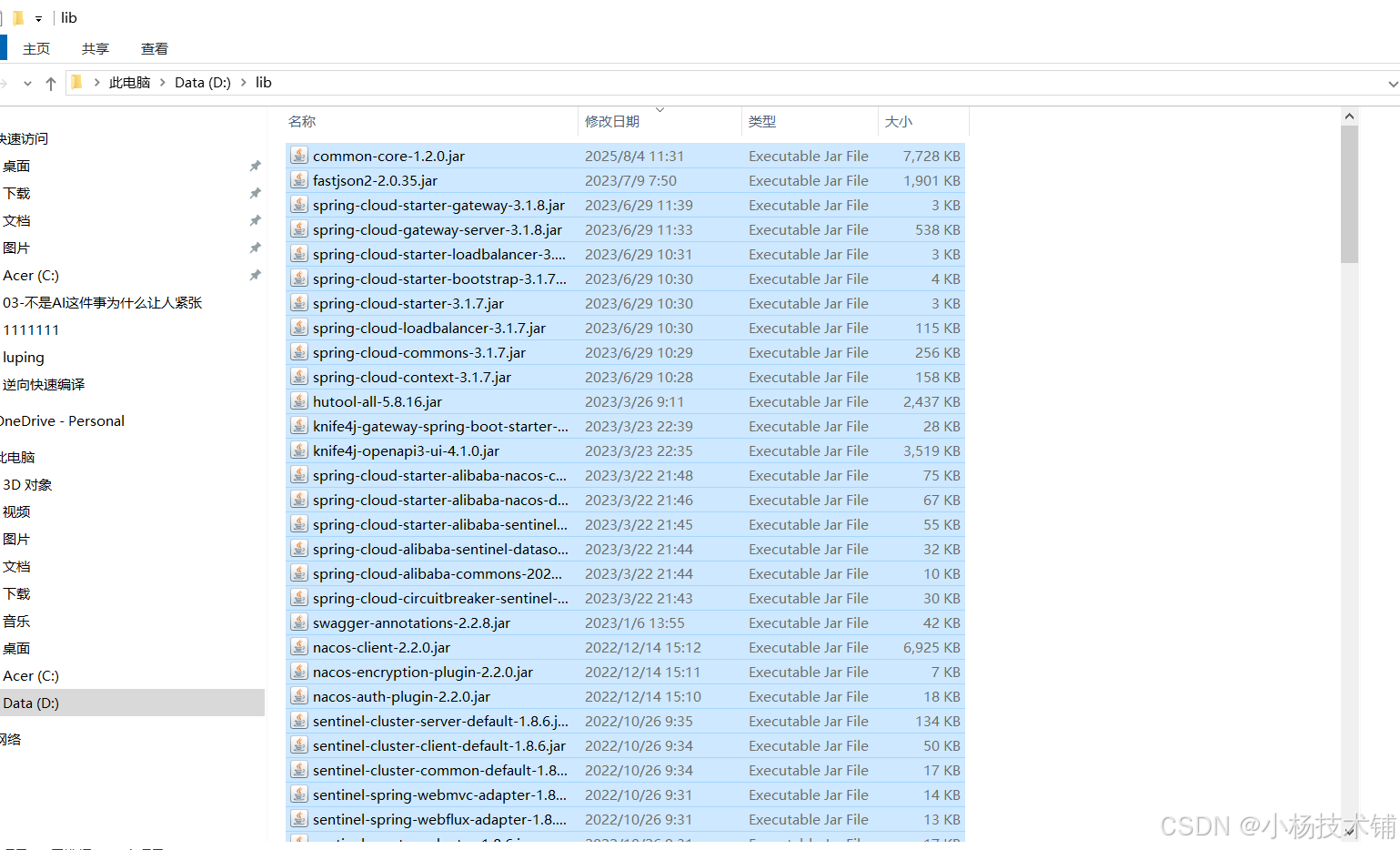
替换打包本地lib的路径我脚本自动给你生成好:
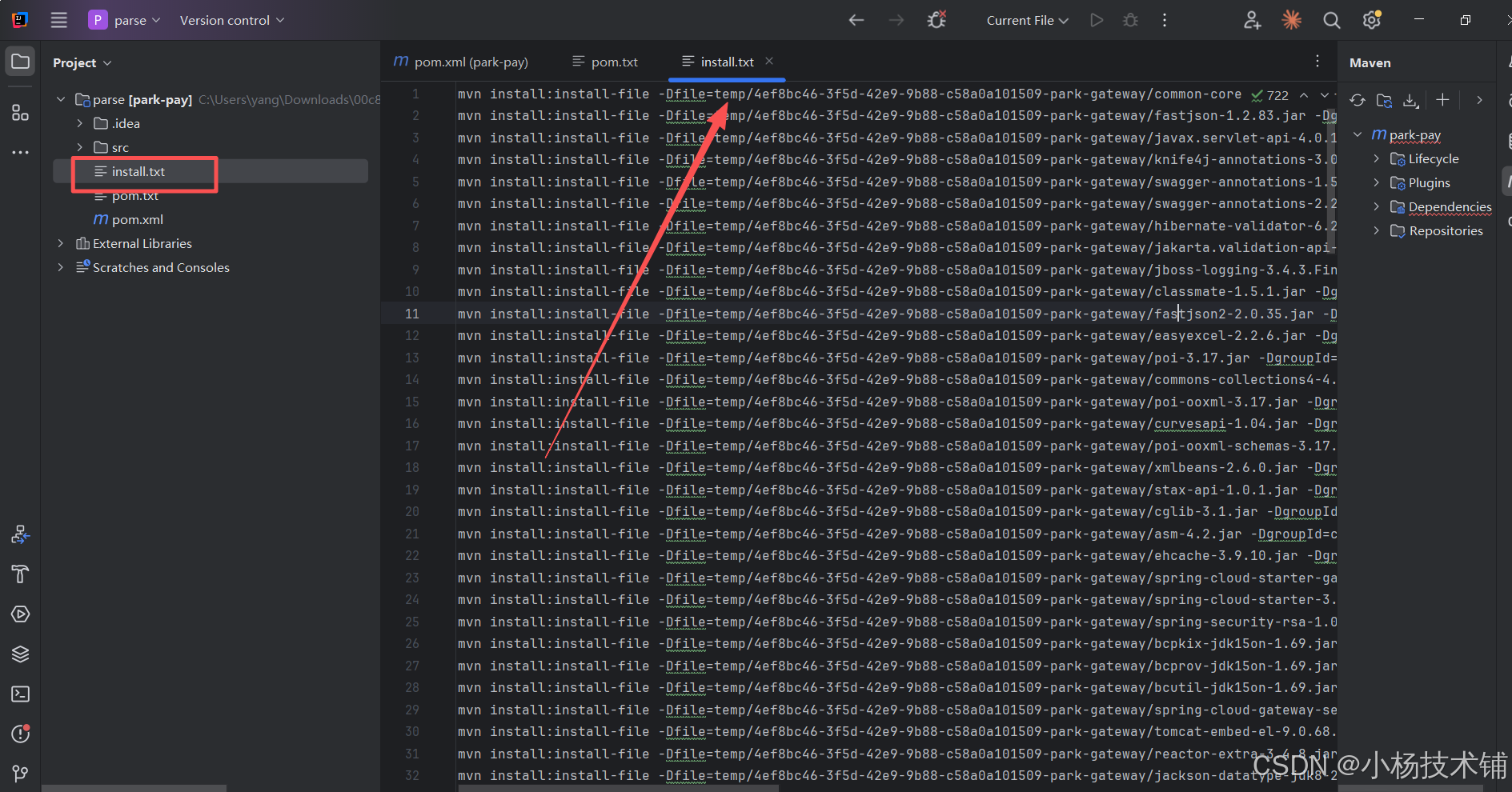
替换本地路径lib,脚本lib我都给你生成好了
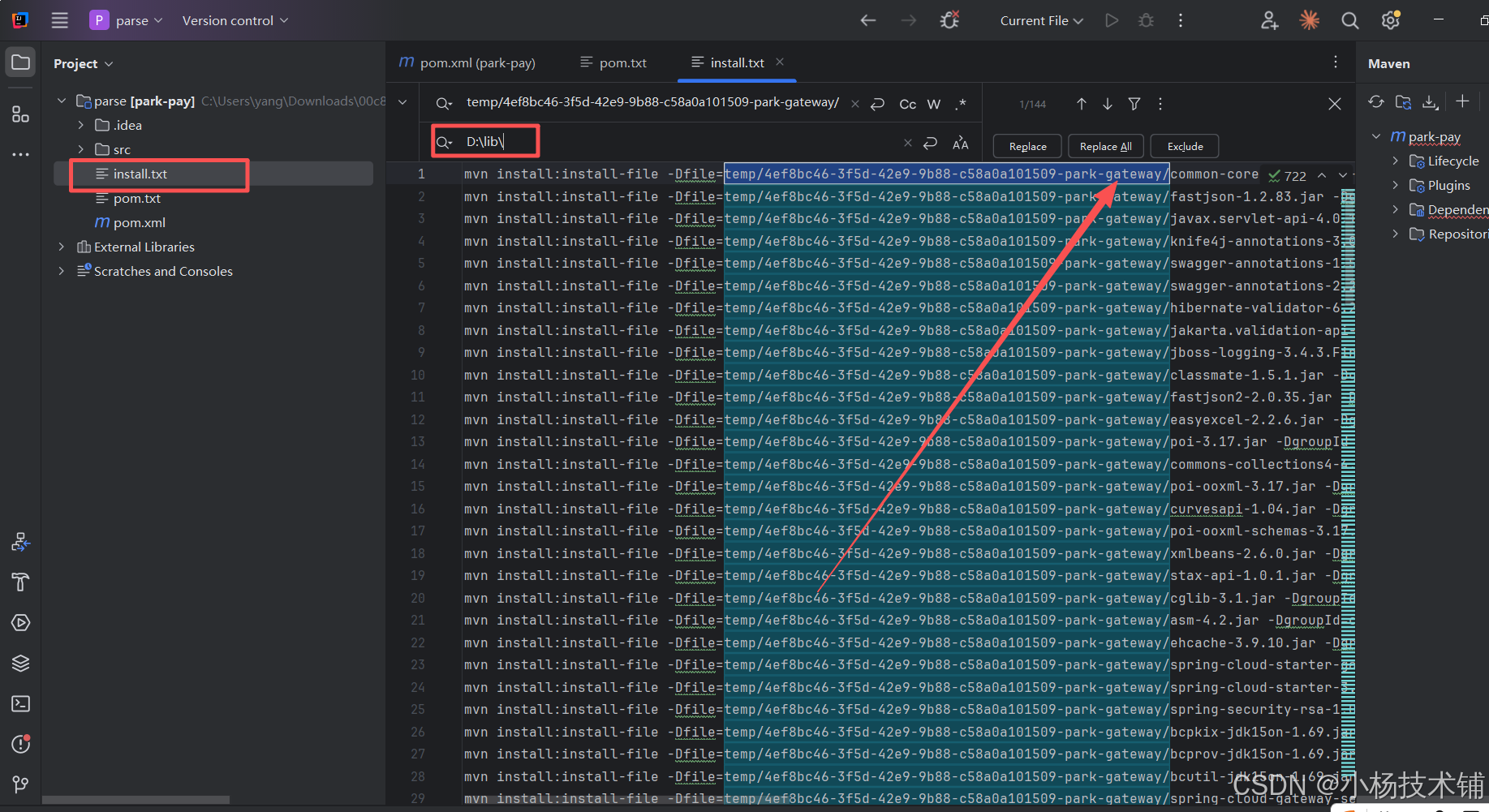
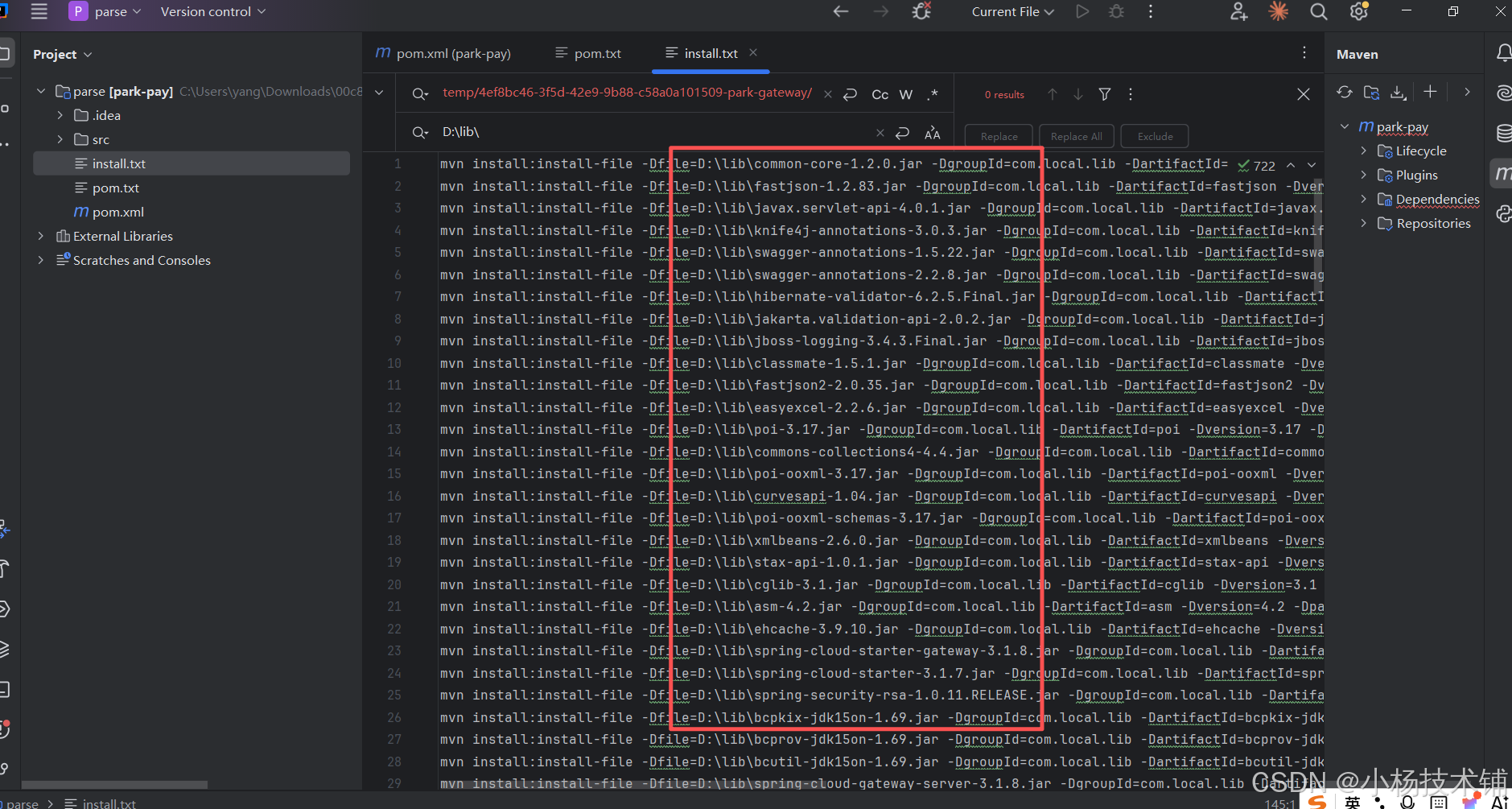
使用本地cmd打入环境:
|---------------------------------------------------------------------------------------------------------------------------------------------------------------------------------------------------------------------------------------------------------------------------------------------------------------------------------------------------------------------------------------------------------------------------------------------------------------------------------------------------------------------------------------------------------------------------------------------------------------------------------------------------------------------------------------------------------------------------------------------------------------------------------------------------------------------------------------------------------------------------------------------------------------------------------------------------------------------------------------------------------------------------------------------------------------------------------------------------------------------------------------------------------------------|
| mvn install:install-file -Dfile=D:\lib\slf4j-api-1.7.36.jar -DgroupId=com.local.lib -DartifactId=slf4j-api -Dversion=1.7.36 -Dpackaging=jar -DgeneratePom=true mvn install:install-file -Dfile=D:\lib\spring-cloud-starter-alibaba-nacos-discovery-2021.0.5.0.jar -DgroupId=com.local.lib -DartifactId=spring-cloud-starter-alibaba-nacos-discovery -Dversion=2021.0.5.0 -Dpackaging=jar -DgeneratePom=true mvn install:install-file -Dfile=D:\lib\spring-cloud-starter-bootstrap-3.1.7.jar -DgroupId=com.local.lib -DartifactId=spring-cloud-starter-bootstrap -Dversion=3.1.7 -Dpackaging=jar -DgeneratePom=true mvn install:install-file -Dfile=D:\lib\lombok-1.18.24.jar -DgroupId=com.local.lib -DartifactId=lombok -Dversion=1.18.24 -Dpackaging=jar -DgeneratePom=true mvn install:install-file -Dfile=D:\lib\hutool-all-5.8.16.jar -DgroupId=com.local.lib -DartifactId=hutool-all -Dversion=5.8.16 -Dpackaging=jar -DgeneratePom=true mvn install:install-file -Dfile=D:\lib\spring-boot-jarmode-layertools-2.6.13.jar -DgroupId=com.local.lib -DartifactId=spring-boot-jarmode-layertools -Dversion=2.6.13 -Dpackaging=jar -DgeneratePom=true |
上面的包是根据你项目的lib来我这里只是参考
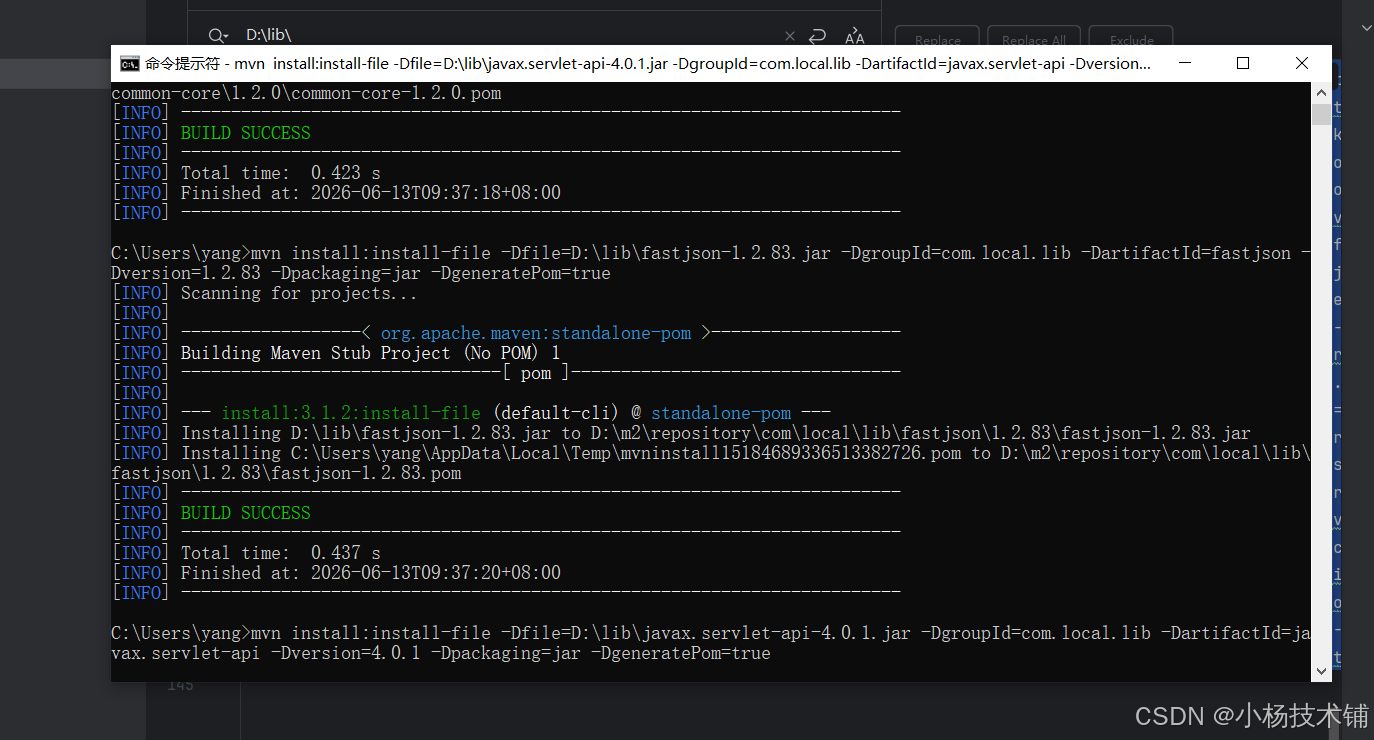
等包执行跑完不要着急:
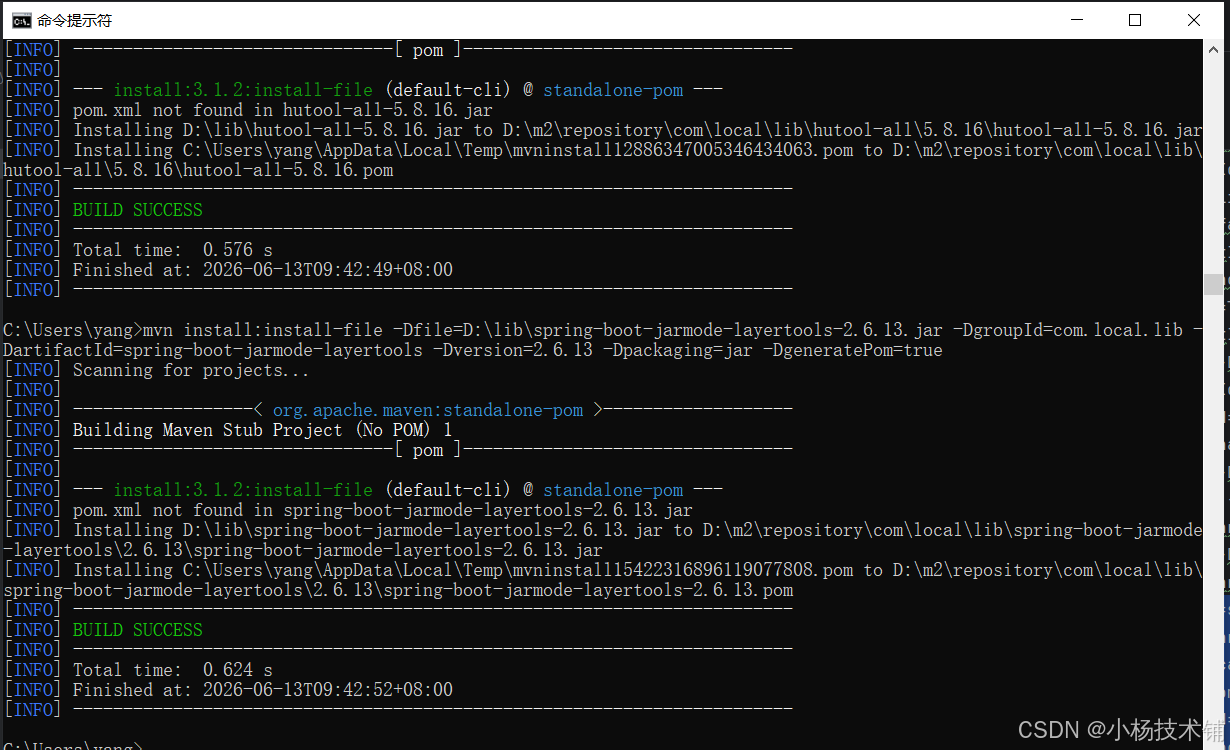
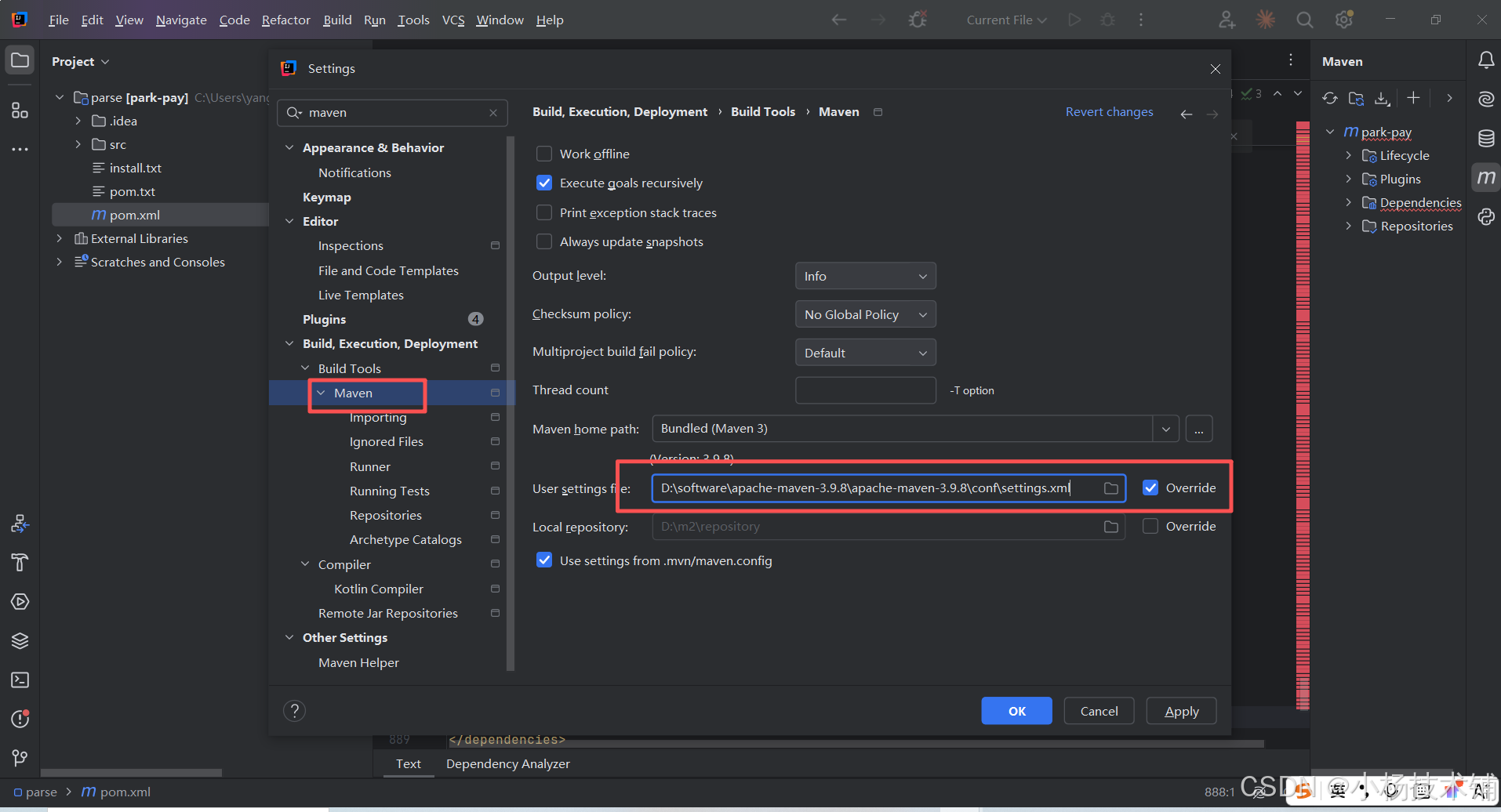
本地依赖我们打好了,能打依赖记得要配置maven环境:配置系统环境变量就行,版本没有影响。
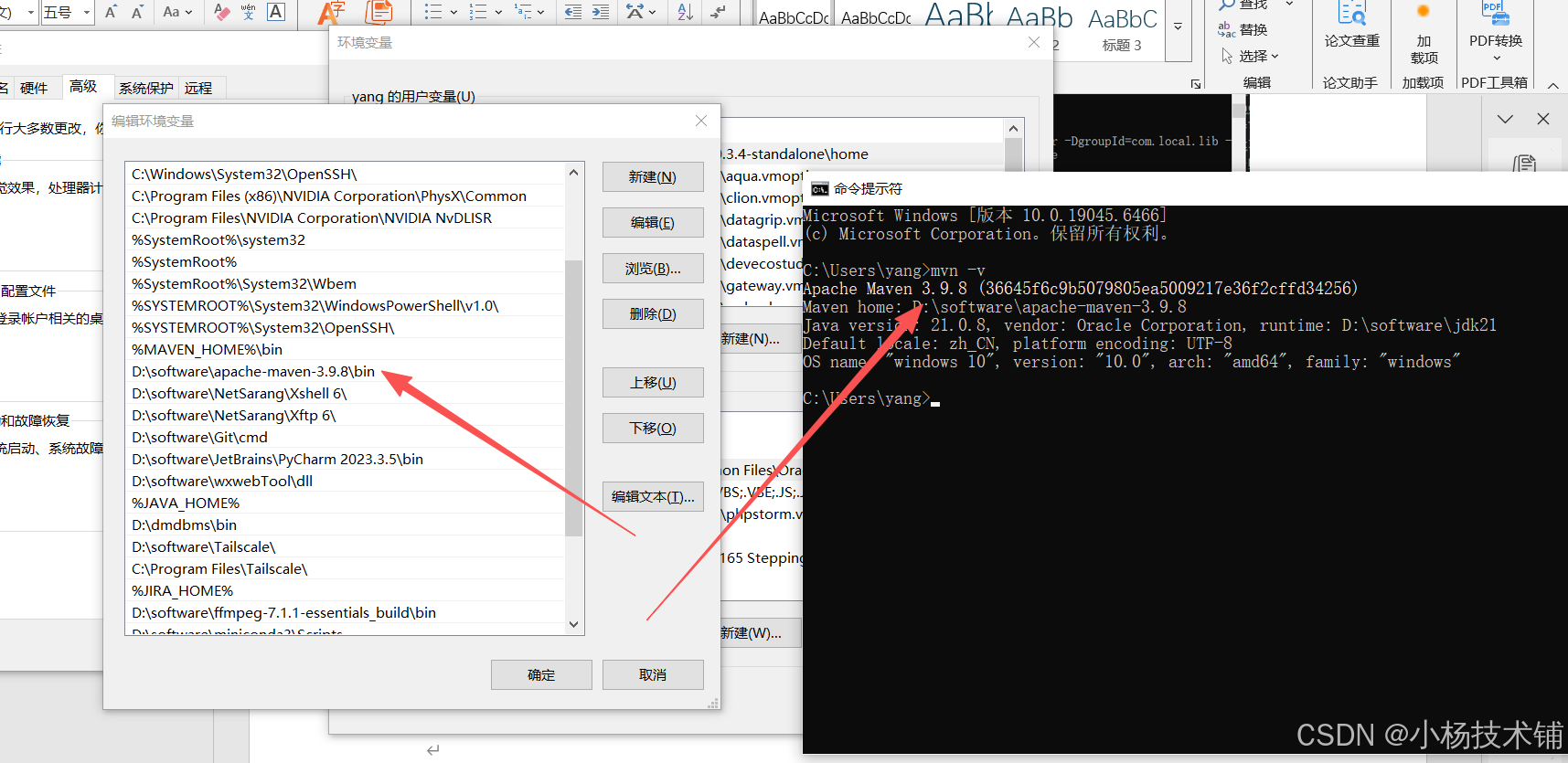
Idea配置jdk和maven环境
项目需要配置jdk的位置:
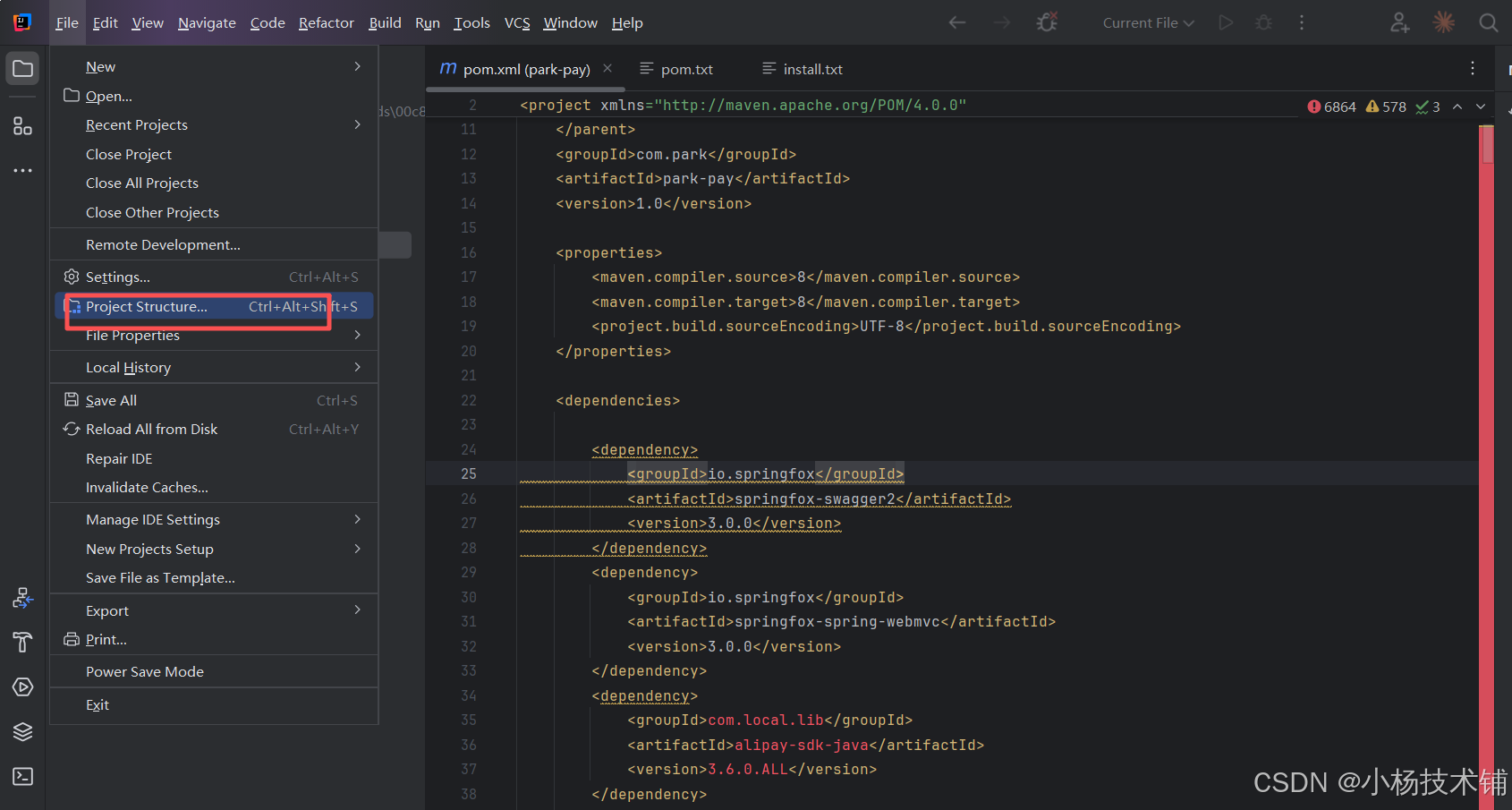
这几个都要点一下设置一下:
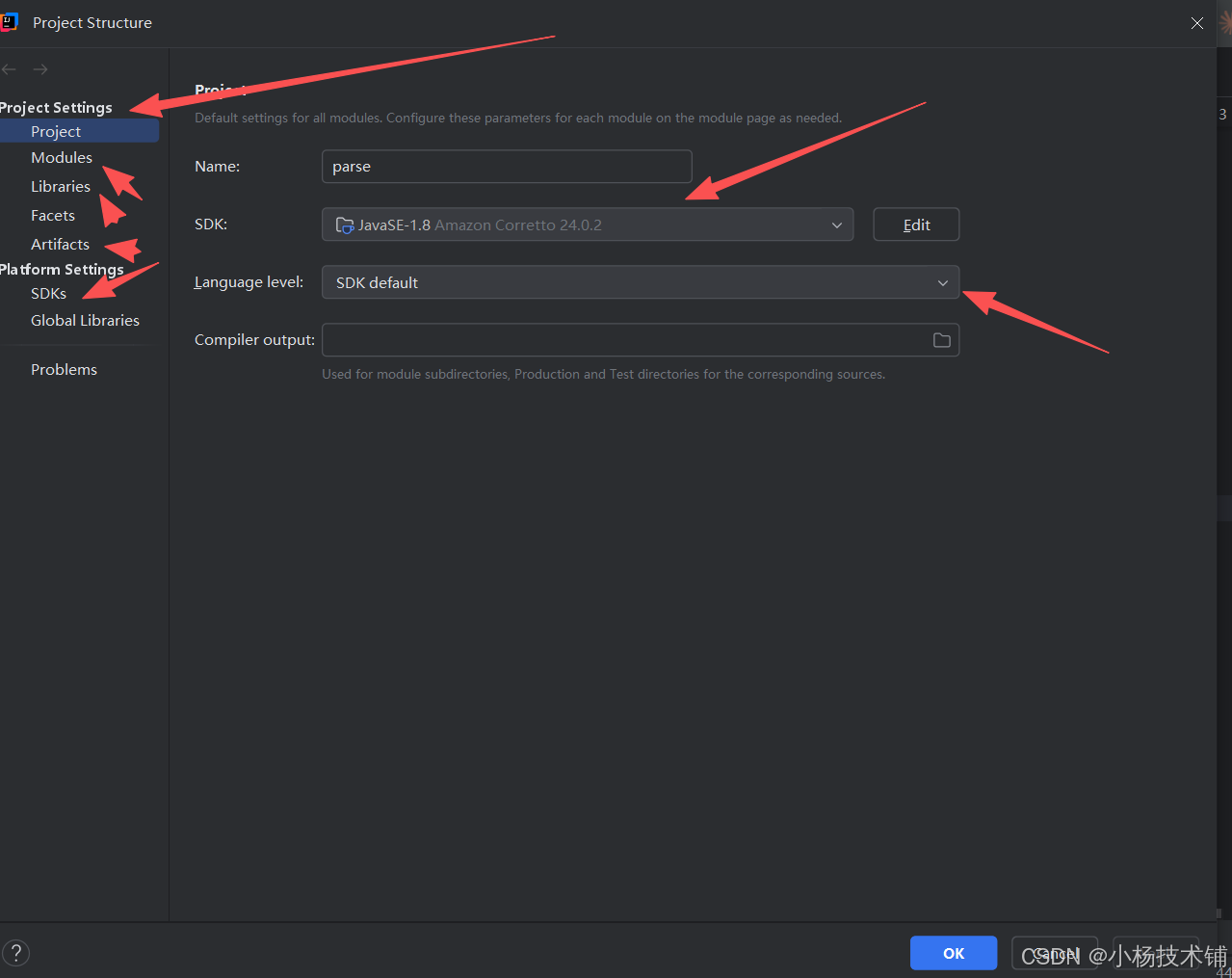
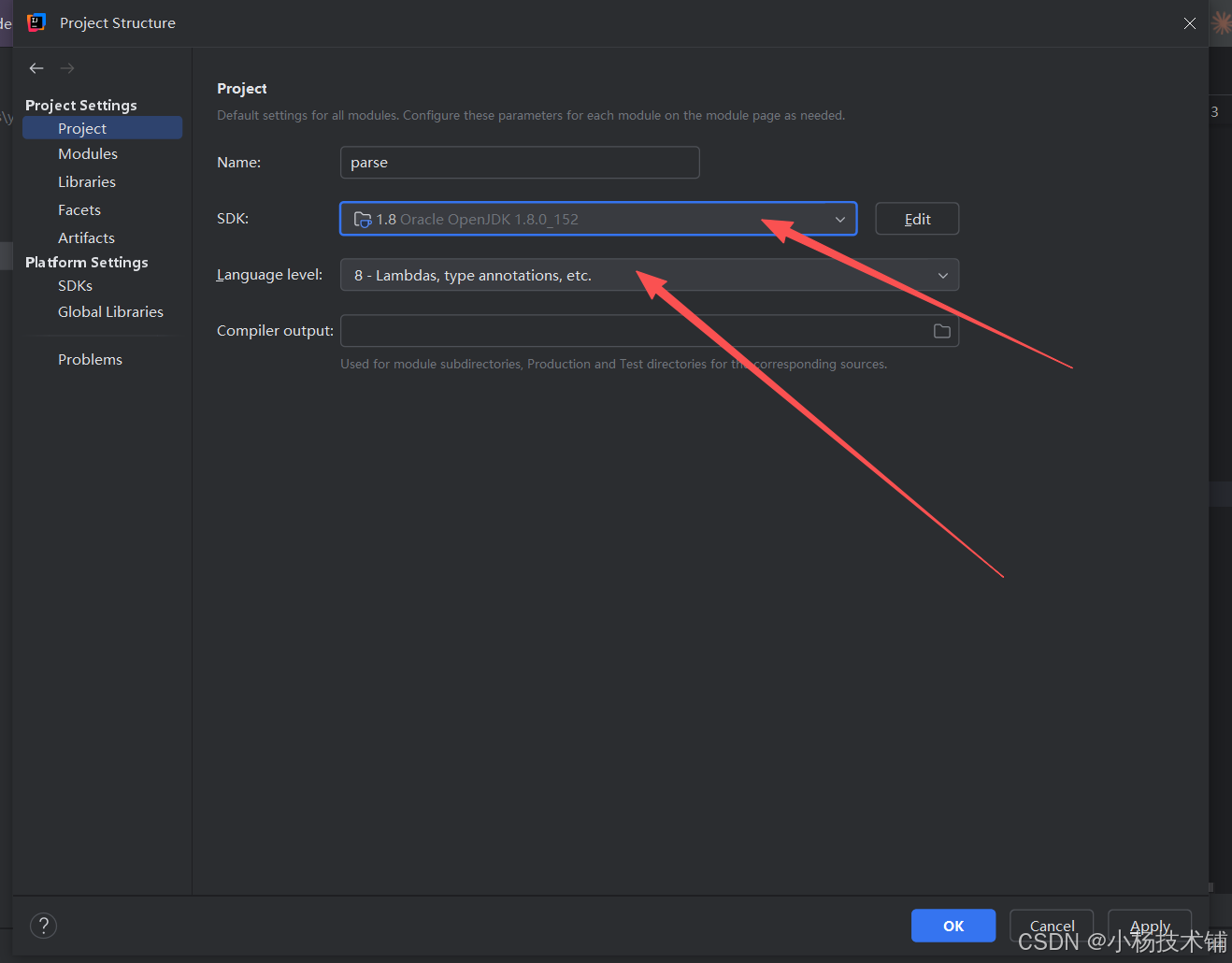
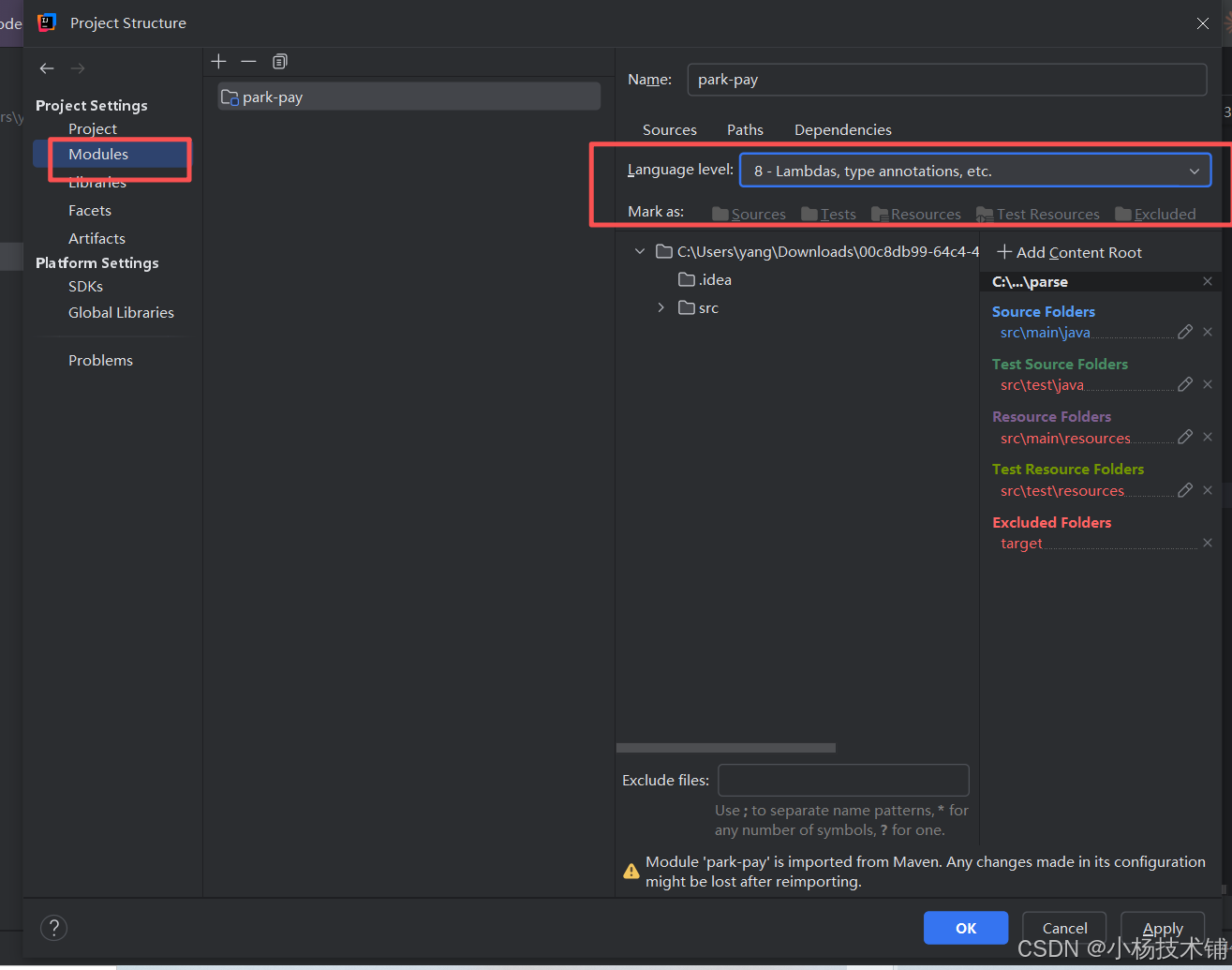
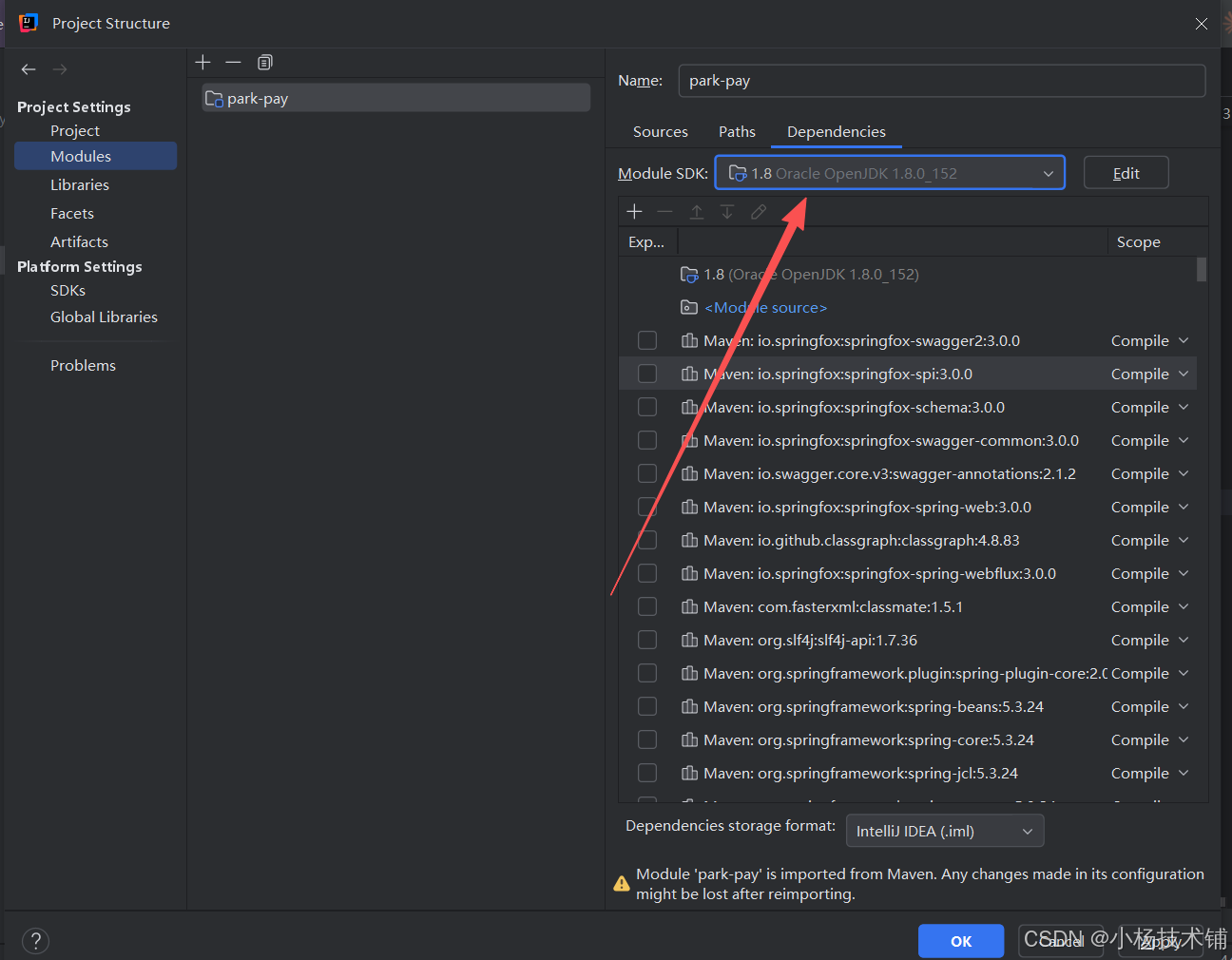
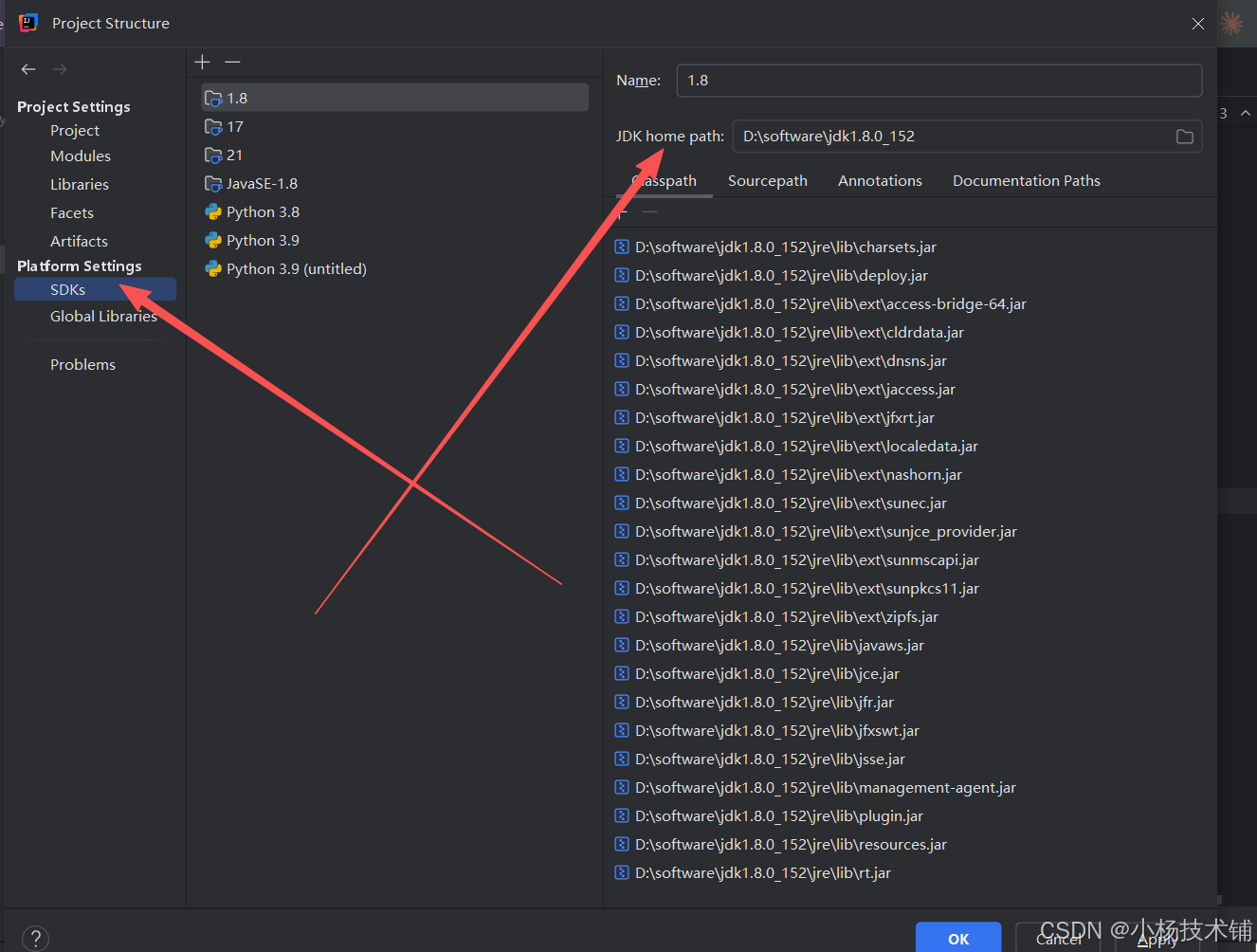
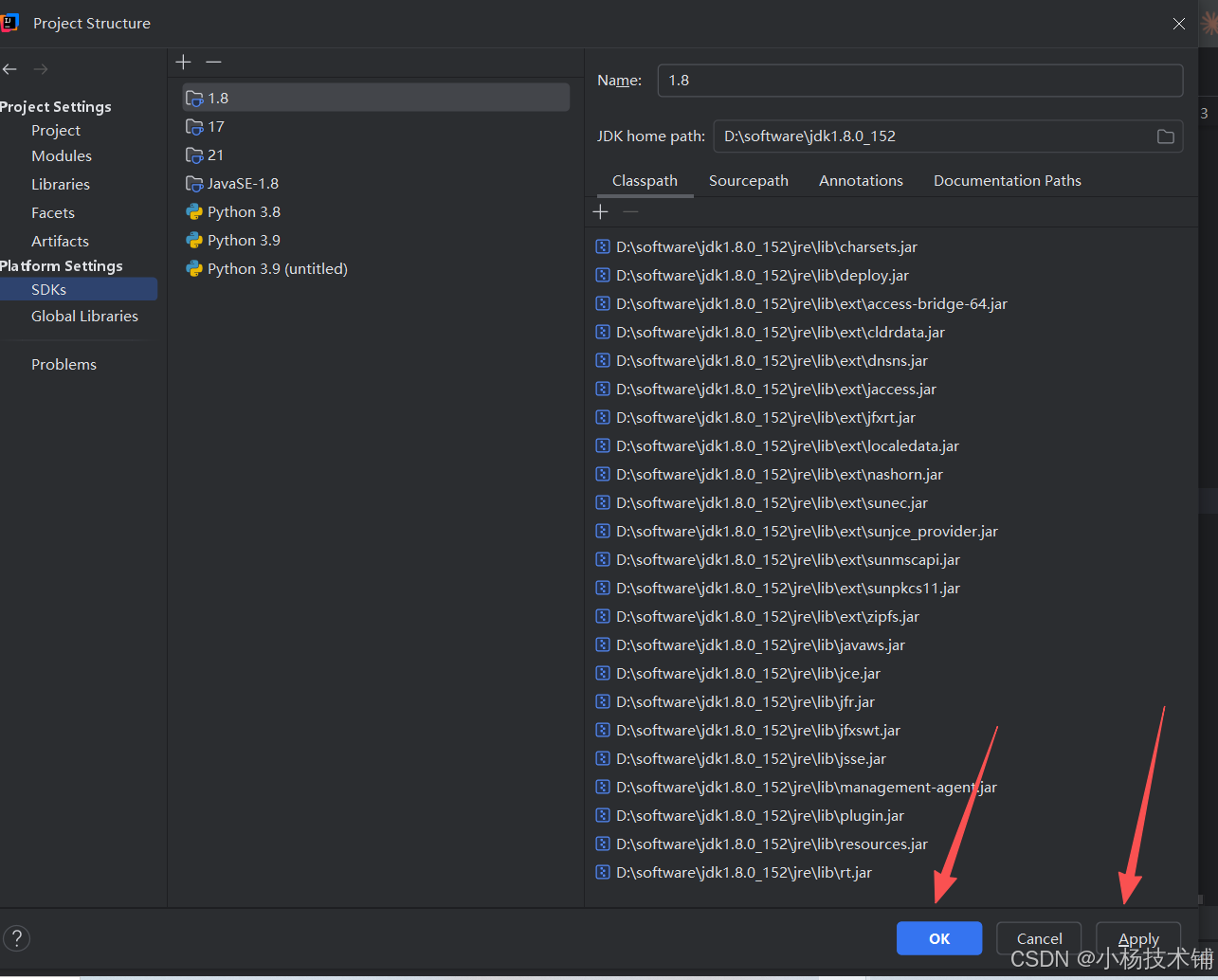
这里的jdk根据你项目实际情况修改,如果是17改成17,如果是21改成21
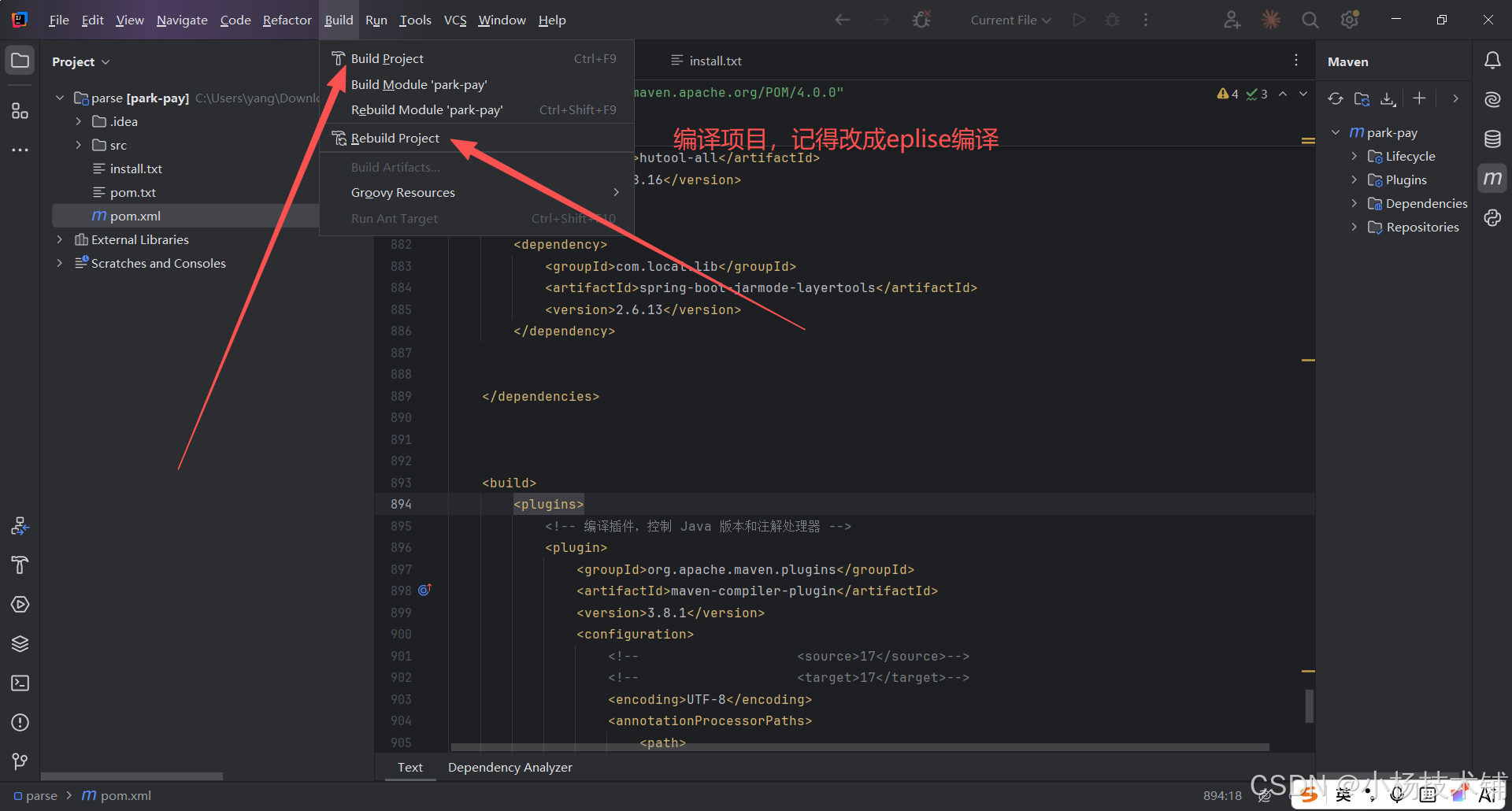
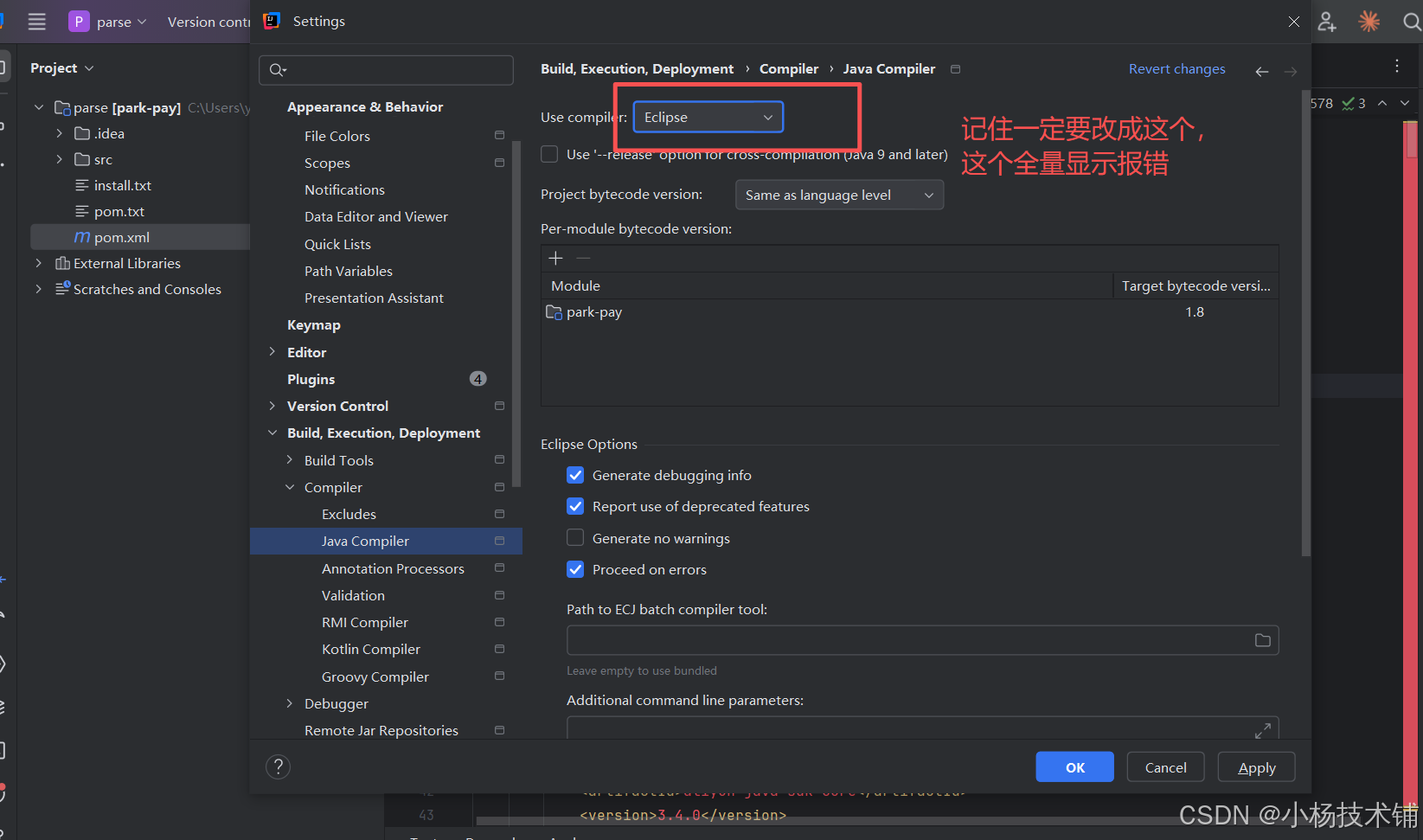
设置编译的jdk也需要改版本:
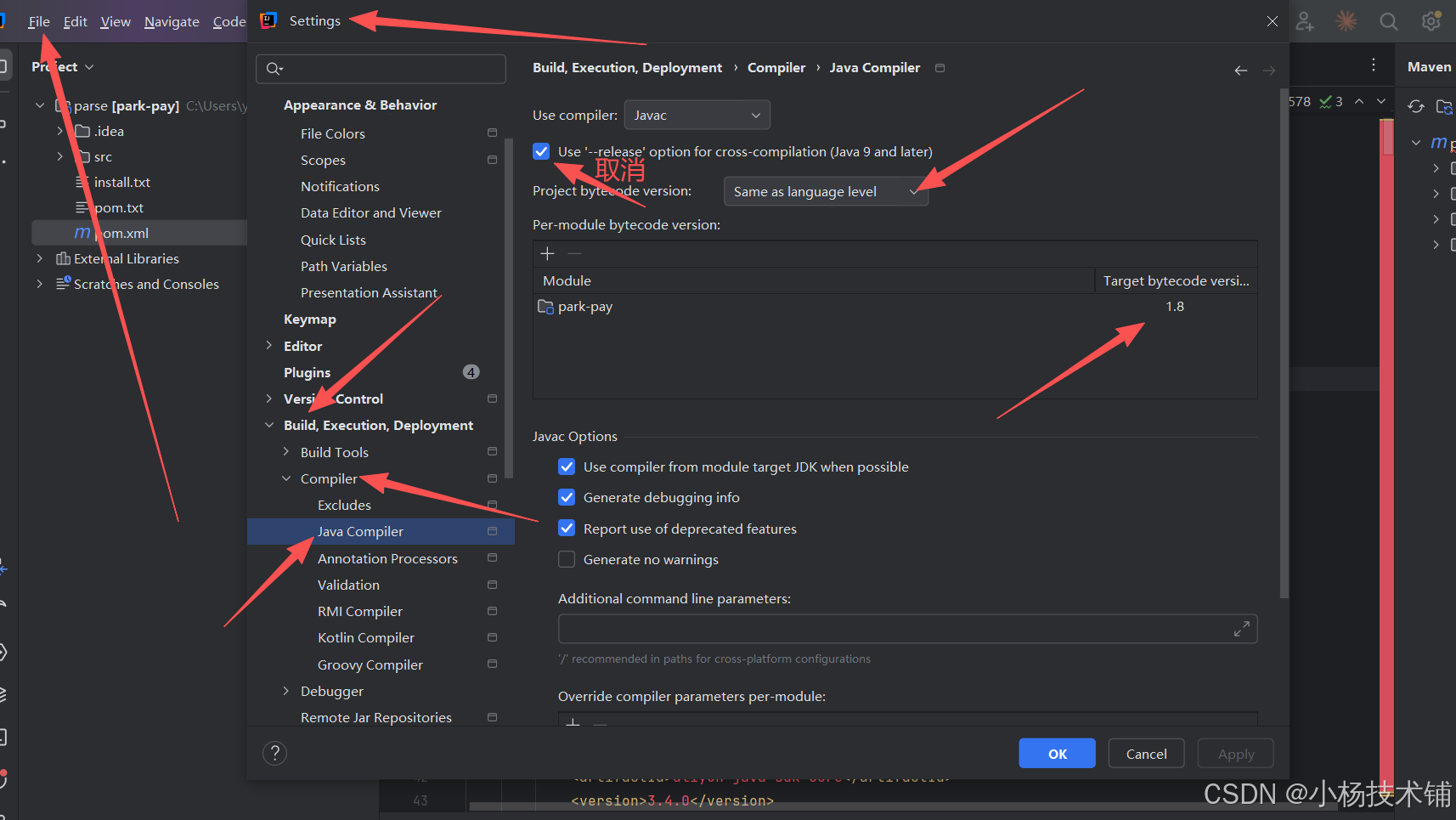
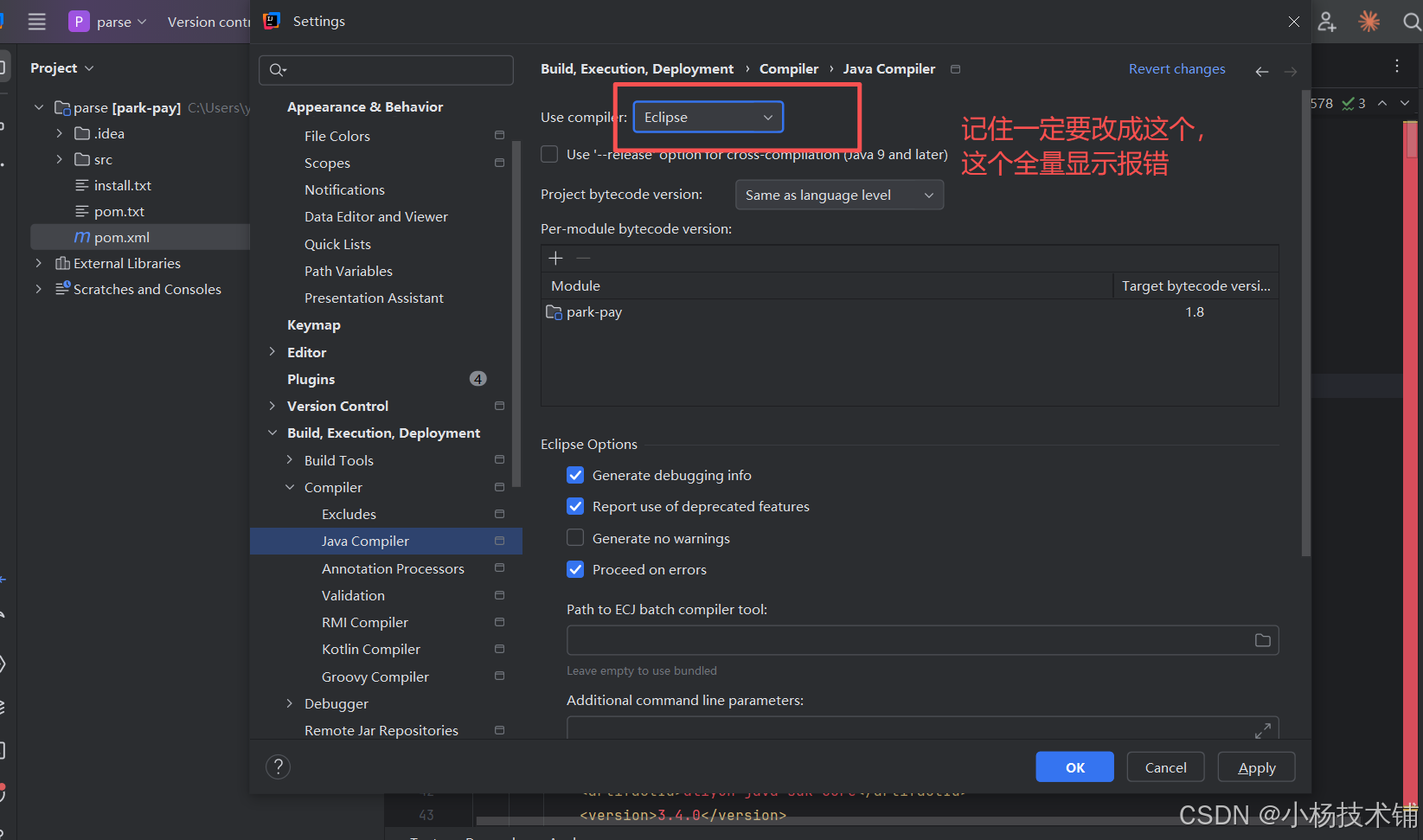
配置maven环境本地仓库
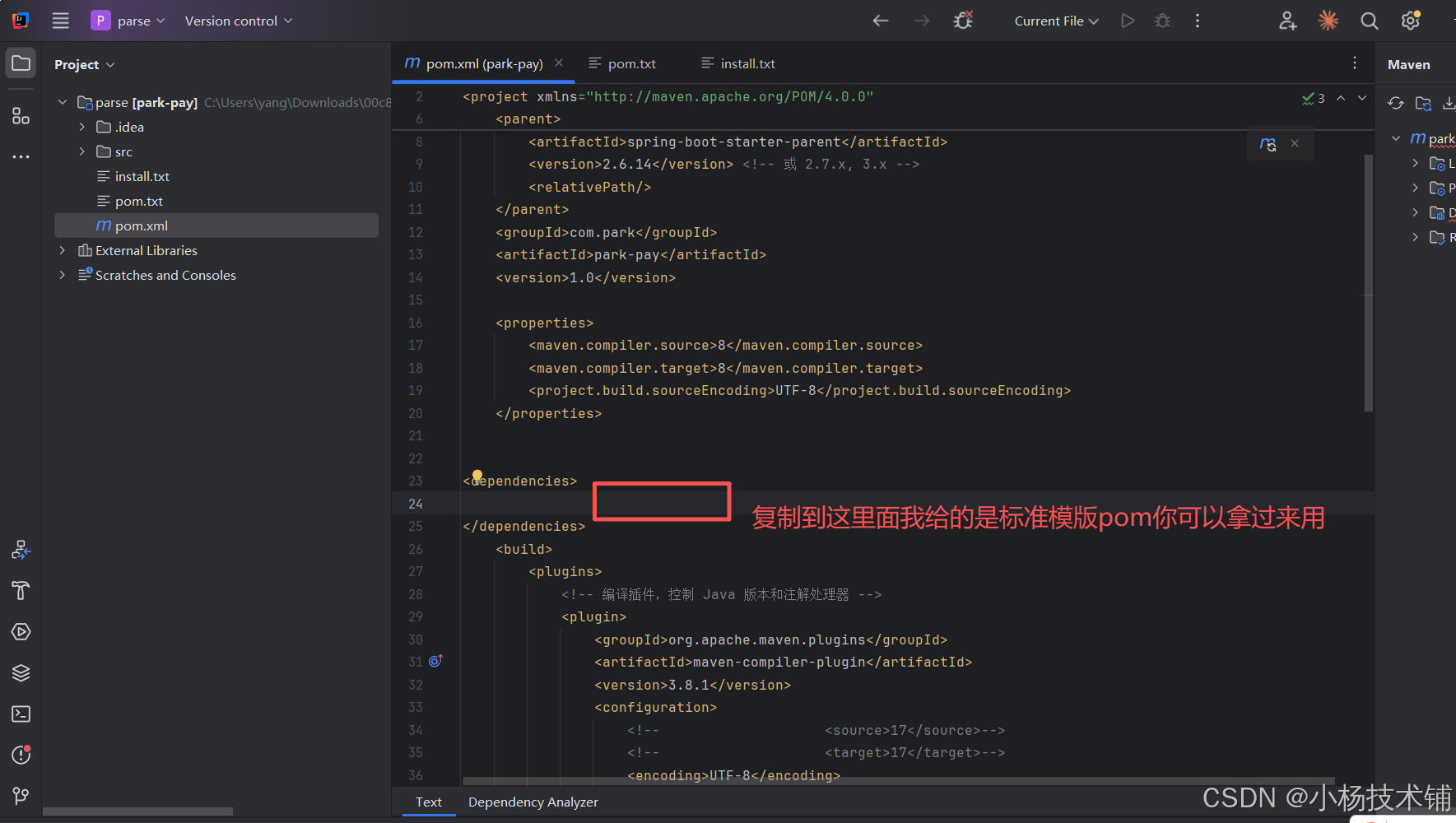
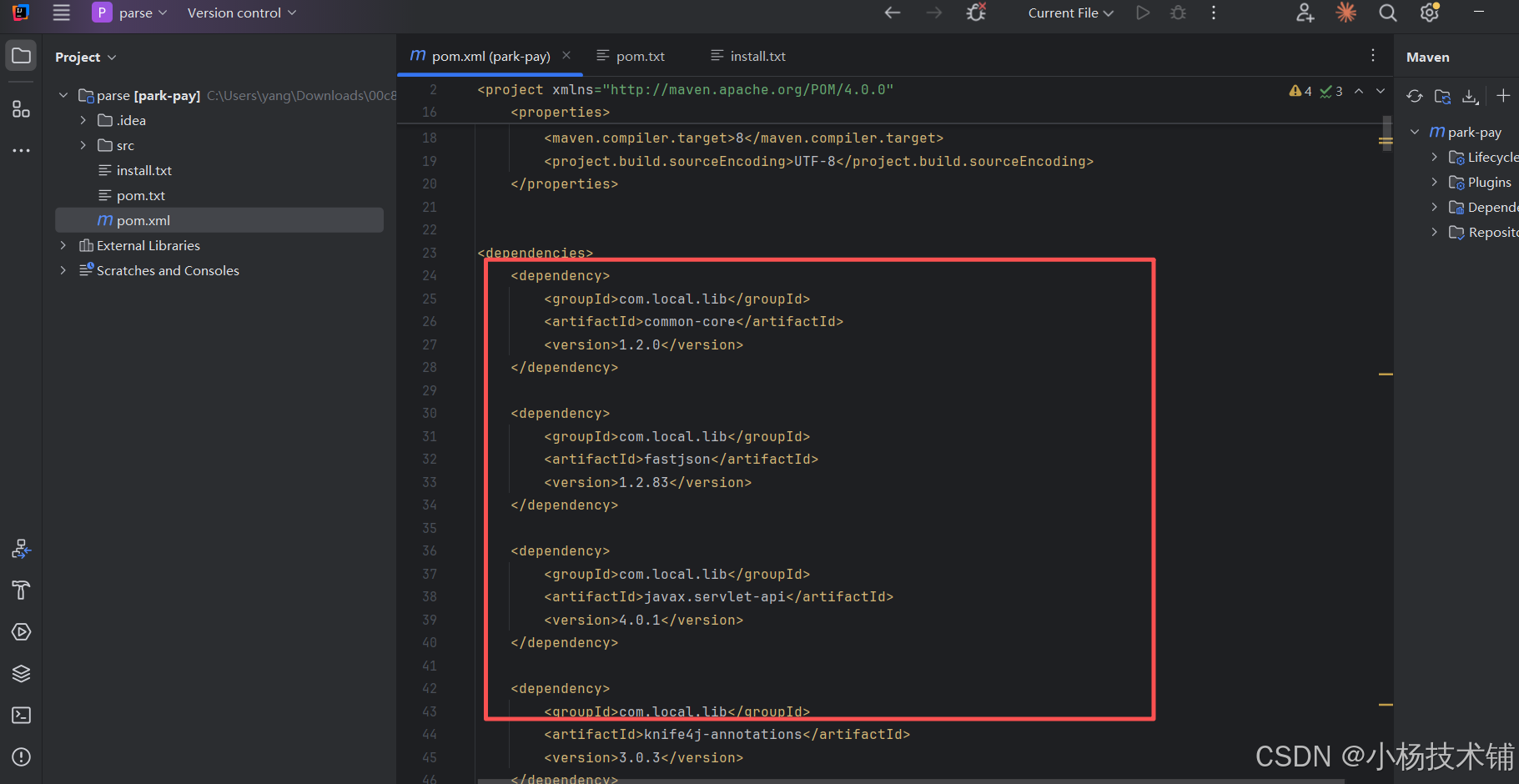
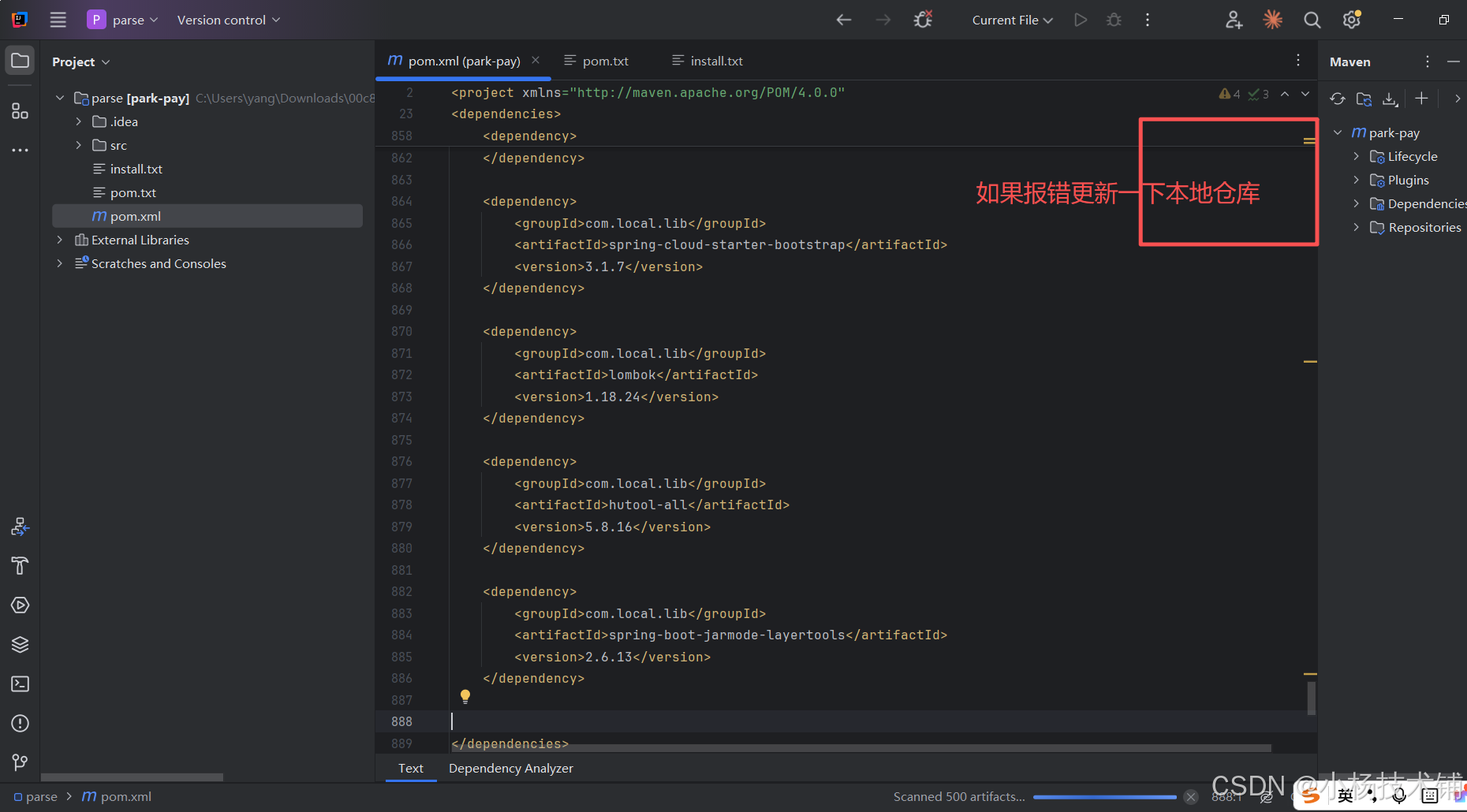
本地pom包的引用过来:
检查项目编译报错总数
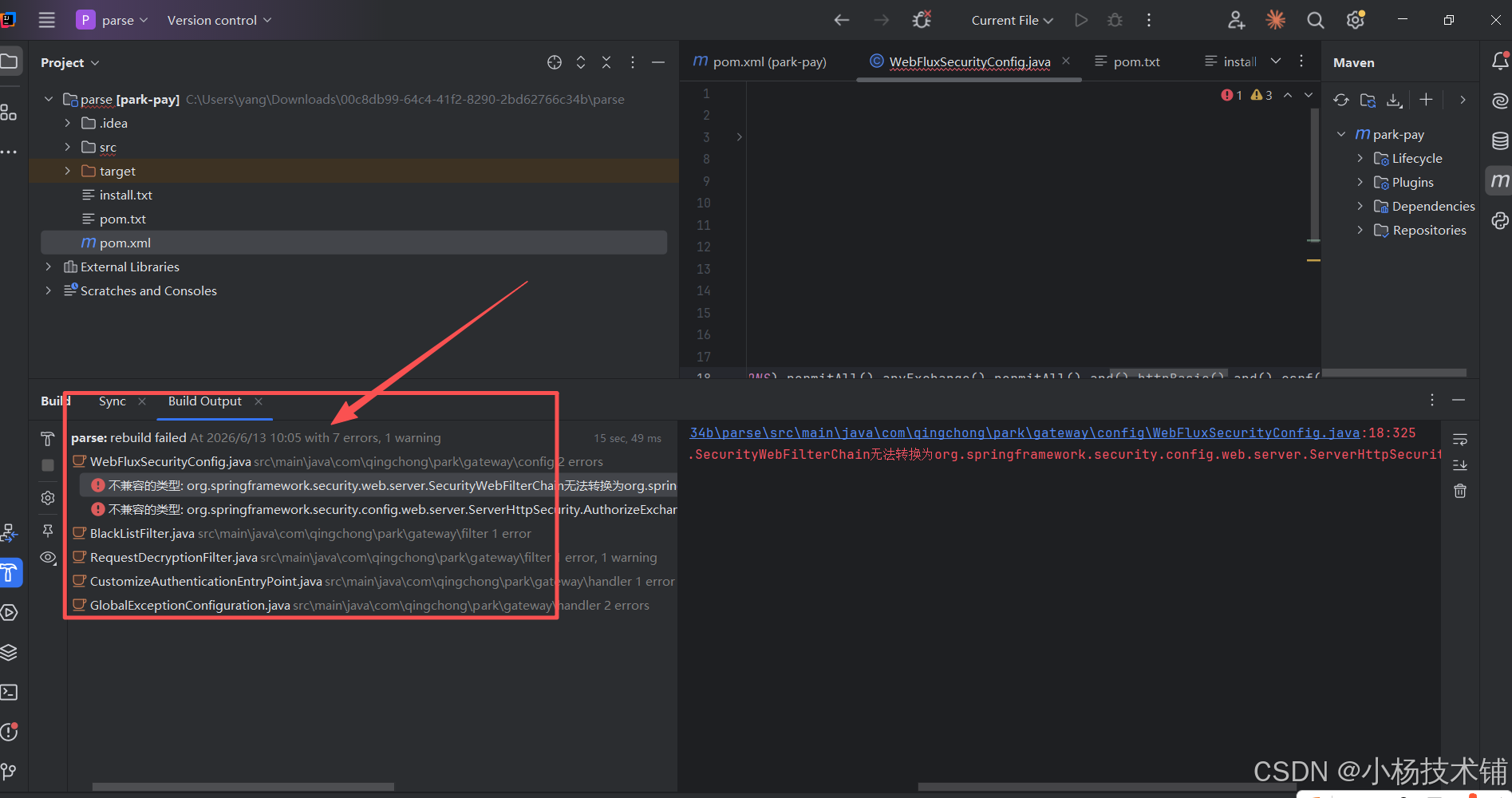
项目报错是根据项目实际情况个数来的我这个换了一个项目有7个报错,视频是300多个报错,我们换个项目
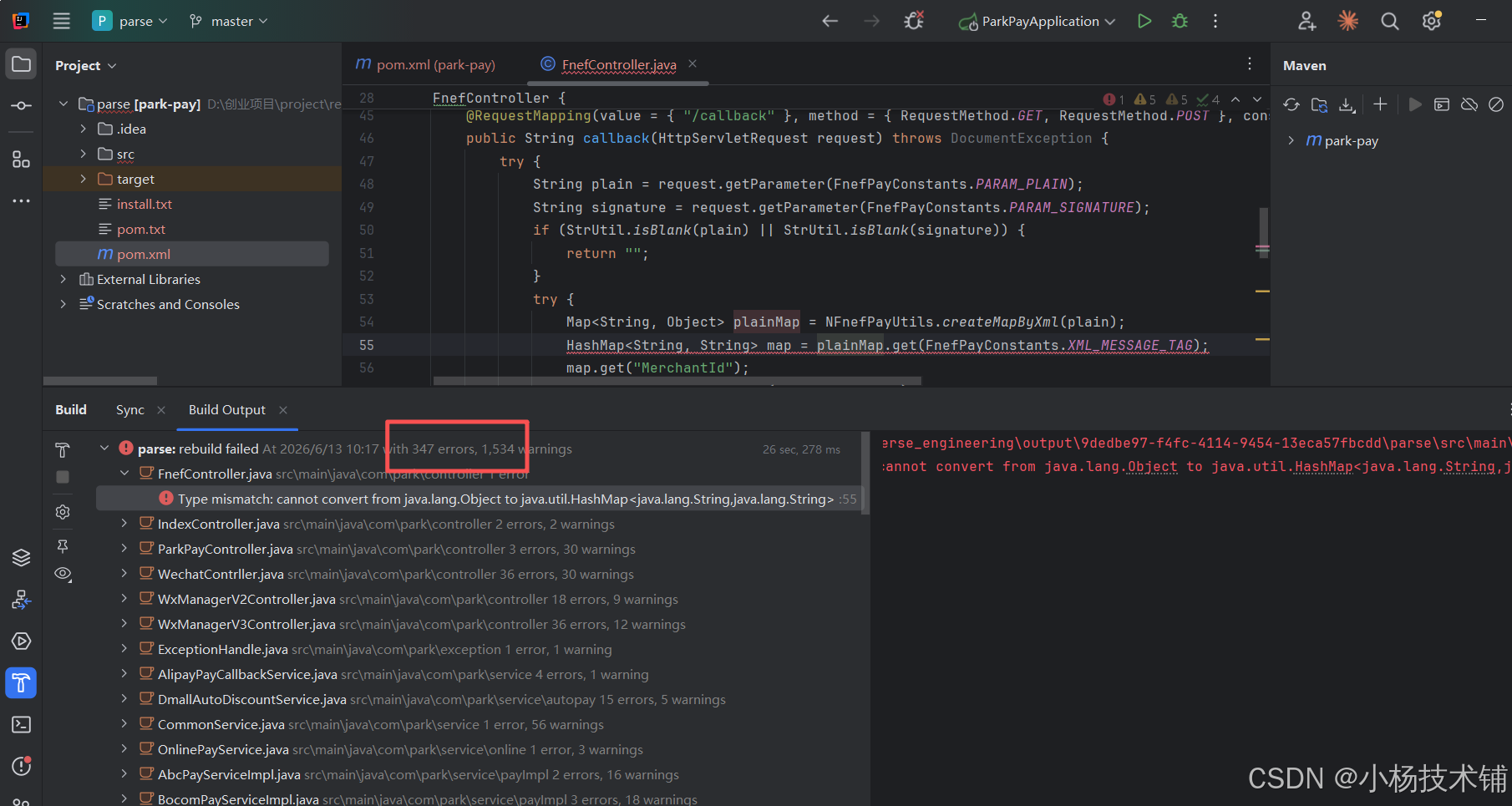
这个项目347个报错这个时候后面只需要用ai工具修复就行了。
ai工具安装使用和修复
使用cursor代码修复:
Cursor下载安装就行:
https://cursor.com/cn/download
cursor 工具 自己买账号(账号)我用pro账号180一个月,也有token算量工具,如果需要可以联系楼主
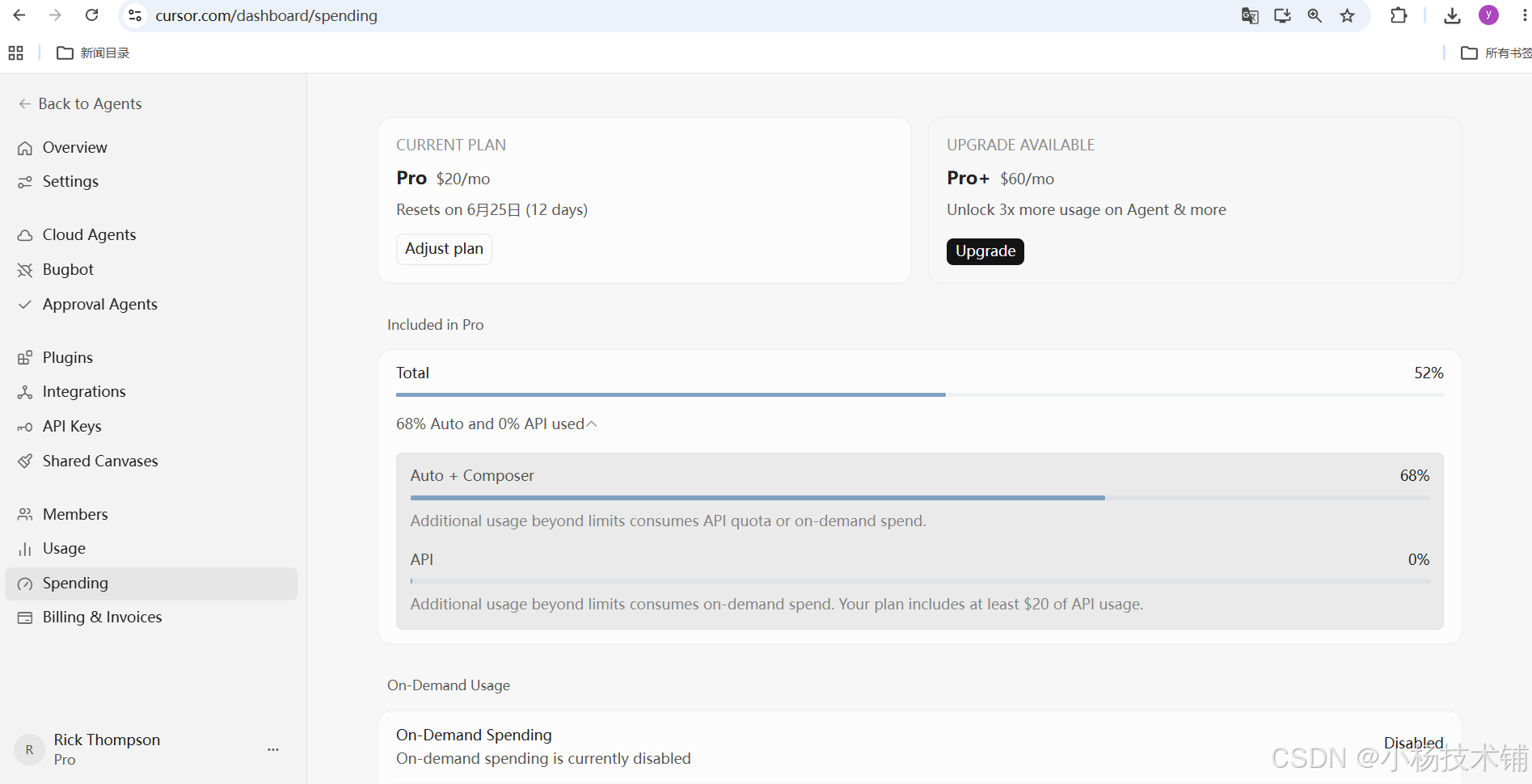
使用cursor完整代码修复:
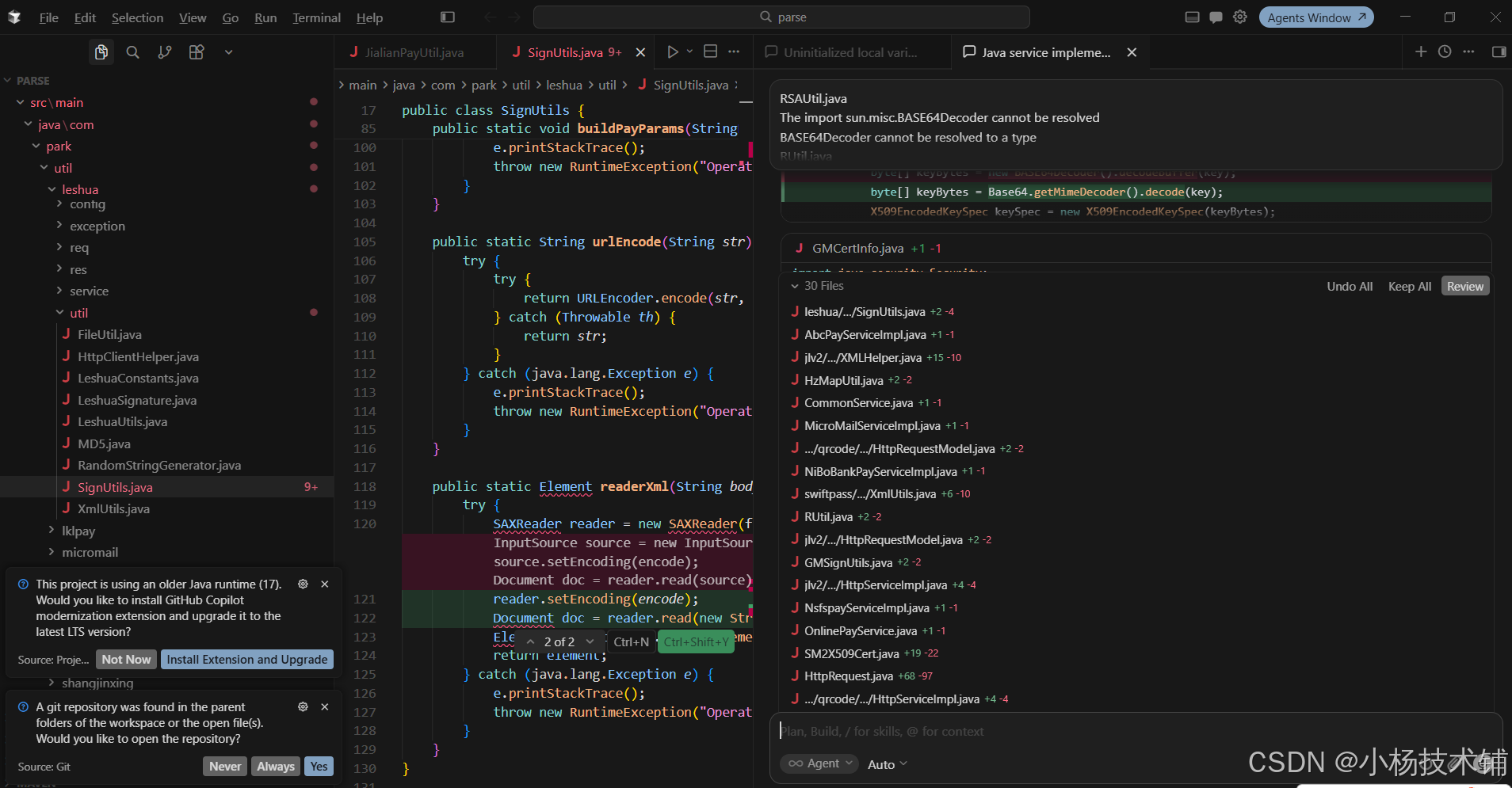
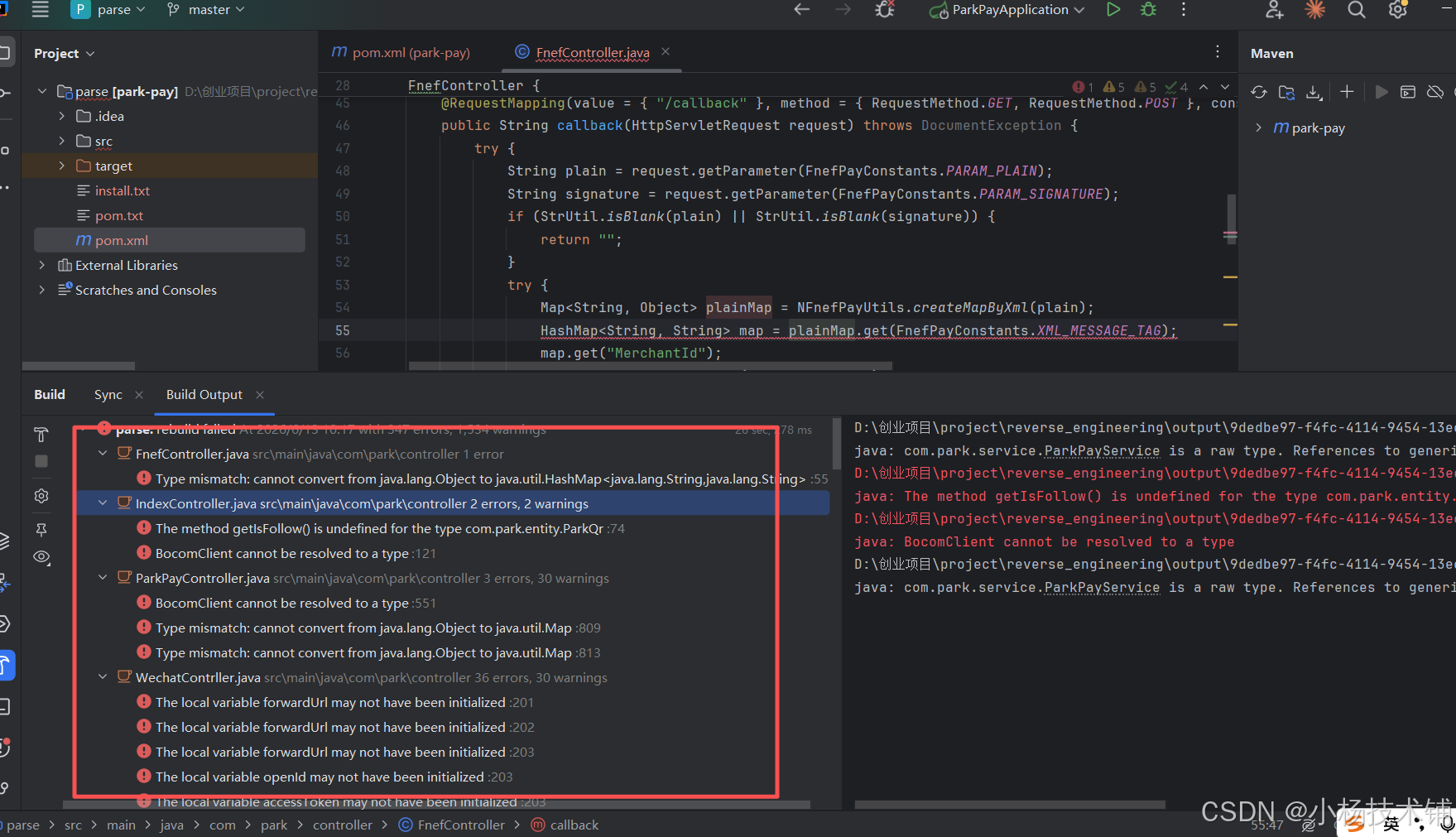
复制项目报错多开cursor窗口续费报错,操作修复就行。
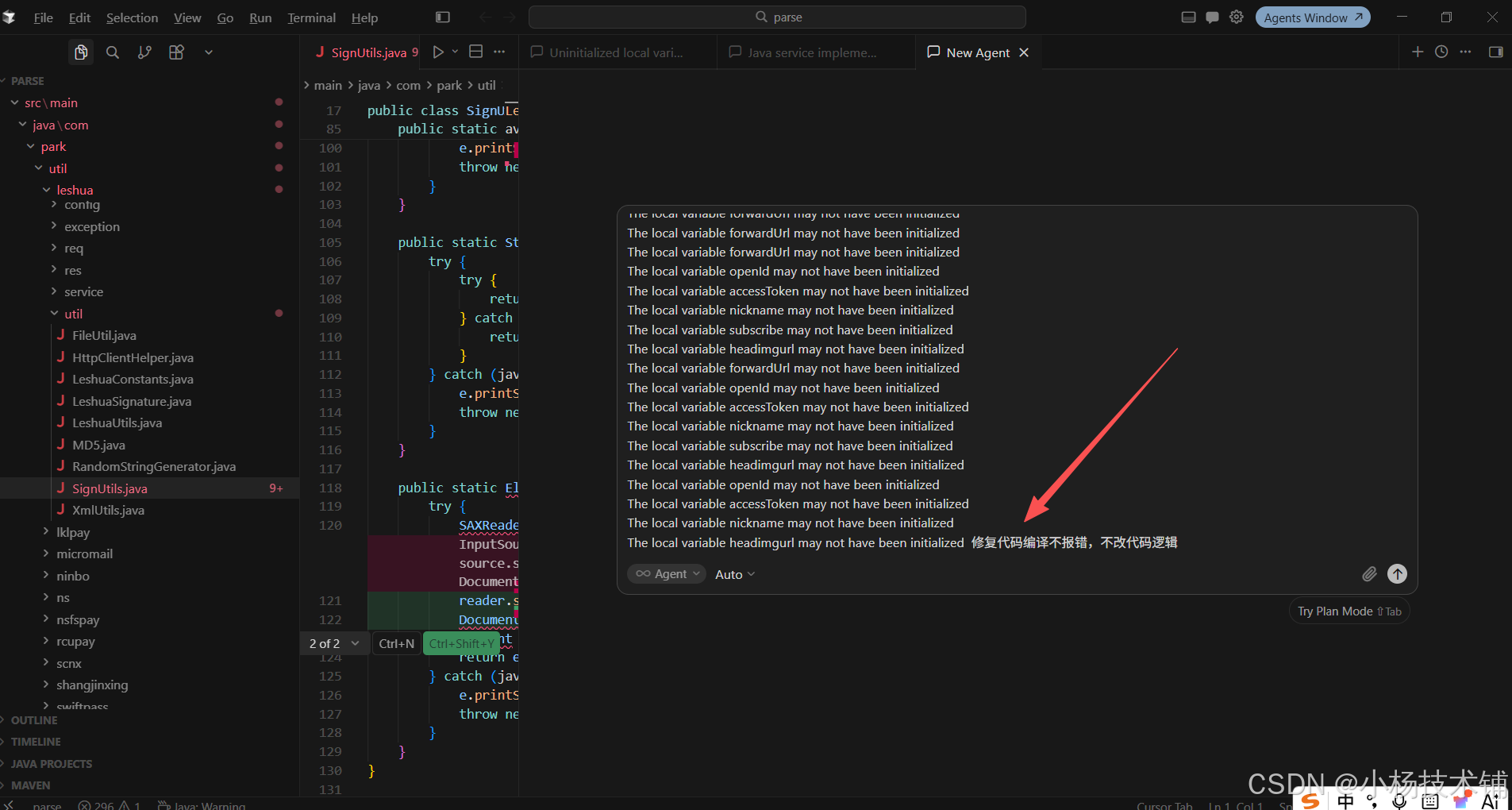
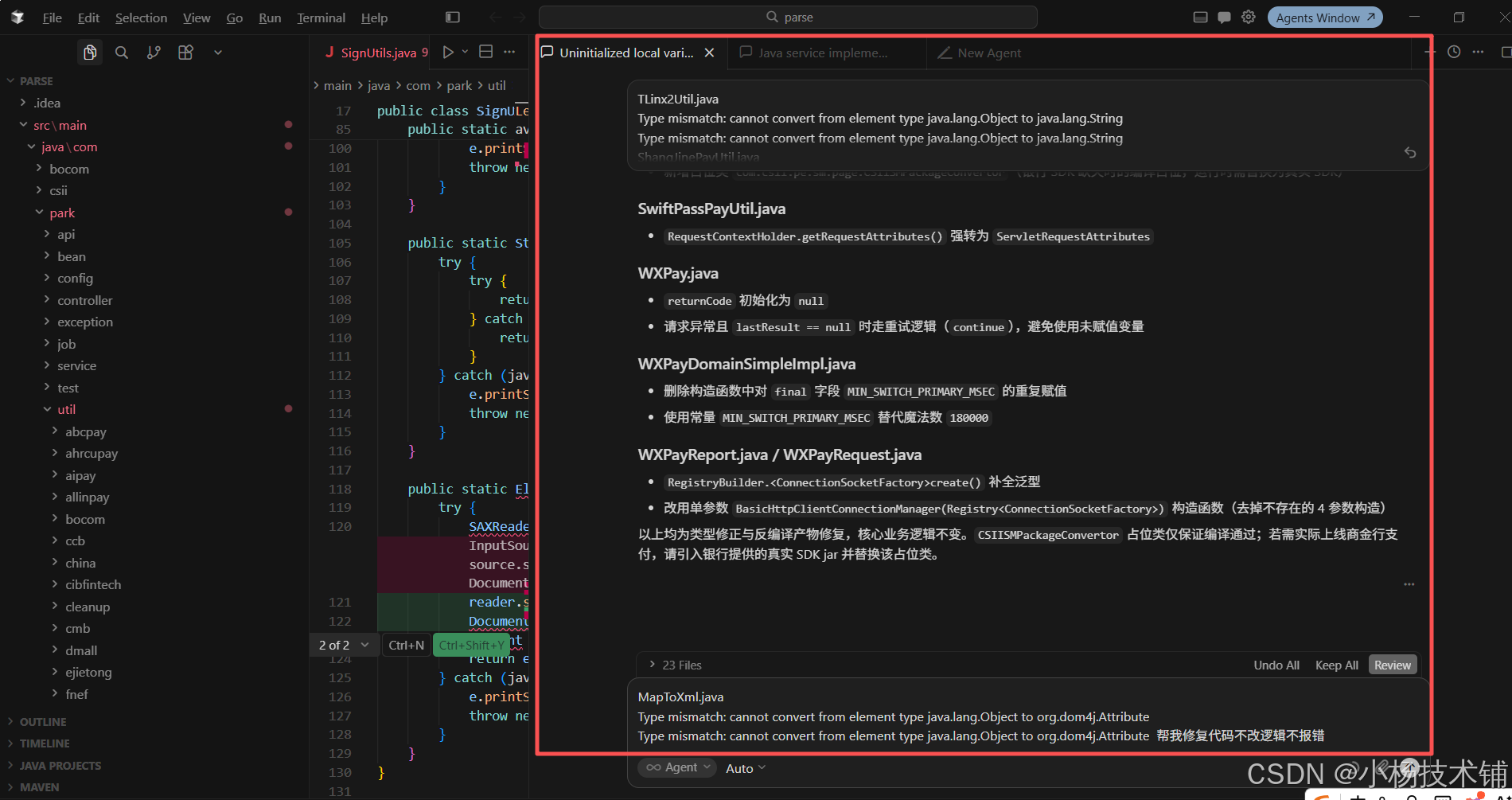
直到修复完报错就可以打包,详情看视频
使用openclaw修复
安装openclaw需要安装node环境必须安装:
openclaw安装命令:
npm install -g openclaw@latest
openclaw配置:第一次需要修改配置好,参考我的配置你搞别的中转:
|--------------------------------------------------------------------------------------------------------------------------------------------------------------------------------------------------------------------------------------------------------------------------------------------------------------------------------------------------------------------------------------------------------------------------------------------------------------------------------------------------------------------------------------------------------------------------------------------------------------------------------------------------------------------------------------------------------------------------------------------------------------------------------------------------------------------------------------------------------------------------------------------------------------------------------------------------------------------------------------------------------------------------------------------------------------------------------------------------------------------------------------------------------------------------------------------------------------------------------------------------------------------------------------------------------------------------------------------------------------------------------------------------------------------------------------------------------------------------------------------------------------------------------------------------------------------------------------------------------------------------------------------------------------------------------------------------------------------------------------------------------------------------------------------------------------------------------------------------------------------------------------------------------------------------------------------------------------------------------------------------------------------------------------------------------------------------------------------------------------------------------------------------------------------------------------------------------------------------------------------------------------------------------------------------------------------------------------------------------------------------------------------------------------------------------------------------------------------------------------------------------------------------------------------------------------------------------------------------------------------------------------------------------------------------------------------------------------------------------------------------------------------------------------------------------------------------------------------------------------------------------------------------------------------------------------------------------------------------------------------------------------------------------------------------------------------------------------------------------------------------------------------------------------------------------------------------------------------------------------------------------------------------------------------------------------------------------------------------------------------------------------------------------------------------------------------------------------------------------------------------------------------------------------------------------------------------------------------------------------------------------------------------------------------------------------------------------------------------------------------------------------------------------------------------------|
| C:\Users\yang\.openclaw { "meta": { "lastTouchedVersion": "2026.5.12", "lastTouchedAt": "2026-05-30T02:25:15.635Z" }, "auth": { "profiles": { "openai:default": { "provider": "openai", "mode": "api_key" } } }, "acp": { "enabled": false }, "models": { "providers": { "tokenx24": { "baseUrl": "https://tokenx24.com/v1", "apiKey": "sk-*********************************************", "auth": "api-key", "api": "openai-responses", "authHeader": true, "models": { "id": "gpt-5.5", "name": "GPT-5.5", "reasoning": true, "input": \["text", "image", "cost": { "input": 1.75, "output": 14, "cacheRead": 0.175, "cacheWrite": 0.175 }, "contextWindow": 400000, "maxTokens": 128000 } ] } } }, "agents": { "defaults": { "model": { "primary": "tokenx24/gpt-5.5" }, "models": { "tokenx24/gpt-5.5": { "alias": "GPT" } }, "workspace": "C:\\Users\\yang\\.openclaw\\workspace", "compaction": { "mode": "safeguard" } } }, "tools": { "profile": "coding", "sessions": { "visibility": "all" }, "agentToAgent": { "enabled": false } }, "commands": { "native": "auto", "nativeSkills": "auto", "restart": true, "ownerDisplay": "raw" }, "session": { "dmScope": "per-channel-peer" }, "gateway": { "port": 18789, "mode": "local", "bind": "loopback", "controlUi": { "allowInsecureAuth": true }, "auth": { "mode": "token", "token": "c5e5d047d7a0cfe0ff055824f6bfcb95285f607ed83f0ec7" }, "tailscale": { "mode": "off", "resetOnExit": false }, "nodes": { "denyCommands": "camera.snap", "camera.clip", "screen.record", "contacts.add", "calendar.add", "reminders.add", "sms.send" } }, "plugins": { "allow": "openai", "browser", "canvas", "device-pair", "file-transfer", "memory-core", "phone-control", "talk-voice" , "entries": { "acpx": { "enabled": false }, "codex": { "enabled": false }, "openai": { "enabled": true }, "amazon-bedrock": { "config": { "discovery": { "defaultContextWindow": 1 } } } } }, "skills": { "entries": { "1password": { "enabled": false }, "apple-notes": { "enabled": false }, "apple-reminders": { "enabled": false }, "bear-notes": { "enabled": false }, "blogwatcher": { "enabled": false }, "blucli": { "enabled": false }, "bluebubbles": { "enabled": false }, "camsnap": { "enabled": false }, "clawhub": { "enabled": false }, "coding-agent": { "enabled": false }, "discord": { "enabled": false }, "eightctl": { "enabled": false }, "gemini": { "enabled": false }, "gh-issues": { "enabled": false }, "gifgrep": { "enabled": false }, "github": { "enabled": false }, "gog": { "enabled": false }, "goplaces": { "enabled": false }, "himalaya": { "enabled": false }, "imsg": { "enabled": false }, "mcporter": { "enabled": false }, "model-usage": { "enabled": false }, "nano-pdf": { "enabled": false }, "notion": { "enabled": false }, "obsidian": { "enabled": false }, "openai-whisper": { "enabled": false }, "openai-whisper-api": { "enabled": false }, "openhue": { "enabled": false }, "oracle": { "enabled": false }, "ordercli": { "enabled": false }, "peekaboo": { "enabled": false }, "sag": { "enabled": false }, "session-logs": { "enabled": false }, "sherpa-onnx-tts": { "enabled": false }, "slack": { "enabled": false }, "songsee": { "enabled": false }, "sonoscli": { "enabled": false }, "spotify-player": { "enabled": false }, "summarize": { "enabled": false }, "things-mac": { "enabled": false }, "tmux": { "enabled": false }, "trello": { "enabled": false }, "voice-call": { "enabled": false }, "wacli": { "enabled": false }, "xurl": { "enabled": false } } }, "wizard": { "lastRunAt": "2026-05-30T02:24:45.715Z", "lastRunVersion": "2026.5.12", "lastRunCommand": "doctor", "lastRunMode": "local" } } |
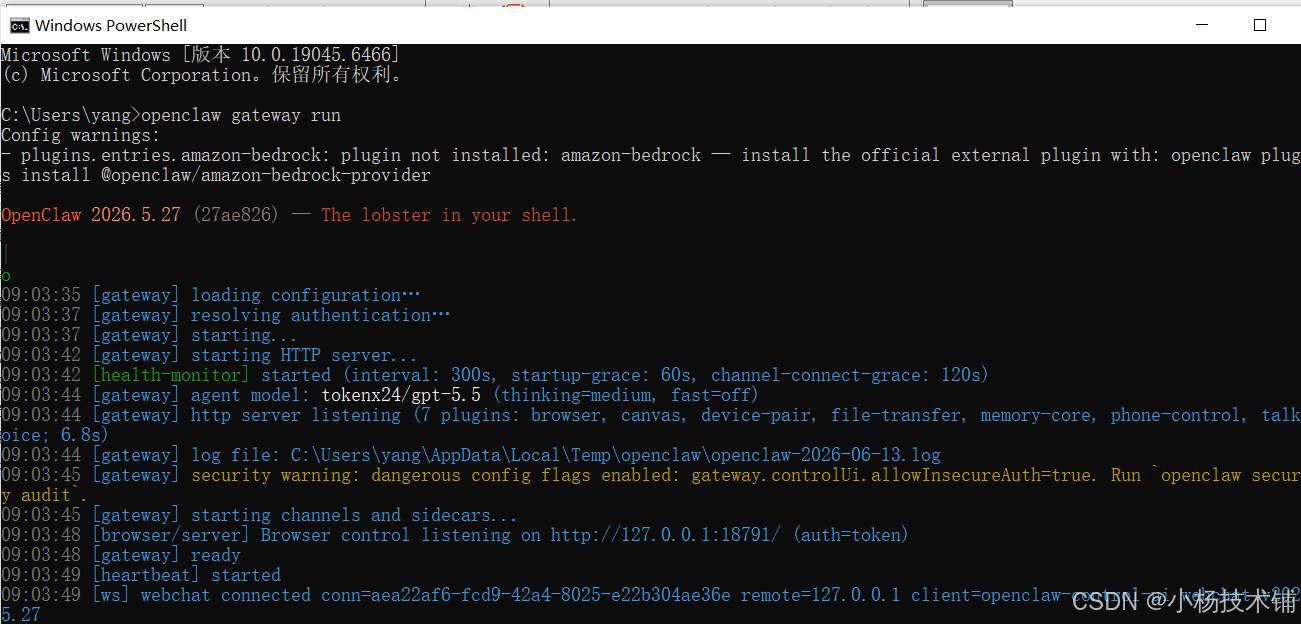
openclaw启动:
openclaw gateway run
使用claude修复代码:
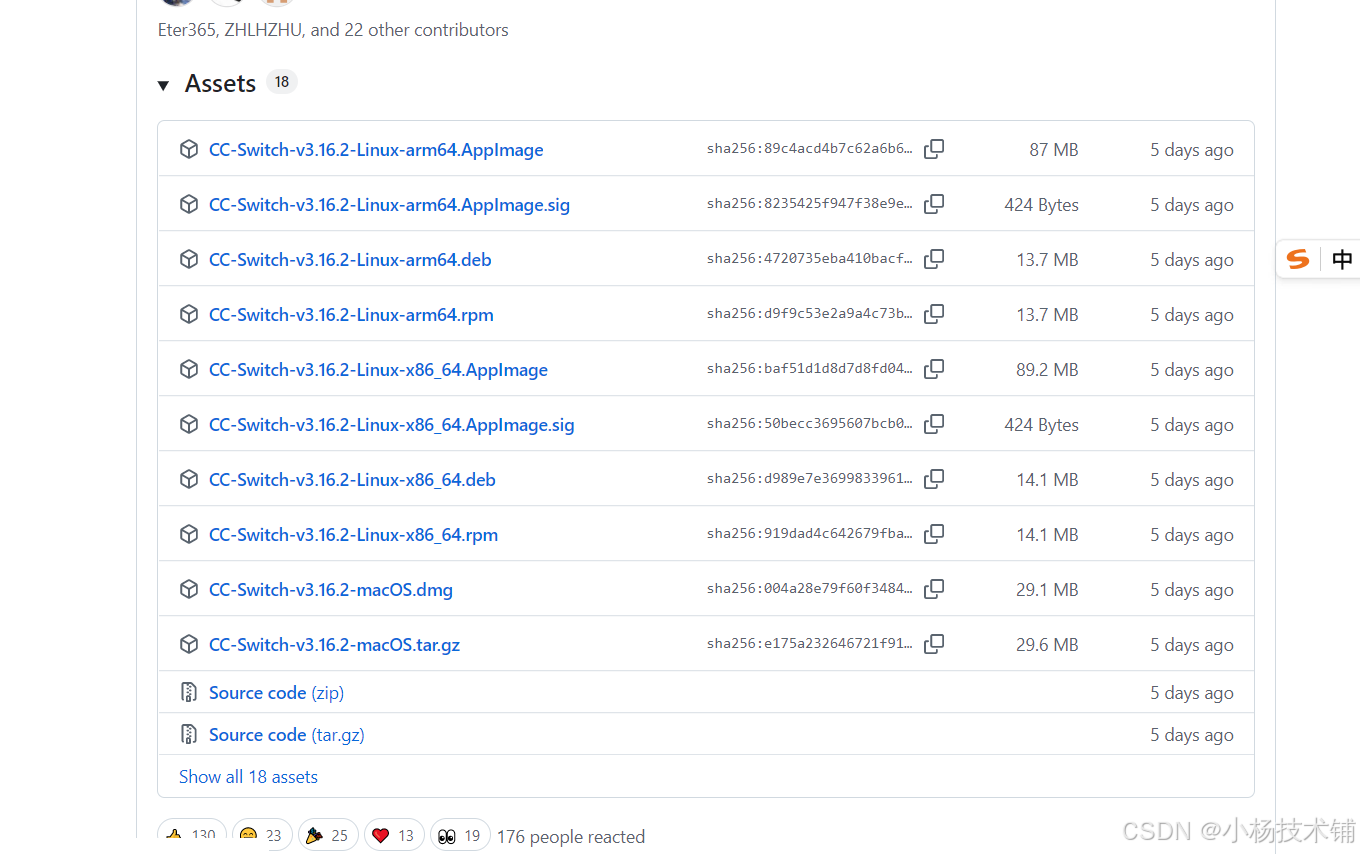
Ccswitch:
Releases · farion1231/cc-switch · GitHub
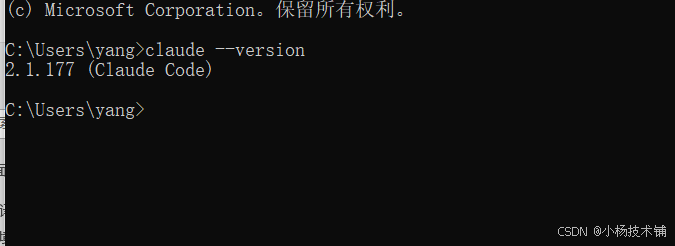
npm install -g @anthropic-ai/claude-code
claude --version
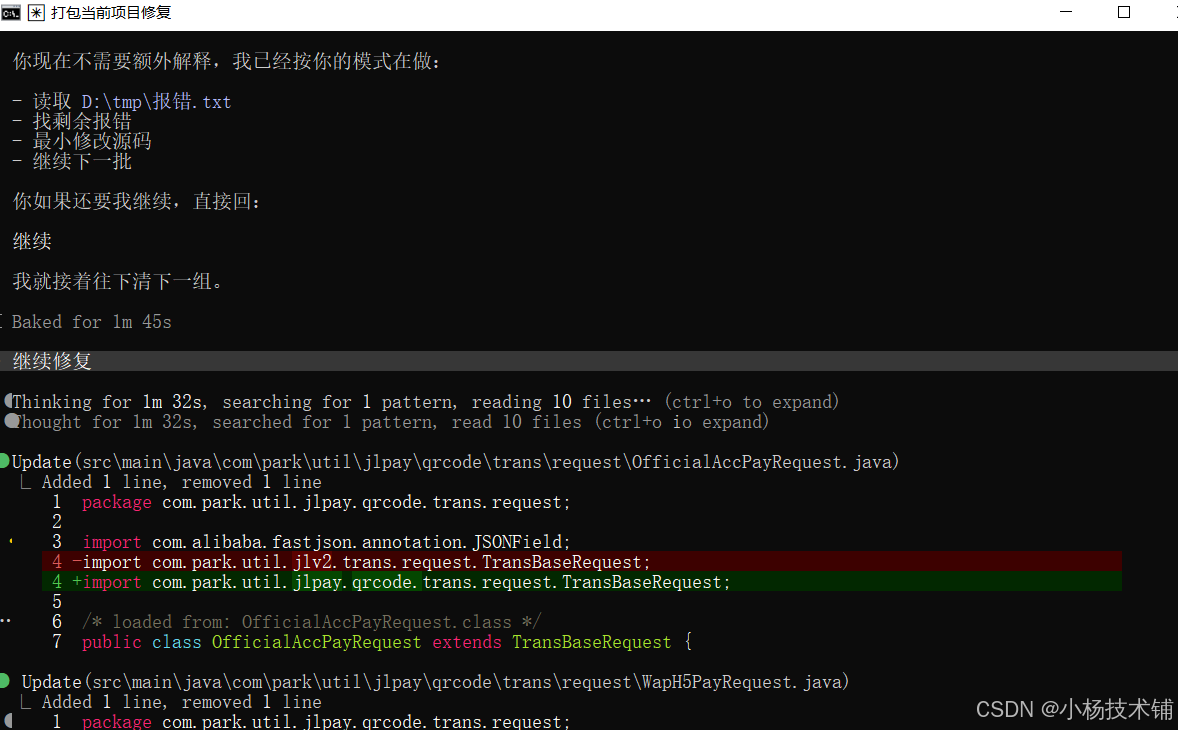
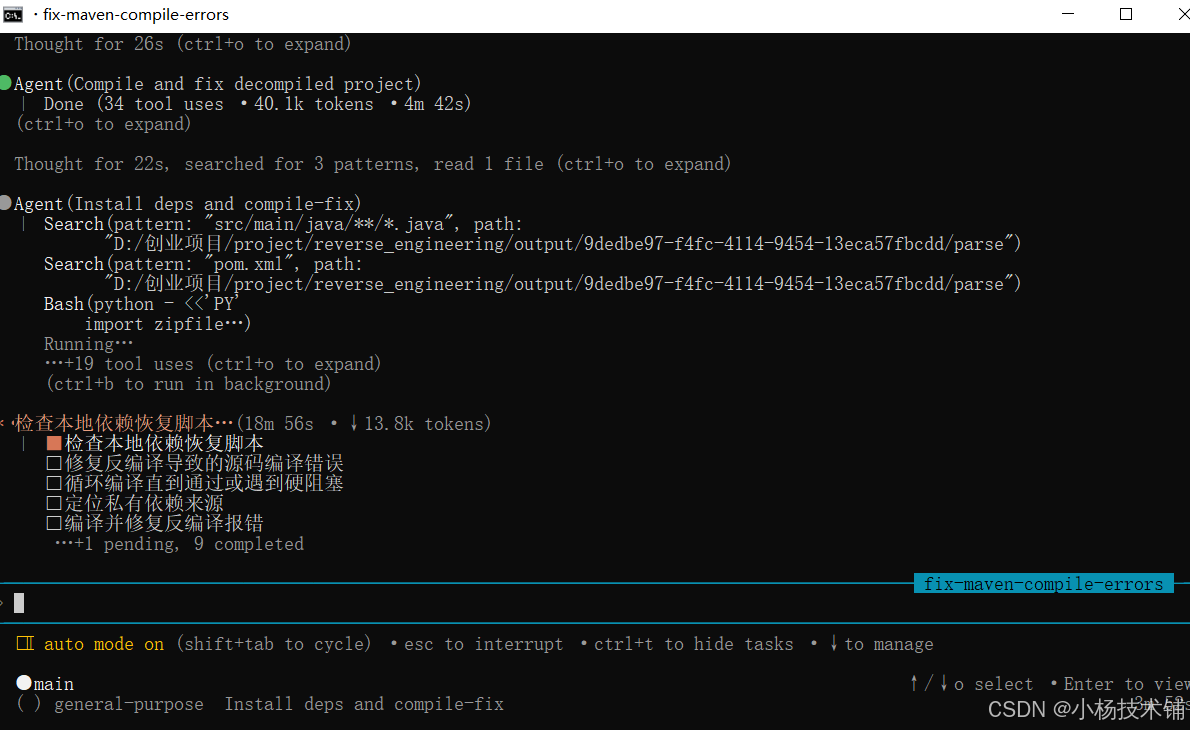
总结:
- 环境配置问题:maven 环境,jdk ,lib引用依赖
- Ai工具选择:cursor(多窗口同步进行,openclaw自动化任务,claude写代码强,逆向修复很慢烧toekn)
- 自动化逆向工具(98%报错)
- 送一次自动化逆向,跑源码(买了课程同学 xyjsph),如果需要看详情或者视频学习的联系小杨。