SSE 是基于 HTTP/HTTPS 的单向长连接协议 ,用于服务端主动向浏览器推送数据,仅支持服务端 → 客户端单向通信,相比 WebSocket 更轻量、原生支持浏览器、自动重连。
- 传输层:标准 HTTP/1.1+ ,复用现有 HTTP 链路,不新建协议端口。
- 连接模式:长轮询长连接,客户端发起一次 HTTP 请求,服务端持续响应流,连接不断开。
- 单向通信:仅服务端推数据,客户端如需回传,需额外走普通 HTTP 请求。
- 浏览器原生支持:
EventSourceAPI,无需第三方库。
EventSource API 接口
js
[Exposed=(Window,Worker)]
interface EventSource : EventTarget {
  constructor(USVString url, optional EventSourceInit eventSourceInitDict = {});

  readonly attribute USVString url;
  readonly attribute boolean withCredentials;

  // ready state
  const unsigned short CONNECTING = 0;
  const unsigned short OPEN = 1;
  const unsigned short CLOSED = 2;
  readonly attribute unsigned short readyState;

  // networking
  attribute EventHandler onopen;
  attribute EventHandler onmessage;
  attribute EventHandler onerror;
  undefined close();
};

dictionary EventSourceInit {
  boolean withCredentials = false;
};
服务端响应头必须设置
bash
Content-Type: text/event-stream # 固定 MIME 类型,标识 SSE 流
Cache-Control: no-cache # 禁止浏览器缓存流数据
Connection: keep-alive # 保持长连接
标准消息格式
SSE 消息由多个行字段 组成,字段格式统一:[字段名]: [内容],冒号后必须跟空格(规范要求)。
| 字段名 | 作用 | 格式说明 |
|---|---|---|
data |
主体数据(最常用) | 消息内容,可多行 (多行写多个 data:) |
event |
自定义事件名 | 用于区分不同业务事件,客户端按事件名监听 |
id |
消息 ID(断点续传) | 每条消息唯一标识,用于重连定位 |
retry |
重连间隔(毫秒) | 客户端断连后,等待多久重试连接 |
: |
注释行 | 仅服务端注释,客户端直接忽略 |
示例 基本使用 (onopen、onerror、onmessage)
js
const eventSource = new EventSource("https://localhost:8443/api/sse");
console.log("eventSource", eventSource);
// 连接建立、流就绪时触发一次
eventSource.onopen = () => {
  console.log("连接成功", eventSource);
};
eventSource.onerror = (event) => {
  console.log("连接错误", event);
};

eventSource.onmessage = (event) => {
  console.log("收到消息", event);
};

const btnClose = document.getElementById("btn-close");
btnClose.addEventListener("click", () => {
  // 手动关闭,不会自动重连
  eventSource.close();
});
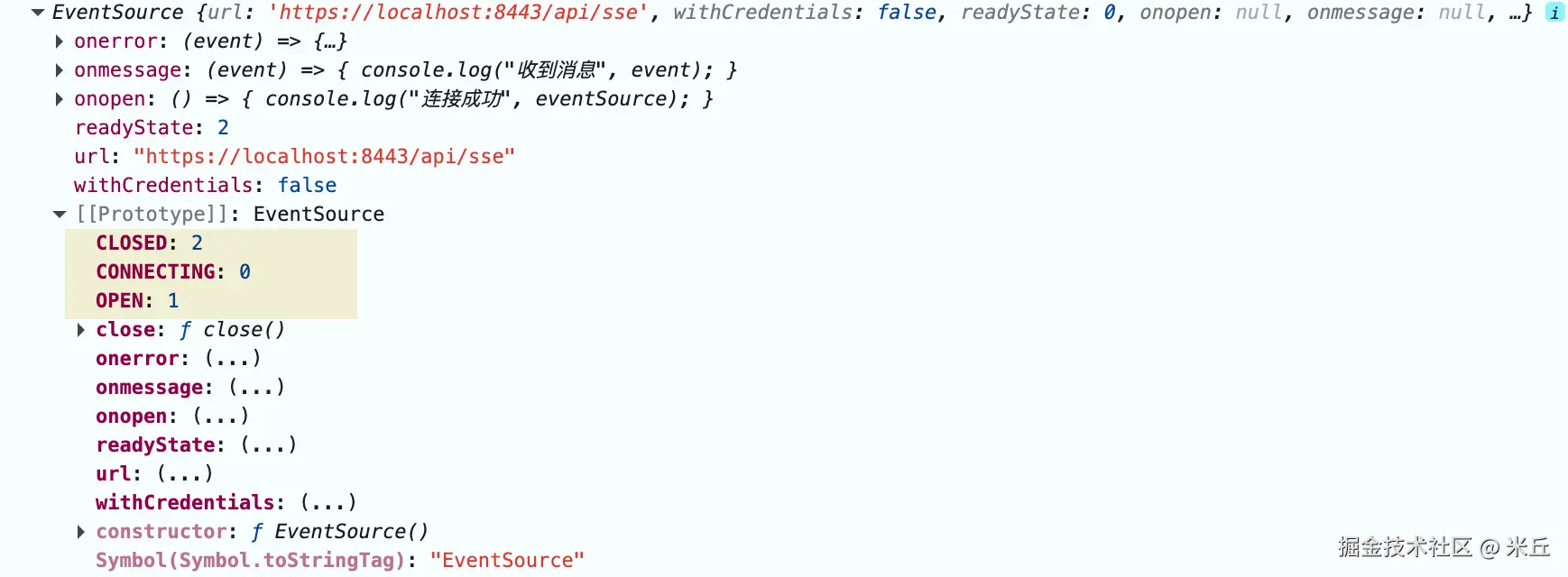
readyState 状态
0:CONNECTING正在连接1:OPEN连接成功,正常通信2:CLOSED连接已关闭,不再重连
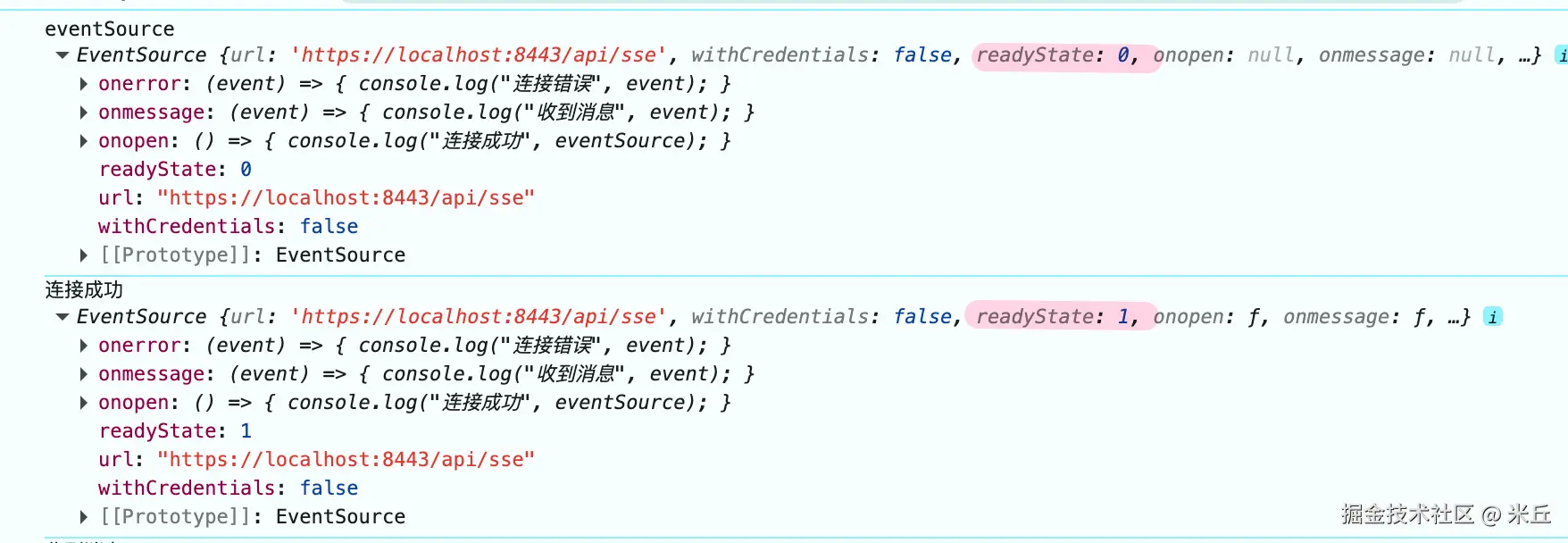
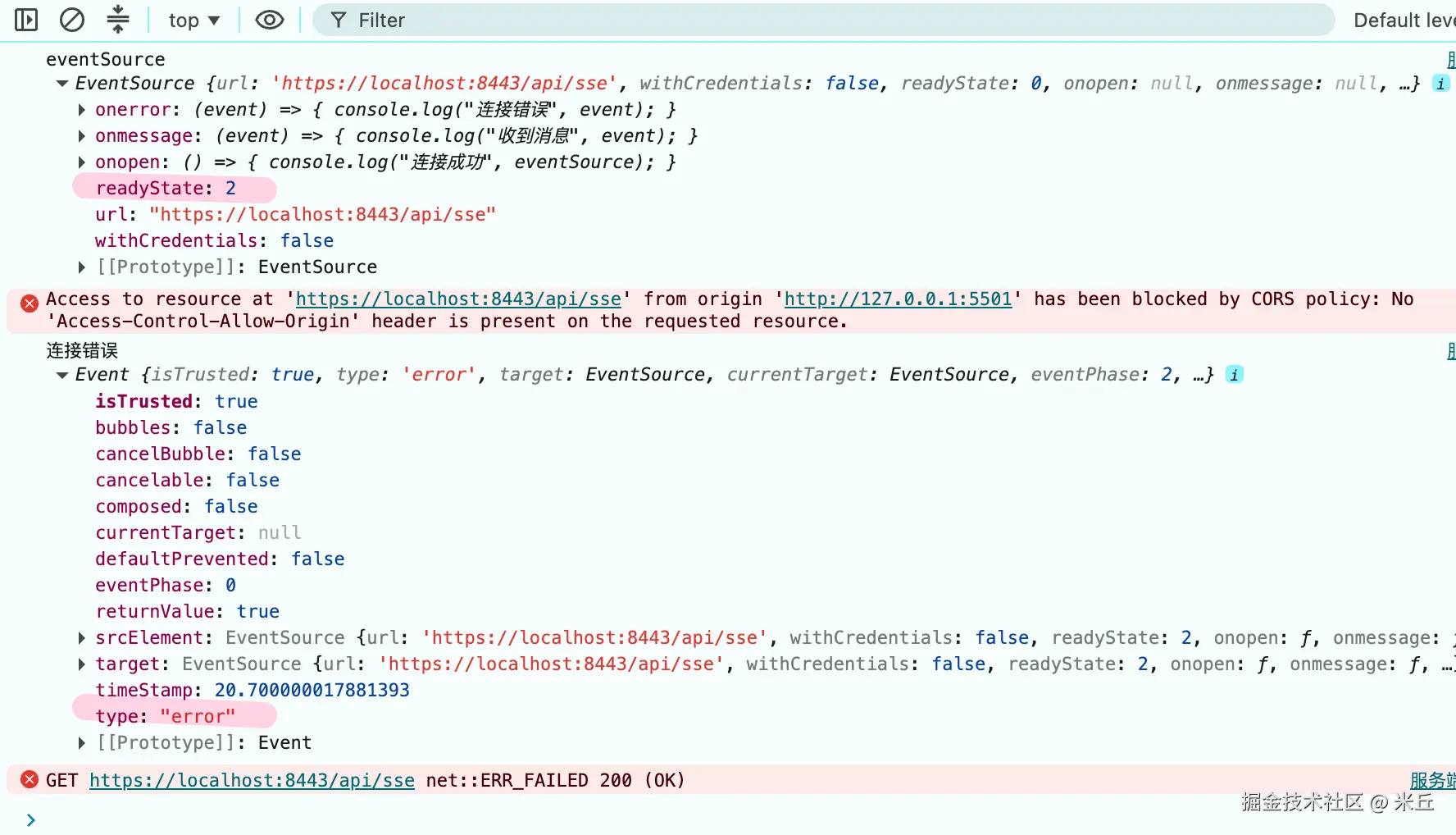
网络中断、服务端断开、HTTP 异常、跨域失败、超时都会触发 onerror
出现跨域失败问题,会触发 onerror 事件
js
eventSource.onerror = function () {
    switch (eventSource.readyState) {
    case EventSource.CONNECTING:
        console.log('临时断连,即将自动重连');
        break;
    case EventSource.CLOSED:
        console.log('连接彻底关闭,不再重连');
        break;
    }
};
示例 自定义事件
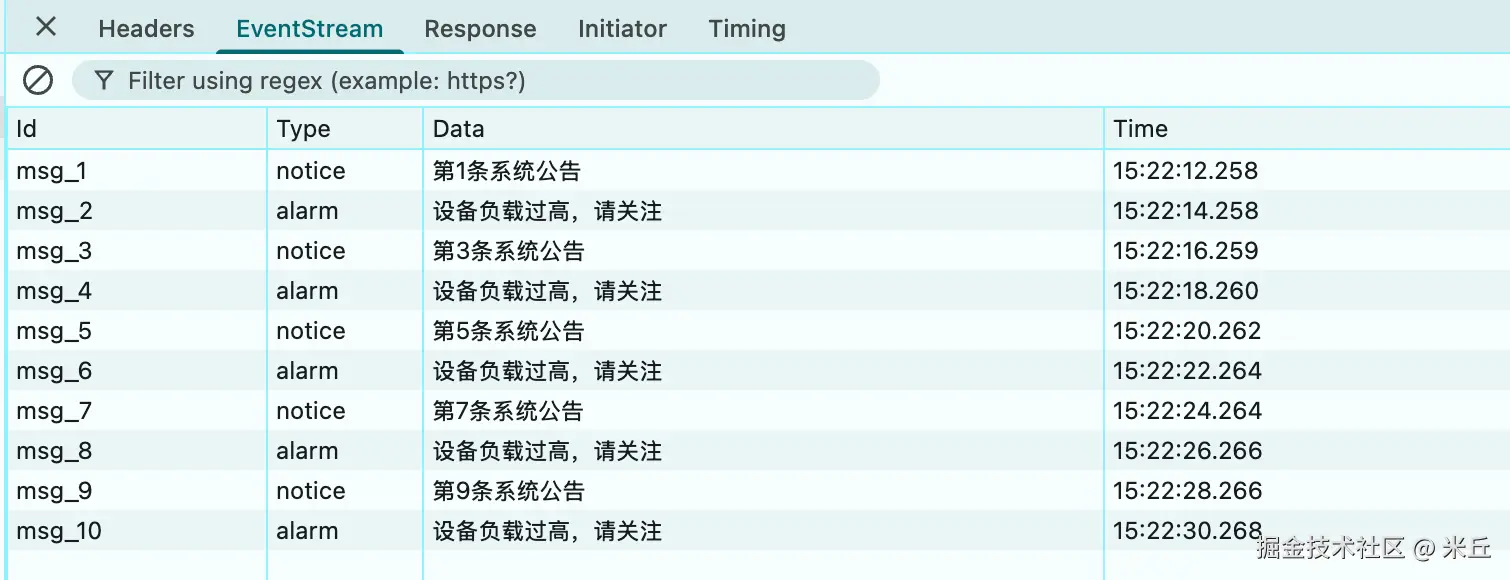
服务端通过 event: 事件名 定义自定义事件,前端不能用 onXXX ,必须用 addEventListener 监听。
js
const eventSource = new EventSource("https://localhost:8443/api/sse-event");
console.log("eventSource", eventSource);

// 监听默认 message 事件(无 event 字段时触发)
eventSource.onmessage = (e) => {
  console.log("默认消息:", e.data);
};
eventSource.addEventListener("alarm", (event) => {
  console.log("收到报警事件", event);
});

eventSource.addEventListener("notice", (event) => {
  console.log("收到通知事件", event);
});

// 错误处理
eventSource.onerror = () => {
  console.error("连接异常");
};

const btnClose = document.getElementById("btn-close");
btnClose.addEventListener("click", () => {
  eventSource.close();
});
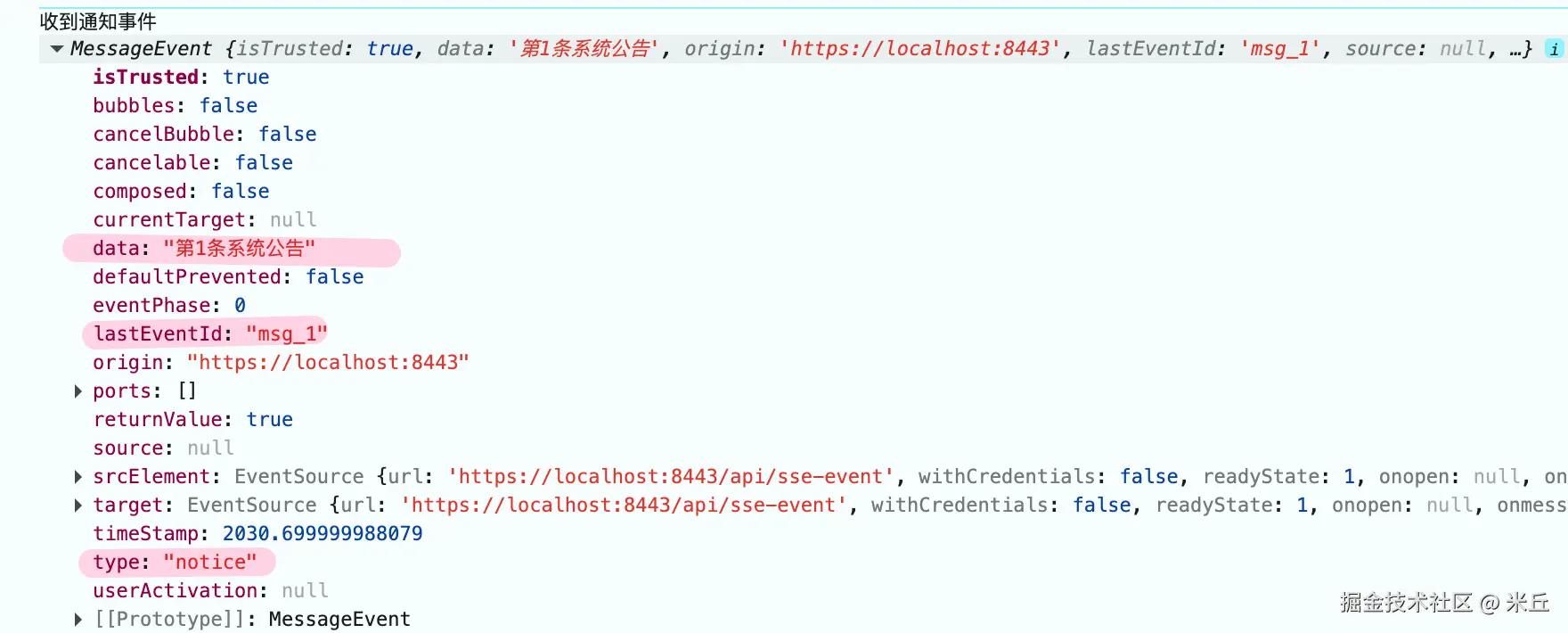
js
app.get("/api/sse-event", (req, res) => {
  res.setHeader("Access-Control-Allow-Origin", "*");
  res.setHeader("Content-Type", "text/event-stream");
  res.setHeader("Cache-Control", "no-cache");
  res.setHeader("Connection", "keep-alive");

  // 模拟定时推送不同自定义事件
  let count = 1;
  const timer = setInterval(() => {
    // 场景1:推送 notice 自定义事件
    if (count % 2 === 1) {
      res.write("event: notice\n");
      res.write(`id: msg_${count}\n`); // 消息ID
      res.write(`data: 第${count}条系统公告\n\n`);
    }
    // 场景2:推送 alarm 自定义事件
    else {
      res.write("event: alarm\n");
      res.write(`id: msg_${count}\n`);
      res.write("data: 设备负载过高,请关注\n\n");
    }
    count++;
  }, 2000);

  // 客户端断开连接,清除定时器,防止内存泄漏
  req.on("close", () => {
    clearInterval(timer);
    res.end();
    console.log("客户端已开连接,定时器已清除");
  });
});
重连机制 (SSE 内置自动重连)
一、默认重连规则
- 默认重连间隔 :3000 毫秒(3 秒) 。
- 服务端可通过
retry: 毫秒数全局修改客户端重连等待时间。 - 只要不是手动调用
close(),断开后客户端一定会自动重试。
| 状态值 | 常量名 | 含义 | 重连行为 |
|---|---|---|---|
| 0 | CONNECTING |
正在建立连接 / 等待重连 | 断连后进入此状态,倒计时结束发起新请求 |
| 1 | OPEN |
连接正常、可收发数据 | 无重连 |
| 2 | CLOSED |
连接永久关闭 | 彻底停止重连 |
二、完整重连流程
- 正常连接中断(网络 / 服务端关闭流)→ 触发
error事件。 - 客户端等待
retry指定时间(默认 3s)。 - 自动发起全新 HTTP GET 请求重建长连接。
- 连接成功 → 触发
open,恢复推送
三、断点续传(基于 id + Last-Event-ID)
这是 SSE 可靠推送的核心:
- 服务端每条消息携带
id: xxx。 - 客户端接收后,缓存当前最新
lastEventId。 - 断连重连时,客户端请求头自动带上:
Last-Event-ID: xxx - 服务端读取该请求头,从该 ID 的下一条消息开始补发,实现断连不丢数据。
四、重连终止条件
满足任一,客户端停止自动重连:
- 前端代码执行
EventSource.close()→ 主动关闭。 - 服务端返回 HTTP 204 状态码(规范约定:204 = 永久关闭,禁止重连)。
- 404 → URL 无效,重连无意义
- CORS → 被拦截,重连也会被拦截
- 浏览器页面关闭 / 标签页销毁。
五、边界说明
- 重连是纯客户端行为,服务端无需额外逻辑。
- 跨域 SSE:服务端必须配置
Access-Control-*跨域头,否则连接失败。 - 最大重连次数:无上限,会一直重试。
示例 断点重连
前端 EventSource 天生缓存 lastEventId、自动携带请求头,只需正常监听即可。
- 只要帧里有
id,e.lastEventId/es.lastEventId自动更新。 - 重连请求自动附加
Last-Event-ID请求头,无需手动拼接。 - 手动调用
es.close()后不再重连,也不会再发该请求头。
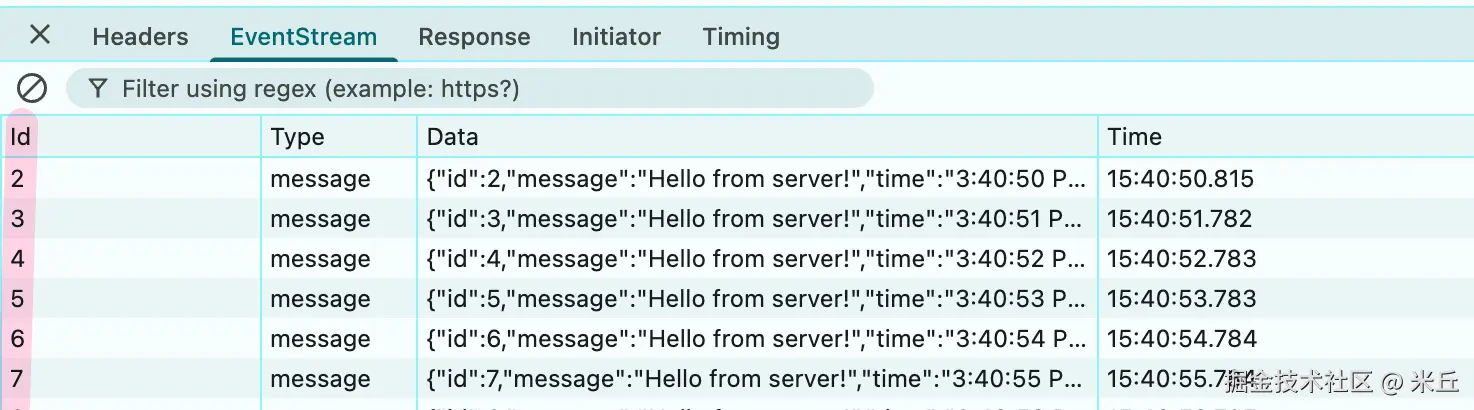
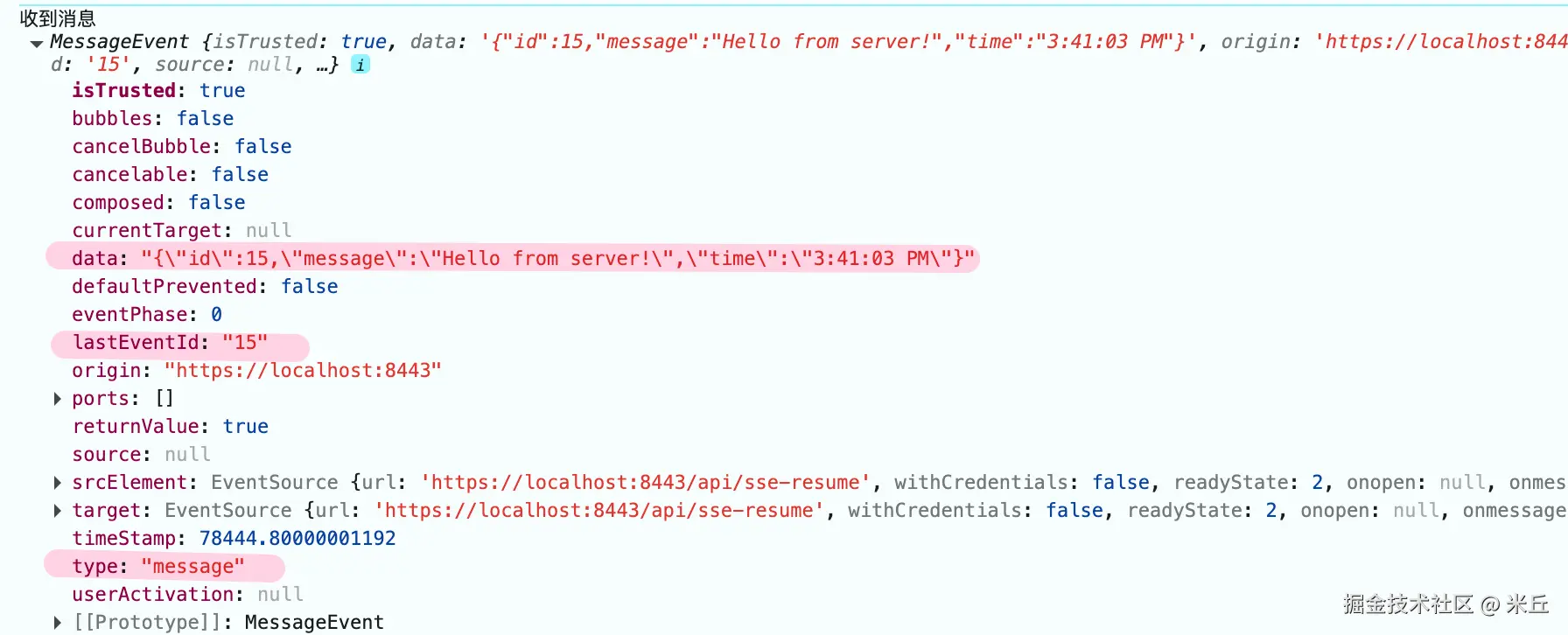
请求头会自动携带 Last-Event-ID
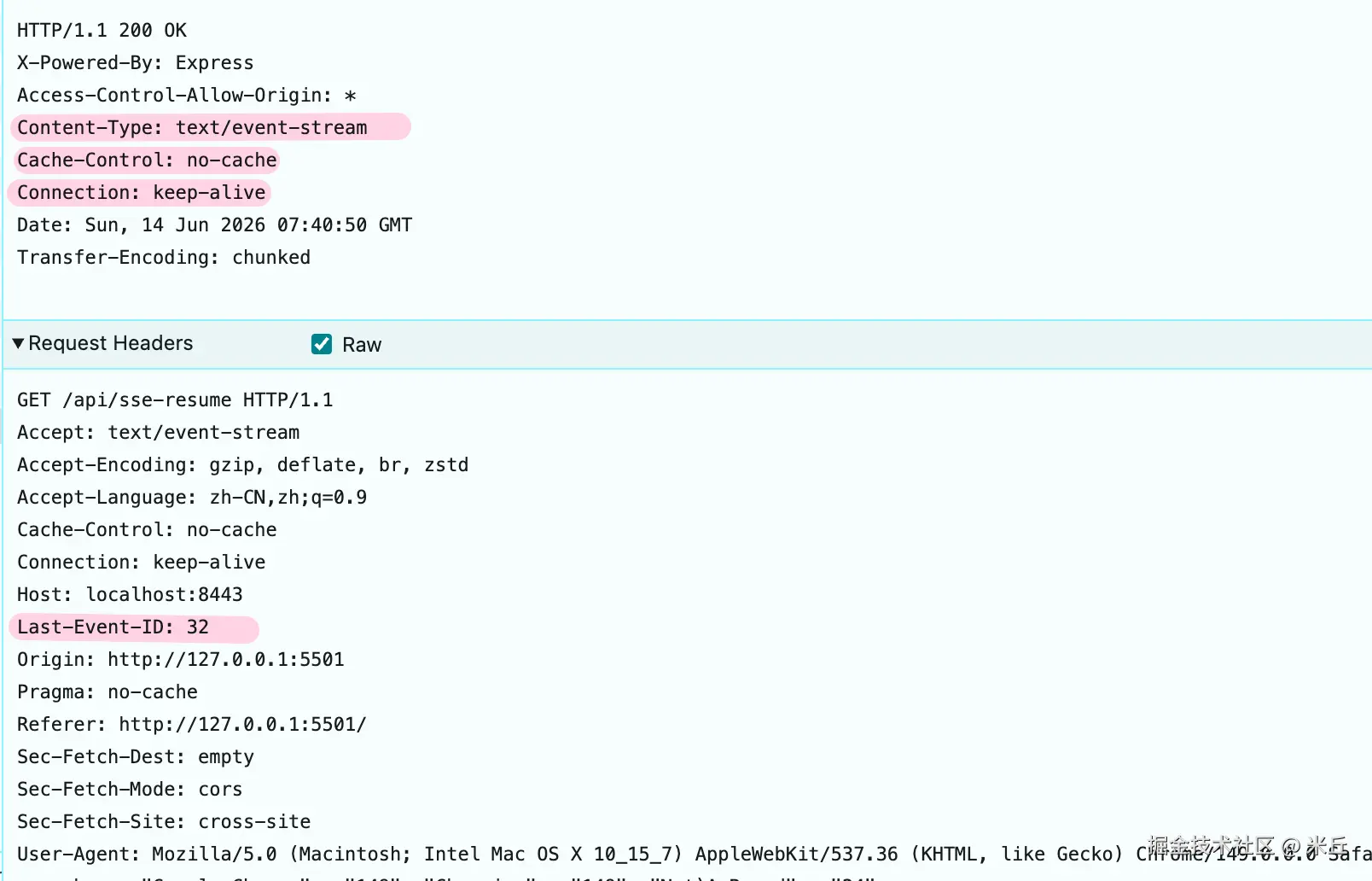
服务端
- 维护消息队列 / 存储(记录每条消息 + ID)。
- 接收
Last-Event-ID请求头,增量补发历史消息,再推送实时消息。
示例 重连时间间隔
js
  const eventSource = new EventSource("https://localhost:8443/api/sse-retry");
  eventSource.onmessage = (event) => {
    console.log("收到消息", event);
  };

  let lastErrorTime = 0;
  eventSource.onerror = (event) => {
    const now = Date.now();
    const interval = lastErrorTime ? now - lastErrorTime : 0;
    console.log("连接错误", event, `距上次错误: ${interval}ms`);
    lastErrorTime = now;
  };

  eventSource.onopen = () => {
    console.log("连接成功");

  };
  const btnClose = document.getElementById("btn-close");
  btnClose.addEventListener("click", () => {
    eventSource.close();
  });
默认 间隔

服务器服务端通过 retry: 数值 动态设置客户端断连后的重连等待时长 ,单位 毫秒 (ms) ,仅支持正整数;写 0 / 负数 / 非数字,浏览器会忽略,沿用原有配置。
js
app.get("/api/sse-retry", (req, res) => {
  res.setHeader("Access-Control-Allow-Origin", "*");
  res.setHeader("Content-Type", "text/event-stream");
  res.setHeader("Cache-Control", "no-cache");
  res.setHeader("Connection", "keep-alive");
  // 连接建立,立即设置重连间隔为 5 秒
  res.write("retry: 5000\n\n");
  let code_id = 1;
  const timer = setInterval(() => {
    res.write(`id: ${code_id++}\n`);
    res.write("data: 123\n\n");
  }, 3000);

  req.on("close", () => {
    clearInterval(timer);
    code_id = null;
    res.end();
  });
});
携带 cookie
同源默认协议cookie。
跨域,服务端需要配置响应头Access-Control-Allow-Origin: 前端具体域名, Access-Control-Allow-Credentials:true。
js
new EventSource(SSE_URL,{
    withCredentials: true,
  });
EventSource 不支持自定义请求头,也不能用 Authorization 头。