1.案例
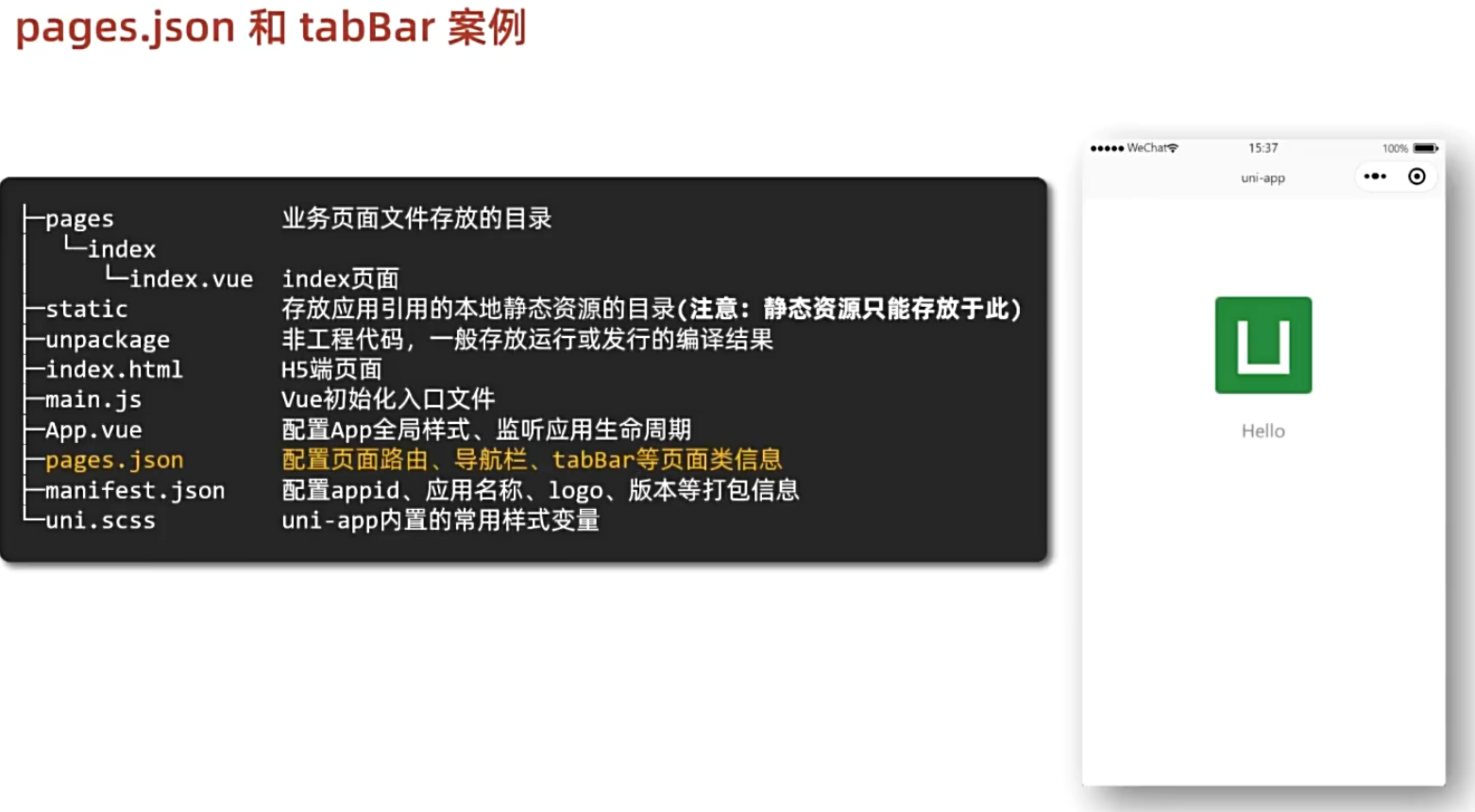
2.page.json
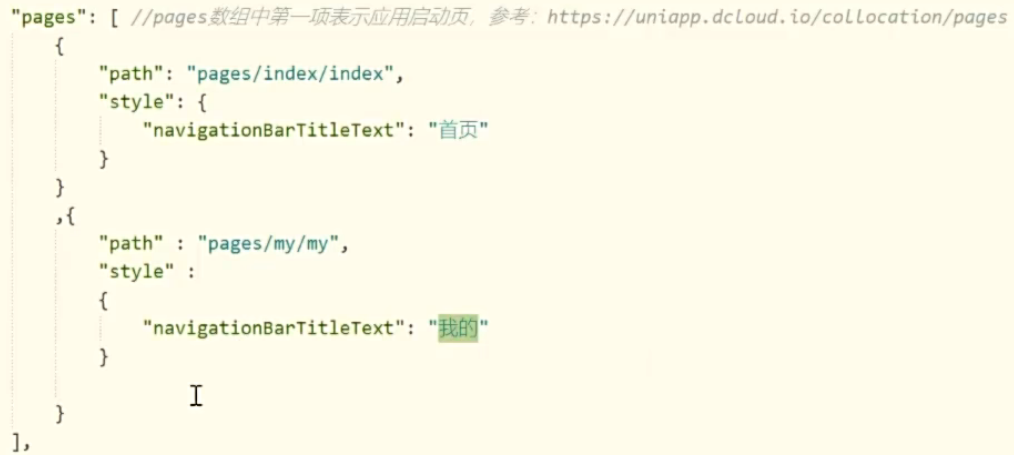
#pages是页面路由以及窗口表现
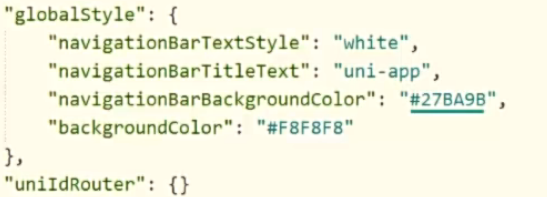
#globalStyle是默认窗口表现
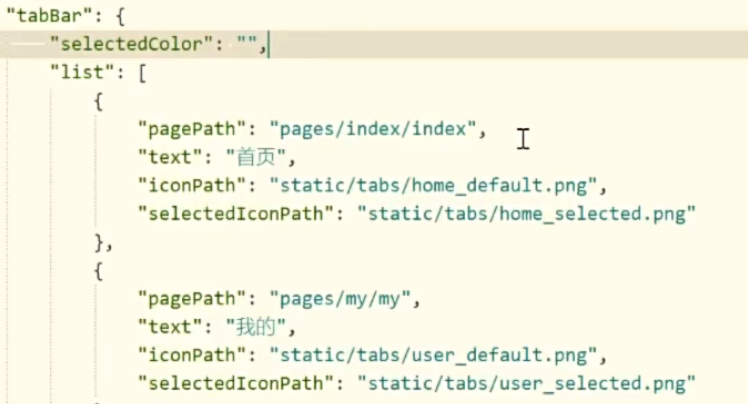
#tabBar至少两个才显示
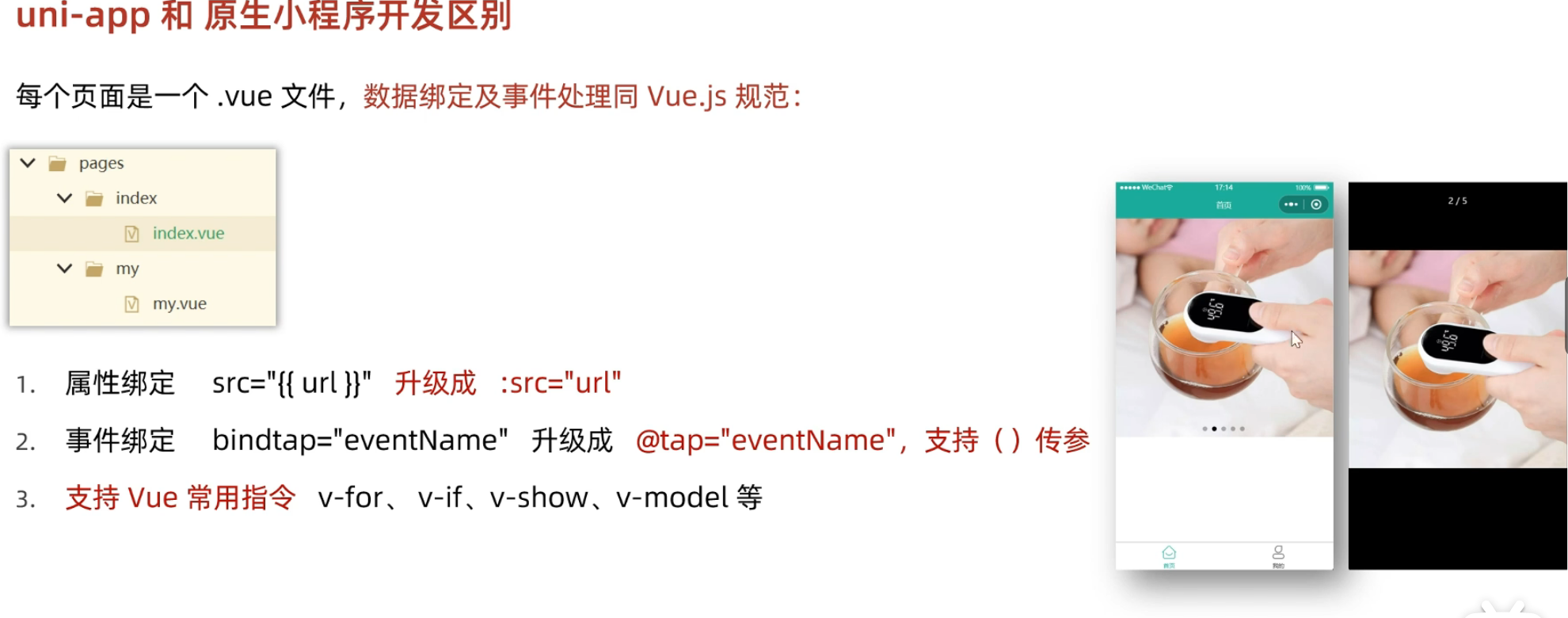
2.与原生小程序区别
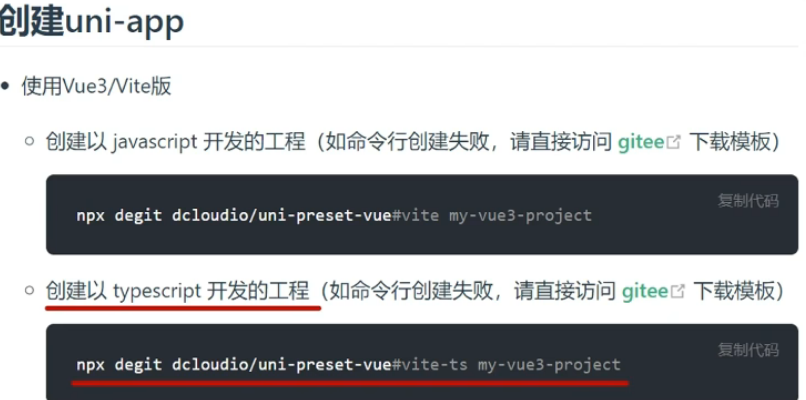
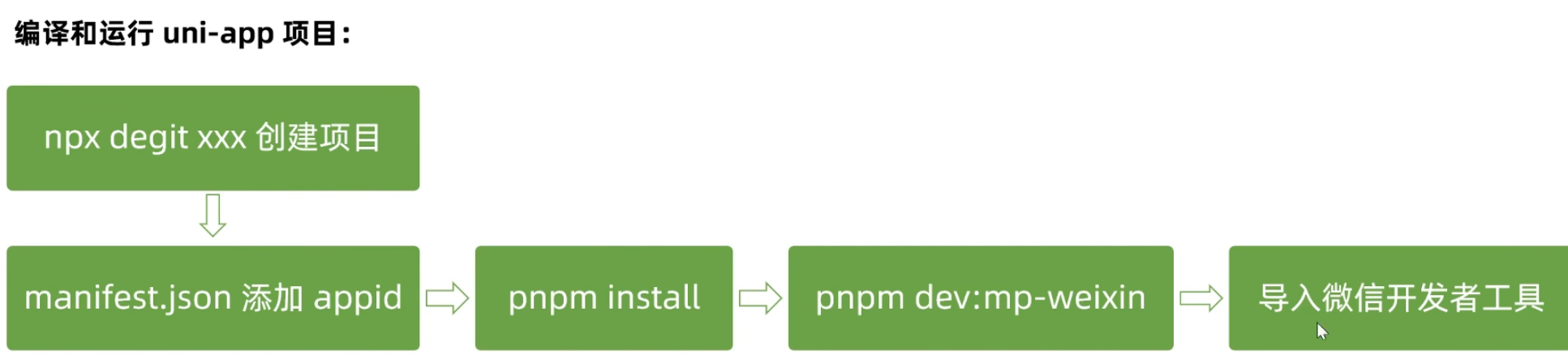
3.另一种创建uni-app项目的方法
通过使用命令行npx degit dcloudio/uni-preset-vue#vite-ts项目名称创建

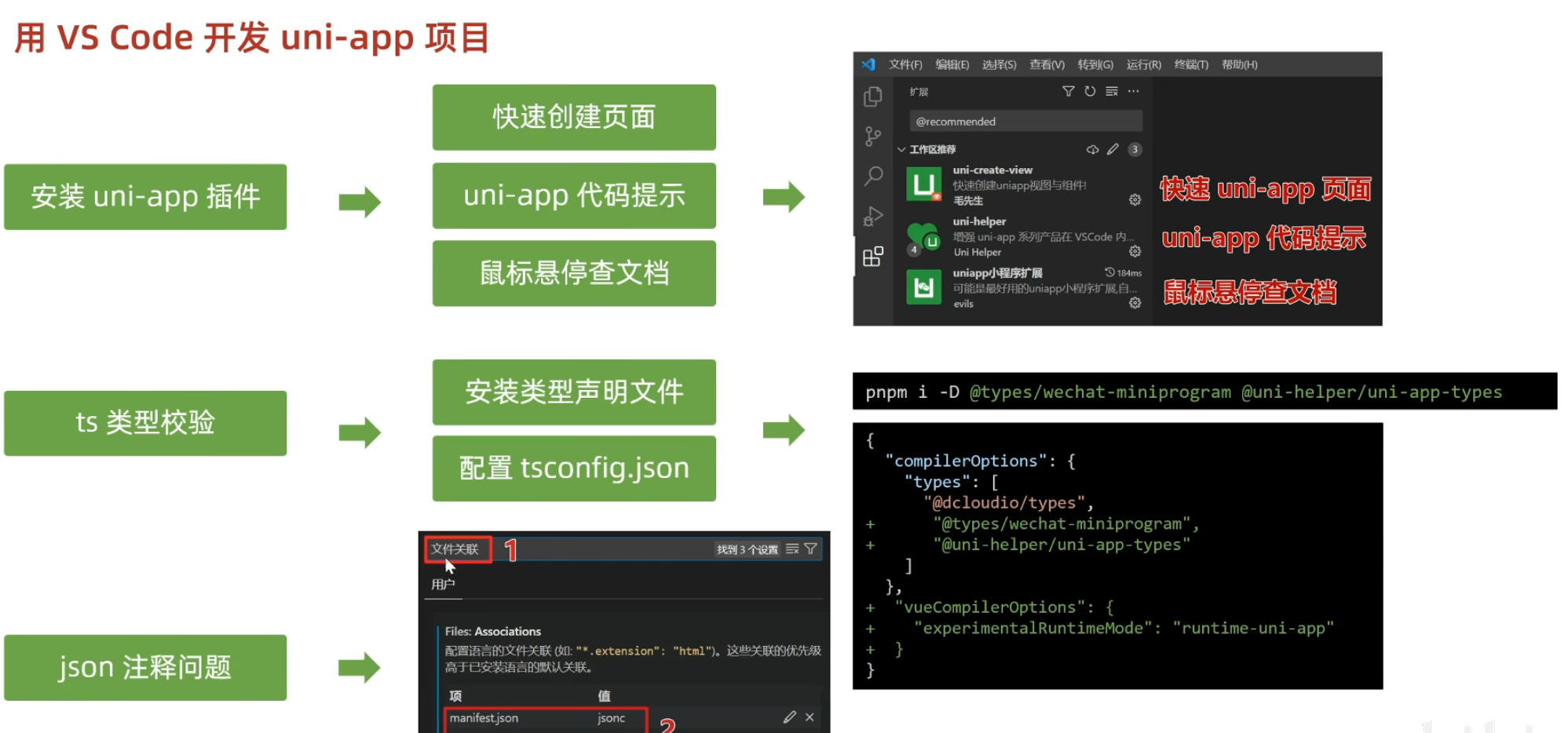
4.用VScode开发uni-app项目
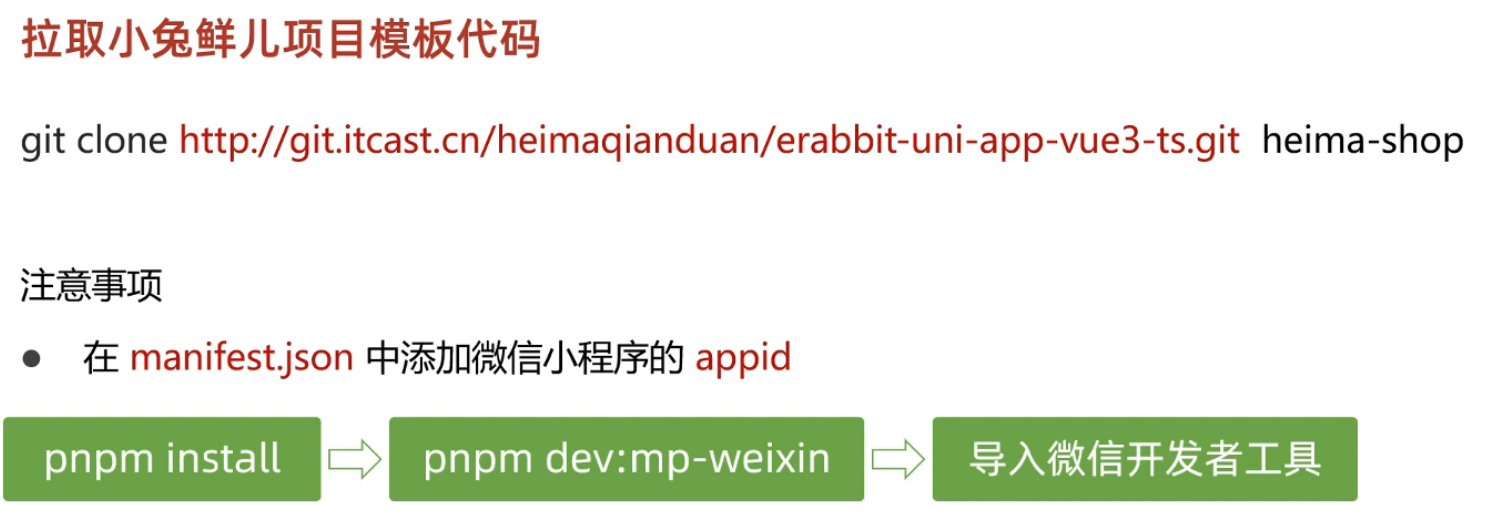
5.小兔鲜项目
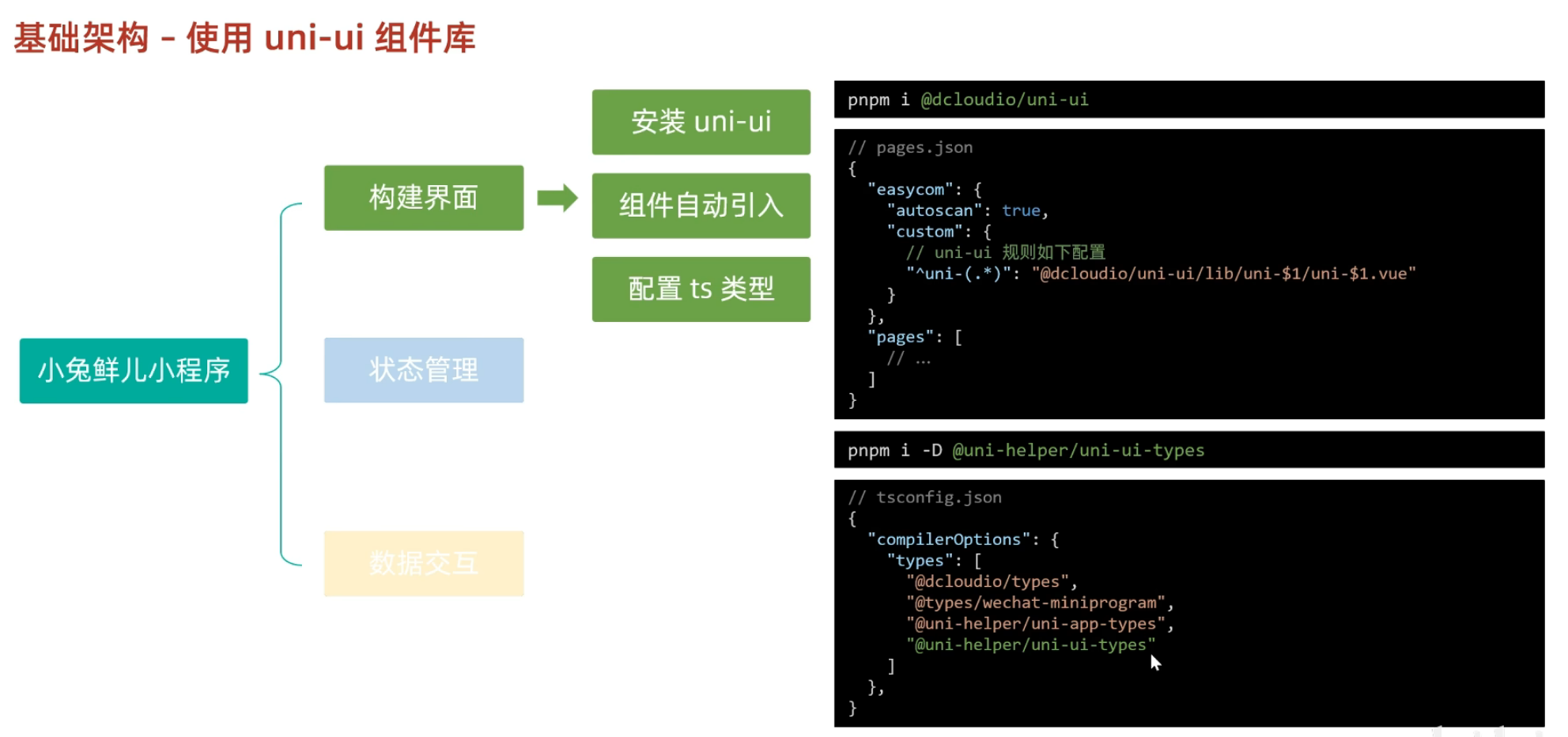
6.构建uni-ui组件库
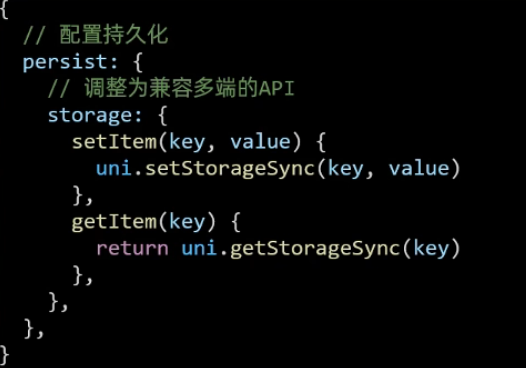
7.小程序pinia持久化
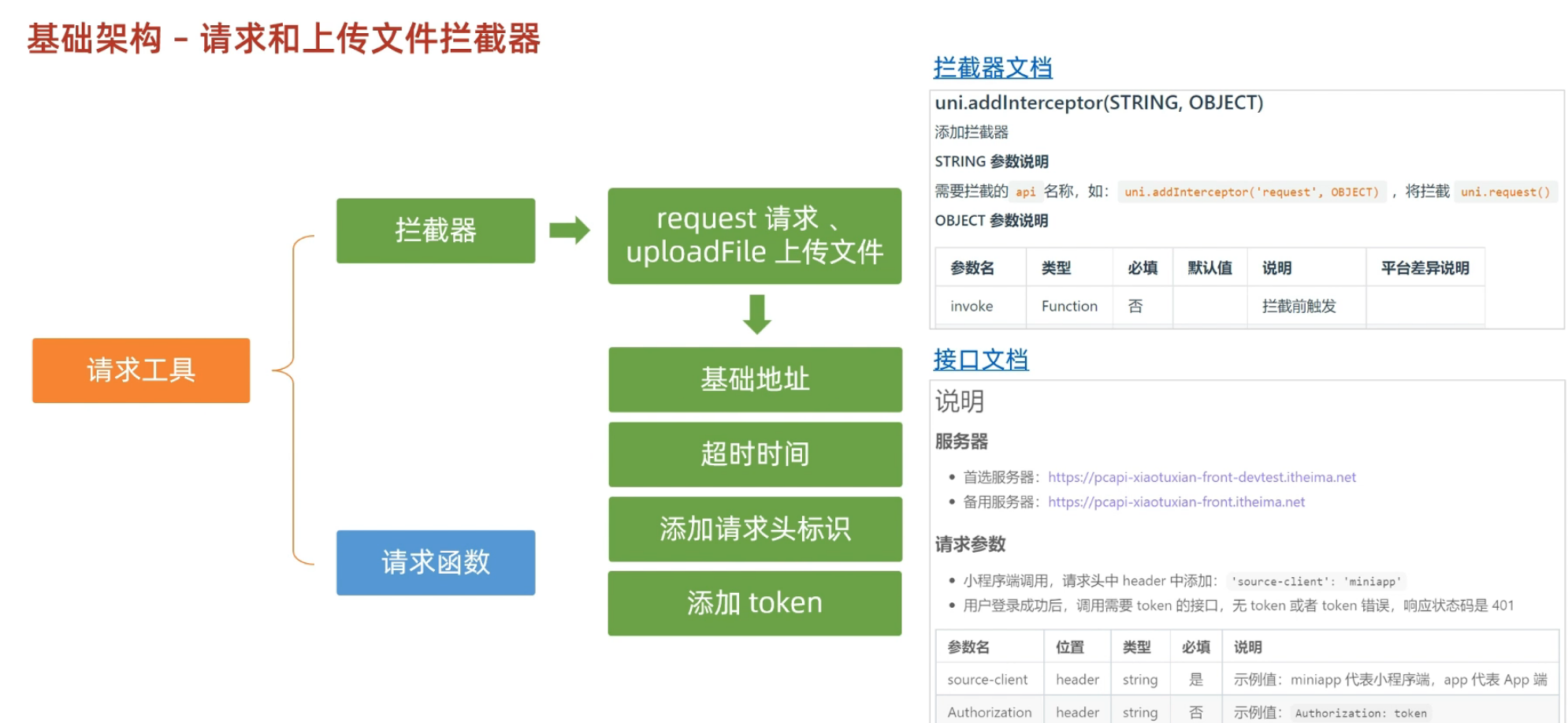
8.请求和上传文件拦截器
javascript
/**
 * 拦截upLoadFile文件上传
 *
 * TODO:
 * 1.非http开头需拼接字符串
 * 2.请求超时
 * 3.添加小程序请求头标识
 * 4.添加token请求头标识
 */

import { useMemberStore } from '@/stores'

const baseURL = 'https://pcapi-xiaotuxian-front-devtest.itheima.net'

//添加拦截器addInterceptor
const httpInterceptor = {
  //拦截前触发
  invoke(options: UniApp.RequestOptions) {
    //1.非http开头需拼接字符串
    if (!options.url.startsWith('http')) {
      options.url = baseURL + options.url
    }
    //2.请求超时 改为10s
    options.timeout = 10000
    console.log(options)
    //3.添加小程序请求头标识
    options.header = {
      ...options.header,
      'source-client': 'miniapp',
    }
    //4.添加token请求头标识
    const memberStore = useMemberStore()
    const token = memberStore.profile.token
    if (token) {
      options.header.Authorization = token
    }
  },
}
uni.addInterceptor('request', httpInterceptor)
uni.addInterceptor('uploadFile', httpInterceptor)
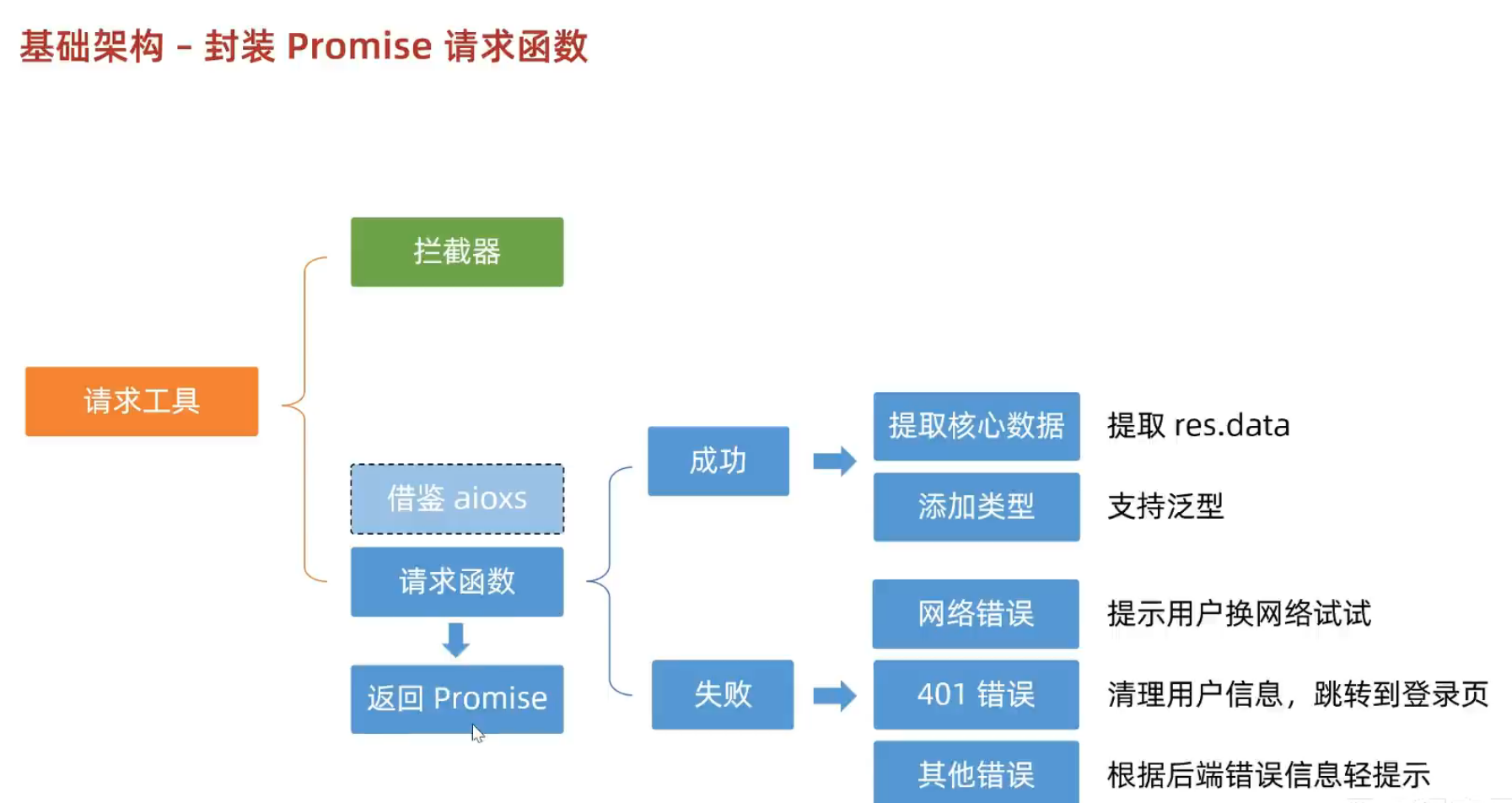
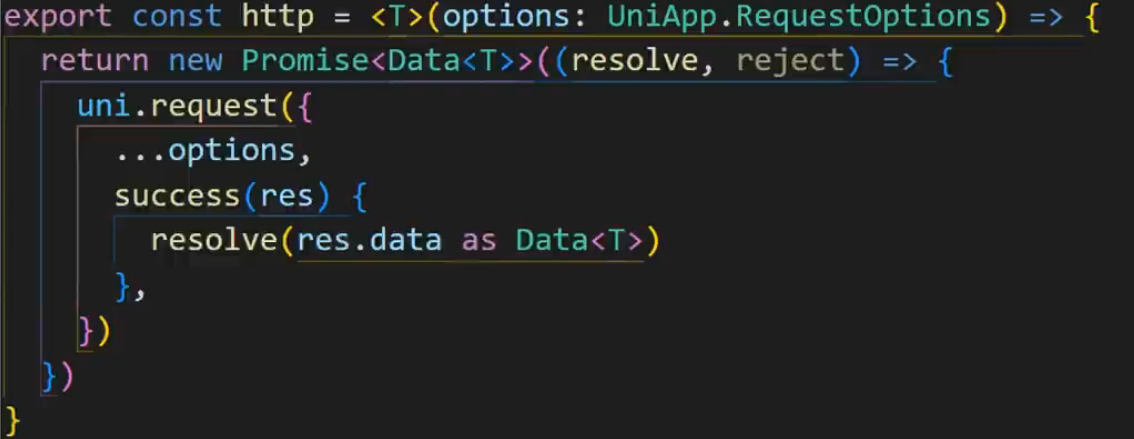
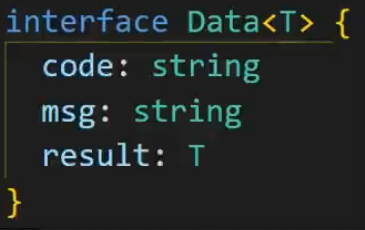
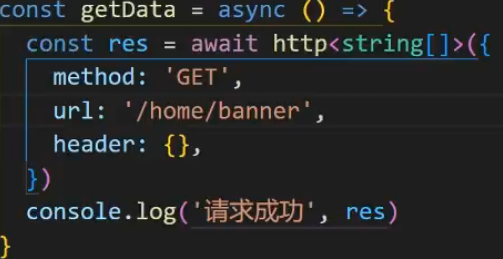
9.请求封装函数
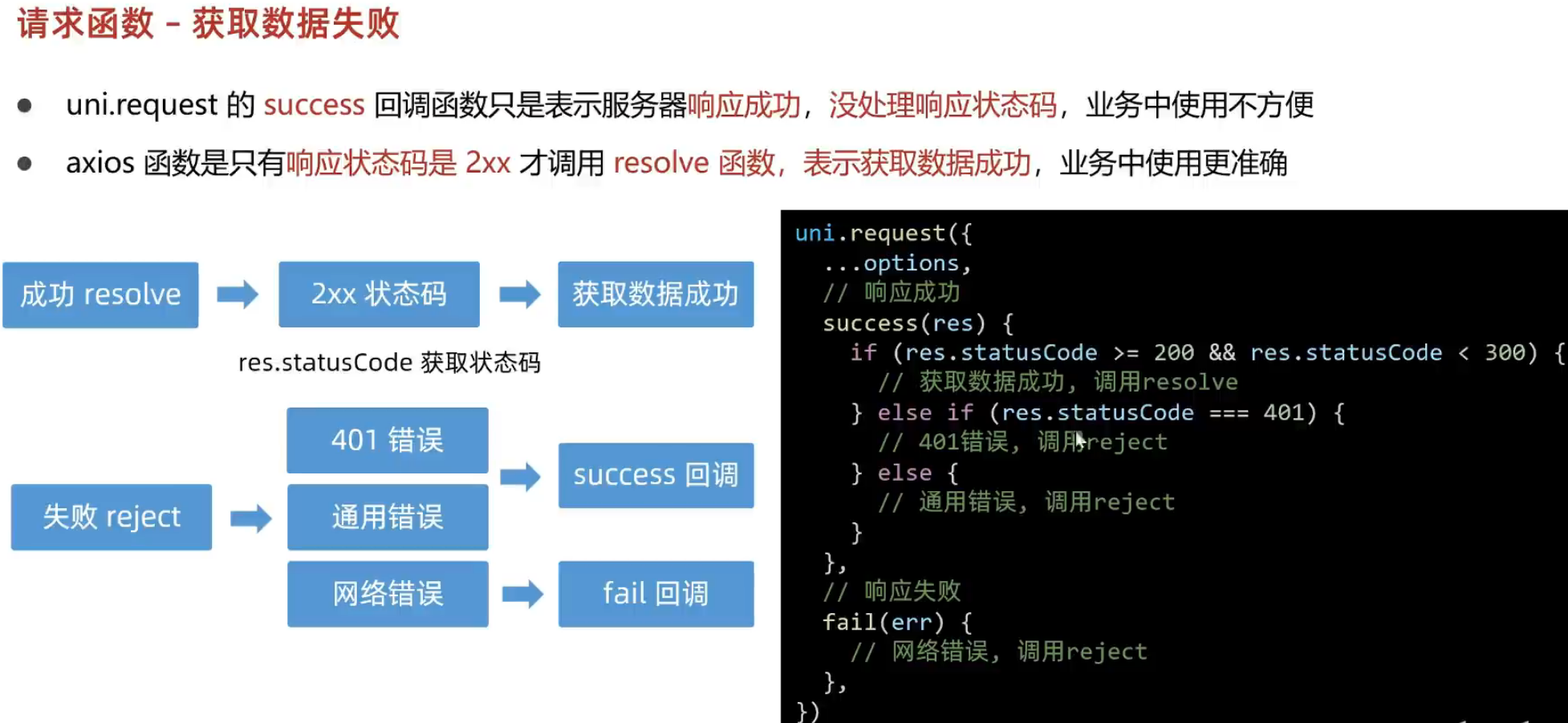
10.自定义导航栏

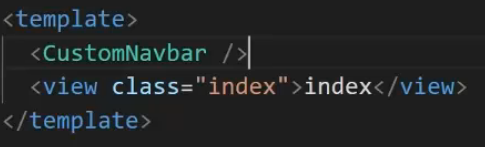
#index.vue中使用组件
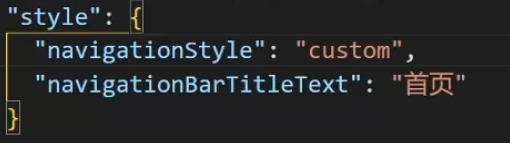
#pages.json中隐藏导航栏和修改默认样式
11.轮播图
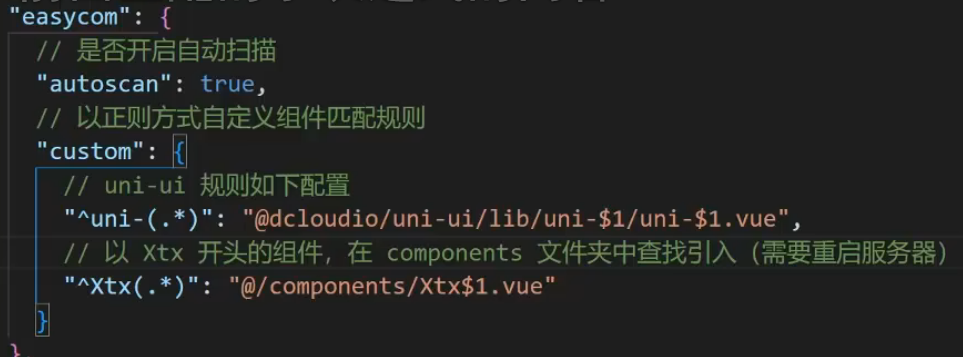
#自动导入组件
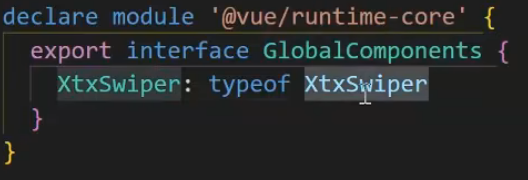
#添加组件类型声明
12.获取轮播图数据
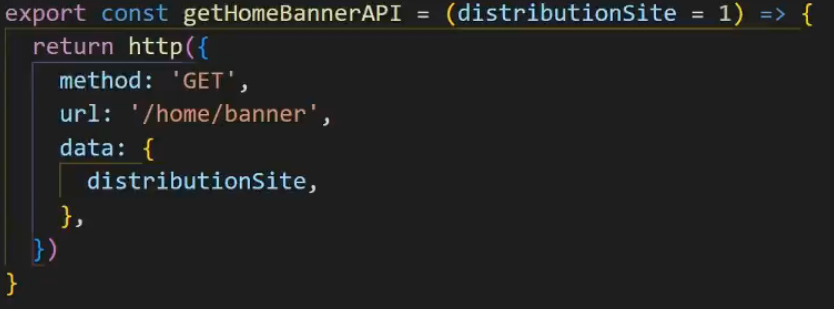
#获取轮播图数据
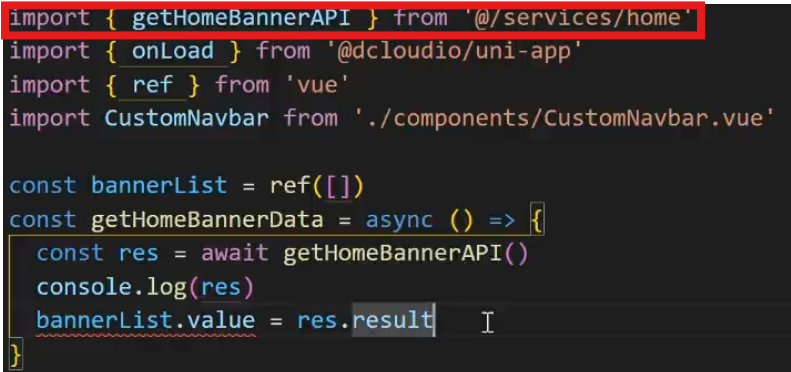
#页面初始化调用API
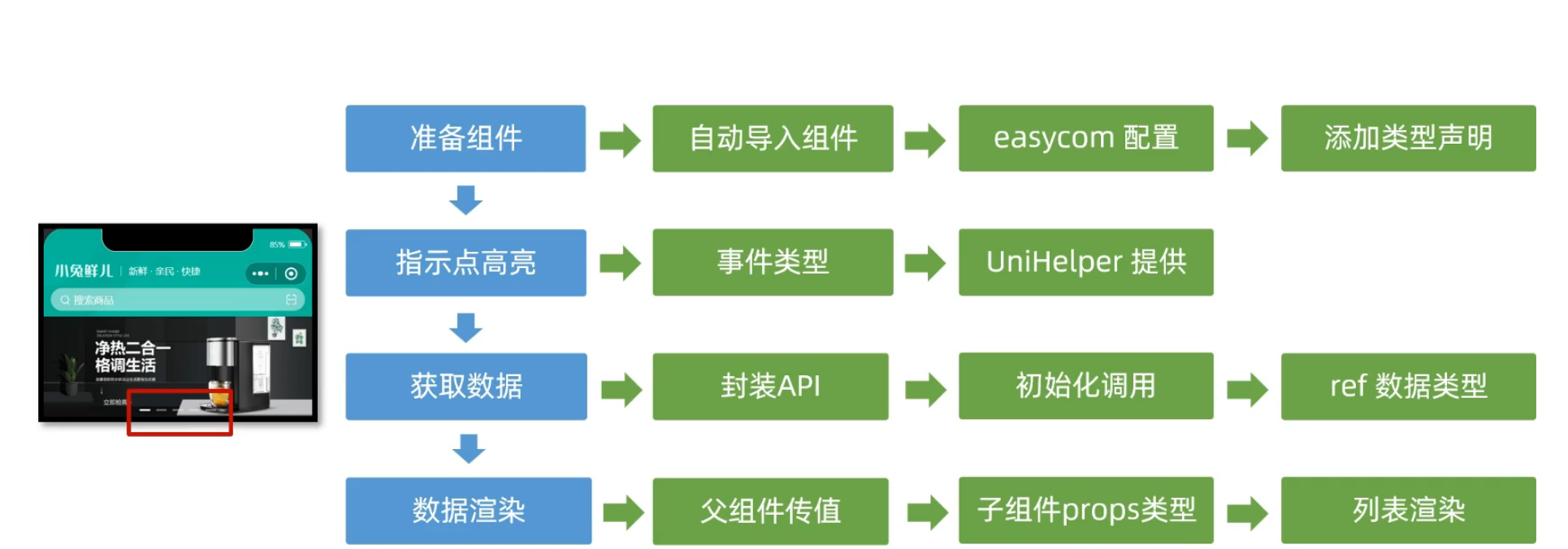
13.数据类型调用总结
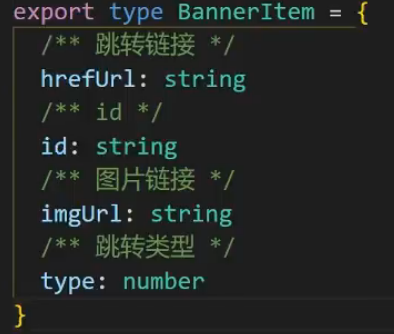
#定义轮播图数据类型,提供一个对象类型
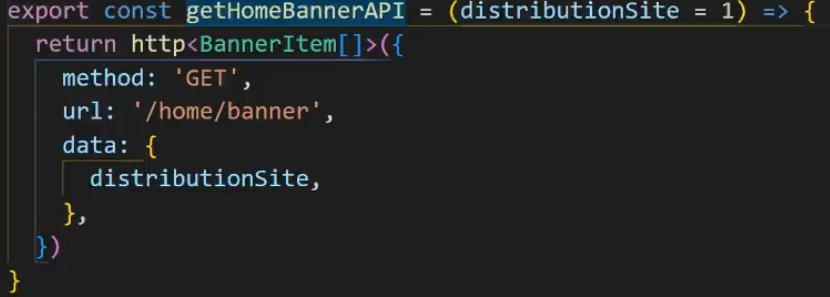
#后端返回的是一个数组格式,但我们提供的bannerItem是一个对象格式,所以得改成对象格式的数组【】.
14.总结
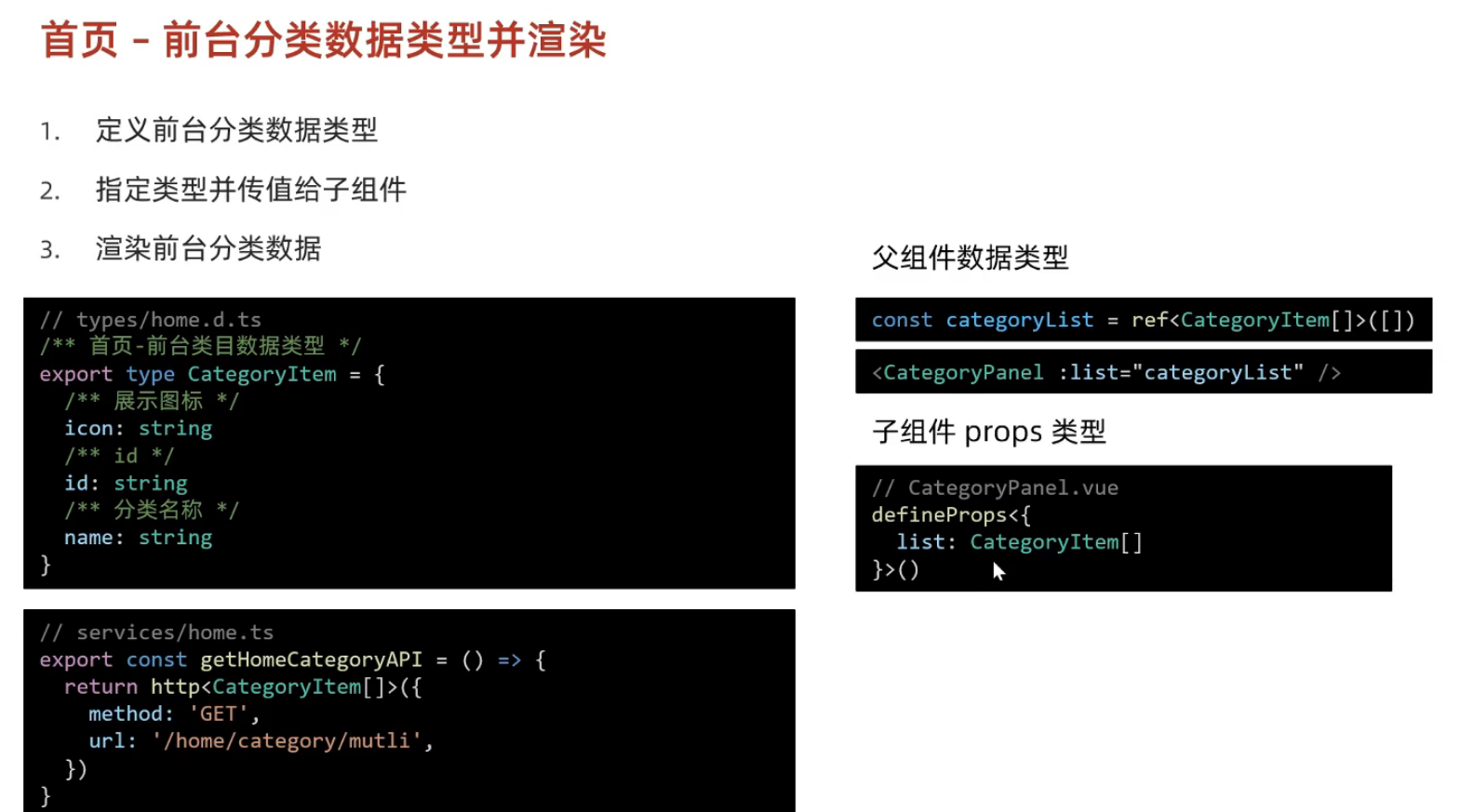
15.前台分类数据类型并渲染
16.热门推荐
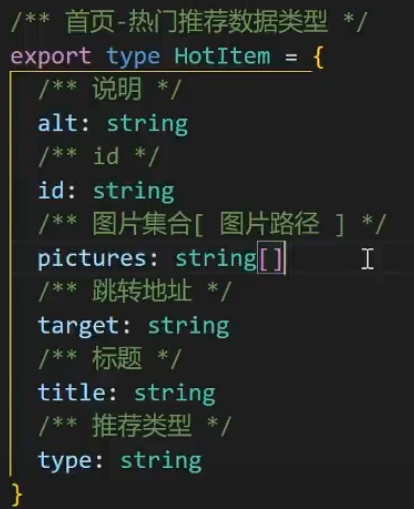
#定义类型
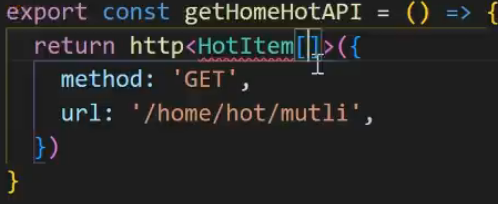
#把类型给http函数先指定对应的类型
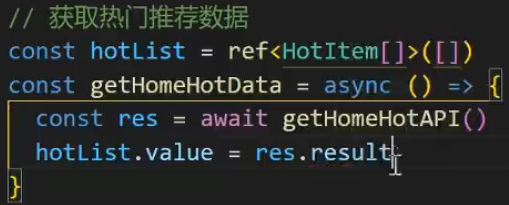
#ref后传给子组件