国家超算中心 西安节点docker 容器里 无法apt install tmux解决方法,无法访问外网
apt update 不成功 apt install 不成功 ,网络链接问题
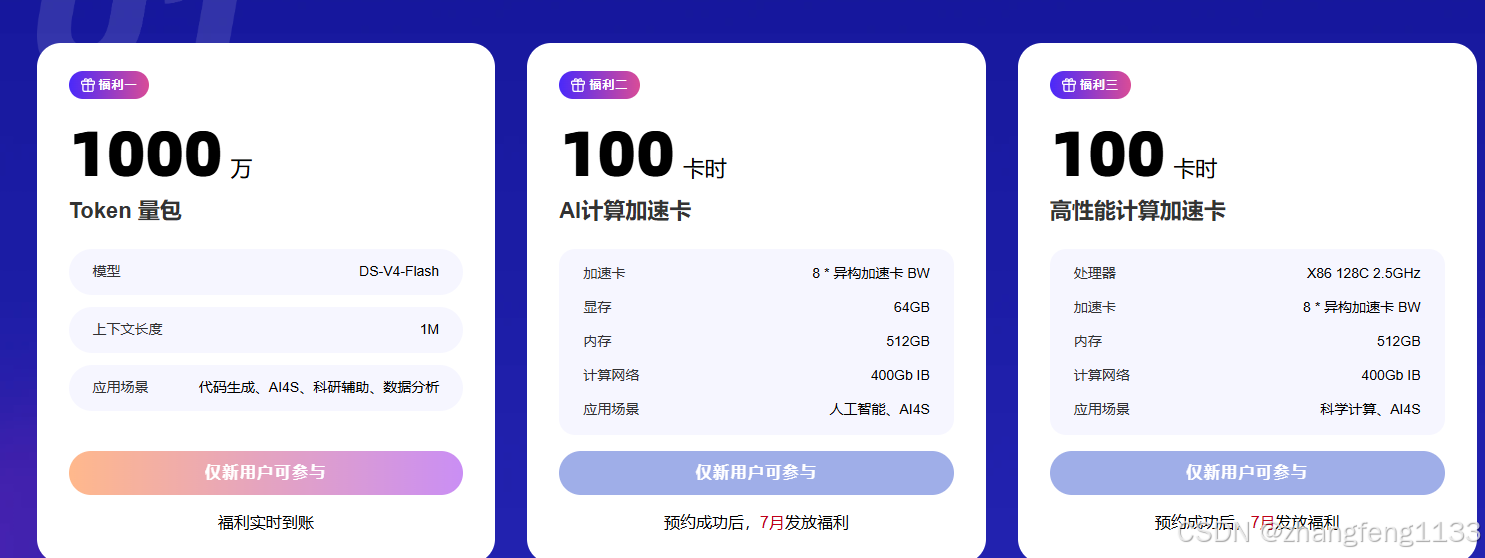
新用户免费领:1000万Token量包+200卡时算力(64g异构卡);还有超低折扣:TokenPlan 2 折、算力资源 4 折
注意/work/home/用户名 这个文件夹是计算节点和登录节点都是相同的
- 你现在要下载离线安装包,但缺root权限,分两种方案解决。
bash
Reading package lists... Done
Building dependency tree... Done
Reading state information... Done
All packages are up to date.
W: Failed to fetch https://mirrors.tuna.tsinghua.edu.cn/ubuntu/dists/noble/InRelease  Could not connect to mirrors.tuna.tsinghua.edu.cn:443 (101.6.15.130). - connect (110: Connection timed out)
W: Failed to fetch https://mirrors.tuna.tsinghua.edu.cn/ubuntu/dists/noble-updates/InRelease  Unable to connect to mirrors.tuna.tsinghua.edu.cn:https:
W: Failed to fetch https://mirrors.tuna.tsinghua.edu.cn/ubuntu/dists/noble-backports/InRelease  Unable to connect to mirrors.tuna.tsinghua.edu.cn:https:
W: Failed to fetch http://security.ubuntu.com/ubuntu/dists/noble-security/InRelease  Could not connect to security.ubuntu.com:80 (104.20.28.246). - connect (110: Connection timed out) Could not connect to security.ubuntu.com:80 (172.66.152.176). - connect (110: Connection timed out)
W: Some index files failed to download. They have been ignored, or old ones used instead.
root@worker-0:/work/home/用户名# sudo apt intall tmux
E: Invalid operation intall
root@worker-0:/work/home/用户名# sudo apt install tmux
Reading package lists... Done
Building dependency tree... Done
Reading state information... Done
E: Unable to locate package tmux
root@worker-0:/work/home/用户名# sudo apt intall tmux\
> ^C
root@worker-0:/work/home/用户名# sudo apt install tmux
Reading package lists... Done
Building dependency tree... Done
Reading state information... Done
E: Unable to locate package tmux
root@worker-0:/work/home/用户名# ^C
root@worker-0:/work/home/用户名# sudo apt update
Ign:1 https://mirrors.tuna.tsinghua.edu.cn/ubuntu noble InRelease
Ign:2 https://mirrors.tuna.tsinghua.edu.cn/ubuntu noble-updates InRelease
Ign:3 https://mirrors.tuna.tsinghua.edu.cn/ubuntu noble-backports InRelease
Ign:4 http://security.ubuntu.com/ubuntu noble-security InRelease
Ign:1 https://mirrors.tuna.tsinghua.edu.cn/ubuntu noble InRelease
Ign:2 https://mirrors.tuna.tsinghua.edu.cn/ubuntu noble-updates InRelease
Ign:3 https://mirrors.tuna.tsinghua.edu.cn/ubuntu noble-backports InRelease
Ign:4 http://security.ubuntu.com/ubuntu noble-security InRelease
Ign:1 https://mirrors.tuna.tsinghua.edu.cn/ubuntu noble InRelease
Ign:2 https://mirrors.tuna.tsinghua.edu.cn/ubuntu noble-updates InRelease
Ign:3 https://mirrors.tuna.tsinghua.edu.cn/ubuntu noble-backports InRelease
Ign:4 http://security.ubuntu.com/ubuntu noble-security InRelease
Err:1 https://mirrors.tuna.tsinghua.edu.cn/ubuntu noble InRelease
  Could not connect to mirrors.tuna.tsinghua.edu.cn:443 (101.6.15.130). - connect (110: Connection timed out)
Err:2 https://mirrors.tuna.tsinghua.edu.cn/ubuntu noble-updates InRelease
  Unable to connect to mirrors.tuna.tsinghua.edu.cn:https:
Err:3 https://mirrors.tuna.tsinghua.edu.cn/ubuntu noble-backports InRelease
  Unable to connect to mirrors.tuna.tsinghua.edu.cn:https:
Err:4 http://security.ubuntu.com/ubuntu noble-security InRelease
  Could not connect to security.ubuntu.com:80 (172.66.152.176). - connect (110: Connection timed out) Could not connect to security.ubuntu.com:80 (104.20.28.246). - connect (110: Connection timed out)
Reading package lists... Done
Building dependency tree... Done
Reading state information... Done
All packages are up to date.
W: Failed to fetch https://mirrors.tuna.tsinghua.edu.cn/ubuntu/dists/noble/InRelease  Could not connect to mirrors.tuna.tsinghua.edu.cn:443 (101.6.15.130). - connect (110: Connection timed out)
W: Failed to fetch https://mirrors.tuna.tsinghua.edu.cn/ubuntu/dists/noble-updates/InRelease  Unable to connect to mirrors.tuna.tsinghua.edu.cn:https:
W: Failed to fetch https://mirrors.tuna.tsinghua.edu.cn/ubuntu/dists/noble-backports/InRelease  Unable to connect to mirrors.tuna.tsinghua.edu.cn:https:
W: Failed to fetch http://security.ubuntu.com/ubuntu/dists/noble-security/InRelease  Could not connect to security.ubuntu.com:80 (172.66.152.176). - connect (110: Connection timed out) Could not connect to security.ubuntu.com:80 (104.20.28.246). - connect (110: Connection timed out)
W: Some index files failed to download. They have been ignored, or old ones used instead.
办法:编译tmux二进制免root离线(不需要sudo下载deb)
登录节点联网编译,生成独立可执行文件,传到计算节点直接运行,不用root安装:
### . 源码编译
```bash
mkdir ~/soft && cd ~/soft
git clone https://github.com/tmux/tmux.git
cd tmux
sh autogen.sh
./configure --prefix=$HOME/tmux_install
make -j$(nproc)
make install
1. 登录节点执行,提取 tmux 所有依赖动态库
bash
# 进入你的家目录
cd /work/home/用户名
# 新建存放库的文件夹
mkdir -p tmux_lib
# 查看当前tmux需要哪些so文件
ldd ./tmux_install/bin/tmux
输出会类似:
libevent-2.0.so.5 => /usr/lib/x86_64-linux-gnu/libevent-2.0.so.5
libncursesw.so.6 => /usr/lib/x86_64-linux-gnu/libncursesw.so.6
...
把所有 => /usr/lib/xxx.so 的文件复制到 tmux_lib
bash
# 示例复制,根据你ldd结果补全所有库
cp /usr/lib/x86_64-linux-gnu/libevent-2.0.so.5 ./tmux_lib/
cp /usr/lib/x86_64-linux-gnu/libncursesw.so.6 ./tmux_lib/
cp /usr/lib/x86_64-linux-gnu/libtinfo.so.6 ./tmux_lib/
1. 把需要的依赖库全部复制到 tmux_lib
bash
cp /lib64/libtinfo.so.5 ./tmux_lib/
cp /lib64/libevent-2.0.so.5 ./tmux_lib/
剩下的 libutil/libm/libresolv/libc/libpthread/ld-linux 都是系统基础glibc库,计算节点一定自带,不用复制。
2. 配置环境变量(共享家目录,登录/计算节点同时生效)
bash
# 1. tmux命令路径
echo 'export PATH=/work/home/用户名/tmux_install/bin:$PATH' >> ~/.bashrc

# 2. 动态库加载路径,解决缺失libevent、libtinfo
echo 'export LD_LIBRARY_PATH=/work/home/用户名/tmux_lib:$LD_LIBRARY_PATH' >> ~/.bashrc

# 刷新配置
source ~/.bashrc
3. 测试
bash
tmux -V此时再去 worker-0 计算节点执行 tmux,不会再报 libevent-2.0.so.5 找不到。
补充说明
- 登录节点和计算节点家目录共享,
tmux_lib、.bashrc两边共用,不用传输任何文件; - 只拷贝两个缺失的第三方库,系统自带基础库不用复制,体积很小。
2. 计算节点,写入环境变量
bash
# 程序路径
echo 'export PATH=/work/home/用户名/tmux_install/bin:$PATH' >> ~/.bashrc
# 动态库搜索路径,解决 missing libevent
echo 'export LD_LIBRARY_PATH=/work/home/用户名/tmux_lib:$LD_LIBRARY_PATH' >> ~/.bashrc
# 刷新配置
source ~/.bashrc
缺乏 256color 报错
tmux xterm-256color 终端缺失问题完整总结
一、报错根源
计算节点系统精简,/usr/share/terminfo 被删减,系统内无任何终端描述文件;
你自行编译的动态链接版 tmux,运行时依赖系统终端数据库,无论 xterm-256color/xterm/dumb 都会提示 missing or unsuitable terminal。
额外叠加环境坑:worker 用 root 登录,$HOME=/root,不会加载普通用户 /work/home/用户名/.bashrc 里的 TERMINFO 环境变量。
二、完整修复流程(共享家目录集群,一次操作全节点生效)
- 登录节点拷贝完整终端数据库到个人共享目录
bash
rm -rf ~/.terminfo
mkdir -p ~/.terminfo
# 末尾加 . 保证完整复制目录内全部文件,避免空文件夹
cp -r /usr/share/terminfo/. ~/.terminfo/
# 验证256color文件存在
ls ~/.terminfo/x/xterm-256color- 放开全局读取权限(关键,root才能访问)
bash
chmod -R 755 /work/home/用户名/.terminfo- root 用户启动 tmux 必须手动硬编码全部环境变量
不能依赖 bashrc,命令一次性带上库路径、终端库路径、终端类型:
bash
LD_LIBRARY_PATH=/work/home/用户名/tmux_lib \
TERMINFO=/work/home/用户名/.terminfo \
TERM=xterm-256color \
/work/home/用户名/tmux_install/bin/tmux new -t sft
三、分层兜底方案
- 想要彩色正常显示:使用
TERM=xterm-256color,复制完整terminfo目录; - 依旧终端报错应急:替换
TERM=dumb无彩色极简终端,只做后台挂任务; - 彻底规避所有终端/依赖问题:放弃 tmux,使用
nohup后台运行训练,零终端依赖。
四、踩坑关键点
cp -r /usr/share/terminfo/* ~/.terminfo容易生成空目录,正确写法是cp -r /usr/share/terminfo/. ~/.terminfo/;- 普通用户复制的
.terminfo默认权限仅本人可读,root 访问必须执行chmod -R 755; - root 不会加载普通用户家目录的
.bashrc,不能只配置环境变量文件,启动命令必须手动传参; - 动态编译 tmux 同时存在两处依赖:
libevent/libtinfo动态库 + terminfo 终端数据库,缺任意一个都会启动失败。
LD_LIBRARY_PATH=/work/home/用户名/tmux_lib TERMINFO=/work/home/用户名/.terminfo TERM=ansi /work/home/用户名/tmux_install/bin/tmux new -t sft
3. 任意节点直接测试
bash
tmux -V不会再报 libevent-2.0.so.5: No such file or directory。
nohup 替代
nohup 完整替代 tmux 会话写法(适配你的训练场景)
1. 基础后台启动(等价 tmux new -t sft 跑训练)
bash
# 后台执行,日志输出到 train_sft.log
nohup llamafactory-cli train /work/home/用户名/training_configs_512/binding_paired_000.yaml > train_sft.log 2>&1 &
参数说明:
nohup:断开SSH连接,进程不被杀掉> train_sft.log 2>&1:标准输出+错误全部写入日志文件- 末尾
&:丢后台运行
2. 实时查看训练日志(等价 tmux attach)
bash
# 持续刷新日志
tail -f train_sft.log

# 按 Ctrl+C 退出日志查看,任务不会停
3. 查看所有后台训练进程
bash
ps aux | grep llamafactory
# 或者过滤python
ps aux | grep python
4. 终止任务(等价关闭tmux会话)
bash
# 先查到进程PID,例如 12345
kill -9 12345
5. 进阶优化:多任务分开日志
同时跑多个任务,区分日志文件,互不干扰:
bash
# 任务sft0
nohup llamafactory-cli train xxx0.yaml > train_sft0.log 2>&1 &
# 任务sft1
nohup llamafactory-cli train xxx1.yaml > train_sft1.log 2>&1 &
6. 补充:setsid 另一种无终端后台方案(备选)
和nohup作用一致,不用生成nohup.out:
bash
setsid llamafactory-cli train xxx.yaml > train_sft.log 2>&1nohup vs tmux 优缺点
- 优点:无终端依赖、不用处理terminfo/libevent库、root/普通用户通用、部署零成本;
- 缺点:不能交互式输入,只能看日志,需要交互调试代码才适合tmux;纯挂机训练优先nohup。