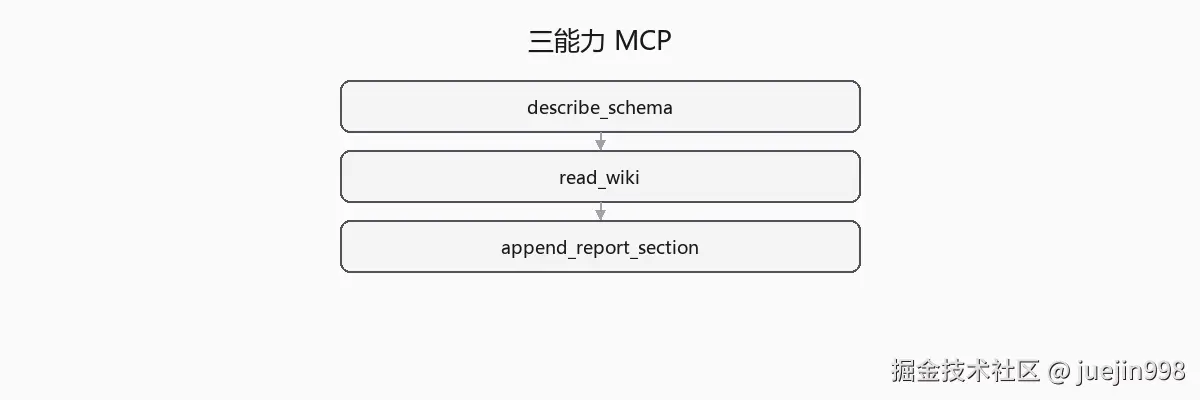
describe_schema + read_wiki + append_report_section,draft 人审后合并。
- schema 查询 --- 样例库表结构
- Wiki 读 --- 业务枚举与流程说明
- 报告片段 --- 按模板追加章节(仍人审后合并)
能力一:describe_schema
python
@server.tool()
def describe_schema(table: str | None = None) -> str:
    """Return CREATE TABLE or list of tables for demo DB."""
用途: 写报告「数据模型」章时,不必 @ 整个 schema/,tool 返回当前结构。
Prompt:
text
用 MCP tool describe_schema 列出 orders 相关表,把结果写入 docs/research-report.md §数据模型。
只读,不要执行 DML。能力二:read_wiki
python
@server.tool()
def read_wiki(page: str) -> str:
    """Read markdown from resources/wiki/{page}.md"""
用途: 对齐业务语义(status 枚举、退款规则)。
与 Resource URI 的关系: 可以 tool 包一层 resource,培训统一用 tool 方便 Claude 发现。
能力三:append_report_section
python
@server.tool()
def append_report_section(section: str, markdown: str) -> str:
    """Append to docs/research-report.draft.md only, not final report."""
设计选择: 不直接写 research-report.md,写 draft 文件,人 diff 后合并------避免 Agent 一次写坏定稿。
模板约束: @prompts/report-section-template.md 规定每节标题与必填字段(path 引用、待确认)。
端到端工作流
text
1. 人:@notes/lab3-scope.md 开 Agent
2. Agent:入口追踪(读码)→ 调 read_wiki 补业务含义
3. Agent:调 describe_schema 写数据模型
4. Agent:调 append_report_section 分节写入 draft
5. 人:review draft → 合并到 research-report.md → 生成 PNG
Command 可选: /lab3-report 预填上述步骤 2--4 的 Constraints。
测试与验收
bash
pytest mcp-servers/training-wiki/tests/ -q验收标准:
- 三 tool 在 Claude Code MCP 列表可见
- 恶意 path / 写 SQL 被拒绝
- draft 合并后报告仍满足第 15 篇人审清单
踩坑
坑 1:append_report_section 直接覆盖整份报告
修正: 仅 append draft;section 名重复则报错。
坑 2:Wiki 与代码不一致,报告两边都信
修正: 报告表格加「来源:code | wiki」,冲突标待确认。
坑 3:MCP 配好但 Claude 不用 tool,仍瞎编
修正: CLAUDE.md 写「查表结构 必须 describe_schema」;培训 demo 先只开 MCP 不 @ schema 文件。
小结
- Lab-3 下 = schema + Wiki + draft 报告 三能力 MCP。
- 报告写 draft、人合并,MCP 不替代读码验证。
- M8 Agent 循环与 Lab-4 Review 接 Hook。
下一篇
第 18 篇《Agent 循环:感知 → 规划 → 行动 → 观察》
第 19 篇《Lab-4:Code Review Agent 到 pre-commit》