前言
- 介绍在C++中如何调用各个平台(GDAL/QGIS/GRASS等)提供的算法,包含C++实现的算法和Python实现的算法
- 说明:文章中的示例代码均来自开源项目qgis_cpp_api_apps中子项目ll_qgis_process
算法相关的类
- QgsProcessingRegistry
Registry for various processing components, including providers, algorithms and various parameters and outputs.
-
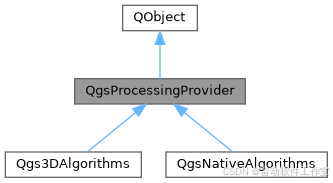
注册QgsProcessingProvider QgsProcessingAlgorithm等
An algorithm provider is a set of related algorithms, typically from the same external application or related to a common area of analysis.
-
包含一组算法 如native qgis gdal
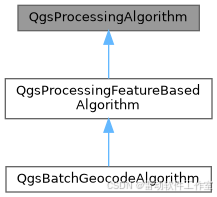
Abstract base class for processing algorithms.
-
代表一个算法
-
算法运行的两个必要信息
Contains information about the context in which a processing algorithm is executed.
Contextual information includes settings such as the associated project, and expression context.
-
可以设置算法运行的关联信息如project crs等等
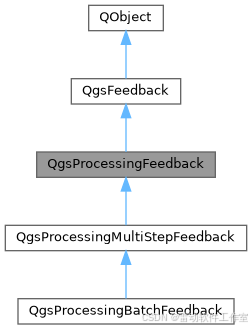
Base class for providing feedback from a processing algorithm.This base class implementation silently ignores all feedback reported by algorithms. Subclasses of QgsProcessingFeedback can be used to log this feedback or report it to users via the GUI.
- 算法运行的反馈信息
算法分类
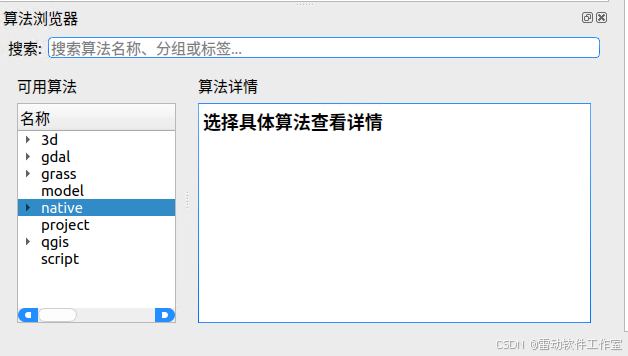
- 常见的有native qgis gdal
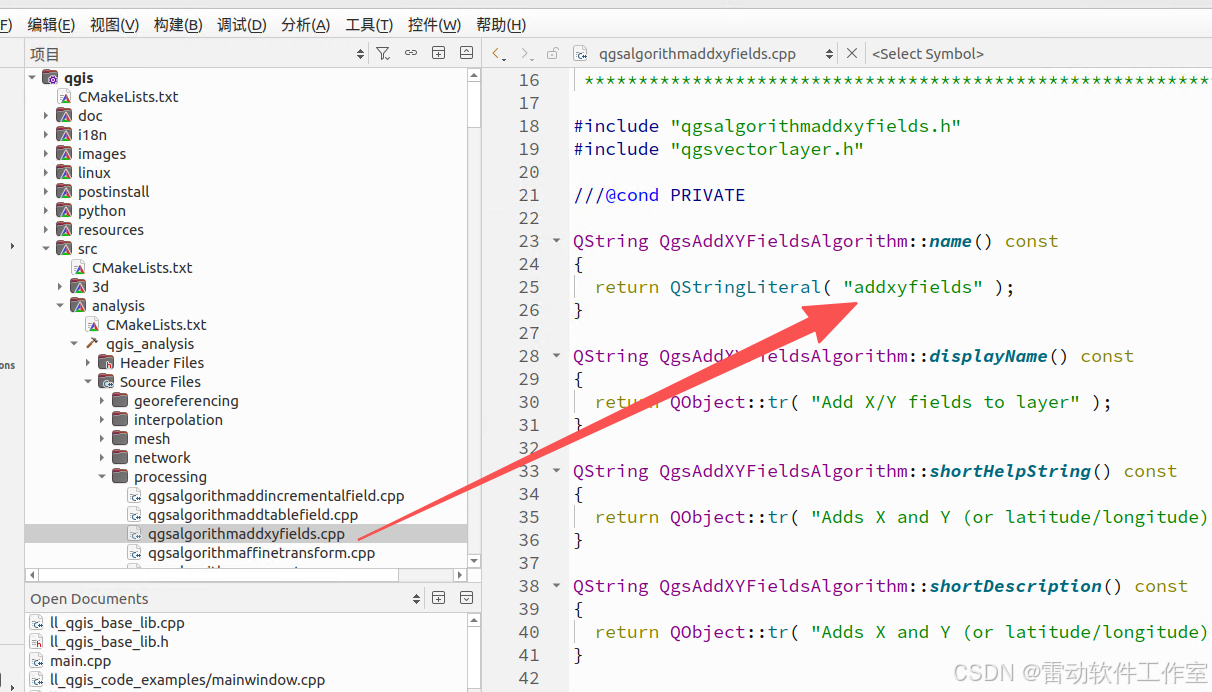
native
- native是以C++写的,以native:addxyfields为例
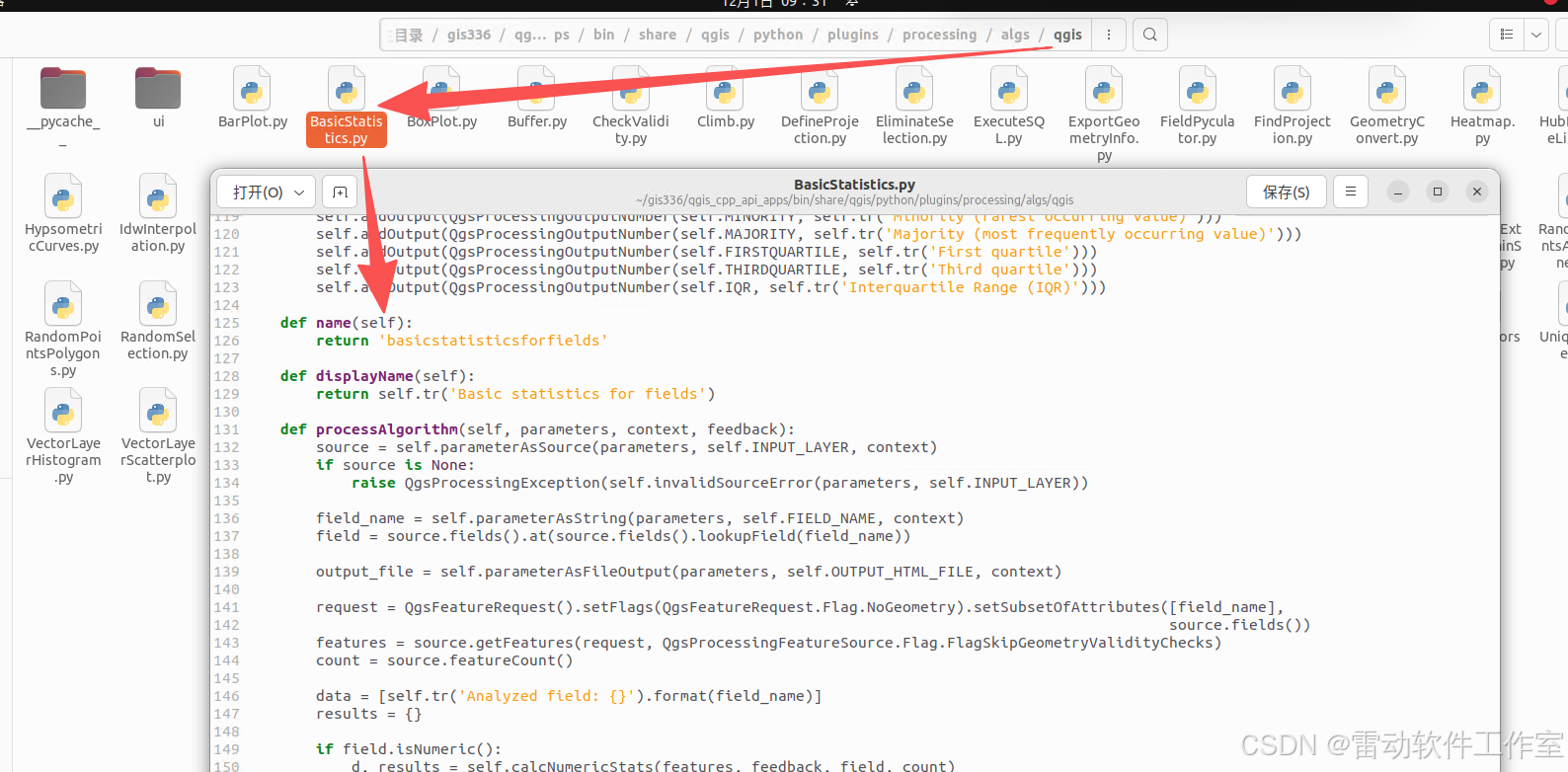
qgis
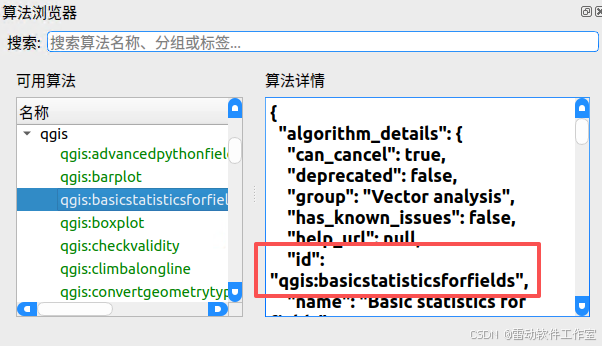
- qgis是以python写的,以qgis:basicstatisticsforfields为例
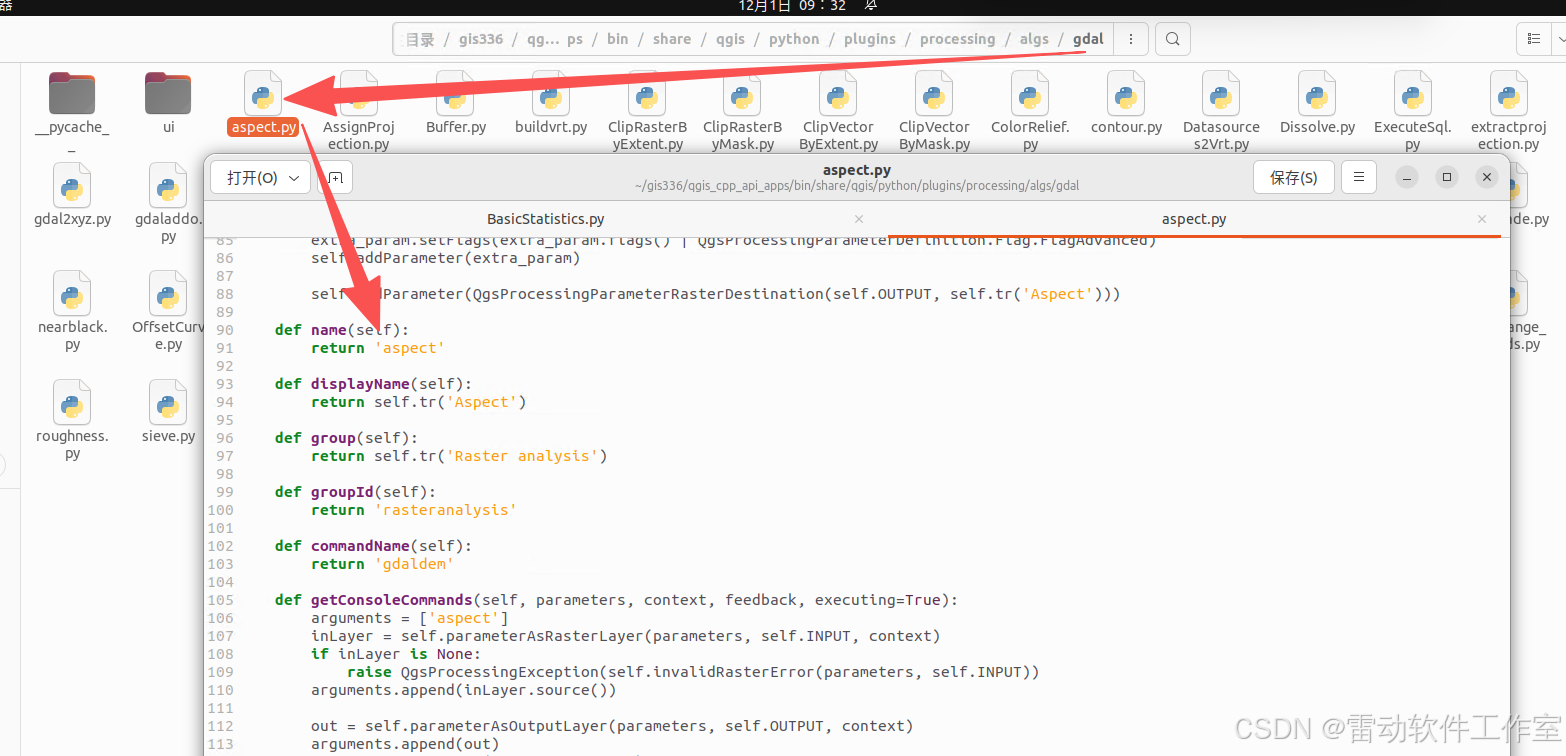
gdal
- gdal同样是python代码,以gdal:aspect为例
C++中如何调用python算法
-
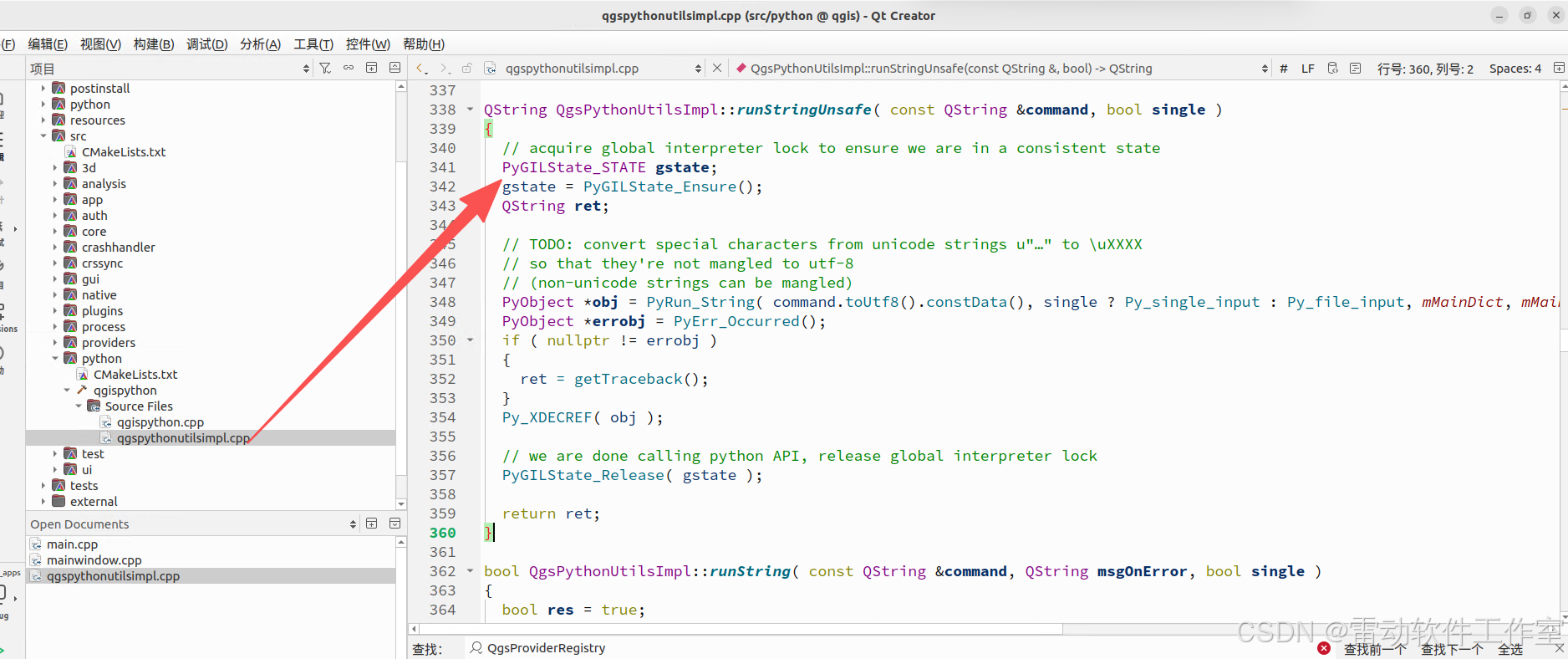
在C++中调用python算法需要加载python解释器,在qgis中有一个lib库libqgispython.so实现了这个功能

-
python实现
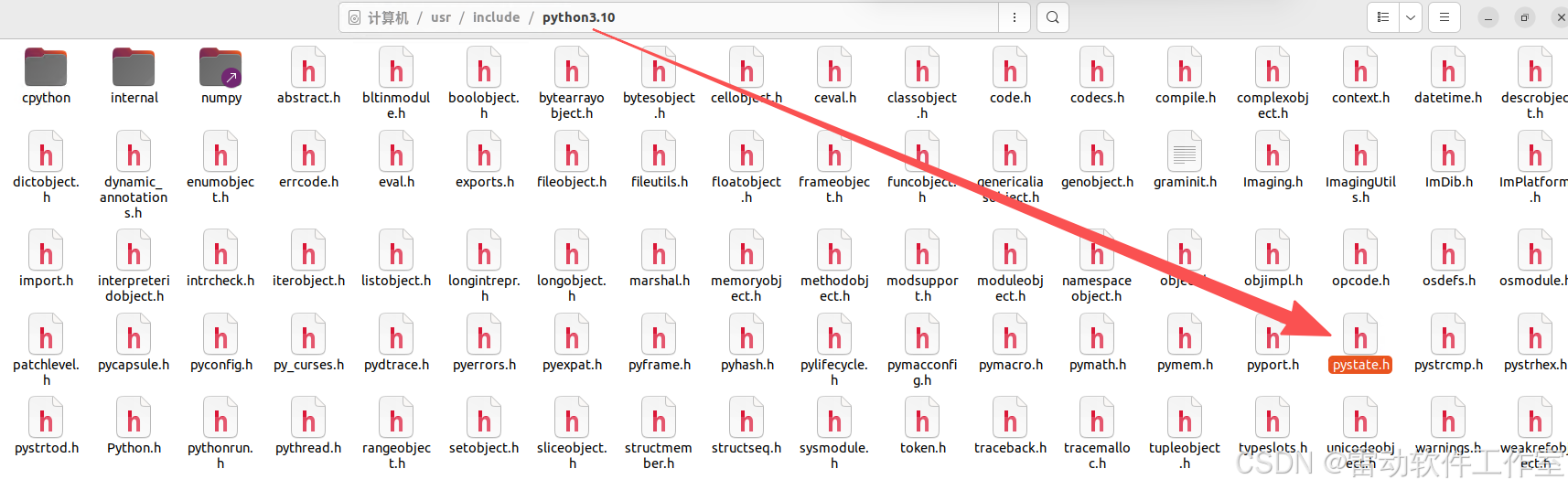
添加libqgispython.so
- 以下分步骤说明增加python支持
-
在CMakeLists.txt增加qgispython
if (WITH_BINDINGS)
target_link_libraries(ll_qgis_process qgispython)
add_definitions(-DWITH_BINDINGS)
endif() -
main中增加初始化
QgsProviderRegistry::instance( QgsApplication::pluginPath() );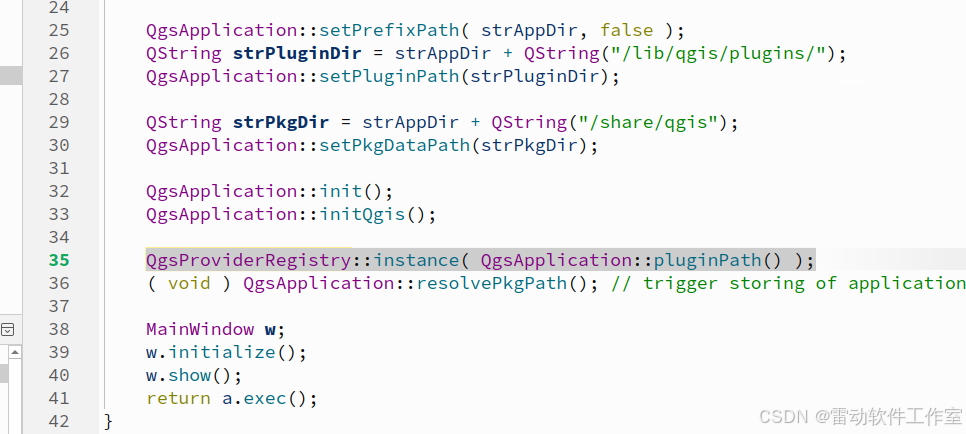
-
MainWIndows initialize 初始化python
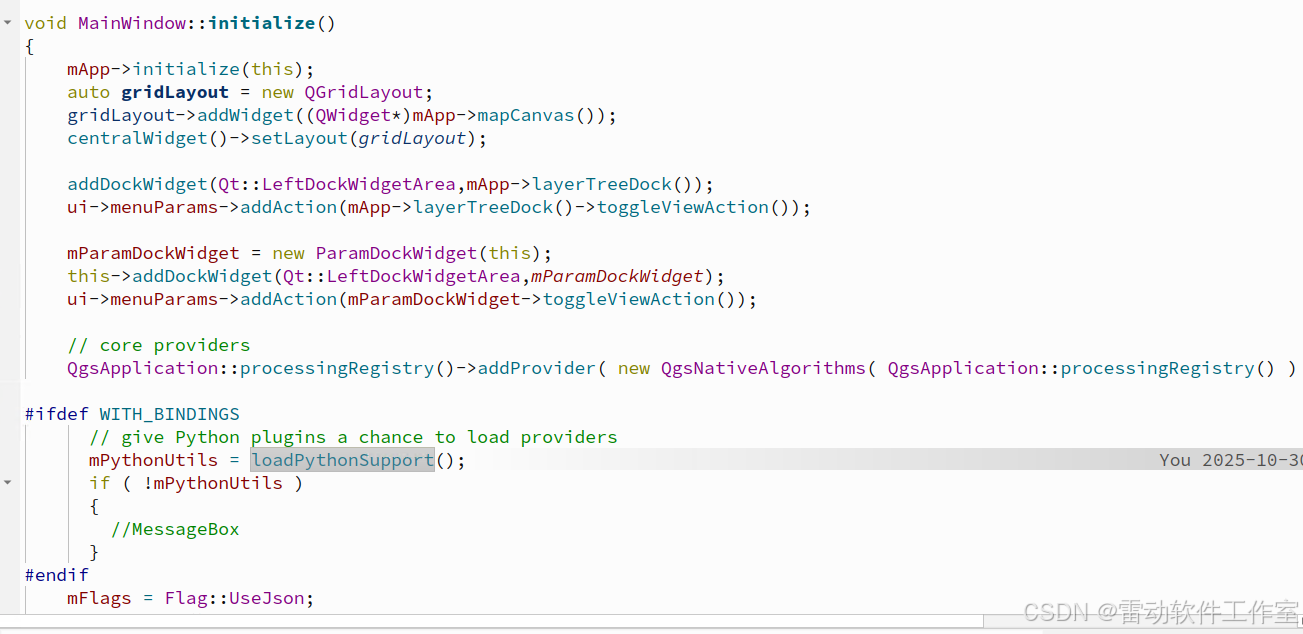
#ifdef WITH_BINDINGS
std::unique_ptrMainWindow::loadPythonSupport()
{
QString pythonlibName( QStringLiteral( "qgispython" ) );
#if defined(Q_OS_UNIX) && !defined(Q_OS_ANDROID)
pythonlibName.prepend( QgsApplication::libraryPath() );
#endif
#ifdef MINGW32
pythonlibName.prepend( "lib" );
#endif
QString version = QStringLiteral( "%1.%2.%3" ).arg( Qgis::versionInt() / 10000 ).arg( Qgis::versionInt() / 100 % 100 ).arg( Qgis::versionInt() % 100 );
QgsDebugMsgLevel( QStringLiteral( "load library %1 (%2)" ).arg( pythonlibName, version ), 1 );
QLibrary pythonlib( pythonlibName, version );
// It's necessary to set these two load hints, otherwise Python library won't work correctly
// see http://lists.kde.org/?l=pykde&m=117190116820758&w=2
pythonlib.setLoadHints( QLibrary::ResolveAllSymbolsHint | QLibrary::ExportExternalSymbolsHint );
if ( !pythonlib.load() )
{
pythonlib.setFileName( pythonlibName );
if ( !pythonlib.load() )
{
std::cerr << QStringLiteral( "Couldn't load Python support library: %1\n" ).arg( pythonlib.errorString() ).toLocal8Bit().constData();
return nullptr;
}
}typedef QgsPythonUtils*( *inst )(); inst pythonlib_inst = reinterpret_cast< inst >( cast_to_fptr( pythonlib.resolve( "instance" ) ) ); if ( !pythonlib_inst ) { //using stderr on purpose because we want end users to see this [TS] std::cerr << "Couldn't resolve Python support library's instance() symbol.\n"; return nullptr; } std::unique_ptr< QgsPythonUtils > pythonUtils( pythonlib_inst() ); if ( pythonUtils ) { pythonUtils->initPython( nullptr, false ); } return pythonUtils;}
#endif -
initPython函数为libqgispython.so库中的函数
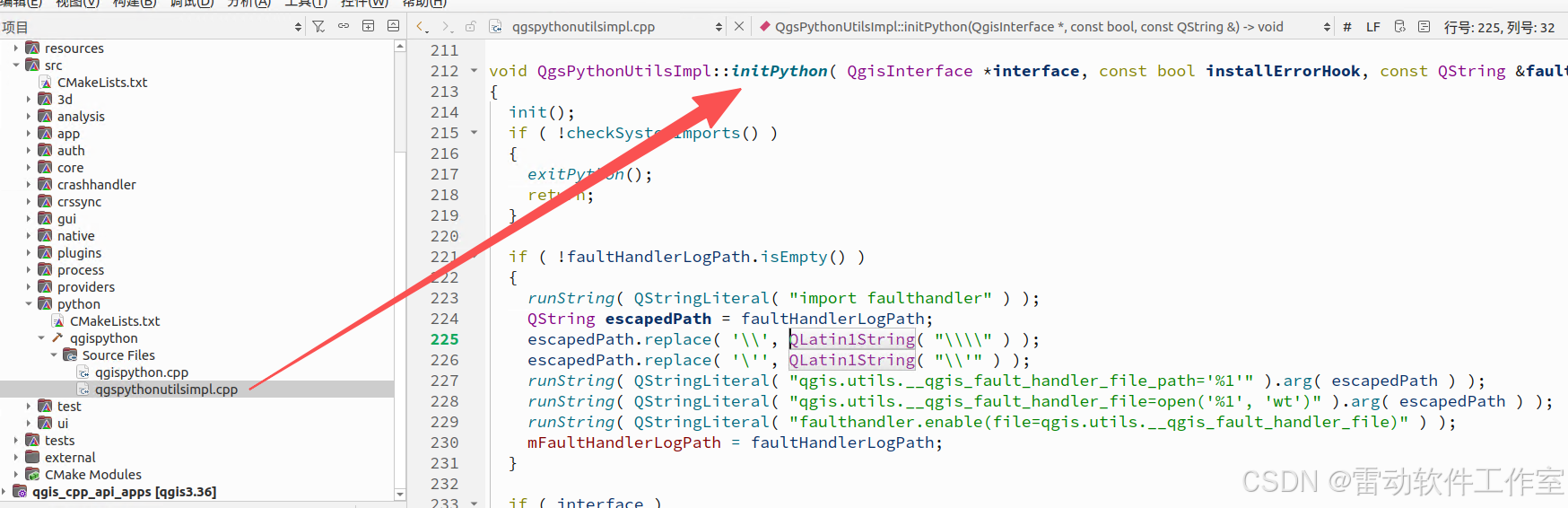
void QgsPythonUtilsImpl::initPython( QgisInterface *interface, const bool installErrorHook, const QString &faultHandlerLogPath )
{
init();
if ( !checkSystemImports() )
{
exitPython();
return;
}if ( !faultHandlerLogPath.isEmpty() )
{
runString( QStringLiteral( "import faulthandler" ) );
QString escapedPath = faultHandlerLogPath;
escapedPath.replace( '\', QLatin1String( "\\" ) );
escapedPath.replace( ''', QLatin1String( "\'" ) );
runString( QStringLiteral( "qgis.utils.__qgis_fault_handler_file_path='%1'" ).arg( escapedPath ) );
runString( QStringLiteral( "qgis.utils.__qgis_fault_handler_file=open('%1', 'wt')" ).arg( escapedPath ) );
runString( QStringLiteral( "faulthandler.enable(file=qgis.utils.__qgis_fault_handler_file)" ) );
mFaultHandlerLogPath = faultHandlerLogPath;
}if ( interface )
{
// initialize 'iface' object
runString( QStringLiteral( "qgis.utils.initInterface(%1)" ).arg( reinterpret_cast< quint64 >( interface ) ) );
}if ( !checkQgisUser() )
{
exitPython();
return;
}
doCustomImports();
if ( installErrorHook )
QgsPythonUtilsImpl::installErrorHook();
finish();
}
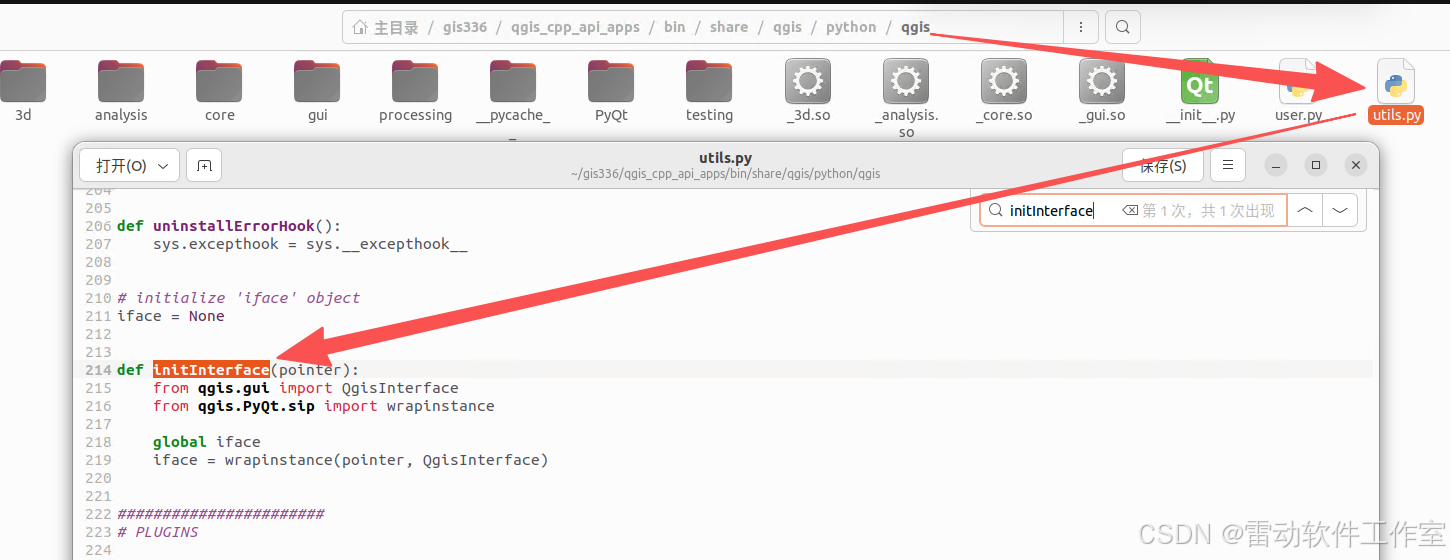
- 其中runString函数为执行python语句 如
runString( QStringLiteral( "qgis.utils.initInterface(%1)" ).arg( reinterpret_cast< quint64 >( interface ) ) ); - qgis.utils.initInterface即python代码
测试qgis:basicstatisticsforfields算法
QGis中调用
-
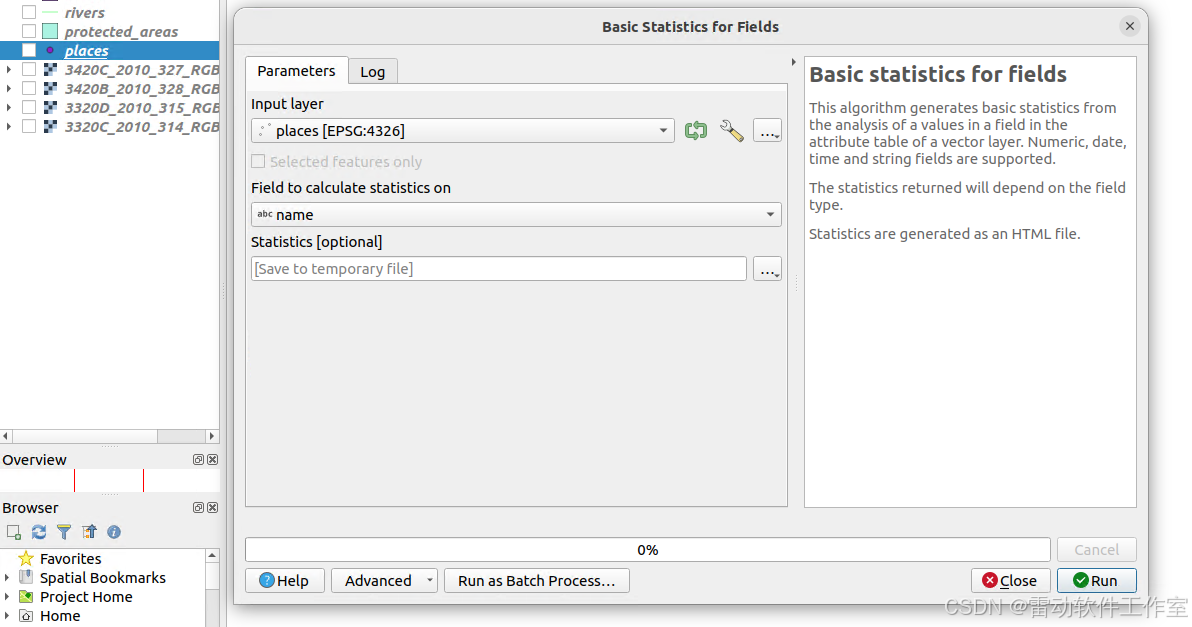
toolbox中打开算法,设置输入、输出
-
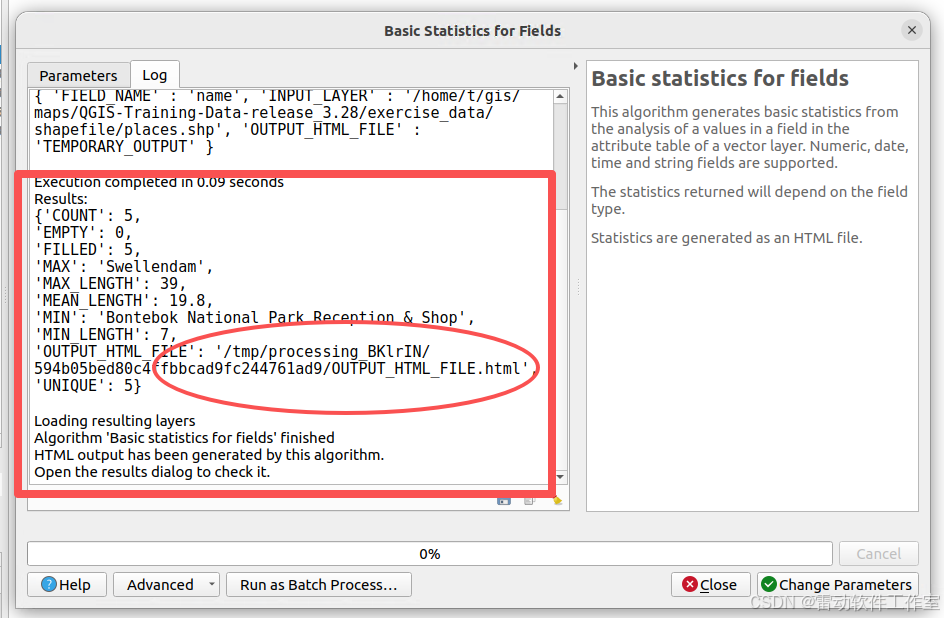
运行算法 可以看到结果
二次开发调用
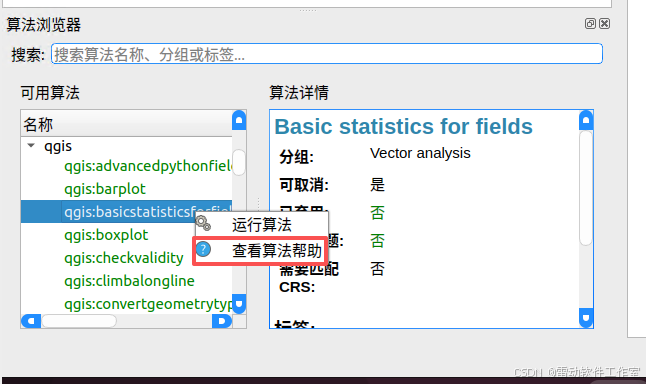
- 先查看算法帮助信息,可以使用qgsprocess 或者本文提供的界面化程序
-
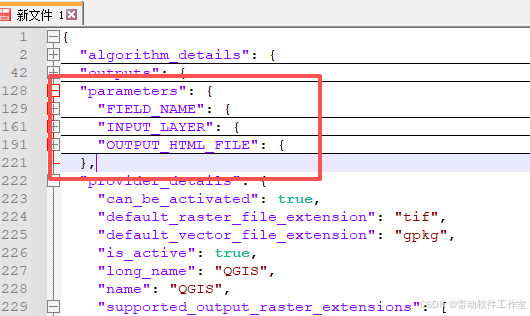
设置参数 可以从帮助信息中看到
-
运行算法 完整代码如下
if(id.compare("qgis:basicstatisticsforfields") == 0)
{
//添加测试图层
QString filename = QStringLiteral("maps/shapefile/myplaces.shp");
QVariantMap conf;
conf.insert(QStringLiteral("INPUT_LAYER"),filename);//直接用路径
conf.insert(QStringLiteral("FIELD_NAME"),QStringLiteral("name"));
QgsProcessingOutputLayerDefinition value( "TEMPORARY_OUTPUT" );
conf.insert(QStringLiteral("OUTPUT_HTML_FILE"),value);
auto algorithm = QgsApplication::processingRegistry()->createAlgorithmById(id,conf);
QgsProcessingContext *context = new QgsProcessingContext;
context->setProject(QgsProject::instance());
QgsProcessingFeedback *feedback = new QgsProcessingFeedback(false);
QVariantMap runResults = algorithm->run(conf,*context,feedback);
QString htmlFilePath = runResults["OUTPUT_HTML_FILE"].toString();
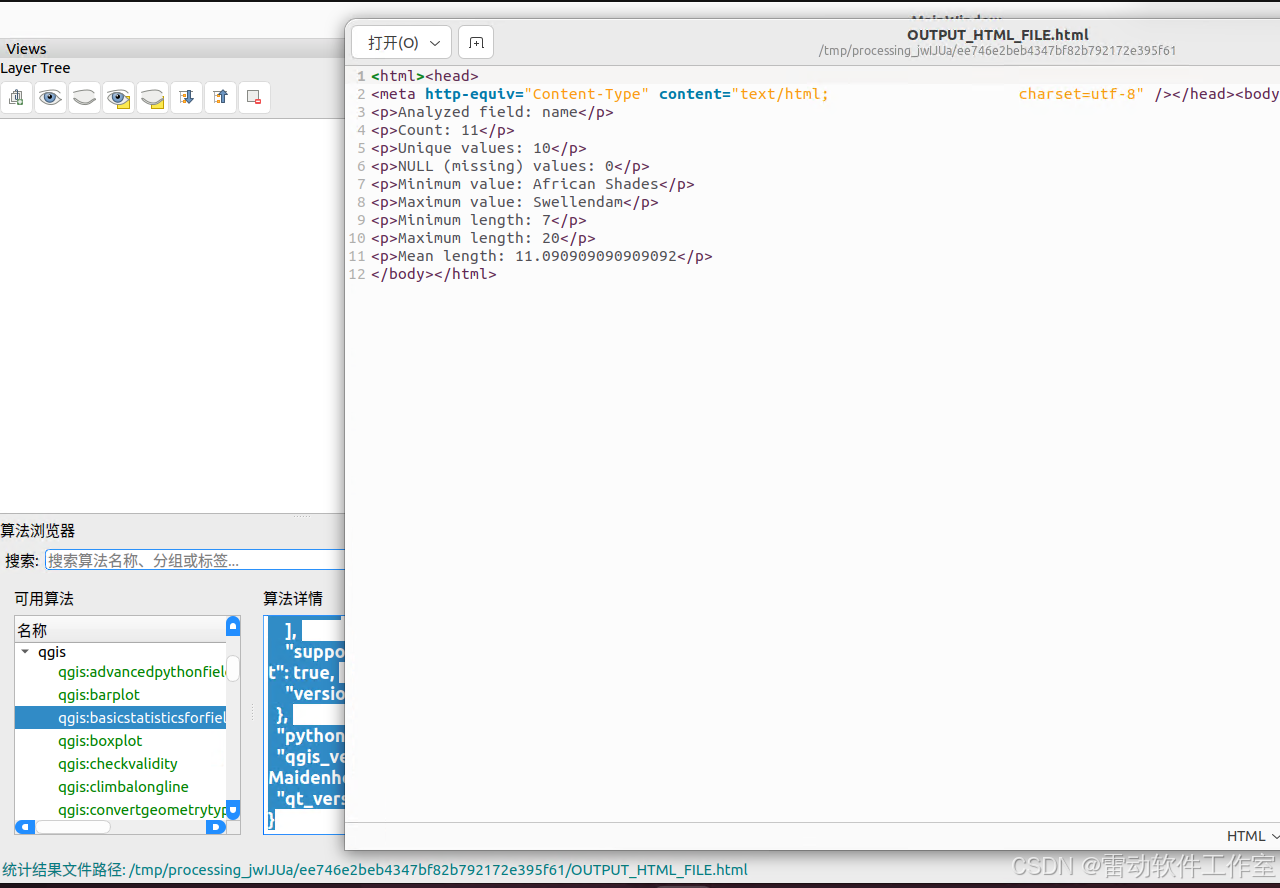
statusBar()->showMessage(QStringLiteral("统计结果文件路径: %1").arg(htmlFilePath), 10000);
QDesktopServices::openUrl(QUrl::fromLocalFile(htmlFilePath));
} -
效果如下图
测试gdal:aspect算法
QGis中调用
-
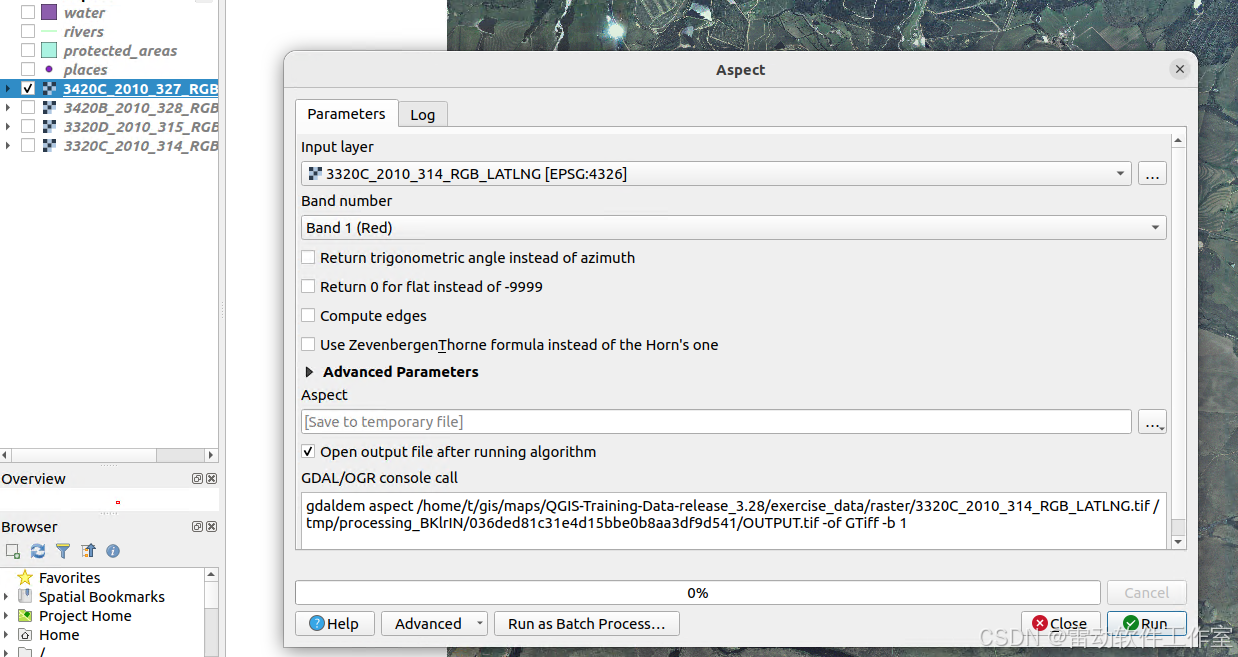
toolbox中打开算法,设置输入、输出
-
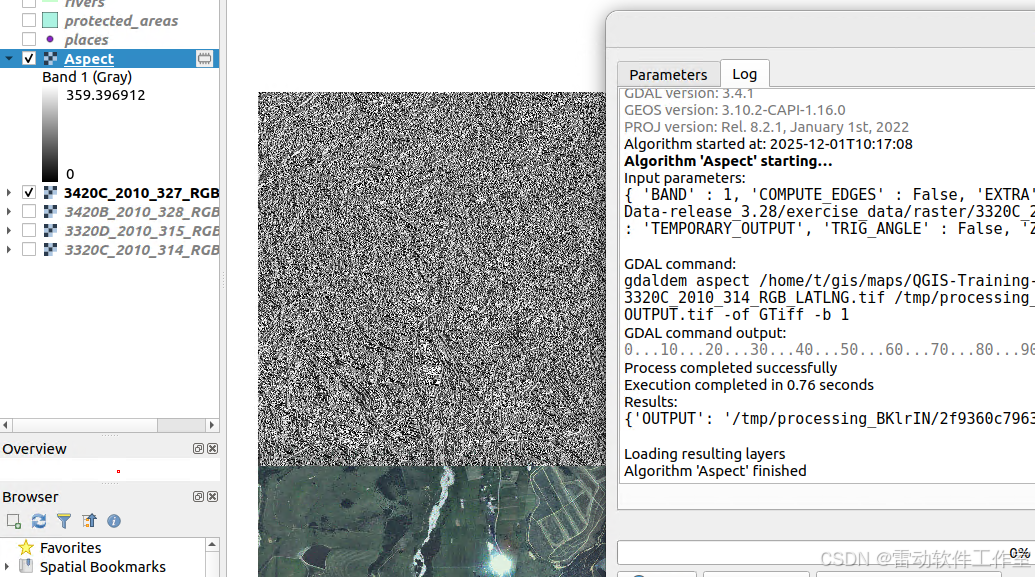
运行算法 生成对应的坡向图层
二次开发中调用
-
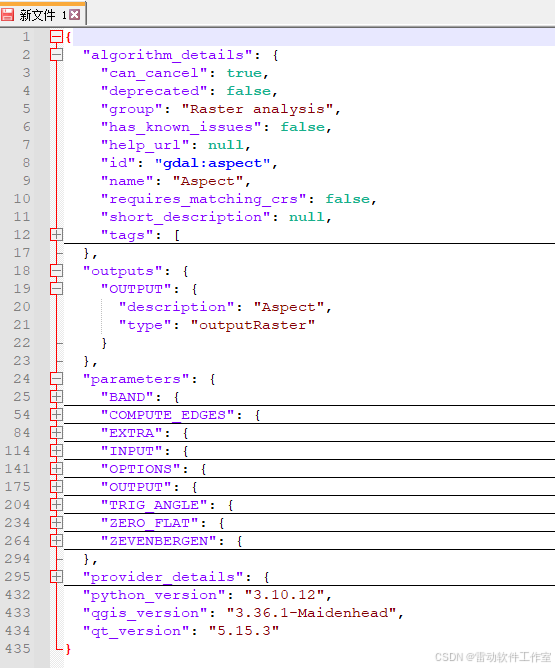
先查看算法帮助信息,可以使用qgsprocess 或者本文提供的界面化程序
-
根据帮助信息 确定参数parameters outputs等
-
运行算法即可 完整代码如下
else if(id.compare("gdal:aspect") == 0)
{
QString filename = QStringLiteral("maps/raster/3420C_2010_327_RGB_LATLNG.tif");
QFileInfo ff(filename);
QgsRasterLayer* layer = (QgsRasterLayer*)mApp->addRasterLayer(filename,ff.baseName());QVariantMap conf; conf.insert(QStringLiteral("INPUT"), layer->id()); conf.insert(QStringLiteral("BAND"), 1); QgsProcessingOutputLayerDefinition value( "TEMPORARY_OUTPUT" ); conf.insert(QStringLiteral("OUTPUT"), value); auto algorithm = QgsApplication::processingRegistry()->createAlgorithmById(id,conf); QgsProcessingContext *context = new QgsProcessingContext; context->setProject(QgsProject::instance()); QgsProcessingFeedback *feedback = new QgsProcessingFeedback(false); QVariantMap runResults = algorithm->run(conf,*context,feedback); QString tempFilename = runResults["OUTPUT"].toString(); QFileInfo t(tempFilename); QgsRasterLayer* tempLayer = (QgsRasterLayer*)mApp->addRasterLayer(tempFilename,t.baseName()); } -
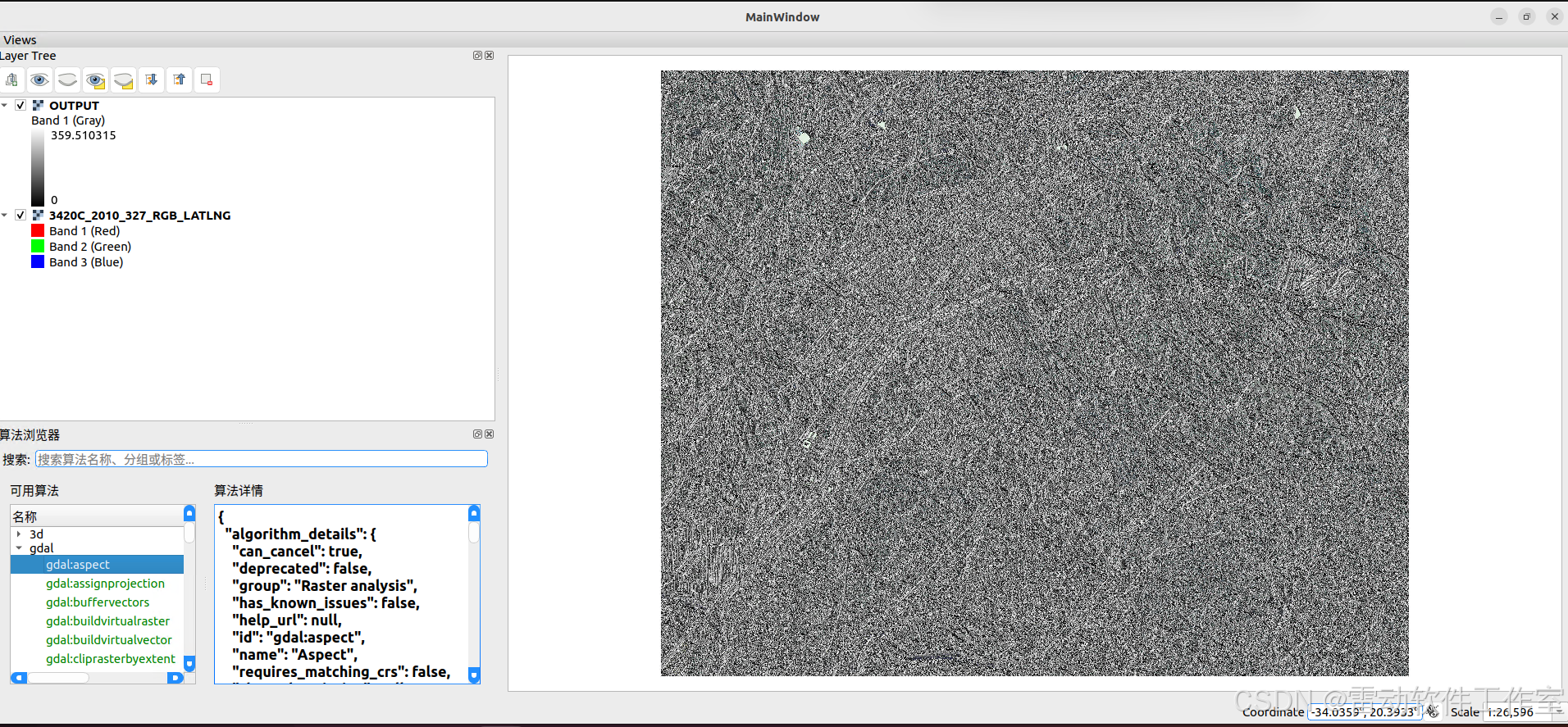
效果如下
总结
- 介绍了如何在C++程序中调用python算法