android compose RoundedPolygon 六边形 使用
官方参考:Compose 中的形状 | Jetpack Compose | Android Developers
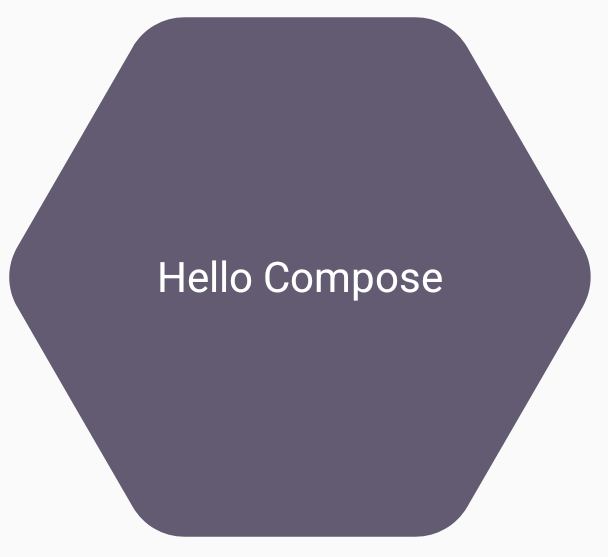
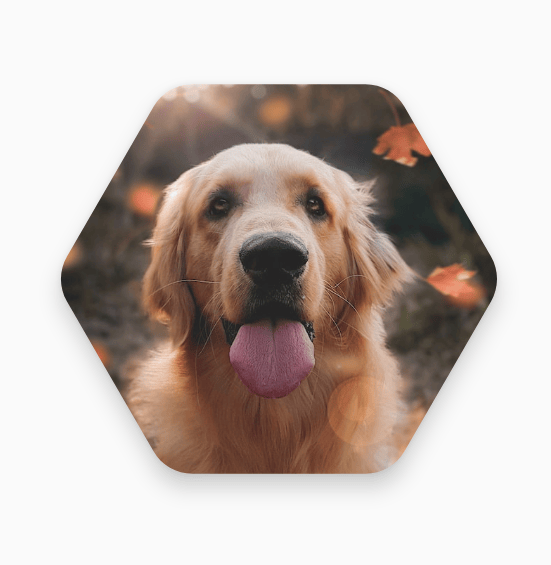
下面代码,运行起来看不到效果,还不知道啥原因。。。
package com.wn.androidcomposedemo1.basegoogleimage

import android.os.Bundle
import androidx.activity.ComponentActivity
import androidx.activity.compose.setContent
import androidx.compose.foundation.Image
import androidx.compose.foundation.background
import androidx.compose.foundation.layout.Box
import androidx.compose.foundation.layout.fillMaxSize
import androidx.compose.foundation.layout.size
import androidx.compose.material3.MaterialTheme
import androidx.compose.material3.Surface
import androidx.compose.material3.Text
import androidx.compose.runtime.Composable
import androidx.compose.runtime.remember
import androidx.compose.ui.Alignment
import androidx.compose.ui.Modifier
import androidx.compose.ui.draw.clip
import androidx.compose.ui.geometry.Rect
import androidx.compose.ui.geometry.Size
import androidx.compose.ui.graphics.Color
import androidx.compose.ui.graphics.Matrix
import androidx.compose.ui.graphics.Outline
import androidx.compose.ui.graphics.Path
import androidx.compose.ui.graphics.Shape
import androidx.compose.ui.graphics.asComposePath
import androidx.compose.ui.graphics.graphicsLayer
import androidx.compose.ui.layout.ContentScale
import androidx.compose.ui.res.painterResource
import androidx.compose.ui.unit.Density
import androidx.compose.ui.unit.LayoutDirection
import androidx.compose.ui.unit.dp
import androidx.compose.ui.unit.max
import androidx.graphics.shapes.CornerRounding
import androidx.graphics.shapes.RoundedPolygon
import androidx.graphics.shapes.toPath
import com.wn.androidcomposedemo1.R
import com.wn.androidcomposedemo1.ui.theme.AndroidComposeDemo1Theme
import kotlin.math.max

/**
 * Author : wn
 * Email : maoning20080808@163.com
 * Date : 2026/7/3 22:40
 * Description :  多边形
 */
class ShapesActivity : ComponentActivity(){

    override fun onCreate(savedInstanceState: Bundle?) {
        super.onCreate(savedInstanceState)

        setContent {
            AndroidComposeDemo1Theme() {
                Surface(
                    modifier = Modifier.fillMaxSize(),
                    color = MaterialTheme.colorScheme.background
                ) {
                    SixShapeExample()
                    SixImageShapeExample()
                }
            }
        }
    }


    //六边形
    @Composable
    fun SixShapeExample(){
        val hexagon = remember {
            RoundedPolygon(6, rounding = CornerRounding(0.2f))
        }

        val clip = remember(hexagon) {
            RoundedPolygonShape(polygon = hexagon)
        }

        Box(
            modifier = Modifier
                .clip(clip)
                .background(MaterialTheme.colorScheme.secondary)
                .size(200.dp)
        ){
            Text("Hello Compose",
                color = MaterialTheme.colorScheme.onSecondary,
                modifier = Modifier.align(Alignment.Center)
            )
        }
    }

    //六边形图片
    @Composable
    fun SixImageShapeExample(){
        val hexagon = remember {
            RoundedPolygon(
                6,
                rounding = CornerRounding(0.2f)
            )
        }
        val clip = remember(hexagon) {
            RoundedPolygonShape(polygon = hexagon)
        }
        Box(
            modifier = Modifier.fillMaxSize(),
            contentAlignment = Alignment.Center
        ) {
            Image(
                painter = painterResource(id = R.drawable.dog),
                contentDescription = "Dog",
                contentScale = ContentScale.Crop,
                modifier = Modifier
                    .graphicsLayer {
                        this.shadowElevation = 6.dp.toPx()
                        this.shape = clip
                        this.clip = true
                        this.ambientShadowColor = Color.Black
                        this.spotShadowColor = Color.Black
                    }
                    .size(200.dp)

            )
        }

    }
}

fun RoundedPolygon.getBounds() = calculateBounds().let { Rect(it[0], it[1], it[2], it[3]) }


class RoundedPolygonShape(
    private val polygon: RoundedPolygon,
    private var matrix :Matrix = Matrix()
) : Shape{

    private var path = Path()

    override fun createOutline(
        size: Size,
        layoutDirection: LayoutDirection,
        density: Density
    ): Outline {

        path.rewind()
        path = polygon.toPath().asComposePath()
        matrix.reset()
        val bounds = polygon.getBounds()
        val maxDimension = max(bounds.width, bounds.height)
        matrix.scale(size.width/maxDimension, size.height/maxDimension)
        matrix.translate(-bounds.left, -bounds.top)

        path.transform(matrix)
        return Outline.Generic(path)
    }


}