一、引言
倒计时器(Countdown Timer)是最常见的计时工具之一,广泛用于会议提醒、烹饪计时、考试倒计日等场景。与正向计时的秒表不同,倒计时器需要先设定一个目标时长,然后从该时长开始递减到零。
二、双模式设计
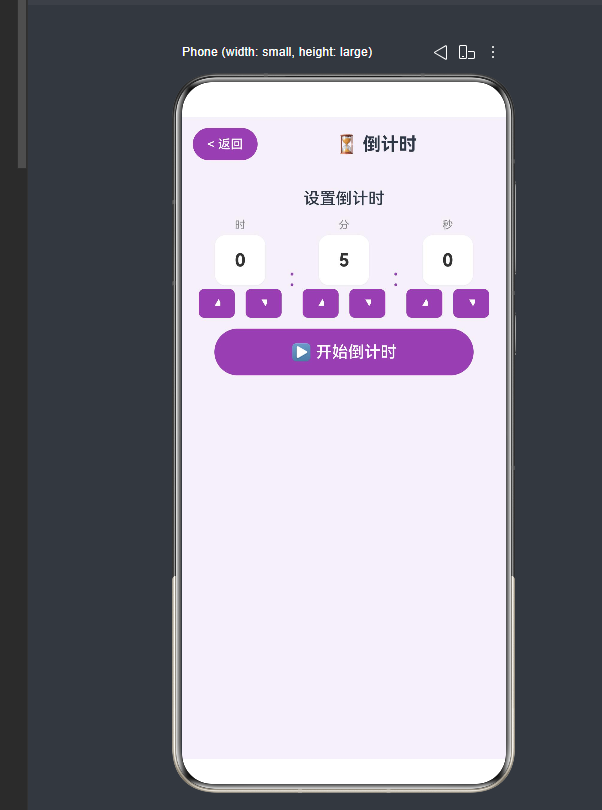
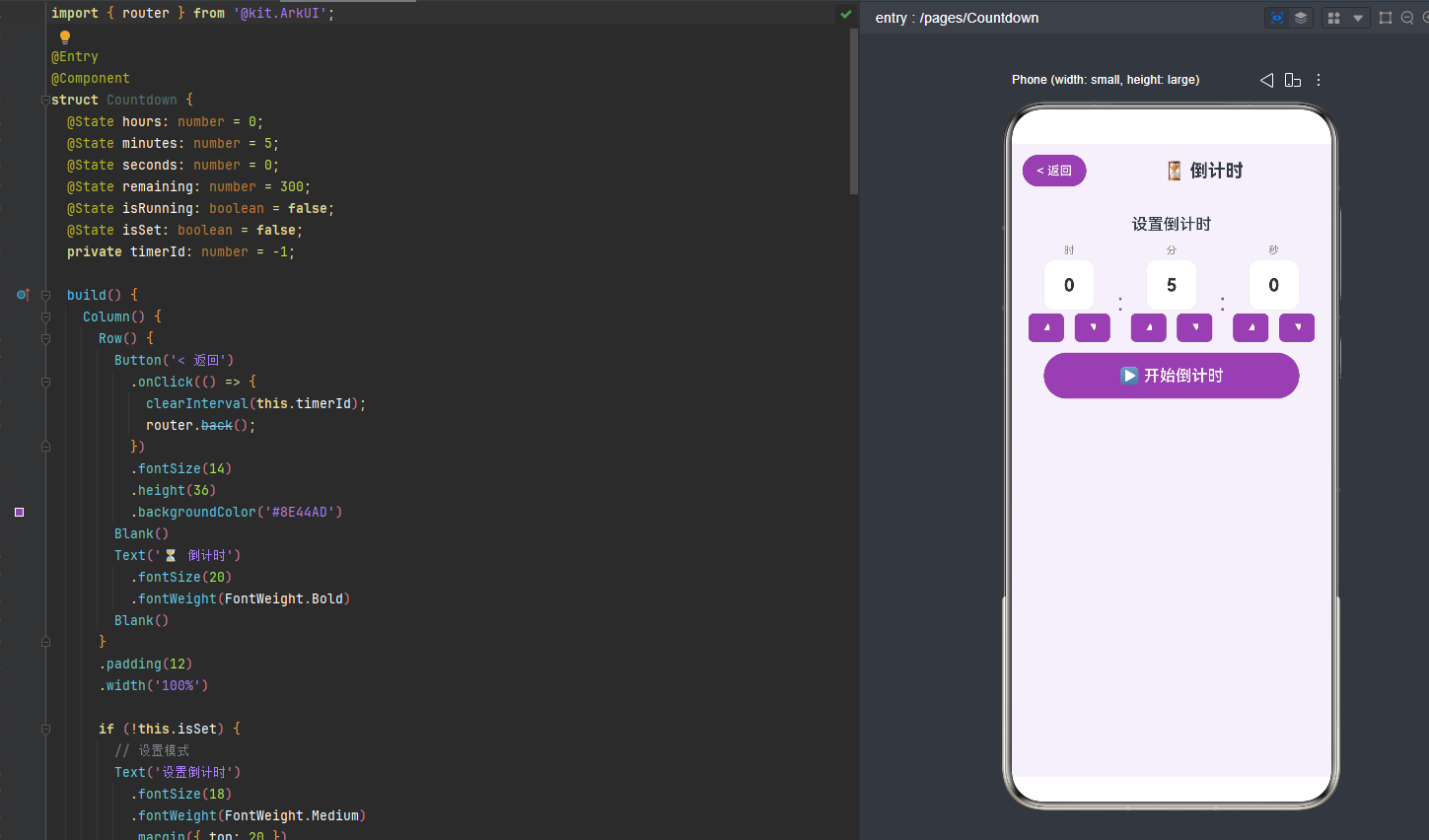
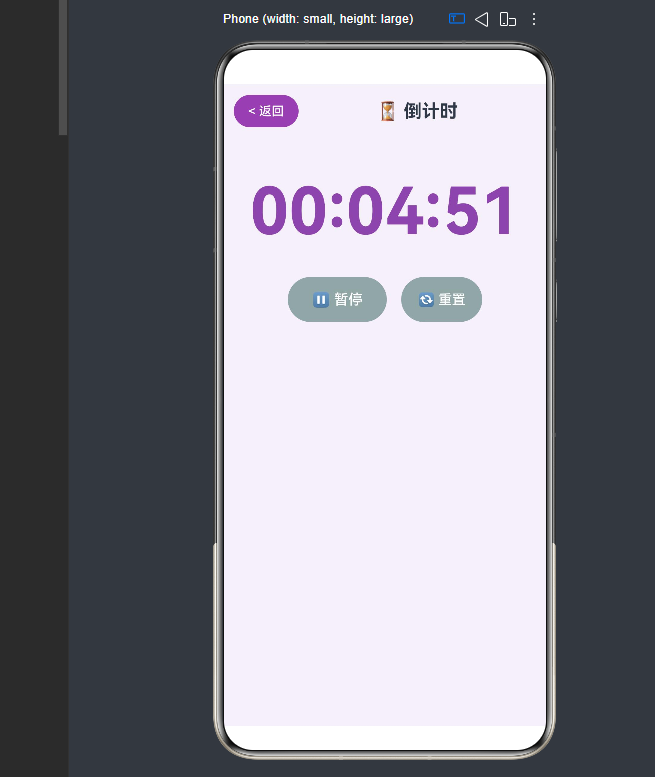
本倒计时器采用"设置模式"和"运行模式"的双模式设计:
if (!this.isSet) {
// 设置模式:选择时/分/秒
} else {
// 运行模式:显示倒计时
}
2.1 设置模式
用户通过三个按钮组(时、分、秒)设定目标时长。
2.2 运行模式
显示倒计时数字,提供暂停/继续和重置操作。
三、时分秒选择器
3.1 选择器设计
每个时间单位(时/分/秒)使用上下箭头按钮调整数值:
@Builder pickerItem(label: string, value: number, max: number, onChange: (v: number) => void) {
Column() {
Text(label).fontSize(12)
Button(String(value)).fontSize(20)
Row() {
Button('▲').onClick(() => onChange(value + 1 > max ? 0 : value + 1))
Button('▼').onClick(() => onChange(value - 1 < 0 ? max : value - 1))
}
}
}
上箭头加 1,下箭头减 1,超出范围则循环(如 59 秒加 1 变为 0)。
3.2 时间值选择的范围控制
每个时间单位都有其合理的取值范围:
单位 取值范围 循环规则
时 0-23 23→0, 0→23
分 0-59 59→0, 0→59
秒 0-59 59→0, 0→59
这种"循环"行为模仿了真实计时器的调节方式,用户无需反复点击来增大数值。
3.3 启动计时
Button('▶ 开始倒计时')
.onClick(() => {
this.remaining = this.hours * 3600 + this.minutes * 60 + this.seconds;
if (this.remaining > 0) {
this.isSet = true;
this.isRunning = true;
this.timerId = setInterval(() => {
if (this.remaining > 0) this.remaining--;
else { clearInterval(this.timerId); this.isRunning = false; }
}, 1000);
}
})
四、倒计时状态管理
4.1 暂停/继续
if (this.isRunning) {
clearInterval(this.timerId);
this.isRunning = false;
} else {
this.timerId = setInterval(() => {
if (this.remaining > 0) this.remaining--;
else { clearInterval(this.timerId); this.isRunning = false; }
}, 1000);
this.isRunning = true;
}
4.2 时间到提示
if (this.remaining === 0) {
Text('⏰ 时间到!')
.fontSize(24)
.fontColor('#E74C3C')
}
五、时间格式化
formatCountdown(sec: number): string {
let h = Math.floor(sec / 3600);
let m = Math.floor((sec % 3600) / 60);
let s = sec % 60;
return ${h < 10 ? '0' : ''}${h}:${m < 10 ? '0' : ''}${m}:${s < 10 ? '0' : ''}${s};
}
六、总结
倒计时器的核心难点不在于功能逻辑本身,而在于"设置"与"运行"两种 UI 模式的切换、定时器的生命周期管理,以及用户交互的防误操作设计。时间类工具的开发还涉及一些微妙的用户体验问题(比如后台运行、通知提醒等),这些问题在需要高可靠性的生产级应用中需要认真对待。