前言
最近有一个小需求,有两个嵌套的滚动容器,要实现内部优先,内层容器到顶部或底部后,再把事件交给外层容器处理。
虽然知道大概走向,但还真没动手做过,既然如此,来实操一下吧。
需要了解触摸反馈与事件分发的原理,可以看我的这篇博客。
首先我们要确定,应该替换外层容器还是内层,其实应该是内层。
因为在内层才能判断,当前是否滑到了顶/底部,同时内层也能通过 parent?.requestDisallowInterceptTouchEvent() 请求外层的容器不要拦截事件。
处理策略
我们先来说一下处理策略:
- 在手指按下(
ACTION_DOWN)时,禁止父布局拦截,否则后续的事件都会交给父布局处理,不会轮到我们。 - 手指抬起的时候,恢复父布局的拦截能力,让它能处理后续的其他手势。
- 关键在手指移动时,如果还能滑动,就还要禁止父布局拦截。当滑动到顶部还往下拖或滑动到底部还往上拖时,就放开父布局的拦截,让外层接管。
如果是嵌套的
NestedScrollView就无需这么麻烦,默认效果就是内部优先。它自带了 Nested Scrolling 协作机制。
代码实现
先定义出基本的骨架代码,为了确保万无一失,我们把事件的拦截策略统一放在 dispatchTouchEvent 中处理。
kotlin
/**
 * 内部日志优先滚动容器
 */
class NestedLogScrollView @JvmOverloads constructor(
    context: Context,
    attrs: AttributeSet? = null,
    defStyleAttr: Int = 0
) : ScrollView(context, attrs, defStyleAttr) {
    override fun dispatchTouchEvent(ev: MotionEvent?): Boolean {
        if (ev == null) return super.dispatchTouchEvent(ev)
        return super.dispatchTouchEvent(ev)
    }
}
在手指按下时禁止父布局拦截事件,然后在手指抬起时,恢复父布局拦截:
kotlin
class NestedLogScrollView @JvmOverloads constructor(
    context: Context,
    attrs: AttributeSet? = null,
    defStyleAttr: Int = 0
) : ScrollView(context, attrs, defStyleAttr) {

    // 记录上一次手指的绝对 Y 坐标
    private var lastRawY = 0f

    override fun dispatchTouchEvent(ev: MotionEvent?): Boolean {
        if (ev == null) return super.dispatchTouchEvent(ev)

        when (ev.actionMasked) {
            MotionEvent.ACTION_DOWN -> {
                // 按下时,记录绝对坐标
                lastRawY = ev.rawY
                // 并让父布局不要拦截事件,否则它一旦开始拦截,我们将无法收到后续事件
                parent?.requestDisallowInterceptTouchEvent(true)
            }

            MotionEvent.ACTION_MOVE -> {
                ...
            }

            MotionEvent.ACTION_UP,
            MotionEvent.ACTION_CANCEL -> {
                // 手势结束(抬起或被取消),恢复父布局拦截
                parent?.requestDisallowInterceptTouchEvent(false)
            }
        }

        return super.dispatchTouchEvent(ev)
    }
}
现在,我们就完成大半了,只剩下手指移动部分。
kotlin
// 获取系统标准的触发距离,过滤手指按下时的微小抖动,避免内外层来回抢手势
private val touchSlop = ViewConfiguration.get(context).scaledTouchSlop

MotionEvent.ACTION_MOVE -> {
    val currentRawY = ev.rawY
    val dy = currentRawY - lastRawY

    // 位移过小看作是抖动,不改变拦截的策略
    if (abs(dy) > touchSlop) {
        // dy > 0 代表手势向下划(试图查看上面被遮挡的内容)
        val isScrollingDown = dy > 0

        val canScrollFurther = if (isScrollingDown) {
            canScrollVertically(-1) // 检查上方是否还能滚
        } else {
            canScrollVertically(1)  // 检查下方是否还能滚
        }

        if (!canScrollFurther) {
            // 已经滑到边界了,放开拦截,把事件还给外层
            parent?.requestDisallowInterceptTouchEvent(false)
        } else {
            // 还能继续滚动,抓住事件不放
            parent?.requestDisallowInterceptTouchEvent(true)
        }

        // 更新坐标
        lastRawY = currentRawY
    }
}
现在这个需求就完成了,是不是很简单?
这里有一个细节,我们获取的坐标是 ev.rawY(即屏幕绝对坐标),而不是 ev.y(相对容器顶部的坐标),因为当容器发生滚动时,这个位置一直在变,使用它可能会导致坐标跳变,使得内外层来回抢夺手势,造成页面上下抽搐。
此外,判断是否滚动的关键在于 canScrollVertically() 方法,参数传入负数,表示检查顶部是否还有内容,传入正数表示检查底部。
它内部的逻辑也很清晰:首先获取当前滚动的偏移值,初始为 0,往下滑值增大,它代表了内容已经向上滑出去的距离。
然后获取完整内容 的总高度,以及容器可见区域的高度,得出最大的可滚动距离 range,接下来的拆解放到代码中。
java
public boolean canScrollVertically(int direction) {
    final int offset = computeVerticalScrollOffset();
    final int range = computeVerticalScrollRange() - computeVerticalScrollExtent();
    // 可滚动距离为 0,说明内容刚好填满容器的可视区域,直接返回无法滚动
    if (range == 0) return false;
    if (direction < 0) { // 检查顶部方向
        // offset > 0,说明已经向下滚动了一段距离,顶部有内容被遮挡了,所以还可以向上滚回去
        return offset > 0;
    } else { // 检查底部方向
        // 偏移还没到最大滚动值,说明底部还有内容
        return offset < range - 1; // -1 是为了边界容错
    }
}另外,range 的值可以为负数,这说明内容不足。如果 direction > 0,会进到 else 分支中,返回 false,即不可滚动,语义还是正确的。
为了方便直接使用,这里贴上 NestedLogScrollView 的完整代码:
kotlin
import android.content.Context
import android.util.AttributeSet
import android.view.MotionEvent
import android.view.ViewConfiguration
import android.widget.ScrollView
import kotlin.math.abs

class NestedLogScrollView @JvmOverloads constructor(
    context: Context,
    attrs: AttributeSet? = null,
    defStyleAttr: Int = 0
) : ScrollView(context, attrs, defStyleAttr) {
    private var lastRawY = 0f
    private val touchSlop = ViewConfiguration.get(context).scaledTouchSlop

    override fun dispatchTouchEvent(ev: MotionEvent?): Boolean {
        if (ev == null) return super.dispatchTouchEvent(ev)

        when (ev.actionMasked) {
            MotionEvent.ACTION_DOWN -> {
                lastRawY = ev.rawY
                parent?.requestDisallowInterceptTouchEvent(true)
            }

            MotionEvent.ACTION_MOVE -> {
                val currentRawY = ev.rawY
                val dy = currentRawY - lastRawY

                if (abs(dy) > touchSlop) {
                    val isScrollingDown = dy > 0

                    val canScrollFurther = if (isScrollingDown) {
                        canScrollVertically(-1)
                    } else {
                        canScrollVertically(1)
                    }

                    if (!canScrollFurther) {
                        parent?.requestDisallowInterceptTouchEvent(false)
                    } else {
                        parent?.requestDisallowInterceptTouchEvent(true)
                    }

                    lastRawY = currentRawY
                }
            }

            MotionEvent.ACTION_UP,
            MotionEvent.ACTION_CANCEL -> {
                parent?.requestDisallowInterceptTouchEvent(false)
            }
        }

        return super.dispatchTouchEvent(ev)
    }
}
避坑指南
为什么要把逻辑全写在 dispatchTouchEvent 中?我们不应该在 onTouchEvent 中消费事件吗?
首先 "子 View 消费了事件,父 ViewGroup 就不能消费",这在普通的容器里是正确的,但在 ScrollView 里是错误的。
当你按住 ScrollView 中的 Button 开始滑动时,一开始 ACTION_DOWN 被 Button 消费了,但只要手指的滑动距离超过了阈值(TouchSlop),ScrollView 内部的拦截机制(onInterceptTouchEvent)就会自动给 Button 发送一个 ACTION_CANCEL 事件,把后续的手势强行抢过来,开始自身的滚动。
如果我们把内部优先的逻辑放在 onTouchEvent,看看会发生什么?
如果子 View 消费了事件,那么我们的 onTouchEvent 根本就不会收到 ACTION_DOWN,何谈通过返回 true 来接收后续的 MOVE 事件。事件只会被外层的容器无情抢走,我们内部优先的逻辑就会失效。
所以我们要把逻辑上提到 dispatchTouchEvent 中,这是为了能随时接管事件。
示例代码
示例布局:
xml
<?xml version="1.0" encoding="utf-8"?>
<ScrollView xmlns:android="http://schemas.android.com/apk/res/android"
    android:id="@+id/outerScrollView"
    android:layout_width="match_parent"
    android:layout_height="match_parent"
    android:fillViewport="true">

    <LinearLayout
        android:layout_width="match_parent"
        android:layout_height="wrap_content"
        android:orientation="vertical"
        android:padding="16dp">

        <TextView
            android:id="@+id/tvTopContent"
            android:layout_width="match_parent"
            android:layout_height="wrap_content"
            android:text=""
            android:textSize="14sp" />

        <Button
            android:id="@+id/btnAppendLogs"
            android:layout_width="match_parent"
            android:layout_height="wrap_content"
            android:layout_marginTop="12dp"
            android:text="追加日志" />

        <Button
            android:id="@+id/btnClearLogs"
            android:layout_width="match_parent"
            android:layout_height="wrap_content"
            android:layout_marginTop="8dp"
            android:text="清空日志" />

        <com.example.demoview.widget.NestedLogScrollView
            android:id="@+id/logScrollView"
            android:layout_width="match_parent"
            android:layout_height="180dp"
            android:layout_marginTop="12dp"
            android:background="#EEEEEE"
            android:fillViewport="true"
            android:scrollbars="vertical">

            <TextView
                android:id="@+id/logText"
                android:layout_width="match_parent"
                android:layout_height="wrap_content"
                android:fontFamily="monospace"
                android:hint="日志区域"
                android:padding="12dp"
                android:textSize="13sp" />
        </com.example.demoview.widget.NestedLogScrollView>

        <TextView
            android:id="@+id/tvBottomContent"
            android:layout_width="match_parent"
            android:layout_height="wrap_content"
            android:layout_marginTop="12dp"
            android:layout_marginBottom="24dp"
            android:textSize="14sp" />
    </LinearLayout>
</ScrollView>
示例代码:
kotlin
class NestedLogScrollDemoActivity : AppCompatActivity() {

    private lateinit var logScrollView: NestedLogScrollView
    private lateinit var logText: TextView
    private var logIndex = 0

    override fun onCreate(savedInstanceState: Bundle?) {
        super.onCreate(savedInstanceState)
        setContentView(R.layout.activity_nested_log_scroll_demo)

        logScrollView = findViewById(R.id.logScrollView)
        logText = findViewById(R.id.logText)

        findViewById<TextView>(R.id.tvTopContent).text = getLines(count = 15)
        findViewById<TextView>(R.id.tvBottomContent).text = getLines(count = 30)

        findViewById<Button>(R.id.btnAppendLogs).setOnClickListener { appendLogs(count = 5) }
        findViewById<Button>(R.id.btnClearLogs).setOnClickListener {
            logIndex = 0
            logText.text = ""
        }

        appendLogs(count = 12)
    }

    private fun getLines(count: Int): String {
        val sb = StringBuilder()
        repeat(times = count) { line ->
            sb.append("Line ${line + 1}\n")
        }
        return sb.toString()
    }

    private fun appendLogs(count: Int) {
        val sb = StringBuilder()
        repeat(times = count) {
            logIndex++
            sb.append("log #$logIndex\n")
        }
        logText.append(sb.toString())
        logScrollView.post { logScrollView.fullScroll(ScrollView.FOCUS_DOWN) }
    }
}
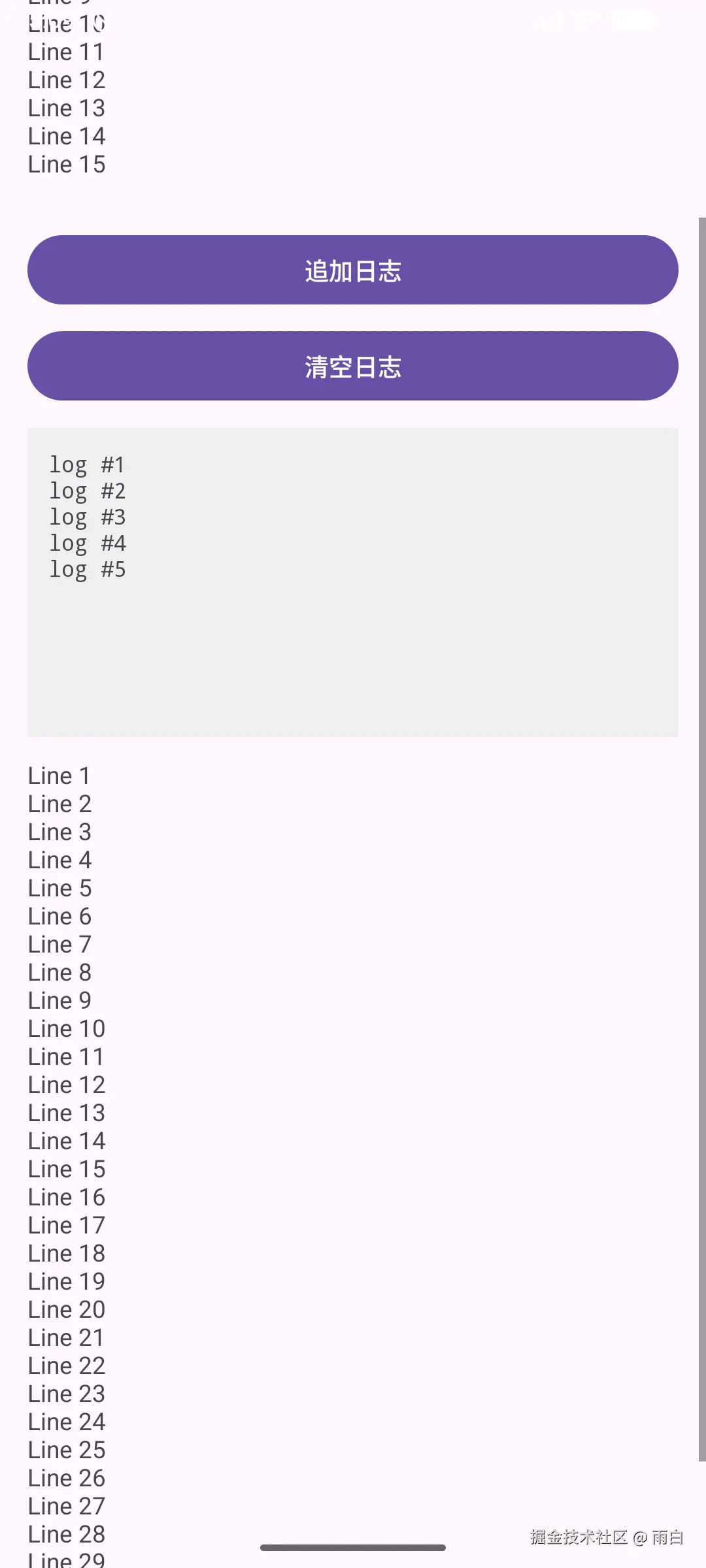
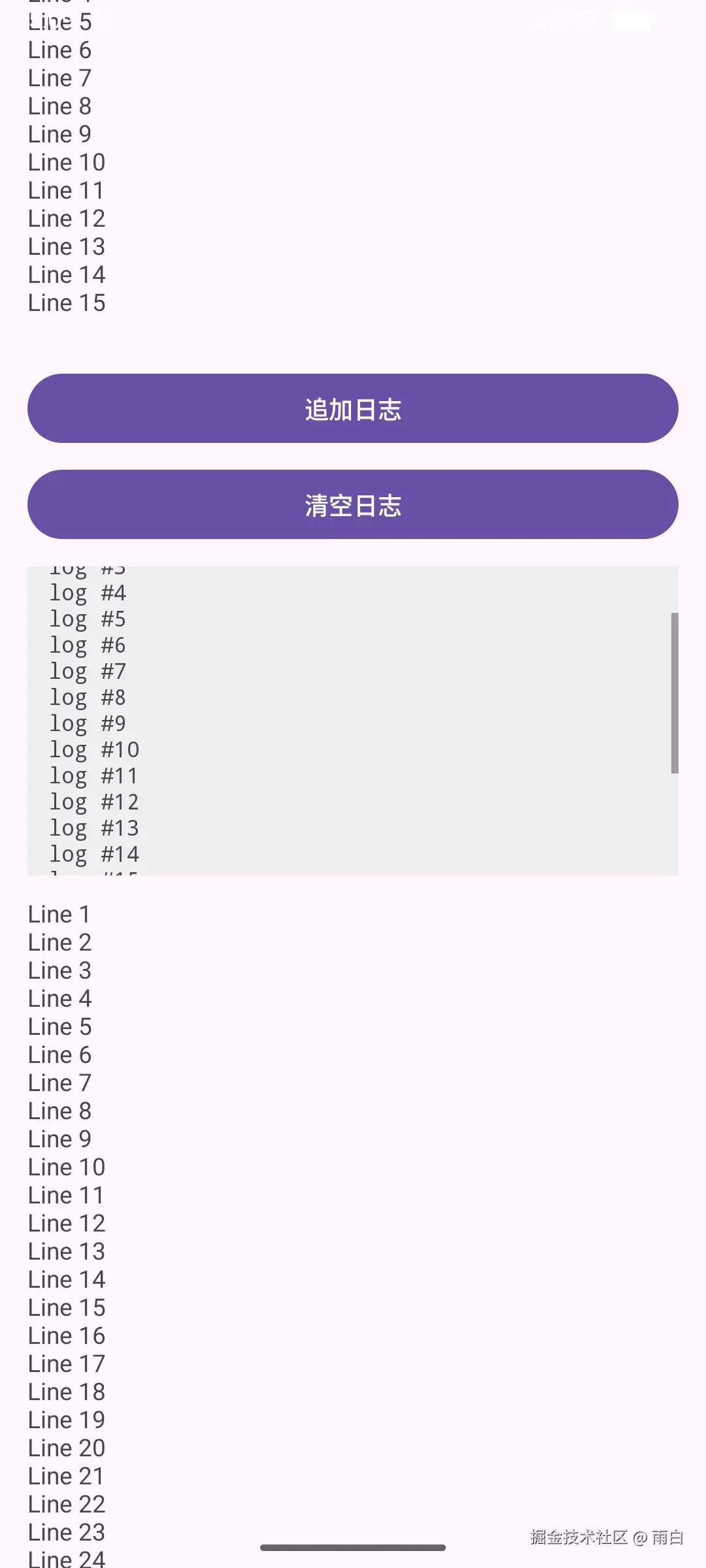
运行效果: