一、概念
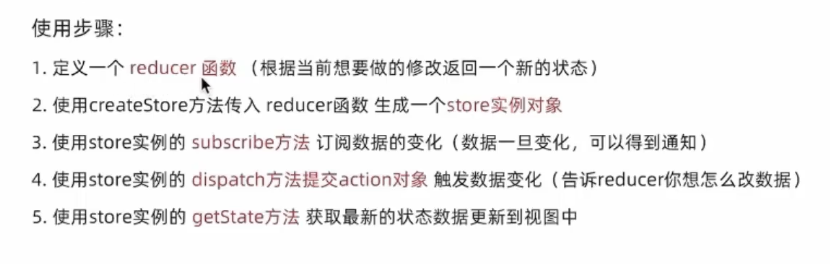
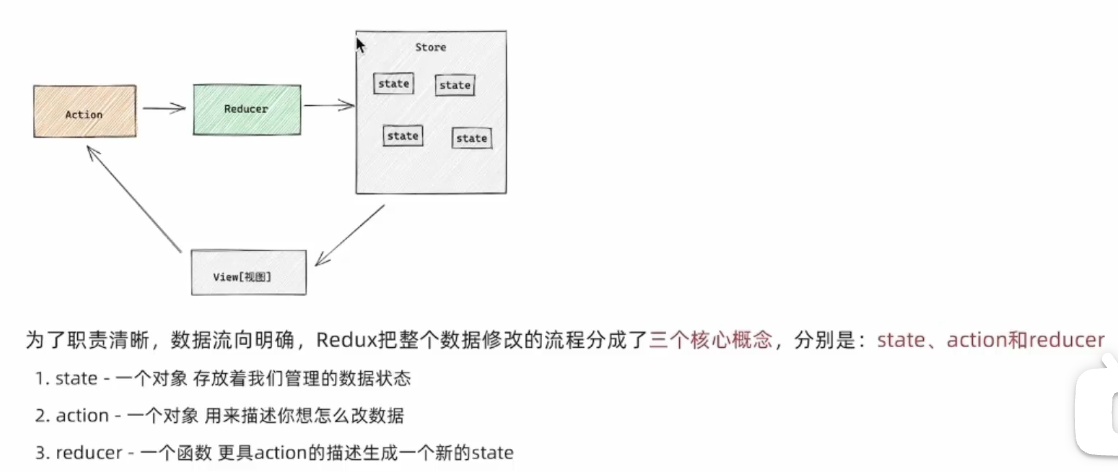
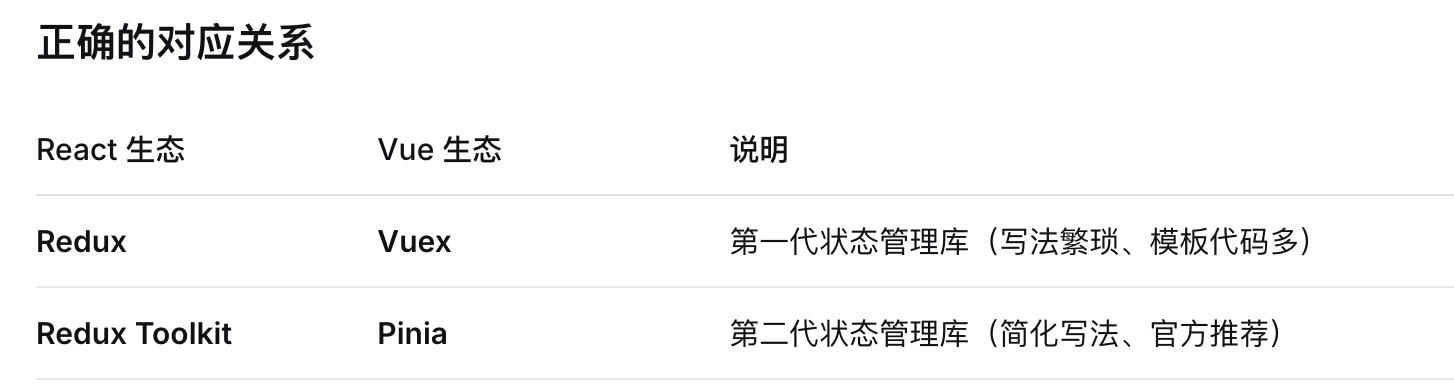
Redux是React里的集中状态管理工具,类似Vue里的pinia(vuex),可以独立于框架运行
二、准备环境
下载两个插件:Redux Toolkit(是一套工具集,简化书写方式)和react-dedux(链接React和Redux之间的中间件
下载命令npm i @reduxjs/toolkit react-redux
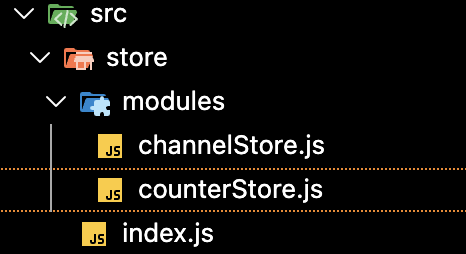
文件夹依旧是:
三、实现counter
1.注册
counterStore.js:
import {createSlice} from '@reduxjs/toolkit';

const counterSlice = createSlice({
  name: 'counter',
  // state
  initialState: {
    value: 0,
  },
  // mutations + actions
  reducers: {
    increment: (state) => {
      state.value += 1;
    },
    // 这里不是React 组件而是Redux Toolkit所以可以直接修改state
    decrement: (state) => {
      state.value -= 1;
    },
  },
})

const { decrement, increment } = counterSlice.actions;
// 写在reducers里自动被redux放在了actions里,到时候以函数的形式导出
// vuex操作不得是this.$store.dispatch('decrement') ,redux直接dispatch(decrement()),因为设计成了函数

// 然后reducer是这一整个模块的代表,导出出去供别的模块去引入
const reducer = counterSlice.reducer;
export { decrement, increment, incrementByAmount };
//这个导出用于组件使用函数的
export default reducer;
//这个导出用于store用来注册的
decrement, increment就是Redux Toolkit 的 createSlice 自动生成 的 Action Creator。Action Creator 就是一个专门用来"生产" Action 对象的函数。
export default reducer是默认导出,就像一把万能钥匙,别人要使用的时候直接说要那把万能钥匙,不用记的是什么名字的钥匙。别人导入的时候:import counterReducer from './counterSlice'(随便取名)只能导出一个
export { 大门钥匙, 卧室钥匙, 书房钥匙 }这种就是没把钥匙都贴了标签。别人导入的时候:import { increment, decrement } from './counterSlice'(必须得是这个名字)可以导出多个
store/index.js:
import {configureStore} from '@reduxjs/toolkit';
import counterReducer from './modules/counterStore';

const store = configureStore({
  reducer: {
    counter: counterReducer,
  },
});

export default store;
//这里的导出给index.js去注册的
项目的index.js:
import { Provider } from 'react-redux';
import store from './store';

const root = ReactDOM.createRoot(document.getElementById('root'));
root.render(
  <React.StrictMode>
    <Provider store={store}>
      <App />
    </Provider>
  </React.StrictMode>
);
用这种<Provider标签报错<App />的方式是因为vuex有那种全局的this.$store可以全局挂载,但是react没有,就只能通过这种上下文的方式从上到下去传递
2.组件中使用store方法/数据
(1)useSelector
在react中使用store中的数据需要一个钩子函数useSelector,它的作用是把store中的数据映射到组件中
import logo from './logo.svg';
import './App.css';
import { useSelector } from 'react-redux';

function App() {
  const counter = useSelector((state) => state.counter);
  console.log('counter:', counter);
//{"value":0}
  return (
    <div className="App">
      111
    </div>
  );
}

export default App;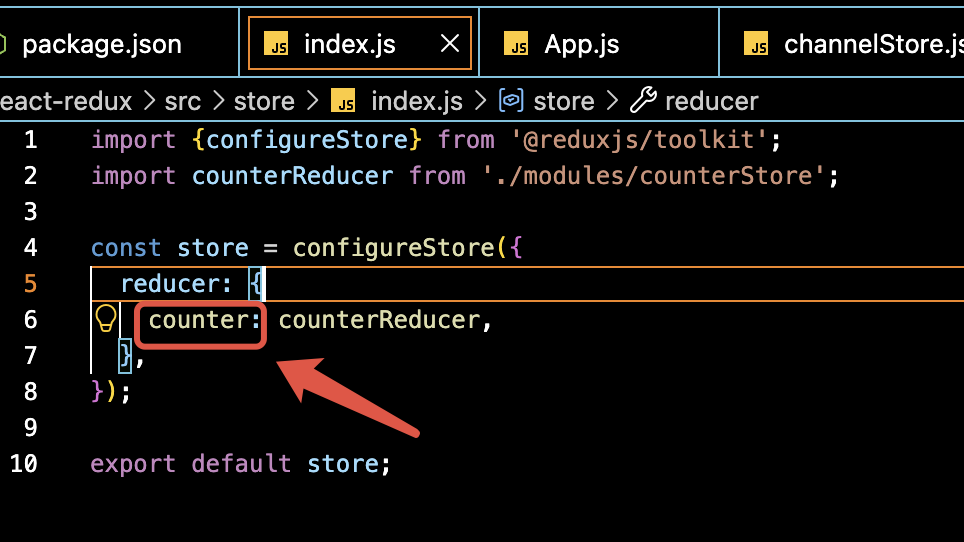
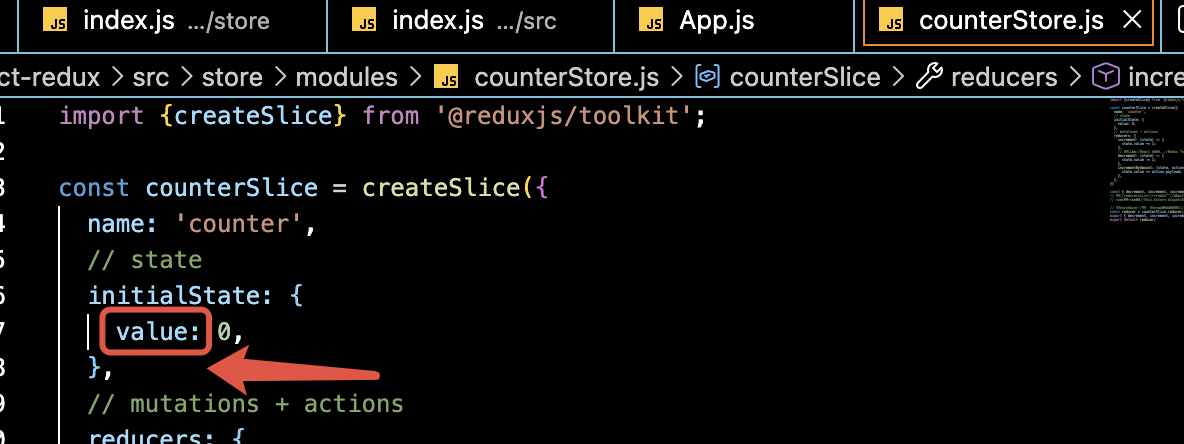
注意这里的state.counter是对应上面这个名称的,然后里面有下图的这个模块内定义的变量
(2)useDispatch
它的作用是生成提交action对象的dispath函数
import logo from './logo.svg';
import './App.css';
import { useSelector,useDispatch } from 'react-redux';
import { decrement, increment, incrementByAmount } from './store/modules/counterStore';

function App() {
    const counter = useSelector((state) => state.counter);
  console.log('value:', counter);
  const dispatch = useDispatch();

  return (
    <div className="App">
      <button onClick={() => dispatch(increment())}>+</button>
      {counter.value }
      <button onClick={() => dispatch(decrement())}>-</button>
    </div>
  );
}

export default App;
3.提交Action传参
在调用actionCreator的时候传参,参数会被传递到action对象的payload属性上
 incrementByAmount: (state, action) => {
      state.value += action.payload;
    },

import logo from './logo.svg';
import './App.css';
import { useSelector,useDispatch } from 'react-redux';
import { decrement, increment, incrementByAmount } from './store/modules/counterStore';

function App() {
    const counter = useSelector((state) => state.counter);
  console.log('value:', counter);
  const dispatch = useDispatch();

  return (
    <div className="App">
      <button onClick={() => dispatch(increment())}>+</button>
      {counter.value }
      <button onClick={() => dispatch(decrement())}>-</button>
      <button onClick={() => dispatch(incrementByAmount(10))}>+10</button>
    </div>
  );
}

export default App;