文章目录
线性插值
线性插值是指找到两个给定值之间的某个百分比值。
L e r p = a + ( b − a ) ∗ t , t ∈ 0 , 1 Lerp = a + (b - a) * t,t∈0,1 Lerp=a+(b−a)∗t,t∈0,1
例如,我们可以在数字3和5之间线性插值50%,得到数字4。这是因为4在3和5之间占了50%。
Unity中通过 Lerp 的函数实现。包括Mathf.Lerp、 Color.Lerp 和 Vector3.Lerp。
Mathf.Lerp
Mathf.Lerp 会自动将插值因子 t 限制在 0, 1 区间内。而 Mathf.LerpUnclamped 则允许 t 超出范围。
c#
float result = Mathf.Lerp (3f, 5f, 0.5f);
// result = 4
设 a = 3 a = 3 a=3, b = 4 b = 4 b=4,插值因子 t = 0.5 t = 0.5 t=0.5 ,则插值结果为:4
f ( t ) = a + ( b − a ) ∗ t = 3 + ( 4 − 3 ) ∗ 0.5 = 4 \begin{aligned} f(t) &= a+(b-a)*t\\&= 3+(4-3)*0.5\\&= 4 \end{aligned} f(t)=a+(b−a)∗t=3+(4−3)∗0.5=4
控制灯光强度
在某些情况下,Lerp函数可以用来随时间平滑一个值。
c#
void Update ()
{
    light.intensity = Mathf.Lerp(light.intensity, 8f, 0.5f);
}
如果灯光强度是0,那么第一次更新后会被设置为4。
下一帧会先是6,然后7,再7.5,依此类推。
因此,在多个帧内,光的强度会趋近8,但随着接近目标,变化速度会减慢。
注意,这种情况发生在多个帧内。
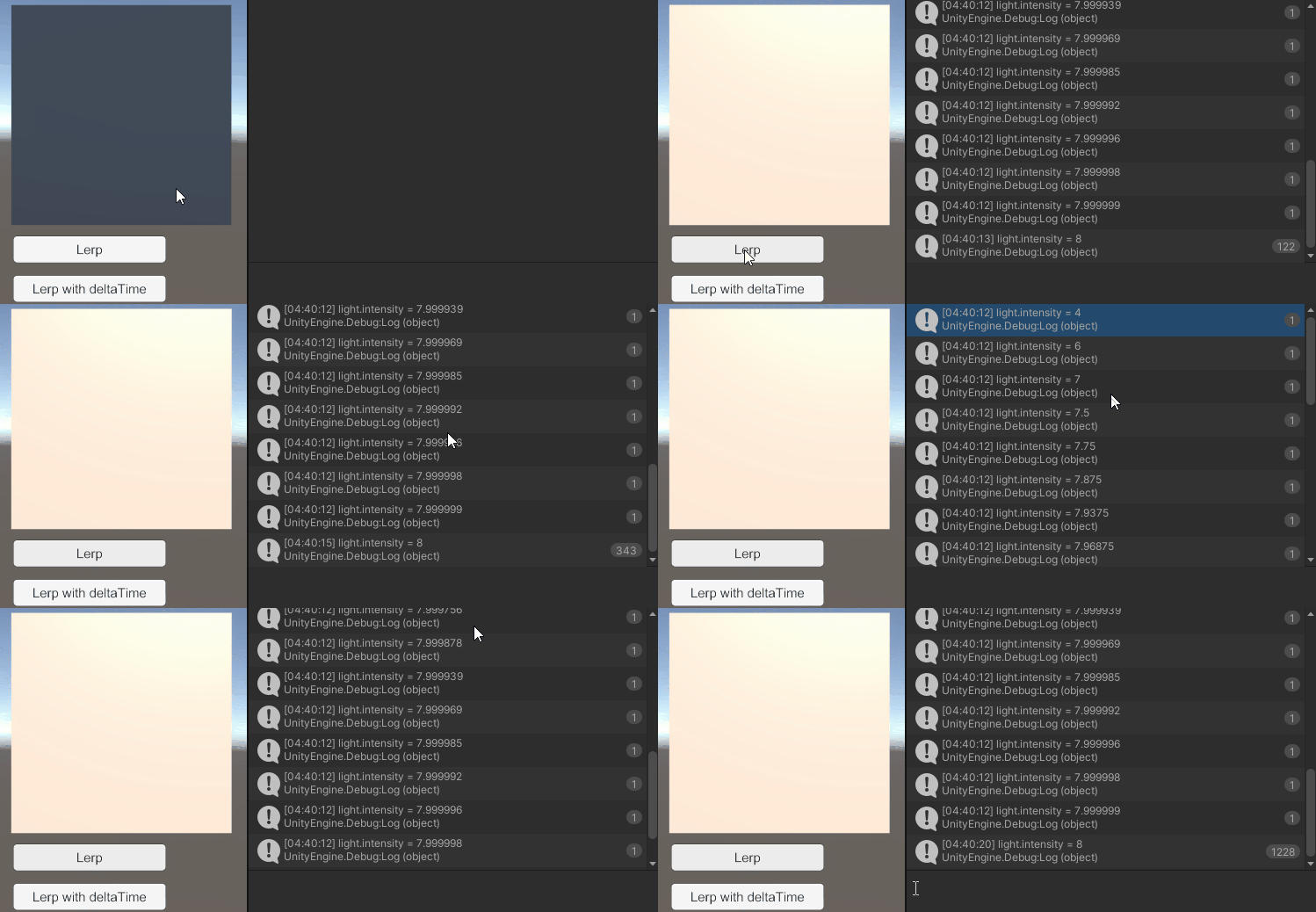
如果我们希望这不依赖帧率,务必使用 Time.deltaTime 来缩放插值速度。
c#
void Update ()
{
    light.intensity = Mathf.Lerp(light.intensity, 8f, 0.5f * Time.deltaTime);
}这意味着强度的变化将是每秒发生 ,而不是每帧。
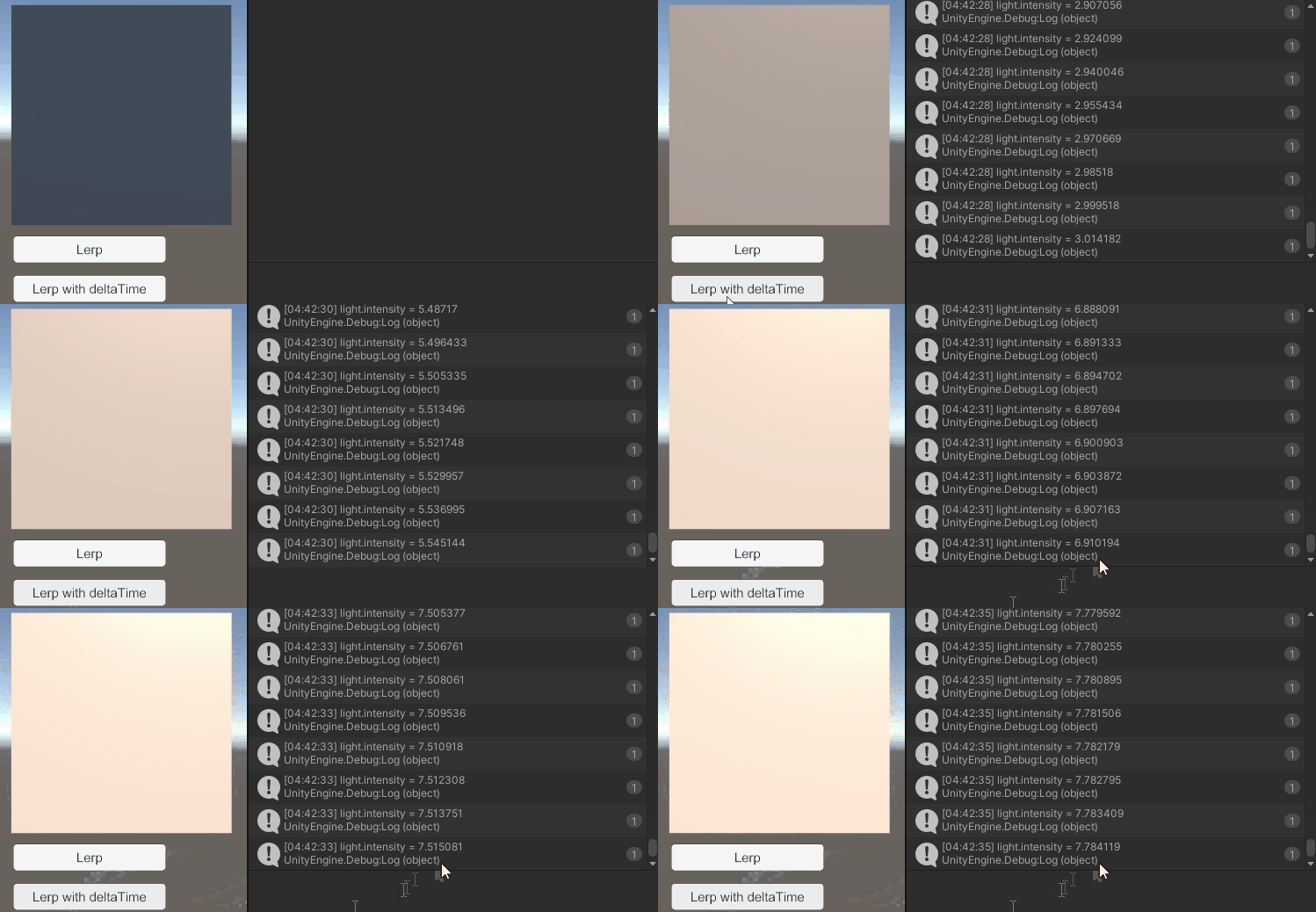
平滑值时通常最好使用SmoothDamp函数。只有确定想要的效果时才用Lerp平滑。
Vector3.Lerp
c#
Vector3 from = new Vector3(1f, 2f, 3f);
Vector3 to = new Vector3(5f, 6f, 7f);

Vector3 result = Vector3.Lerp(from, to, 0.75f);
// result = (4, 5, 6)
在线性变换中, a ⃗ = 1 2 3 , b ⃗ = 5 6 7 , t = 0.75 \vec{a} = \begin{bmatrix}1 \\ 2 \\ 3\end{bmatrix}, \vec{b} = \begin{bmatrix}5 \\ 6 \\ 7\end{bmatrix}, t = 0.75 a = 123 ,b = 567 ,t=0.75,则插值结果为: 4 5 6 \begin{bmatrix}4 \\ 5 \\ 6\end{bmatrix} 456
向量插值的计算:
u ⃗ = a ⃗ + ( b ⃗ − a ⃗ ) ∗ t = 1 2 3 + ( 5 6 7 − 1 2 3 ) ∗ 0.75 = 1 2 3 + 4 4 4 ∗ 0.75 = 1 2 3 + 3 3 3 = 4 5 6 \begin{aligned}\vec{u} &= \vec{a} + (\vec{b} - \vec{a}) * t\\&= \begin{bmatrix}1 \\2 \\ 3\end{bmatrix} + (\begin{bmatrix}5 \\ 6 \\ 7\end{bmatrix} - \begin{bmatrix}1 \\ 2 \\ 3\end{bmatrix}) * 0.75\\&= \begin{bmatrix}1 \\2 \\ 3\end{bmatrix} +\begin{bmatrix}4 \\ 4 \\ 4\end{bmatrix} * 0.75\\&= \begin{bmatrix}1 \\2 \\ 3\end{bmatrix} +\begin{bmatrix}3 \\ 3 \\ 3\end{bmatrix}\\&= \begin{bmatrix}4 \\5 \\ 6\end{bmatrix}\end{aligned} u =a +(b −a )∗t= 123 +( 567 − 123 )∗0.75= 123 + 444 ∗0.75= 123 + 333 = 456
插值因子的变化:
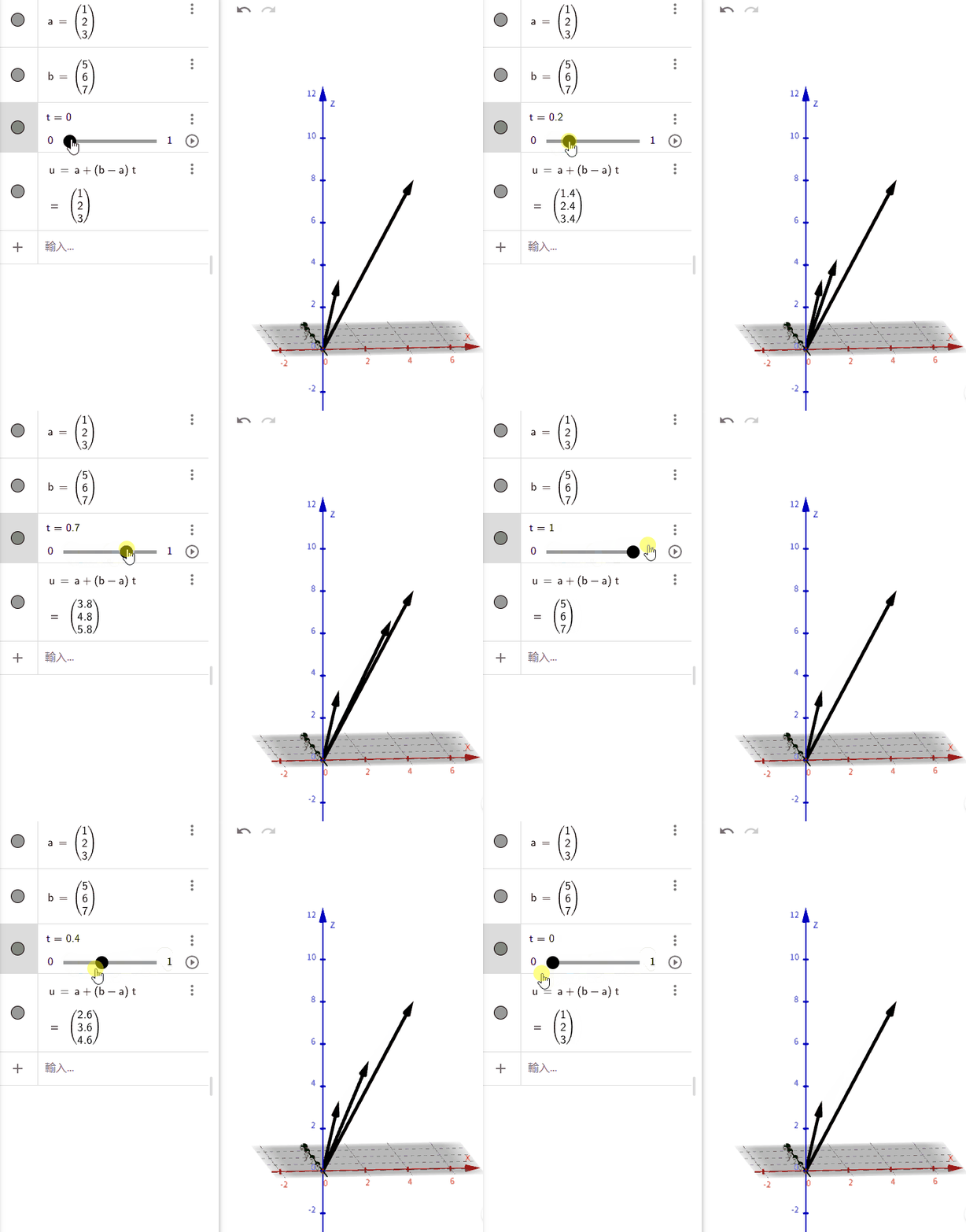
物体的空间运动
控制移动开关
c#
private float t = 1.1f;

public void BeginLerp()
{
    t = 0f;
}
固定时长平滑移动
c#
public float lerpTime = 1f;

private void FixedUpdate()
{
    if (t < 1f)
    {
        t += Mathf.Clamp01(1f / lerpTime * Time.fixedDeltaTime);
        objectToLerp.transform.position = Vector3.Lerp(objectToLerp.transform.position, destinationTransform.position, t);
    }
}
移动到目的地
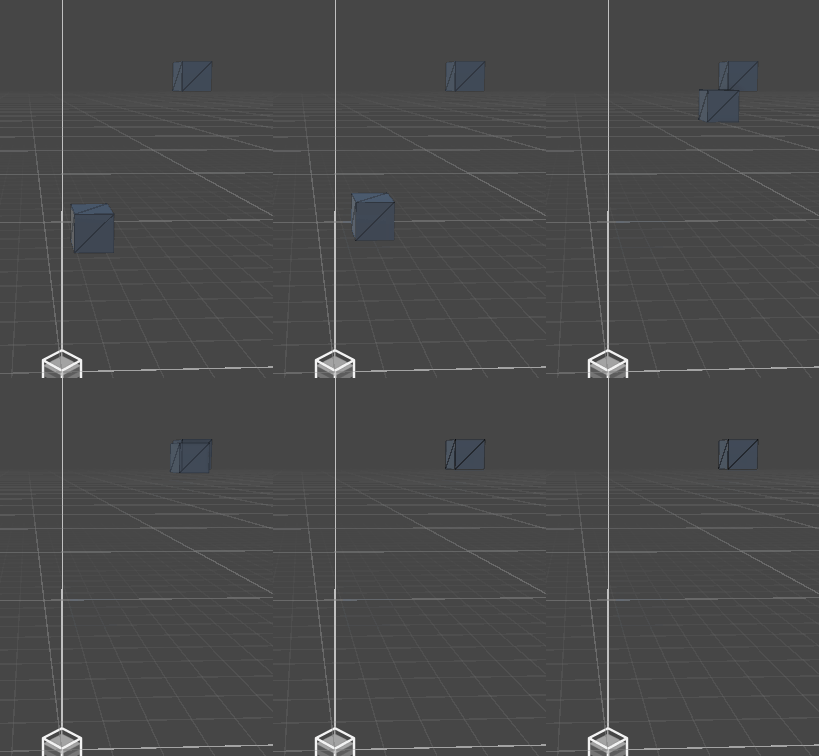
Color.Lerp
在颜色结构中,颜色由4个浮点表示,分别代表红、蓝、绿和阿尔法。使用 Lerp 时,每个浮点数会像对 Mathf.Lerp 一样进行插值。
颜色渐变
c#
public Image background;
public List<Color> socials = new List<Color>();
public float frequency = 3f;
private float t = 1.1f;

public void BeginLerp()
{
    t = 0f;
}

private void Update()
{
    if (t < 1)
    {
        t = Mathf.Sin(Time.time * frequency);
        background.color = Color.Lerp(socials[0], socials[1], t);
    }
}
自定义要渐变的颜色