从零手写Cursor同款编程Agent:LangChain+Node实现全自动创建React TodoList
前言
很多开发者用过Cursor、Claude Code后很好奇:AI怎么能自动创建项目、读写代码、执行npm命令? 单纯调用LLM接口只能输出文字,没法操作本地文件、终端,这就是裸大模型最大痛点。
我踩过无数坑:串行调用工具任务卡顿、命令执行路径错乱、文件写入丢失目录、模型幻觉调用不存在工具。 本文完整复刻工业级编程Agent,封装4个核心文件/终端工具,用Promise.all并发批量执行工具,实现一句话让AI完整搭建Vite+React TodoList。
 读完你能收获:
- 搞懂Agent底层公式:
Agent = LLM + Tools + ReAct循环 - 4套可复用生产工具:读/写文件、遍历目录、执行终端命令
Promise.all并行优化多工具调用,性能大幅提升- 完整ReAct循环逻辑,自动多轮调用工具直到任务完成
- 真实可运行Demo:AI自主创建、编码、启动前端项目
- 工具开发全流程避坑清单
一、先搞懂:裸LLM为什么做不了自动化编码?
原生大模型天生3个硬缺陷,无法独立完成开发任务:
- 无状态(stateless):不会记忆项目目录、历史操作,每次对话清空上下文
- 无操作权限:只能输出文本,不能读写本地文件、执行npm、cd等系统命令
- 不会自主规划:复杂任务不会拆分步骤,不会分步查看目录、创建文件、运行项目
Agent核心公式
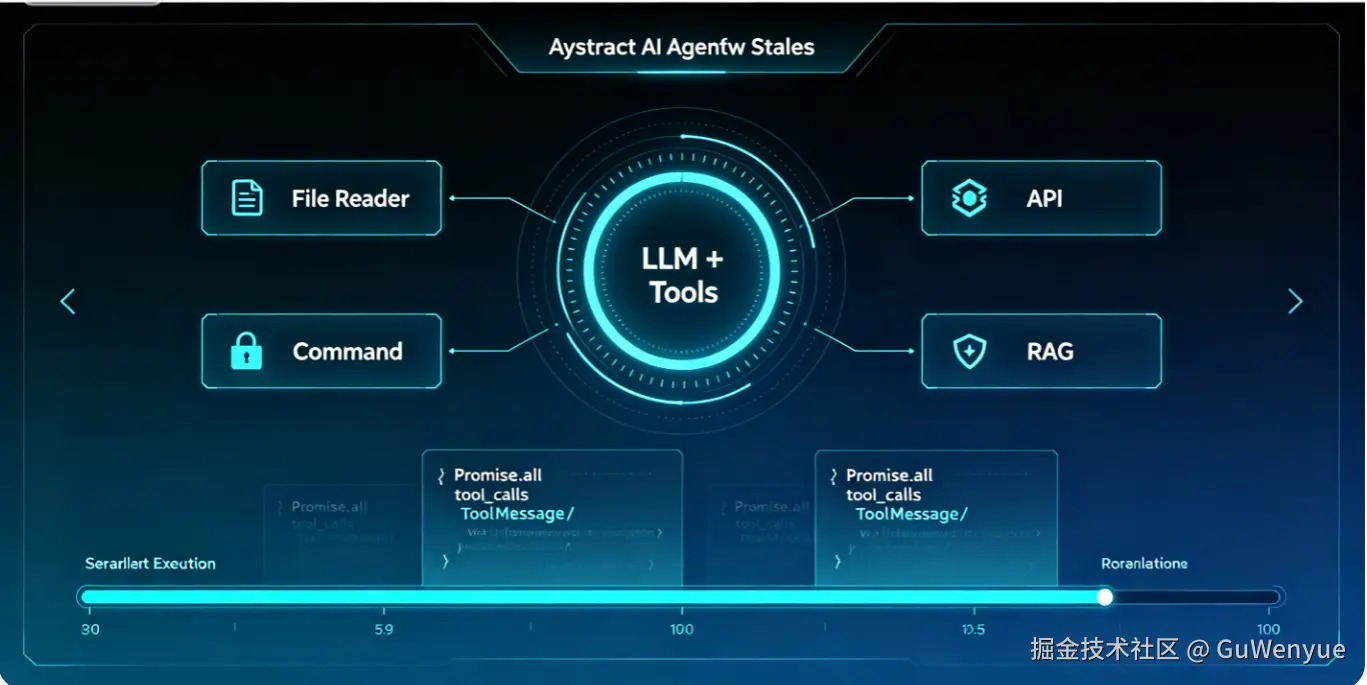
Agent = LLM大脑 + Memory记忆 + File/CLI工具 + RAG知识库 工具就是给大模型装上手脚,让AI自主操作本地环境,完成完整开发流程。
编程Agent完整执行流程(ReAct范式)
- 用户下达需求(创建React TodoList)
- LLM推理规划:需要查看目录、创建项目、写入代码、运行启动命令
- 生成
tool_calls工具调用数组,包含工具名、参数、唯一ID - 后端并行执行全部工具,捕获异常,统一收集执行结果
- 工具结果封装
ToolMessage,绑定对应tool_call_id存入消息上下文 - 循环推理,直到模型不再调用工具,输出最终总结
二、串行VS并行工具执行,性能差距实测
多个独立IO工具串行执行会叠加耗时,并发仅取最慢工具耗时,下面用模拟代码直观对比:
html
<!DOCTYPE html>
<html lang="en">
<head>
    <meta charset="UTF-8">
    <meta name="viewport" content="width=device-width, initial-scale=1.0">
    <title>并行vs串行性能对比</title>
</head>
<body>
<script>
// 模拟两个耗时文件工具
function readFileA() {
    return new Promise((resolve) => {
        setTimeout(() => resolve("文件A内容"), 2000)
    })
}
function readFileB() {
    return new Promise((resolve) => {
        setTimeout(() => resolve("文件B内容"), 500)
    })
}

// 串行:总耗时=2000+500=2500ms
const runSerial = async () => {
    console.time("串行执行");
    const res1 = await readFileA();
    const res2 = await readFileB();
    console.timeEnd("串行执行");
}

// 并行:总耗时=Max(2000,500)=2000ms
const runParallel = async () => {
    console.time("并行执行");
    const [res1, res2] = await Promise.all([readFileA(), readFileB()]);
    console.timeEnd("并行执行");
}

// runSerial();
runParallel();
</script>
</body>
</html>
核心结论
- 无依赖工具必须并行,大幅缩短任务耗时
- 存在前后依赖(先创建目录再写入文件)才使用串行
三、完整工具封装:4套编程必备工具(all-tools.js)
项目依赖安装
bash
npm install @langchain/openai @langchain/core dotenv zod fs path child_process工具完整代码
javascript
import { tool } from '@langchain/core/tools';
import fs from 'node:fs/promises';
import path from 'node:path';
import { spawn } from 'node:child_process'
import { z } from 'zod';

// 1. 读取文件工具
const readFileTool = tool(
    async({ filePath }) => {
        const content = await fs.readFile(filePath, 'utf-8');
        console.log(`[工具调用] read_file(${filePath}) 成功读取 ${content.length} 字节`)
        return content;
    },
    {
        name: 'read_file',
        description: `读取本地文件内容,查看代码、分析项目配置时调用,支持相对/绝对路径`,
        schema: z.object({
            filePath: z.string().describe('待读取文件路径')
        })
    }
)

// 2. 写入文件工具(自动递归创建目录)
const writeFileTool = tool(
    async({ filePath, content }) => {
        try {
            const dir = path.dirname(filePath);
            await fs.mkdir(dir, { recursive: true });
            await fs.writeFile(filePath, content, 'utf-8');
            console.log(`[工具调用] write_file(${filePath}) 成功写入 ${content.length} 字节`)
            return `成功写入文件:${filePath}`
        } catch(err) {
            console.log(`[工具调用] write_file(${filePath}) 错误:${err.message}`)
            return `写入文件失败:${err.message}`
        }
    },
    {
        name: 'write_file',
        description: '向指定路径写入代码/配置文件,不存在目录会自动创建',
        schema: z.object({
            filePath: z.string().describe('文件保存路径'),
            content: z.string().describe('文件完整文本内容')
        })
    }
)

// 3. 遍历目录工具
const listDirectoryTool = tool(
    async ({ directoryPath }) => {
        try {
            const files = await fs.readdir(directoryPath);
            console.log(`[工具调用] list_directory(${directoryPath}) 列出${files.length}个文件/文件夹`)
            return `目录内容:\n${files.join('\n')}`
        } catch(err) {
            console.log(`[工具调用] list_directory(${directoryPath}) 错误:${err.message}`)
            return `读取目录失败:${err.message}`
        }
    },
    {
        name: 'list_directory',
        description: '查看指定目录下所有文件、文件夹,用于分析项目结构',
        schema: z.object({
            directoryPath: z.string().describe('目标目录路径')
        })
    }
)

// 4. 执行终端命令工具(spawn子进程)
const executeCommandTool = tool(
    async ({ command, workingDirectory }) => {
        const cwd = workingDirectory || process.cwd();
        console.log(`[工具调用] execute_command(${command}) 工作目录:${cwd}`);
        return new Promise((resolve) => {
            const [cmd, ...args] = command.split(' ');
            const child = spawn(cmd, args, {
                cwd,
                stdio: 'inherit',
                shell: true,
            })
            let errorMsg = '';
            child.on('error', (err) => errorMsg = err.message);
            child.on('close', (code) => {
                if (code === 0) {
                    const cwdTip = workingDirectory ? `\n执行目录:${workingDirectory}` : '';
                    resolve(`命令执行成功:${command}${cwdTip}`);
                } else {
                    resolve(`命令执行失败,退出码:${code},错误信息:${errorMsg}`)
                }
            })
        })
    },
    {
        name: 'execute_command',
        description: '执行npm、vite、ls等系统终端命令,支持自定义工作目录',
        schema: z.object({
            command: z.string().describe('完整命令字符串,例:npm create vite@latest'),
            workingDirectory: z.string().describe('命令执行目录,选填')
        })
    }
)

export {
    readFileTool,
    writeFileTool,
    listDirectoryTool,
    executeCommandTool
}
工具设计亮点
- Zod参数校验:强制约束入参格式,拦截模型输出非法参数
- 自动目录创建:writeFile无需手动创建文件夹,递归生成多级目录
- spawn流式执行命令:实时打印终端输出,适配npm run dev等长时任务
- 全链路try/catch:单个工具失败不中断整体任务,返回可读错误文本
- 完整日志输出:方便调试AI操作记录,定位文件/命令报错
四、Agent主循环完整代码(agent.js)
.env环境变量配置
env
DEEPSEEK_API_KEY=你的模型密钥主程序代码
javascript
import 'dotenv/config';
import { ChatOpenAI } from '@langchain/openai';
import {
    HumanMessage,
    SystemMessage,
    ToolMessage,
    AIMessage
} from '@langchain/core/messages';
import { readFileTool, writeFileTool, listDirectoryTool, executeCommandTool } from './all-tools.js';

// 初始化兼容OpenAI协议大模型(DeepSeek)
const model = new ChatOpenAI({
  modelName:'deepseek-v4-flash',
  apiKey: process.env.DEEPSEEK_API_KEY,
  temperature: 0, // 关闭随机性,工具调用稳定
  configuration: {
    baseURL: 'https://api.deepseek.com/v1',
  },
});

// 注册全部工具
const tools = [readFileTool, writeFileTool, listDirectoryTool, executeCommandTool];
const modelWithTools = model.bindTools(tools);

// 初始化对话上下文
const messages = [
    new SystemMessage(`
        你是专业前端编程Agent,拥有4个本地操作工具,任务:根据用户需求全自动搭建Vite+React TodoList项目。
        执行规范:
        1. 先调用list_directory查看当前目录,确认环境
        2. 使用execute_command执行npm create vite创建react项目
        3. cd进入项目目录,安装依赖
        4. 读取src/App.jsx,用writeFile重写TodoList完整代码
        5. 执行npm run dev启动项目
        6. 任务完成后输出项目结构与使用说明
        可调用工具:read_file、write_file、list_directory、execute_command
        支持一次并行调用多个无依赖工具。
    `),
    new HumanMessage('帮我创建一个vite+react的TodoList项目,完整实现增删改查功能并启动运行'),
];

// Agent循环入口
let response = await modelWithTools.invoke(messages);
messages.push(response);

// 持续循环:存在工具调用就执行
while(response.tool_calls && response.tool_calls.length > 0) {
    console.log(`\n===== 检测到${response.tool_calls.length}个工具调用,并行执行 =====`);

    // 核心:Promise.all批量并发执行所有工具
    const toolResults = await Promise.all(
        response.tool_calls.map(async (toolCall) => {
            // 匹配注册工具,防止模型幻觉
            const targetTool = tools.find(t => t.name === toolCall.name);
            if (!targetTool) {
                return `执行失败:不存在工具【${toolCall.name}】`;
            }
            console.log(`[待执行] ${toolCall.name} 参数:${JSON.stringify(toolCall.args)}`);
            // 捕获工具执行异常
            try {
                return await targetTool.invoke(toolCall.args);
            } catch(err) {
                return `工具执行异常:${err.message}`;
            }
        })
    );

    // 绑定工具结果与对应tool_id,存入消息上下文
    response.tool_calls.forEach((toolCall, index) => {
        messages.push(new ToolMessage({
            content: toolResults[index],
            tool_call_id: toolCall.id
        }))
    });

    // 携带工具返回结果再次推理
    response = await modelWithTools.invoke(messages);
    messages.push(response);
    console.log("\n===== 新一轮LLM推理完成 =====");
}

// 循环结束,输出最终结果
console.log("\n=== 项目创建完成,最终输出 ===");
console.log(response.content);
核心并行工具代码逐行拆解
javascript
const toolResults = await Promise.all(
    response.tool_calls.map(async (toolCall) => {
        // 匹配本地注册工具
        const tool = tools.find(t => t.name === toolCall.name);
        // 容错1:模型幻觉生成不存在的工具
        if (!tool) return `错误:找不到工具 ${toolCall.name}`;
        console.log(`[执行工具] ${toolCall.name}(${JSON.stringify(toolCall.args)})`);
        // 容错2:捕获文件、命令执行报错
        try {
            return await tool.invoke(toolCall.args);
        } catch(err) {
            return `错误:${err.message}`;
        }
    })
);response.tool_calls.map(async):将每条工具调用转为异步Promise任务Promise.all:并发执行全部任务,等待所有工具完成再向下执行- 结果数组顺序与
tool_calls完全一一对应,精准绑定tool_call_id - 双层容错:工具不存在、工具内部报错均不会中断整个循环
五、实战运行效果
执行node agent.js后,AI全自动完成整套流程:
- 调用
list_directory查看当前目录文件 - 执行
npm create vite@latest todo-react -- --template react创建项目 cd todo-react && npm install安装依赖- 读取App.jsx原有内容,写入完整TodoList增删改查代码
- 执行
npm run dev启动本地开发服务 全程无需人工干预,AI自主规划步骤、调用工具、修正路径问题。
六、生产环境高频踩坑提醒
坑1:Promise.all单个工具卡死,整体阻塞
解决方案:替换为Promise.allSettled,区分成功/失败状态,给工具增加超时拦截。
坑2:执行命令时路径错乱
- 执行cli命令必须传入
workingDirectory指定项目目录 - 禁止在工具内使用
cd切换目录,spawn每个命令独立cwd隔离
坑3:忘记绑定tool_call_id,LLM上下文错乱
每条工具返回结果必须用ToolMessage绑定对应tool_call_id,否则模型无法匹配工具输出,逻辑完全混乱。
坑4:无限循环调用工具,资源耗尽
生产环境增加循环次数上限(最多10轮),防止模型死循环重复调用工具。
坑5:shell:true带来命令注入风险
面向公网服务时,拆分命令与参数数组,关闭shell模式,避免恶意命令注入。
坑6:writeFile未递归创建目录,写入直接报错
封装工具时必须增加fs.mkdir(dir, { recursive: true }),自动生成多级文件夹。
七、完整架构总结
- 模型层:ChatOpenAI兼容DeepSeek、OpenAI等所有OpenAI协议大模型
- 工具层:4套文件/终端工具,Zod参数校验、全量异常捕获
- 并发层:Promise.all并行执行多工具,大幅优化IO密集任务速度
- 循环层:ReAct标准Agent循环,持续推理-执行-观察直到任务结束
- 消息层:完整维护System/Human/AI/Tool四类消息,保留全量上下文
八、扩展升级方向
- 新增Git工具:提交代码、拉取分支、查看日志
- 接入RAG:读取项目README、业务文档,让AI理解业务规范
- LangGraph多智能体拆分:规划Agent、编码Agent、执行Agent分离
- Memory持久化:Redis存储对话历史,支持长期多轮项目开发对话
- MCP第三方工具协议:接入联网搜索、接口测试等外部能力