作者 :孟少康(世人万千)
仓库地址 :https://gitcode.com/feng8403000/FlutterfromBeginnertoAdvancedForHarmonyOS.git
联系邮箱:372699828@qq.com
引言
在Flutter的Flex布局系统中,权重分配是控制多个子组件空间分配的核心机制。通过合理设置flex属性,我们可以实现各种复杂的布局效果,让界面在不同屏幕尺寸下都能保持良好的显示效果。本文将深入探讨Flex多子组件权重分配的原理、计算方法以及在实际开发中的应用场景。
一、权重分配基础
1.1 权重分配的概念
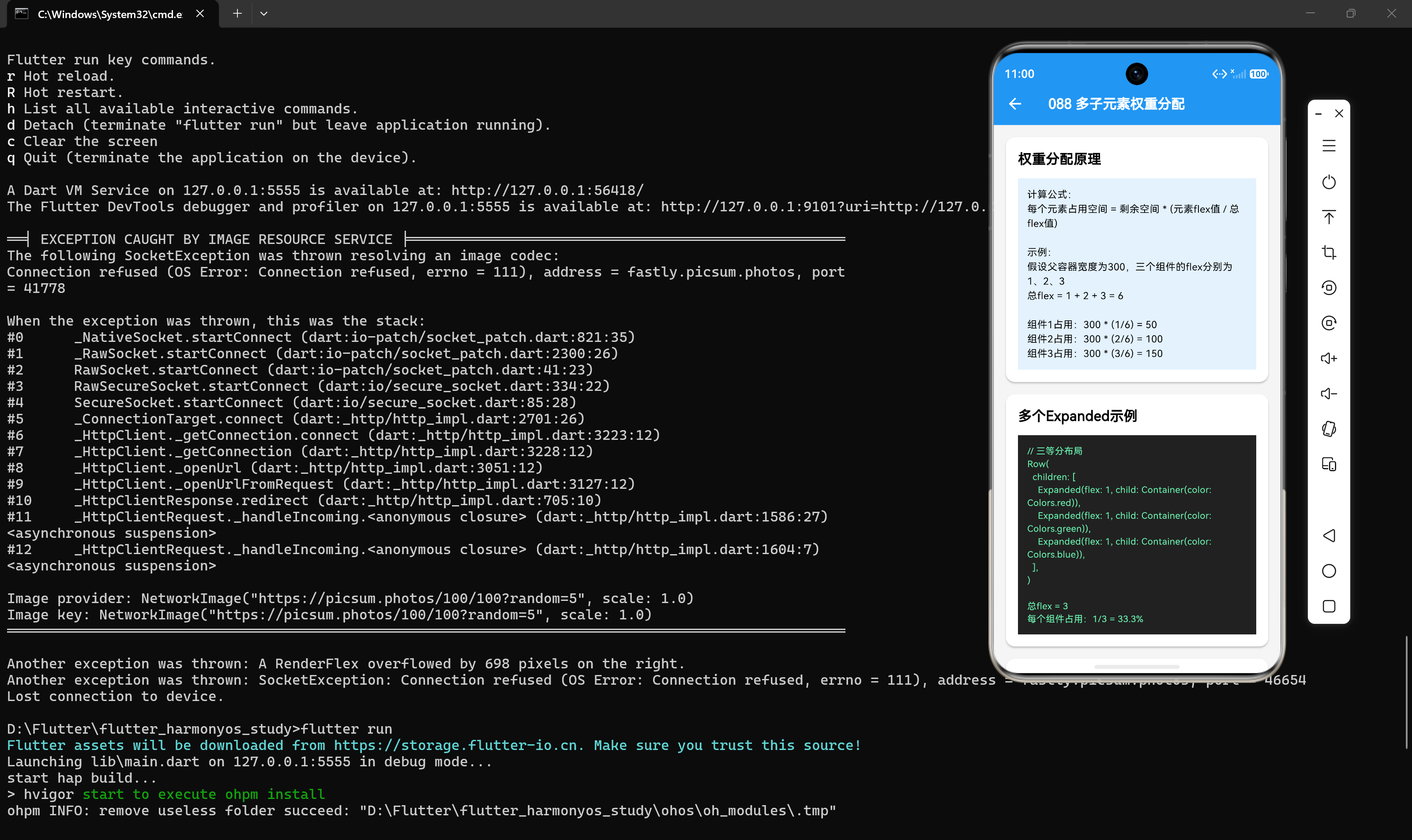
权重分配是指根据子组件的flex值按比例分配可用空间。每个子组件占用的空间与其flex值成正比。
1.2 权重分配的计算公式
组件占用空间 = 剩余空间 * (组件flex值 / 所有Expanded组件flex值之和)1.3 权重分配的特点
- flex值越大:占用的空间比例越大
- flex值相同时:组件平分剩余空间
- flex值为0时:组件不参与弹性分配,仅占用自身所需空间
二、多子组件权重分配示例
2.1 三个子组件平分空间
当所有子组件的flex值相同时,它们会平分剩余空间:
dart
Row(
  children: [
    Expanded(flex: 1, child: Container(color: Colors.red)),
    Expanded(flex: 1, child: Container(color: Colors.blue)),
    Expanded(flex: 1, child: Container(color: Colors.green)),
  ],
)
总flex = 1 + 1 + 1 = 3,每个组件占用1/3的空间。
2.2 三个子组件不同比例分配
当子组件的flex值不同时,它们按照比例分配空间:
dart
Row(
  children: [
    Expanded(flex: 2, child: Container(color: Colors.red)),
    Expanded(flex: 3, child: Container(color: Colors.blue)),
    Expanded(flex: 1, child: Container(color: Colors.green)),
  ],
)
总flex = 2 + 3 + 1 = 6:
- 红色:2/6 ≈ 33.3%
- 蓝色:3/6 = 50%
- 绿色:1/6 ≈ 16.7%
2.3 混合固定尺寸和弹性尺寸
可以混合使用固定尺寸组件和Expanded组件:
dart
Row(
  children: [
    Container(width: 100, height: 80, color: Colors.orange),  // 固定尺寸
    Expanded(flex: 2, child: Container(color: Colors.red)),   // 弹性空间
    Expanded(flex: 1, child: Container(color: Colors.blue)),  // 弹性空间
    Container(width: 100, height: 80, color: Colors.orange),  // 固定尺寸
  ],
)
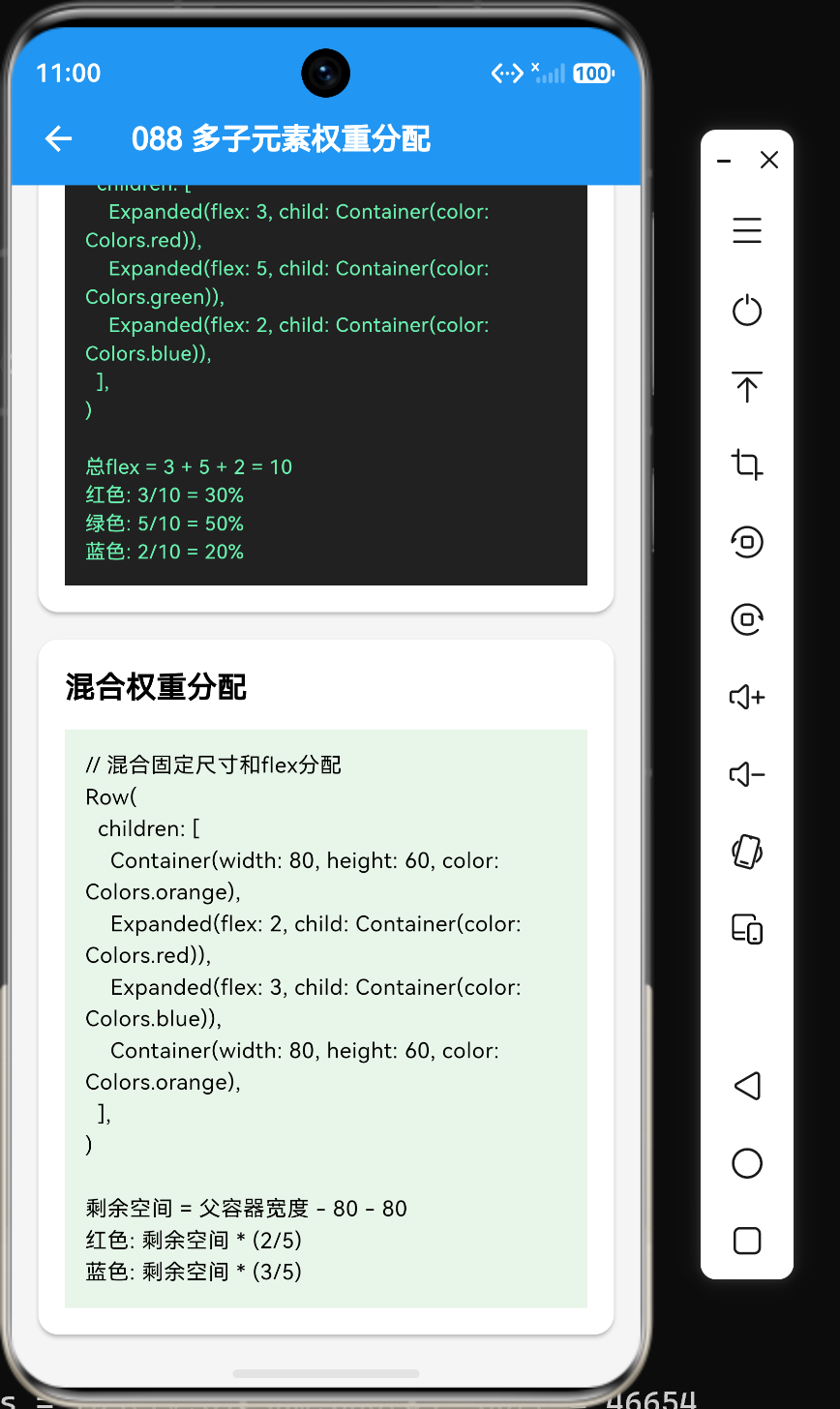
假设Row宽度为600:
- 固定尺寸占用:100 + 100 = 200
- 剩余空间:600 - 200 = 400
- 总flex:2 + 1 = 3
- 红色:400 * (2/3) ≈ 266.7
- 蓝色:400 * (1/3) ≈ 133.3
2.4 四个子组件权重分配
当有四个子组件时,权重分配同样按照比例计算:
dart
Row(
  children: [
    Expanded(flex: 1, child: Container(color: Colors.red)),
    Expanded(flex: 2, child: Container(color: Colors.blue)),
    Expanded(flex: 3, child: Container(color: Colors.green)),
    Expanded(flex: 4, child: Container(color: Colors.yellow)),
  ],
)
总flex = 1 + 2 + 3 + 4 = 10:
- 红色:1/10 = 10%
- 蓝色:2/10 = 20%
- 绿色:3/10 = 30%
- 黄色:4/10 = 40%
三、权重分配的进阶用法
3.1 动态权重分配
可以根据业务逻辑动态设置flex值:
dart
Row(
  children: [
    Expanded(
      flex: isLargeScreen ? 3 : 1,
      child: Container(color: Colors.red),
    ),
    Expanded(
      flex: isLargeScreen ? 2 : 1,
      child: Container(color: Colors.blue),
    ),
    Expanded(
      flex: isLargeScreen ? 1 : 1,
      child: Container(color: Colors.green),
    ),
  ],
)
3.2 嵌套布局中的权重分配
在嵌套布局中,权重分配会在各自的父容器中计算:
dart
Column(
  children: [
    Expanded(
      flex: 2,
      child: Row(
        children: [
          Expanded(flex: 1, child: Container(color: Colors.red)),
          Expanded(flex: 3, child: Container(color: Colors.blue)),
        ],
      ),
    ),
    Expanded(
      flex: 1,
      child: Container(color: Colors.green),
    ),
  ],
)
外层Column中:
- 红色+蓝色区域:2/3的高度
- 绿色:1/3的高度
内层Row中(红色+蓝色区域内):
- 红色:1/4宽度
- 蓝色:3/4宽度
3.3 响应式权重分配
根据屏幕尺寸动态调整权重:
dart
Row(
  children: [
    Expanded(
      flex: MediaQuery.of(context).size.width > 600 ? 2 : 1,
      child: Container(color: Colors.red),
    ),
    Expanded(
      flex: MediaQuery.of(context).size.width > 600 ? 1 : 1,
      child: Container(color: Colors.blue),
    ),
    Expanded(
      flex: MediaQuery.of(context).size.width > 600 ? 1 : 0,
      child: MediaQuery.of(context).size.width > 600
          ? Container(color: Colors.green)
          : const SizedBox(),
    ),
  ],
)
四、权重分配的实际应用
4.1 导航栏布局
dart
Row(
  children: [
    Expanded(
      flex: 3,
      child: Container(color: Colors.red),  // Logo区域
    ),
    Expanded(
      flex: 5,
      child: Container(color: Colors.blue),  // 导航链接区域
    ),
    Expanded(
      flex: 2,
      child: Container(color: Colors.green),  // 用户操作区域
    ),
  ],
)
4.2 内容详情页布局
dart
Row(
  children: [
    Expanded(
      flex: 3,
      child: Container(color: Colors.red),  // 主要内容区域
    ),
    Expanded(
      flex: 1,
      child: Container(color: Colors.blue),  // 侧边栏区域
    ),
  ],
)
4.3 底部标签栏布局
dart
Row(
  children: [
    Expanded(flex: 1, child: _buildTab(Icons.home, "首页")),
    Expanded(flex: 1, child: _buildTab(Icons.search, "发现")),
    Expanded(flex: 1, child: _buildTab(Icons.add_circle, "发布")),
    Expanded(flex: 1, child: _buildTab(Icons.message, "消息")),
    Expanded(flex: 1, child: _buildTab(Icons.person, "我的")),
  ],
)
4.4 复杂表单布局
dart
Column(
  children: [
    Row(
      children: [
        Expanded(flex: 1, child: Container(color: Colors.grey[100], child: const Text("标签1"))),
        Expanded(flex: 3, child: Container(color: Colors.white, child: const TextField())),
      ],
    ),
    Row(
      children: [
        Expanded(flex: 1, child: Container(color: Colors.grey[100], child: const Text("标签2"))),
        Expanded(flex: 3, child: Container(color: Colors.white, child: const TextField())),
      ],
    ),
    Row(
      children: [
        Expanded(flex: 1, child: Container(color: Colors.grey[100], child: const Text("标签3"))),
        Expanded(flex: 2, child: Container(color: Colors.white, child: const TextField())),
        Expanded(flex: 1, child: Container(color: Colors.white, child: const TextField())),
      ],
    ),
  ],
)
五、权重分配的计算规则
5.1 空间分配流程
Flutter的Flex布局系统按照以下流程分配空间:
1. 计算非Expanded子组件占用的空间
2. 计算剩余可用空间 = 父容器空间 - 非Expanded组件空间
3. 计算总flex值 = 所有Expanded组件flex值之和
4. 按比例分配剩余空间给Expanded组件
5.2 剩余空间为负数的情况
当剩余空间为负数时,Flutter会按照以下规则处理:
- 收缩模式:如果所有Expanded组件都设置了fit: FlexFit.loose,则按照flex比例收缩
- 溢出模式:如果有组件设置了fit: FlexFit.tight,则该组件保持最小尺寸,其他组件收缩
- 报错模式:如果收缩后仍不足以容纳所有组件,则会触发溢出错误
5.3 flex值与实际尺寸的关系
flex值并不直接对应实际像素尺寸,而是一种比例关系:
实际尺寸 = 剩余空间 * (组件flex值 / 总flex值)例如,剩余空间为800像素,有四个组件flex值分别为1、2、3、4:
- 总flex = 1 + 2 + 3 + 4 = 10
- 组件1:800 * (1/10) = 80像素
- 组件2:800 * (2/10) = 160像素
- 组件3:800 * (3/10) = 240像素
- 组件4:800 * (4/10) = 320像素
六、常见问题与解决方案
6.1 问题1:权重分配不符合预期
问题描述:设置了flex值但组件占用的空间不符合预期。
解决方案:检查父容器的尺寸和子组件的约束:
dart
// 不良示例:父容器没有足够空间
Container(
  width: 200,
  child: Row(
    children: [
      Expanded(flex: 2, child: Container(color: Colors.red)),
      Expanded(flex: 1, child: Container(color: Colors.blue)),
    ],
  ),
)

// 优化后:给父容器足够空间
Container(
  width: 400,
  child: Row(
    children: [
      Expanded(flex: 2, child: Container(color: Colors.red)),
      Expanded(flex: 1, child: Container(color: Colors.blue)),
    ],
  ),
)
6.2 问题2:flex值过大导致布局异常
问题描述:设置过大的flex值导致某个组件占用了几乎所有空间。
解决方案:使用合理的比例,避免极端值:
dart
// 不良示例
Row(
  children: [
    Expanded(flex: 1000, child: Container(color: Colors.red)),
    Expanded(flex: 1, child: Container(color: Colors.blue)),
  ],
)

// 优化后
Row(
  children: [
    Expanded(flex: 10, child: Container(color: Colors.red)),
    Expanded(flex: 1, child: Container(color: Colors.blue)),
  ],
)
6.3 问题3:嵌套布局中权重计算错误
问题描述:在嵌套布局中,flex值的计算不符合预期。
解决方案:理解flex值是相对于同级组件计算的:
dart
Column(
  children: [
    Expanded(flex: 1, child: Container(color: Colors.red)),
    Expanded(
      flex: 1,
      child: Row(
        children: [
          Expanded(flex: 1, child: Container(color: Colors.blue)),
          Expanded(flex: 1, child: Container(color: Colors.green)),
        ],
      ),
    ),
  ],
)
外层:红色和蓝色+绿色区域各占1/2
内层:蓝色和绿色各占1/2
6.4 问题4:flex值为0时组件不显示
问题描述:设置flex为0后,子组件不显示。
解决方案:flex为0时需要指定组件的尺寸:
dart
Row(
  children: [
    Expanded(
      flex: 0,
      child: Container(width: 100, height: 50, color: Colors.red),
    ),
    Expanded(
      flex: 1,
      child: Container(color: Colors.blue),
    ),
  ],
)
七、权重分配的最佳实践
7.1 使用最小公倍数
当需要精确控制比例时,使用最小公倍数:
dart
// 需要比例为1:1.5:2:2.5
// 转换为整数比例:2:3:4:5

Row(
  children: [
    Expanded(flex: 2, child: Container(color: Colors.red)),
    Expanded(flex: 3, child: Container(color: Colors.blue)),
    Expanded(flex: 4, child: Container(color: Colors.green)),
    Expanded(flex: 5, child: Container(color: Colors.yellow)),
  ],
)
7.2 保持flex值简洁
使用简洁的flex值,便于理解和维护:
dart
// 良好示例
Row(
  children: [
    Expanded(flex: 2, child: Container(color: Colors.red)),
    Expanded(flex: 1, child: Container(color: Colors.blue)),
    Expanded(flex: 1, child: Container(color: Colors.green)),
  ],
)

// 不良示例:过于复杂
Row(
  children: [
    Expanded(flex: 17, child: Container(color: Colors.red)),
    Expanded(flex: 23, child: Container(color: Colors.blue)),
    Expanded(flex: 31, child: Container(color: Colors.green)),
  ],
)
7.3 提取flex值为常量
将常用的flex值提取为常量,提高代码可维护性:
dart
class FlexConstants {
  static const int mainContent = 3;
  static const int sidebar = 1;
  static const int equal = 1;
  static const int fixed = 0;
}

Row(
  children: [
    Expanded(flex: FlexConstants.mainContent, child: Container(color: Colors.red)),
    Expanded(flex: FlexConstants.sidebar, child: Container(color: Colors.blue)),
  ],
)
7.4 避免过度嵌套
避免在深层嵌套中使用复杂的flex值,这会增加计算复杂度:
dart
// 不良示例:三层嵌套
Column(
  children: [
    Expanded(
      flex: 1,
      child: Row(
        children: [
          Expanded(
            flex: 1,
            child: Column(
              children: [
                Expanded(flex: 1, child: Container(color: Colors.red)),
                Expanded(flex: 2, child: Container(color: Colors.blue)),
              ],
            ),
          ),
          Expanded(flex: 2, child: Container(color: Colors.green)),
        ],
      ),
    ),
  ],
)

// 优化后:减少嵌套层级
八、总结
通过本文的学习,我们掌握了Flex多子组件权重分配的核心知识点:
- 权重分配基础:理解了权重分配的概念和计算公式
- 多子组件示例:掌握了三个、四个子组件以及混合布局的权重分配方法
- 进阶用法:学会了动态权重分配、嵌套布局和响应式权重分配
- 实际应用:掌握了在导航栏、内容详情页、底部标签栏和表单中的应用
- 计算规则:理解了空间分配流程和边界情况处理
- 常见问题:了解了权重分配不符合预期、flex值过大等问题的解决方案
- 最佳实践:学会了使用最小公倍数、保持flex值简洁、提取常量等技巧
权重分配是Flutter Flex布局系统的核心,掌握它对于构建高质量的UI界面至关重要。在实际开发中,合理设置flex值可以实现各种复杂的响应式布局,让应用在不同设备上都能保持良好的用户体验。
参考资料
- Flutter官方文档:https://docs.flutter.dev/
- Expanded组件文档:https://api.flutter.dev/flutter/widgets/Expanded-class.html
- Flex布局文档:https://api.flutter.dev/flutter/widgets/Flex-class.html