// 返回字节数组对象中字符的个数
int QString::length() const;
int QString::size() const;
int QString::count() const;

// 返回字节串对象中 子字符串 str 出现的次数
// 参数 cs 为是否区分大小写, 默认区分大小写
int QString::count(const QStringRef &str, Qt::CaseSensitivity cs = Qt::CaseSensitive) const;
3.2.6 类型转换
cpp复制代码
// int, short, long, float, double -> QString
// 其他重载的同名函数可参考Qt帮助文档, 此处略
QString &QString::setNum(int n, int base = 10);
QString &QString::setNum(short n, int base = 10);
QString &QString::setNum(long n, int base = 10);
QString &QString::setNum(float n, char format = 'g', int precision = 6);
QString &QString::setNum(double n, char format = 'g', int precision = 6);
[static] QString QString::number(long n, int base = 10);
[static] QString QString::number(int n, int base = 10);
[static] QString QString::number(double n, char format = 'g', int precision = 6);

// QString -> int, short, long, float, double
int QString::toInt(bool *ok = Q_NULLPTR, int base = 10) const;
short QString::toShort(bool *ok = Q_NULLPTR, int base = 10) const;
long QString::toLong(bool *ok = Q_NULLPTR, int base = 10) const
float QString::toFloat(bool *ok = Q_NULLPTR) const;
double QString::toDouble(bool *ok = Q_NULLPTR) const;

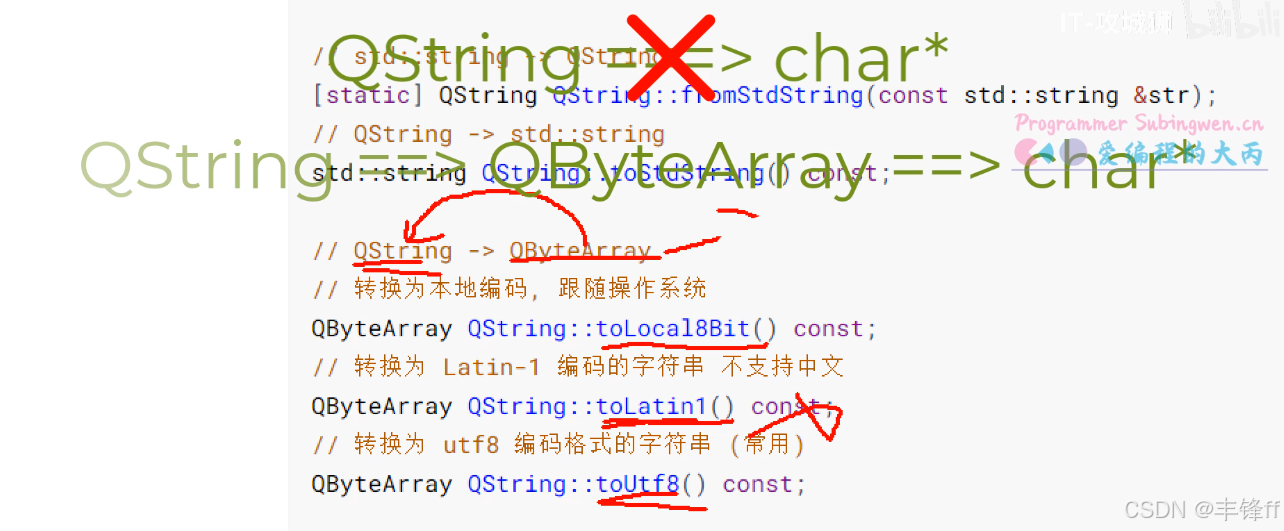
// std::string -> QString
[static] QString QString::fromStdString(const std::string &str);
// QString -> std::string
std::string QString::toStdString() const;

// QString -> QByteArray
// 转换为本地编码, 跟随操作系统
QByteArray QString::toLocal8Bit() const;
// 转换为 Latin-1 编码的字符串 不支持中文
QByteArray QString::toLatin1() const;
// 转换为 utf8 编码格式的字符串 (常用)
QByteArray QString::toUtf8() const;

// 所有字符转换为大写
QString QString::toUpper() const;
// 所有字符转换为小写
QString QString::toLower() const;
一、数值 → QString 转换
setNum() 成员方法(修改自身)
cpp复制代码
// 将 int 类型数字 n 转换为字符串,base 为进制(默认10进制)
// 修改当前 QString 对象,返回自身引用以支持链式调用
QString &QString::setNum(int n, int base = 10);

// 将 short 类型数字 n 转换为字符串,base 为进制
QString &QString::setNum(short n, int base = 10);

// 将 long 类型数字 n 转换为字符串,base 为进制
QString &QString::setNum(long n, int base = 10);

// 将 float 类型数字 n 转换为字符串
// format: 'f'=固定小数, 'e'=科学计数法, 'g'=自动选择(默认)
// precision: 小数精度位数
QString &QString::setNum(float n, char format = 'g', int precision = 6);

// 将 double 类型数字 n 转换为字符串
// 参数同上,支持更高精度的浮点数
QString &QString::setNum(double n, char format = 'g', int precision = 6);
// 将 long 类型数字 n 转换为字符串,返回新的 QString 对象(不修改任何已有对象)
[static] QString QString::number(long n, int base = 10);

// 将 int 类型数字 n 转换为字符串,返回新的 QString 对象
[static] QString QString::number(int n, int base = 10);

// 将 double 类型数字 n 转换为字符串
// format: 'f'=固定小数, 'e'=科学计数法, 'g'=自动选择(默认)
// precision: 小数精度位数
[static] QString QString::number(double n, char format = 'g', int precision = 6);
// 将字符串转换为 int 类型整数
// ok: 输出参数,转换成功设为 true,失败设为 false
// base: 进制(默认10),支持2~36
int QString::toInt(bool *ok = Q_NULLPTR, int base = 10) const;

// 将字符串转换为 short 类型整数
short QString::toShort(bool *ok = Q_NULLPTR, int base = 10) const;

// 将字符串转换为 long 类型整数
long QString::toLong(bool *ok = Q_NULLPTR, int base = 10) const;

// 将字符串转换为 float 类型浮点数
float QString::toFloat(bool *ok = Q_NULLPTR) const;

// 将字符串转换为 double 类型浮点数(精度更高)
double QString::toDouble(bool *ok = Q_NULLPTR) const;
cpp复制代码
// 使用示例
QString str = "123";
bool ok;
int val = str.toInt(&ok);     // val = 123, ok = true

QString hex = "ff";
int hexVal = hex.toInt(&ok, 16); // hexVal = 255

QString invalid = "abc";
int bad = invalid.toInt(&ok); // bad = 0, ok = false

QString pi = "3.14";
double d = pi.toDouble(&ok);  // d = 3.14, ok = true
// 其他重载的同名函数可参考Qt帮助文档, 此处略
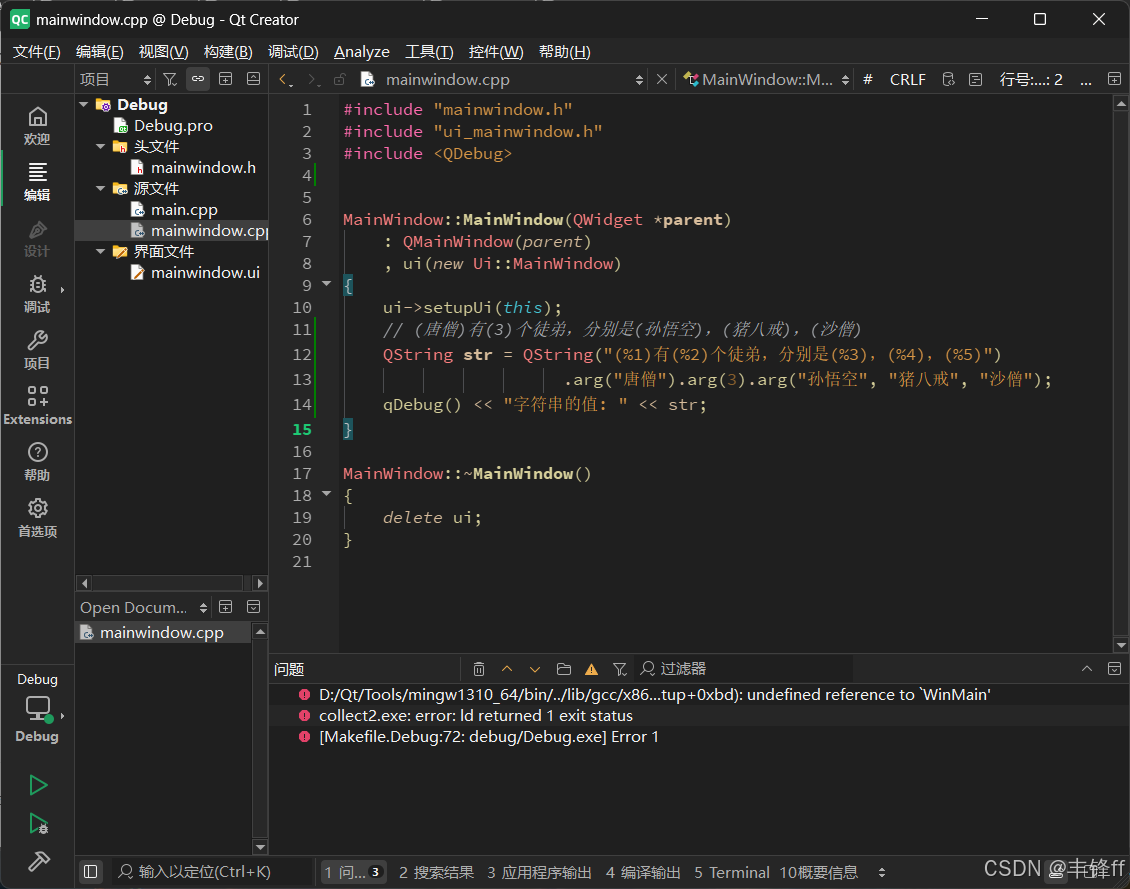
QString QString::arg(const QString &a, int fieldWidth = 0, QChar fillChar = QLatin1Char( ' ' )) const;
QString QString::arg(int a, int fieldWidth = 0, int base = 10, QChar fillChar = QLatin1Char( ' ' )) const;

// 示例程序
int i;           // current file's number
int total;       // number of files to process
QString fileName;    // current file's name

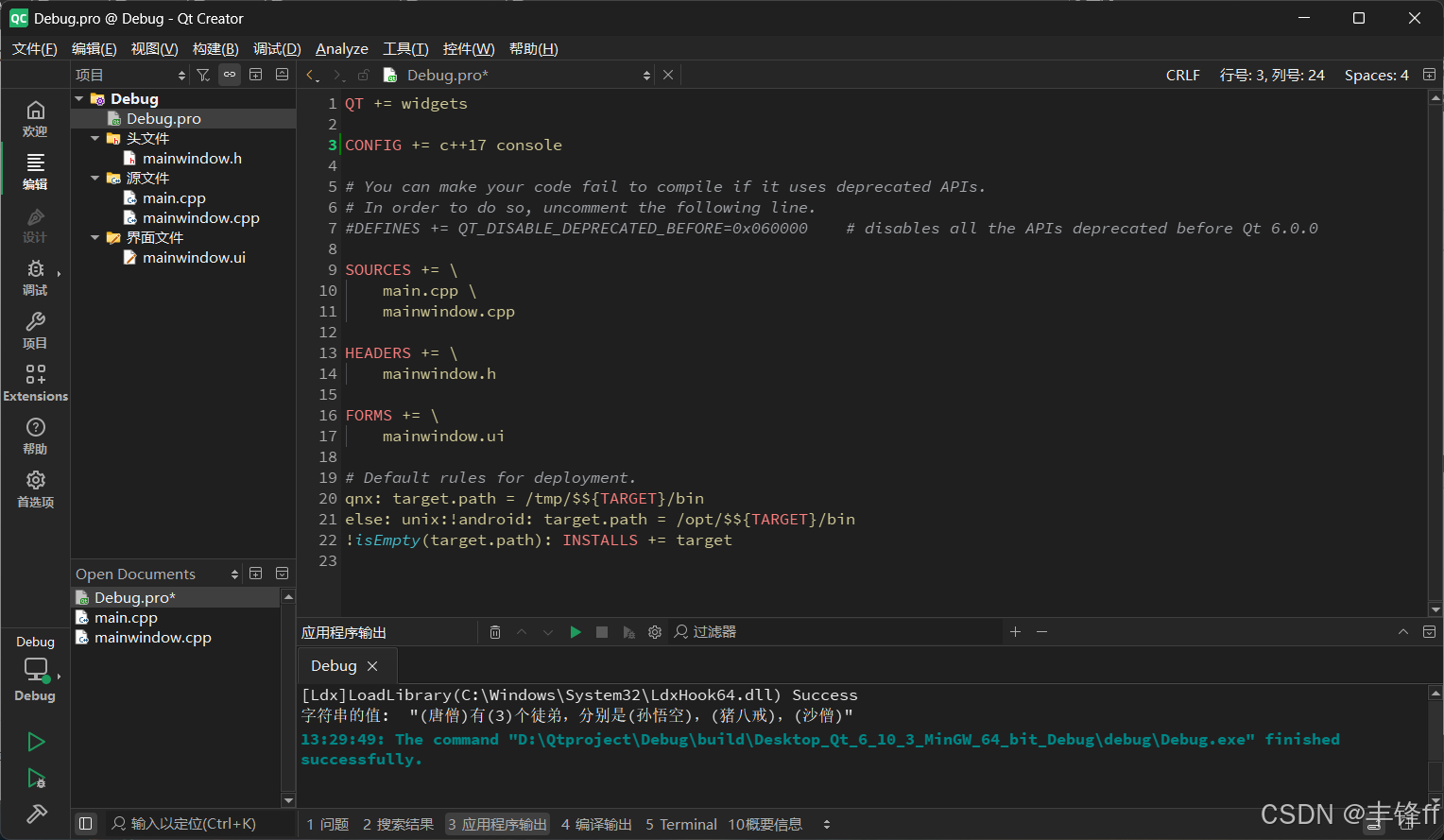
QString status = QString("Processing file %1 of %2: %3")
                  .arg(i).arg(total).arg(fileName);
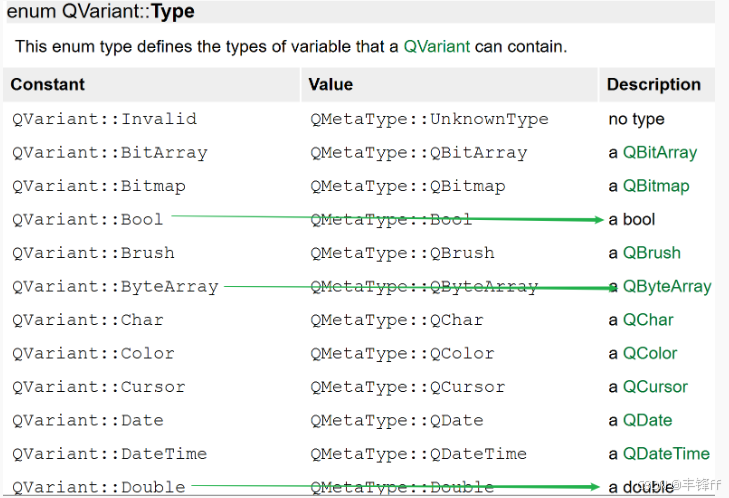
// Returns true if the variant can be converted to the template type T, otherwise false.
// 如果当前QVariant对象可用转换为对应的模板类型 T, 返回true, 否则返回false
bool QVariant::canConvert() const;
// 将当前QVariant对象转换为实际的 T 类型
T QVariant::value() const;
// 构造函数
QDate::QDate();
QDate::QDate(int y, int m, int d);

// 公共成员函数
// 重新设置日期对象中的日期
bool QDate::setDate(int year, int month, int day);
// 给日期对象添加 ndays 天
QDate QDate::addDays(qint64 ndays) const;
// 给日期对象添加 nmonths 月
QDate QDate::addMonths(int nmonths) const;
// 给日期对象添加 nyears 月
QDate QDate::addYears(int nyears) const;

// 得到日期对象中的年/月/日
int QDate::year() const;
int QDate::month() const;
int QDate::day() const;
void QDate::getDate(int *year, int *month, int *day) const;

// 日期对象格式化
/*
    d         -     The day as a number without a leading zero (1 to 31)
    dd        -    The day as a number with a leading zero (01 to 31)
    ddd        -    The abbreviated localized day name (e.g. 'Mon' to 'Sun'). Uses the system
                locale to localize the name, i.e. QLocale::system().
    dddd    -     The long localized day name (e.g. 'Monday' to 'Sunday').
                Uses the system locale to localize the name, i.e. QLocale::system().
    M        -    The month as a number without a leading zero (1 to 12)
    MM        -    The month as a number with a leading zero (01 to 12)
    MMM        -    The abbreviated localized month name (e.g. 'Jan' to 'Dec').
                Uses the system locale to localize the name, i.e. QLocale::system().
    MMMM    -    The long localized month name (e.g. 'January' to 'December').
                Uses the system locale to localize the name, i.e. QLocale::system().
    yy        -    The year as a two digit number (00 to 99)
    yyyy    -    The year as a four digit number. If the year is negative,
                a minus sign is prepended, making five characters.
*/
QString QDate::toString(const QString &format) const;

// 操作符重载 ==> 日期比较
bool QDate::operator!=(const QDate &d) const;
bool QDate::operator<(const QDate &d) const;
bool QDate::operator<=(const QDate &d) const;
bool QDate::operator==(const QDate &d) const;
bool QDate::operator>(const QDate &d) const;
bool QDate::operator>=(const QDate &d) const;

// 静态函数 -> 得到本地的当前日期
[static] QDate QDate::currentDate();
6.2. QTime
cpp复制代码
// 构造函数
QTime::QTime();
/*
    h             ==> must be in the range 0 to 23
    m and s     ==> must be in the range 0 to 59
    ms             ==> must be in the range 0 to 999
*/
QTime::QTime(int h, int m, int s = 0, int ms = 0);

// 公共成员函数
// Returns true if the set time is valid; otherwise returns false.
bool QTime::setHMS(int h, int m, int s, int ms = 0);
QTime QTime::addSecs(int s) const;
QTime QTime::addMSecs(int ms) const;

// 示例代码
  QTime n(14, 0, 0);                // n == 14:00:00
  QTime t;
  t = n.addSecs(70);                // t == 14:01:10
  t = n.addSecs(-70);               // t == 13:58:50
  t = n.addSecs(10 * 60 * 60 + 5);  // t == 00:00:05
  t = n.addSecs(-15 * 60 * 60);     // t == 23:00:00

// 从时间对象中取出 时/分/秒/毫秒
// Returns the hour part (0 to 23) of the time. Returns -1 if the time is invalid.
int QTime::hour() const;
// Returns the minute part (0 to 59) of the time. Returns -1 if the time is invalid.
int QTime::minute() const;
// Returns the second part (0 to 59) of the time. Returns -1 if the time is invalid.
int QTime::second() const;
// Returns the millisecond part (0 to 999) of the time. Returns -1 if the time is invalid.
int QTime::msec() const;


// 时间格式化
/*
    -- 时
    h    ==>    The hour without a leading zero (0 to 23 or 1 to 12 if AM/PM display)
    hh    ==>    The hour with a leading zero (00 to 23 or 01 to 12 if AM/PM display)
    H    ==>    The hour without a leading zero (0 to 23, even with AM/PM display)
    HH    ==>    The hour with a leading zero (00 to 23, even with AM/PM display)
    -- 分
    m    ==>    The minute without a leading zero (0 to 59)
    mm    ==>    The minute with a leading zero (00 to 59)
    -- 秒
    s    ==>    The whole second, without any leading zero (0 to 59)
    ss    ==>    The whole second, with a leading zero where applicable (00 to 59)
    -- 毫秒
    zzz    ==>    The fractional part of the second, to millisecond precision,
            including trailing zeroes where applicable (000 to 999).
    -- 上午或者下午
    AP or A        ==>        使用AM/PM(大写) 描述上下午, 中文系统显示汉字
    ap or a        ==>        使用am/pm(小写) 描述上下午, 中文系统显示汉字
*/
QString QTime::toString(const QString &format) const;

// 阶段性计时
// 过时的API函数
// 开始计时
void QTime::start();
// 计时结束
int QTime::elapsed() const;
// 重新计时
int QTime::restart();

// 推荐使用的API函数
// QElapsedTimer 类
void QElapsedTimer::start();
qint64 QElapsedTimer::restart();
qint64 QElapsedTimer::elapsed() const;


// 操作符重载 ==> 时间比较
bool QTime::operator!=(const QTime &t) const;
bool QTime::operator<(const QTime &t) const;
bool QTime::operator<=(const QTime &t) const;
bool QTime::operator==(const QTime &t) const;
bool QTime::operator>(const QTime &t) const;
bool QTime::operator>=(const QTime &t) const;

// 静态函数 -> 得到当前时间
[static] QTime QTime::currentTime();