HarmonyOS ArkTS 实战:实现一个外出报备晚归登记应用
项目效果
本文使用 HarmonyOS 和 ArkTS 实现一个外出报备晚归登记应用。
应用可以提交外出报备,晚归登记,查看审批状态,历史记录,并提供返校打卡、辅导员审批、请假记录、统计等完整功能。
项目使用 DevEco Studio 开发,适配 API 23 及以上版本。
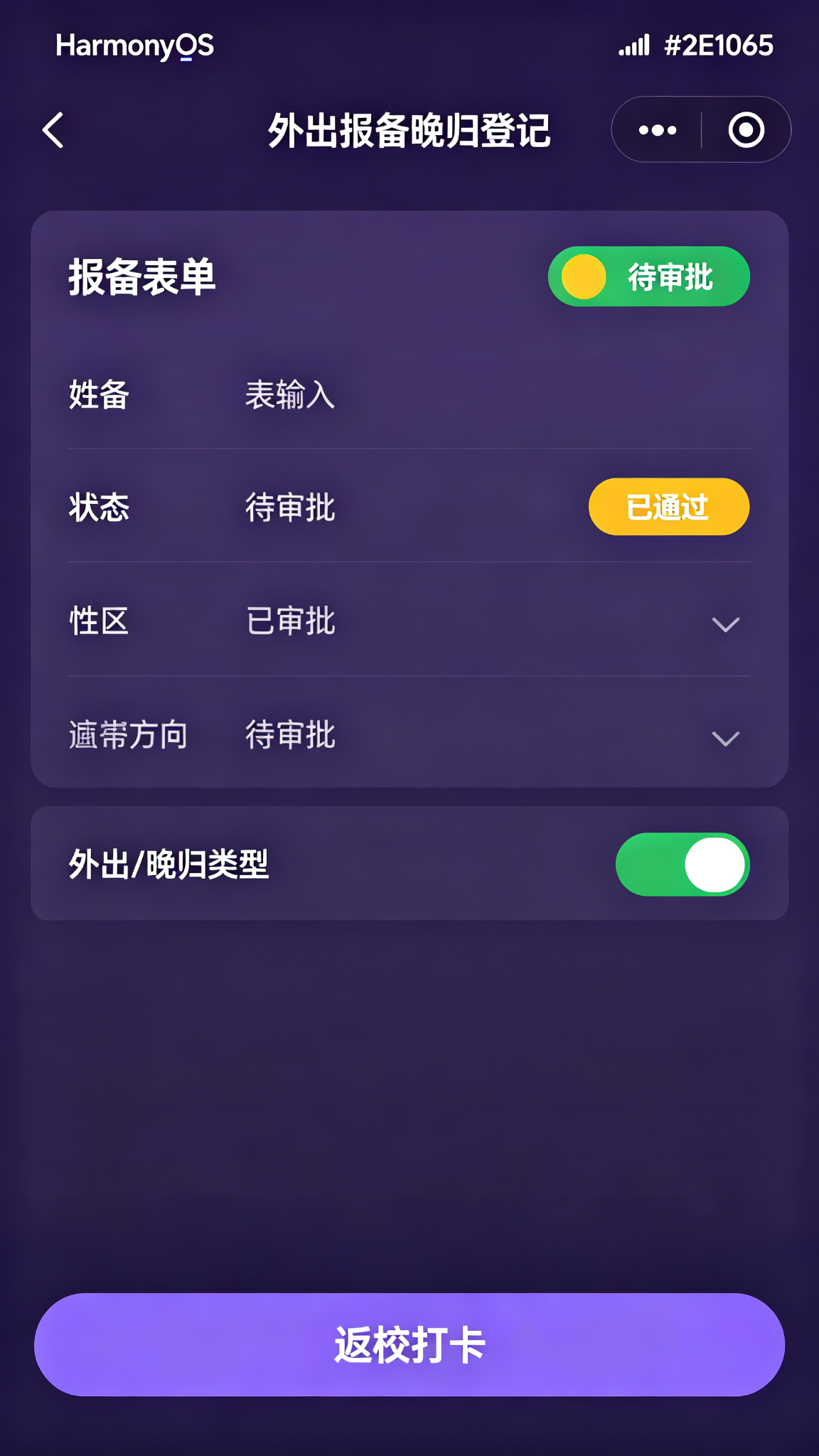
运行效果
功能介绍
- 外出报备提交
- 晚归原因填写
- 目的地填写
- 往返时间
- 紧急联系人
- 审批状态查询
- 返校打卡
- 历史记录
- 辅导员审批
- 请假记录
- 统计分析
- 提醒通知
定义数据结构
typescript
interface Report {
  id: number;
  type: string; // 外出报备/晚归登记
  destination: string;
  reason: string;
  leaveTime: string;
  returnTime: string;
  contact: string;
  contactPhone: string;
  status: string; // 待审批/已通过/已驳回/已返校
  approver: string;
  approveTime: string;
  actualReturnTime: string;
  createTime: string;
}
初始化页面状态
typescript
@State private tabIndex: number = 0;
@State private reportType: string = '外出报备';
@State private destination: string = '';
@State private reason: string = '';
@State private leaveTime: string = '2026-07-22 18:00';
@State private returnTime: string = '2026-07-22 21:00';
@State private contact: string = '父母';
@State private contactPhone: string = '138****8888';

@State private reports: Report[] = [
  { id: 1, type: '外出报备', destination: '浦东新区陆家嘴', reason: '购买生活用品', leaveTime: '2026-07-20 14:00', returnTime: '2026-07-20 18:00', contact: '父母', contactPhone: '138****8888', status: '已返校', approver: '张辅导员', approveTime: '2026-07-20 13:30', actualReturnTime: '2026-07-20 17:45', createTime: '2026-07-20 13:00' },
  { id: 2, type: '晚归登记', destination: '虹桥火车站', reason: '接同学', leaveTime: '2026-07-21 20:00', returnTime: '2026-07-21 23:30', contact: '父母', contactPhone: '138****8888', status: '已通过', approver: '张辅导员', approveTime: '2026-07-21 19:50', actualReturnTime: '', createTime: '2026-07-21 19:30' },
];

@State private nextId: number = 10;
提交报备
typescript
private submitReport(): void {
  if (!this.destination || !this.reason) return;

  const report: Report = {
    id: this.nextId, type: this.reportType, destination: this.destination,
    reason: this.reason, leaveTime: this.leaveTime, returnTime: this.returnTime,
    contact: this.contact, contactPhone: this.contactPhone,
    status: '待审批', approver: '张辅导员', approveTime: '', actualReturnTime: '',
    createTime: new Date().toLocaleString()
  };
  this.reports = [report, ...this.reports];
  this.destination = '';
  this.reason = '';
  this.nextId += 1;
}
返校打卡
typescript
private checkIn(reportId: number): void {
  this.reports = this.reports.map(r => r.id === reportId ? {
    ...r, status: '已返校', actualReturnTime: new Date().toLocaleString()
  } : r);
}
状态颜色
typescript
private getStatusColor(status: string): string {
  switch (status) {
    case '待审批': return '#F59E0B';
    case '已通过': return '#059669';
    case '已驳回': return '#DC2626';
    case '已返校': return '#7C3AED';
    default: return '#64748B';
  }
}
报备记录卡片组件
typescript
@Builder
ReportCard(report: Report) {
  Column({ space: 8 }) {
    Row() {
      Text(report.type)
        .fontSize(12)
        .fontColor(Color.White)
        .padding({ left: 8, right: 8, top: 3, bottom: 3 })
        .backgroundColor(report.type === '外出报备' ? '#7C3AED' : '#DB2777')
        .borderRadius(10)
      Blank()
      Text(report.status)
        .fontSize(12)
        .fontColor(this.getStatusColor(report.status))
        .padding({ left: 8, right: 8, top: 3, bottom: 3 })
        .backgroundColor(this.getStatusColor(report.status) + '20')
        .borderRadius(10)
    }
    .width('100%')

    Text(`📍 ${report.destination}`)
      .fontSize(15)
      .fontWeight(FontWeight.Medium)
      .fontColor('#2E1065')
      .width('100%')

    Text(`原因:${report.reason}`)
      .fontSize(12)
      .fontColor('#6D28D9')
      .width('100%')

    Text(`🕐 ${report.leaveTime} - ${report.returnTime}`)
      .fontSize(12)
      .fontColor('#7C3AED')

    Text(`审批人:${report.approver}`)
      .fontSize(11)
      .fontColor('#8B5CF6')

    if (report.status === '已通过') {
      Button('返校打卡')
        .width('100%')
        .height(36)
        .fontSize(14)
        .backgroundColor('#7C3AED')
        .margin({ top: 4 })
        .onClick(() => this.checkIn(report.id))
    }
  }
  .width('100%')
  .padding(16)
  .backgroundColor('#F5F3FF')
  .borderRadius(12)
}
页面布局
typescript
build() {
  Column() {
    Text('外出报备 · 晚归登记')
      .fontSize(22)
      .fontWeight(FontWeight.Bold)
      .fontColor('#2E1065')
      .width('100%')
      .padding(20)

    // Tab
    Row({ space: 20 }) {
      Text('新建报备')
        .fontSize(16)
        .fontWeight(this.tabIndex === 0 ? FontWeight.Bold : FontWeight.Normal)
        .fontColor(this.tabIndex === 0 ? '#2E1065' : '#94A3B8')
        .onClick(() => this.tabIndex = 0)
      Text('报备记录')
        .fontSize(16)
        .fontWeight(this.tabIndex === 1 ? FontWeight.Bold : FontWeight.Normal)
        .fontColor(this.tabIndex === 1 ? '#2E1065' : '#94A3B8')
        .onClick(() => this.tabIndex = 1)
    }
    .width('100%')
    .padding({ left: 20, right: 20 })

    if (this.tabIndex === 0) {
      Scroll() {
        Column({ space: 16 }) {
          // 类型选择
          Row({ space: 12 }) {
            Text('外出报备')
              .fontSize(14)
              .fontColor(this.reportType === '外出报备' ? Color.White : '#2E1065')
              .padding({ left: 20, right: 20, top: 10, bottom: 10 })
              .backgroundColor(this.reportType === '外出报备' ? '#7C3AED' : '#F5F3FF')
              .borderRadius(20)
              .onClick(() => this.reportType = '外出报备')
            Text('晚归登记')
              .fontSize(14)
              .fontColor(this.reportType === '晚归登记' ? Color.White : '#2E1065')
              .padding({ left: 20, right: 20, top: 10, bottom: 10 })
              .backgroundColor(this.reportType === '晚归登记' ? '#DB2777' : '#F5F3FF')
              .borderRadius(20)
              .onClick(() => this.reportType = '晚归登记')
          }

          TextInput({ text: this.destination, placeholder: '目的地(如:XX商场/XX火车站)' })
            .width('100%')
            .height(44)
            .backgroundColor('#F5F3FF')
            .onChange((v: string) => this.destination = v)

          TextArea({ text: this.reason, placeholder: '外出/晚归原因' })
            .width('100%')
            .height(80)
            .backgroundColor('#F5F3FF')
            .onChange((v: string) => this.reason = v)

          TextInput({ text: this.leaveTime, placeholder: '出发时间' })
            .width('100%')
            .height(44)
            .backgroundColor('#F5F3FF')

          TextInput({ text: this.returnTime, placeholder: '预计返回时间' })
            .width('100%')
            .height(44)
            .backgroundColor('#F5F3FF')

          TextInput({ text: this.contact, placeholder: '紧急联系人' })
            .width('100%')
            .height(44)
            .backgroundColor('#F5F3FF')

          TextInput({ text: this.contactPhone, placeholder: '紧急联系人电话' })
            .width('100%')
            .height(44)
            .backgroundColor('#F5F3FF')

          Button('提交报备')
            .width('100%')
            .height(48)
            .fontSize(16)
            .backgroundColor('#2E1065')
            .margin({ top: 10 })
            .onClick(() => this.submitReport())
        }
        .width('100%')
        .padding(20)
      }
      .layoutWeight(1)
    } else {
      List({ space: 12 }) {
        ForEach(this.reports, (r: Report) => {
          ListItem() { this.ReportCard(r) }
        })
      }
      .width('100%')
      .padding(20)
      .layoutWeight(1)
    }
  }
  .width('100%')
  .height('100%')
  .backgroundColor(Color.White)
}
页面设计说明
主题色采用violet-950#2E1065,深紫色体现安全管理的严肃、规范。紫色系卡片,外出报备紫色、晚归粉色区分,状态标签颜色明确。
SDK配置
API 24,compatibleSdkVersion: "6.1.1(24)"
运行项目
将代码复制到 entry/src/main/ets/pages/Index.ets 即可运行。
项目总结
实现了外出报备、晚归登记、审批状态、返校打卡、历史记录等功能。掌握了表单输入、TextArea多行输入、状态颜色函数、类型切换等。后续可加入定位打卡、辅导员端审批、通知推送、请假统计、位置共享、异常提醒等功能。