阅读时长:约 19 分钟 | 难度:★★★★☆ | 篇章:第 3 篇 · 首页与功能导航
对应源码:
entry/src/main/ets/pages/HomePage.ets中的宜忌标签云部分
前言
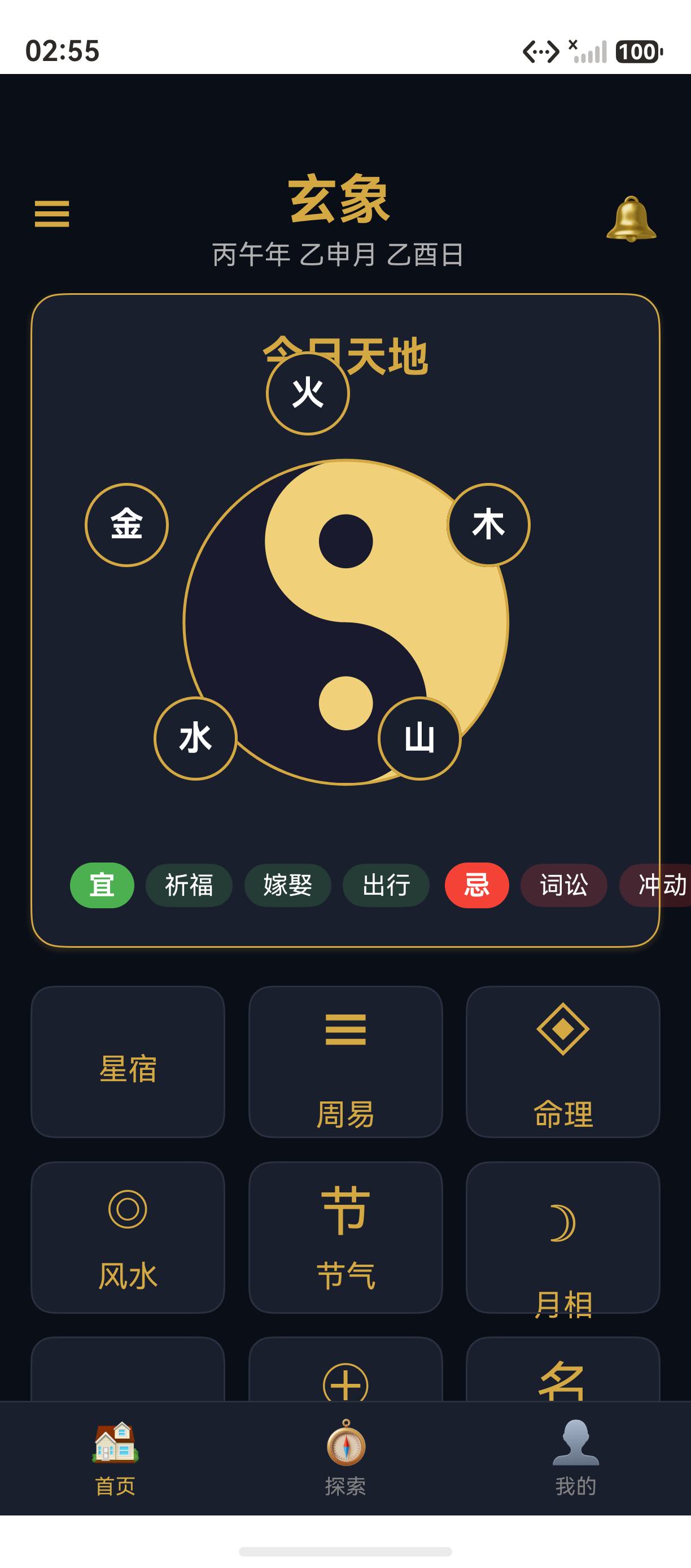
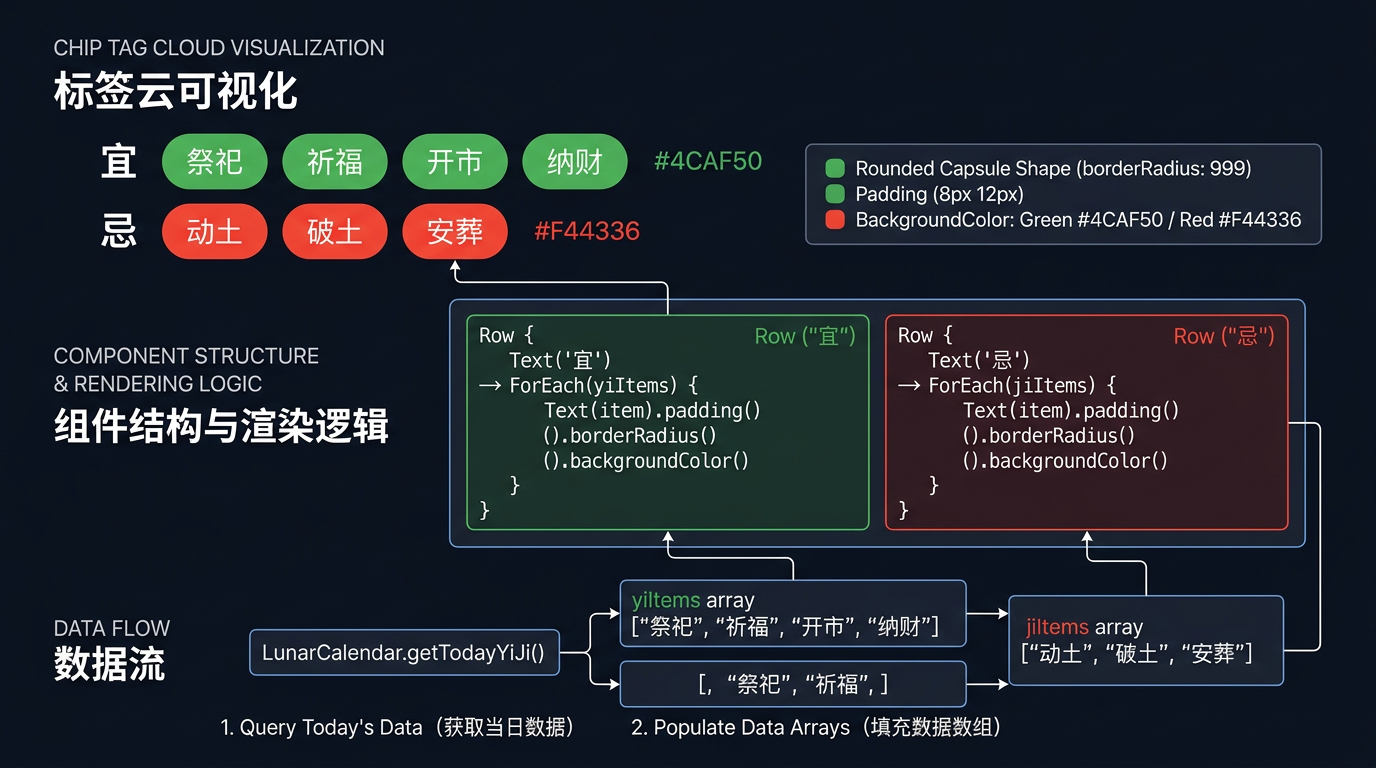
"宜祭祀、祈福、开市;忌动土、破土、安葬"------宜忌标签云是玄象项目首页"今日天地"卡片的实用功能。通过 ForEach 动态渲染、padding 紧凑布局、borderRadius 圆角胶囊,玄象项目实现了专业级的标签云视觉。本篇将深入剖析玄象项目宜忌标签云的实现细节:从 yiItems / jiItems 状态变量、LunarCalendar.getTodayYiJi 数据获取,到 Row 嵌套布局、宜忌色彩区分、chip 视觉规范。掌握这套标签云实现方法论,您就能为任何 HarmonyOS 应用打造精致的 chip 视觉。
提示:chip(胶囊标签)是 Material Design 的核心组件。玄象项目用 5 行代码实现了完整的 chip 视觉。
一、宜忌标签云源码
1.1 状态变量定义
typescript
@State yiItems: string[] = [];
@State jiItems: string[] = [];
1.2 数据获取
typescript
aboutToAppear(): void {
  this.todayGanZhi = LunarCalendar.getTodayGanZhi();
  const yiji = LunarCalendar.getTodayYiJi();
  this.yiItems = yiji.yi;
  this.jiItems = yiji.ji;
}
1.3 标签云渲染
typescript
Row({ space: 8 }) {
  Row({ space: 6 }) {
    Text('宜')
      .fontSize(14)
      .fontWeight(FontWeight.Bold)
      .fontColor('#FFFFFF')
      .backgroundColor(Colors.YI_GREEN)
      .padding({ left: 10, right: 10, top: 4, bottom: 4 })
      .borderRadius(12)

    ForEach(this.yiItems, (item: string) => {
      Text(item)
        .fontSize(13)
        .fontColor('#FFFFFF')
        .backgroundColor('#334CAF50')
        .padding({ left: 10, right: 10, top: 4, bottom: 4 })
        .borderRadius(12)
    }, (item: string) => item)
  }

  Row({ space: 6 }) {
    Text('忌')
      .fontSize(14)
      .fontWeight(FontWeight.Bold)
      .fontColor('#FFFFFF')
      .backgroundColor(Colors.JI_RED)
      .padding({ left: 10, right: 10, top: 4, bottom: 4 })
      .borderRadius(12)

    ForEach(this.jiItems, (item: string) => {
      Text(item)
        .fontSize(13)
        .fontColor('#FFFFFF')
        .backgroundColor('#33F44336')
        .padding({ left: 10, right: 10, top: 4, bottom: 4 })
        .borderRadius(12)
    }, (item: string) => item)
  }
}
.width('100%')
.justifyContent(FlexAlign.Center)
二、状态变量设计
2.1 yiItems / jiItems 数据结构
typescript
@State yiItems: string[] = [];   // 宜的事项数组
@State jiItems: string[] = [];   // 忌的事项数组
玄象项目用两个 string[] 数组存储今日宜忌。
2.2 数据来源
typescript
const yiji = LunarCalendar.getTodayYiJi();
this.yiItems = yiji.yi;
this.jiItems = yiji.ji;
LunarCalendar.getTodayYiJi() 返回 YiJi 接口对象:
typescript
export interface YiJi {
  yi: string[];
  ji: string[];
}
2.3 示例数据
typescript
yiItems = ['祭祀', '祈福', '开市']
jiItems = ['动土', '破土', '安葬']
三、Row 嵌套布局
3.1 三层 Row 结构
text
Row (space: 8)                    ← 外层:宜组 + 忌组
  ├── Row (space: 6)              ← 宜组
  │     ├── Text "宜"
  │     └── ForEach yiItems
  └── Row (space: 6)              ← 忌组
        ├── Text "忌"
        └── ForEach jiItems
3.2 space 参数
| Row 层级 | space | 含义 |
|---|---|---|
| 外层 | 8 | 宜组与忌组之间间距 |
| 内层 | 6 | "宜/忌"标签与事项标签之间间距 |
3.3 justifyContent 居中
typescript
.justifyContent(FlexAlign.Center)FlexAlign.Center 让宜组与忌组整体在 Row 内居中。
四、Text 组件详解
4.1 "宜" 标签
typescript
Text('宜')
  .fontSize(14)
  .fontWeight(FontWeight.Bold)
  .fontColor('#FFFFFF')
  .backgroundColor(Colors.YI_GREEN)
  .padding({ left: 10, right: 10, top: 4, bottom: 4 })
  .borderRadius(12)
4.2 "忌" 标签
typescript
Text('忌')
  .fontSize(14)
  .fontWeight(FontWeight.Bold)
  .fontColor('#FFFFFF')
  .backgroundColor(Colors.JI_RED)
  .padding({ left: 10, right: 10, top: 4, bottom: 4 })
  .borderRadius(12)
4.3 事项标签
typescript
Text(item)
  .fontSize(13)
  .fontColor('#FFFFFF')
  .backgroundColor('#334CAF50')
  .padding({ left: 10, right: 10, top: 4, bottom: 4 })
  .borderRadius(12)
五、颜色设计
5.1 宜的颜色
| 元素 | 颜色 | 含义 |
|---|---|---|
| "宜" 背景 | Colors.YI_GREEN = #4CAF50 |
实色绿 |
| 事项背景 | #334CAF50 |
20% 透明度绿 |
5.2 忌的颜色
| 元素 | 颜色 | 含义 |
|---|---|---|
| "忌" 背景 | Colors.JI_RED = #F44336 |
实色红 |
| 事项背景 | #33F44336 |
20% 透明度红 |
5.3 透明度色值解析
text
#334CAF50
↑  ↑↑↑↑↑↑
alpha  RGB
20%    76,175,80
20% 透明度让事项标签成为"宜/忌"标签的"弱化版本",视觉层次清晰。
六、padding 紧凑布局
6.1 padding 配置
typescript
.padding({ left: 10, right: 10, top: 4, bottom: 4 })| 方向 | 值 | 含义 |
|---|---|---|
| left | 10 | 左侧 10vp |
| right | 10 | 右侧 10vp |
| top | 4 | 顶部 4vp |
| bottom | 4 | 底部 4vp |
6.2 chip 视觉规范
玄象项目 chip 视觉规范:
| 维度 | 值 |
|---|---|
| 左右内边距 | 10vp |
| 上下内边距 | 4vp |
| 圆角 | 12vp |
| 字号 | 13-14vp |
| 字重 | Bold(仅"宜/忌") |
七、borderRadius 圆角胶囊
7.1 borderRadius 配置
typescript
.borderRadius(12)12vp 圆角让标签呈"圆角矩形"形态。
7.2 完整胶囊的实现
若要实现完整胶囊(半圆形端头):
typescript
.borderRadius(height / 2)玄象项目使用 12vp 圆角,介于"圆角矩形"与"胶囊"之间。
八、ForEach 渲染细节
8.1 yiItems 渲染
typescript
ForEach(this.yiItems, (item: string) => {
  Text(item)
    .fontSize(13)
    .fontColor('#FFFFFF')
    .backgroundColor('#334CAF50')
    .padding({ left: 10, right: 10, top: 4, bottom: 4 })
    .borderRadius(12)
}, (item: string) => item)
8.2 keyGenerator 的作用
typescript
(item: string) => item每个事项作为唯一键。若 yiItems 数组变化,ArkUI 通过 key 高效更新。
8.3 ForEach 与 List 的区别
| 维度 | ForEach | List |
|---|---|---|
| 容器 | 任意容器 | 专用列表容器 |
| 滚动 | 不滚动 | 可滚动 |
| 性能 | 全量渲染 | 懒加载 |
玄象项目宜忌事项通常 3-5 个,使用 ForEach 足够。
九、宜忌标签云的视觉
9.1 完整视觉
text
[宜] [祭祀] [祈福] [开市] [忌] [动土] [破土] [安葬]绿色实色"宜"标签 + 浅绿色事项标签;红色实色"忌"标签 + 浅红色事项标签。
9.2 视觉层次
| 层级 | 元素 | 字号 | 背景 |
|---|---|---|---|
| 主 | "宜" / "忌" | 14vp Bold | 实色绿/红 |
| 次 | 事项 | 13vp | 透明绿/红 |
十、宜忌标签云的扩展方向
10.1 点击查看详情
typescript
Text(item)
  .onClick(() => {
    router.pushUrl({
      url: 'pages/astronomy/SolarTermsPage',
      params: { yiItem: item }
    });
  })
10.2 长按收藏
typescript
Text(item)
  .gesture(
    LongPressGesture()
      .onAction(() => {
        this.collectYiItem(item);
      })
  )
10.3 滚动展示更多
若宜忌事项过多,可加入水平滚动:
typescript
Scroll() {
  Row({ space: 6 }) {
    Text('宜') ...
    ForEach(this.yiItems, ...) ...
  }
}
.scrollable(ScrollDirection.Horizontal)
十一、玄象项目 chip 视觉体系
11.1 应用场景
| 模块 | chip 用途 |
|---|---|
| 首页 | 宜忌标签云 |
| 星宿 | 星宿属性标签 |
| 周易 | 卦象属性标签 |
| 命理 | 神煞标签 |
| 风水 | 方位吉凶标签 |
11.2 统一 chip 规范
玄象项目所有 chip 遵循:
- padding:
{ left: 10, right: 10, top: 4, bottom: 4 } - borderRadius: 12
- fontSize: 13-14
- fontColor:
#FFFFFF
11.3 chip 组件封装建议
typescript
// common/components/Chip.ets
@Component
export struct Chip {
  @Prop text: string;
  @Prop bgColor: string;
  @Prop fontSize: number = 13;

  build() {
    Text(this.text)
      .fontSize(this.fontSize)
      .fontColor('#FFFFFF')
      .backgroundColor(this.bgColor)
      .padding({ left: 10, right: 10, top: 4, bottom: 4 })
      .borderRadius(12)
  }
}
总结
本篇以玄象项目宜忌标签云为蓝本,深入剖析了 ArkUI chip(胶囊标签)的实现:从 yiItems / jiItems 状态变量、LunarCalendar.getTodayYiJi 数据获取,到 Row 嵌套布局、ForEach 动态渲染、padding 紧凑布局、borderRadius 圆角胶囊、宜忌色彩区分。掌握这套 chip 实现方法论,您就能为任何 HarmonyOS 应用打造精致的标签云视觉。
下一篇:《25 · 九宫格功能入口:Grid / GridItem / columnsTemplate('1fr 1fr 1fr')》,将带您深入玄象项目首页九宫格功能入口的实现。
如果这篇文章对你有帮助,欢迎点赞👍、收藏⭐、关注🔔,你的支持是我持续创作的动力!
相关资源:
- HarmonyOS 官方文档:ForEach 组件
- HarmonyOS 官方文档:Text 组件
- HarmonyOS 官方文档:padding 属性
- Material Design Chips:material.io/components/chips
- 开源鸿蒙跨平台社区:https://openharmonycrossplatform.csdn.net