ArkTS 进阶之道(5):struct 里为啥不能嵌 struct?终态声明 + 状态边界
本文是「ArkTS 进阶之道」系列第 5 篇,续「ArkTS 作用域哲学」阶段。上篇讲 function 表达式是
this绑定的逃逸点(篇 53)------动态 this 违反词法绑定。本文讲作用域另一个逃逸点:struct 里嵌 struct 声明 ------它是「终态声明 + 状态边界」的破坏者,编译器编译期就拦。报错速查篇 45 讲过arkts-no-structural-nesting怎么改,本文讲为哈要这么改------根因在终态声明哲学。
一、开篇:struct 嵌套不是轻量的代码组织,是终态声明的破坏者
你写 TypeScript/React 时,组件嵌套声明是「轻量的代码组织」,里头套个小组件方便复用:
typescript
// React 里组件嵌套咧装
function Parent() {
  function Child() {        ← 父组件里嵌套声明子组件,TS/React 不拦
    return <Text>子组件</Text>
  }
  return <View><Child /></View>
}
你写鸿蒙 ArkTS 时,同一行编译期就炸:
typescript
// ArkTS 里 struct 嵌套声明编译期就拦
@Entry
@Component
struct Index {
  build() {
    Column({ space: 12 }) {
      @Component                          ← ERROR: 10905209 Only UI component syntax can be written here
      struct InnerChild {                 ← build() 里嵌 struct 声明炸
        build() { Text('嵌套子组件') }
      }
      Text('父组件')
    }
  }
}

// struct 里嵌 struct 声明也炸(顶层嵌套)
@Component
struct Child {
  @Component
  struct InnerChild {        ← ERROR: 10605008 arkts-no-any-unknown + 语法错(struct 里嵌 struct 声明炸)
    build() { Text('嵌套') }
  }
  build() { Text('父') }
}
报错原文:
vbnet
ERROR: 10905209 ArkTS Compiler Error
Error Message: Only UI component syntax can be written here. At File: xxx.ets:19:7

ERROR: 10605008 ArkTS Compiler Error
Error Message: Use explicit types instead of "any", "unknown" (arkts-no-any-unknown). At File: xxx.ets:4:3组织逃逸的区别:TS/React 把嵌套声明当「轻量代码组织」(你懒得拆文件就里头套),ArkTS 把嵌套声明当「终态声明的破坏者」(你偷懒编译器就拦)。根因跟作用域逃逸点一样------struct 声明要终态独立,嵌套把声明边界打断。
二、根因:struct 嵌套的终态声明逃逸性
鸿蒙 ArkTS 的 struct 声明是终态独立------每个 struct 顶层独立声明,编译器静态确定边界,来自三重作用域约束。
约束 1:struct 嵌套声明边界断裂------编译器推不出终态独立
ArkTS 要求每个 struct 顶层独立声明,终态独立是核心约束。struct 里嵌套 struct 声明把「终态独立」的边界打断:
typescript
// ✅ 终态独立:顶层独立 struct �声明
@Component
struct ChildLabel {                ← 顶层独立声明,编译器终态确定边界
  @State label: string = '子组件'
  build() { Text(this.label) }
}

@Entry
@Component
struct Index {
  build() {
    Column() {
      ChildLabel({ label: '引用顶层独立子组件' })    ← 父组件引用顶层独立 struct
    }
  }
}

// ❌ �嵌套声明边界断裂:struct 里嵌 struct 声明
@Entry
@Component
struct Index {
  build() {
    Column() {
      @Component
      struct InnerChild {                ← build() 里嵌 struct 声明,边界断裂
        build() { Text('嵌套') }
      }
    }
  }
}
终态独立 vs 嵌套边界 :顶层独立声明 struct ChildLabel 编译器终态确定边界(struct 是终态节点),嵌套声明 struct InnerChild 边界断裂(struct 声明位置不是终态)。ArkTS 要求终态独立,不要嵌套边界。
约束 2:struct 嵌套声明追踪失效------单态化要追声明位置
ArkTS 走静态单态化优化------每个 struct 编译期生成一份专用渲染代码。struct 嵌套声明的位置是「非终态的」,编译器要追声明位置定边界再单态化,多了一层:
typescript
// ✅ 单态化直接:顶层独立 struct
@Component
struct ChildButton {                ← 顶层独立,ChildButton 单态渲染代码直接生成
  @State text: string = '按钮'
  build() { Button(this.text) }
}

// ❌ 单态化要追声明位置:嵌套 struct
@Entry
@Component
struct Index {
  build() {
    Column() {
      @Component
      struct InnerButton {            ← build() 里嵌套声明,先追声明位置定边界再单态化
        build() { Button('嵌套按钮') }
      }
    }
  }
}
嵌套 struct 要编译器先追声明位置定边界(InnerButton 在 Index.build() 里是局部组件?还是顶层组件?),再单态化,多一层追踪开销。禁掉嵌套声明,单态化直接生效------鸿蒙跑在手机/手表/车机上,每个追踪开销都抠。
约束 3:struct 嵌套声明与状态边界不兼容
ArkUI 的状态装饰器要「struct 终态独立」做状态边界追踪。struct 嵌套声明的边界逃逸了装饰器追踪:
typescript
// ✅ 终态独立:状态边界清晰
@Component
struct ChildTitle {                ← 顶层独立,@State 状态边界清晰(ChildTitle 自己管 title)
  @State title: string = '标题'
  build() { Text(this.title) }
}

@Entry
@Component
struct Index {
  build() {
    Column() {
      ChildTitle({ title: '引用顶层独立子组件' })    ← 父组件传值,子组件状态边界清晰
    }
  }
}

// ❌ 嵌套声明状态边界逃逸:嵌套 struct 的 @State 归谁管?
@Entry
@Component
struct Index {
  build() {
    Column() {
      @Component
      struct InnerChild {                ← 嵌套声明,@State 归 InnerChild 管?还是 Index 管?
        @State count: number = 0         ← 状态边界逃逸(嵌套 struct 的装饰器边界不清)
        build() { Text(`${this.count}`) }
      }
    }
  }
}
嵌套 struct 的 @State 归谁管(InnerChild 自己?还是外层 Index?),状态边界逃逸------装饰器追不到清晰的状态归属。禁掉嵌套声明,状态边界保持「struct 终态独立管自己的 @State」的清晰。
三、真机配图:顶层独立 struct 替代嵌套声明正解能编译能跑
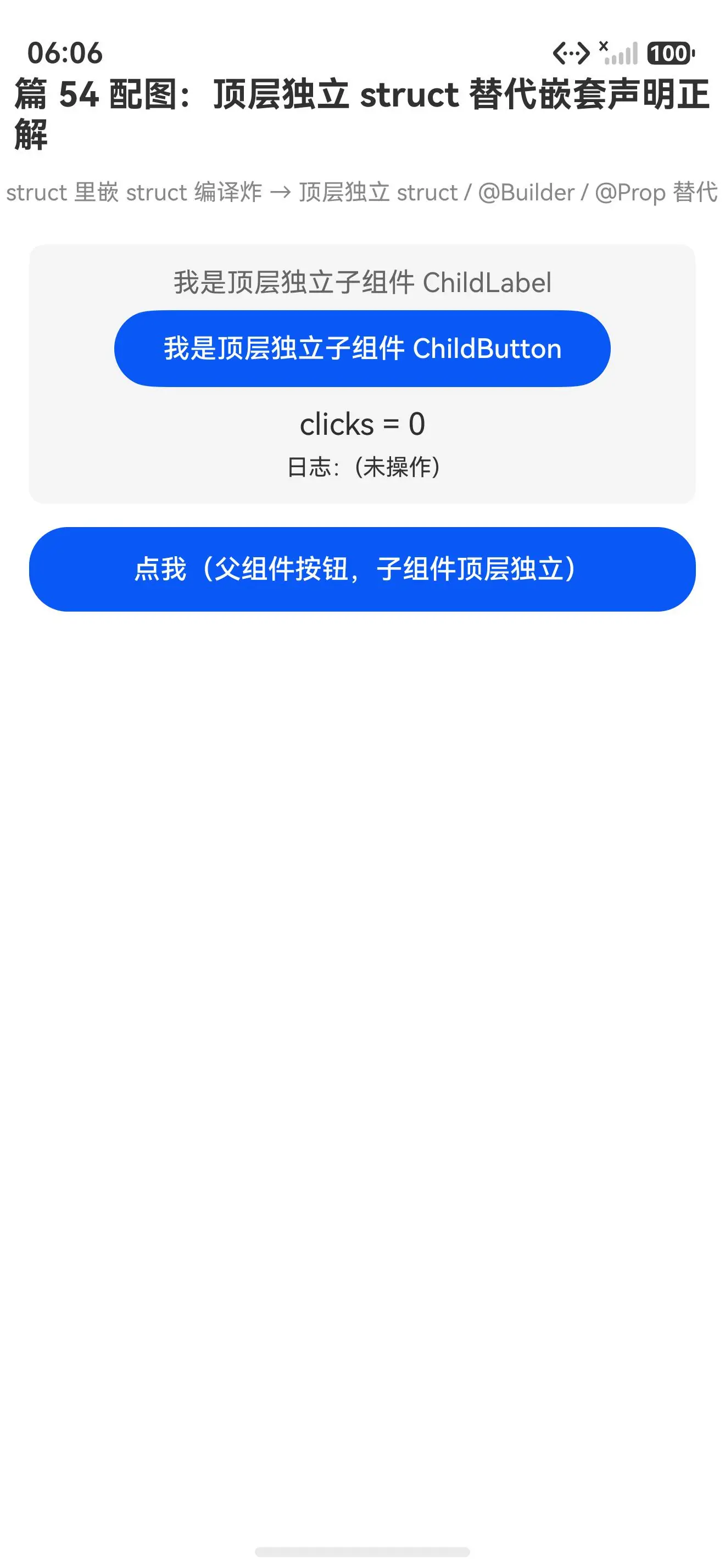
替代嵌套声明正解初始态(ChildTitle/ChildLabel/ChildButton 均顶层独立渲染):
点调父组件按钮后(clicks=1、日志=第 1 次:父组件状态刷新 均真返了正确值):
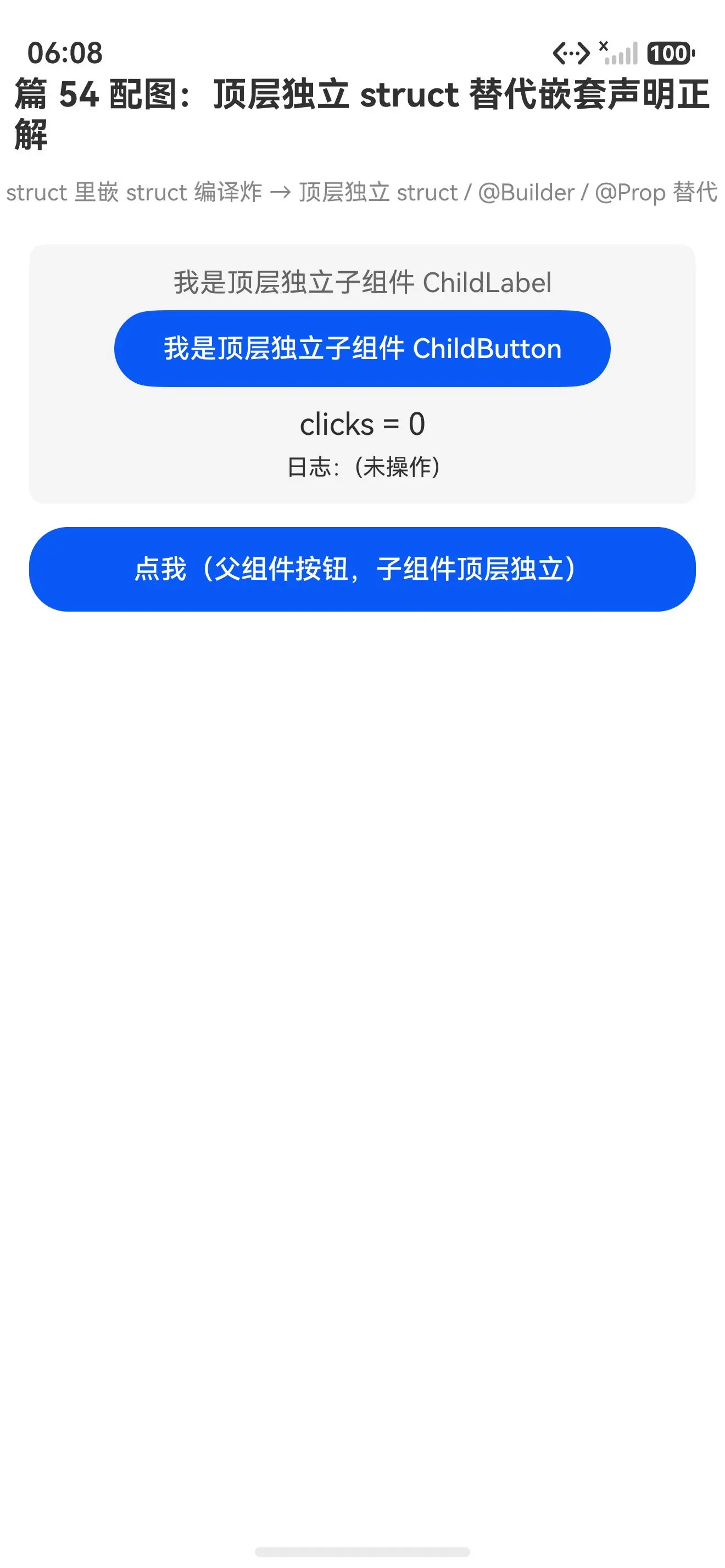
报错写法(struct 嵌套声明)编译就炸,装不上真机;正解写法(顶层独立 struct / @Builder / @Prop 替代)能跑,三个顶层独立子组件均真渲染了正确内容。struct 嵌套声明编译就炸,改回顶层独立 struct 就跑------这是 ArkTS 终态声明约束最直白的证据。
四、真解法:三招替代 struct 嵌套声明
解法 1:顶层独立 struct + 父组件引用(90% 场景首选)
typescript
// ✅ 顶层独立 struct �声明
@Component
struct ChildLabel {
  @State label: string = '子组件'
  build() {
    Text(this.label).fontSize(14)
  }
}

@Entry
@Component
struct Index {
  build() {
    Column() {
      ChildLabel({ label: '引用顶层独立子组件' })    ← 父组件引用顶层独立 struct
    }
  }
}
为哈能跑 :把嵌套 struct 声明提到顶层独立 struct ChildLabel,父组件 Index 引用 ChildLabel(...) 实例化,三重约束全满足------终态独立边界、单态化直接生效、状态边界清晰(ChildLabel 自己管 @State label)。首选这个,90% 的场景顶层独立 struct 就够。
解法 2:顶层独立 struct + @Prop 接父参(要父子传值时)
typescript
// ✅ 顶层独立 struct + @Prop 接父参
@Component
struct ChildTitle {
  @Prop title: string                ← @Prop 单向接父组件传的值
  build() {
    Text(this.title).fontSize(18).fontWeight(FontWeight.Bold)
  }
}

@Entry
@Component
struct Index {
  build() {
    Column() {
      ChildTitle({ title: '我是父组件传的标题' })    ← @Prop 单向传值,不要嵌套声明
    }
  }
}
为哈能跑 :顶层独立 ChildTitle 用 @Prop title 单向接父组件传的值(@Prop 是单向数据流,父变子变子变父不变),替代嵌套声明里「子组件用父组件值」的逃逸。要写「子组件用父组件传值」时用这个------比嵌套声明安全,状态边界清晰(@Prop 是子组件自己的状态边界)。
解法 3:顶层独立 struct + @Builder 复用片段(要轻量渲染片段时)
typescript
// ✅ 顶层独立 struct + @Builder 复用片段
@Entry
@Component
struct Index {
  // @Builder 渲染片段复用(不要嵌套 struct 声明)
  @Builder
  repeatText(text: string) {
    Text(text).fontSize(14).margin({ top: 4 })
  }

  build() {
    Column() {
      this.repeatText('复用片段一')        ← @Builder 调用复用
      this.repeatText('复用片段二')        ← @Builder 调用复用
      this.repeatText('复用片段三')        ← @Builder 调用复用
    }
  }
}
为哈能跑 :用 @Builder repeatText(text) 顶层独立渲染片段复用(@Builder 是轻量渲染片段,不是 struct 声明),替代嵌套声明「里头套个小片段」的逃逸。要写「轻量渲染片段复用」时用这个------比嵌套 struct 更轻量,@Builder 无状态边界(纯渲染片段)。
五、一句话哲学
struct 嵌套声明是终态声明的破坏者,不是轻量的代码组织。 ArkTS 的三重作用域约束------struct 终态独立(编译期静态确定边界)、静态单态化直接生效(不要追声明位置)、装饰器状态边界清晰(struct 自己管 @State)。struct 嵌套声明把这三重都打断,所以编译器编译期就拦。替代方案就三个:顶层独立 struct + 父组件引用(首选)、顶层独立 struct + @Prop 接父参(要父子传值)、顶层独立 struct + @Builder 复用片段(要轻量渲染)。
作用域阶段串讲:function 表达式(篇 53,this 绑定逃逸)→ struct 嵌套声明(篇 54,终态声明逃逸)------都是「偷懒的糖」变「静态边界的断点」,根因一样(编译器要静态边界),解法都是「顶层独立 + 显式引用替代」。
下一篇 :ArkTS 进阶之道(6)------ struct 为啥不能 implements interface:职责分离 struct vs class(对应报错速查篇 46 arkts-struct-no-implements,讲根因)。
报错速查回链
| 报错码 | 报错速查篇 | 本文进阶点 |
|---|---|---|
arkts-no-structural-nesting |
篇 45 | struct 嵌套的终态声明逃逸性 |
10905209 Only UI component syntax |
篇 45 | build() 里嵌 struct 声明的具体报错码 |
arkts-no-func-expressions |
篇 43/53 | 作用域阶段串讲:this 逃逸 vs 终态逃逸 |
真机 demo 完整代码
typescript
// ✅ 正解 1:顶层独立 struct 替代嵌套声明(父组件引用子组件)
@Component
struct ChildLabel {
  @State label: string = '子组件'
  build() {
    Text(this.label).fontSize(14).fontColor('#666')
  }
}

// ✅ 正解 2:顶层独立 struct + @Prop 接父参替替代嵌套声明
@Component
struct ChildButton {
  @State text: string = '按钮'
  build() {
    Button(this.text).width('80%').height(40).fontSize(14)
  }
}

// ✅ 正解 3:顶层独立 struct + @Prop 接父参替替代嵌套声明
@Component
struct ChildTitle {
  @Prop title: string
  build() {
    Text(this.title).fontSize(18).fontWeight(FontWeight.Bold)
  }
}

@Entry
@Component
struct Index {
  @State result: string = '(未操作)'
  @State clicks: number = 0

  build() {
    Column({ space: 12 }) {
      // ✅ 父组件引用顶层独立子组件(不要嵌套 struct 声明)
      ChildTitle({ title: '篇 54 配图:顶层独立 struct 替代嵌套声明正解' })

      Text('struct 里嵌 struct 编译炸 → 顶层独立 struct / @Builder / @Prop 替代')
        .fontSize(12).fontColor('#888').margin({ bottom: 8 })

      Column({ space: 6 }) {
        ChildLabel({ label: '我是顶层独立子组件 ChildLabel' })
        ChildButton({ text: '我是顶层独立子组件 ChildButton' })
        Text(`clicks = ${this.clicks}`).fontSize(16).margin({ top: 4 })
        Text(`日志:${this.result}`).fontSize(12).fontColor('#333')
      }
      .width('92%').padding(12).backgroundColor('#f5f5f5').borderRadius(8)

      Button('点我(父组件按钮,子组件顶层独立)')
        .width('92%').height(44).fontSize(14)
        .onClick(() => {
          this.clicks++
          this.result = `第 ${this.clicks} 次:父组件状态刷新`
        })
    }
    .width('100%').height('100%').alignItems(HorizontalAlign.Center)
  }
}
写鸿蒙 ArkTS 记住 :struct 里嵌 struct 声明
@Component struct InnerChild { ... }编译就炸------10905209 Only UI component syntax can be written here+arkts-no-structural-nesting。改回顶层独立 struct + 父组件引用ChildLabel(...)(首选)、顶层独立 struct + @Prop 接父参@Prop title: string(要父子传值)、顶层独立 struct + @Builder 复用片段@Builder repeatText(text)(要轻量渲染),三招都能跑。struct 嵌套声明是终态声明的破坏者,三重作用域约束全打断 是根因,顶层独立 struct是首选解法!