ArkTS 进阶之道(11):build() 重渲边界------状态变为啥只刷依赖组件
本文是「ArkTS 进阶之道」系列第 11 篇,开「ArkUI 渲染哲学」新阶段。上一阶段讲状态哲学(篇 56-59):数据流绑定(@State/@Prop/@Link/@Provide/@Consume)+ 状态变回调(@Watch)------都是状态绑追踪 。本文换角度讲渲染:build() 重渲边界 ------根因在依赖追踪的局部重渲机制,@State �变只刷依赖 UI 不刷全 build,不是全组件树重渲。能力系列篇 17 讲过条件渲染怎么用,本文讲为哈只刷依赖不刷全 build------根因在局部重渲边界。
一、开篇:build() 不是全重渲,是依赖追踪的局部重渲边界
你写 TypeScript/React 时,状态变重渲是「魔法」(React 调 render 全函数重渲,要 useMemo/useCallback 手写 memo 避免全刷):
typescript
// React 全函数重渲 + 手写 memo 避免全刷
function Component() {
  const [count, setCount] = useState(0)
  const staticText = '我不依赖 count'    // 不依赖 count 但全函数重渲时也重渲
  return (
    <View>
      <Text>{count}</Text>           ← 依赖 count,count 变刷
      <Text>{staticText}</Text>       ← 不依赖 count,但 React 全函数重渲时也重渲(要 useMemo)
    </View>
  )
}
setCount(1)    // React 调 render 全函数重渲,staticText 也重渲(要手写 memo 避免)
你写鸿蒙 ArkTS 时,build() 依赖追踪的局部重渲------不用手写 memo 避免全刷:
typescript
// ArkTS build() 依赖追踪局部重渲边界
@Entry
@Component
struct Index {
  @State count: number = 0
  staticText: string = '我不依赖 count,count 变我不刷'    // 不依赖 count,count 变不刷
  build() {
    Column() {
      Text(`${this.count}`)           ← 依赖 count,count 变刷(局部重渲)
      Text(this.staticText)           ← 不依赖 count,count 变不刷(重渲边界)
    }
  }
}
// count 变只刷依赖 count 的 Text,staticText 不刷(局部重渲边界,不用手写 memo)
魔法 vs 边界的区别:React 把重渲当「魔法」(全函数重渲,你手写 memo 避免全刷),ArkTS 把 build() 当「依赖追踪的局部重渲边界」(装饰器编译期记依赖,状态变只刷依赖 UI 不刷全 build)。根因不是魔法是边界------@State 变触发的是局部重渲(只刷依赖 UI),不是全 build 重渲。
二、根因:build() 的依赖追踪局部重渲边界机制
鸿蒙 ArkUI 的 build() 是依赖追踪局部重渲边界------编译期记 UI 哪里依赖哪个 @State,@State 变只刷依赖 UI 不刷全 build,来自三重边界机制。
机制 1:编译期记 UI 依赖------build 里哪行 UI 用了哪个 @State
build() 编译期记 UI 依赖------扫描 build() 里 UI 哪行用了哪个 @State,记成依赖关系:
typescript
@Entry
@Component
struct Index {
  @State count: number = 0          // @State 装饰器,编译期加追踪
  staticText: string = '我不依赖 count'    // 普通字段,不记依赖
  build() {
    Column() {
      Text(`${this.count}`)           ← 编译期记:Text1 依赖 count
      Text(this.staticText)           ← 编译期记:Text2 不依赖 count(依赖 staticText)
    }
  }
}
编译期记依赖 :build() 编译期扫描每行 UI------Text(${this.count}) 依赖 @State count 记成 count → Text1,Text(this.staticText) 依赖普通字段 staticText 记成 staticText → Text2。记依赖不用手写 memo,装饰器编译期扫描记。根因不是全重渲是编译期记的局部依赖关系。
机制 2:状态变只刷依赖 UI------@State 参触发局部重渲不刷全 build
@State 变只刷依赖 UI------赋值触发只重渲编译期记的依赖 UI,不刷全 build:
typescript
@Entry
@Component
struct Index {
  @State count: number = 0
  staticText: string = '我不依赖 count,count 变我不刷'
  build() {
    Column() {
      Text(`${this.count}`)           ← 依赖 count:count �变刷 Text1(局部重渲)
      Text(this.staticText)           ← 不依赖 count:count 变不刷 Text2(重渲边界)
      Button('点我')
        .onClick(() => { this.count++ })    ← count �变只刷 Text1,Text2 不刷
    }
  }
}
局部重渲边界 :@State count �赋值 this.count++ 触发只重渲编译期记的依赖 UI Text1(显示新 count),不刷不依赖 count 的 Text2(staticText 不刷)。赋值只刷依赖 UI 是局部重渲边界------不是全 build 重渲,是编译期记的依赖关系触发局部刷。根因不是全刷是依赖追踪的局部重渲边界。
机制 3:边界证据------不依赖变 UI 不刷 / 普通字段不刷
build() 重渲边界证据------不依赖变 UI 不刷,普通字段不刷 UI:
typescript
@Entry
@Component
struct Index {
  @State count: number = 0
  @State staticText: string = '我不依赖 count,count 变我不刷(重渲边界证据)'
  renderCount: number = 0       // 普通字段不刷 UI(重渲边界对比)
  build() {
    Column() {
      Text(`依赖 count = ${this.count}`)    ← 依赖 count:count �变刷
      Text(this.staticText)                   ← 不依赖 count:count �变不刷(边界证据)
      Text(`普通字段 = ${this.renderCount}`)  ← 普通字段:赋值不刷 UI(边界对比)
      Button('改 count')
        .onClick(() => { this.count++ })      ← count �变只刷依赖 count UI
      Button('改 staticText')
        .onClick(() => { this.staticText = '改了' })    ← staticText 变只刷 Text2
    }
  }
}边界证据:①改 count 只刷依赖 count 的 Text1,不依赖 count 的 Text2 不刷(局部重渲边界)②改 staticText 只刷依赖 staticText 的 Text2,依赖 count 的 Text1 不刷(边界反向证据)③普通字段 renderCount 赋值不刷 UI(不是 @State 没追踪不刷)。三个证据证明 build() 是依赖追踪的局部重渲边界,不是全 build 重渲。
三、真机配图:build() 重渲边界------状态变只刷依赖组件不刷全 build
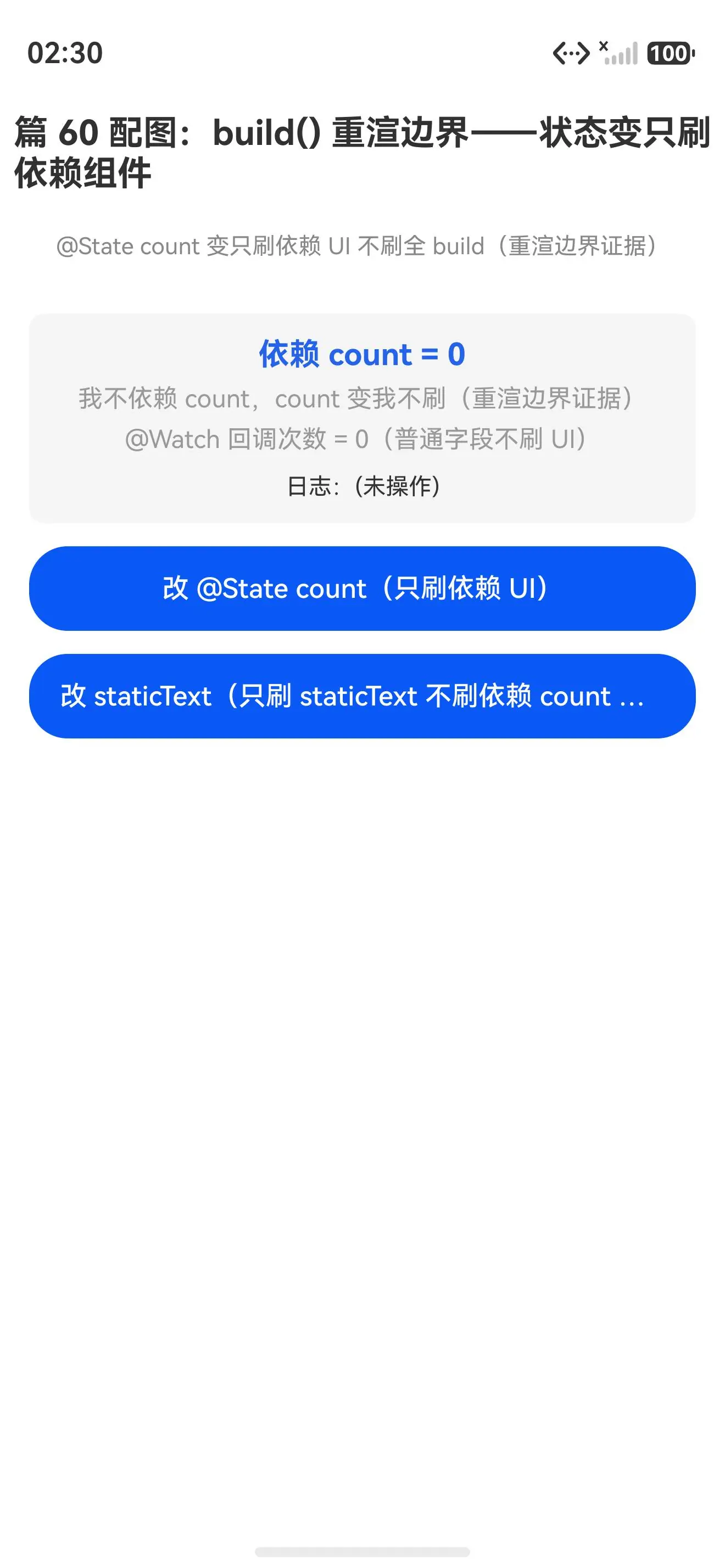
初始态(count=0、staticText 显示「我不依赖 count」、@Watch 回调次数=0 均初始值):
点调两按钮后(count=1 刷依赖 UI、staticText 改了刷自己不刷依赖 count UI、@Watch 回调次数=1 普通字段不刷 UI 均重渲边界对比证据齐):
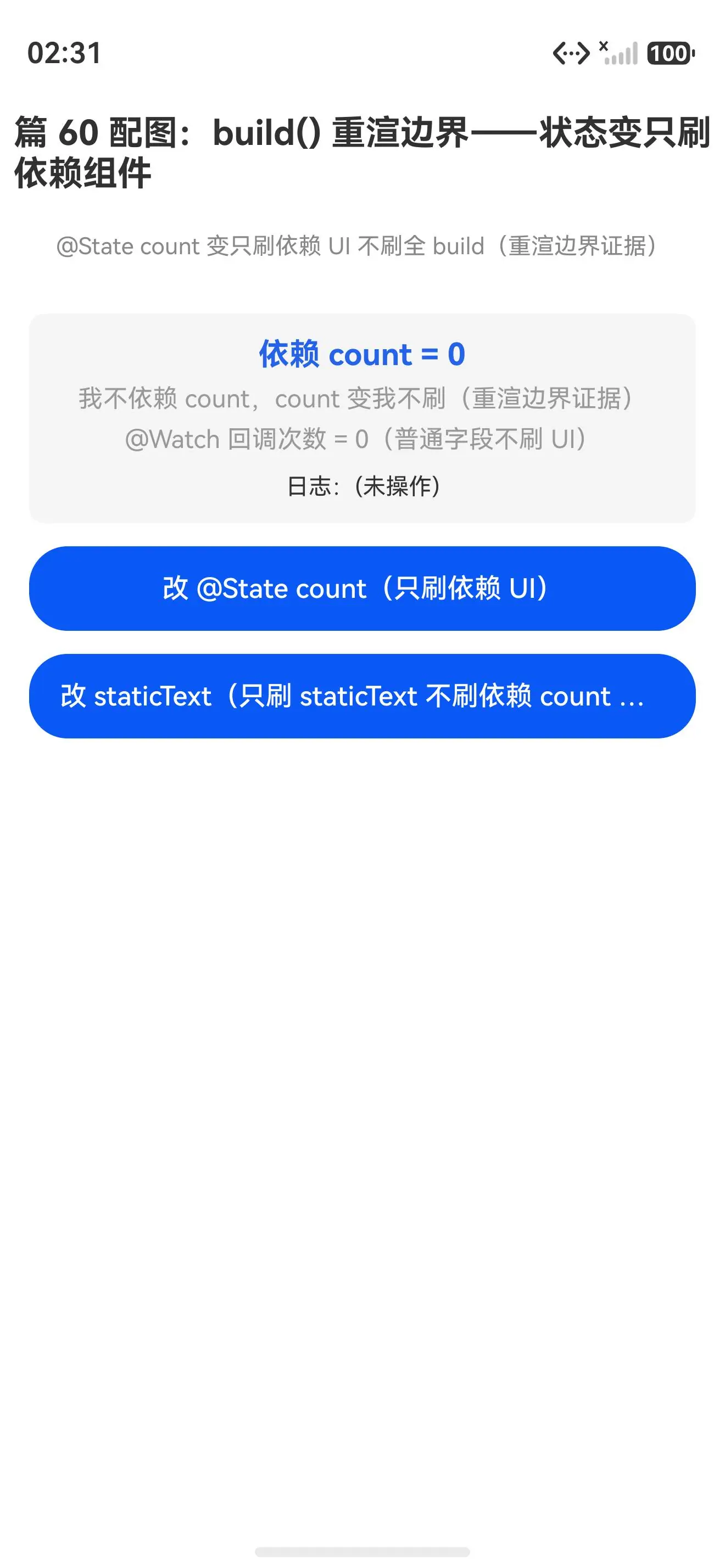
对比证据:点改 @State count 按钮后只刷依赖 count 的 UI(count=1 刷了),不依赖 count 的 staticText 没刷(仍显示原值)是重渲边界证据。点改 staticText 按钮后只刷 staticText 自己,依赖 count 的 UI 没刷(边界反向证据)。@Watch 回调次数=1 是普通字段赋值不刷 UI(边界对比)。build() 不是全重渲是依赖追踪的局部重渲边界------@State 参只刷依赖 UI 不刷全 build,根因在编译期记的依赖关系触发局部刷。
四、真解法:build() 重渲边界的三个场景
场景 1:状态变只刷依赖 UI(90% 场景,局部重渲边界首选)
typescript
@Entry
@Component
struct Index {
  @State count: number = 0          // @State 编译期记依赖
  build() {
    Column() {
      Text(`count = ${this.count}`)    ← 依赖 count:count 变刷
      Text('我不依赖 count')           ← 不依赖 count:count 变不刷(边界)
      Button('点我')
        .onClick(() => { this.count++ })    ← 只刷依赖 count 的 Text
    }
  }
}
为哈能跑 :@State count 编译期记依赖,赋值只刷依赖 UI 不刷全 build。首选这个,90% 的场景状态变只刷依赖 UI 用局部重渲边界就够。要写「状态变只刷相关 UI 不刷全 build」时用这个------不用手写 memo 避免全刷,装饰器编译期记依赖触发局部刷。
场景 2:多状态各刷各依赖 UI(每个 @State 只刷自己的依赖 UI)
typescript
@Entry
@Component
struct Index {
  @State count: number = 0       // count 只刷依赖 count UI
  @State name: string = '初始'    // name 只刷依赖 name UI
  @State list: string[] = []      // list 只刷依赖 list UI
  build() {
    Column() {
      Text(`count = ${this.count}`)       ← 依赖 count:count 变只刷这行
      Text(`name = ${this.name}`)         ← 依赖 name:name 变只刷这行
      Text(`list = ${this.list.length}`)   ← 依赖 list:list 变只刷这行
      Button('改 count').onClick(() => { this.count++ })       // 只刷依赖 count UI
      Button('改 name').onClick(() => { this.name = '新名' })   // 只刷依赖 name UI
      Button('改 list').onClick(() => { this.list.push('新') }) // 只刷依赖 list UI
    }
  }
}为哈能跑:每个 @State 只刷自己的依赖 UI------count 变只刷依赖 count 的 Text,name 变只刷依赖 name 的 Text,list 变只刷依赖 list 的 Text。要写「多状态各自只刷自己 UI 不互刷」时用这个------每个 @State 编译期记自己依赖,赋值只刷自己依赖 UI 不刷别的。
场景 3:@Watch 改普通字段不刷 UI(副作用边界 vs 数据流边界)
typescript
@Entry
@Component
struct Index {
  @State @Watch('onCountChange') count: number = 0    // @State + @Watch
  renderCount: number = 0       // 普通字段:@Watch 回调里改,不刷 UI
  onCountChange(): void {
    this.renderCount++          // @Watch 回调里改普通字段(不刷 UI,副作用边界)
  }
  build() {
    Column() {
      Text(`count = ${this.count}`)              ← 依赖 count:count �变刷(数据流边界)
      Text(`renderCount = ${this.renderCount}`)   ← 依赖普通字段:普通字段不刷 UI(边界对比)
      Button('点我')
        .onClick(() => { this.count++ })    // count �变刷依赖 UI + @Watch 改 renderCount 不刷
    }
  }
}
为哈能跑 :@Watch 回调里改普通字段 renderCount 不刷 UI------普通字段不是 @State 没追踪不刷(副作用边界)。要写「状态变要执行副作用但不刷 UI」时用这个------@Watch 回调改普通字段执行副作用(计数/日志),不触发 UI 重渲(副作用边界 vs 数据流边界分离)。
五、一句话哲学
build() 不是全重渲,是依赖追踪的局部重渲边界。 ArkUI 的 build() 编译期记 UI 哪行依赖哪个 @State,@State 参只刷依赖 UI 不刷全 build。根因不是全重渲是局部重渲边界------build() 编译期记依赖(扫描记依赖关系)+ 状态变只刷依赖 UI(局部重渲不刷全 build)+ 边界证据(不依赖变 UI 不刷/普通字段不刷)。对比 React 全函数重渲要手写 memo 避免全刷,ArkUI 装饰器编译期记依赖触发局部刷。
状态哲学→渲染哲学过渡:状态哲学(篇 56-59)讲数据流绑定 + 状态变回调------都是「状态绑追踪触发」。渲染哲学(篇 60-62)讲 build() 重渲边界------状态变触发的局部重渲是「渲染绑依赖」。@State 赋值触发的两个边界:①数据流边界(篇 56,赋值就刷 UI 依赖追踪)②渲染边界(篇 60,只刷依赖 UI 不刷全 build)------渲染边界是数据流边界的细化:不只刷 UI,是只刷依赖 UI。
下一篇:ArkTS 进阶之道(12)------ if/条件渲染边界:为啥 build 里不能写 if 语句(对应能力系列篇 17,讲根因)------续「ArkUI 渲染哲学」阶段。
能力系列回链
| 能力系列篇 | 本文进阶点 |
|---|---|
| 篇 17 条件渲染用法 | 下篇预告:if 条件渲染边界根因 |
| 篇 13 @State 基础用法 | 状态哲学:@State 赋值就刷 UI 依赖追踪 |
| 篇 16 @Watch 用法 | 状态哲学:@Watch 响应式回调钩子 |
真机 demo 完整代码
typescript
// 篇 60 demo:build() 重渲边界------状态变只刷依赖组件不刷全 build
// 对比:@State 变只刷依赖 UI vs 普通字段变不刷 UI

@Entry
@Component
struct Index {
  // ✅ @State 依赖追踪:变只刷依赖 UI 不刷全 build
  @State @Watch('onCountChange') count: number = 0
  @State staticText: string = '我不依赖 count,count 变我不刷(重渲边界证据)'
  @State log: string = '(未操作)'
  renderCount: number = 0       // 普通字段不刷 UI(重渲边界对比)

  onCountChange(): void {
    this.renderCount++          // @Watch 回调里改普通字段(不刷 UI)
    this.log = `count 变=${this.count},@Watch 回调调了 ${this.renderCount} 次(staticText 不刷是重渲边界证据)`
  }

  build() {
    Column({ space: 12 }) {
      Text('篇 60 配图:build() 重渲边界------状态变只刷依赖组件')
        .fontSize(18).fontWeight(FontWeight.Bold).margin({ top: 20, bottom: 8 })
      Text('@State count 变只刷依赖 UI 不刷全 build(重渲边界证据)')
        .fontSize(12).fontColor('#888').margin({ bottom: 16 })

      Column({ space: 6 }) {
        // 依赖 count 的 UI:count 变就刷
        Text(`依赖 count = ${this.count}`).fontSize(16).fontWeight(FontWeight.Bold).fontColor('#2563eb')
        // 不依赖 count 的 UI:count 变不刷(重渲边界证据)
        Text(this.staticText).fontSize(13).fontColor('#999')
        Text(`@Watch 回调次数 = ${this.renderCount}(普通字段不刷 UI)`).fontSize(13).fontColor('#999')
        Text(`日志:${this.log}`).fontSize(12).fontColor('#333').margin({ top: 4 })
      }
      .width('92%').padding(12).backgroundColor('#f5f5f5').borderRadius(8)

      // 依赖 count 的按钮:count 变刷依赖 UI
      Button('改 @State count(只刷依赖 UI)')
        .width('92%').height(44).fontSize(14)
        .onClick(() => {
          this.count++                // ✅ count 变只刷依赖 UI,staticText 不刷(重渲边界)
        })

      // 改不依赖 count 的 staticText:只刷 staticText 不刷依赖 count 的 UI
      Button('改 staticText(只刷 staticText 不刷依赖 count UI)')
        .width('92%').height(44).fontSize(14)
        .onClick(() => {
          this.staticText = `改了!count=${this.count}(我没刷,因 count 没变)`
          this.log = `改 staticText,只刷 staticText 不刷依赖 count UI(重渲边界)`
        })
    }
    .width('100%').height('100%').alignItems(HorizontalAlign.Center)
  }
}
写鸿蒙 ArkUI 记住 :build() 不是全重渲是依赖追踪的局部重渲边界------build() 编译期记 UI 呪行依赖哪个 @State,@State 参只刷依赖 UI 不刷全 build。根因不是全重渲是局部重渲边界------build() 编译期记依赖(扫描记依赖关系)+ 状态变只刷依赖 UI(局部重渲不刷全 build)+ 边界证据(不依赖变 UI 不刷/普通字段不刷)。状态变只刷依赖 UI 用局部重渲边界(首选),多状态各刷各依赖 UI 不互刷,@Watch 改普通字段执行副作用不刷 UI(副作用边界 vs 数据流边界分离)。只刷依赖 UI 不刷全 build是 ArkUI 渲染哲学核心!