网页如何执行cmd命令,看似不能。其实现在已经可以了。
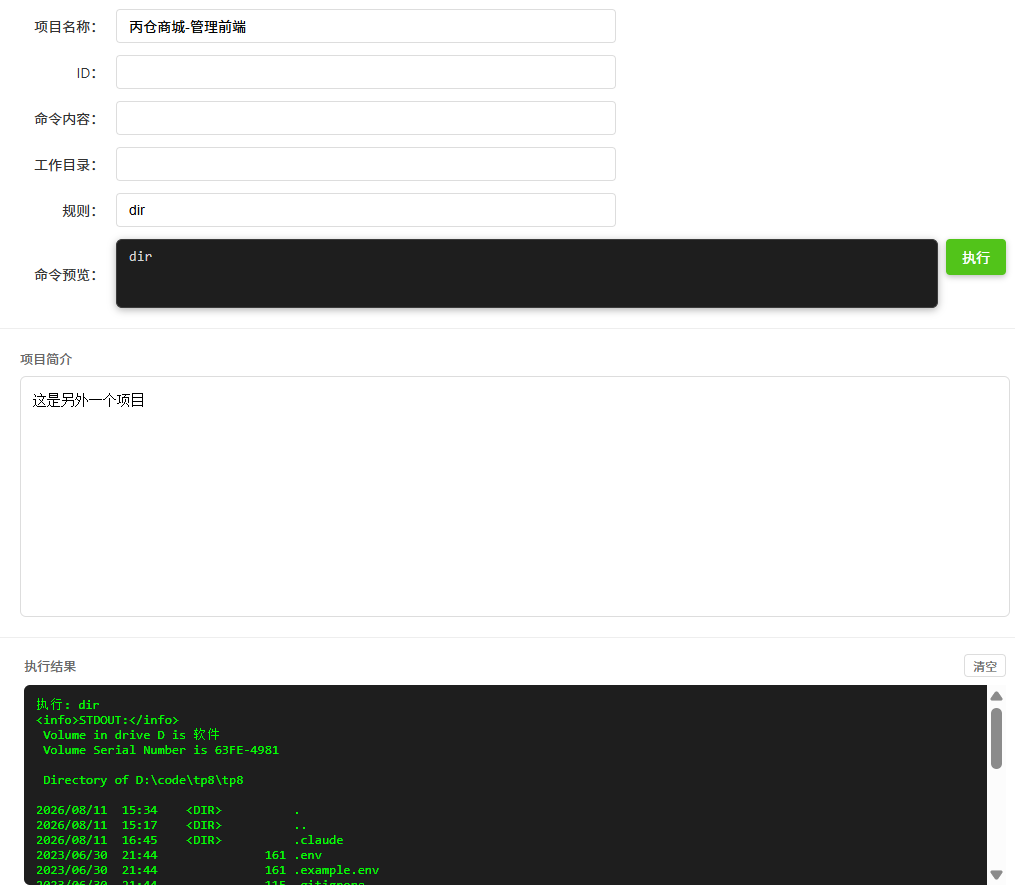
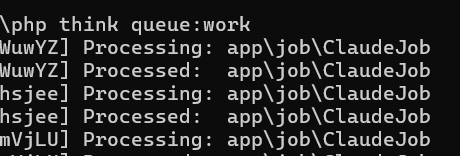
几个关键的要点。前端异步投递任务。php执行任务并返回结果给前端。
<?php
declare(strict_types=1);

namespace app\command;

use think\console\Command;
use think\console\Input;
use think\console\Output;
use think\console\input\Argument;
use think\console\input\Option;

/**
 * Claude 命令 - 通过 proc_open 执行 claude CLI
 */
class ClaudeCmd extends Command
{
    protected function configure(): void
    {
        $this->setName('cmd')
            ->setDescription('通过 proc_open 执行 claude CLI 命令')
            ->addArgument('claude-args', Argument::OPTIONAL, '传递给 claude 的参数')
            ->addOption('dir', 'd', Option::VALUE_OPTIONAL, '指定工作目录', 'D:/code/tp8/tp8');
    }

    protected function execute(Input $input, Output $output): int
    {

        $claudeArgs = $input->getArgument('claude-args') ?: 'dir';

        $descriptors = [
            0 => ['pipe', 'r'],  // stdin
            1 => ['pipe', 'w'],  // stdout
            2 => ['pipe', 'w'],  // stderr
        ];

        $pipes = [];


        $output->writeln('执行: ' . $claudeArgs);

        $proc = proc_open(
             $claudeArgs,
            $descriptors,
            $pipes
        );

        if (!is_resource($proc)) {
            $output->writeln('<error>无法启动进程</error>');
            return 1;
        }

        // 关闭 stdin
        fclose($pipes[0]);

        // 读取输出
        $stdout = stream_get_contents($pipes[1]);
        fclose($pipes[1]);

        $stderr = stream_get_contents($pipes[2]);
        fclose($pipes[2]);

        $exitCode = proc_close($proc);

        if (!empty($stderr)) {
            $output->writeln('<error>STDERR:</error>');
            $output->writeln($stderr);
        }

        if (!empty($stdout)) {
            $output->writeln('<info>STDOUT:</info>');
            $output->writeln($stdout);
        }

        $output->writeln('<info>退出码: ' . $exitCode . '</info>');

        return $exitCode;
    }
}