背景:下面为 "mono_tum.cc" 示例的运行步骤。采用的数据集为 rgbd_dataset_freiburg1_xyz
数据简介
rgbd_dataset_freiburg1_xyz/
│
├── rgb/
│   ├── 1305031102.175304.png
│   ├── 1305031102.211214.png
│   └── ...
│
├── depth/
│   ├── 1305031102.160407.png
│   ├── 1305031102.226738.png
│   └── ...
│
├── rgb.txt
├── depth.txt
├── groundtruth.txt
├── accelerometer.txt
└── associate.txt   (需要自己生成)
rgb文件夹:保存 Kinect RGB 摄像头采集的彩色图像,每个文件的文件名就是时间戳
depth文件夹:保存 Kinect 深度相机测量的距离信息,每个文件的文件名就是时间戳
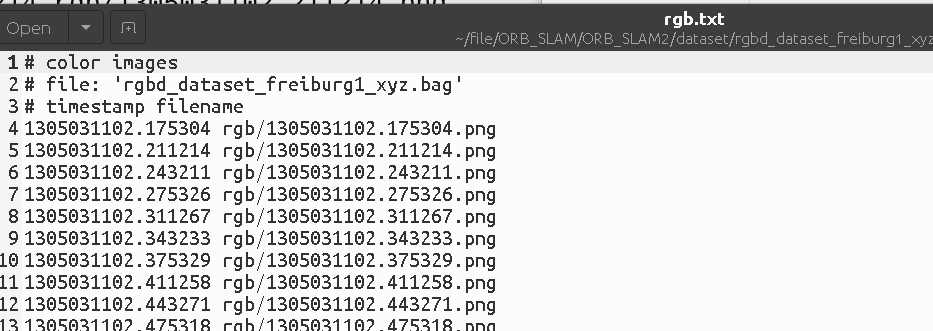
rgb.txt: 记录时间戳+图片路径
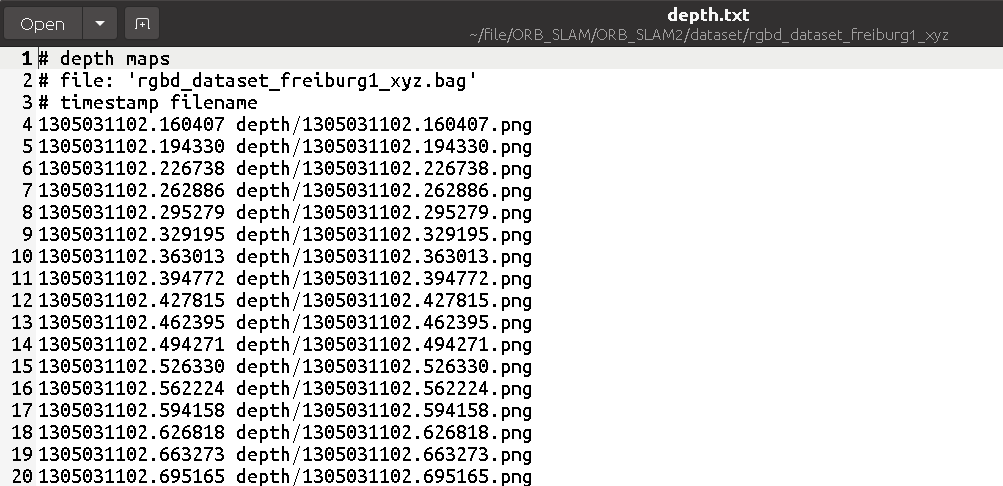
depth.txt:Depth时间戳+ 深度图片路径
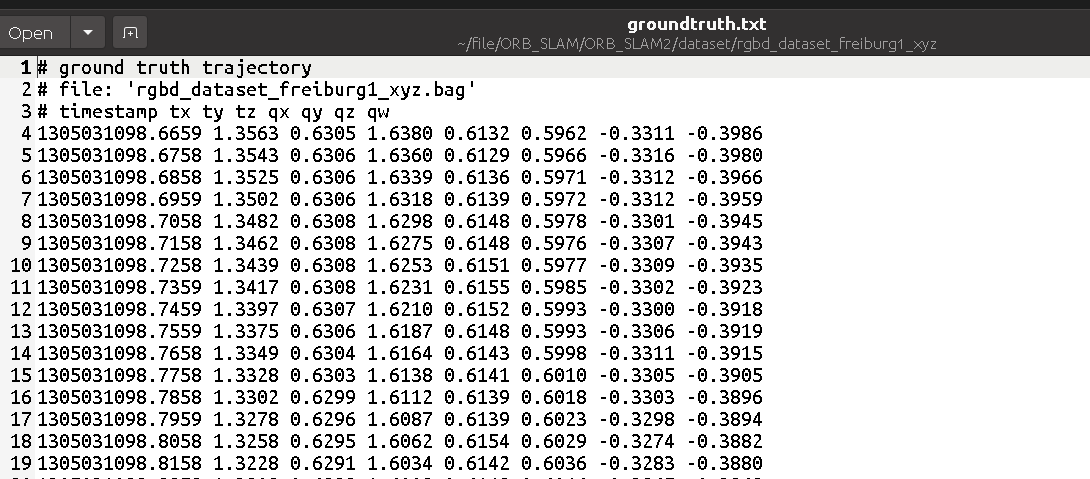
groundtruth.txt:(真实轨迹)
| 字段 | 含义 |
|---|---|
| timestamp | 时间 |
| tx ty tz | 相机位置 |
| qx qy qz qw | 旋转四元数 |
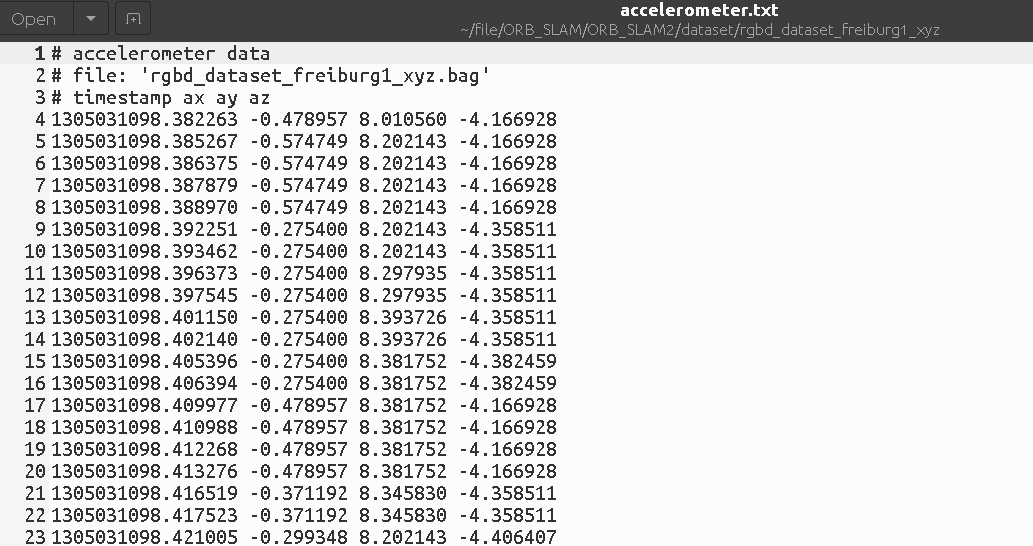
accelerometer.txt: Kinect 内置 IMU 加速度数据 timestamp ax ay az
代码调试
官方给出的步骤直接运行,但是我想调试,所以对main函数进行了修改
cpp
int main(int argc, char **argv)
{
    // if(argc != 4)
    // {
    //     cerr << endl << "Usage: ./mono_tum path_to_vocabulary path_to_settings path_to_sequence" << endl;
    //     return 1;
    // }

    // ================================
    // 1. 设置文件路径
    // ================================

    string strVocFile ="Vocabulary/ORBvoc.txt";  //ORB特征词典文件

    string strSettingsFile ="Examples/Monocular/TUM1.yaml";

    string strSequencePath ="dataset/rgbd_dataset_freiburg1_xyz";

    string strFile = strSequencePath+"/rgb.txt";

    // Retrieve paths to images
    vector<string> vstrImageFilenames;
    vector<double> vTimestamps;
  //  string strFile = string(argv[3])+"/rgb.txt";
  /*
    将rgb.txt文件中的数据读入到vstrImageFilenames和vTimestamps中
    strFile: rgb.txt文件路径
    vstrImageFilenames: 图片文件名向量
    vTimestamps: 时间戳向量
  */
    LoadImages(strFile, vstrImageFilenames, vTimestamps);

    int nImages = vstrImageFilenames.size();

    // Create SLAM system. It initializes all system threads and gets ready to process frames.
   // ORB_SLAM2::System SLAM(argv[1],argv[2],ORB_SLAM2::System::MONOCULAR,true);
   //初始化ORB-SLAM2系统
    ORB_SLAM2::System SLAM(strVocFile,strSettingsFile,ORB_SLAM2::System::MONOCULAR,true);

    // Vector for tracking time statistics
    vector<float> vTimesTrack;
    vTimesTrack.resize(nImages);

    cout << endl << "-------" << endl;
    cout << "Start processing sequence ..." << endl;
    cout << "Images in the sequence: " << nImages << endl << endl;

    // Main loop
    cv::Mat im;
    for(int ni=0; ni<nImages; ni++)
    {
        // Read image from file
        string imagePath =strSequencePath + "/" +vstrImageFilenames[ni];
        im = cv::imread(imagePath,CV_LOAD_IMAGE_UNCHANGED);  //im: 读取的图片
        double tframe = vTimestamps[ni];

        if(im.empty())
        {
            cerr << endl << "Failed to load image at: "
                 << imagePath << endl;
            return 1;
        }

#ifdef COMPILEDWITHC11
        std::chrono::steady_clock::time_point t1 = std::chrono::steady_clock::now();
#else
        std::chrono::monotonic_clock::time_point t1 = std::chrono::monotonic_clock::now();
#endif

        // Pass the image to the SLAM system
        SLAM.TrackMonocular(im,tframe);  //tframe:当前帧的时间戳

#ifdef COMPILEDWITHC11
        std::chrono::steady_clock::time_point t2 = std::chrono::steady_clock::now();
#else
        std::chrono::monotonic_clock::time_point t2 = std::chrono::monotonic_clock::now();
#endif

        double ttrack= std::chrono::duration_cast<std::chrono::duration<double> >(t2 - t1).count();

        vTimesTrack[ni]=ttrack;

        // Wait to load the next frame
        double T=0;
        if(ni<nImages-1)
            T = vTimestamps[ni+1]-tframe;
        else if(ni>0)
            T = tframe-vTimestamps[ni-1];

        if(ttrack<T)
            usleep((T-ttrack)*1e6);
    }

    // Stop all threads
    SLAM.Shutdown();

    // Tracking time statistics
    sort(vTimesTrack.begin(),vTimesTrack.end());
    float totaltime = 0;
    for(int ni=0; ni<nImages; ni++)
    {
        totaltime+=vTimesTrack[ni];
    }
    cout << "-------" << endl << endl;
    cout << "median tracking time: " << vTimesTrack[nImages/2] << endl;
    cout << "mean tracking time: " << totaltime/nImages << endl;

    // Save camera trajectory
    SLAM.SaveKeyFrameTrajectoryTUM("KeyFrameTrajectory.txt");

    return 0;
}