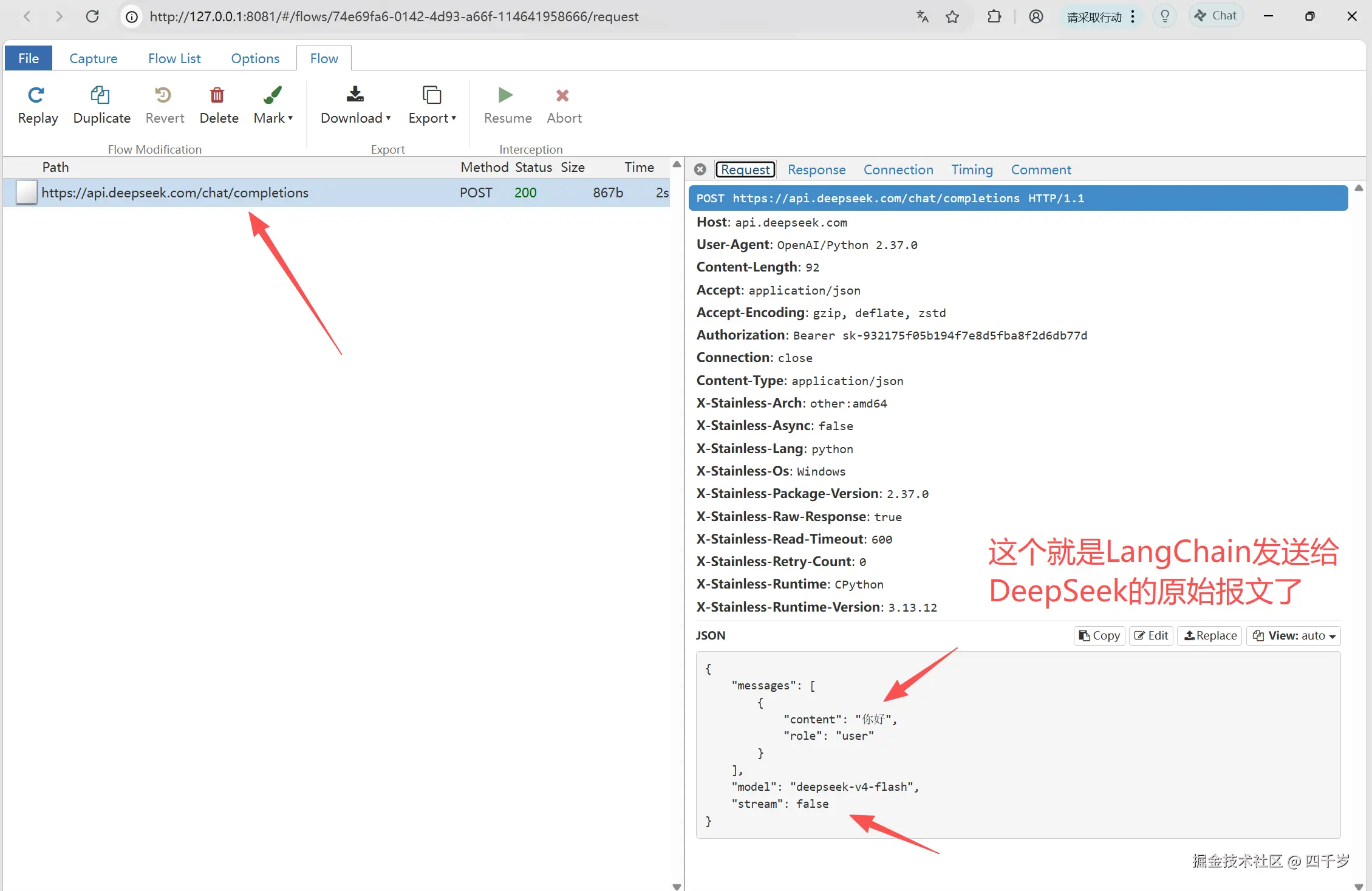
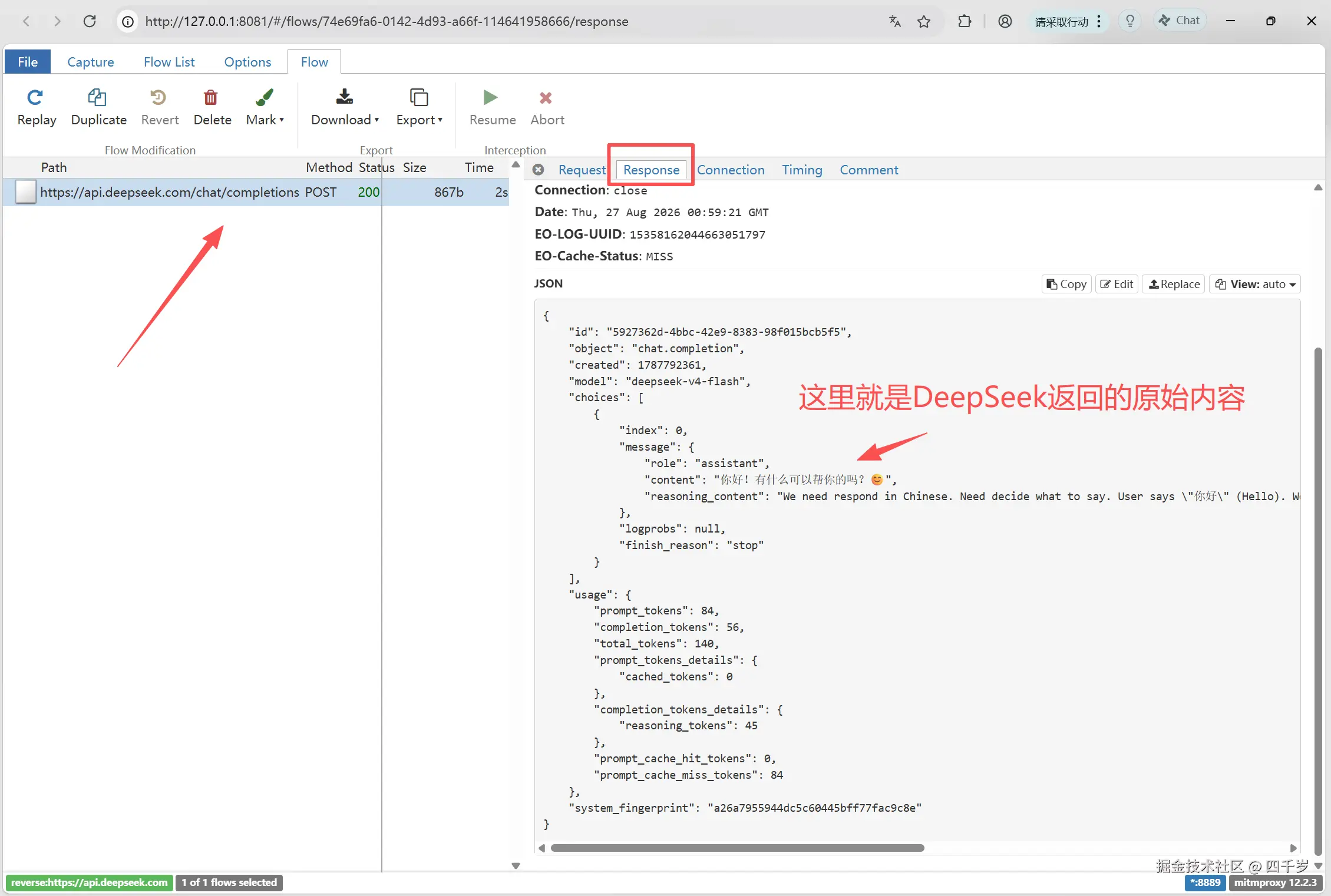
当我们通过LangChain框架的init_chat_model或ChatDeepSeek调用大模型的时候,由于LangChain把细节都封装起来了,我们看不到LangChain是怎么跟大模型交互的。LangChain发送给大模型的原始报文到底是什么样子的?出问题时,我们还是想要看一下到底是大模型返回的原始内容就不对呢?还是LangChain框架出问题了?
抓包LangChain
本次我们还是使用之前《抓包Codex-查看Codex的提示词是怎么写的》用到的抓包工具mitmproxy进行抓包。不知道怎么使用mitmproxy工具的请参考文章《抓包Codex-查看Codex的提示词是怎么写的》。
执行mitmproxy的mitmweb抓包命令:mitmweb --mode reverse:https://api.deepseek.com -p 8889。
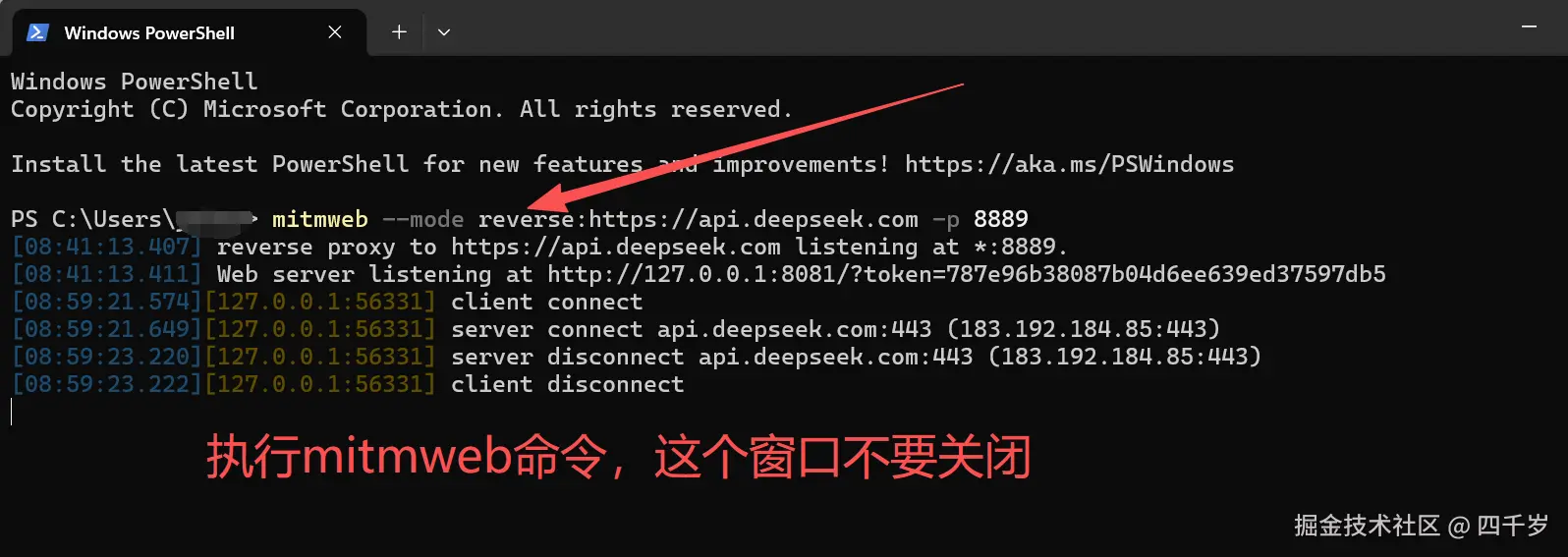
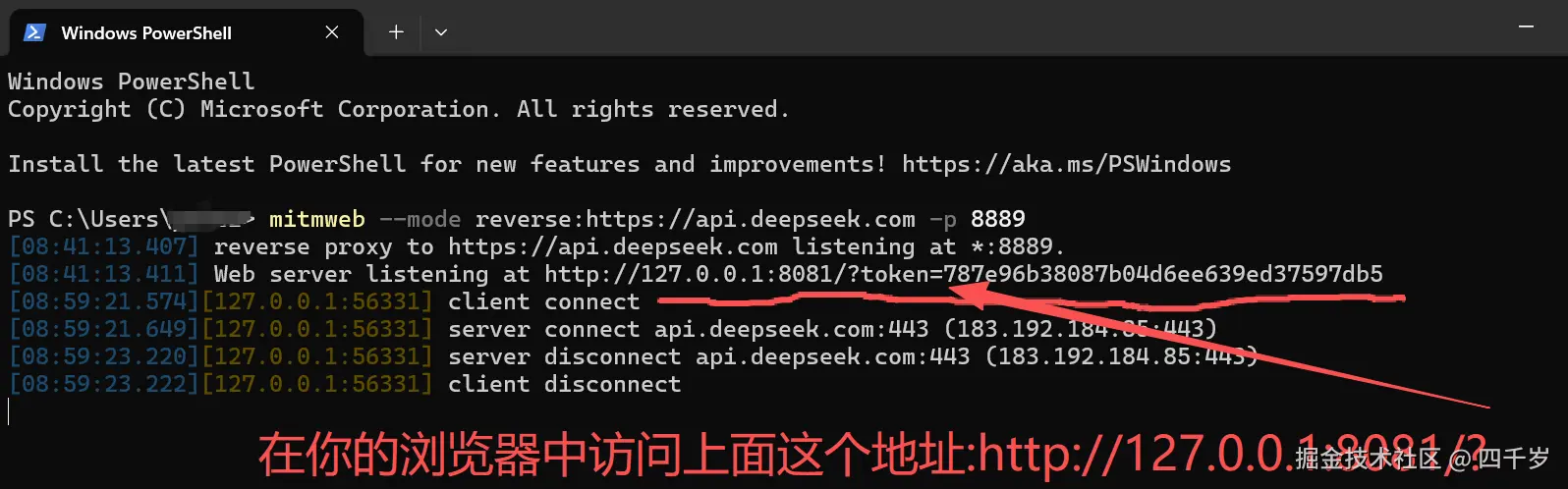
上述命令执行成功之后,在浏览器中访问:http://127.0.0.1:8081/?token=你的token。
安装LangChain依赖,调用DeepSeek大模型必须安装langchain-deepseek这个依赖。
csharp
uv add langchain
uv add langchain-deepseek
uv add python-dotenvLangChain调用大模型代码如下:
注意 :将init_chat_model的api_base或base_url设置为:http://127.0.0.1:8889。
如果你的langchain-deepseek版本小于1.1.0版本,init_chat_model的参数名字必须是api_base。
如果你的langchain-deepseek版本大于等于1.1.0版本,init_chat_model的参数是api_base或base_url都可以。
ini
from langchain.chat_models import init_chat_model
from langchain.messages import AIMessage
from dotenv import load_dotenv

# 加载.env文件中的环境变量
load_dotenv()

# init_chat_model 会自动从环境变量中读取DEEPSEEK_API_KEY这个环境变量
# 使用deepseek大模型,必须安装langchain-deepseek这个依赖包
model = init_chat_model(
	model="deepseek-v4-flash",
	model_provider="deepseek",
	api_base="http://127.0.0.1:8889"
)

response = model.invoke("你好")
print(response) # response是AIMessage
print("response的类型为:", isinstance(response, AIMessage))右键运行上面的代码,然后就能在浏览器中看到LangChain发送给DeepSeek的原始报文以及DeepSeek的原始响应内容了。
LangChain结构化输出的原理
结构化输出就是让大模型按照固定格式输出,比如要求大模型的回答必须是一个JSON字符串或者必须是一个XML字符串。这样方便我们将将大模型的输出转换为代码中的对象。
结构化输出的代码如下:
python
from langchain.chat_models import init_chat_model
from langchain.messages import AIMessage
from dotenv import load_dotenv
from pydantic import BaseModel, Field

# 加载.env文件中的环境变量
load_dotenv()

class Movie(BaseModel):
    """电影的详细信息"""
    title: str = Field(description="电影的名字")
    year: int = Field(description="电影的上映日期")
    director: str = Field(description="电影的导演名字")
    rating: float = Field(description="电影的豆瓣评分")

# init_chat_model 会自动从环境变量中读取DEEPSEEK_API_KEY这个环境变量
# 使用deepseek大模型,必须安装langchain-deepseek这个依赖包
model = init_chat_model(
	model="deepseek-v4-flash",
	model_provider="deepseek",
	api_base="http://127.0.0.1:8889"
)

model_with_structured_output = model.with_structured_output(Movie)

response = model_with_structured_output.invoke("请提供《我不是药神》这部电影的详细信息")

print(response) # response是AIMessage
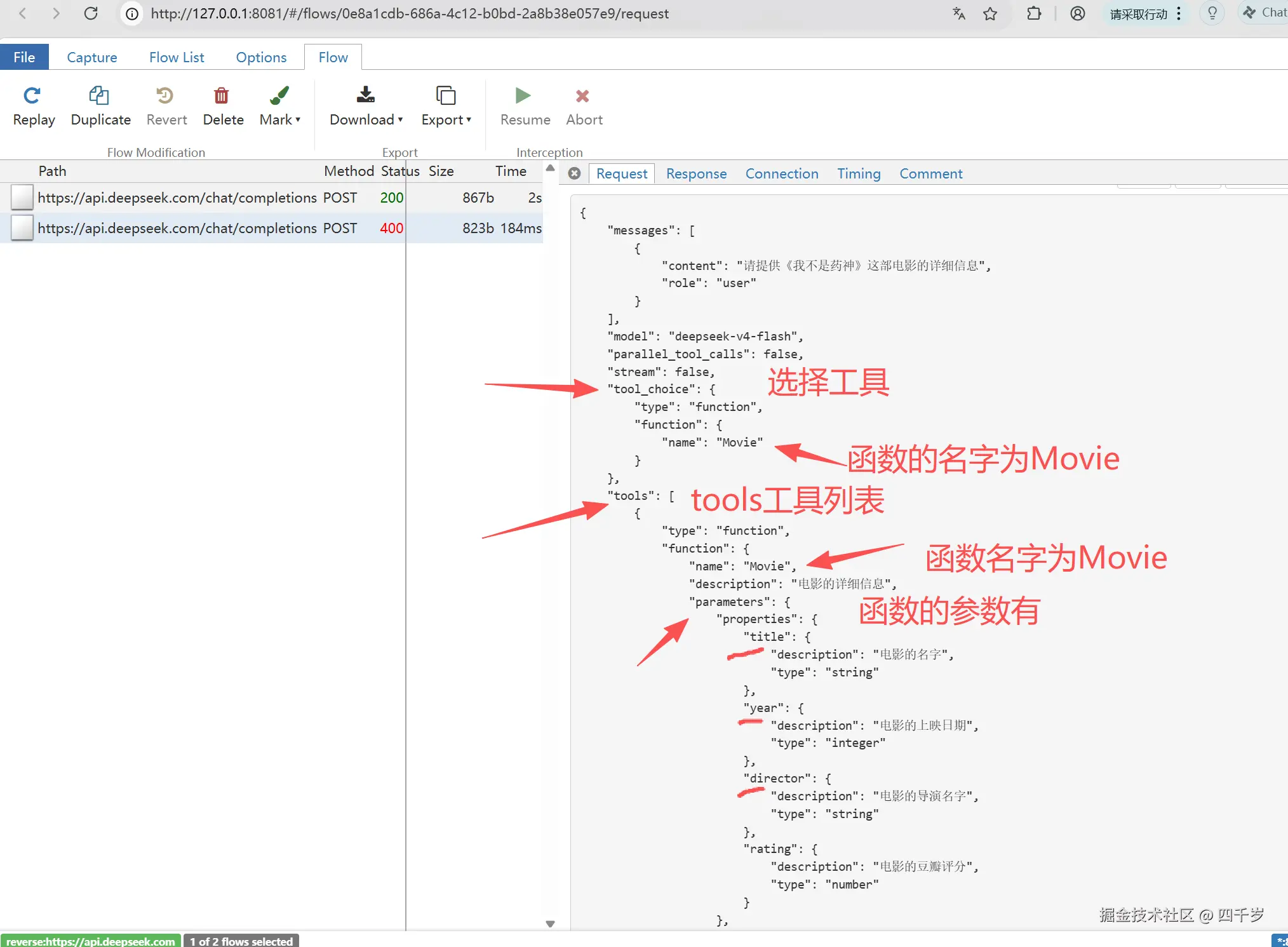
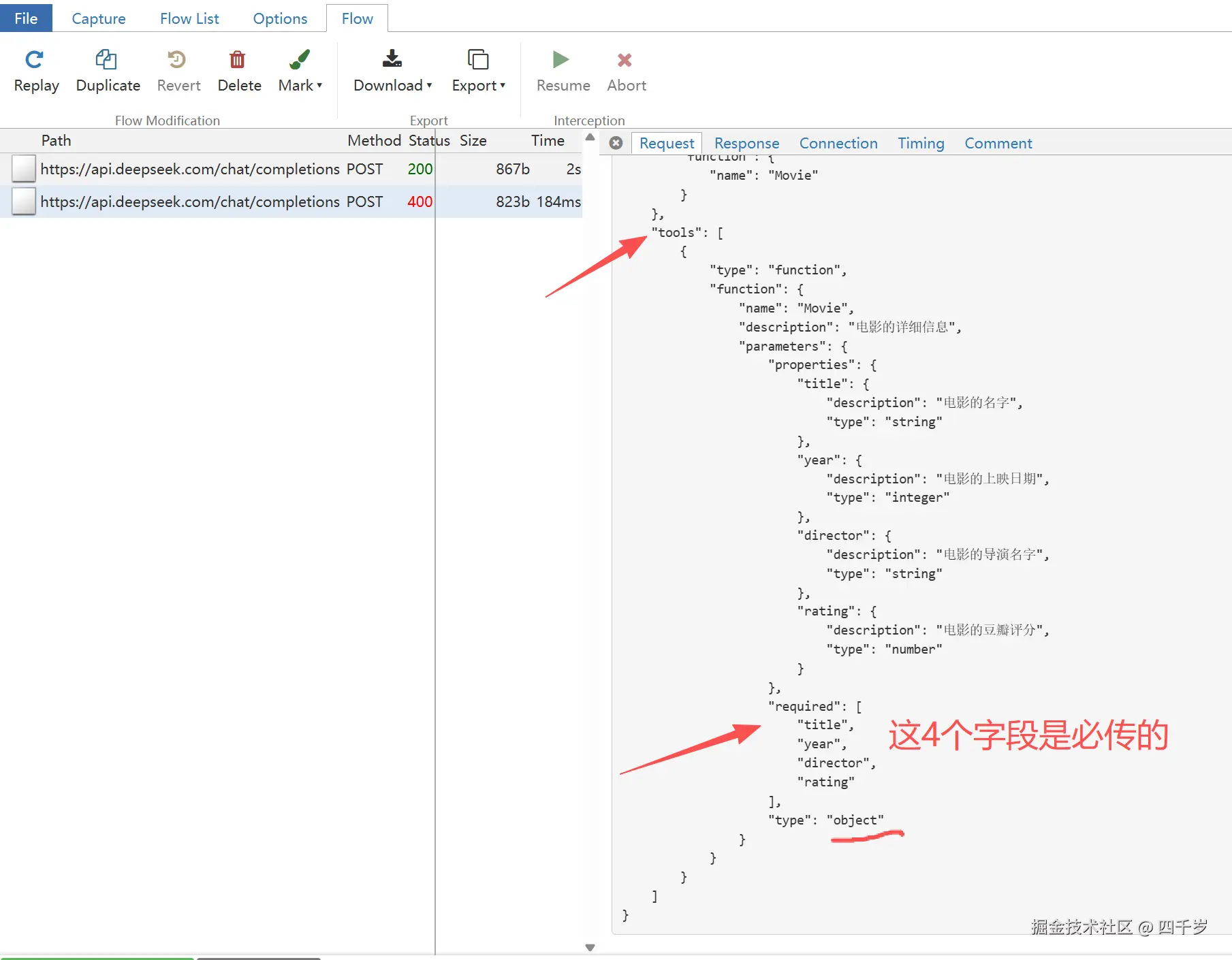
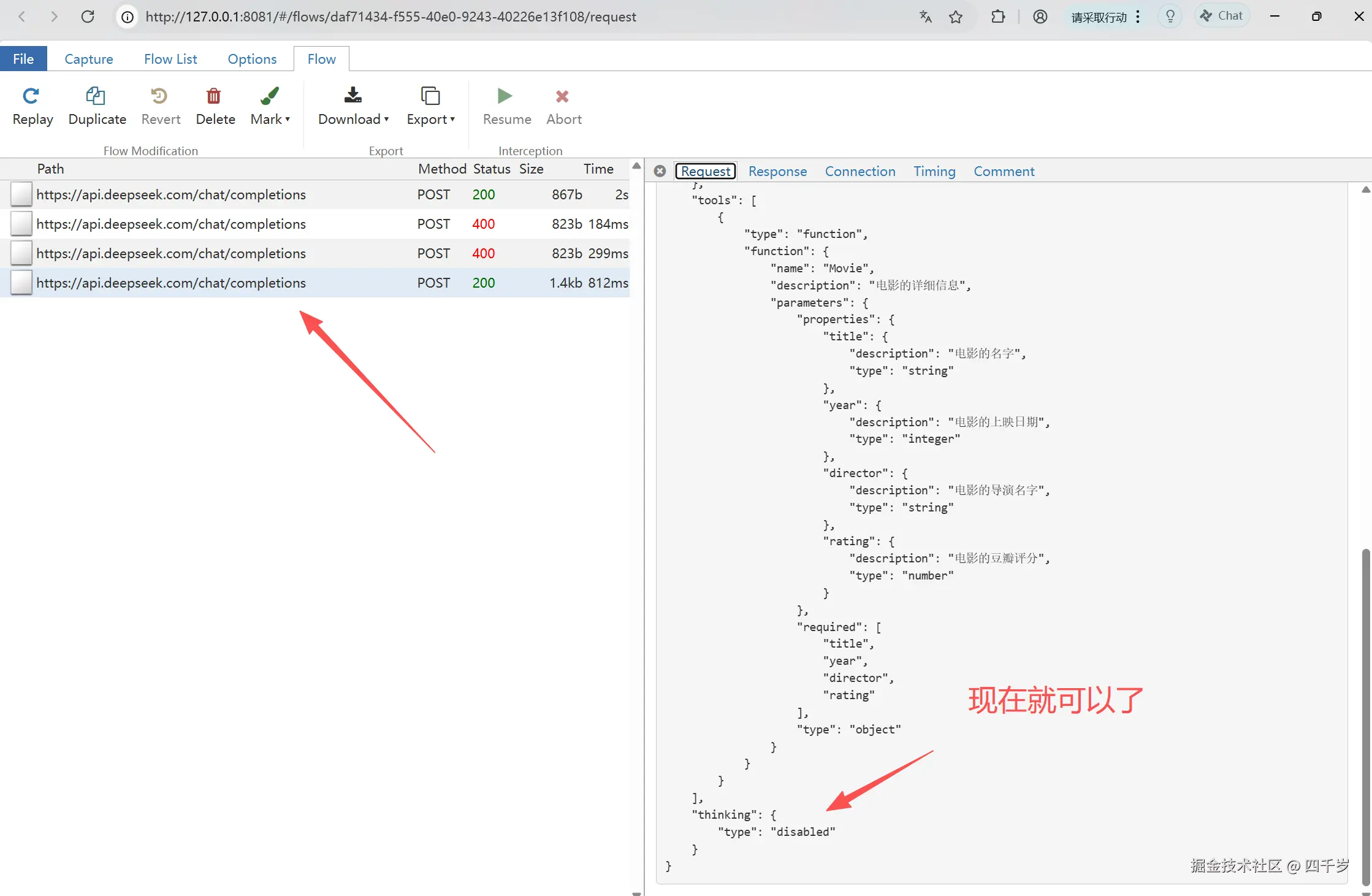
print("response的类型为:", isinstance(response, AIMessage))LangChain的结构化输出,实际上是通过大模型的tools和tool_choice工具调用实现的。我们看LangChain发送给DeepSeek大模型的请求报文就知道了。
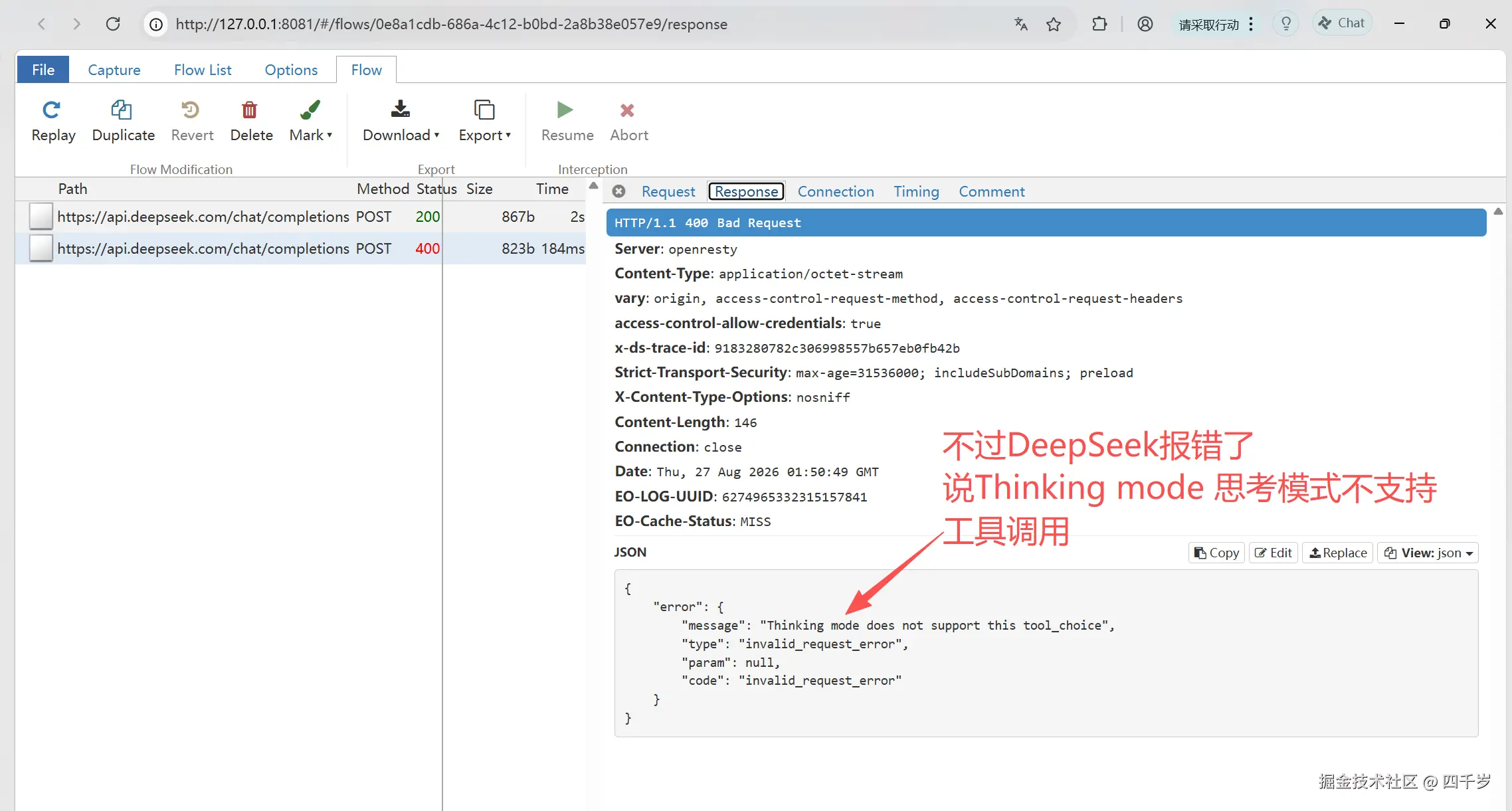
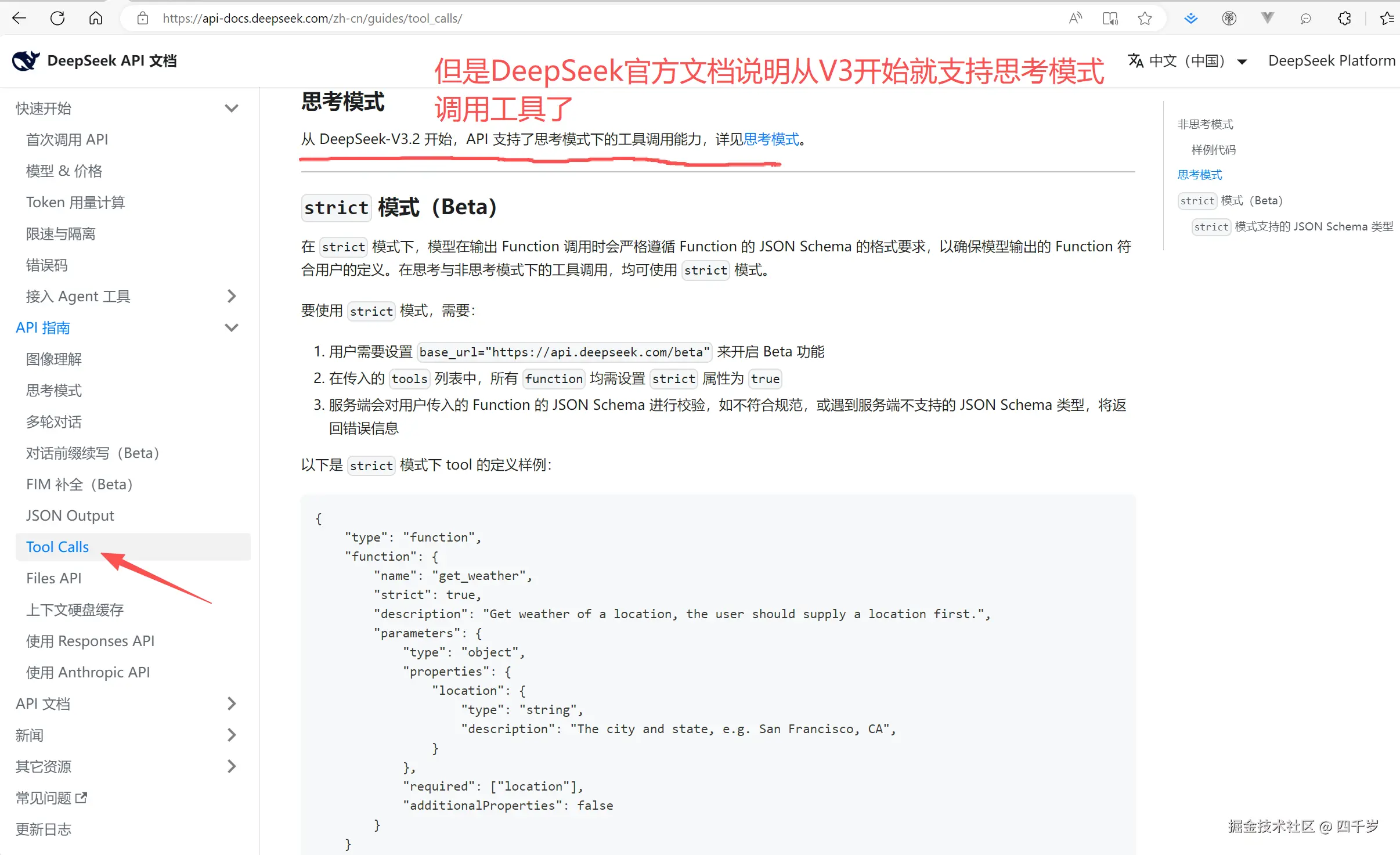
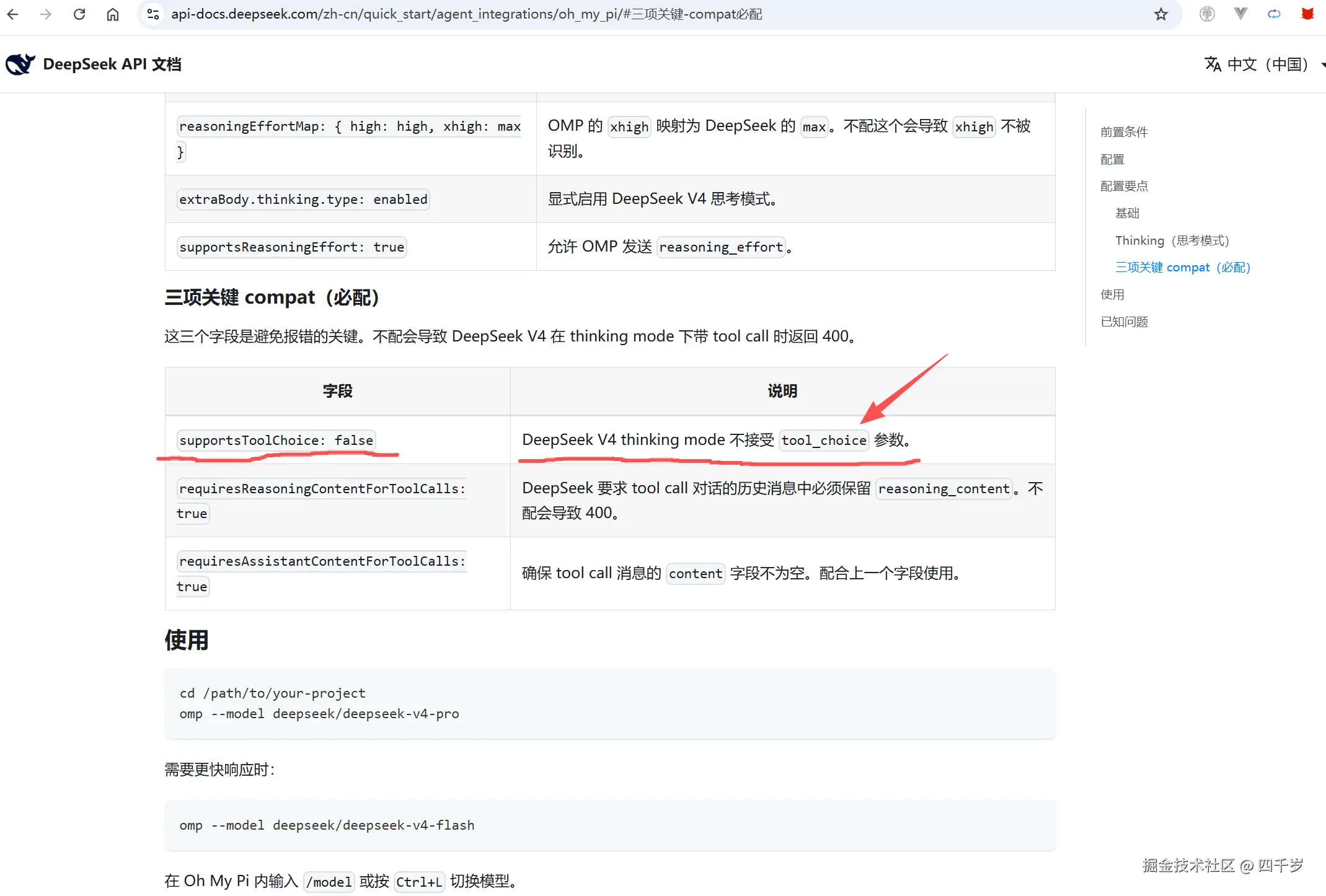
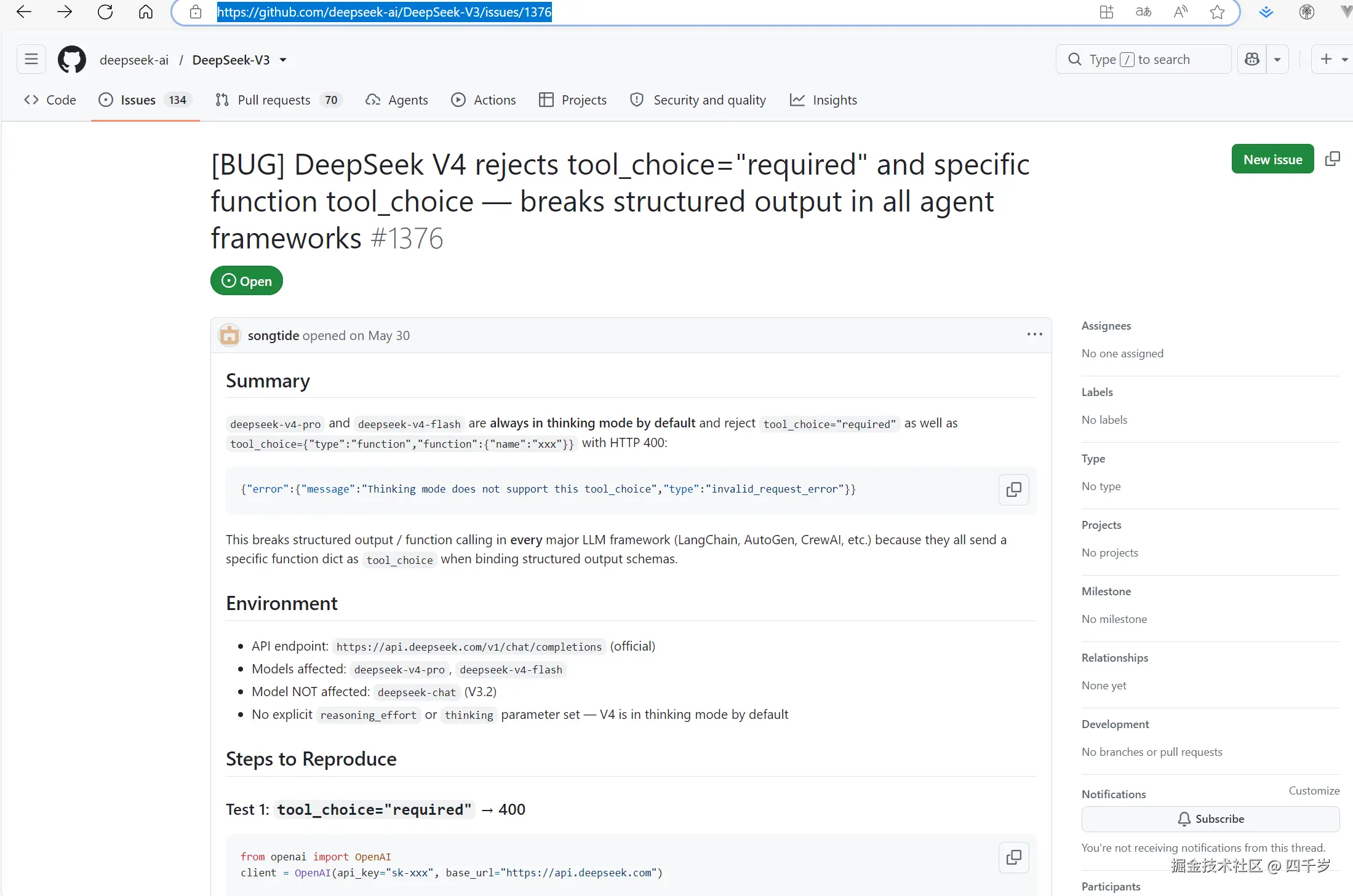
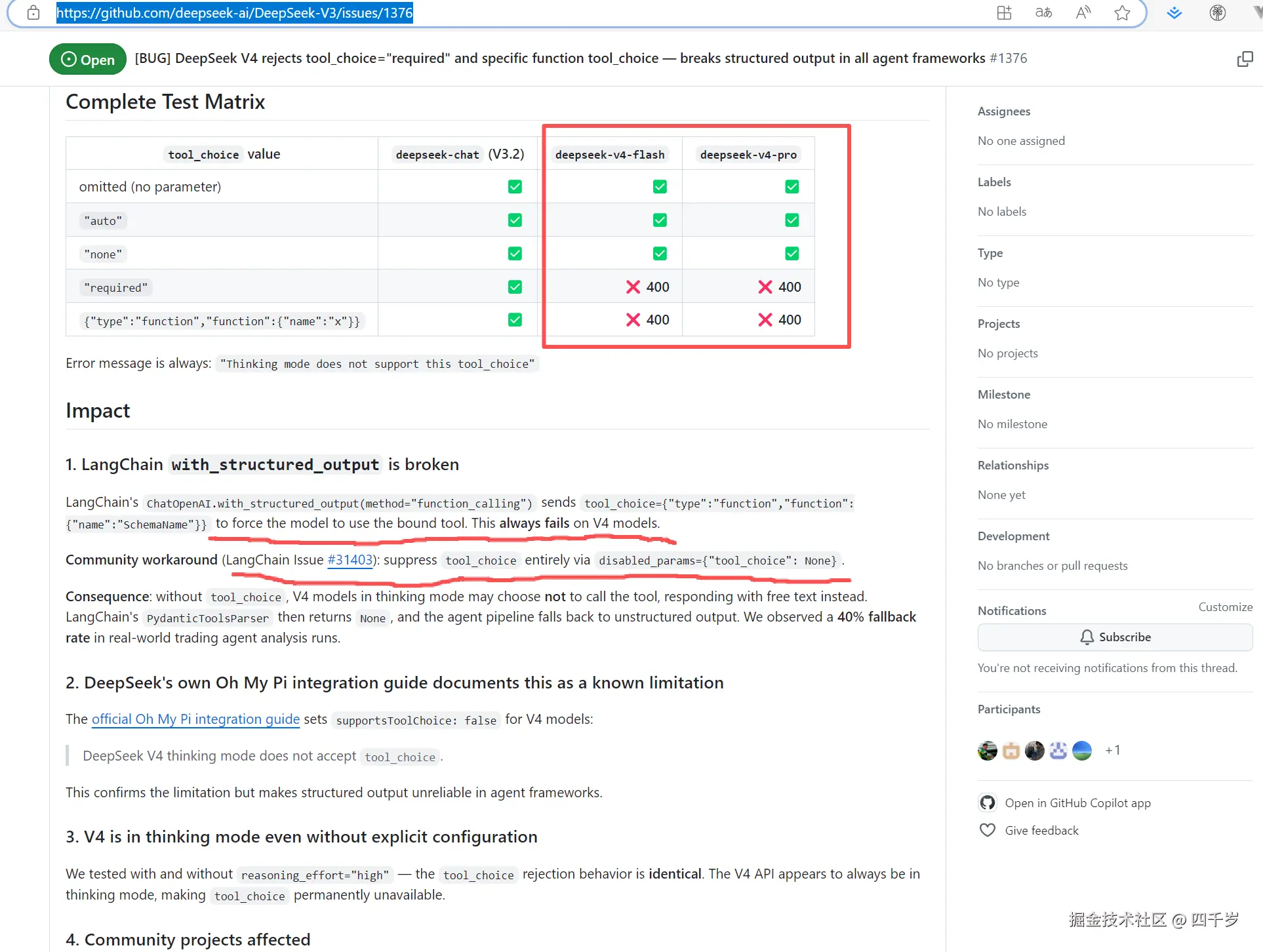
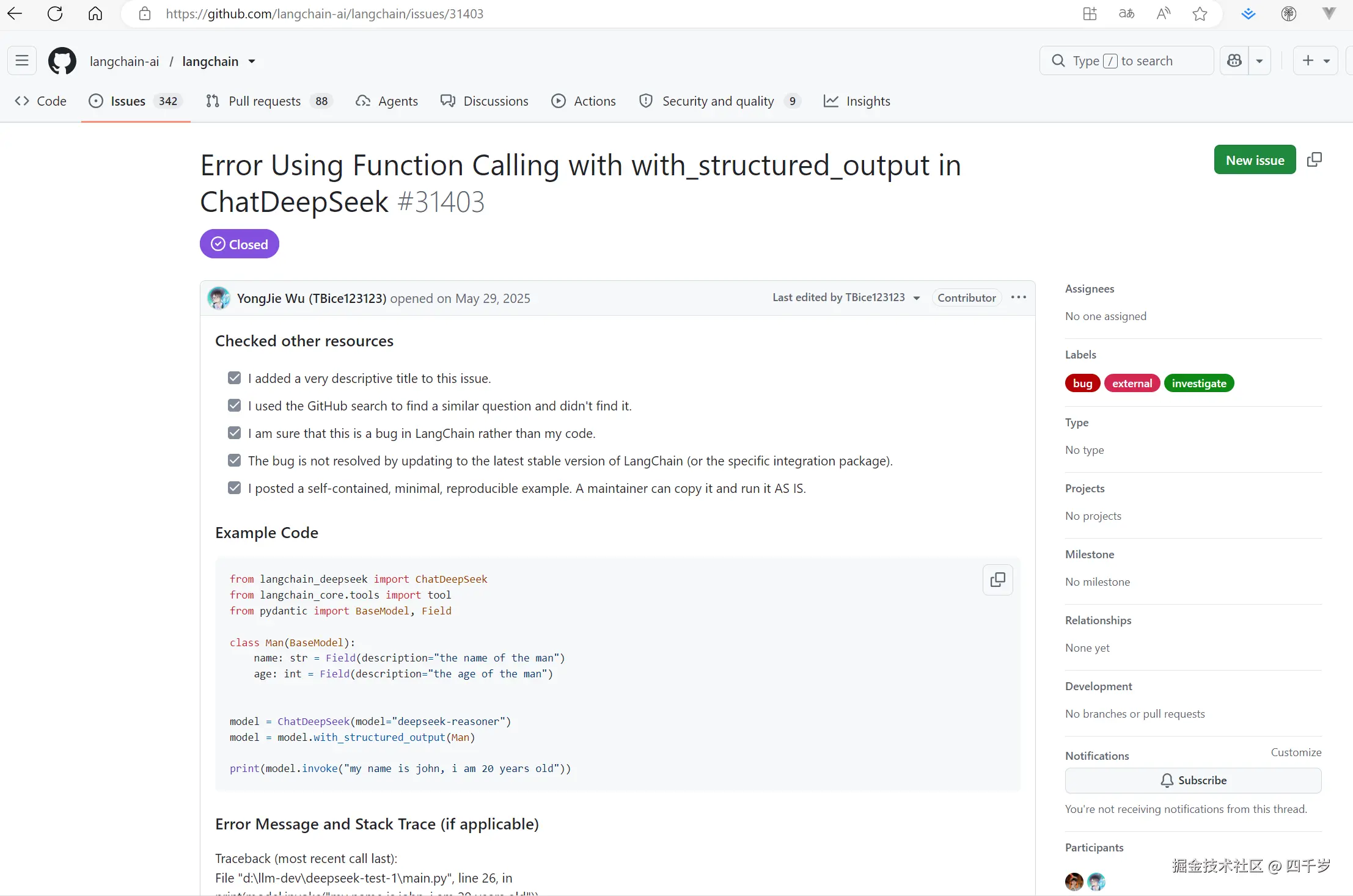
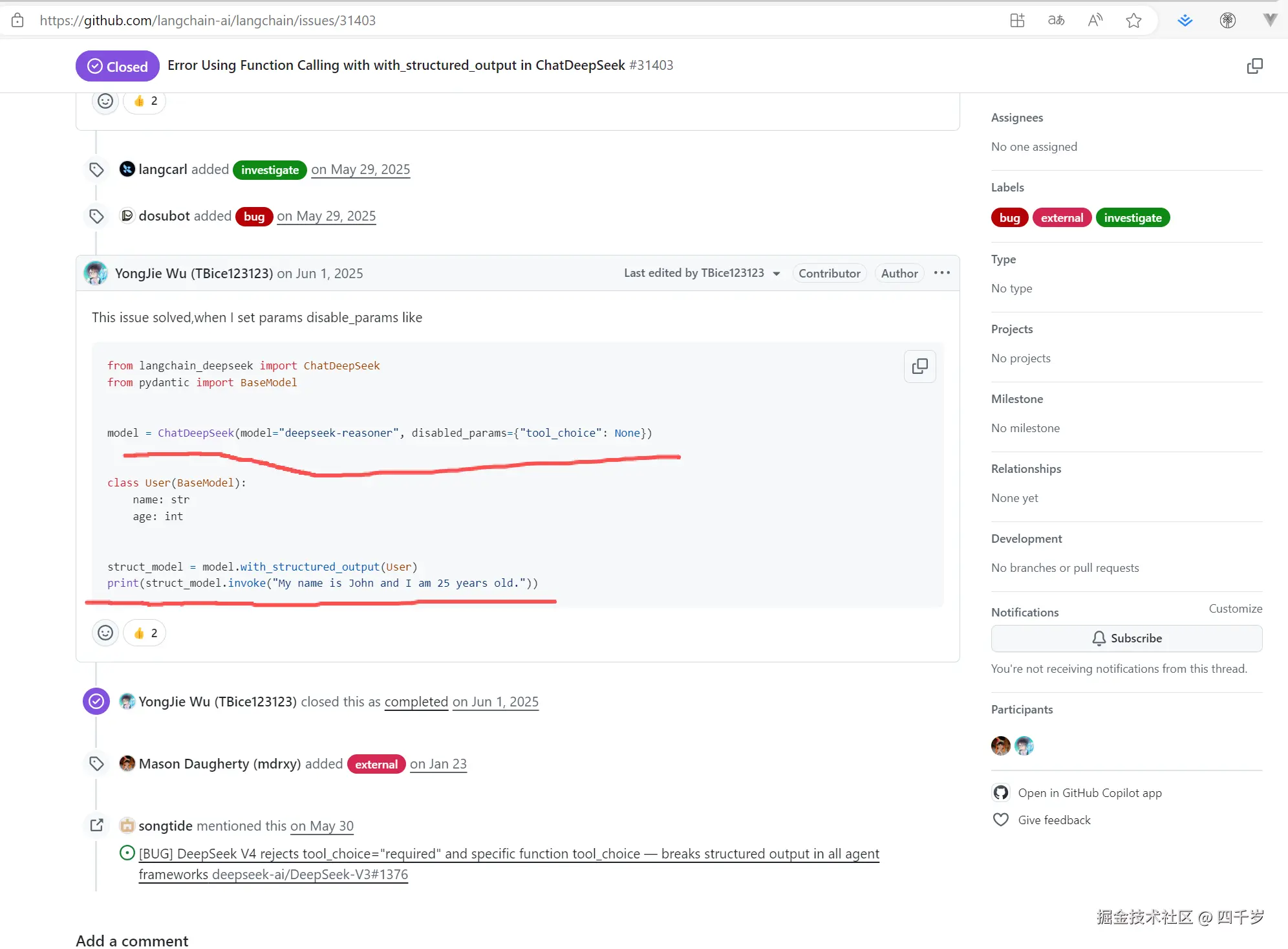
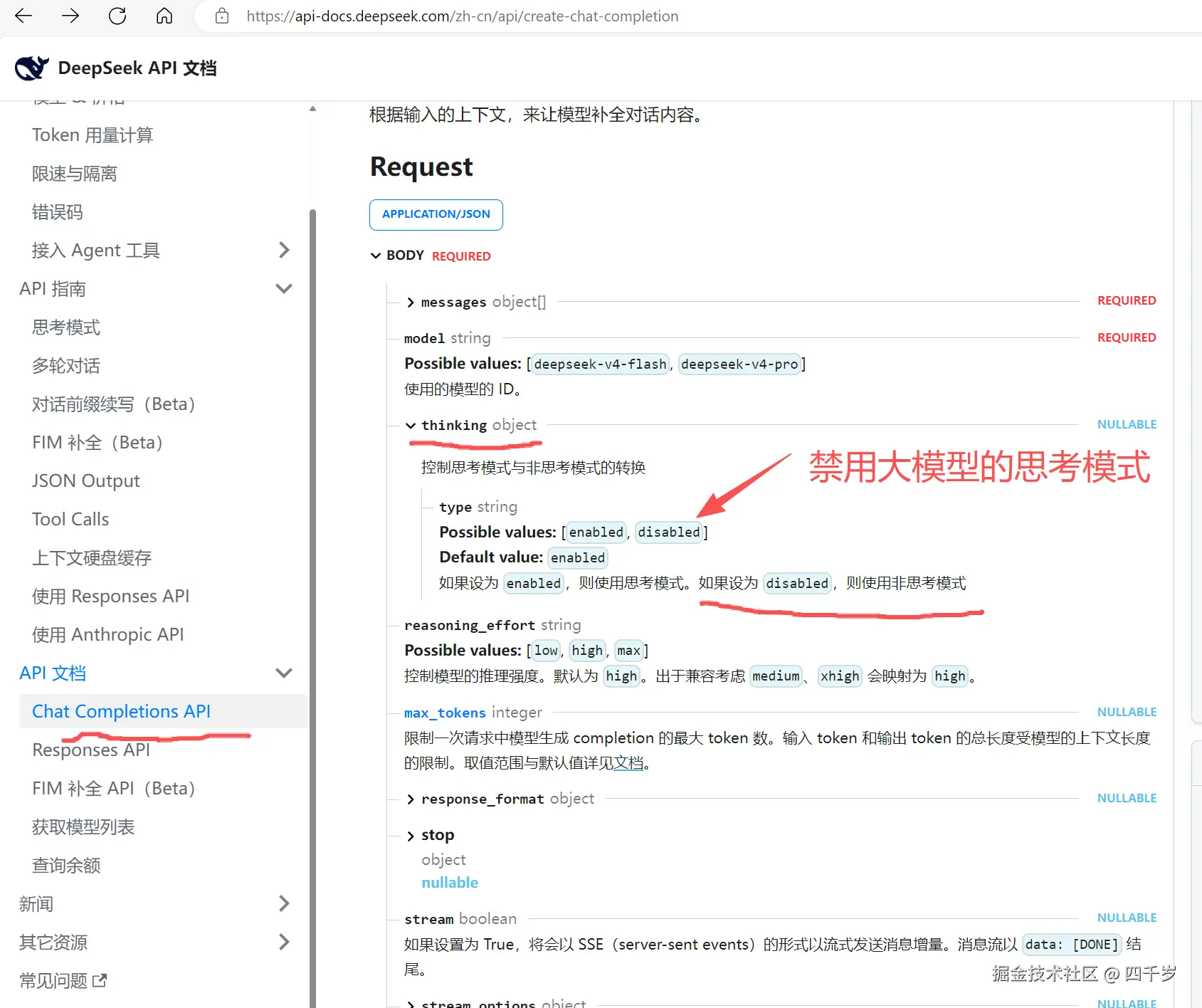
解决办法:将DeepSeek的思考模式thinking设置为disabled。
Python
from langchain.chat_models import init_chat_model
from dotenv import load_dotenv
from pydantic import BaseModel, Field

# 加载.env文件中的环境变量
load_dotenv()

class Movie(BaseModel):
    """电影的详细信息"""
    title: str = Field(description="电影的名字")
    year: int = Field(description="电影的上映日期")
    director: str = Field(description="电影的导演名字")
    rating: float = Field(description="电影的豆瓣评分")

# init_chat_model 会自动从环境变量中读取DEEPSEEK_API_KEY这个环境变量
# 使用deepseek大模型,必须安装langchain-deepseek这个依赖包
model = init_chat_model(
	model="deepseek-v4-flash",
	model_provider="deepseek",
	extra_body={"thinking": {"type": "disabled"}},                                     api_base="http://127.0.0.1:8889"
)

model_with_structured_output = model.with_structured_output(Movie)

response = model_with_structured_output.invoke("请提供《我不是药神》这部电影的详细信息")

print(response) # response是Movie
print("response的类型为:", isinstance(response, Movie))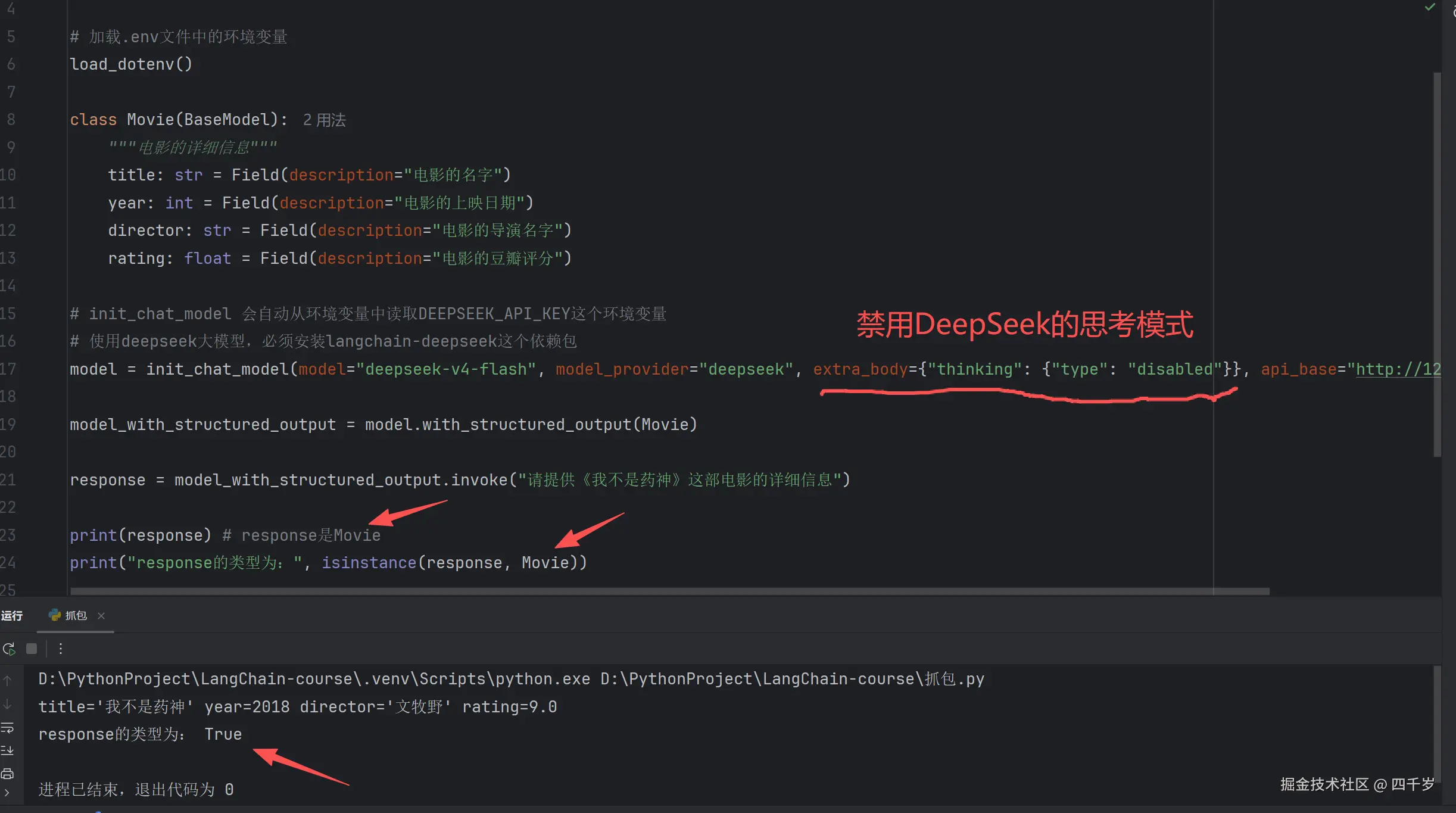
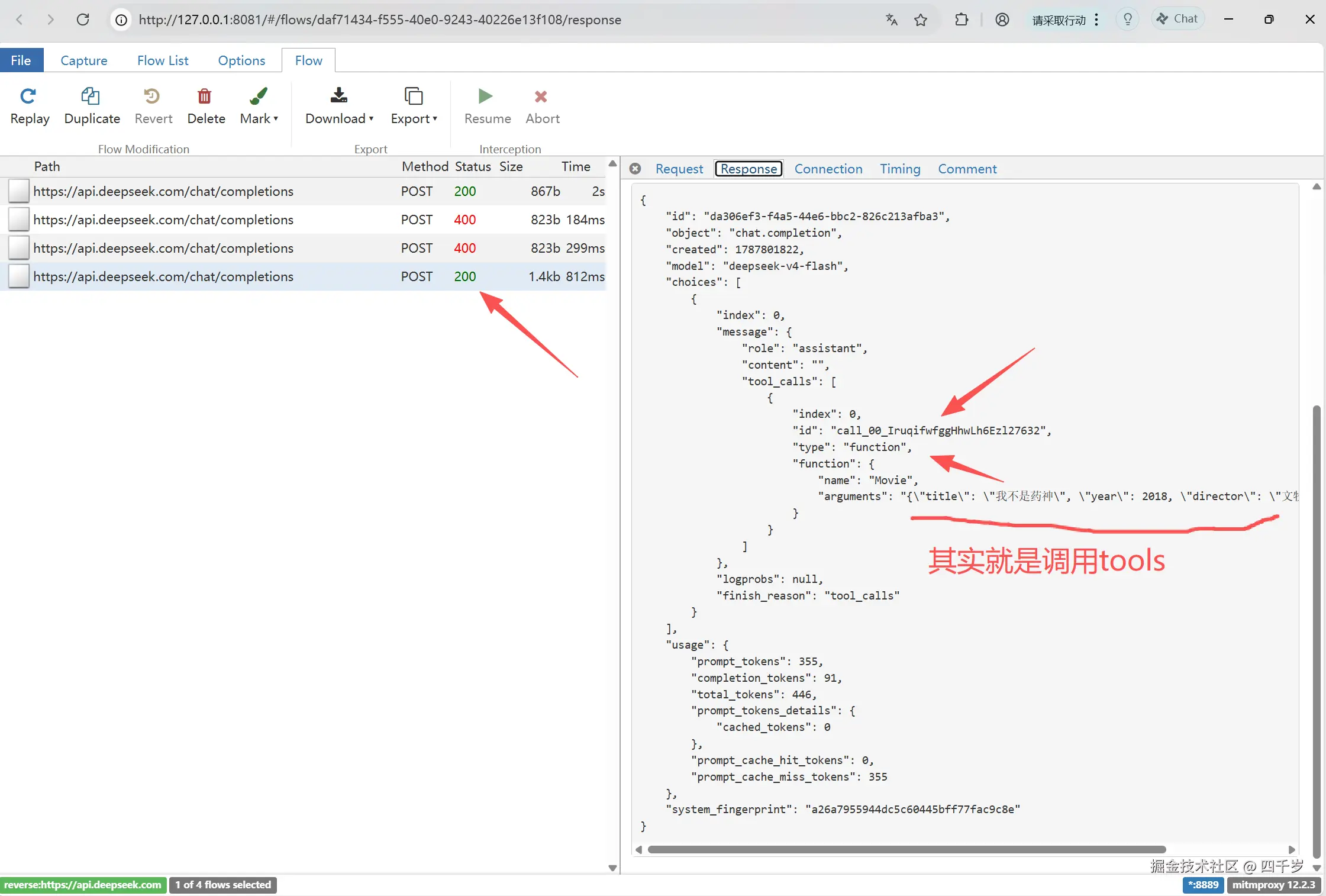
结构化输出时获取大模型返回的原始数据include_raw
python
from langchain.chat_models import init_chat_model
from langchain.messages import AIMessage
from dotenv import load_dotenv
from pydantic import BaseModel, Field

# 加载.env文件中的环境变量
load_dotenv()

class Movie(BaseModel):
    """电影的详细信息"""
    title: str = Field(description="电影的名字")
    year: int = Field(description="电影的上映日期")
    director: str = Field(description="电影的导演名字")
    rating: float = Field(description="电影的豆瓣评分")

# init_chat_model 会自动从环境变量中读取DEEPSEEK_API_KEY这个环境变量
# 使用deepseek大模型,必须安装langchain-deepseek这个依赖包
model = init_chat_model(
	model="deepseek-v4-flash",
	model_provider="deepseek",
	extra_body={"thinking": {"type": "disabled"}},
	api_base="http://127.0.0.1:8889"
)

model_with_structured_output = model.with_structured_output(Movie, include_raw=True)

response = model_with_structured_output.invoke("请提供《我不是药神》这部电影的详细信息")

print(response) # response是dict
print(type(response))
print("response的类型为:", isinstance(response, AIMessage))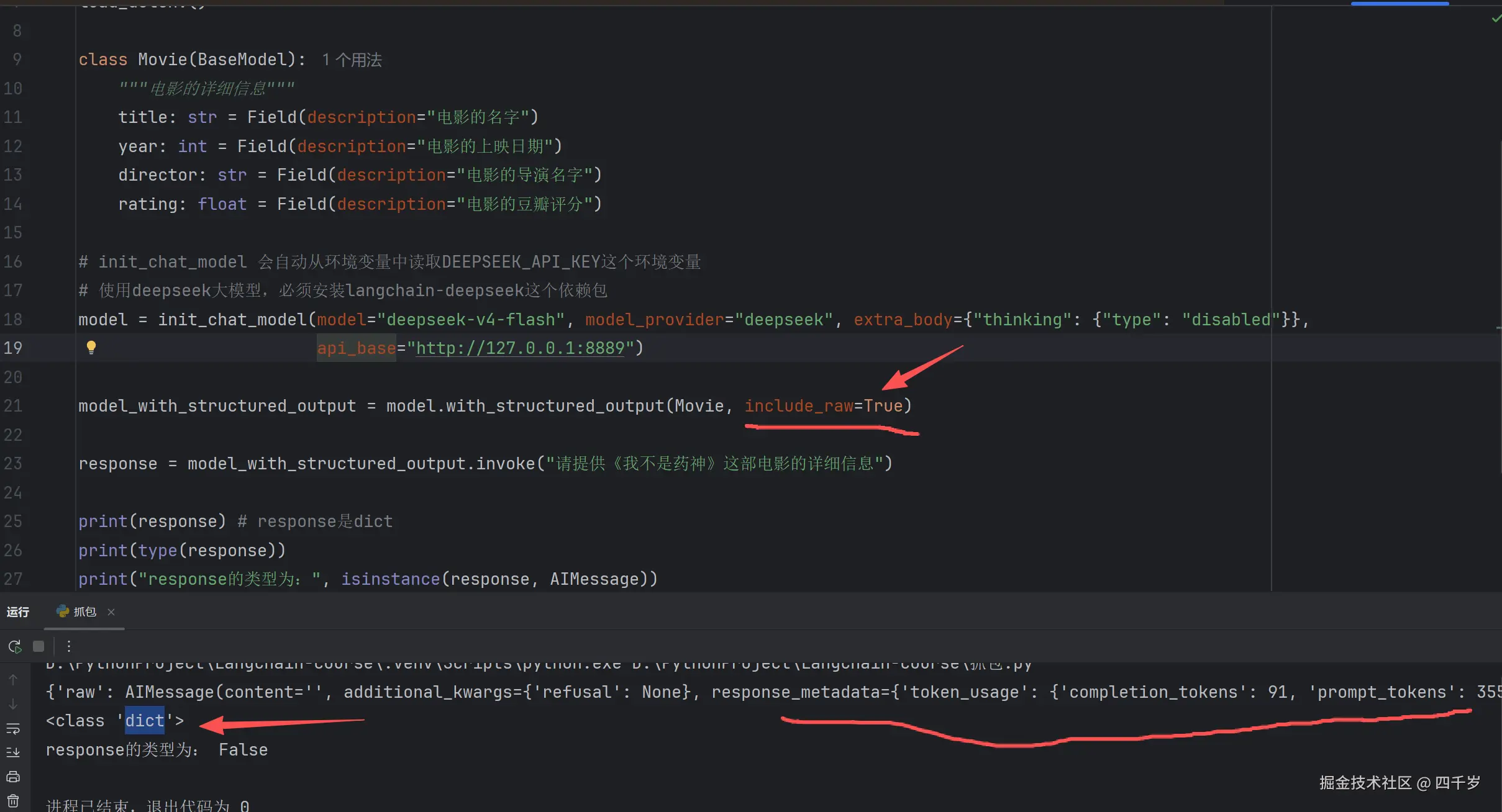
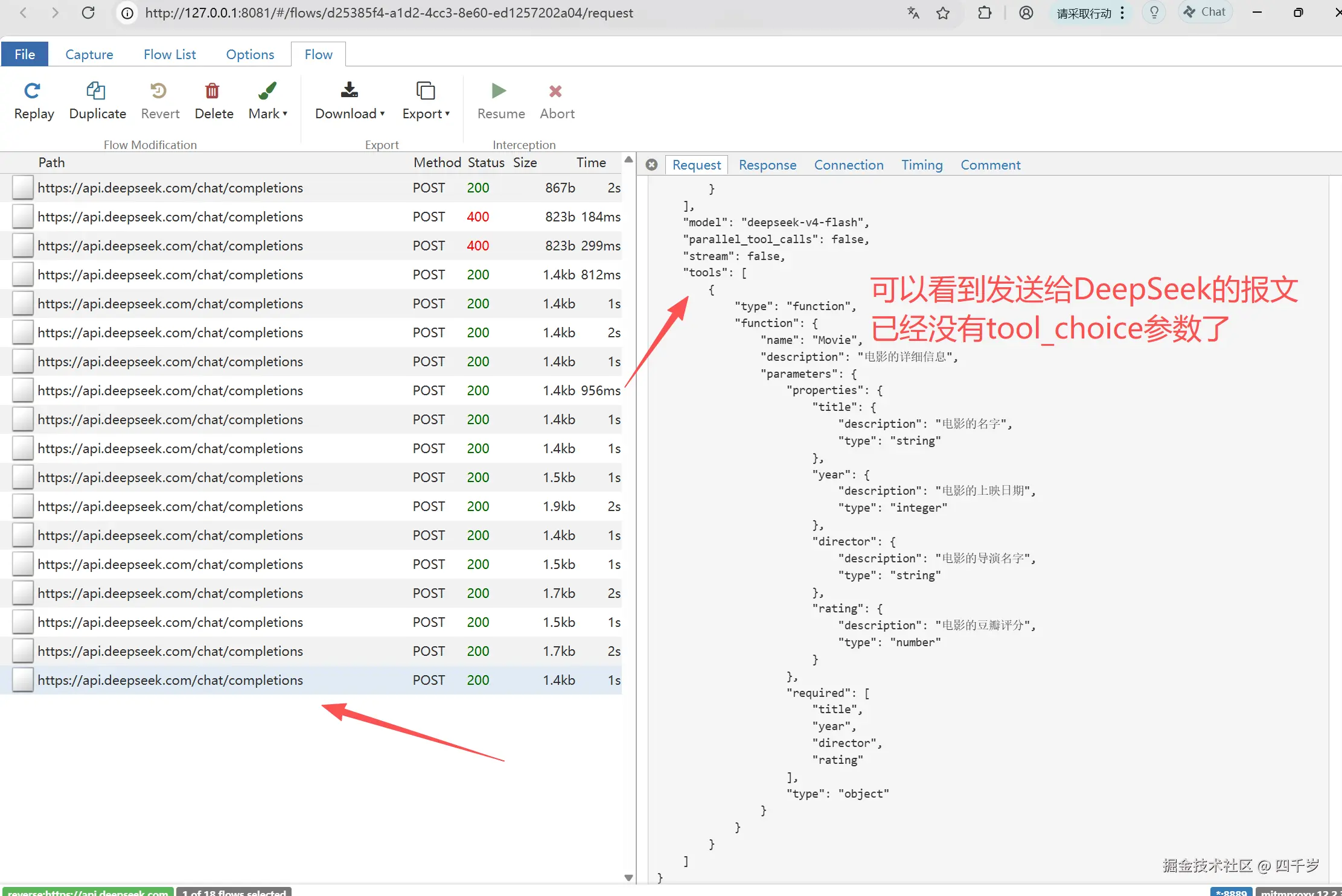
或者继续使用DeepSeek的思考模式,但是通过LangChain的disabled_params参数,禁用DeepSeek的tool_choice参数。注意,我们禁用的是tool_choice参数,不是禁用tools参数。DeepSeek的Function Calling功能还在的,DeepSeek还是会调用工具的。
Python
from langchain.chat_models import init_chat_model
from langchain.messages import AIMessage
from dotenv import load_dotenv
from pydantic import BaseModel, Field

# 加载.env文件中的环境变量
load_dotenv()

class Movie(BaseModel):
    """电影的详细信息"""
    title: str = Field(description="电影的名字")
    year: int = Field(description="电影的上映日期")
    director: str = Field(description="电影的导演名字")
    rating: float = Field(description="电影的豆瓣评分")

# init_chat_model 会自动从环境变量中读取DEEPSEEK_API_KEY这个环境变量
# 使用deepseek大模型,必须安装langchain-deepseek这个依赖包
model = init_chat_model(
		model="deepseek-v4-flash",
		model_provider="deepseek",
		disabled_params={"tool_choice": None},
        api_base="http://127.0.0.1:8889"
    )

model_with_structured_output = model.with_structured_output(Movie, include_raw=True)

response = model_with_structured_output.invoke("请提供《我不是药神》这部电影的详细信息")

print(response) # response是dict
print("大模型是否正常返回结构化信息,解析是否出错:",response['parsing_error'])
if response['parsed']:
    print("大模型返回正常:",response['parsed']) # Movie
print(type(response))
print("response的类型为:", isinstance(response, AIMessage))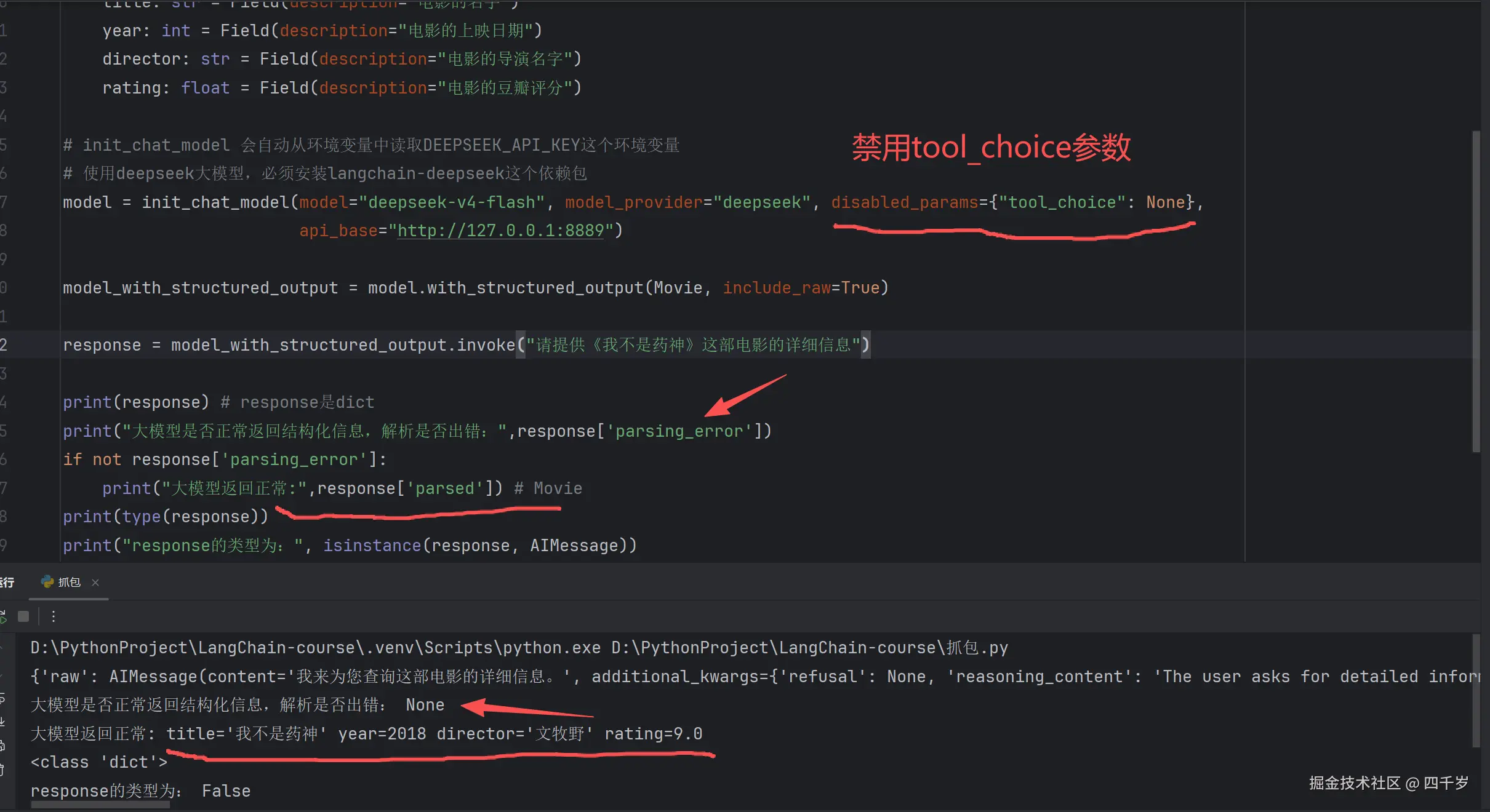
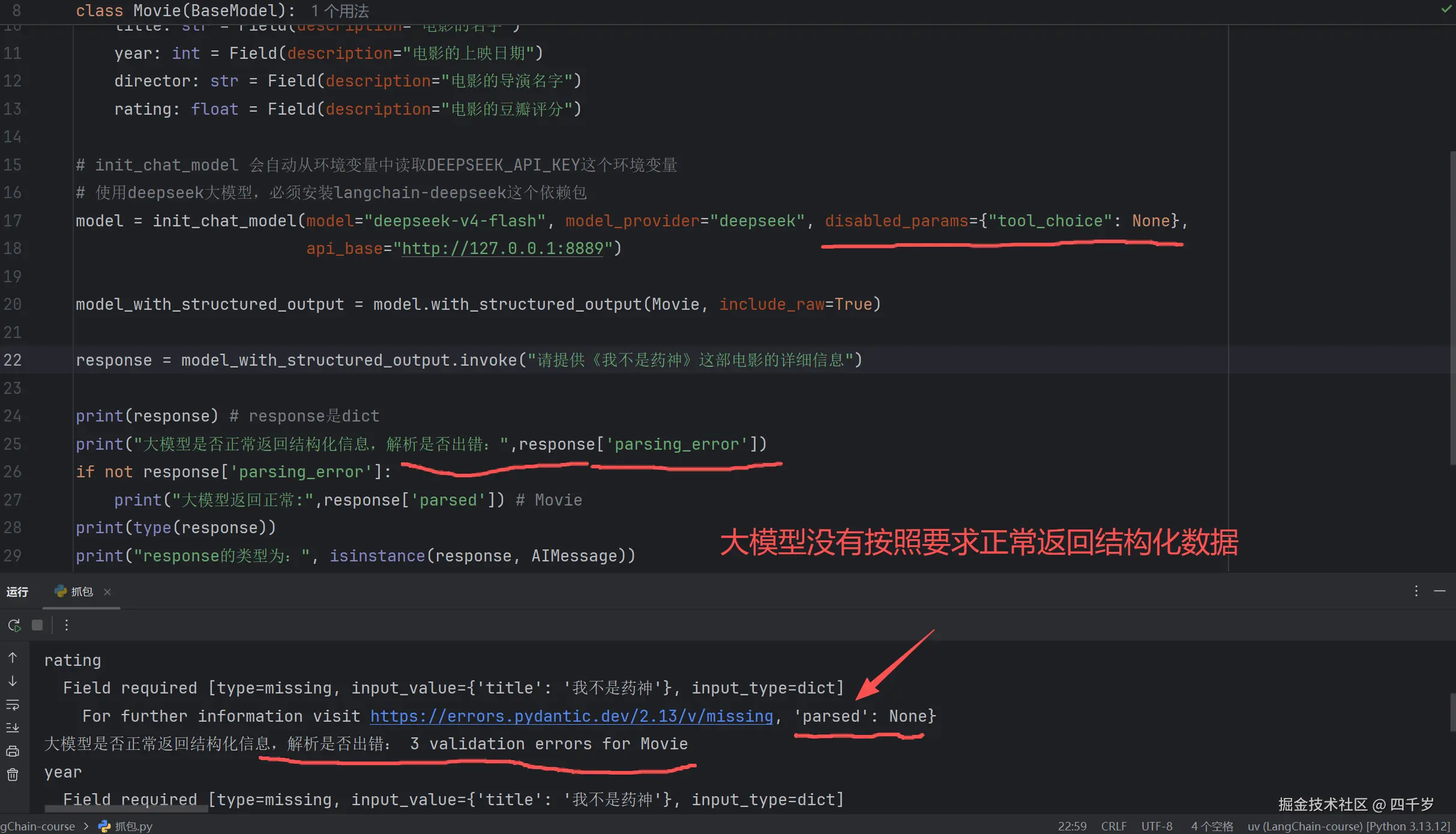
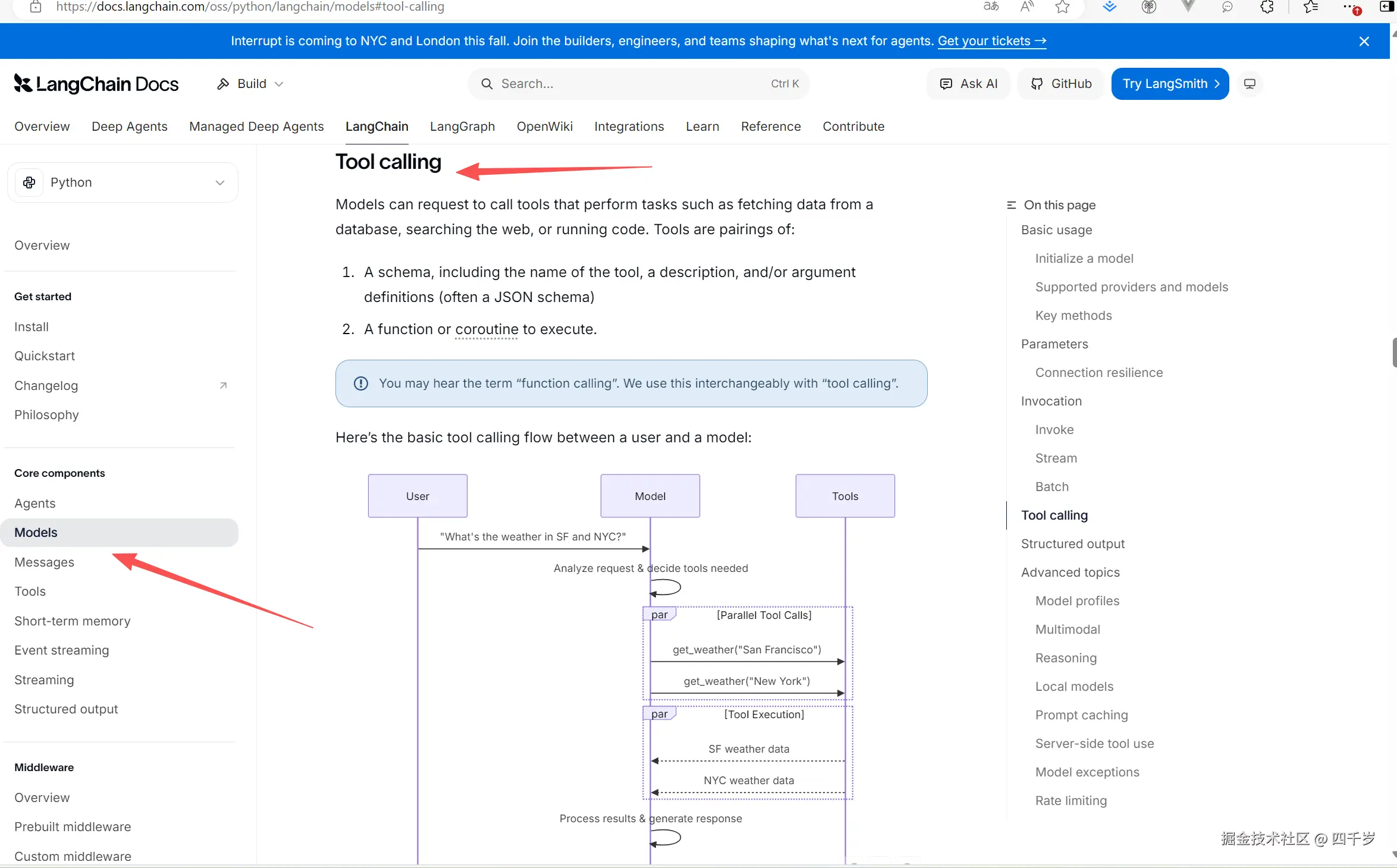
LangChain的Tool calling工具调用原理
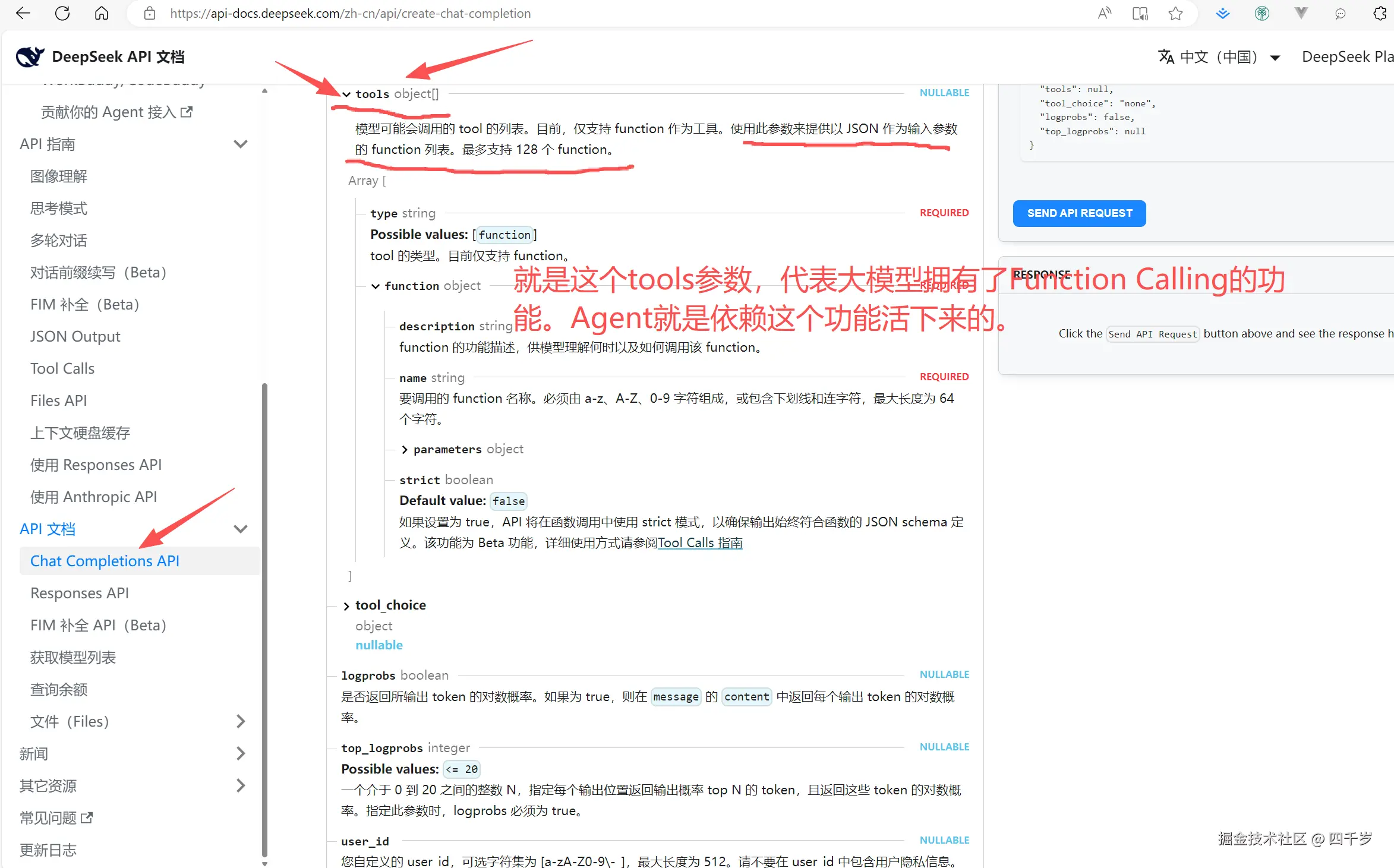
可以这么说,大模型的Function Calling功能是Agent的基石。如果大模型没有Function Calling功能,所有的Agent都得当场瘫痪。
调用工具的代码如下:
python
from langchain.chat_models import init_chat_model
from langchain.messages import AIMessage
from dotenv import load_dotenv
from langchain.tools import tool

# 加载.env文件中的环境变量
load_dotenv()
# 使用@tool装饰器,定义一个工具
@tool
def get_weather(cityname: str) -> str:
    """根据城市名称获取城市的天气信息"""
    return f"{cityname},晴转多云,局部有雨。"

# init_chat_model 会自动从环境变量中读取DEEPSEEK_API_KEY这个环境变量
# 使用deepseek大模型,必须安装langchain-deepseek这个依赖包
model = init_chat_model(
	model="deepseek-v4-flash",
	model_provider="deepseek",
	disabled_params={"tool_choice": None},
    api_base="http://127.0.0.1:8889"
)

# 给大模型绑定工具
model_with_tools = model.bind_tools([get_weather])

messages = [{"role": "user", "content": "请帮我查询深圳的天气信息"}]
ai_msg = model_with_tools.invoke(messages)
messages.append(ai_msg)

# 大模型请求调用工具
for tool_call in ai_msg.tool_calls:
	# 代码帮大模型调用工具,然后将工具的执行结果告诉大模型
    tool_result = get_weather.invoke(tool_call)
    messages.append(tool_result)

# 大模型根据工具的执行结果,回答用户信息
final_response = model_with_tools.invoke(messages)
print(final_response.text)
print("response的类型为:", isinstance(final_response, AIMessage))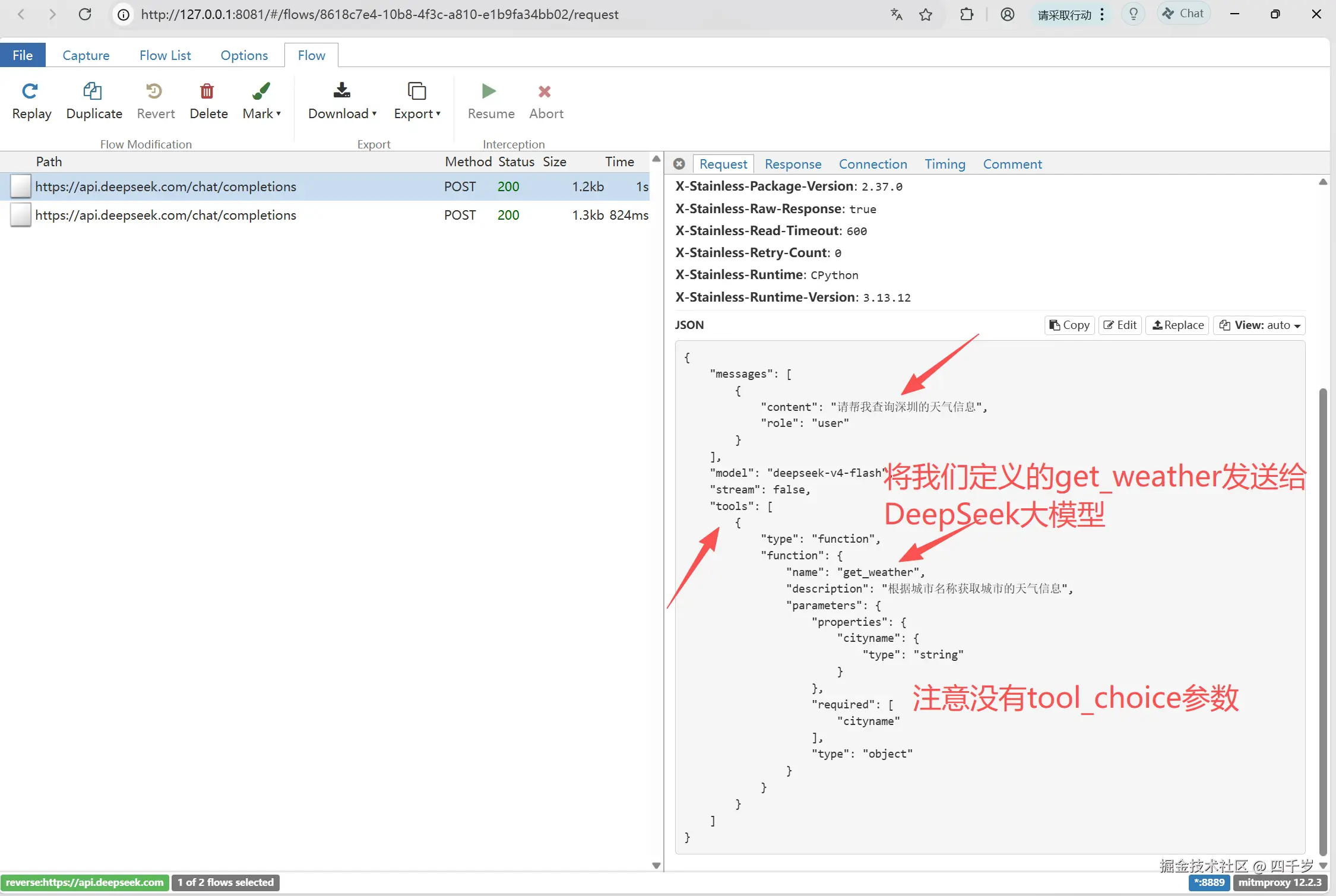
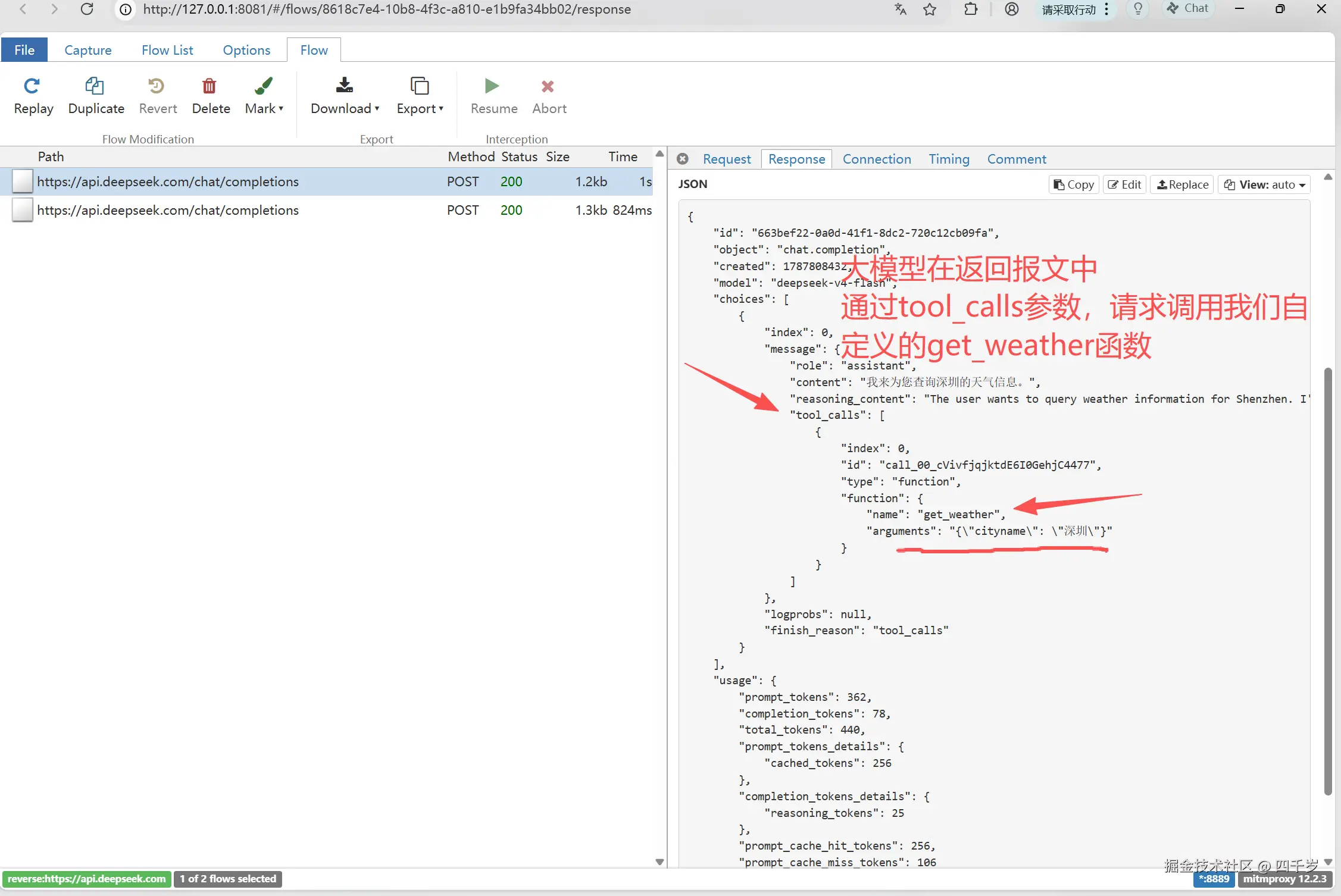
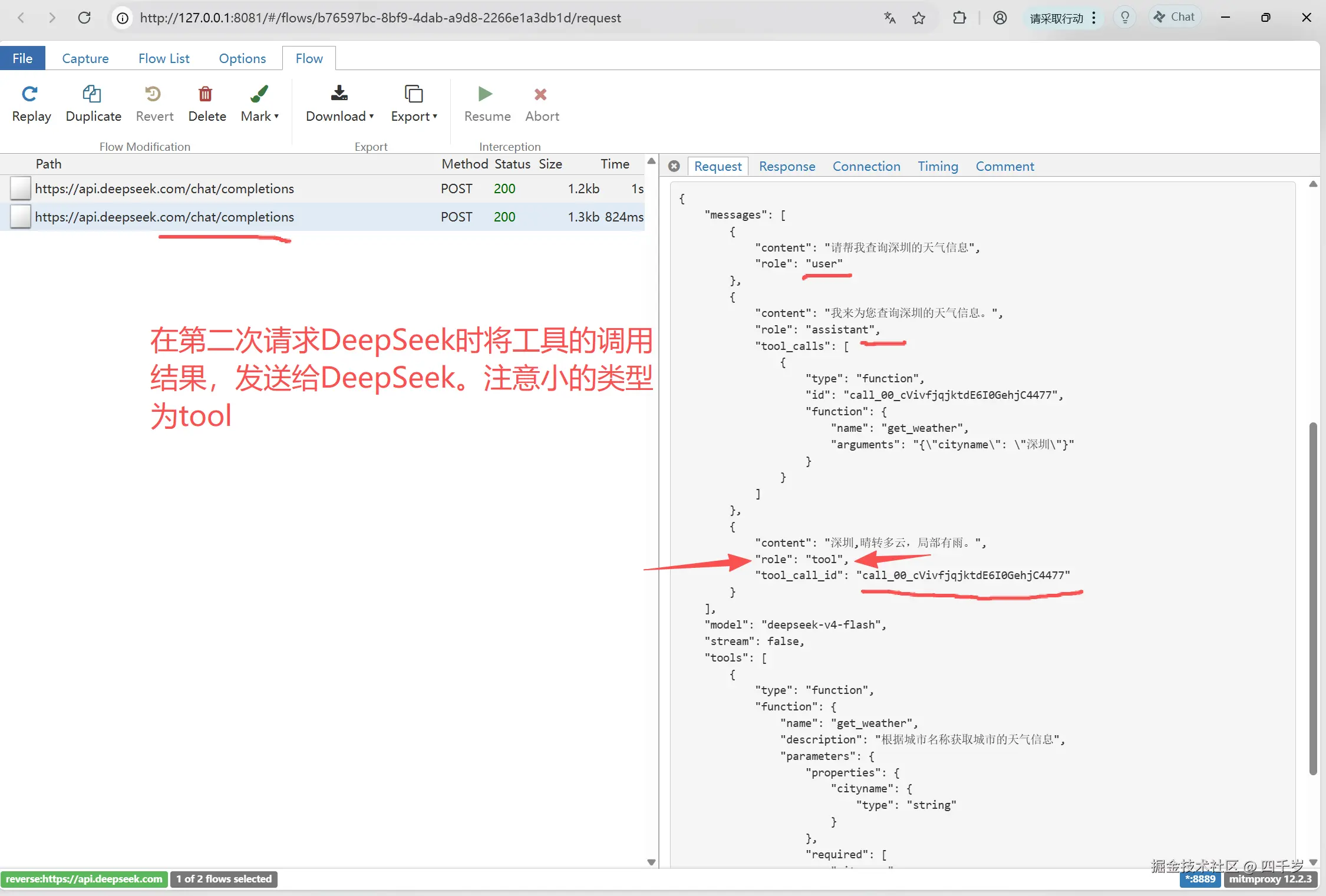
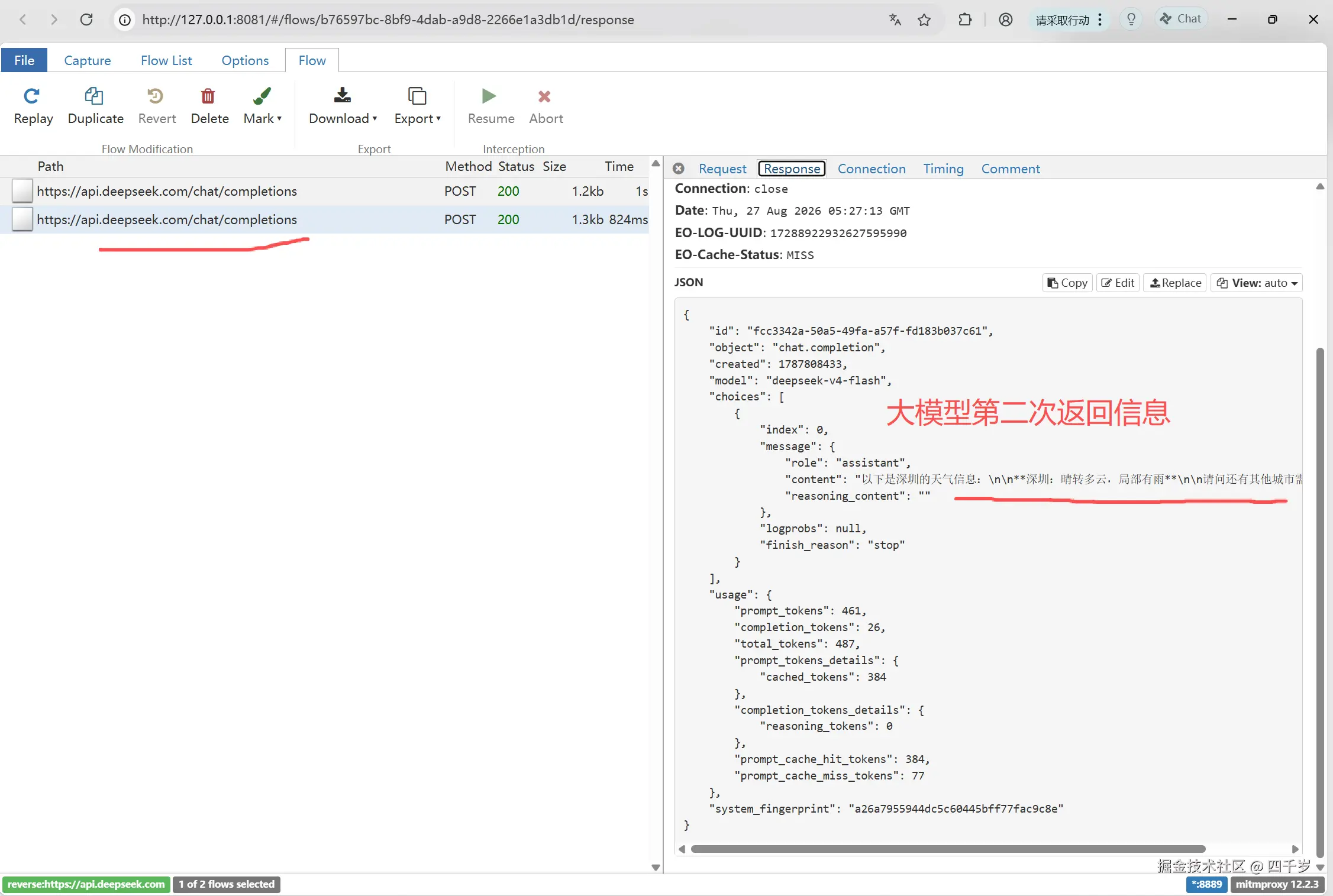
注意 :即使我们禁用了DeepSeek的tool_choice参数,DeepSeek一样可以正常调用我们自定义的函数。