Seal Report Designer内Views节点支持添加Free View视图控件,该控件属于布局视图且为空白视图,支持添加自定义HTML和 Razor模板,通过编写代码实现定制化布局和内容。Free View相关属性与View对象属性类似,本文主要学习Free View特有属性用途及使用示例。
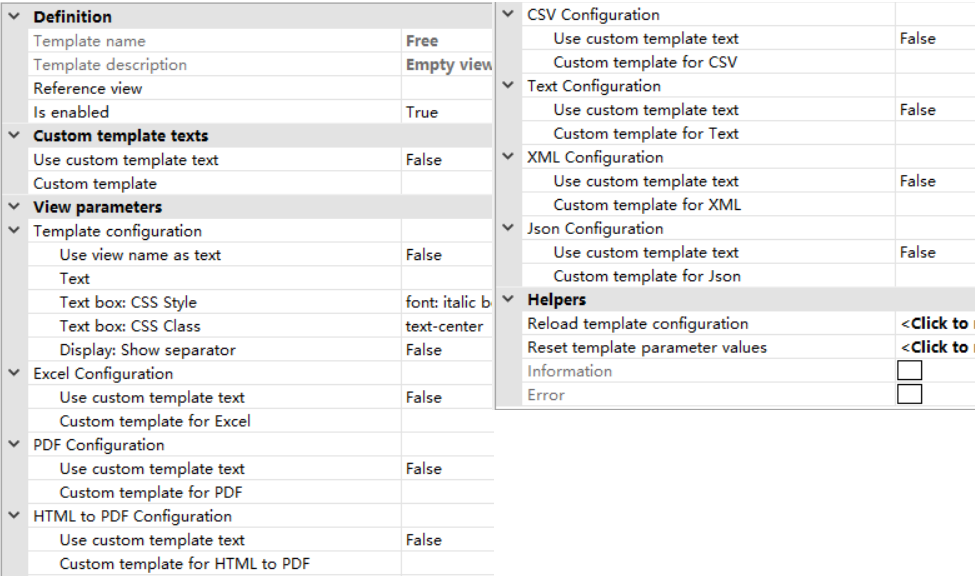
Is enabled属性:设置是否启用Free View控件;
Use custom template text属性:设置是否使用自定义模板;
Custom template属性:支持维护HTML和Razor脚本格式的视图模板,以替代视图的默认模板;
Use view name as text属性:值为True,则将视图名称作为显示文本;
Text属性:维护显示文本;
Text box:CSS Style属性:维护文本框的CSS样式;
Text box:CSS Class属性:维护文本框的CSS类
Display:Show separator属性:值为True,则显示分隔符。
Seal Report Designer软件自带的示例中没有直接针对Free View控件的使用示例,但很多示例文件中都使用了Free View控件,本文选择两个示例文件分析其中Free View控件的用法。
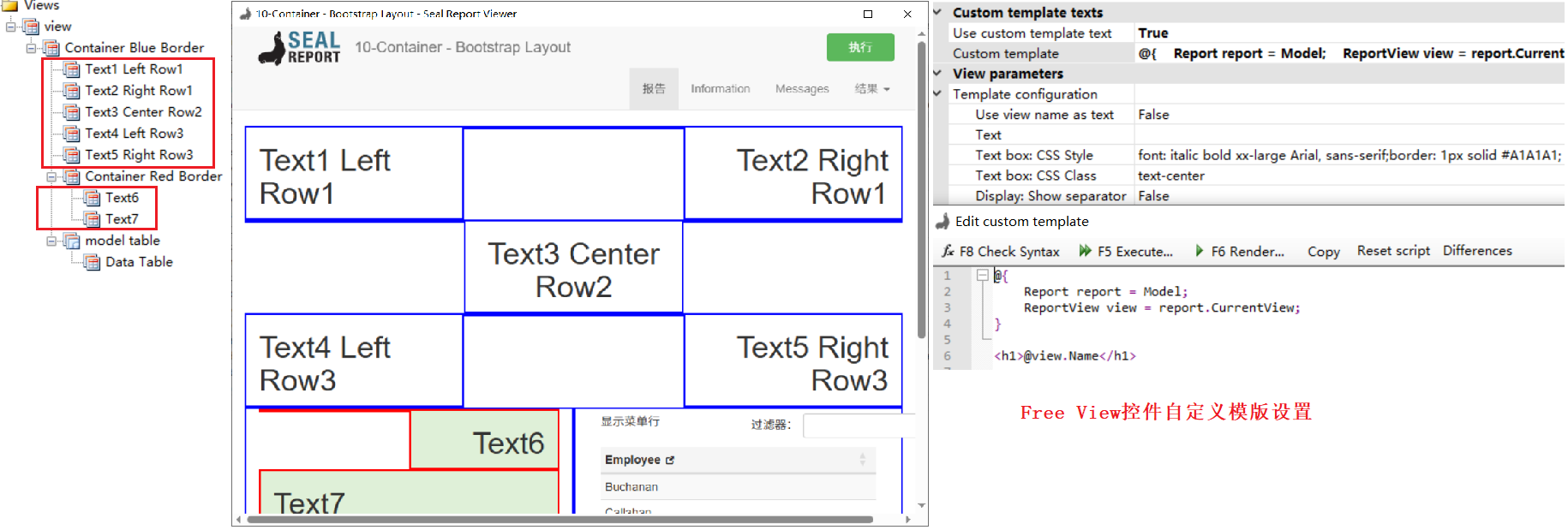
第一个以10-Container - Bootstrap Layout.srex文件为例(位于Samples文件夹内),虽然介绍的是Container View控件的用法,但其下的子视图大部分都是Free View,如下图所示。这些Free View控件统一使用Custom template属性维护自定义模板及显示内容。
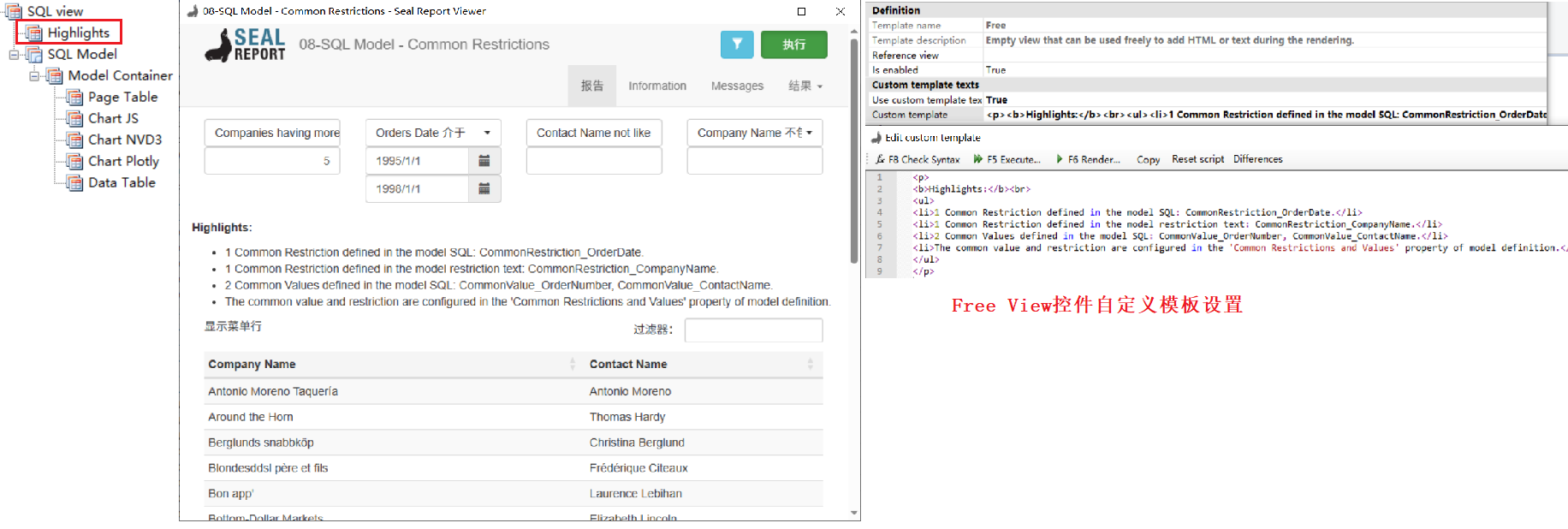
第二个以08-SQL Model - Common Restrictions.srex文件为例(位于Samples文件夹内),虽然介绍的是筛选条件的用法,但其下也包含Free View视图(Highlights节点),如下图所示。使用Free View使用在筛选结果上方显示多行提示说明。
参考文献:
1https://github.com/ariacom/Seal-Report
4https://sealreport.org/forum/
5https://github.com/ariacom/Seal-Report/releases
6https://www.cnblogs.com/Leo_wl/p/7716582.html
7https://sealreport.org/Help/html/26c7ae63-9b83-dc1d-b5d0-00a18021be41.htm