Seal Report Designer软件左侧面板的Views节点内Model视图控件,其下支持添加Gauge View视图,该控件使用类似汽车仪表盘的图形化组件,用指针和刻度直观显示数据值。Gauge View视图相关的属性与View对象属性类似,本文主要学习Gauge View特有的属性用途。
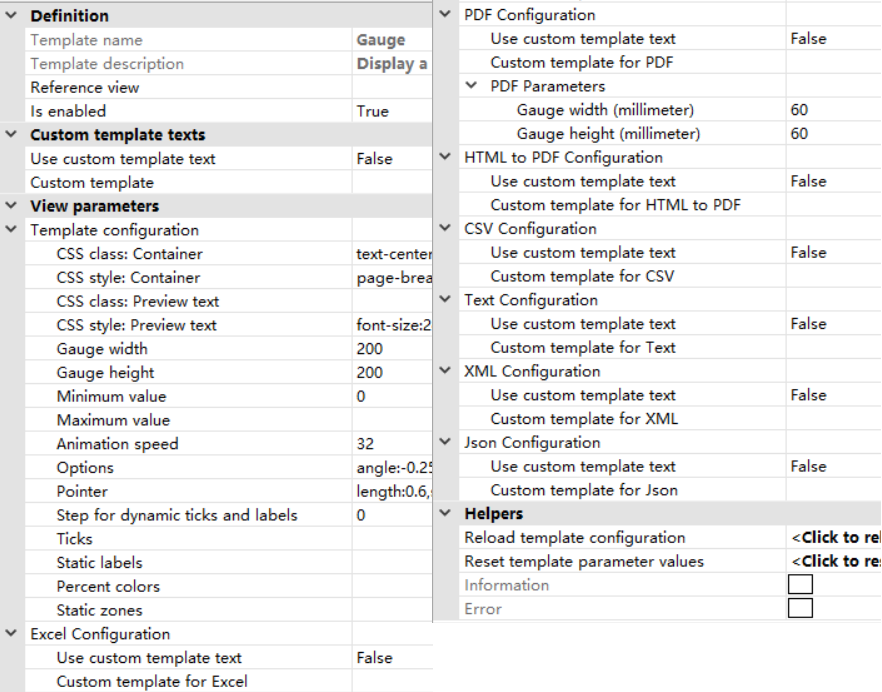
Is enabled属性:设置是否启用当前Gauge View控件;
CSS class:Container属性:设置整个Gauge View最外层容器的自定义CSS样式类;
CSS style:Container属性:设置整个Gauge View最外层容器的自定义CSS样式;
CSS class:Preview text属性:设置仪表盘中预览文本的CSS样式类;
CSS style:Preview text属性:设置仪表盘中预览文本的CSS样式;
Gauge width属性:设置仪表盘宽度;
Gauge height属性:设置仪表盘高度;
Minimum value属性:设置仪表盘刻度尺最小值,可以被数据源结果表第二个值替换;
Maximum value属性:设置仪表盘刻度尺最大值,可以被数据源结果表第三个值替换;
Animation speed属性:设置仪表盘加载时指针从起始位置移动到目标数值的动画播放速度,可以被数据源的结果表内第四个值替换;
Options属性:设置仪表盘的通用属性;
Pointer属性:设置仪表盘内指针的样式;
Step for dynamic ticks and labels属性:设置数值间隔,如果值不为空,则属性值用于动态计算仪表盘的刻度线和刻度标签;
Ticks属性:设置仪表盘内刻度线的样式;
Static labels属性:设置仪表盘内刻度标签的样式;;
Percent colors属性:设置仪表盘数值所占百分比对应的颜色列表;
Static zones属性:设置仪表盘固定数值区域的样式;
Gauge width(millimeter)属性:以PDF形式显示报表时,设置图表宽度,单位为毫米;
Gauge height(millimeter)属性:以PDF形式显示报表时,设置图表高度,单位为毫米。
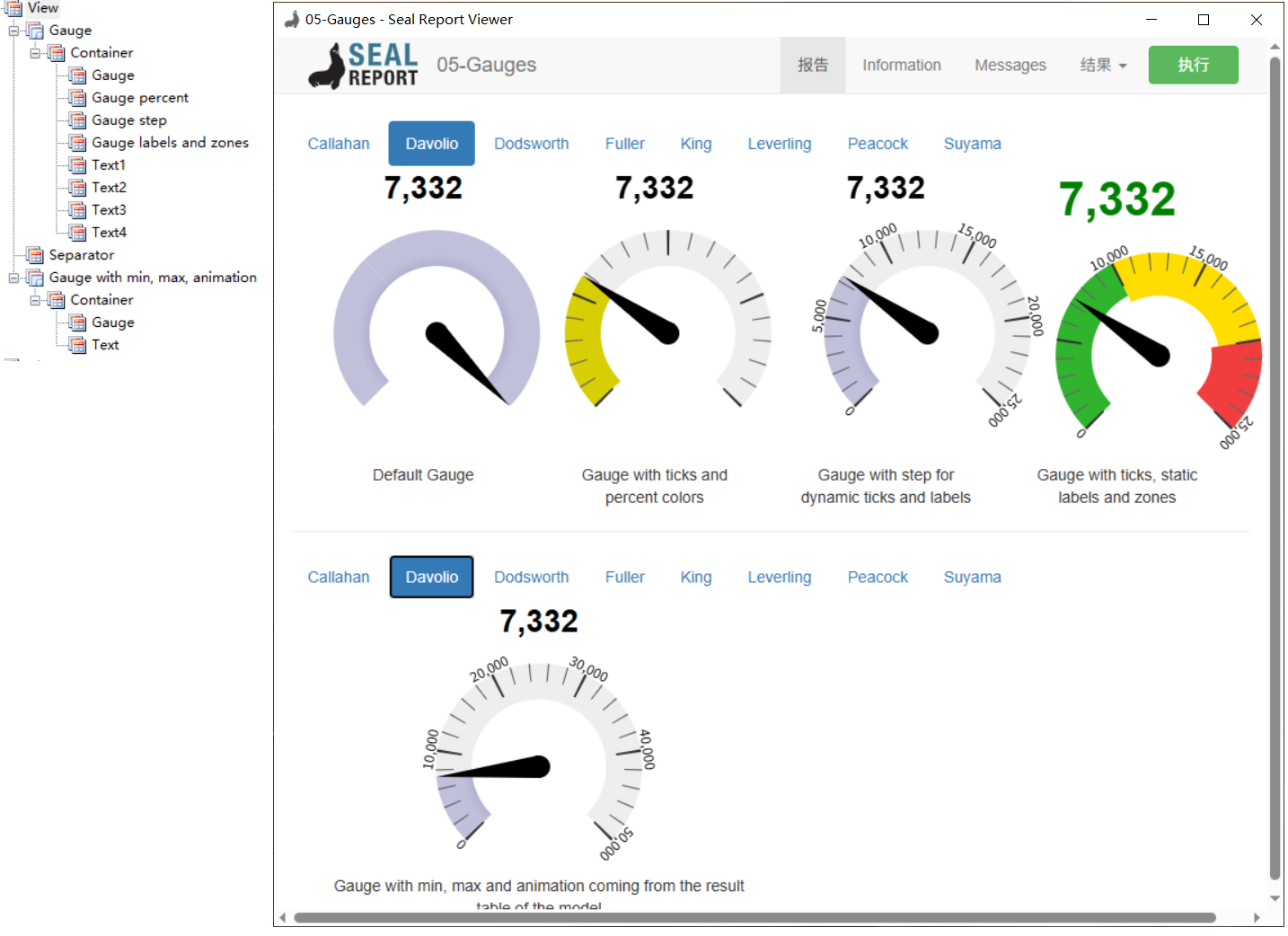
Seal Report Designer软件自带的示例中包括Gauge View控件的使用示例,以05-Gauges.srex文件为例(位于Samples文件夹内),该文件的Views节点中多次使用Gauge View控件。
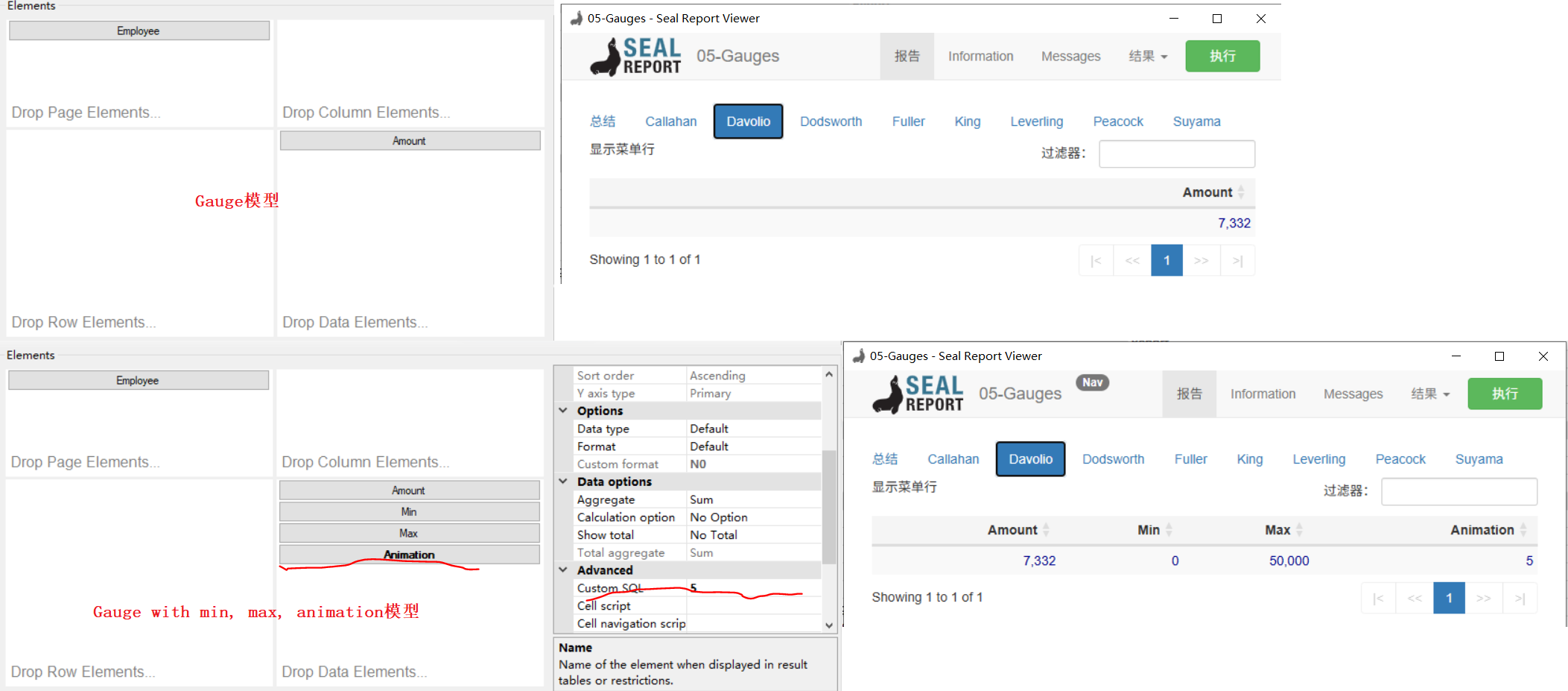
下图中的Gauge数据模型包含分页元素及数据元素,数据元素仅包含Amount数据列,而Gauge with min, max, animation模型的数据元素中包含四个数据列,后面3个数据列为固定值,用以指定仪表盘中的Minimum value属性、Maximum value属性和Animation speed属性。报表的显示效果如下所示:
参考文献:
1https://github.com/ariacom/Seal-Report
4https://sealreport.org/forum/
5https://github.com/ariacom/Seal-Report/releases
6https://www.cnblogs.com/Leo_wl/p/7716582.html
7https://sealreport.org/Help/html/26c7ae63-9b83-dc1d-b5d0-00a18021be41.htm