实例1
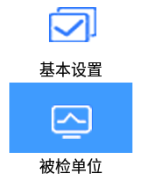
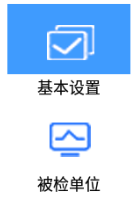
html
<RadioGroup
    android:id="@+id/us_radiogroup1"
    android:layout_width="match_parent"
    android:layout_height="match_parent"
    android:orientation="vertical">
    <!-- android:drawableTop="@drawable/us_baseset"-->
    <RadioButton
        android:id="@+id/us_RadioButton1"
        style="@style/us_radiogroup1"
        android:text="@string/us_radiobutton1"
        android:drawableTop="@drawable/us_baseset"/>

    <RadioButton
        android:id="@+id/us_RadioButton2"
        style="@style/us_radiogroup1"
        android:text="@string/str_bygroup"
        android:drawableTop="@drawable/us_company" />

</RadioGroup>
在style.xml文件中
html
    <style name="us_radiogroup1">

        <item name="android:button">@null</item>
        <item name="android:layout_width">140dp</item>
        <item name="android:layout_height">110dp</item>
        <item name="android:layout_gravity">center</item>
        <item name="android:gravity">center</item>
        <item name="android:textSize">@dimen/fontsize_18sp</item>

    </style>
us_web.xml
html
<?xml version="1.0" encoding="utf-8"?>
<selector xmlns:android="http://schemas.android.com/apk/res/android">

    <item android:state_checked="false" android:drawable="@drawable/us_web01" />
    <item android:state_checked="true"  android:drawable="@drawable/us_web11" />

</selector>
事件
RadioGroup radioGroup1;radioGroup1 = findViewById(R.id.us_radiogroup1);
radioGroup1.setOnCheckedChangeListener(radioGroupListener);RadioGroup.OnCheckedChangeListener radioGroupListener=new RadioGroup.OnCheckedChangeListener() {
@Override
public void onCheckedChanged(RadioGroup group, int checkedId) {
FragmentManager fm = getSupportFragmentManager();
FragmentTransaction ft = fm.beginTransaction();
Fragment f = null;
try{
int id = checkedId; // 或者直接使用 checkedId
if (id == R.id.us_RadioButton1) {
f = new UsBaseSetFragment();
} else if (id == R.id.us_RadioButton2) {
f = new UsGroupSetFragmen(context);
}
ft.replace(R.id.us_framelayout1,f);
ft.commit();
}catch (Exception e){
}
}
};