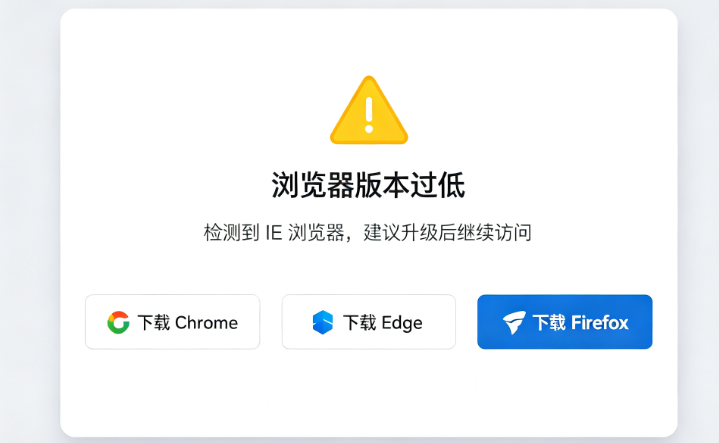
一、在 public/index.html 里面添加(放在最顶部,vue渲染之前执行)
注意:必须写到 index.html,不要写到vue组件里,IE加载vue打包js之前就要拦截。
<!DOCTYPE html>
<html lang="zh-CN">
<head>
  <meta charset="utf-8">
  <meta http-equiv="X-UA-Compatible" content="IE=edge">
  <meta name="viewport" content="width=device-width,initial-scale=1.0">
  <title>项目名称</title>
  <script>
    // 判断IE浏览器版本
    function getIEVersion() {
      var ua = window.navigator.userAgent;
      var msie = ua.indexOf("MSIE ");
      if (msie > 0) {
        // IE 10及以下
        return parseInt(ua.substring(msie + 5, ua.indexOf(".", msie)));
      }
      if (!!window.MSInputMethodContext && !!document.documentMode) {
        // IE11
        return 11;
      }
      // 不是IE
      return 0;
    }

    var ieVer = getIEVersion();
    // ieVer>0 代表IE浏览器;小于11就跳转升级页
    if (ieVer > 0 && ieVer < 11) {
      // 跳转到升级提示页面
      window.location.href = '/browser-upgrade.html';
    }
  </script>
</head>
<body>
  <div id="app"></div>
  <!-- built files will be auto injected -->
</body>
</html>
二、升级提示页面 browser-upgrade.html
放到 public 文件夹下,和 index.html 同级。
完整页面代码,可直接复制使用:
<!DOCTYPE html>
<html lang="zh-CN">
<head>
    <meta charset="UTF-8">
    <meta name="viewport" content="width=device-width, initial-scale=1.0">
    <title>浏览器版本过低提示</title>
    <style>
        *{
            margin: 0;
            padding: 0;
            box-sizing: border-box;
        }
        body{
            font-family: "Microsoft Yahei",sans-serif;
            background-color: #f5f7fa;
            display:flex;
            justify-content:center;
            align-items:center;
            min-height:100vh;
        }
        .container{
            width: 90%;
            max-width:600px;
            background:#ffffff;
            padding:40px;
            border-radius:12px;
            box-shadow: 0 2px 12px rgba(0,0,0,0.1);
            text-align:center;
        }
        .title{
            font-size:24px;
            color:#e53e3e;
            margin-bottom:20px;
        }
        .desc{
            font-size:16px;
            color:#444;
            line-height: 1.8;
            margin-bottom:30px;
        }
        .browser-list{
            display:flex;
            flex-wrap:wrap;
            gap:20px;
            justify-content:center;
        }
        .browser-item a{
            display:block;
            padding:12px 24px;
            background:#1989fa;
            color:#fff;
            text-decoration:none;
            border-radius:6px;
        }
        .browser-item a:hover{
            background:#0972d4;
        }
    </style>
</head>
<body>
    <div class="container">
        <h2 class="title">⚠️ 您的浏览器版本过低</h2>
        <div class="desc">
            当前浏览器(IE10及更低版本)已不再被本系统支持。<br/>
            IE浏览器安全性差,并且无法兼容网站新功能。<br/>
            请下载并使用以下现代浏览器访问本站:
        </div>
        <div class="browser-list">
            <div class="browser-item">
                <a href="https://www.google.cn/chrome/" target="_blank">Google Chrome</a>
            </div>
            <div class="browser-item">
                <a href="https://www.microsoft.com/edge" target="_blank">Microsoft Edge</a>
            </div>
            <div class="browser-item">
                <a href="https://www.firefox.com.cn/" target="_blank">Firefox火狐</a>
            </div>
        </div>
    </div>
</body>
</html>
补充说明
-
上面逻辑:IE 10及以下跳转升级页,IE11不拦截放行
如果你也想禁止 IE11,修改判断条件:if (ieVer > 0 && ieVer <= 11)
-
两个文件都放在
public,打包后路径不会出错。