Seal Report Designer内Views节点支持添加Model View视图控件,该控件属于数据视图,支持展示数据模型(Model)的全部或部分数据,其下支持添加布局、数据、KPI、图标等各类子视图控件。Model View相关的属性与View对象属性类似,本文主要学习Model View特有的属性用途。
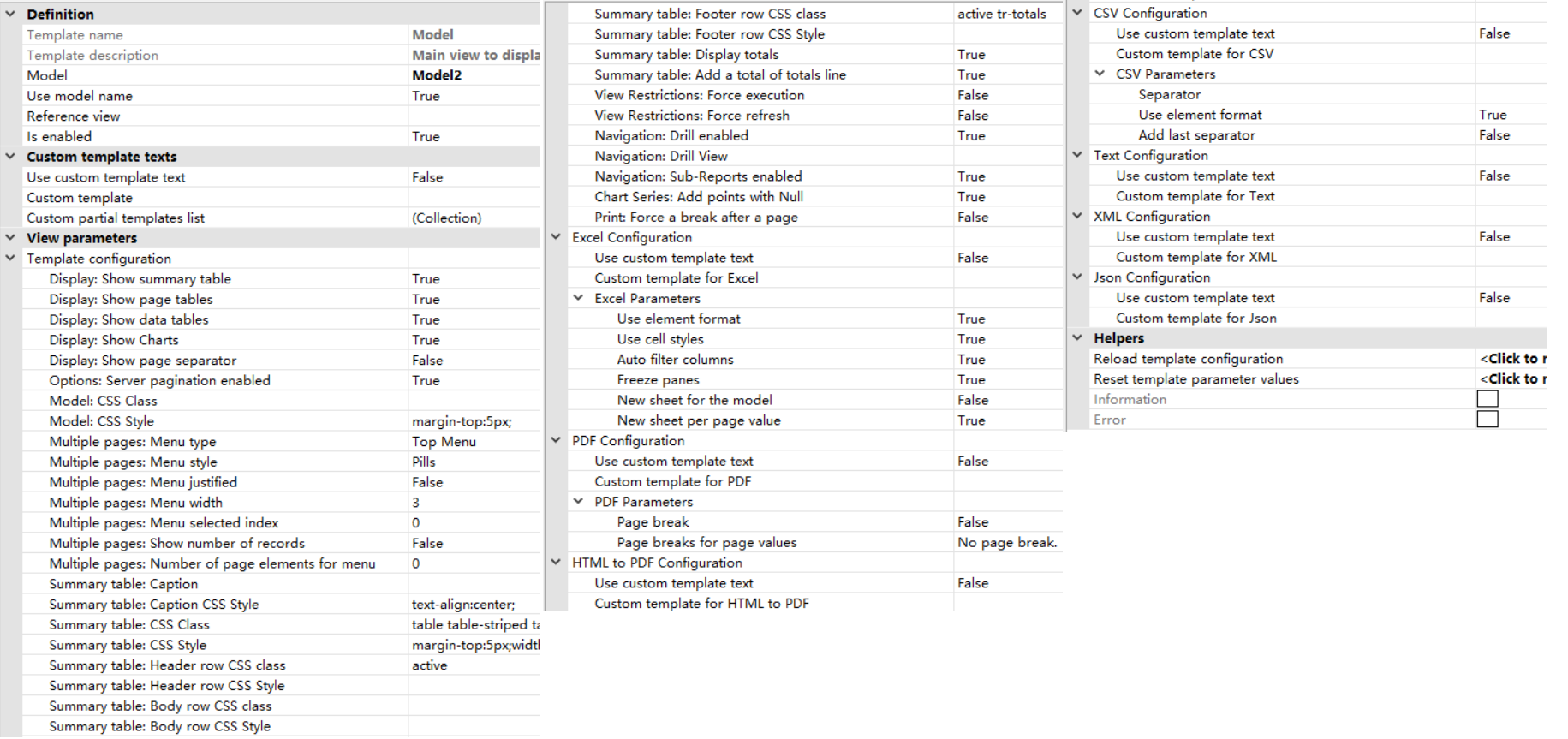
Model属性:设置Model View控件使用的数据模型,从Models节点内选择;
Use model name属性:值为True,则视图名称来源于模型名称;
Is enabled属性:设置是否启用当前Model View控件;
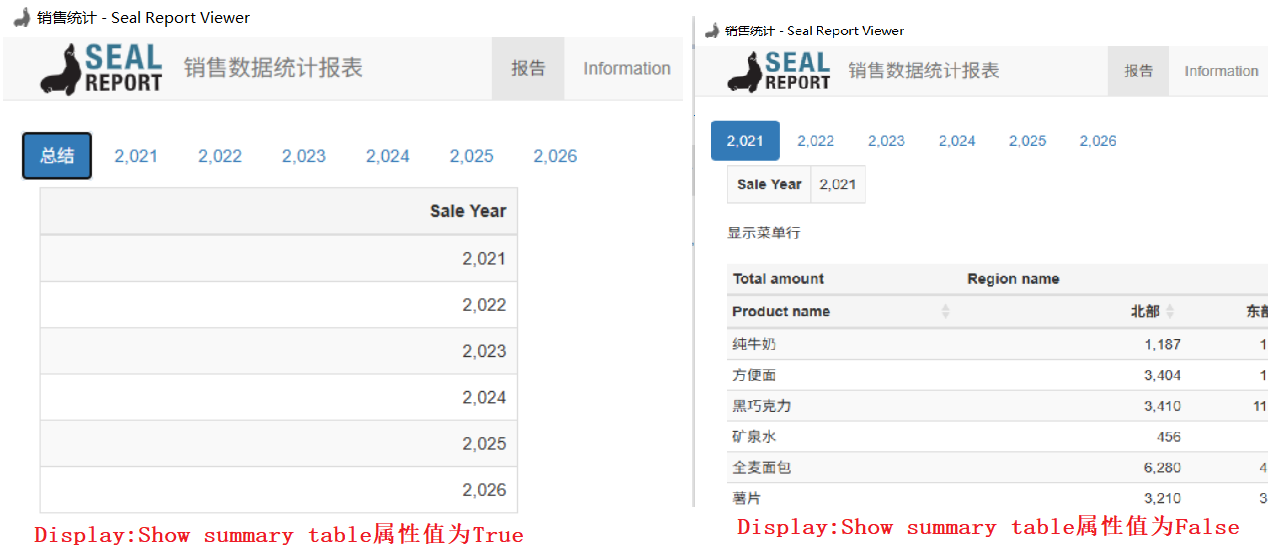
Display:Show summary table属性:值为True,则模型包含多页数据时会创建汇总表,如下图所示:
Display:Show page tables属性:值为True,则模型包含多页数据时会创建页表(Page Tables),不过实际测试时值为True或者False没有看出什么区别;
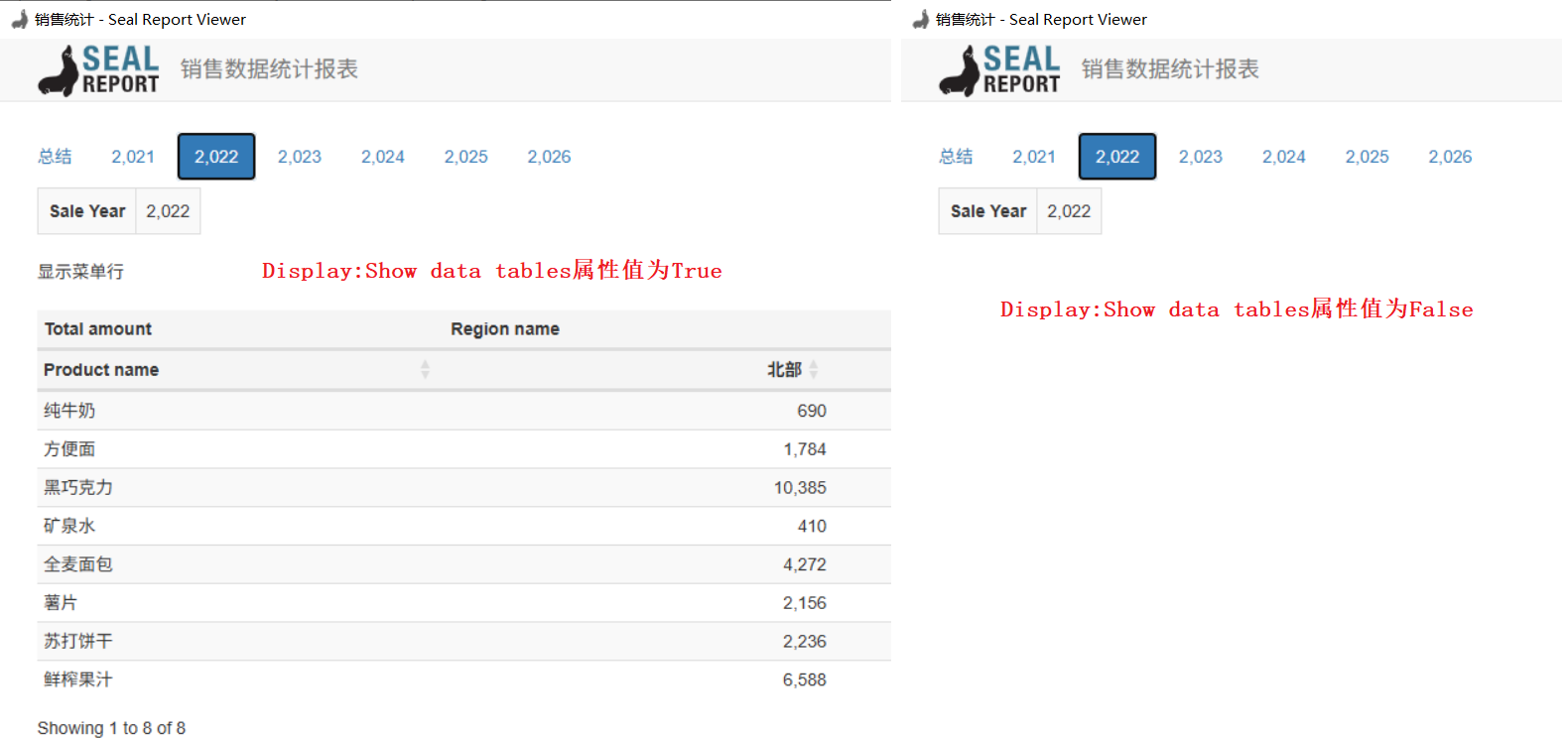
Display:Show data tables属性:值为True,则显示数据表格,如下图所示:
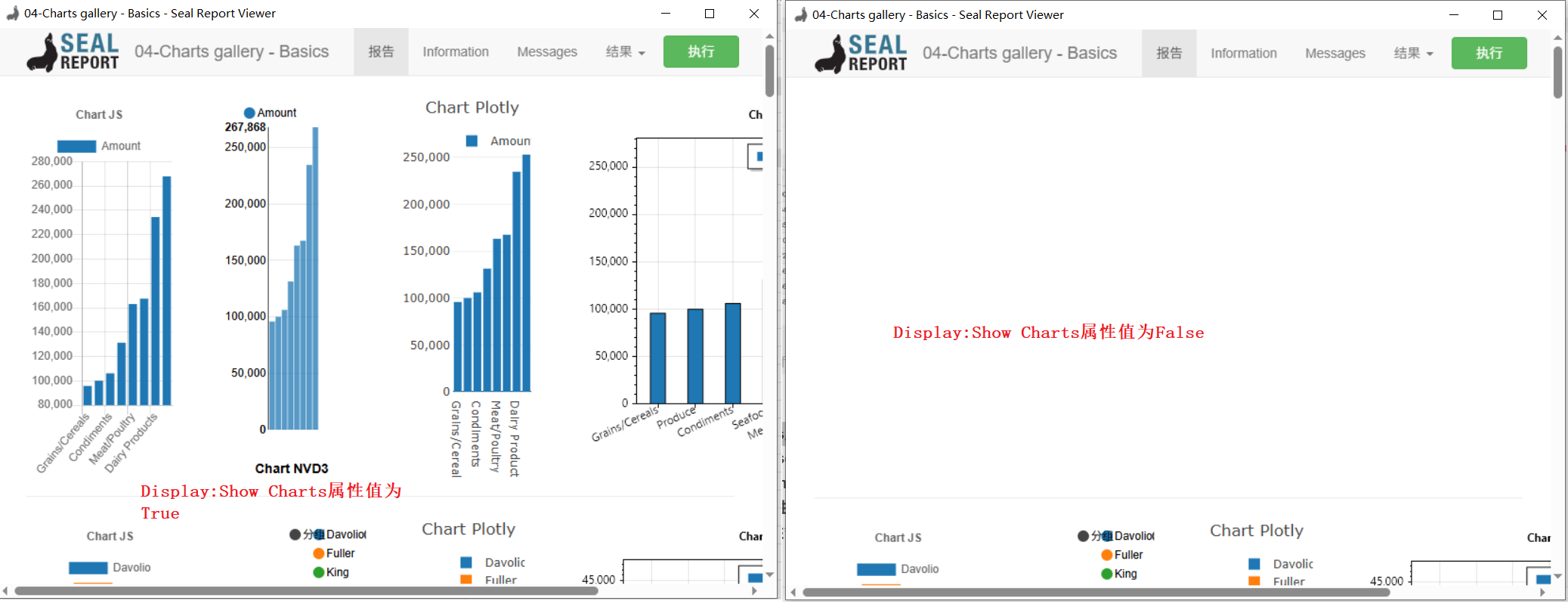
Display:Show Charts属性:值为True,则显示模型中定义的图标数据,如下图所示;
Display:Show page separator属性:值为True,则在页表之间显示分隔符,不过实际测试时值为True或者False没有看出什么区别;
Options:Server pagination enabled属性:值为True且根节点的Report View属性值为True,当报表以HTML形式展示时,在服务端保存分页数据;
Model:CSS Class属性:配置整个Model View的最外层容器的自定义的CSS类;
Model:CSS Style属性:配置整个Model View的最外层容器的自定义的CSS样式;
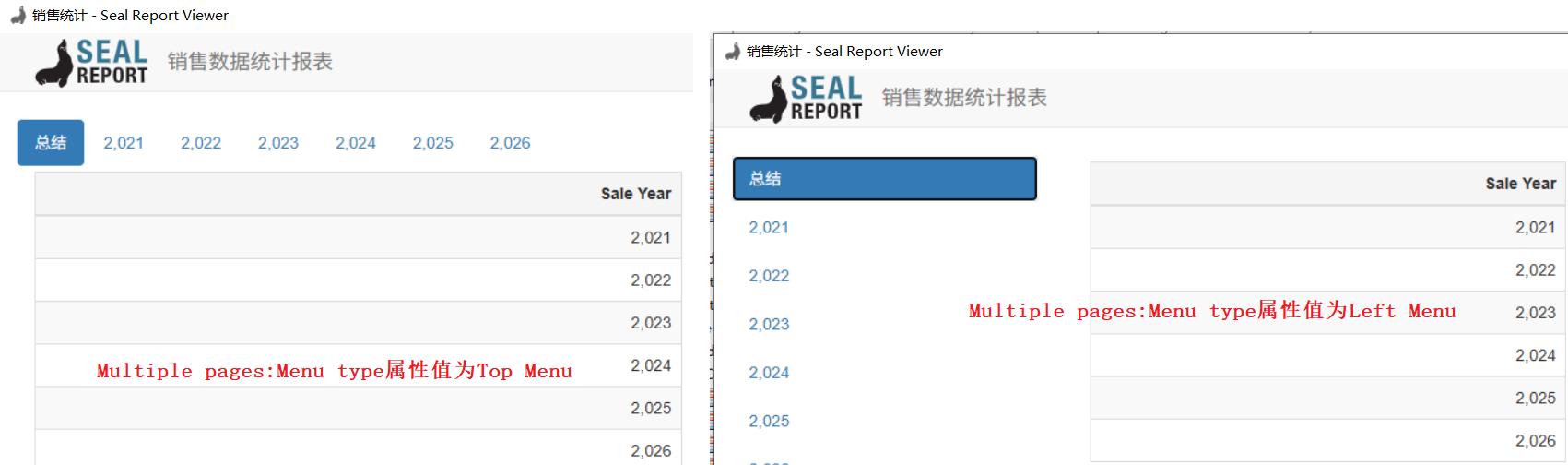
Multiple pages:Menu type属性:配置报表包含多个页表时导航菜单位置,如下图所示:
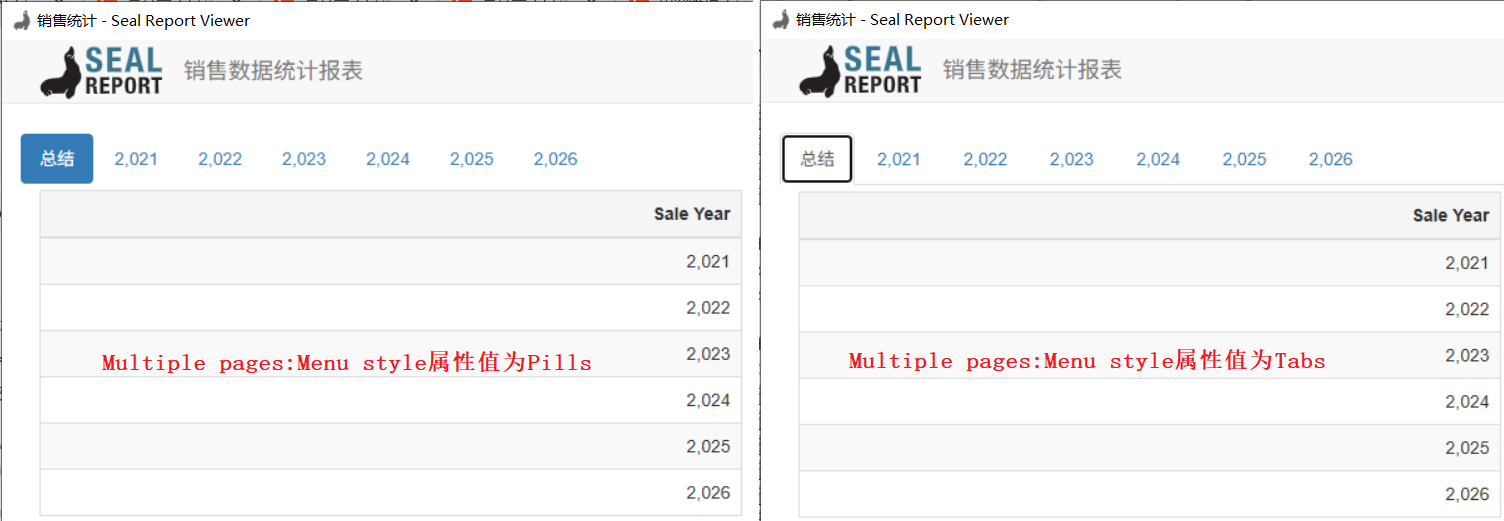
Multiple pages:Menu style属性:配置报表包含多个页表时导航菜单样式,如下所示:
Multiple pages:Menu justified属性:值为True,则页表导航菜单的宽度保持一致;
Multiple pages:Menu width属性:当页表导航菜单位置为Left或Right时,设置菜单宽度,取值在1到11之间,默认值为3;
Multiple pages:Menu selected index属性:设置报表加载后默认显示的页表索引;
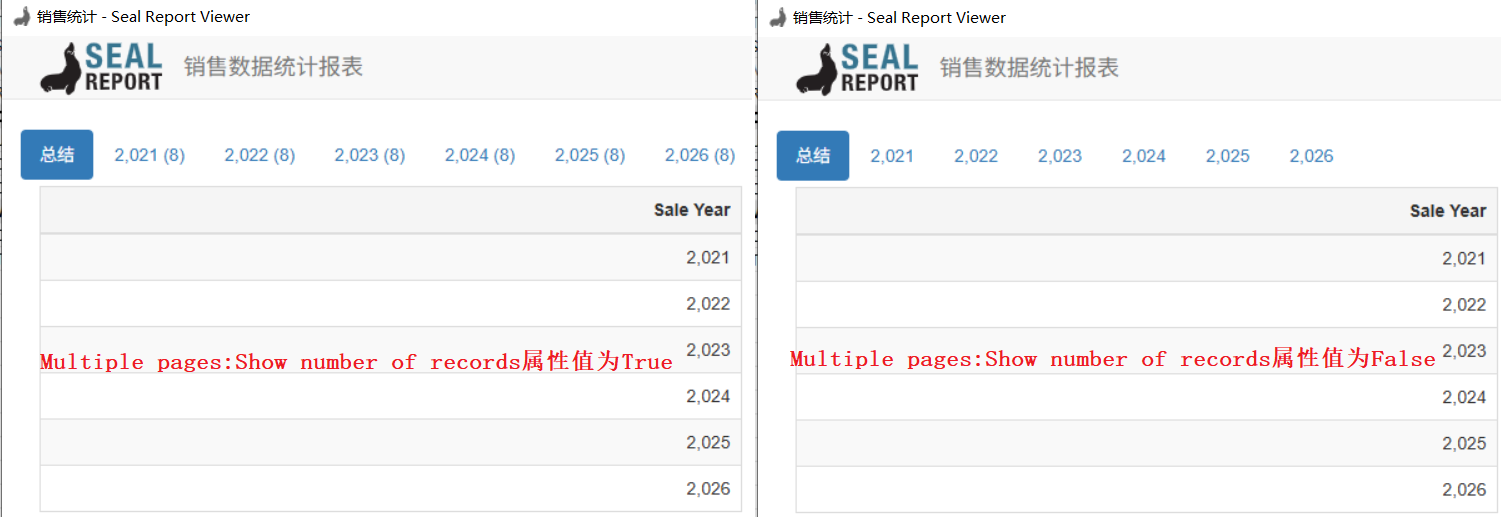
Multiple pages:Show number of records属性:值为True,则在页表导航菜单中显示数据数量,如下图所示;
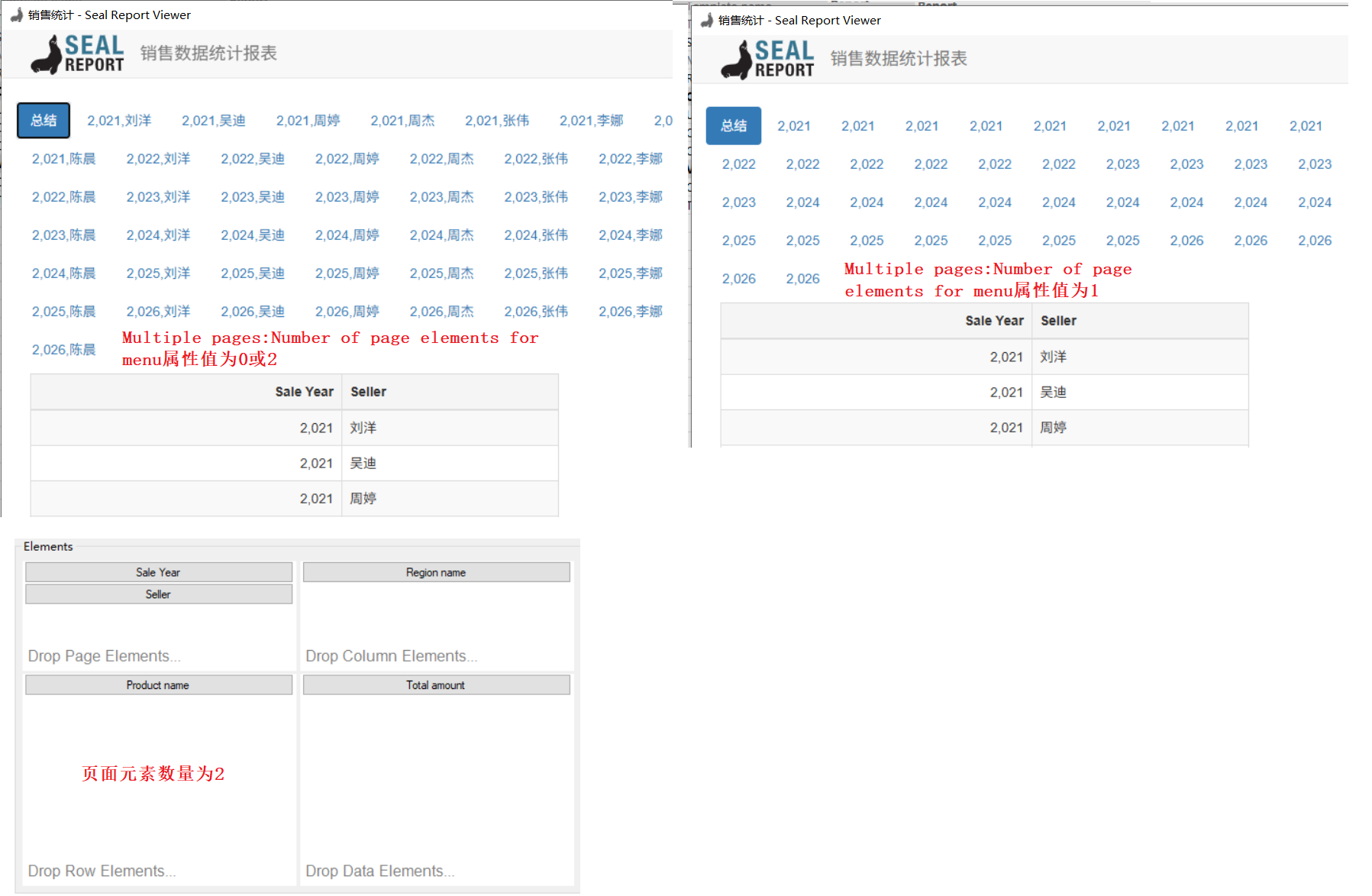
Multiple pages:Number of page elements for menu属性:设置构建页表导航菜单时从Model View关联的数据源中使用的页面元素数量,值为0则使用所有页面元素。如下图所示,Model View关联的数据源中页面元素数量为2,数量为0或2,数量为1时的显示效果如下;
Summary table:Caption属性:设置汇总表的标题,如下图所示;
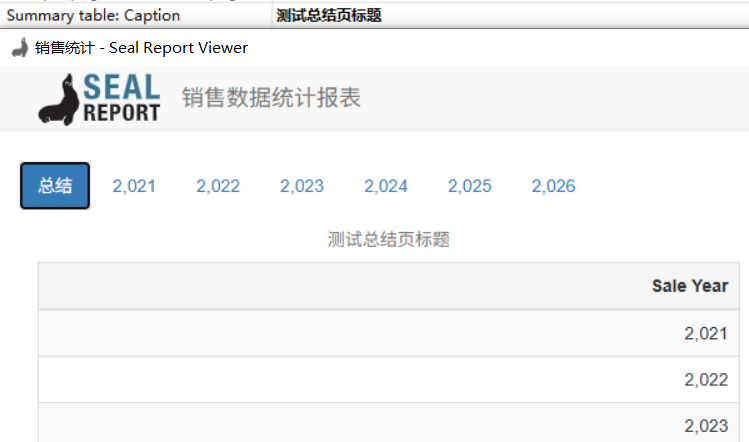
Summary table:Caption CSS Style属性:设置汇总表标题的CSS样式;
Summary table:CSS Class属性:设置汇总表表格的CSS类;
Summary table:CSS Style属性:设置汇总表表格的CSS样式;
Summary table:Header row CSS class属性:设置汇总表表格的表头行CSS类;
Summary table:Header row CSS Style属性:设置汇总表表格的表头行CSS样式;
Summary table:Body row CSS class属性:设置汇总表表格的数据行CSS类;
Summary table:Body row CSS Style属性:设置汇总表表格的数据行CSS样式;
Summary table:Footer row CSS class属性:设置汇总表表格的页脚行CSS类;
Summary table:Footer row CSS Style属性:设置汇总表表格的页脚行CSS样式;
Summary table:Display totals属性:值为True,则在汇总表中显示合计数据(从关联的数据源的数据元素中获取);
Summary table:Add a total of totals line属性:值为True,则在汇总表最后添加一行合计的合计(Total of Totals);
View Restrictions:Force execution属性:如果值为True且报表包含需交互的的筛选条件,强制报表在首次加载时直接执行并显示结果;
View Restrictions:Force refresh属性:值为True,则执行筛选条件时强制更新视图;
Navigation:Drill enabled属性:设置是否启用Drill navigation(钻取导航)功能;
Navigation:Drill View属性:设置在报表中执行钻取导航(Drill Navigation)时,具体使用哪一个视图(View)来展示钻取后的详细数据;
Navigation:Sub-Reports enabled属性:是否启用Sub-Reports(子报表)导航功能;
Chart Series:Add points with Null属性:值为True,则Y坐标值为NULL的点当做0处理并放入图表,否则不会将点放在图表中;;
Print:Force a break after a page属性:值为True,则打印时在当前视图控件内容输出后强制换页;
Excel Configuration
Use element format属性:值为True,则将数据列内容显示格式应用到Excel文件;
Use cell styles属性:值为True,则单元格使用默认样式;
Auto filter columns属性:值为True,则Excel文件的数据表格支持列筛选功能;
Freeze panes属性:值为True,则Excel文件始终显示标题行;
New sheet for the model属性:值为True,则为模型创建新的工作表;
New sheet per page value属性:值为True,则为每个页表创建工作表。
PDF Configuration
Page break属性:值为True,则导出PDF文件时,在模型前插入分页符;
Page breaks for page values属性:配置页表的分页方式。
CSV Configuration
Separator属性:配置导出CSV文件时的分隔符,如果值为空,则使用默认分隔符;
Use element format属性:值为True,则将数据列内容显示格式应用到CSV文件;
Add last separator属性:值为True,则在数据行的最后一个值后插入分隔符。
参考文献:
1https://github.com/ariacom/Seal-Report
4https://sealreport.org/forum/
5https://github.com/ariacom/Seal-Report/releases
6https://www.cnblogs.com/Leo_wl/p/7716582.html
7https://sealreport.org/Help/html/26c7ae63-9b83-dc1d-b5d0-00a18021be41.htm